8 min. reading

Yulii Cherevko
CEO paintit.ai
Published:

Wayfair Decorify does one thing reasonably well: it shows you Wayfair furniture in a virtual room. If you are already committed to buying from Wayfair, that is useful. But if you want to explore styles beyond their catalog, test materials from other suppliers, or see your actual room transformed rather than a generic template - it runs out of road quickly.
That is the gap most people searching for Wayfair Decorify alternatives are trying to fill. This review covers seven real tools: Paintit.ai, RoomGPT, Homestyler, Planner 5D, HomeByMe, Havenly, and REimagineHome. Each one is a real product with a real user base, not a placeholder. The goal is to help you find the right fit for your specific situation - whether you are redesigning a bedroom, staging a property for sale, or just trying to stop second-guessing paint colors.
Before comparing products, it helps to understand what category of tool you actually need.
Photo-based AI redesign tools take a photo of your existing room and apply new styles, materials, furniture, and lighting to it. Paintit.ai, RoomGPT, and REimagineHome work this way. They are fastest for homeowners and designers who already have a space and want to see it differently.
2D and 3D room planners let you build a room from scratch or from measurements, then furnish it virtually. Planner 5D, HomeByMe, and Homestyler fall here. These are better when you need to think about layout, traffic flow, and furniture dimensions before buying.
Full-service design platforms combine AI visualization with human designer input. Havenly is the clearest example. You get AI speed plus professional curation.
Retailer-integrated visualizers - where Wayfair Decorify sits - show you that retailer's products in a virtual space. Fast and convenient if you are buying from that retailer, but limited by definition.
| Tool | Input | Best For | Photorealism | Catalog Lock-in | Cost |
|---|---|---|---|---|---|
| Paintit.ai | Photo, text | Style exploration, renovation planning, staging | High | None | Subscription |
| RoomGPT | Photo | Fast concept generation, inspiration | Medium | None | Subscription |
| Homestyler | Photo, 2D plan | Flexible 2D/3D design with AI assist | Medium-High | Partial | Freemium |
| Planner 5D | 2D plan, 3D | Detailed floor planning, layout | Medium | Partial | Freemium |
| HomeByMe | 2D plan | Brand furniture visualization, real dimensions | Medium | Yes (brand catalog) | Freemium |
| Havenly | Photos + brief | Full-service design with human input | High (designer-produced) | None | Package |
| REimagineHome | Photo | Virtual staging, real estate | High | None | Credits/Subscription |
| Wayfair Decorify | Room template | Wayfair product visualization | Medium | Yes (Wayfair only) | Free |

Paintit.ai takes a photo of your actual room and redesigns it using AI - no 3D modeling, no starting from a blank canvas. Upload an image, choose a direction, and the platform generates a photorealistic version of your space in a different style, material system, or color palette. Generation takes under two minutes.
What makes it more useful than Wayfair Decorify specifically is the absence of catalog lock-in. You are not limited to Paintit.ai's inventory because there is no forced shopping integration. The tool is focused on visualization, which means you can test a Japandi living room, a warm industrial bedroom, or a spa-style bathroom and then source the actual furniture and materials from wherever you want.
The AI Room Design tool handles interiors. For facade and curb appeal work, the AI Exterior Design tool applies the same logic to building exteriors. For empty rooms that need furnishing from scratch, AI Virtual Staging is the right starting point.
Best for: Homeowners testing renovation directions, interior designers building client concept options, real estate agents staging listings.
Pros: High realism from real photos, no catalog restrictions, works for interiors and exteriors, fast iteration.
Cons: No direct shopping links to specific products. Requires a clear, well-lit input photo for best results.
Pricing: Free plan with 30 credits. Weekly ($6.99) and Monthly ($24.99) subscriptions available.
Try-on tip: Upload your living room photo and compare three directions side by side - warm Scandinavian, soft organic modern, and minimal contemporary. Use constraint language ("keep the room layout unchanged") to get results that still look like your actual apartment, not a generic template.
If you choose this over Wayfair Decorify: You want realistic visualization of your own space in any style, without being limited to one retailer's furniture catalog. For more on getting the most from the platform, see how to use AI to design a room.
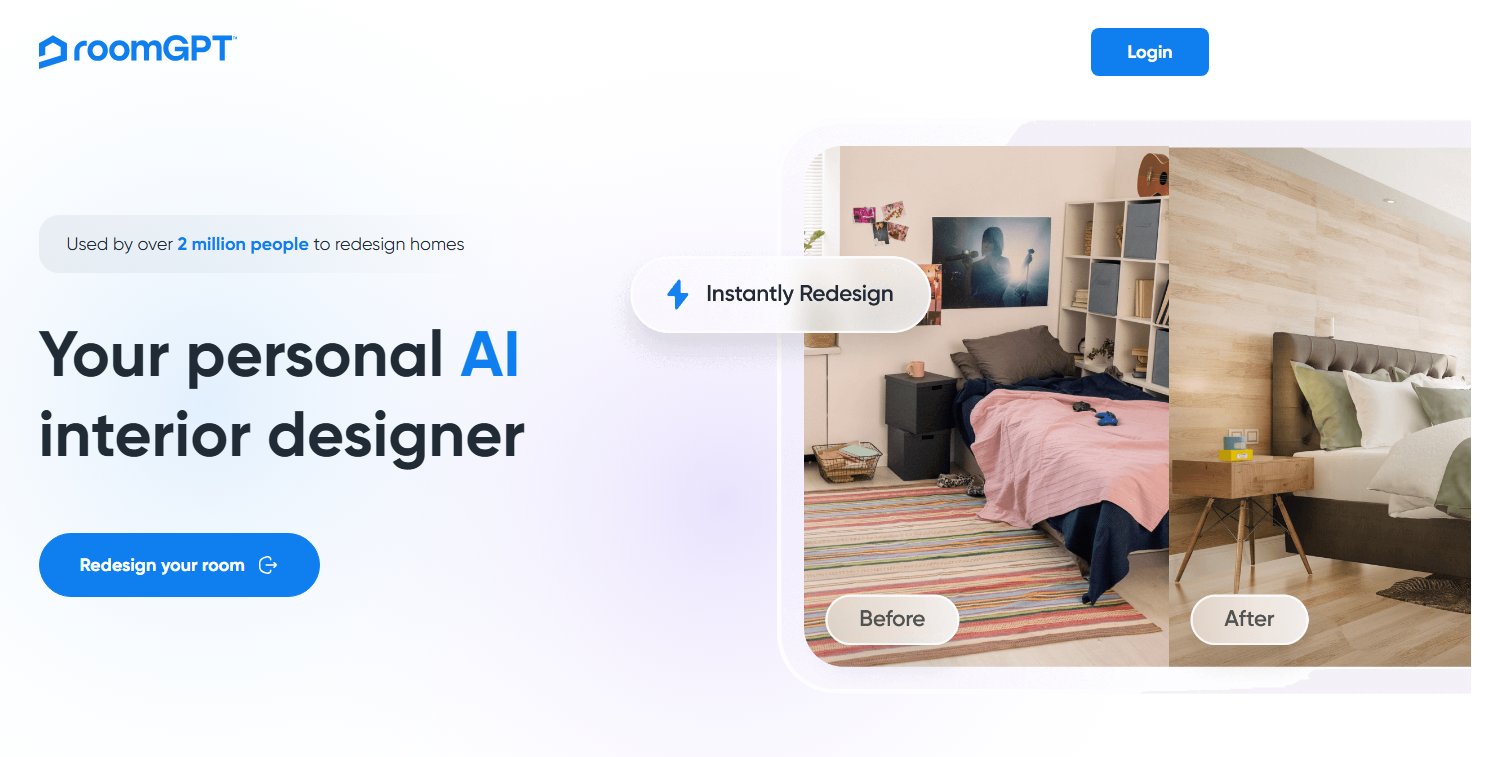
RoomGPT generates AI room redesigns from a single uploaded photo. Choose a style preset - modern, minimalist, coastal, industrial, and others - and the platform produces a redesigned version within seconds. There is minimal manual input required, which is its main appeal.
Compared to Wayfair Decorify, RoomGPT is faster at generating style concepts and has no product catalog attached. The tradeoff is less control over specific materials, furniture placement, or constraint management.
Best for: Homeowners who want quick inspiration before deciding on a design direction. Good as a starting point before moving to a more precise tool.
Pros: Very fast, no design experience needed, good for exploring diverse styles quickly.
Cons: Limited control over specific elements. Output realism is lower than photo-based tools with more input options. No architectural preservation controls.
Pricing: Subscription-based, check the official site for current pricing.
Try-on tip: Use RoomGPT to test five style directions in ten minutes. When you find one that resonates, upload the same photo to Paintit.ai and refine the material system, lighting, and furniture language more precisely. For a broader comparison of similar tools, the RoomGPT alternatives guide covers the full landscape.

Homestyler lets you start from a photo, a 2D floor plan, or a blank room. It has a substantial furniture library, AI-powered placement suggestions, and generates 3D walkthroughs and rendered images. The platform sits between instant AI visualizers and full room planners - it does both reasonably well, which makes it versatile but less focused than either extreme.
Unlike Wayfair Decorify, Homestyler is not tied to a single retailer and supports far more design styles and room types.
Best for: Homeowners and designers who want to combine 2D layout planning with AI-assisted visualization in one platform.
Pros: Flexible input methods, large furniture library, 2D and 3D in one tool, community features for inspiration.
Cons: Rendering quality varies. Some advanced features require a paid subscription. AI assistance is more supplementary than central.
Pricing: Free tier available, premium features require subscription.
Try-on tip: Build your room layout in Homestyler to confirm furniture dimensions work. Then export a screenshot and upload it to Paintit.ai to apply specific material finishes at higher realism. For a full comparison of similar tools, see Homestyler alternatives.

Planner 5D is primarily a 2D and 3D room planning tool with a large catalog of furniture, appliances, and decor items. It has added AI features for smart placement suggestions and some style recommendations, but its core strength is layout work - creating accurate floor plans and understanding how spaces will function.
For users who find Wayfair Decorify too shallow on the planning side, Planner 5D is the clearest upgrade. It handles spatial relationships, furniture scale, and traffic flow in ways that photo-based AI tools cannot.
Best for: People planning significant furniture purchases or layout changes who need to verify dimensions before spending.
Pros: Accurate 2D and 3D planning, large furniture catalog, good for understanding scale and flow.
Cons: Steeper learning curve than instant visualizers. Rendering realism is lower than photo-based AI tools. Free version is limited.
Pricing: Freemium with paid subscription for full access.
Try-on tip: Finalize your furniture layout in Planner 5D, then export a rendered view and upload it to Paintit.ai to test material finishes and lighting mood at higher realism. The Planner 5D alternatives article covers similar tools if you need to compare further.

HomeByMe lets you design rooms and place real furniture from actual brand catalogs - including specific products with accurate dimensions. This makes it the closest structural competitor to Wayfair Decorify, but with a broader brand selection beyond Wayfair.
If you are specifically trying to see how IKEA, Maisons du Monde, or other partner brand furniture will look in your space before ordering, HomeByMe does this better than most AI visualizers.
Best for: Shoppers who want to visualize specific real-world furniture products in their room before buying.
Pros: Real brand catalogs with accurate dimensions, free to use for basic design, 2D and 3D views.
Cons: Best renders require a paid subscription. Slower for large or complex projects. AI role is mostly smart placement, not generative design. For broader style exploration, the HomeByMe alternatives article is worth reading.
Pricing: Free basic plan, paid for high-quality renders.
Havenly pairs AI visualization tools with real interior designers. You share photos of your space, answer style questions, and get back a designer-curated room concept with shoppable product recommendations. It is more expensive and slower than pure AI tools, but the output reflects actual professional judgment, not just algorithmic pattern matching.
If Wayfair Decorify feels too basic and you want expert input rather than just faster software, Havenly is the natural step up.
Best for: Homeowners who want professional design guidance without hiring a full-service designer.
Pros: Real designer input, curated product recommendations, works for complete room makeovers.
Cons: Higher cost than AI-only tools, longer turnaround, less suitable for rapid iteration. For a fuller picture of similar services, the Havenly alternatives guide covers the landscape.
Pricing: Package-based, check the official site for current rates.
REimagineHome specializes in virtual staging for real estate - furnishing empty rooms to help buyers visualize the property. It produces high-quality, marketing-ready images quickly, which is the main reason real estate agents use it.
Compared to Wayfair Decorify, REimagineHome has no furniture catalog integration and does not support the browsing-to-purchase workflow. It is a professional staging tool, not a home design exploration tool.
Best for: Real estate agents and property managers who need buyer-ready listing images from empty room photos.
Pros: High realism for staging output, fast turnaround, includes AI furniture removal for already-furnished rooms.
Cons: Limited scope for personal design exploration. Less suited for homeowners testing renovation ideas. The REimagineHome alternatives article covers comparable staging tools.
Pricing: Per-image or subscription, check the official site.
| Feature | Paintit.ai | RoomGPT | Homestyler | Planner 5D | HomeByMe | Havenly | REimagineHome |
|---|---|---|---|---|---|---|---|
| Input method | Photo, text | Photo | Photo, 2D plan | 2D plan, 3D | 2D plan | Photos + brief | Photo |
| Photorealism | High | Medium | Medium-High | Medium | Medium | High (designer) | High |
| Style freedom | Full | Full | Full | Full | Partial (catalog) | Full | Staging-focused |
| Floor planning | No | No | Yes | Yes | Yes | No | No |
| Human designer | No | No | No | No | No | Yes | No |
| Real product catalog | No | No | Partial | Partial | Yes | Yes | No |
| Virtual staging | Yes | Partial | No | No | No | No | Yes |
| Free tier | Yes | Yes | Yes | Yes | Yes | No | Limited |
Most homeowners and designers end up using more than one tool depending on what stage of a project they are at.
Stage 1 - Direction finding: Upload your room photo to Paintit.ai or RoomGPT and generate four to six style directions in under ten minutes. This is about finding what resonates before investing more time anywhere.
Stage 2 - Layout verification: If the chosen direction requires new furniture or significant rearrangement, move to Planner 5D or Homestyler. Confirm that the furniture you want actually fits the room dimensions and the circulation works.
Stage 3 - Material and finish refinement: Bring your layout concept back to Paintit.ai. Test specific material families - warm oak vs. painted cabinetry, beige stone vs. terrazzo - on a photo of your actual room. This is the step that turns a layout plan into a believable design direction. For a practical guide to this workflow, how to generate more realistic AI interiors covers the prompt and constraint logic in detail.
Stage 4 - Product sourcing: Use HomeByMe or Havenly to identify specific products that match your direction. At this point you have a clear visual brief, which makes product selection much faster.
AI interior design tools are good at one thing: showing you how a space could look. They are not good at several things that still matter.
Colors on screen shift under real lighting. A warm beige that looks perfect in an AI render may read differently under north-facing natural light at 8am. Always get physical paint swatches and test them in the actual room at different times of day.
AI-generated furniture is generic. When Paintit.ai shows a curved oak dining table, it is not a specific product with specific dimensions. Before buying, verify that the piece you choose will actually fit the space as shown.
Material feel is outside AI's scope. Boucle, linen, and velvet look similar in renders but feel completely different in use. Physical samples matter, especially for upholstery and flooring.
For a broader look at what AI tools can and cannot reliably deliver, the reliable AI interior design apps guide covers this honestly.
It depends on what you need from Decorify. For photorealistic style exploration without catalog restrictions, Paintit.ai. For full 2D/3D floor planning, Planner 5D. For real brand furniture visualization, HomeByMe. For professional design input, Havenly.
Yes. AI tools are particularly useful for renters because you can test paint colors, furniture arrangements, and decor styles without making any physical changes. Paintit.ai's photo-based workflow is well suited to this - upload your current room and explore what is possible within the existing constraints.
Clear, well-lit photos taken in natural daylight, with a straight readable perspective that shows the full room or the area you want to change. Dark photos, heavy blur, and extreme angles reduce output quality across all photo-based AI tools.
Wayfair Decorify is free to use as part of the Wayfair shopping experience. Most alternatives have free tiers with limits, paid subscriptions for full access, or per-image pricing.
AI tools are most reliable for surface-level visualization - paint, materials, furniture, and styling. For structural changes, accurate measurements, or construction planning, professional architectural tools and human expertise are still required. AI gives you a visual direction; it does not replace a contractor brief.
Wayfair Decorify is a reasonable product placement tool. But if you have outgrown it - or never found it quite right - the alternatives in 2026 cover significantly more ground.
For most homeowners, Paintit.ai is the clearest upgrade. It works from photos of your actual space, produces high-realism output, and has no catalog lock-in. For layout planning, Planner 5D and Homestyler are more appropriate. For professional help, Havenly. For real estate staging specifically, REimagineHome.
The best AI virtual staging tools guide and the best AI interior design tools roundup cover the broader landscape if you want to research further before deciding.