1
Explore AI room design tools that are free. Instantly create and visualize stunning interiors with ease. Perfect for bedrooms, living rooms, and more. Start designing today!

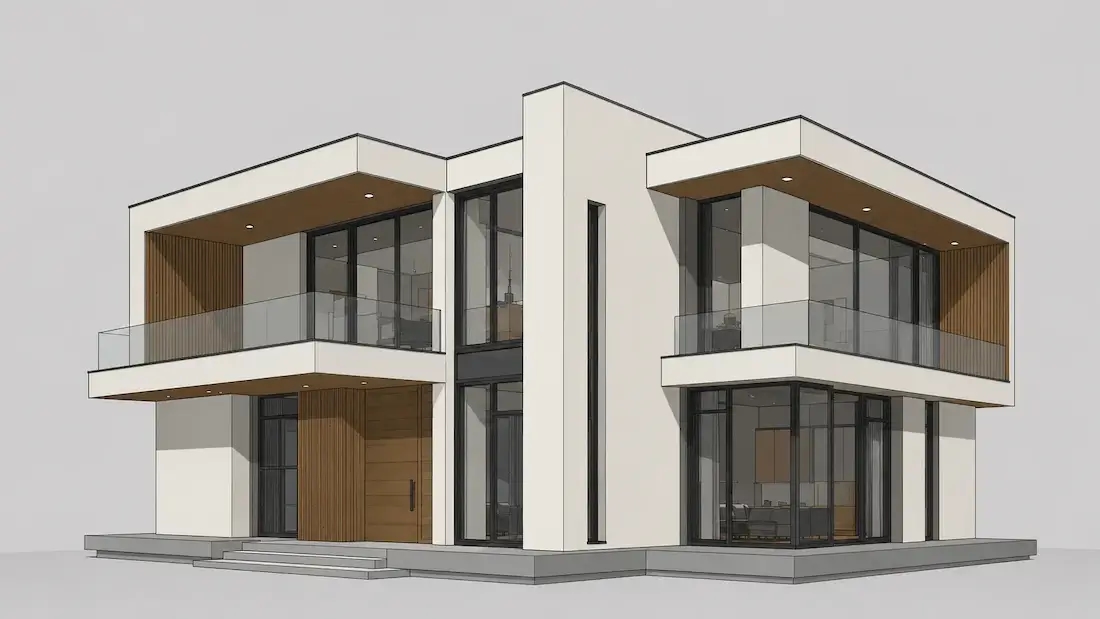
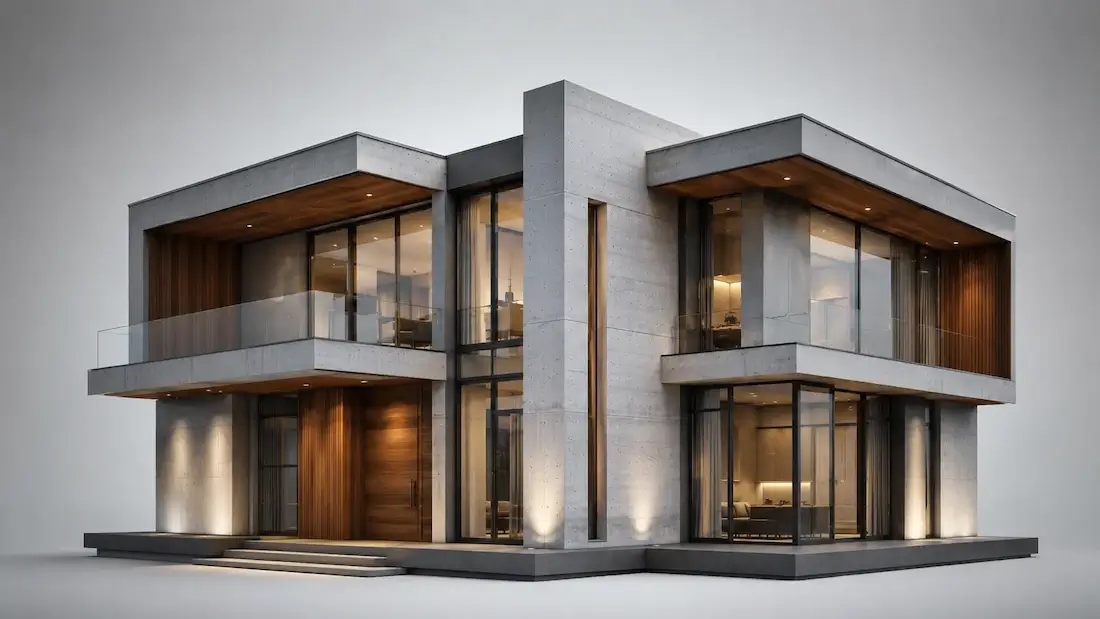
AI rendering shortens the trip from idea to a presentation-ready image, so you explore more options and align with clients earlier instead of committing before anyone can see the result.
Used by architects, interior designers, 3D artists, and real-estate teams who want faster look-development in the early stages of a project.
1
"Kickoff meetings are smoother now. I generate AI rendering studies from a short brief and references, show three lighting moods, and we lock direction in the first session."
2
"For interiors, AI rendering helps me test materials and colorways without rebuilding scenes. I keep two to three variants and clients approve finishes much faster."
3
"As a 3D artist, I use AI rendering to explore compositions early. It’s great for fast look-dev — then I take the selected frame into my DCC for final polish."
4
"We’re a small development shop — no heavy render farm. AI rendering gives us presentation-ready visuals for concept reviews and investor decks in hours, not days."
Every account starts free with 30 credits at 1K resolution — enough to render a full set of options at no cost. Need sharper output? Starter unlocks 2K, and Pro adds a 4K upscale plus a watermark-free, commercial licence for client work. No credit card to start.
Traditional photoreal rendering means building or importing a 3D scene, setting up materials and lights, and waiting on the render — often hours per frame, and roughly $500–$2,000 for an outsourced exterior concept. AI rendering trades some of that control for speed: you start from a photo, sketch, or prompt, get a photoreal result in seconds, and iterate in plain language. It won't replace a final CAD or BIM deliverable — but for early concepts, client alignment, and look-development, it turns a multi-day loop into a same-session one.
Start free with an account — the Free plan includes 30 credits at 1K resolution, no credit card. Upgrade for more credits and higher-resolution exports: Starter (500 credits, 2K — $14.99/mo), Pro (1,500 credits, 4K, watermark-free, commercial licence — $29.99/mo), or Max (4,500 credits — $79.99/mo). No hidden fees, 7-day money-back, cancel anytime.
Start from a photo, a sketch, or a prompt and get a photorealistic render in seconds. Free to try with an account.
Create AI Renders FreeMachine learning that turns a photo, sketch, or prompt into a photorealistic image, handling lighting, materials, and textures automatically instead of a manual 3D setup.
A photo, a hand sketch, or a written prompt — or a combination. No 3D model needed.
No — Paintit.ai works from a photo, sketch, or description.
Yes — rooms and building exteriors, plus aerial and landscape context.
Yes — upload a hand sketch or line drawing and get a photoreal result.
1K on Free, 2K on Starter, and a 4K upscale on Pro.
Usually seconds to a minute, depending on scene complexity.
No — it runs in the cloud, in your browser.
Photoreal enough for client presentations and concept sign-off; it is a visualisation tool, not a measured technical drawing.
Yes on Pro and above, which include a commercial licence and are watermark-free.
A browser-based tool should let you start from a photo, sketch, or prompt and refine the result without specialist hardware. Paintit.ai includes 30 Free credits with no credit card.
Name the space, style, materials, and light — for example: modern living room, oak floor, boucle sofa, soft morning light.
Dive deeper into Paintit.ai and learn how AI can change not only room design but your whole creative process.
1
Explore AI room design tools that are free. Instantly create and visualize stunning interiors with ease. Perfect for bedrooms, living rooms, and more. Start designing today!
2
Discover endless creativity with our AI concept generator. Generate and refine design ideas for architecture, interiors, and more. Start creating today!
3
Redesign your home exterior effortlessly with our free AI house exterior design generator. Explore styles, materials, and textures tailored to your vision.
4
Create stunning house designs effortlessly with our free AI house generator. Explore styles, layouts, and features tailored to your vision. Start designing today!
5
Visualize paint colors for your home with the free AI house painter. Explore styles, match colors, and redesign walls effortlessly. Start designing now!
6
Create stunning outdoor designs with free AI landscape design tools. Generate gardens, patios, and yard layouts effortlessly. Start designing today!
7
Create stunning photorealistic renders for architecture and interior design with AI Rendering. Fast, easy, and accessible for all skill levels. Start for free today!
8
Design your dream home exterior with our easy-to-use home exterior design tool. Visualize colors, materials, and styles in real time. Try it for free today!
9
Upload a bathroom photo and visualize new tiles, vanities, fixtures, flooring, and lighting before you start renovation work. Try AI bathroom remodel ideas for free.
10
Create floor plan layouts from a text prompt or sketch. Plan room flow, dimensions, and layouts faster with an AI floor plan generator built for early design decisions.
11
Generate furniture concepts and place them directly inside your room photo. Explore sofas, tables, beds, shelving, lighting, and decor ideas in context.
12
Rearrange furniture in your room without moving heavy pieces. Test layouts, traffic flow, and furniture positions with AI before changing the real space.
13
Preview exterior renovation ideas for siding, trim, roofs, windows, doors, landscaping, and curb appeal updates using a photo of your current home.
14
Test paint colors on real room and exterior photos before buying samples. Compare palettes, accent walls, and finish directions in minutes.
15
Visualize kitchen remodel ideas with new cabinets, counters, backsplashes, flooring, lighting, and layouts before committing to a renovation plan.
16
See how different rugs look in your actual room. Compare styles, sizes, colors, and placement options before choosing the right rug.
17
Improve listing photos with AI enhancement for brighter, cleaner, more polished real estate visuals that help rooms look ready for buyers.
