1
Explore AI room design tools that are free. Instantly create and visualize stunning interiors with ease. Perfect for bedrooms, living rooms, and more. Start designing today!

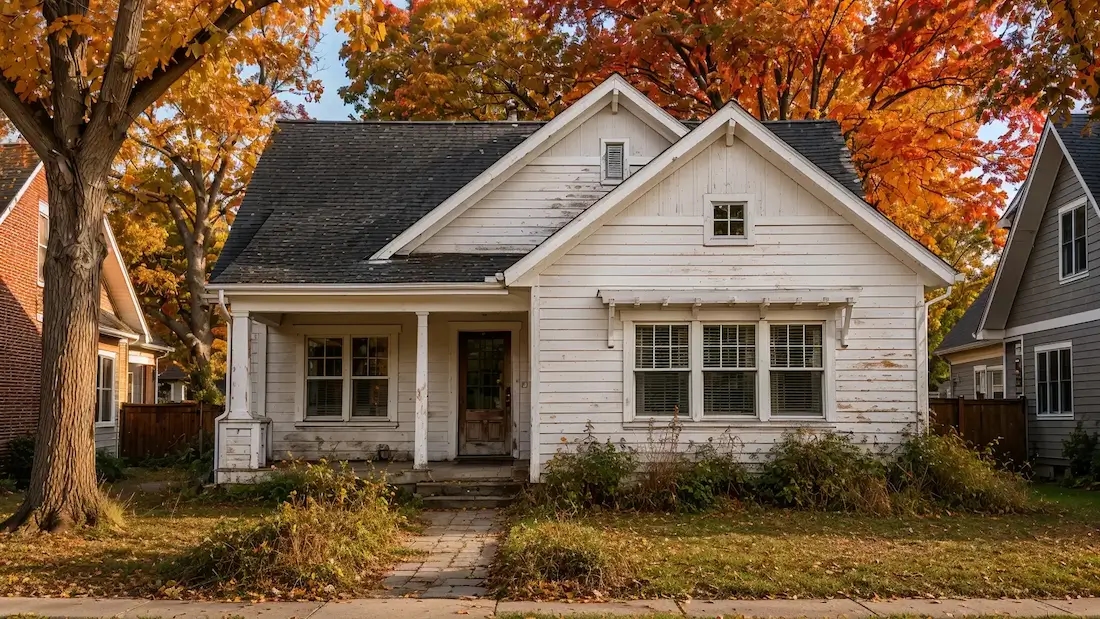
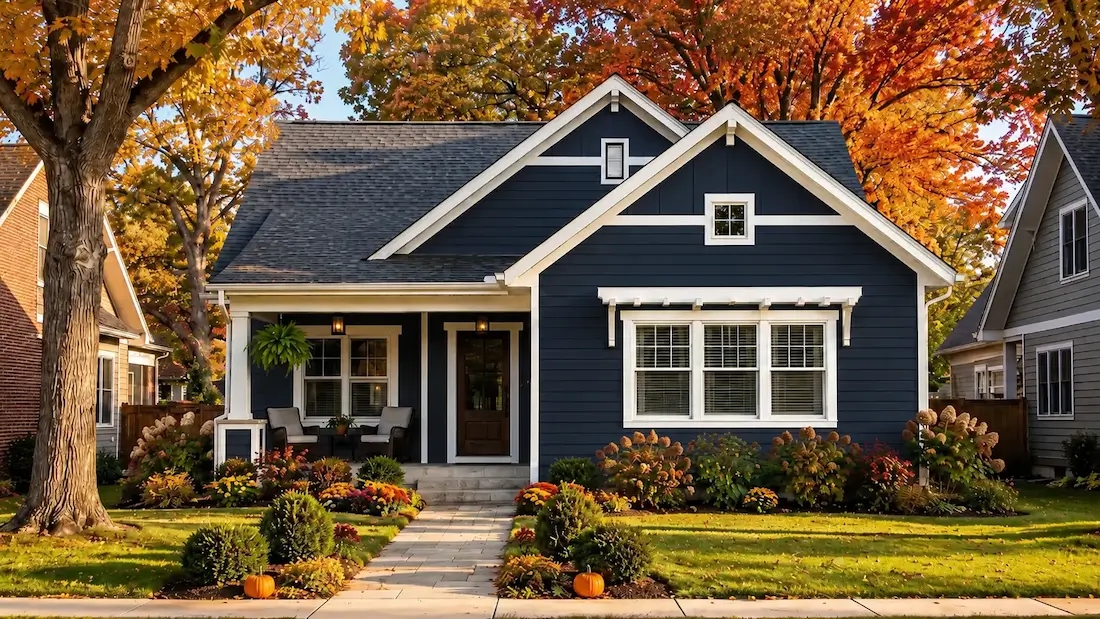
AI removes the color-picking guesswork by showing options on your real photo-so decisions are faster and clearer.
Works great for:interior rooms, façades, doors/shutters, built-ins.
1
"We narrowed the living room from six swatches to two in one night. The previews looked close to real life, so we bought paint with confidence."
2
"I upload client photos, try three palettes, and send side-by-side options. Approvals on cabinet and wall colors are way faster now."
3
"Choosing an exterior color used to be stressful. The AI house painting generator let us test trim and door accents until everything clicked."
4
"For listings, I mock up fresh paint on tired rooms to show potential. It helps buyers visualize — and we get more showing requests."
Upload a house or facade photo and preview new paint directions before buying samples. Paintit.ai helps you test siding, trim, shutters, doors, and accent areas in a realistic exterior scene so you can compare options with confidence.
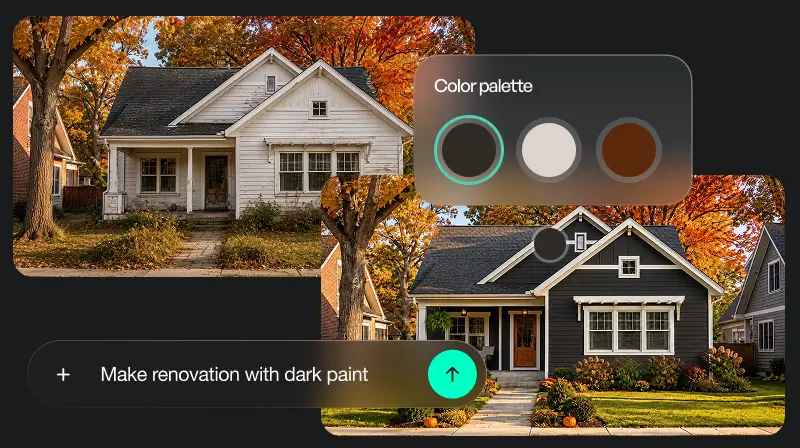
Try deep neutrals, warm whites, greens, blues, and seasonal palettes directly on your home exterior. The AI house painter makes it easier to see how colors work with roof tone, landscaping, daylight, and neighboring materials.
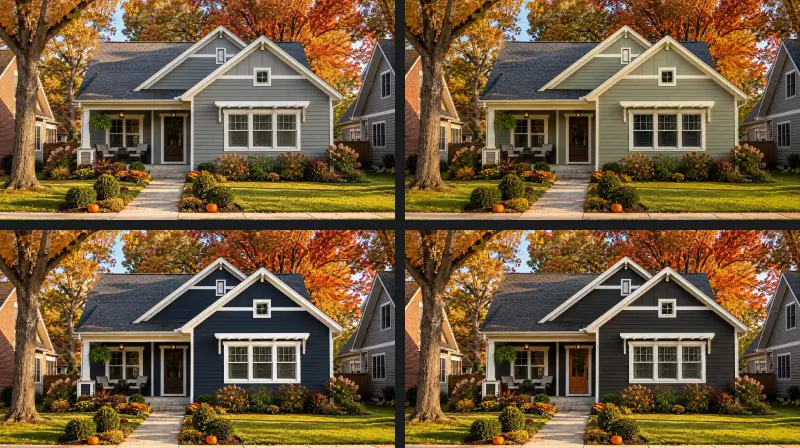
Use generated previews to narrow down real paint families, finishes, and brand collections before visiting a store. Match your preferred look to exterior-grade paint lines, compare sheen levels, and prepare a clearer brief for painters or suppliers.
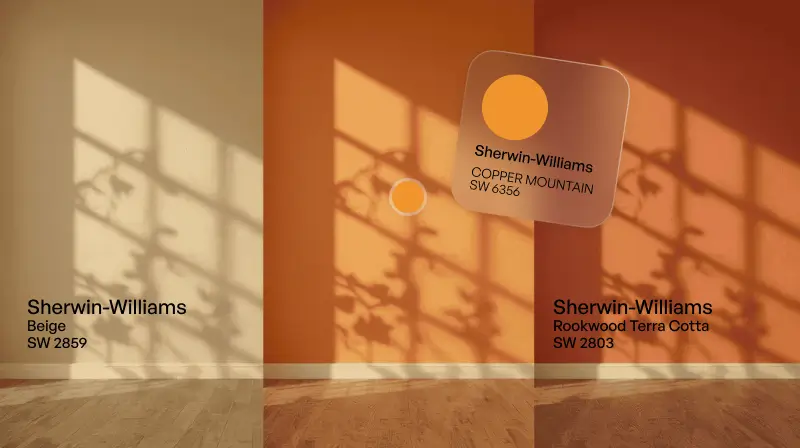
Traditional methods of selecting paint color are often more time and expense-consuming, in that you end up having to purchase multiple test samples and coat test areas with them. The AI room painter simplifies this by generating instant, life-size visualizations of different colors directly on your room's image. Not only is this convenient and cost-free, it prevents you from being tentative in decision-making due to the inconvenience of trial and error.
1. Upload a Photo: Click a clear photograph of the location you want to paint and upload it onto the site.
2. Select a Color: Purchase from a vast variety of paint colors from leading brands.
3. View It in Real-Time: View your preferred color in your room, with precise lighting and shadowing.
4. Compare Options: Simply toggle between colors to compare and discover your ideal color.
5. Save and Share: Save your final choice or share it with others to get feedback.
AI-powered painting programs are revolutionizing how homeowners and professionals go about color choosing and designing. Real-time previews using such programs enable users to try out colors and finishes without the inconvenience of physical paint samples. Whether painting one room or altering the whole exterior of your house, AI makes decisions easier with true real-time visualization.
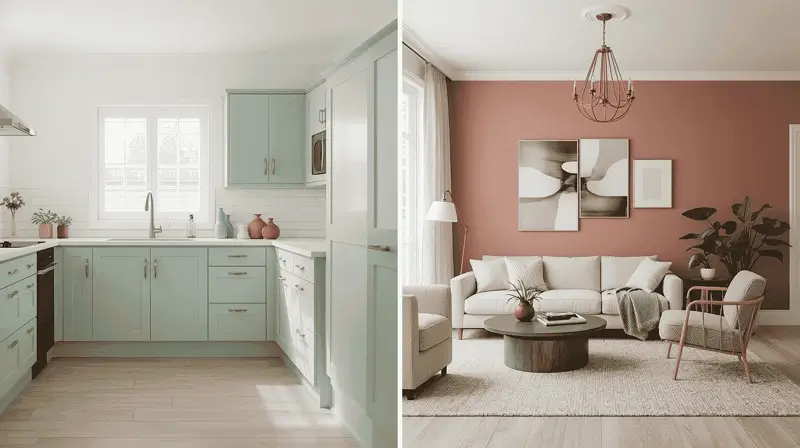
From comfortable living room spaces to active kitchen areas, the AI House Painter provides design solutions based on the purpose and look of each room. Try various color schemes to discover an ideal match for your interior rooms.
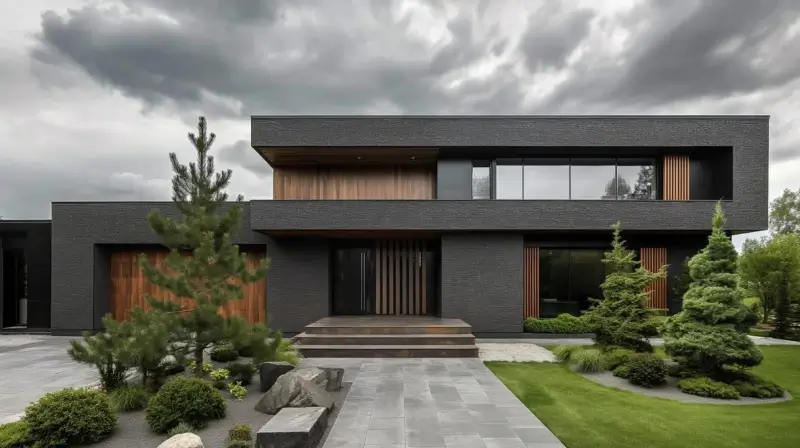
Enhance your home's curb appeal by exploring various exterior color palettes with AI house paint technology. The tool allows you to visualize how various colors will look on your home's front, enabling you to make choices that will fit your surroundings and your style.
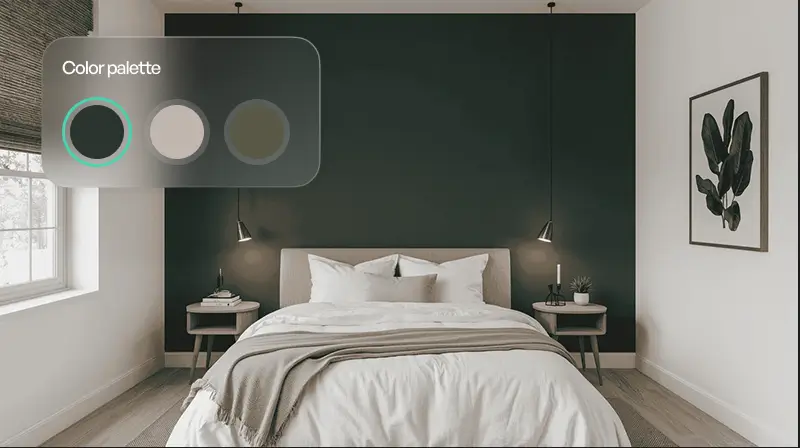
Feature walls can add depth and personality to a room. Utilize the AI House Painter to try out bold prints or colors on a single wall, making it a focal point that expresses your personality.
Paintit.ai stands out by combining the latest AI technology with an easy-to-use approach. The website offers you a vast library of real-world paint colors, so you can be sure that the colors you choose are available in the market. By offering photo-realistic visualization that considers the architecture and lighting of your room, Paintit.ai empowers you to decide confidently.
Start free with an account — the Free plan includes 30 credits at 1K resolution, no credit card. Upgrade for more credits and higher-resolution exports: Starter (500 credits, 2K — $14.99/mo), Pro (1,500 credits, 4K, watermark-free, commercial licence — $29.99/mo), or Max (4,500 credits — $79.99/mo). No hidden fees, 7-day money-back, cancel anytime.
Paintit.ai simplifies the process of beginning your painting venture. Just go to the website, upload the photo of your house, and start exploring the limitless potential of AI technology. Give your house a face-lift without a second thought, knowing that the colors you've selected will turn your dreams into reality.
PAINT MY HOUSE NOWYes, the AI house painting generator supports both exterior and interior painting, allowing you to preview colors for any part of your home.
The tool analyzes your current furniture and recommends paint colors that complement your interior, ensuring a seamless look.
The AI home colour design free tool is accessible via web browsers on desktops, tablets, and smartphones for maximum flexibility.
Yes, the basic features of the AI house painter free tool are available at no cost. Premium features, including high-resolution downloads and custom design tools, are available through affordable plans.
Absolutely! Uploading a photo allows the AI to generate accurate color visualizations based on your existing space.
The AI uses advanced algorithms to adjust colors based on different lighting conditions, ensuring realistic previews of how colors will look throughout the day.
Yes, users can save their designs and share them with friends, family, or contractors for feedback before making a final decision.
Definitely! Professional painters and designers can use the AI House Painter to create accurate color visualizations for clients, streamlining the design process.
Dive deeper into Paintit.ai and learn how AI can change not only room design but your whole creative process.
1
Explore AI room design tools that are free. Instantly create and visualize stunning interiors with ease. Perfect for bedrooms, living rooms, and more. Start designing today!
2
Discover endless creativity with our AI concept generator. Generate and refine design ideas for architecture, interiors, and more. Start creating today!
3
Redesign your home exterior effortlessly with our free AI house exterior design generator. Explore styles, materials, and textures tailored to your vision.
4
Create stunning house designs effortlessly with our free AI house generator. Explore styles, layouts, and features tailored to your vision. Start designing today!
5
Visualize paint colors for your home with the free AI house painter. Explore styles, match colors, and redesign walls effortlessly. Start designing now!
6
Create stunning outdoor designs with free AI landscape design tools. Generate gardens, patios, and yard layouts effortlessly. Start designing today!
7
Create stunning photorealistic renders for architecture and interior design with AI Rendering. Fast, easy, and accessible for all skill levels. Start for free today!
8
Design your dream home exterior with our easy-to-use home exterior design tool. Visualize colors, materials, and styles in real time. Try it for free today!
9
Upload a bathroom photo and visualize new tiles, vanities, fixtures, flooring, and lighting before you start renovation work. Try AI bathroom remodel ideas for free.
10
Create floor plan layouts from a text prompt or sketch. Plan room flow, dimensions, and layouts faster with an AI floor plan generator built for early design decisions.
11
Generate furniture concepts and place them directly inside your room photo. Explore sofas, tables, beds, shelving, lighting, and decor ideas in context.
12
Rearrange furniture in your room without moving heavy pieces. Test layouts, traffic flow, and furniture positions with AI before changing the real space.
13
Preview exterior renovation ideas for siding, trim, roofs, windows, doors, landscaping, and curb appeal updates using a photo of your current home.
14
Test paint colors on real room and exterior photos before buying samples. Compare palettes, accent walls, and finish directions in minutes.
15
Visualize kitchen remodel ideas with new cabinets, counters, backsplashes, flooring, lighting, and layouts before committing to a renovation plan.
16
See how different rugs look in your actual room. Compare styles, sizes, colors, and placement options before choosing the right rug.
17
Improve listing photos with AI enhancement for brighter, cleaner, more polished real estate visuals that help rooms look ready for buyers.
