1
Design your kitchen in seconds with AI. Explore layouts, materials, and styles instantly.

Upload a photo of your kitchen, pick a style — Farmhouse, Modern, Minimalist, or Scandinavian — and get a photorealistic render in 15-20 seconds. Sign up free, no credit card required.
DESIGN MY KITCHEN NOW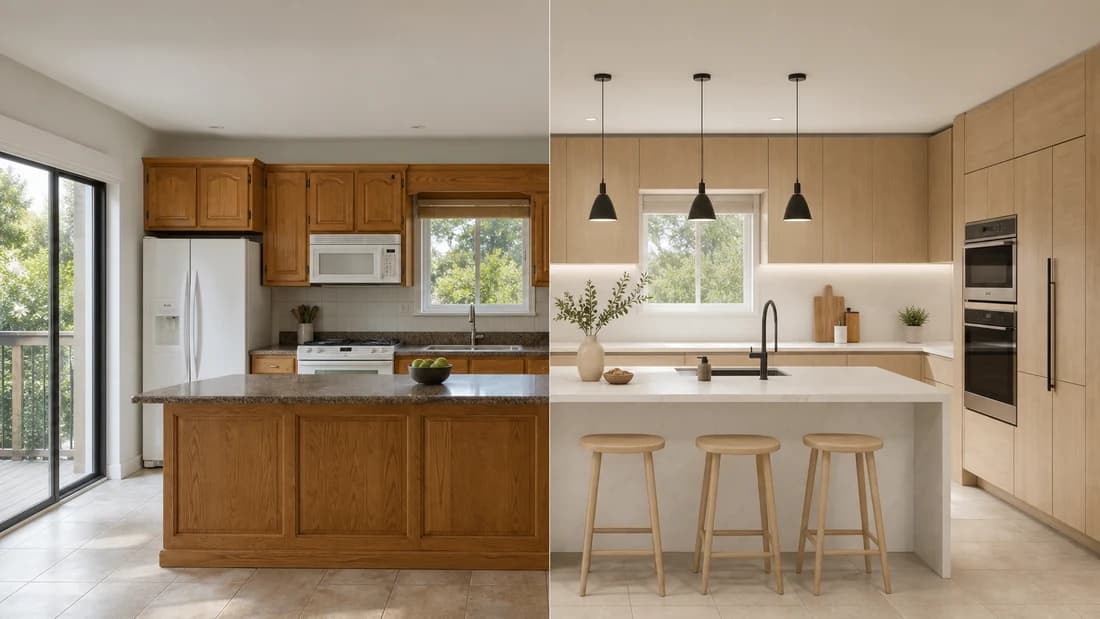
Paintit.ai's kitchen design software using AI works from your actual room photo — not a generic template. Upload an image, describe what you want to change, and the best AI kitchen design tool generates a render based on your real layout, lighting, and dimensions. No consultant needed, no planning sessions required.
Traditional kitchen design takes weeks and costs thousands. Paintit.ai cuts that to 15-20 seconds per render. Upload a photo, try a direction, adjust through a prompt, and repeat until you find the right result.
Our free AI kitchen planner gives you 30 credits to start — enough to generate and compare several kitchen directions. Sign up free, no credit card required. Our ai kitchen design free option lets you test Farmhouse, Modern, or Minimalist before committing to any renovation work.
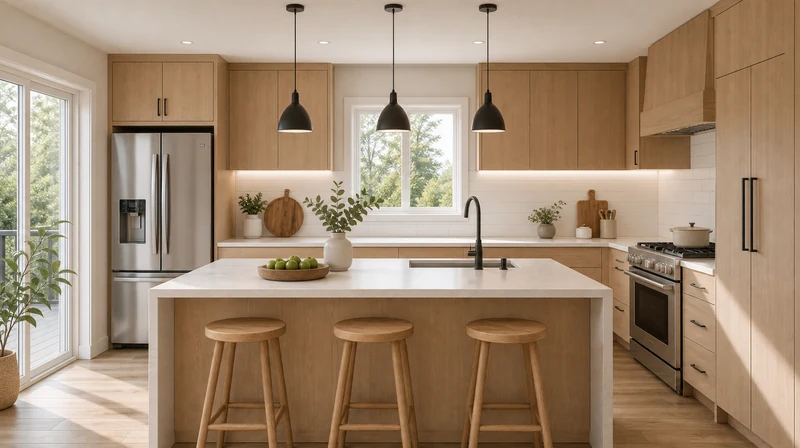
Upload a photo of your current kitchen and Paintit.ai's ai kitchen design from photo workflow generates a render based on your actual space — your cabinet positions, window light, and existing layout intact. The result shows your kitchen redesigned, not a generic showroom example.
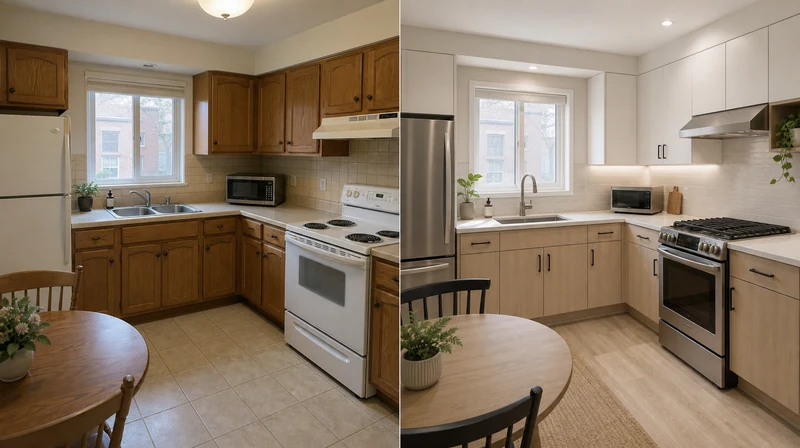
Our free ai kitchen design creator shows you the result before any money is spent on materials or labour. Test cabinet colors, countertop materials, and layouts in the render first — then decide what to actually buy.
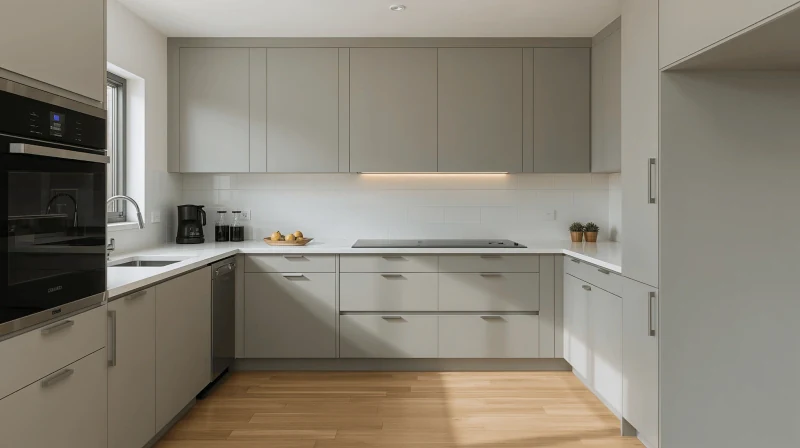
Here is what our kitchen design AI handles automatically:
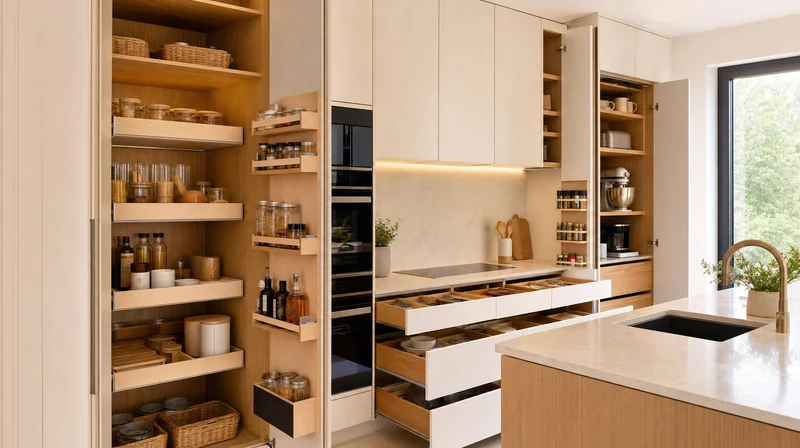
Storage ensures functionality. Our AI will offer optimized cabinet layout suggestions automatically with optimal storage and efficiency. You'll enjoy an uncluttered counter, easier access to necessities, and a well-organized space personalized to your habits.
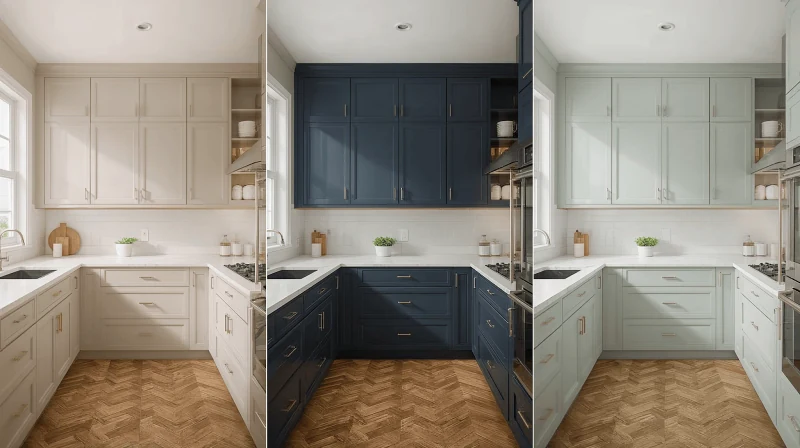
Choosing the ideal colors can be what sets your kitchen apart. Our ai tool for kitchen design generates personalized palettes, helping you find the best colors to complement your cabinetry, appliances, and decor. Just experiment with different options until you find the perfect color scheme that fits your style.
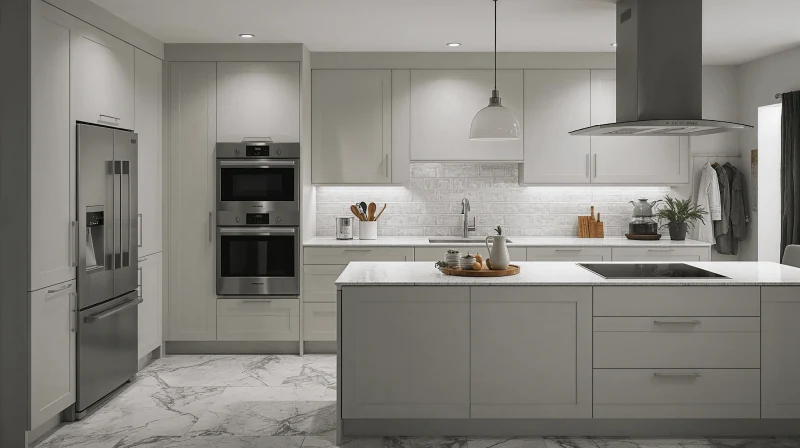
Efficient appliance placement maximizes workflow and ease of use. Our intelligent appliance placement suggestions consider ergonomics, kitchen workflow, and personal preference. You'll be able to create a space that's not only beautiful but also highly functional.
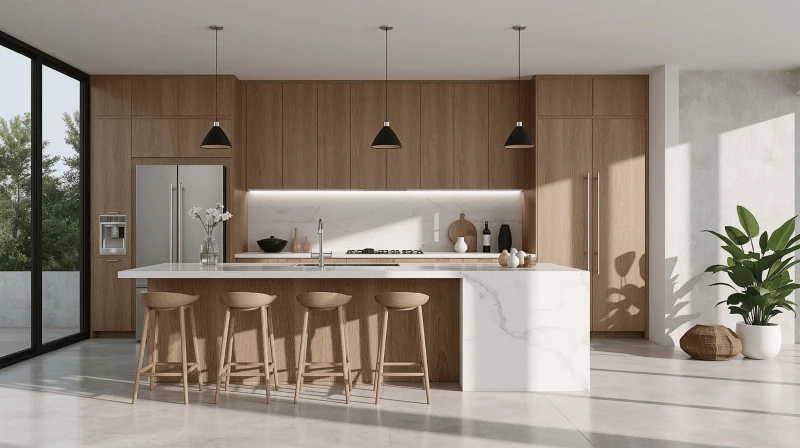
After the render is ready, Paintit.ai suggests real kitchen products — cabinets, countertops, appliances — with direct links to Amazon, IKEA, Jysk, and Ashley. Our ai kitchen design generator free connects the visual result directly to purchase, so you can source what you see in the render.
Here is why homeowners, renters, and real estate agents choose Paintit.ai as their ai kitchen designer:

No technical expertise needed. Beginners can quickly produce amazing kitchen designs.

Renders are based on your actual kitchen photo — real proportions, your existing windows and cabinets, your lighting conditions.

Free ai kitchen design generator with robust features without any additional costs.

Each render takes 15-20 seconds. Generate several style directions in one session and compare them before any work begins.
Not sure what to write? These prompts work well for the most common kitchen redesigns on Paintit.ai:
Farmhouse:"Transform this kitchen into a warm farmhouse style. White shaker cabinets, butcher block countertops, open shelving, brass fixtures. Keep the layout unchanged."
Modern Minimalist:"Redesign in Modern Minimalist style. Flat-front cabinets in matte grey, quartz countertops, integrated appliances, under-cabinet lighting. Keep window positions unchanged."
Scandinavian:"Apply Scandinavian style. Light wood cabinets, white walls, simple hardware, natural light emphasis. Keep the existing layout."
Classic Dark:"Redesign with dark navy cabinetry, marble countertops, gold hardware, statement pendant lights over the island. Keep the layout unchanged."
Add to any prompt:"Keep the layout unchanged" or "Keep the window positions unchanged" to preserve your kitchen structure.
Paintit.ai works across all kitchen types and sizes. Here are common scenarios:
Describe compact layout needs: "maximize storage, open shelving instead of upper cabinets, light palette to open up the space."
Describe the workflow: "large island for prep, seating for 4, dedicated coffee station, warm wood tones."
Stage for listing photos: "neutral palette, clean modern style, watermark-free export for listing use."
Save multiple kitchen directions in Paintit Projects and share them via link — with a partner, contractor, or interior designer. Each version is named by what changed so comparisons are easy. Download renders as high-resolution images ready to send or print.
Upload your first kitchen photo and get a render in 15-20 seconds. The Free plan includes 30 credits — sign up free, no credit card required. Use our free kitchen design tool to compare styles before any renovation work starts. Paid plans from $14.99/month.
START FREEStart free with an account — the Free plan includes 30 credits at 1K resolution, no credit card. Upgrade for more credits and higher-resolution exports: Starter (500 credits, 2K — $14.99/mo), Pro (1,500 credits, 4K, watermark-free, commercial licence — $29.99/mo), or Max (4,500 credits — $79.99/mo). No hidden fees, 7-day money-back, cancel anytime.
An AI kitchen design generator is a smart program that automatically creates customized kitchen layouts and visualizations based on your requirements and uploaded images. It simplifies the design process for everyone.
Absolutely! Paintit.ai is explicitly designed for non-technical users. Upload a photo, select styles, and let our AI handle the rest.
Yes. Sign up free — no credit card required. The Free plan includes 30 credits, enough to generate and compare several kitchen concepts. Paid plans start at $14.99/month and add more credits, higher resolution exports, and private mode.
Paintit.ai generates renders based on your actual kitchen photo — so proportions, window positions, and existing cabinets are real. The AI applies the new style on top of your actual space. Share the render directly with a contractor or kitchen supplier as a visual reference.
Yes. Download the render as a high-resolution image and share with family, contractors, or a kitchen supplier. After the render is ready, Paintit.ai also suggests real products — cabinets, countertops, appliances — with direct links to Amazon, IKEA, Jysk, and Ashley.
Paintit.ai uses 256-bit SSL encryption and tokenization. Your designs are private by default — only you can access them. Staff requires explicit permission to view your data.
Yes, you can easily modify your designs after generation. Our tool supports iterative improvements, allowing you to refine and enhance your kitchen layout.
Modern, Farmhouse, Scandinavian, Minimalist, Industrial, Japandi, and Classic are the most used for kitchens. Describe a custom direction in the prompt — for example, "dark navy cabinets, marble countertops, brass hardware" — and the AI interprets it without a named style preset.
Absolutely. Our AI adapts to kitchens of any size or shape, generating designs perfectly tailored to your unique space.
Discover additional AI-based interior design solutions with Paintit.ai:
1
Design your kitchen in seconds with AI. Explore layouts, materials, and styles instantly.
2
Create stunning living room interiors with AI. Visualize layouts and styles instantly.
3
Generate beautiful bedroom designs with AI. Try different styles and furniture layouts.
4
Transform your bathroom with free AI design tools. Explore layouts and style variations.
5
Visualize your outdoor space instantly. AI generates garden and backyard design ideas.
6
Optimize closet space with AI. Create custom layouts for any wardrobe or storage area.
7
Design productive office spaces with AI. Get instant layouts for home and work offices.
8
See how a pool looks in your backyard with AI. Generate realistic pool layouts instantly.
9
Design an efficient laundry room in minutes. AI creates layouts for any space.
10
Create stunning restaurant interiors with AI. Perfect for cafés, bars, and dining spaces.
11
Plan functional classrooms with AI. Optimize layouts for learning and teaching.
12
Unlock your basement’s potential with AI. Visualize entertainment, gym, or office layouts.
