6 min. reading

Yulii Cherevko
CEO paintit.ai
Published: Updated:

In an AI-assisted review of 100 English-language home-design requests from 100 different homeowner accounts, 23 explicitly identified something that should stay. Those instructions protected room structure, fixed fittings, existing furniture, finishes and even the original viewing angle.
Color and finish work appeared in 45 requests, storage and built-ins in 34, furniture or decor in 29, and layout or placement in 31. The categories overlap. These were indoor and outdoor requests, so the figures describe this home-design sample rather than room interiors alone.
The practical lesson is to write two lists before editing: the change you want and the existing features you want retained. Then choose checks that match the job. Keeping your sofa does not necessarily mean keeping it in the same position.
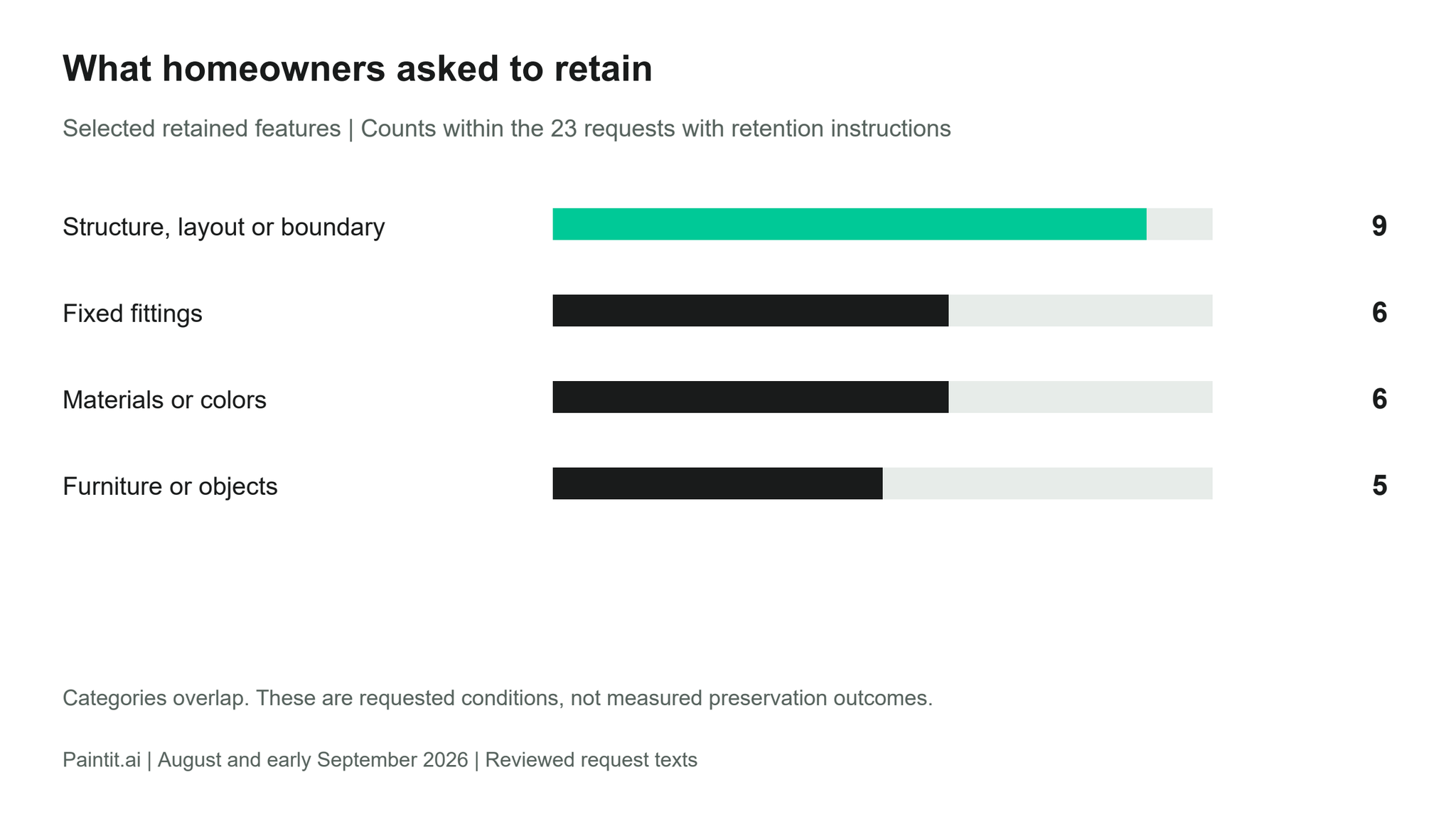
Among the 23 requests with an explicit retention instruction, nine protected structure, layout or boundaries; six protected fixed fittings; six protected materials or colors; and five protected existing furniture or objects. A request could protect several things. Four also specified keeping an existing source design or pattern, three protected the viewpoint, and two protected lighting conditions.
That distinction changes how to write a brief. For a wall-color study, the fixed list might include the sofa, floor and window positions. For a furniture rearrangement, the sofa's identity and size might stay while its position changes. For a wardrobe update, the existing sliding doors might remain while the interior arrangement changes.
Yes. Separate the object from its location. A useful instruction names the pieces to reuse and the positions that may change, then identifies the openings and access routes that must remain usable. In the reviewed texts, rearrangement requests could retain existing furniture while asking for more usable open space.
Compare the proposed layout with an inventory of your actual pieces. Check their recognizable form and approximate scale, the usable route through the room and the way doors and drawers open. Confirm fit with physical measurements before moving or buying furniture.
Of the 45 color-and-finish requests, 20 also concerned furniture, layout, storage or lighting. Nine included a retention instruction. A cabinet finish might need to work with the current floor; wall color might be explored alongside shelving or a retained sofa.
Name the exact surface and the parts of the object that stay. “Update the wardrobe finish; retain the sliding doors and overall unit” is a different job from changing the wardrobe's internal storage. If only selected cabinet fronts should change, identify those sections individually and include the other fronts in the retained list.
For paint decisions, a related study of homeowner paint interests examines how paint interest overlaps with other selected tasks. Here, the request texts show why a surface-by-surface brief is useful: the same room can contain several separate color decisions.
Paintit's paint catalog includes Behr, Benjamin Moore, Dulux, Nippon Paint and Sherwin-Williams, with search by name, code or HEX. Use those references to identify a shortlist, then check physical samples in the room. A visual preview does not establish the exact appearance of real paint.
The following examples are editorial reconstructions based on requirements in the reviewed requests. They show how to divide a brief; they are not customer quotations or tested before-and-after results.
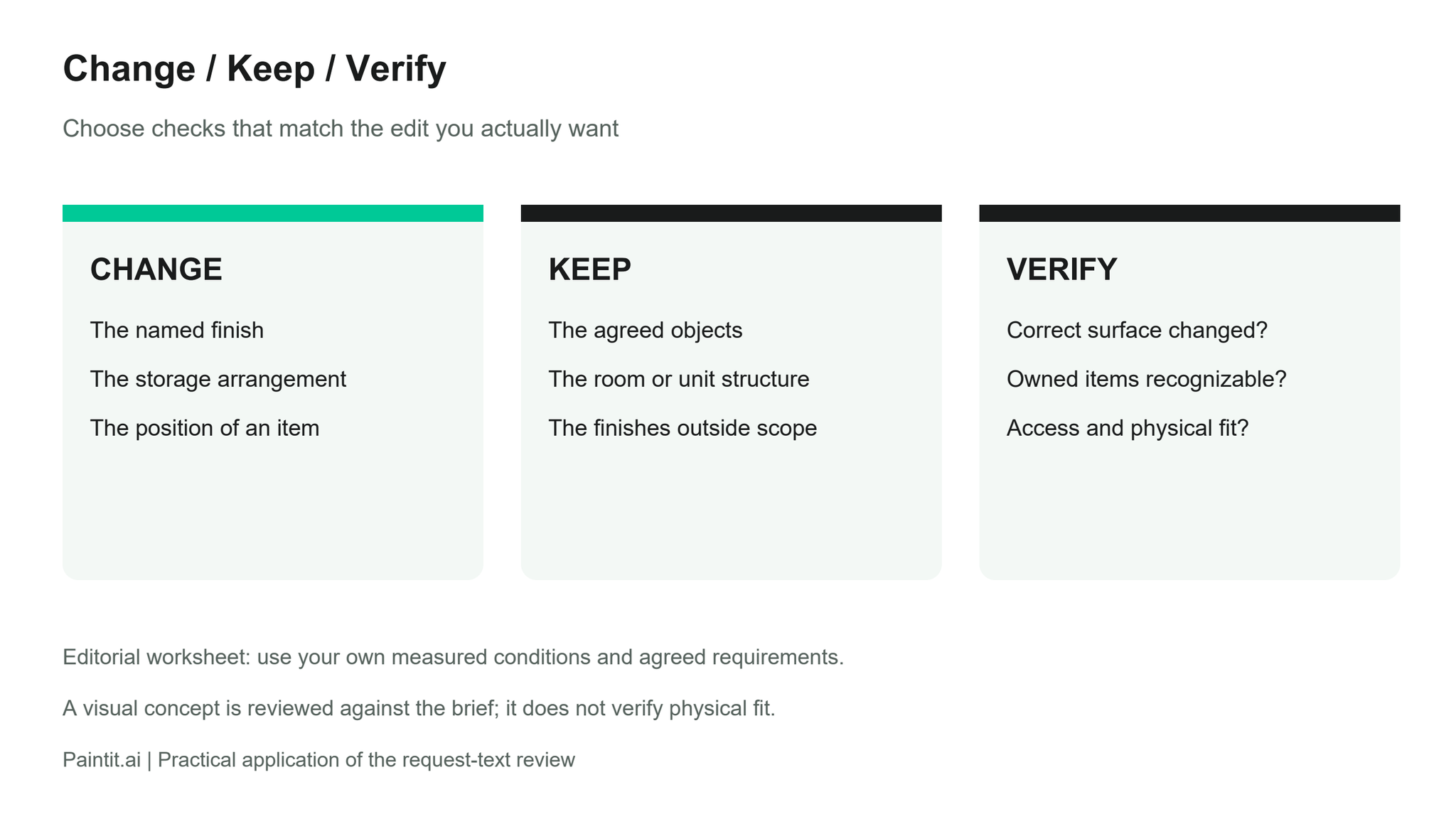
| Job | Change | Keep | Verify |
|---|---|---|---|
| Decorate around existing pieces | Art, smaller furnishings and selected lighting. | The sofa, kitchen island and existing tile. | Are those pieces recognizable, and are access routes usable? |
| Update a wardrobe | The desired appearance and specified internal storage. | The sliding doors if they are already agreed. | Are the door arrangement and storage brief consistent? |
| Rearrange a bedroom | Positions of movable furniture and the study area. | Owned furniture, room geometry and agreed flooring. | Check item sizes, opening clearances and the route through the room. |
Add a short reason beside an important retained feature. The island may stay because it is already installed; the floor may be outside the renovation scope; a piece of furniture may be something you want to reuse. You do not need to explain every preference, but the reason helps you judge a proposal that changes more than expected.
For a room concept, the room-design tool using your own photo is a relevant starting point. Bring the change and retained-feature lists into the request so they can also serve as your review checklist.
Fourteen of the 100 reviewed requests explicitly used a reference or supplied item to guide a design choice. Some sought a material or color direction; others placed a particular rug, light or seating reference into an existing space.
State what you want to borrow. If an inspiration image shows a kitchen you like, specify whether its cabinet finish, handles or overall mood is relevant. Your own window arrangement and room dimensions can remain part of the fixed brief. When comparing rugs, keep the room context consistent enough to judge the rug decision.
In Paintit, your Main Image sets the space or asset to edit. A Reference conveys selected visual qualities; an Item identifies a specific object. Those roles describe how to explain the inputs, rather than a guarantee that every detail will transfer exactly.
Start with the features on your retained list. Look at the opening positions, fixed furniture, floor boundaries and the dimensions that govern access. For a recolor, inspect whether the intended surface changed and whether adjoining surfaces remained distinct. For rearrangement, check the identity and scale of the reused furniture as well as its proposed position.
Keep purchase and installation decisions separate from the image review. Confirm dimensions, product references and materials using the checks appropriate to your project. A clear request gives you specific criteria for reviewing a concept; this study did not compare which wording produced better outputs.
We used an AI-assisted thematic review of one substantive English-language home-and-garden request from each of 100 separate accounts that selected the homeowner role, drawn from Paintit's August and early September 2026 research sample. Requests were selected in a fixed order, excluding commercial or unrelated content and probable templates. Categories overlap. This descriptive sample is not a representative survey of homeowners or a test of generated results. The coding was not independently validated.
When reusing furniture, distinguish the pieces you own from their current positions. When changing a finish, distinguish the surface from the unit around it. When borrowing from an inspiration image, distinguish the desired material or object from the reference room itself.
For your next edit, name the decision you want to explore, list what stays and choose the checks that will make the proposal useful. A new cabinet color, a new storage arrangement and a new furniture position should each be reviewed against their own brief.