1
Explore AI room design tools that are free. Instantly create and visualize stunning interiors with ease. Perfect for bedrooms, living rooms, and more. Start designing today!

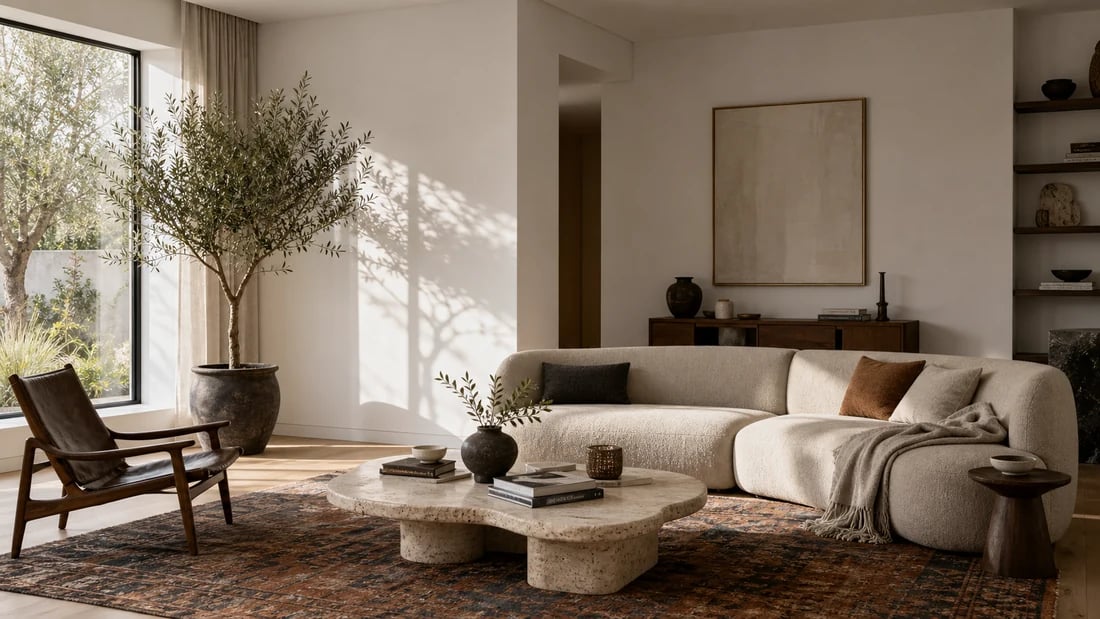
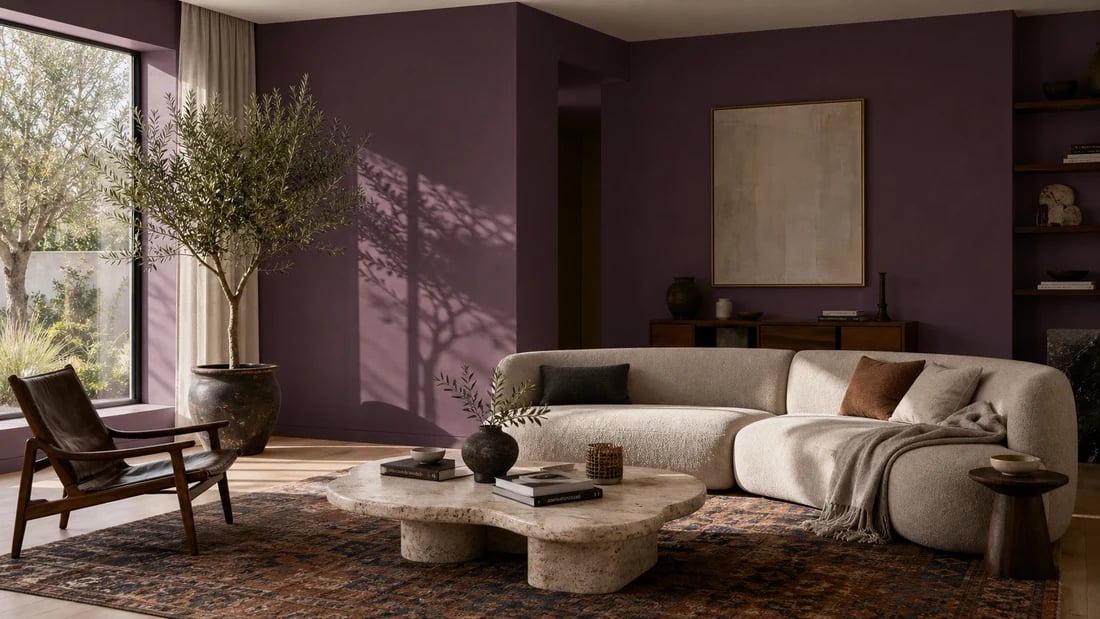
Seconds
Time to preview any color scheme across your room surfaces
Any surface
Walls, ceiling, floor, or the full room - all in one prompt
4 retailers
Shop matching furniture and decor via Amazon, IKEA, Jysk, and Ashley
Free
Starting plan - 30 credits, no card, a free account
Paint brand visualizers - Sherwin-Williams, Behr, Benjamin Moore - only show you colors from their own catalog, and most only work on walls. Paintit.ai covers every surface in the room. Tell the AI exactly what you want: "paint the walls in deep sage green, keep the ceiling bright white, and show me the floor in light natural oak." Or go all in: "transform the whole room with a warm terracotta palette - walls, ceiling, and floor together." You can also describe any color from any source - a paint chip you photographed in a store, any HEX code, or a reference image from Pinterest - and the AI applies it to whichever surfaces you specify. No catalog restrictions, no brand loyalty required.
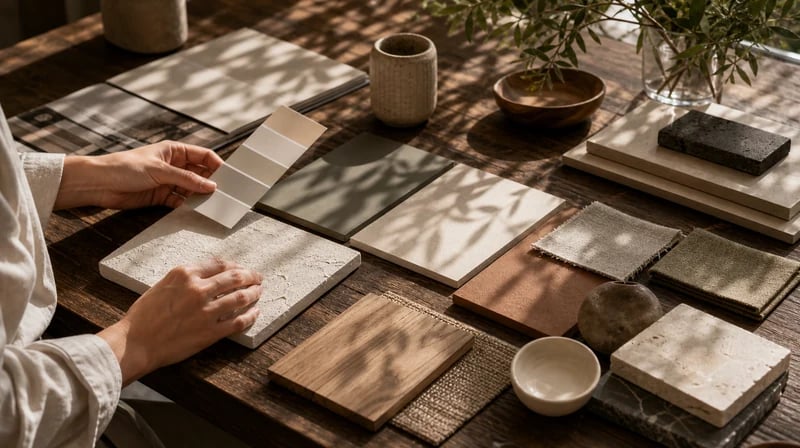
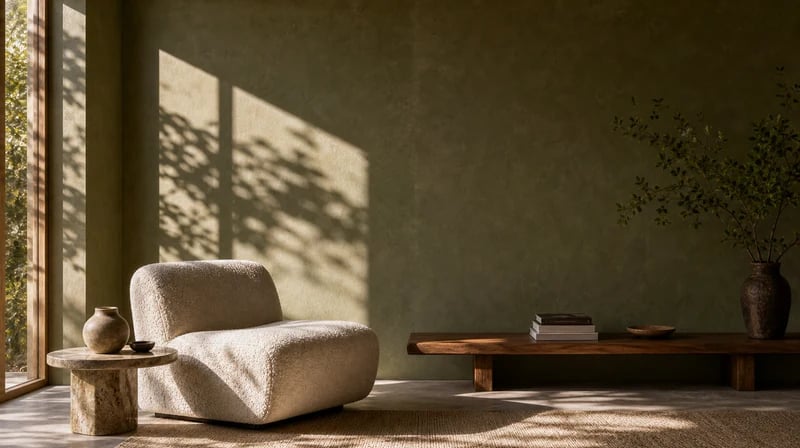
Choosing surface colors in isolation is only half the decision. Your walls, ceiling, and floor have to work together - and then work with your furniture, rugs, and decor. Paintit.ai lets you test the full color scheme in context and then extend the session into a complete room redesign if the palette becomes the starting point for something bigger. Once you settle on a combination, Shop Your Design recommends furniture and decor from Amazon, IKEA, Jysk, and Ashley that complements it - with direct purchase links. Change the room colors and redesign everything around them in one continuous session.
1
"I had already bought two test pots that looked wrong on the wall. Before buying a third I uploaded a photo of my living room and tested about twelve combinations in twenty minutes - different wall colors, different ceiling tones, even floor options. Found the exact scheme I wanted. Saved myself three more test pots and a weekend of patching."
2
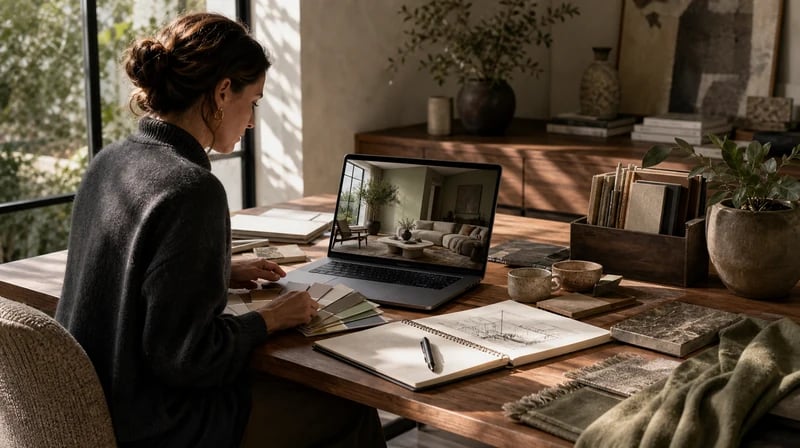
"I use it in the color consultation stage. I photograph the client's room on the first visit, generate four or five full-room palette options overnight, and present them as renders at the next meeting. Clients see their actual walls, ceiling, and floor in the new scheme - not a staged photo from a brand brochure. Decision time went from three meetings down to one."

Paint test patches show you one surface at a time in isolation. Paintit.ai lets you test walls, ceiling, and floor together in one render - so you see how the full scheme reads as a room, not as separate decisions. A warm terracotta on the walls can look completely different depending on whether the ceiling is crisp white or a soft tinted cream, and whether the floor is light oak or dark walnut. Our users typically test more combinations in one session than they would buy test pots in a month - and make paint decisions with more confidence.

Every major paint brand has a free color visualizer - but each one only shows colors from their own catalog, usually only on walls. Paintit.ai works with any color from any source on any surface. Describe it, enter a HEX code, or upload a reference image. Walls, ceiling, floor, trim, or the entire room at once - all available in a single prompt. For exterior colors and facade changes, theAI house painter toolcovers the outside of the building.

The Free plan includes 30 credits - enough to test a full room's color scheme at no cost. No color theory knowledge required. Plain language descriptions work perfectly: "something warm on the walls, a slightly lighter tone on the ceiling, and light oak floors" gives the AI everything it needs. The free ai room painter works in any browser, no download needed. When you find the right scheme, Shop Your Design suggestsfurniture that complements the palettefrom Amazon, IKEA, Jysk, and Ashley.
Start free with an account — the Free plan includes 30 credits at 1K resolution, no credit card. Upgrade for more credits and higher-resolution exports: Starter (500 credits, 2K — $14.99/mo), Pro (1,500 credits, 4K, watermark-free, commercial licence — $29.99/mo), or Max (4,500 credits — $79.99/mo). No hidden fees, 7-day money-back, cancel anytime.
Stop guessing from paint chips and test patches. Upload a room photo, describe the colors you want - on the walls, ceiling, floor, or all three at once - and see the full result in seconds. Free to start, no download, no paint brand limitations.
VISUALIZE MY ROOM COLORS FREEYes - that's exactly what Paintit.ai's ai paint color visualizer does. Upload a photo of any room, describe the colors you want on any surface - just the walls, the ceiling only, the floor, or the entire room together - and the AI applies the scheme in seconds. The result shows your actual room in the new colors, not a generic staged template. No download required, no credit card to start.
Yes. The Free plan includes 30 credits at no cost - enough to test multiple color schemes, surface combinations, and lighting scenarios in your room without paying anything. There's a free account before you begin. The free paint visualizer includes the full Shop Your Design feature, which recommends furniture and decor from Amazon, IKEA, Jysk, and Ashley that complements the color schemes you choose.
Both. Specify exactly what you need: "paint only the accent wall behind the sofa in deep terracotta," "apply a new color to the ceiling only," "show me the floor in dark walnut with the current white walls," or "transform the whole room - walls, ceiling, and floor - with one coordinated palette." The AI handles single-surface changes and full multi-surface schemes equally well. You can also request an accent wall combined with a complementary ceiling tone in the same prompt.
Yes. Unlike brand-specific visualizers that only show colors from their own catalog, Paintit.ai works with any color from any source. Describe the shade in plain language, enter any HEX code, or upload a color reference image from anywhere - a photo of a paint chip, a screenshot from a brand's website, or a Pinterest image. The AI applies it to whatever surfaces you specify regardless of which brand makes it. For testing exterior paint colors on your home's facade, theAI house painter toolhandles the outside.
Dive deeper into Paintit.ai and learn how AI can change not only room design but your whole creative process.
1
Explore AI room design tools that are free. Instantly create and visualize stunning interiors with ease. Perfect for bedrooms, living rooms, and more. Start designing today!
2
Discover endless creativity with our AI concept generator. Generate and refine design ideas for architecture, interiors, and more. Start creating today!
3
Redesign your home exterior effortlessly with our free AI house exterior design generator. Explore styles, materials, and textures tailored to your vision.
4
Create stunning house designs effortlessly with our free AI house generator. Explore styles, layouts, and features tailored to your vision. Start designing today!
5
Visualize paint colors for your home with the free AI house painter. Explore styles, match colors, and redesign walls effortlessly. Start designing now!
6
Create stunning outdoor designs with free AI landscape design tools. Generate gardens, patios, and yard layouts effortlessly. Start designing today!
7
Create stunning photorealistic renders for architecture and interior design with AI Rendering. Fast, easy, and accessible for all skill levels. Start for free today!
8
Design your dream home exterior with our easy-to-use home exterior design tool. Visualize colors, materials, and styles in real time. Try it for free today!
9
Upload a bathroom photo and visualize new tiles, vanities, fixtures, flooring, and lighting before you start renovation work. Try AI bathroom remodel ideas for free.
10
Create floor plan layouts from a text prompt or sketch. Plan room flow, dimensions, and layouts faster with an AI floor plan generator built for early design decisions.
11
Generate furniture concepts and place them directly inside your room photo. Explore sofas, tables, beds, shelving, lighting, and decor ideas in context.
12
Rearrange furniture in your room without moving heavy pieces. Test layouts, traffic flow, and furniture positions with AI before changing the real space.
13
Preview exterior renovation ideas for siding, trim, roofs, windows, doors, landscaping, and curb appeal updates using a photo of your current home.
14
Test paint colors on real room and exterior photos before buying samples. Compare palettes, accent walls, and finish directions in minutes.
15
Visualize kitchen remodel ideas with new cabinets, counters, backsplashes, flooring, lighting, and layouts before committing to a renovation plan.
16
See how different rugs look in your actual room. Compare styles, sizes, colors, and placement options before choosing the right rug.
17
Improve listing photos with AI enhancement for brighter, cleaner, more polished real estate visuals that help rooms look ready for buyers.
18
Turn room ideas into realistic interior renderings.
19
Preview wall colors, finishes, and design ideas in your space.
20
Explore door styles and exterior updates before renovating.
21
Visualize a floor plan as a realistic room design.
22
Compare flooring ideas in the context of your room.
23
Preview driveway layouts and materials for your home.
24
Explore paver patterns and surfaces for outdoor spaces.
25
Explore ideas for expanding your home's living space.
26
Turn a design sketch into a realistic visual concept.
27
Visualize an architectural elevation as a realistic render.
28
Preview cabinet styles, colors, and finishes in your room photo.
29
Explore deck concepts using a photo of your backyard.
30
Visualize garden layout and planting ideas for your yard.
31
Explore coordinated remodeling ideas across interior spaces.
32
Preview window styles and finishes on your home photo.
33
Try paint-color directions on a photo of your furniture.
34
Compare countertop materials and colors in your kitchen photo.
35
Preview outdoor lighting concepts in your real landscape.
36
See curtain styles, colors, and patterns on your own window.
37
Enhance an existing architectural or interior render for presentation.
