1
Explore AI room design tools that are free. Instantly create and visualize stunning interiors with ease. Perfect for bedrooms, living rooms, and more. Start designing today!

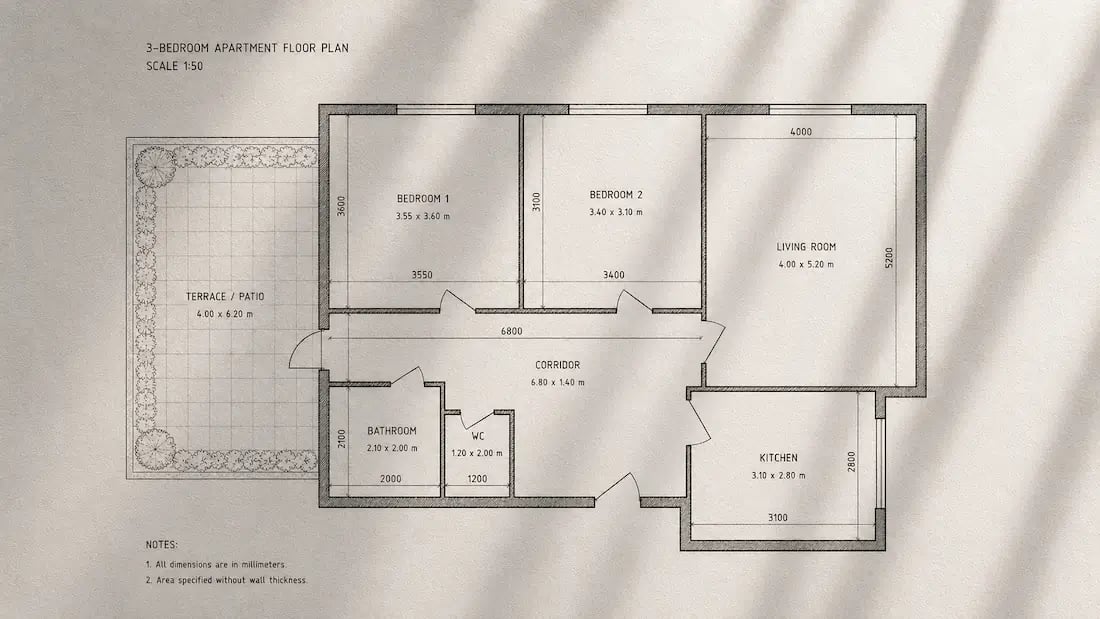
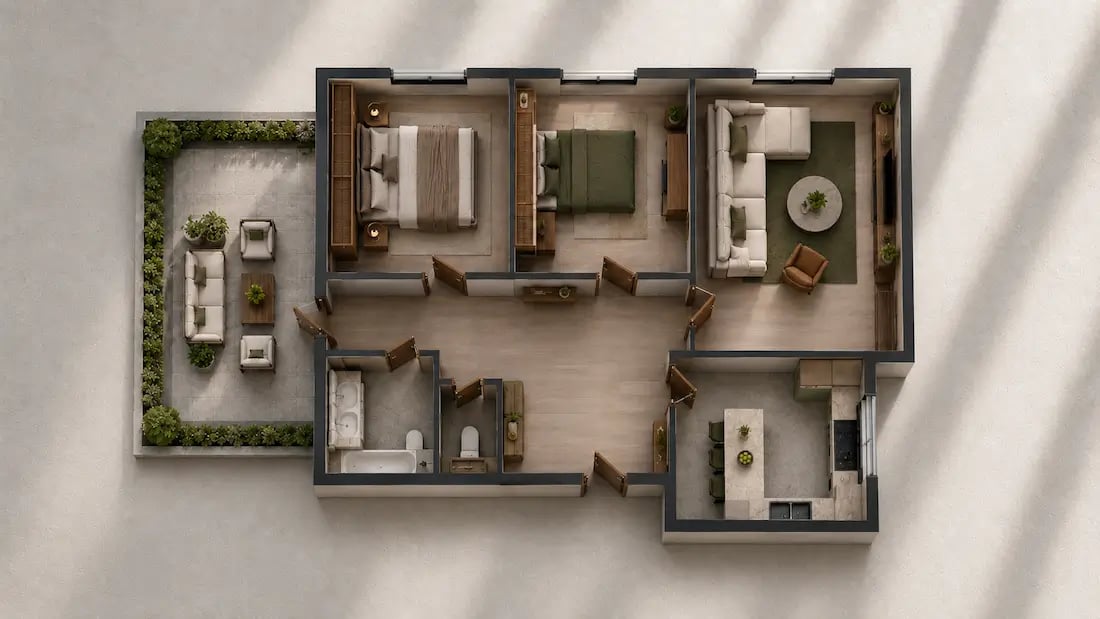
~15 sec
Average time to generate a complete floor plan
100+
Room types and layout styles supported
30
Free credits included on signup - no card needed
Free
This is a free AI floor plan generator - no card needed to start
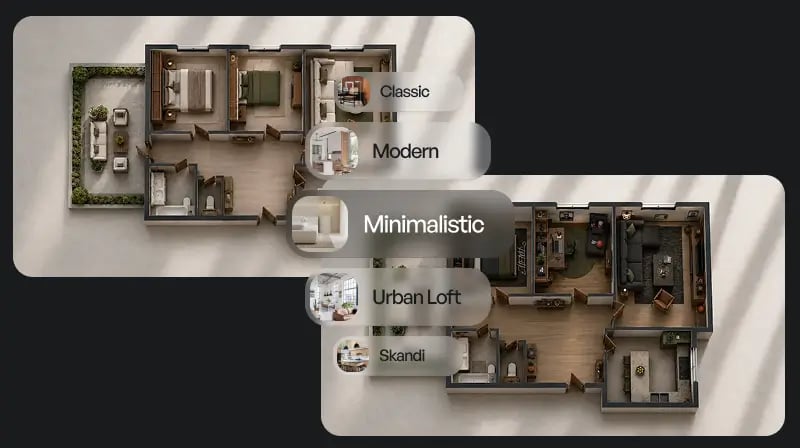
Type what you need - "3-bedroom apartment, open-plan kitchen and living area, two bathrooms" - and the AI produces a complete floor plan layout. No need to draw walls or set coordinates manually. The generator reads your brief and places rooms, doors, and openings in a logical arrangement automatically.
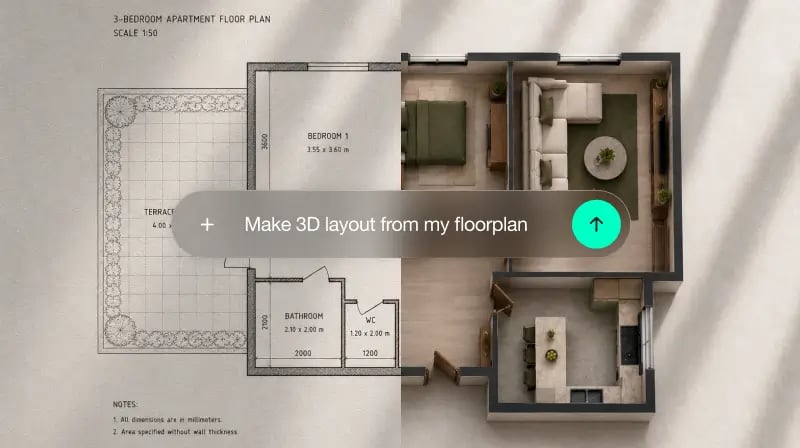
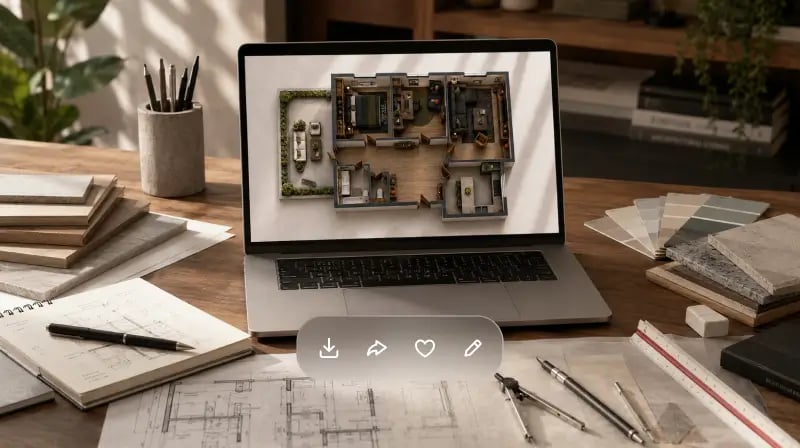
Set room sizes in square meters or square feet and the AI applies them proportionally across the layout. Wall thicknesses, door clearances, and corridor widths follow standard architectural conventions. The result is a floor plan you can hand to a builder or architect as a reference without redrawing from scratch.
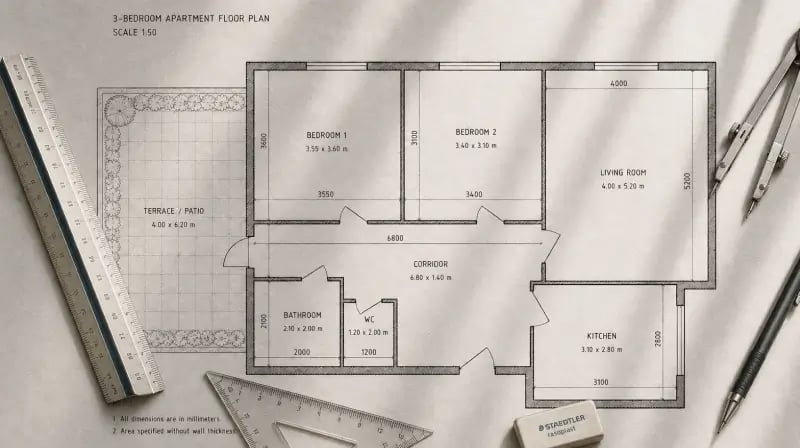
Studio apartment, family home, open plan, traditional room-by-room - choose a layout approach or describe it in your prompt. The AI supports residential layouts of all sizes, from a compact one-bedroom to a multi-story family house. You can also use it to plan individual rooms: bedroom layout, kitchen configuration, home office setup, and more.
1
"I had a rough idea for a home extension - two extra rooms and a new bathroom. Instead of paying for a first consultation just to sketch it out, I described it in Paintit and had a shareable layout ready in under a minute. My builder said it was clearer than most briefs he receives."
2
"I use it at the start of every project to quickly explore layout options before committing to detailed CAD drawings. What used to take an hour now takes two minutes. It's become a standard part of my client onboarding process."
3
"We constantly evaluate whether a floor plate can work for a specific brief. Generating and comparing layout options quickly - without involving the full design team - saves real time at the feasibility stage."
4
"I was redesigning my apartment and wanted to see if moving the kitchen wall was even worth exploring before calling a contractor. Generated three layout options, picked one, sent it as a reference. The whole thing took ten minutes."

Traditional floor plan software has a learning curve measured in hours. Paintit.ai has none. You describe what you need, the AI generates a complete layout, and you can refine it or start over immediately. TheAI architecture generatorworks the same way for full building concepts if your project needs to go further.

The AI understands spatial relationships - how rooms connect, where doors need clearance, how corridors function. It doesn't just place boxes on a grid. In our layouts, room proportions and flow reflect how people actually move through a home, not just how dimensions add up on paper.

Start with 30 free credits to explore layout concepts before choosing a paid plan. Current monthly prices are Starter $14.99 for 500 credits, Pro $29.99 for 1,500 credits, and Max $79.99 for 4,500 credits. Credit use varies by model and operation; check the Prices page for current offers and billing terms.
Start free with an account — the Free plan includes 30 credits at 1K resolution, no credit card. Upgrade for more credits and higher-resolution exports: Starter (500 credits, 2K — $14.99/mo), Pro (1,500 credits, 4K, watermark-free, commercial licence — $29.99/mo), or Max (4,500 credits — $79.99/mo). No hidden fees, 7-day money-back, cancel anytime.
An AI floor plan generator is a tool that creates 2D room layout plans based on your text description or uploaded sketch. You describe the rooms you need - their sizes, connections, and any specific requirements - and the AI produces a complete architectural layout automatically. Paintit.ai's floor plan generator works this way: type your brief, get a clean 2D layout in seconds, then export or refine it.
Yes, within the context of conceptual and planning layouts. Paintit.ai generates floor plans that follow real architectural logic - correct room proportions, standard door clearances, and logical traffic flow between spaces. The results are accurate enough to use as contractor briefs, client presentations, and planning references. For construction-grade technical drawings, you would still work with a licensed architect - but the AI layout gives them a clear starting point that eliminates the blank-page phase.
The Free plan includes 30 credits with no credit card required. Current monthly prices are Starter $14.99 for 500 credits, Pro $29.99 for 1,500 credits, and Max $79.99 for 4,500 credits. Starter includes private mode and 2K resolution. Pro and Max include watermark-free exports, 4K image upscale, and a commercial usage license. Check the Prices page for current offers and billing terms.
Most layouts generate in under 15 seconds. For more complex briefs with multiple floors or detailed room specifications, generation takes up to 30 seconds. You can start reviewing and refining the result immediately - no rendering queue or wait time.
Yes. Once generated, you can refine the layout through the AI chat - "enlarge the master bedroom", "move the kitchen to the north side", "add a utility room between the kitchen and garage" - and get an updated layout in seconds. You can also use the output as a reference image when working with external CAD software.
Homeowners use it to plan renovations and extensions before calling a contractor. Architects and interior designers use it to explore layout concepts with clients before committing to detailed drawings. Real estate developers use it at the feasibility stage to evaluate floor plate options. The output can also be paired withphotorealistic renders from your layoutto create a complete visual brief.
No. The generator is designed for plain-language input - you describe what you need in the same way you would explain it to a friend. No knowledge of architectural drawing conventions, CAD software, or design terminology is required. If you can describe a room, you can generate a floor plan.
Yes. Paintit.ai generates complete floor plan layouts automatically - you provide a text description and the AI handles room placement, wall configuration, door positions, and proportions without manual input. Unlike drag-and-drop tools where you build the layout element by element, the automatic floor plan generator approach means the first result is already a complete layout you can review, refine, or export immediately.
Stop sketching on paper and guessing whether a layout will work. Paintit.ai is a free AI floor plan generator - type your brief, get a clean 2D layout in seconds, and take it straight to your architect or contractor. Free to start, no card needed.
GENERATE MY FLOOR PLAN FREEDive deeper into Paintit.ai and learn how AI can change not only room design but your whole creative process.
1
Explore AI room design tools that are free. Instantly create and visualize stunning interiors with ease. Perfect for bedrooms, living rooms, and more. Start designing today!
2
Discover endless creativity with our AI concept generator. Generate and refine design ideas for architecture, interiors, and more. Start creating today!
3
Redesign your home exterior effortlessly with our free AI house exterior design generator. Explore styles, materials, and textures tailored to your vision.
4
Create stunning house designs effortlessly with our free AI house generator. Explore styles, layouts, and features tailored to your vision. Start designing today!
5
Visualize paint colors for your home with the free AI house painter. Explore styles, match colors, and redesign walls effortlessly. Start designing now!
6
Create stunning outdoor designs with free AI landscape design tools. Generate gardens, patios, and yard layouts effortlessly. Start designing today!
7
Create stunning photorealistic renders for architecture and interior design with AI Rendering. Fast, easy, and accessible for all skill levels. Start for free today!
8
Design your dream home exterior with our easy-to-use home exterior design tool. Visualize colors, materials, and styles in real time. Try it for free today!
9
Upload a bathroom photo and visualize new tiles, vanities, fixtures, flooring, and lighting before you start renovation work. Try AI bathroom remodel ideas for free.
10
Create floor plan layouts from a text prompt or sketch. Plan room flow, dimensions, and layouts faster with an AI floor plan generator built for early design decisions.
11
Generate furniture concepts and place them directly inside your room photo. Explore sofas, tables, beds, shelving, lighting, and decor ideas in context.
12
Rearrange furniture in your room without moving heavy pieces. Test layouts, traffic flow, and furniture positions with AI before changing the real space.
13
Preview exterior renovation ideas for siding, trim, roofs, windows, doors, landscaping, and curb appeal updates using a photo of your current home.
14
Test paint colors on real room and exterior photos before buying samples. Compare palettes, accent walls, and finish directions in minutes.
15
Visualize kitchen remodel ideas with new cabinets, counters, backsplashes, flooring, lighting, and layouts before committing to a renovation plan.
16
See how different rugs look in your actual room. Compare styles, sizes, colors, and placement options before choosing the right rug.
17
Improve listing photos with AI enhancement for brighter, cleaner, more polished real estate visuals that help rooms look ready for buyers.
18
Turn room ideas into realistic interior renderings.
19
Preview wall colors, finishes, and design ideas in your space.
20
Explore door styles and exterior updates before renovating.
21
Visualize a floor plan as a realistic room design.
22
Compare flooring ideas in the context of your room.
23
Preview driveway layouts and materials for your home.
24
Explore paver patterns and surfaces for outdoor spaces.
25
Explore ideas for expanding your home's living space.
26
Turn a design sketch into a realistic visual concept.
27
Visualize an architectural elevation as a realistic render.
28
Preview cabinet styles, colors, and finishes in your room photo.
29
Explore deck concepts using a photo of your backyard.
30
Visualize garden layout and planting ideas for your yard.
31
Explore coordinated remodeling ideas across interior spaces.
32
Preview window styles and finishes on your home photo.
33
Try paint-color directions on a photo of your furniture.
34
Compare countertop materials and colors in your kitchen photo.
35
Preview outdoor lighting concepts in your real landscape.
36
See curtain styles, colors, and patterns on your own window.
37
Enhance an existing architectural or interior render for presentation.
