1
Explore AI room design tools that are free. Instantly create and visualize stunning interiors with ease. Perfect for bedrooms, living rooms, and more. Start designing today!

One click
All enhancement applied automatically - no manual adjustments
Seconds
Average processing time per listing photo
Free
Starting plan - no credit card, 30 credits on the Free plan
61%
More views received by listings with professionally enhanced photos vs unedited shots
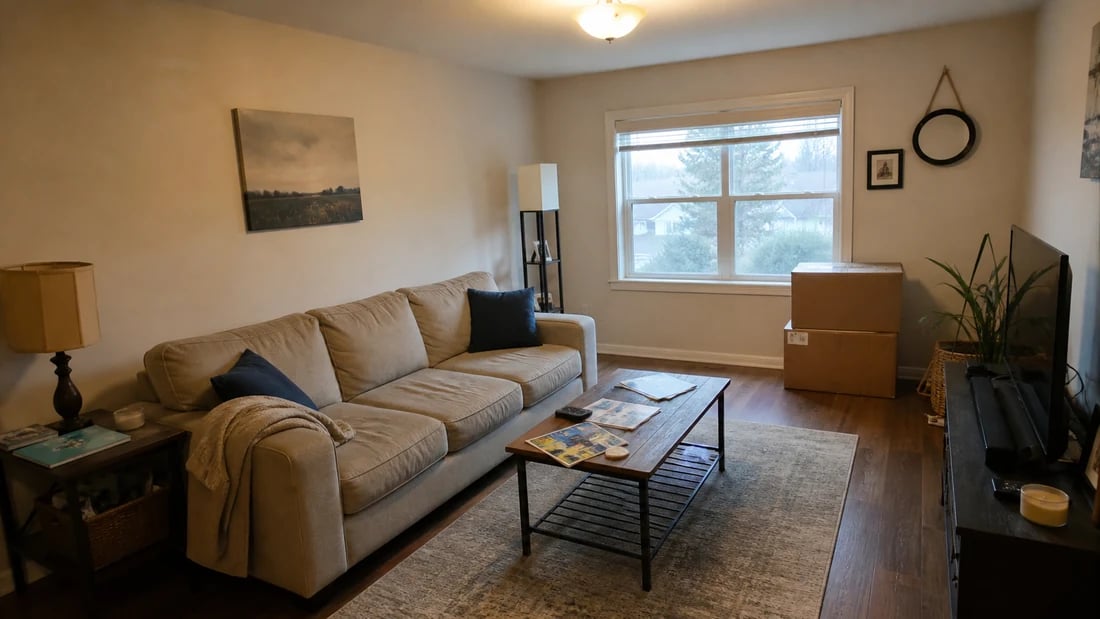
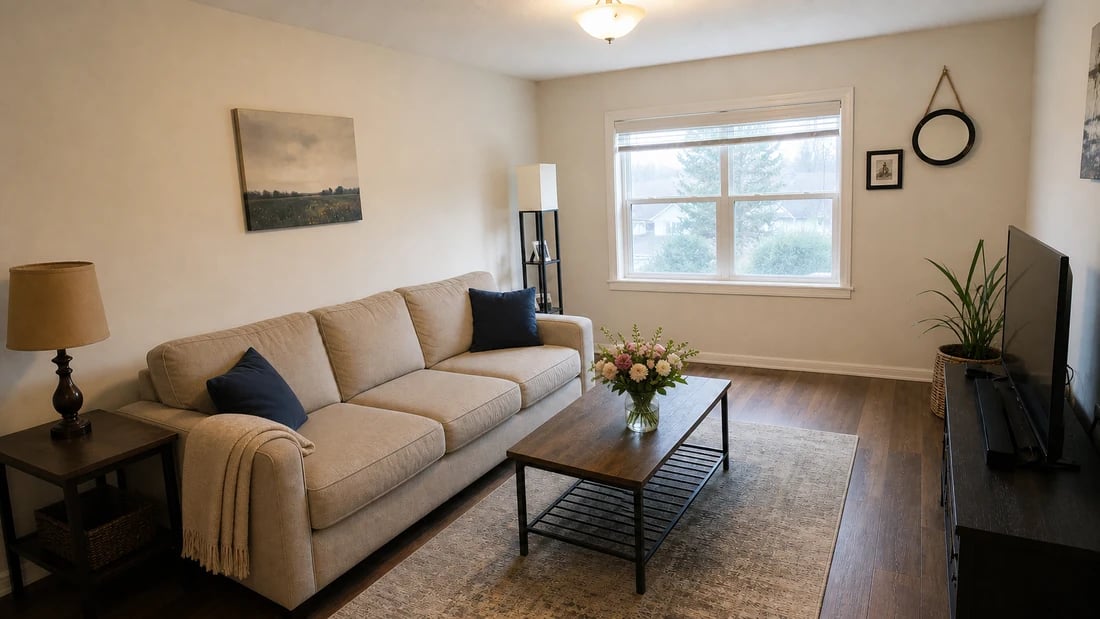
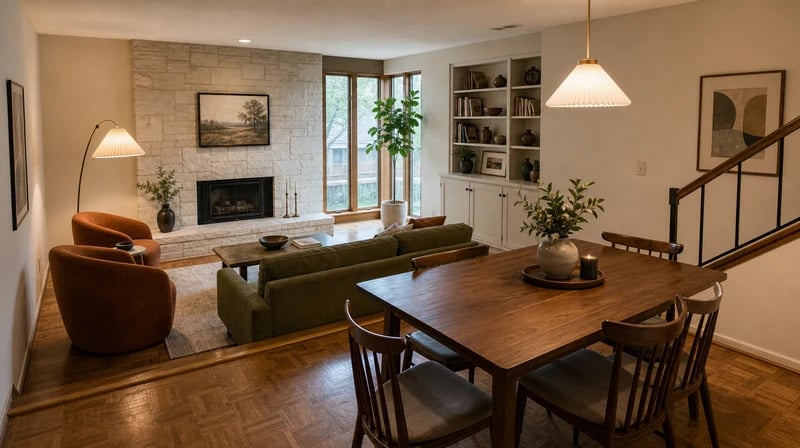
Listing photos shot with a smartphone or a wide-angle lens almost always have one of two problems: overexposed windows that blow out the view outside, or underexposed interiors that look dark and uninviting. The AI analyzes the full tonal range of each image and balances exposure across bright and shadow areas simultaneously - preserving window detail while lifting the room to natural-looking brightness. HDR real estate photography results without the HDR workflow.
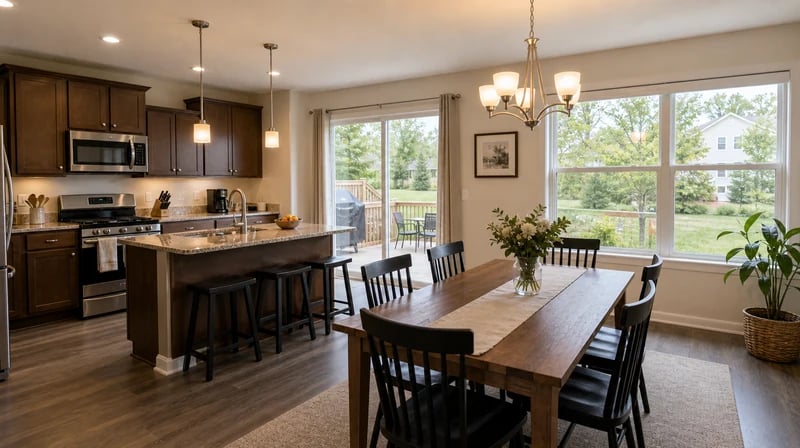
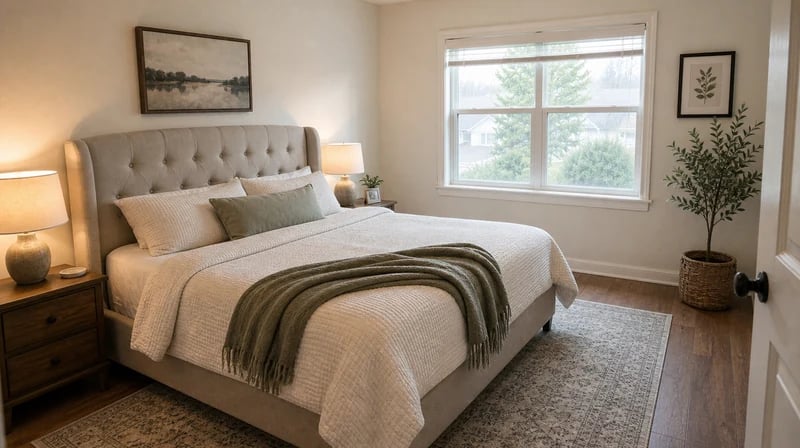
Grain, motion blur, and soft focus are common in photos taken in low light or with consumer-grade lenses. The AI identifies edge detail in walls, furniture, and architectural features and sharpens them selectively - while smoothing noise in flat areas like ceilings and floors. The result is a clean, crisp image that reads as professional without looking over-processed. Real estate photo retouching at the level of a dedicated editing service, applied in one click.
1
"I was spending $15–20 per photo on editing services and waiting 24 hours for turnaround. Now I upload straight from my phone after a showing and have enhanced photos ready in under a minute. The quality is genuinely indistinguishable from what I was paying for. My listing click-through rates improved noticeably within the first month."
2
"I use it for quick turnarounds when clients need same-day delivery. The lighting correction on interior shots is surprisingly accurate - it handles mixed light sources better than most Lightroom presets I've built. For standard listing work it saves me 20–30 minutes per shoot in post-processing."

Traditional real estate photo editing services deliver in 24–48 hours. Paintit.ai processes each image in seconds. Upload after a shoot, download enhanced photos before you leave the parking lot. For agents managing multiple listings simultaneously, that turnaround changes how fast properties can go live. Forgenerating photorealistic property rendersfrom scratch, the same speed applies.

Generic AI photo editors apply blanket adjustments that flatten architectural detail or over-saturate colors. Paintit.ai's enhancement is trained on real estate imagery specifically - it recognizes window light, preserves material textures in flooring and walls, and avoids the over-processed look that flags AI editing to experienced buyers. The result is a photo that looks like it was shot by a professional, not filtered by an app.

Professional real estate photo editing services charge $1.50–$5.00 per image. For a 25-photo listing, that's $37–$125 per property. The Free plan on Paintit.ai includes 30 credits at 1K resolution. Starter includes 500 credits at 2K resolution for $14.99/mo. Use Pro or above for commercial listing materials.
Start free with an account — the Free plan includes 30 credits at 1K resolution, no credit card. Upgrade for more credits and higher-resolution exports: Starter (500 credits, 2K — $14.99/mo), Pro (1,500 credits, 4K, watermark-free, commercial licence — $29.99/mo), or Max (4,500 credits — $79.99/mo). No hidden fees, 7-day money-back, cancel anytime.
It automatically improves three core properties of a listing photo in a single pass: exposure and lighting balance, sharpness and noise reduction, and color accuracy. The result is a cleaner, brighter, more professional-looking image - produced from the same original photo, without altering the actual property's appearance or misleading buyers about the space.
No, when done correctly. Paintit.ai's enhancement is calibrated for real estate imagery specifically - it avoids the heavy saturation, HDR halo effects, and artificial skin-smoothing that make AI editing obvious. The output is designed to look like a professionally shot and lightly edited photograph, not a filtered social media image. Material textures in flooring, walls, and furniture are preserved accurately.
Yes. Enhanced photos from Paintit.ai are high-resolution and ready for MLS upload, print brochures, and digital marketing immediately after download. Users on Pro and above have a commercial license that covers use in all client-facing and third-party marketing materials. For a full real estate toolkit beyond photo enhancement, explore ourfull real estate toolkit.
Traditional real estate photo editing services cost $1.50–$5.00 per image and deliver in 24–48 hours. Paintit.ai processes each image in seconds at a fraction of the per-image cost. The tradeoff: a human editor can make judgment calls about specific stylistic preferences; the AI applies a consistent, calibrated enhancement automatically. For standard listing work - exposure, sharpness, color - the AI result is comparable. For complex composite work like sky replacement or object removal, human editing still has an edge.
Stop sending photos to editing services and waiting a day for results. Upload any real estate listing photo and get professional AI photo enhancement in seconds - free to start, no credit card required.
ENHANCE MY PHOTOS FREEDive deeper into Paintit.ai and learn how AI can change not only room design but your whole creative process.
1
Explore AI room design tools that are free. Instantly create and visualize stunning interiors with ease. Perfect for bedrooms, living rooms, and more. Start designing today!
2
Discover endless creativity with our AI concept generator. Generate and refine design ideas for architecture, interiors, and more. Start creating today!
3
Redesign your home exterior effortlessly with our free AI house exterior design generator. Explore styles, materials, and textures tailored to your vision.
4
Create stunning house designs effortlessly with our free AI house generator. Explore styles, layouts, and features tailored to your vision. Start designing today!
5
Visualize paint colors for your home with the free AI house painter. Explore styles, match colors, and redesign walls effortlessly. Start designing now!
6
Create stunning outdoor designs with free AI landscape design tools. Generate gardens, patios, and yard layouts effortlessly. Start designing today!
7
Create stunning photorealistic renders for architecture and interior design with AI Rendering. Fast, easy, and accessible for all skill levels. Start for free today!
8
Design your dream home exterior with our easy-to-use home exterior design tool. Visualize colors, materials, and styles in real time. Try it for free today!
9
Upload a bathroom photo and visualize new tiles, vanities, fixtures, flooring, and lighting before you start renovation work. Try AI bathroom remodel ideas for free.
10
Create floor plan layouts from a text prompt or sketch. Plan room flow, dimensions, and layouts faster with an AI floor plan generator built for early design decisions.
11
Generate furniture concepts and place them directly inside your room photo. Explore sofas, tables, beds, shelving, lighting, and decor ideas in context.
12
Rearrange furniture in your room without moving heavy pieces. Test layouts, traffic flow, and furniture positions with AI before changing the real space.
13
Preview exterior renovation ideas for siding, trim, roofs, windows, doors, landscaping, and curb appeal updates using a photo of your current home.
14
Test paint colors on real room and exterior photos before buying samples. Compare palettes, accent walls, and finish directions in minutes.
15
Visualize kitchen remodel ideas with new cabinets, counters, backsplashes, flooring, lighting, and layouts before committing to a renovation plan.
16
See how different rugs look in your actual room. Compare styles, sizes, colors, and placement options before choosing the right rug.
17
Improve listing photos with AI enhancement for brighter, cleaner, more polished real estate visuals that help rooms look ready for buyers.
18
Turn room ideas into realistic interior renderings.
19
Preview wall colors, finishes, and design ideas in your space.
20
Explore door styles and exterior updates before renovating.
21
Visualize a floor plan as a realistic room design.
22
Compare flooring ideas in the context of your room.
23
Preview driveway layouts and materials for your home.
24
Explore paver patterns and surfaces for outdoor spaces.
25
Explore ideas for expanding your home's living space.
26
Turn a design sketch into a realistic visual concept.
27
Visualize an architectural elevation as a realistic render.
28
Preview cabinet styles, colors, and finishes in your room photo.
29
Explore deck concepts using a photo of your backyard.
30
Visualize garden layout and planting ideas for your yard.
31
Explore coordinated remodeling ideas across interior spaces.
32
Preview window styles and finishes on your home photo.
33
Try paint-color directions on a photo of your furniture.
34
Compare countertop materials and colors in your kitchen photo.
35
Preview outdoor lighting concepts in your real landscape.
36
See curtain styles, colors, and patterns on your own window.
37
Enhance an existing architectural or interior render for presentation.
