7 min. reading

Yulii Cherevko
CEO paintit.ai

Looking for a reliable Reimagine Home AI alternative for virtual staging, interior redesign, or exterior landscaping? In 2026, the market isn't just one-size-fits-all-it splits into three clear camps: fast DIY generators, full-service DFY studios, and pro-grade renderers.
At Paintit.ai, we analyzed the leading options based on output realism, iteration speed, and object-level control. Whether you are a realtor needing a quick fix or an architect requiring CAD compatibility, this guide will help you choose.
Helpful resources as you explore: if you're benchmarking decorators like Havenly, see our Havenly Alternatives analysis; for a broader market scan, skim Best AI Interior Design Tools; hands-on trials: AI House Painter for color testing, AI Room Design for quick room restyles, and AI Virtual Staging for listings.
Don't have time to read? Here is the snapshot.
| Best For... | Recommended Tool | Why? |
| Interior & Exterior (Hybrid) | Paintit.ai | The only AI that handles both full AI exterior design and interior styling with "shoppable" furniture. |
| Real Estate Staging | Spacely AI | High photorealism for empty rooms; good for "listing-ready" visuals. |
| Planning & Blueprints | Planner 5D | If you need 2D/3D CAD planning alongside visualization. |
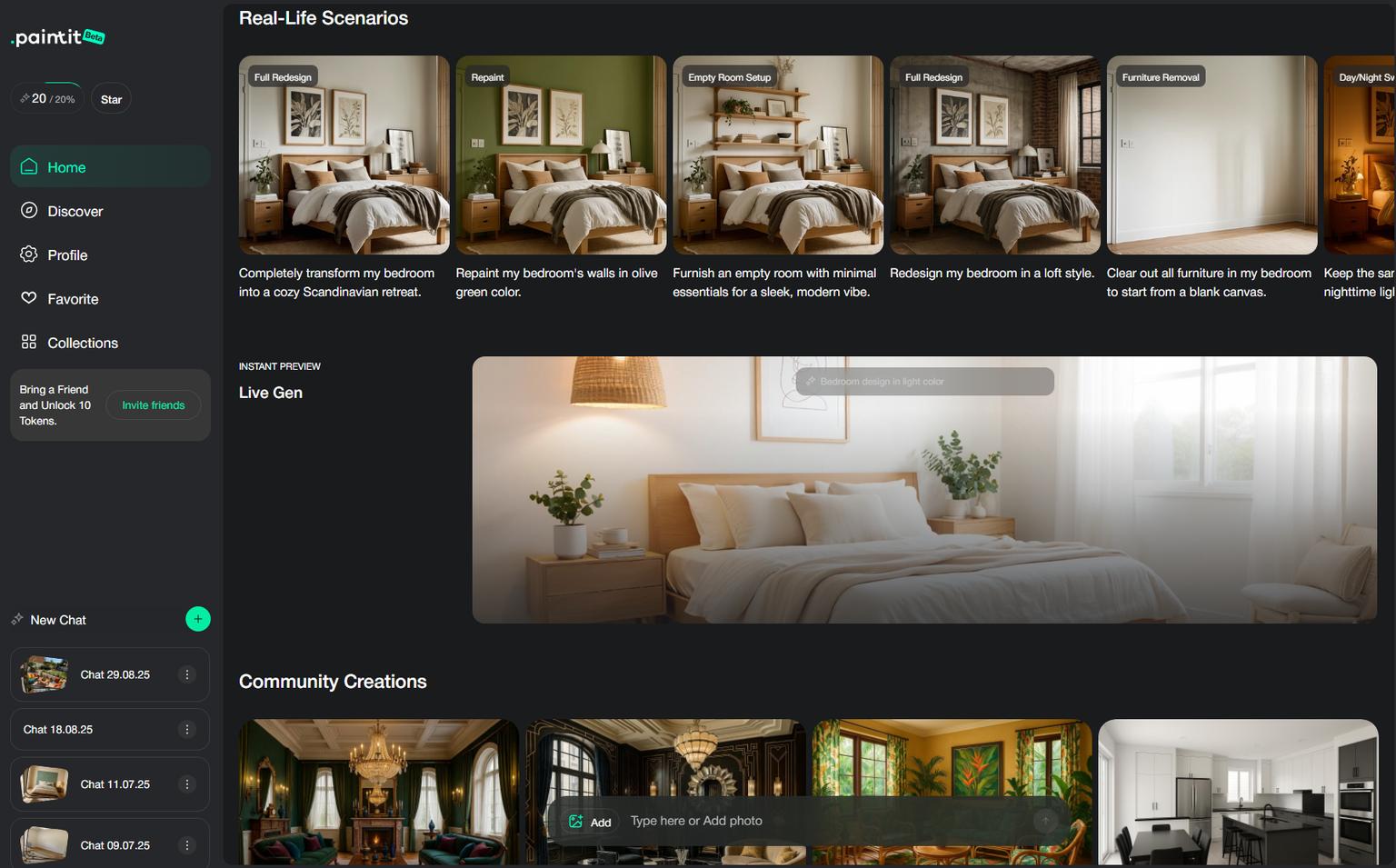
Why it ranks first: Paintit.ai couples an intuitive, chat-like workflow with "shop the look" outcomes so users can move from idea to real products-an increasingly crucial bridge between visualization and execution. Multiple independent reviews in 2026 highlight the shoppable furniture angle and accessible pricing for short sprints (weekly) or ongoing projects (monthly).
Best for: homeowners who want a natural, iterative design conversation; designers pitching interactive concepts; agents who need convincing, styled visuals fast.
Standout strengths
Limitations

Spacely targets architects, designers and premium real-estate visuals, offering photorealistic renders and a SketchUp extension that keeps the flow inside a familiar toolchain. Spacely advertises a free trial and has run periodic offers (e.g., a 2026 limited-time yearly price and, more recently, updated subscription/credit details for Studio/Business plans).
Best for: professionals who need reproducible quality, CAD continuity, and more control than one-click apps.
Strengths: SketchUp integration; higher realism; pro-tier controls.
Limitations: plan/credit math to watch; learning curve vs. DIY toys.

HomeVisualizer.AI stands out for accepting drawings, plans and low-quality renders and turning them into realistic images. The Standard plan is clearly published at $12/month billed yearly for 250 renders/month, which is unusually generous among AI renderers.
Best for: early-stage concepting when you have plans or roughs, not just photos.
Strengths: flexible inputs; low price per render at published quota.
Limitations: fewer pro integrations than Spacely; web-centric pipeline.
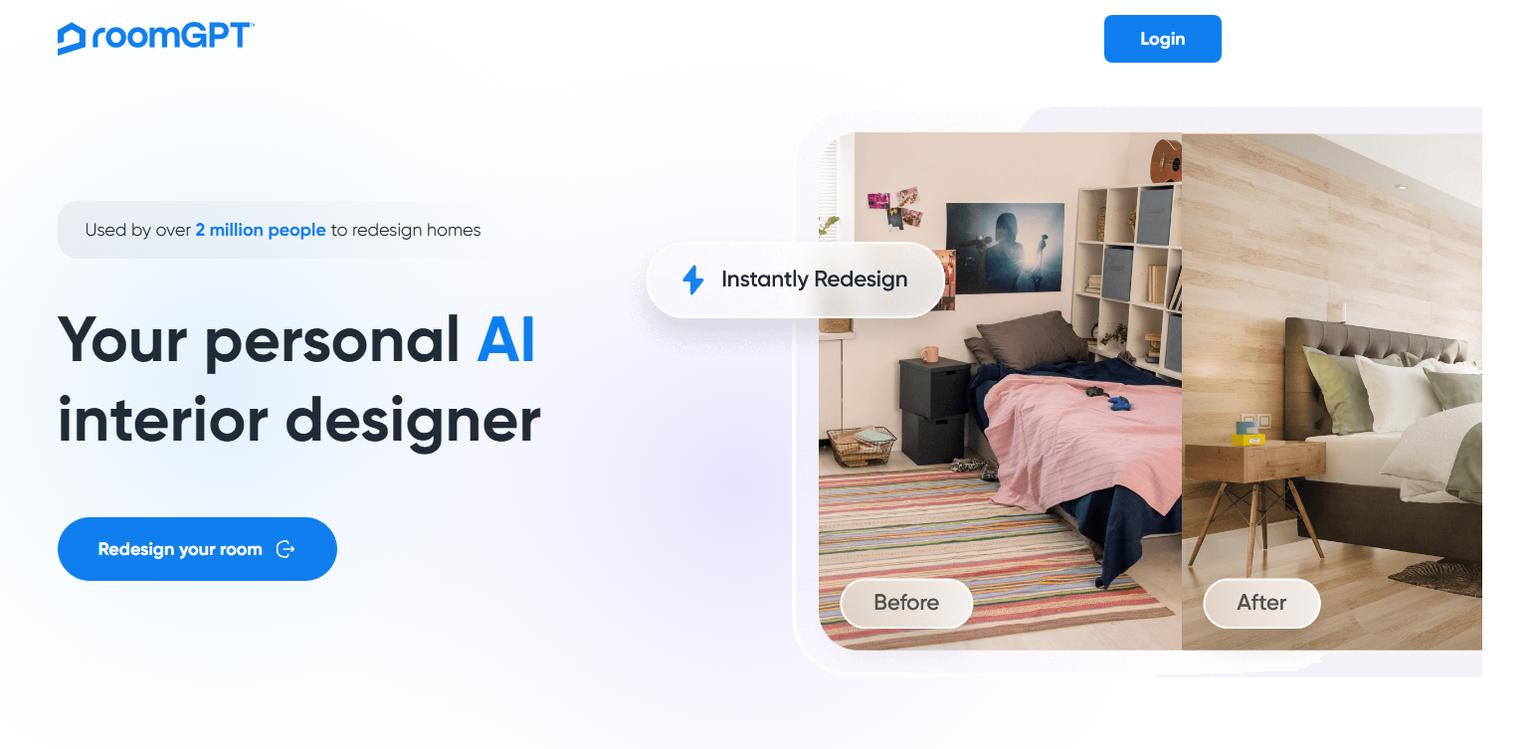
RoomGPT popularized "upload photo → pick style → get ideas in seconds." Pricing is typically credit-based (one design ≈ one credit), with purchase pages and third-party guides frequently citing 30-/100-credit packs and occasional discount codes. Mobile apps exist as well.
Best for: quick inspiration and social-ready "what-if"s.
Strengths: speed; low friction; mobile availability.
Limitations: stylization over tight realism; limited object-level control.

AI Room Planner markets free, no-limit beta usage for rapid style tries-ideal when you're ideating without budget. Multiple directories and its site mention unlimited/beta access. (Status can change; verify at runtime.)
Best for: budget-sensitive DIY users sampling many styles.
Strengths: $0 entry; lots of design variants.
Limitations: changing beta terms; less granular editing.

Planner 5D is a planning-first platform: draw 2D/3D floor plans, place furniture from a large catalog, and export visuals. Its pricing page lists Free and Premium tiers (e.g., €4.99/mo billed annually or €19.99/mo monthly), and help docs reaffirm a free tier with paid catalog access.
Best for: serious DIY renovations needing exact dimensions and layouts.
Strengths: control over plans; 4K renders and VR options noted in product/roundup pages.
Limitations: steeper learning curve vs. one-click restylers.
If you'd rather outsource, Styldod is a DFY stalwart that publishes "starting at $16 per image", 24-48h turnaround, and unlimited free revisions for virtual staging on its site; its content also references $16-$23/image ranges.
Best for: agents and teams prioritizing guaranteed polish over DIY time.
Strengths: predictable quality; revisions; human judgment for tricky photos.
Limitations: per-image cost; slower than instant AI output.
BoxBrownie is known for transparent, pay-per-image pricing: US$24 per virtually staged image, no subscriptions, with 48-hour turnarounds advertised on their pages. Commercial staging and other service menus mirror the same model.
Best for: brokerages needing a broad service mix (staging, edits, floor plans, tours) without committing to software.
Strengths: simple pricing; wide service catalog.
Limitations: costs scale with volume; fewer interactive iterations.
| Tool | Model | Free Tier | Public entry pricing (as seen 2026) | Notes |
|---|---|---|---|---|
| Reimagine Home AI | Subscription, credits | Starter credits | $29/mo Optimal (200→150 credits), $49, $99 tiers | Official pricing page lists per-credit math & bundles. |
| Paintit.ai | Weekly/Monthly | Yes (basic tests) | $6.99/wk, $24.99/mo (reported in independent roundups) | Conversational flow + shoppable results. |
| Spacely AI | Subscriptions/credits | Free trial | Time-limited $189/yr offer in 2026; updated plan/credit info | SketchUp extension + recent plan updates. |
| HomeVisualizer.AI | Subscription | Trial | $12/mo (billed yearly) for 250 renders/mo | Published on official Plans page. |
| RoomGPT | Credits | Limited free | Credit packs; periodic promo codes on buy page | Mobile apps available. |
| AI Room Planner | Free (beta) | Yes | $0 during beta | Sites note "free & unlimited" beta messaging. |
| Planner 5D | Subscription | Yes | €4.99/mo (annual); €19.99/mo | Planning-first with VR/4K. |
| Styldod | Per image (DFY) | Trials/discounts vary | from $16/image; 24-48h; unlimited revisions | Published on official site/blog. |
| BoxBrownie | Per image (DFY) | - | US$24/image for staging | Clear pricing and timeframe listed. |
Scoring reflects a synthesis of official pages and hands-on roundups (1-5; higher = better in category).
| Criterion \ Tool | Paintit.ai | Spacely AI | HomeVisualizer | RoomGPT | AI Room Planner | Planner 5D | Styldod | BoxBrownie |
|---|---|---|---|---|---|---|---|---|
| Realism/accuracy | 4 | 5 | 4 | 3 | 3 | 4 | 5 | 5 |
| Iteration speed | 5 | 4 | 4 | 5 | 5 | 3 | 2 | 2 |
| Control depth | 4 | 5 | 4 | 2 | 2 | 5 | 5* | 5* |
| Compatibility/exports | 3 | 4 (SketchUp) | 3 | 2 | 2 | 5 | 3 | 3 |
| Price/value | 4 | 4 | 5 | 4 | 5 | 4 | 4 | 3 |
*In DFY, "control" = human designers implementing briefs/revisions. (See official feature/pricing pages cited above.)
Real-estate pros (speedy listing upgrades): If you want a software approach tailored to property photos (interiors and exteriors), Reimagine Home AI remains a solid benchmark due to its extensive real-estate toolkit and credit bundles; agencies with strict quality bars often pair or switch to DFY for hero listings-Styldod (from $16/image) or BoxBrownie ($24/image).
Designers/architects (CAD & realism): Spacely AI for SketchUp continuity and photorealism; HomeVisualizer.AI when you're iterating from drawings/plans at low per-render cost.
Homeowners/DIY (interactive and shoppable): Paintit.ai shines for chat-style iterations and shoppable furniture-it's the easiest bridge from ideas to a buyable spec. For fast/cheap brainstorming, RoomGPT or AI Room Planner work well; when your project becomes structural (layouts, exact dimensions), step into Planner 5D.
Yes, but so does Paintit.ai. Our AI landscape design tool allows you to redesign backyards, patios, and facades instantly.
Published plans are credit-based (e.g., $29/mo Optimal with 200 first-month credits, 150 thereafter; higher tiers at $49 and $99 with larger bundles).
The chat-style flow and shoppable furniture close the loop from idea to actionable spec; independent 2026 reviews also list approachable weekly/monthly pricing.
AI Room Planner advertises a free, unlimited beta; RoomGPT offers credit packs and occasional promo codes on its buy-page. (Terms change-check live.)
Spacely AI offers a SketchUp extension; Planner 5D focuses on plan creation and exports rather than CAD plugins.
For automated results, AI Virtual Staging by Paintit offers incredible speed. for pixel-perfect manual edits, Styldod is a strong service-based option.