1
Explore AI room design tools that are free. Instantly create and visualize stunning interiors with ease. Perfect for bedrooms, living rooms, and more. Start designing today!

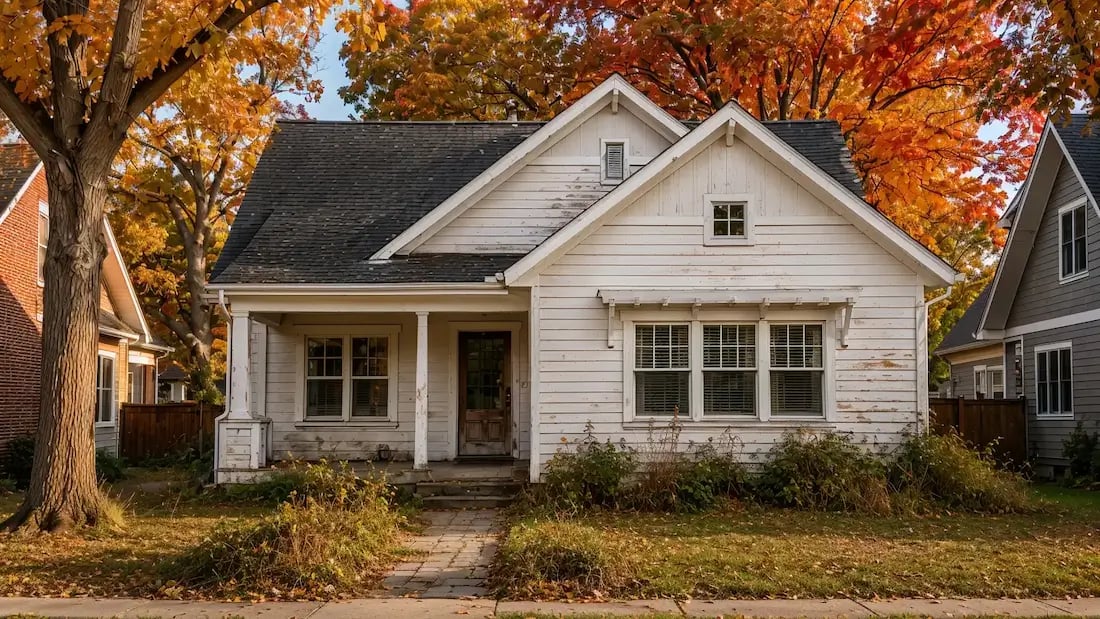
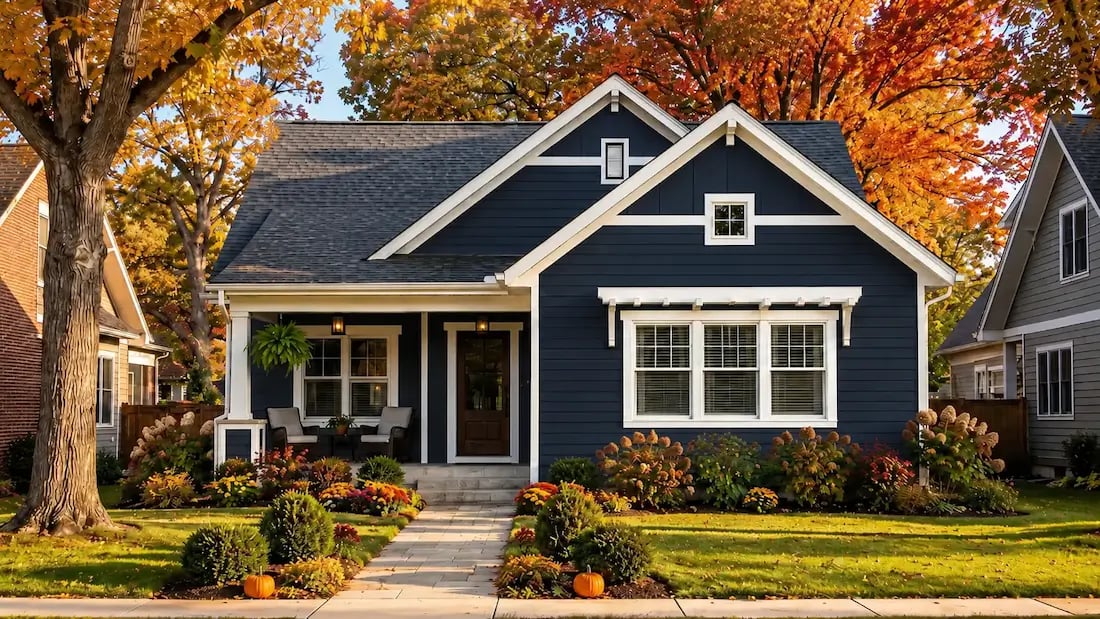
+20%
Average boost to property value after exterior renovation
15 sec
Time to generate your first photorealistic render
100+
Architectural styles available
Free
Starting price to try
1
"I was planning a full siding replacement and had no idea what color to go with. I tried six combinations in Paintit in about ten minutes. Showed the renders to my contractor and we were aligned from day one."
2
"My clients always struggle to visualize facade changes - they think in interiors. Now I show them a before/after render in the first meeting and the project scope conversation becomes so much easier."
3
"I use the exterior renders to show potential buyers what a dated property could look like after renovation. It moves conversations forward faster than any listing description could."
4
"Wanted to modernize the look of our 1990s house without touching the structure. The AI suggested a combination of trim color and window surround updates I would never have thought of. Looked amazing in the render."
You pick colors from a 2-inch swatch under fluorescent lighting and hope they work on a full facade in natural light. They often don't.
Getting aligned on a vision means long email chains, multiple site visits, and revisions on hand-drawn sketches that never quite look right.
Professional 3D renderings of a single exterior concept can run $500-$2,000 and take up to two weeks to deliver.
Most homeowners only see the full result after the work is done. Changing direction at that point is expensive and stressful.
Upload your house photo, choose siding, trim, and color - and get a photorealistic exterior render in under two minutes. What you see is exactly what you're planning.
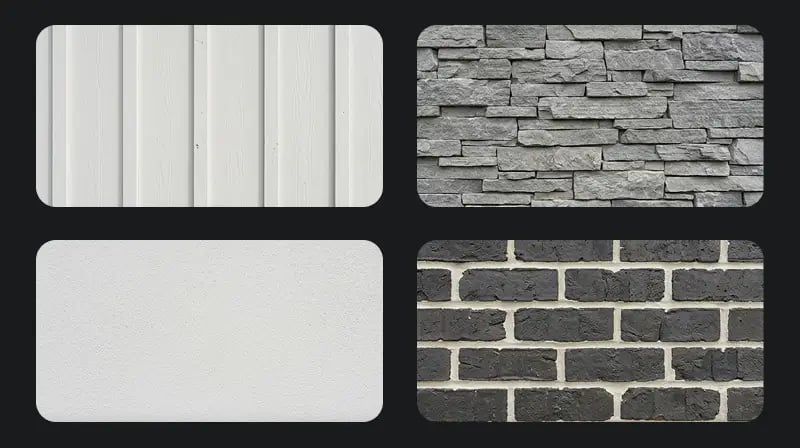
Try board and batten, then stone veneer, then stucco - all in the same session. Our users typically explore 5-8 combinations before settling on a direction.
A Free plan gets you 30 credits to start. Starter includes 500 credits at 2K resolution for $14.99/mo. Generations and revisions use your available credits.
Download your renders and send them to your contractor, architect, or HOA before a single tool is picked up. Everyone starts on the same page.
Upload any clear exterior photo - even a smartphone snapshot - and the AI accurately reads the architectural structure of your home. It preserves your roofline, windows, and proportions while applying the new design on top. The result looks like a real renovation, not a digital collage.
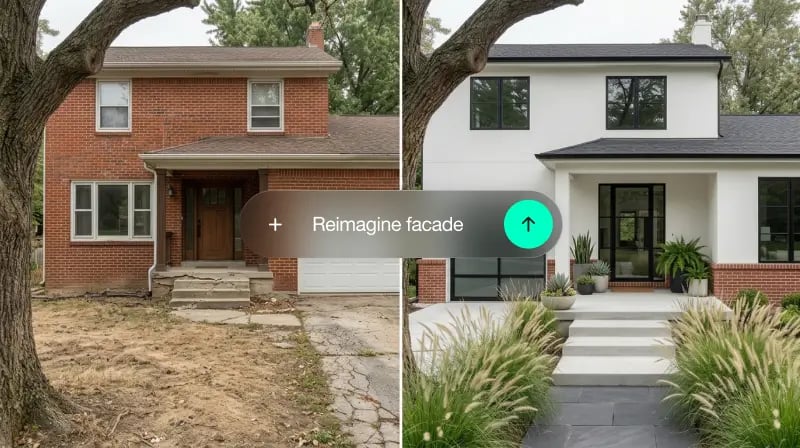
From modern farmhouse and Craftsman bungalow to Mediterranean, Colonial, mid-century, and industrial - the style library covers every major residential aesthetic. Select one as a starting point, then refine with text prompts like "add board and batten siding and black window frames."
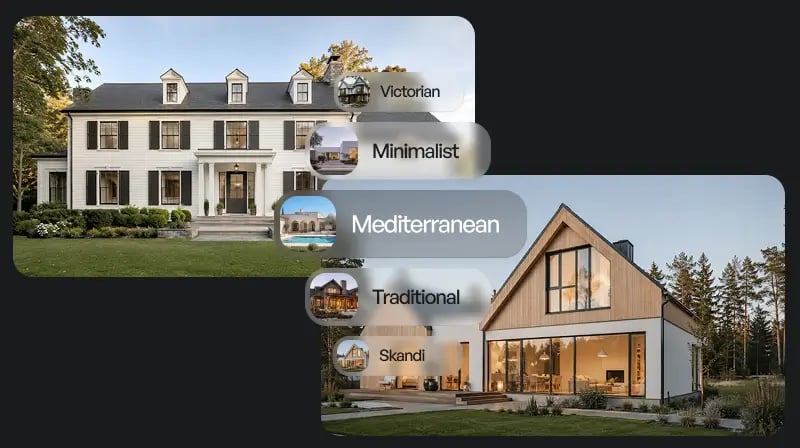
Change siding to fiber cement board, swap brick for stone veneer, update stucco to smooth render. The AI applies material textures that respond realistically to your home's existing light conditions - not generic overlays.
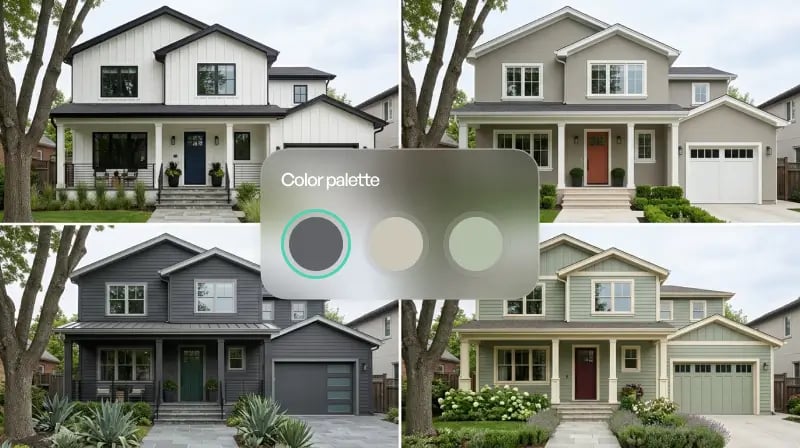
Test entire color palettes - body, trim, accents, doors - and see how they interact across the full facade. In our renders, color shifts in shaded areas respond to the home's actual geometry, not a flat wash.
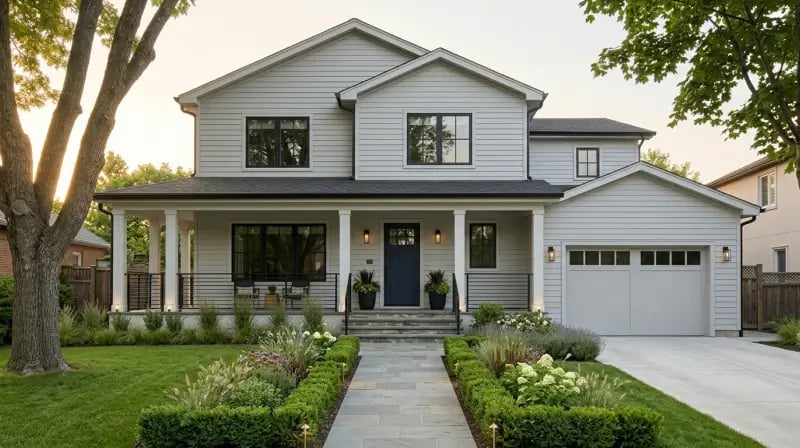
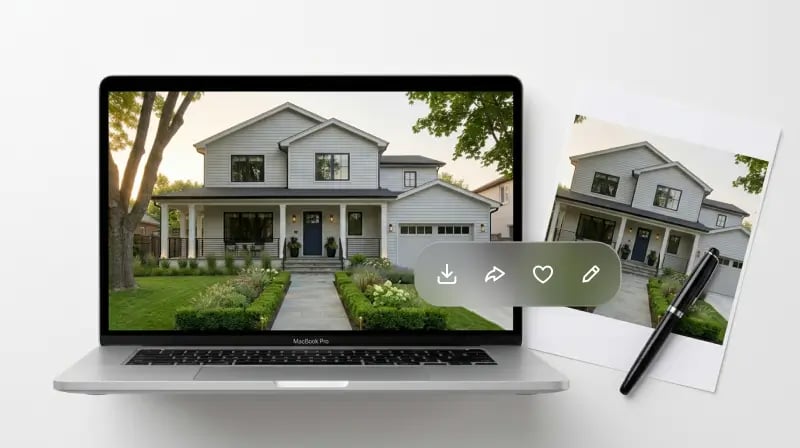
Every generated image downloads at high resolution, ready to send to a contractor, submit to an HOA, or include in a real estate listing. Watermark-free exports are available on Pro and above.

You don't plan a renovation over months of deliberate research - you get an idea on a Sunday afternoon and want to explore it now. Paintit generates concepts in under two minutes so inspiration doesn't cool before you act on it.

Our photorealistic renders are built for real-world use. Contractors use them to estimate materials accurately. HOAs accept them as visual proposals. Real estate agents use them in listing packages. The photorealistic renders look professional because they are.

Traditional 3D exterior renders cost $500-$2,000 per concept. At Paintit, your Free plan includes 30 credits. That's enough to fully explore your exterior renovation ideas before spending a dollar on construction.

Homeowners Planning a Renovation

Real Estate Agents

Architects and Exterior Designers
Start free with an account — the Free plan includes 30 credits at 1K resolution, no credit card. Upgrade for more credits and higher-resolution exports: Starter (500 credits, 2K — $14.99/mo), Pro (1,500 credits, 4K, watermark-free, commercial licence — $29.99/mo), or Max (4,500 credits — $79.99/mo). No hidden fees, 7-day money-back, cancel anytime.
It's a process where you upload a photo of your existing house and AI generates photorealistic visuals showing what it would look like after renovation - with different siding materials, colors, trim, and architectural styles applied. You see the result before any physical work begins.
The renders are designed to preserve your home's actual proportions, roofline, window placement, and surrounding context. They're accurate enough to use as contractor briefs and HOA submission visuals. For structural changes - like adding a dormer or extending a roofline - we recommend always consulting a licensed architect in addition to using the render as a reference.
You can update siding type and material, exterior paint colors, trim and fascia, window surrounds and shutters, door style and color, and the overall architectural style. The landscape context is also factored into the render.
Photoshop requires manual skill, time, and a trained eye to make facade edits look realistic. Paintit.ai does the work in under two minutes and applies materials and colors in a way that responds to your home's actual lighting conditions and geometry. You can alsorepaint your home's facadewith a dedicated color tool if you need color exploration specifically.
No. You describe what you want in plain language - or just pick a style from the library. The AI handles the visual translation. Our users include homeowners with no design background, real estate agents, and professional architects.
Yes. Users on Pro and above have a commercial license that covers using the renders in listing materials, client presentations, and marketing. Free and Starter plan renders are for personal use.
The Free plan includes 30 credits - enough to generate and explore multiple exterior renovation concepts at no cost. No credit card required to sign up.
Every render downloads as a high-resolution image file. You can send it directly by email, attach it to a project management tool, or print it for an in-person meeting.
An AI exterior renovator is a tool that takes a photo of your existing home and generates photorealistic visualizations of how it would look after renovation - with new siding, colors, materials, or architectural style applied. Paintit.ai's exterior renovation tool works exactly this way: upload a photo, describe or select a style, and see the result in under two minutes.
Stop imagining and start seeing. Upload a photo of your house and get photorealistic exterior renovation concepts in under two minutes - free to start, no design skills needed.
START MY EXTERIOR RENOVATIONDive deeper into Paintit.ai and learn how AI can change not only room design but your whole creative process.
1
Explore AI room design tools that are free. Instantly create and visualize stunning interiors with ease. Perfect for bedrooms, living rooms, and more. Start designing today!
2
Discover endless creativity with our AI concept generator. Generate and refine design ideas for architecture, interiors, and more. Start creating today!
3
Redesign your home exterior effortlessly with our free AI house exterior design generator. Explore styles, materials, and textures tailored to your vision.
4
Create stunning house designs effortlessly with our free AI house generator. Explore styles, layouts, and features tailored to your vision. Start designing today!
5
Visualize paint colors for your home with the free AI house painter. Explore styles, match colors, and redesign walls effortlessly. Start designing now!
6
Create stunning outdoor designs with free AI landscape design tools. Generate gardens, patios, and yard layouts effortlessly. Start designing today!
7
Create stunning photorealistic renders for architecture and interior design with AI Rendering. Fast, easy, and accessible for all skill levels. Start for free today!
8
Design your dream home exterior with our easy-to-use home exterior design tool. Visualize colors, materials, and styles in real time. Try it for free today!
9
Upload a bathroom photo and visualize new tiles, vanities, fixtures, flooring, and lighting before you start renovation work. Try AI bathroom remodel ideas for free.
10
Create floor plan layouts from a text prompt or sketch. Plan room flow, dimensions, and layouts faster with an AI floor plan generator built for early design decisions.
11
Generate furniture concepts and place them directly inside your room photo. Explore sofas, tables, beds, shelving, lighting, and decor ideas in context.
12
Rearrange furniture in your room without moving heavy pieces. Test layouts, traffic flow, and furniture positions with AI before changing the real space.
13
Preview exterior renovation ideas for siding, trim, roofs, windows, doors, landscaping, and curb appeal updates using a photo of your current home.
14
Test paint colors on real room and exterior photos before buying samples. Compare palettes, accent walls, and finish directions in minutes.
15
Visualize kitchen remodel ideas with new cabinets, counters, backsplashes, flooring, lighting, and layouts before committing to a renovation plan.
16
See how different rugs look in your actual room. Compare styles, sizes, colors, and placement options before choosing the right rug.
17
Improve listing photos with AI enhancement for brighter, cleaner, more polished real estate visuals that help rooms look ready for buyers.
18
Turn room ideas into realistic interior renderings.
19
Preview wall colors, finishes, and design ideas in your space.
20
Explore door styles and exterior updates before renovating.
21
Visualize a floor plan as a realistic room design.
22
Compare flooring ideas in the context of your room.
23
Preview driveway layouts and materials for your home.
24
Explore paver patterns and surfaces for outdoor spaces.
25
Explore ideas for expanding your home's living space.
26
Turn a design sketch into a realistic visual concept.
27
Visualize an architectural elevation as a realistic render.
28
Preview cabinet styles, colors, and finishes in your room photo.
29
Explore deck concepts using a photo of your backyard.
30
Visualize garden layout and planting ideas for your yard.
31
Explore coordinated remodeling ideas across interior spaces.
32
Preview window styles and finishes on your home photo.
33
Try paint-color directions on a photo of your furniture.
34
Compare countertop materials and colors in your kitchen photo.
35
Preview outdoor lighting concepts in your real landscape.
36
See curtain styles, colors, and patterns on your own window.
37
Enhance an existing architectural or interior render for presentation.
