Style
English cottage, Japanese, Mediterranean, modern minimal, xeriscape, tropical. Prompt cue: "Use an English cottage garden style."
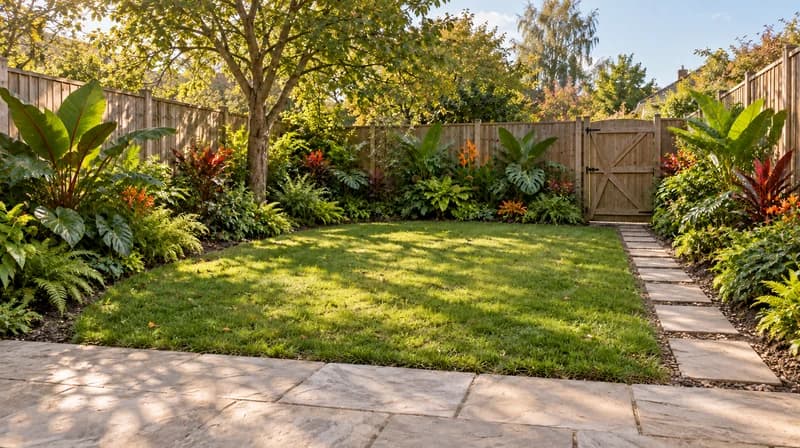
This Paintit.ai tool turns a photo of your yard into a garden style preview. Use an AI garden planner to test English cottage borders, Japanese gardens, Mediterranean planting, modern minimal beds, or xeriscape ideas before you buy plants or call a landscaper.
Upload your yard or garden photo in the app, describe the style and mood you want, then tell Paintit.ai what should stay fixed. This tool focuses on planting style and garden mood; for a full backyard redesign including patios, decks, and pools, see our AI landscape design tool. The output is best for early style decisions and client or family conversations. It is not a plant-zone recommendation or a landscaper's site plan.
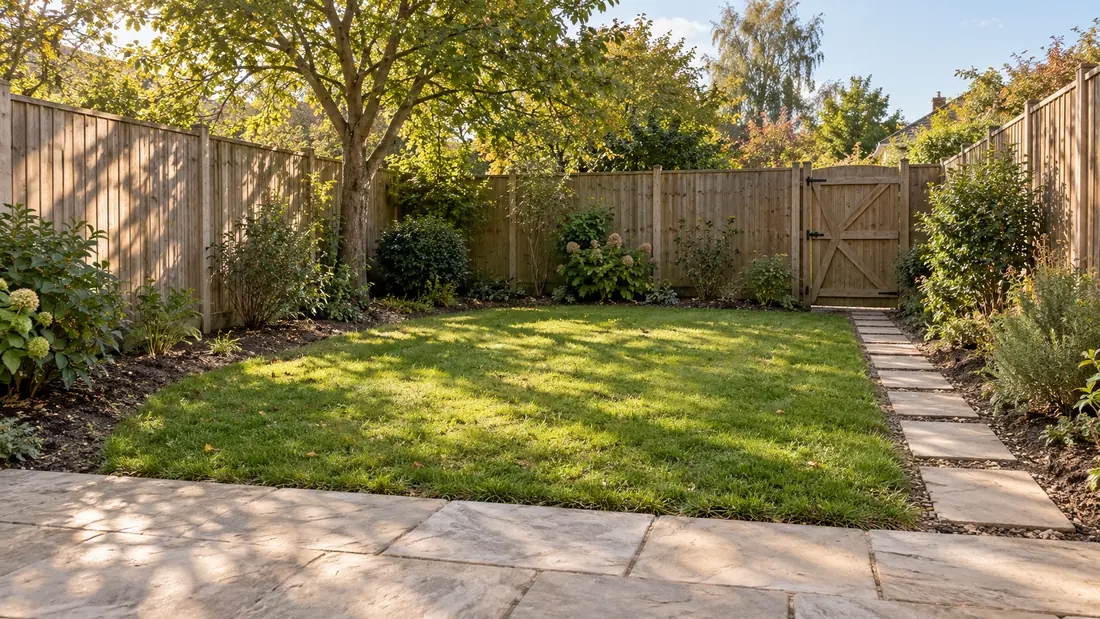
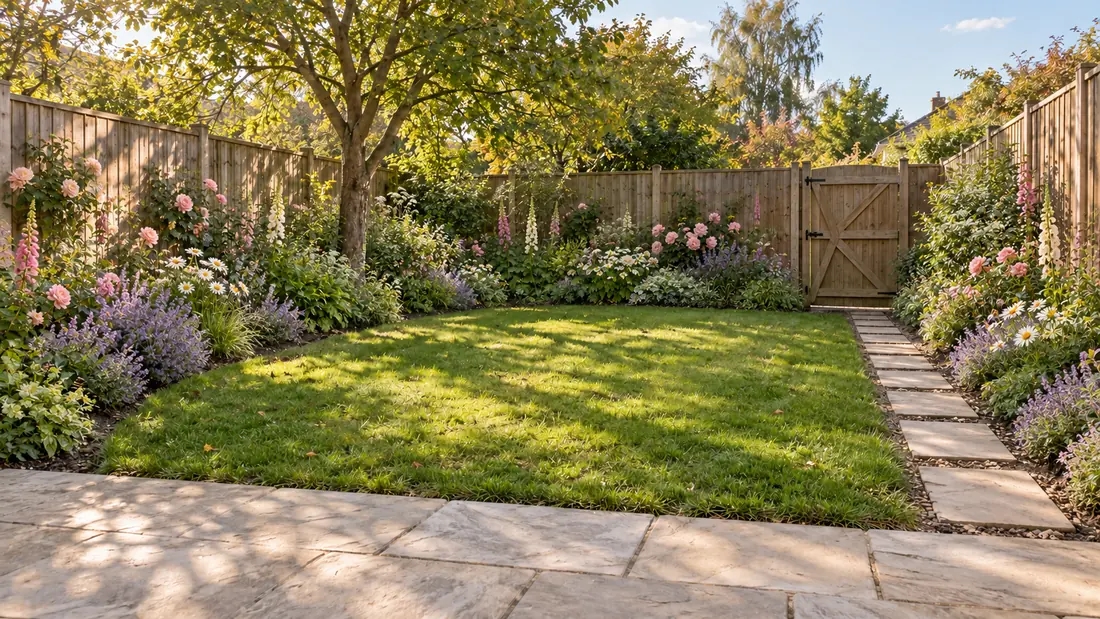
Garden search intent is narrower than a full backyard/landscape redesign. This block states explicitly what roomdesign.io only implies with a single trust line ("keeps your original layout").
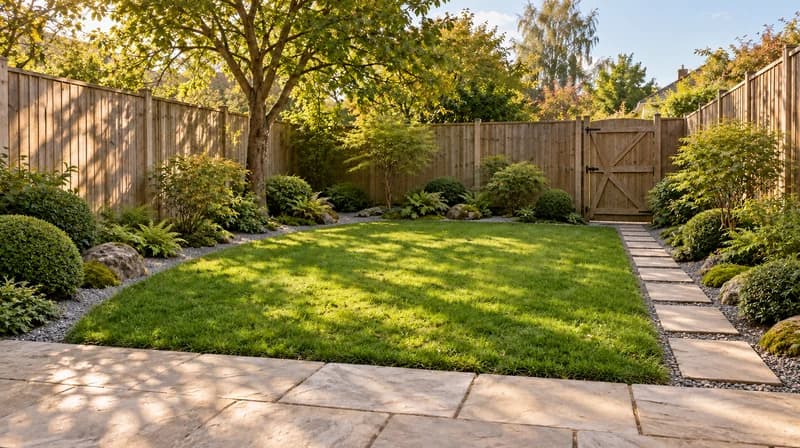
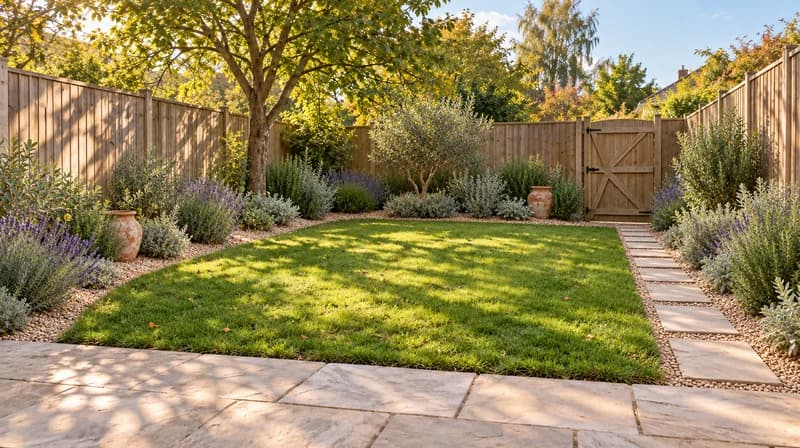
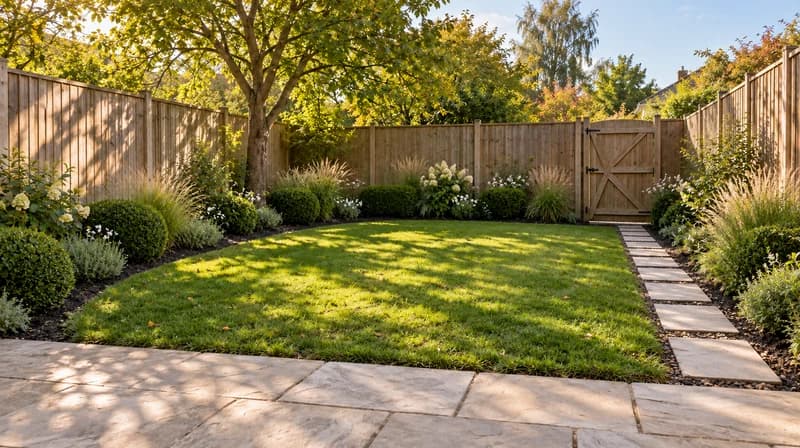
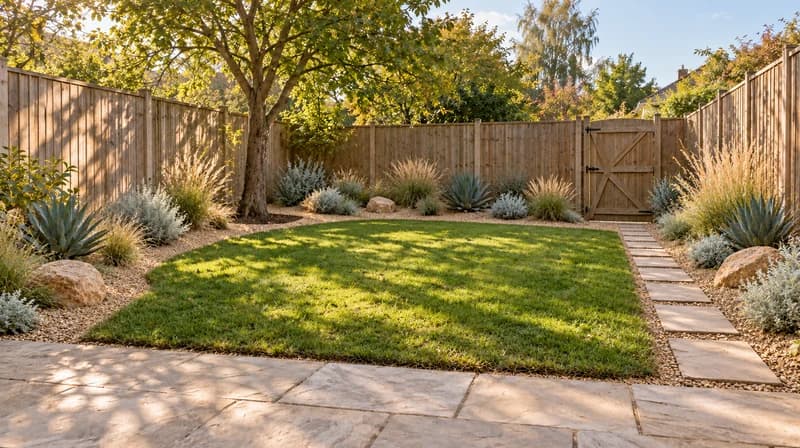
Prompt examples: Add an English cottage planting style to the borders. Keep the fence, path, and lawn layout unchanged. Restyle the planting as a Japanese garden. Do not change the patio or existing trees. Test a xeriscape look with gravel and drought-tolerant plants. Keep the yard boundaries and structures the same.
Limitation note: Paintit.ai can visually preserve yard structure and hardscape when prompted, but it does not verify plant hardiness zones, soil conditions, irrigation needs, or landscaping cost.
| Preserve | Change |
|---|---|
| Fencing, walls, and existing hardscape | Planting style: English, Japanese, Mediterranean, modern minimal, xeriscape |
| Paths, patios, and structures | Plant density, color palette, and border shape |
| Existing large trees | Flower beds, shrubs, and ground cover |
| Yard layout and boundaries | Garden mood: formal, wild/cottage, minimal, tropical |
| Workflow | Good for | Limitation | Where Paintit.ai helps |
|---|---|---|---|
| Preset garden style tools (roomdesign.io, neighborbrite) | Fast style preview from a fixed list | Limited style range; some lock plant suggestions to their own logic | Prompt-based styling covers more specific looks and moods |
| Watermarked free garden apps (some competitors) | Testing without paying | Clean, usable export often requires upgrading | Free tier previews are usable for planning and sharing |
| 3D garden design software (Planner 5D-style tools) | Precise measured layout | Steeper learning curve, exported images can carry watermarks | Faster for a real-photo style preview, not a measured plan |
| Hiring a landscaper | Accurate, buildable plan with real plant knowledge | Costs money and time before you see any visual | Helps narrow the style direction before that conversation |
Prompt template
[yard/garden photo] + [garden style] + [density/mood] + [color palette] + [what to preserve]
Backyard photo, apply an English cottage garden style with layered pastel planting along the borders, keep the fence, patio, and lawn layout unchanged.
Start free with an account — the Free plan includes 30 credits at 1K resolution, no credit card. Upgrade for more credits and higher-resolution exports: Starter (500 credits, 2K — $14.99/mo), Pro (1,500 credits, 4K, watermark-free, commercial licence — $29.99/mo), or Max (4,500 credits — $79.99/mo). No hidden fees, 7-day money-back, cancel anytime.
Yes. You can upload a yard photo and generate your first garden style previews for free.
Yes, if the prompt is explicit. Use wording like: "Change only the planting to an English cottage style. Keep the fence, patio, and lawn layout unchanged."
English cottage, Japanese, Mediterranean, modern minimal, xeriscape, and tropical, plus any custom style you describe.
Yes. This garden planner focuses on planting style and garden mood. For a full backyard redesign including patios, decks, and pools, use the AI landscape design tool instead.
No. Paintit.ai creates visual garden style concepts. It does not check plant hardiness zones, soil type, or local climate suitability; confirm plant choices with a local nursery or extension service.
Paintit.ai is built for visual style previews of ornamental gardens and yards, not vegetable bed layout, planting calendars, or companion planting. For edible garden planning, a dedicated vegetable-planning tool is a better fit.
Yes. Generate a few styles on the same yard photo and compare them side by side before you commit to one direction.
Upload a yard photo and preview English cottage, Japanese, Mediterranean, and other garden styles with Paintit.ai.
PLAN MY GARDENDive deeper into Paintit.ai and learn how AI can change not only room design but your whole creative process.
1
Explore AI room design tools that are free. Instantly create and visualize stunning interiors with ease. Perfect for bedrooms, living rooms, and more. Start designing today!

2
Discover endless creativity with our AI concept generator. Generate and refine design ideas for architecture, interiors, and more. Start creating today!
3
Redesign your home exterior effortlessly with our free AI house exterior design generator. Explore styles, materials, and textures tailored to your vision.
4
Create stunning house designs effortlessly with our free AI house generator. Explore styles, layouts, and features tailored to your vision. Start designing today!
5
Visualize paint colors for your home with the free AI house painter. Explore styles, match colors, and redesign walls effortlessly. Start designing now!
6
Create stunning outdoor designs with free AI landscape design tools. Generate gardens, patios, and yard layouts effortlessly. Start designing today!
7
Create stunning photorealistic renders for architecture and interior design with AI Rendering. Fast, easy, and accessible for all skill levels. Start for free today!
8
Design your dream home exterior with our easy-to-use home exterior design tool. Visualize colors, materials, and styles in real time. Try it for free today!
9
Upload a bathroom photo and visualize new tiles, vanities, fixtures, flooring, and lighting before you start renovation work. Try AI bathroom remodel ideas for free.
10
Create floor plan layouts from a text prompt or sketch. Plan room flow, dimensions, and layouts faster with an AI floor plan generator built for early design decisions.
11
Generate furniture concepts and place them directly inside your room photo. Explore sofas, tables, beds, shelving, lighting, and decor ideas in context.
12
Rearrange furniture in your room without moving heavy pieces. Test layouts, traffic flow, and furniture positions with AI before changing the real space.
13
Preview exterior renovation ideas for siding, trim, roofs, windows, doors, landscaping, and curb appeal updates using a photo of your current home.
14
Test paint colors on real room and exterior photos before buying samples. Compare palettes, accent walls, and finish directions in minutes.
15
Visualize kitchen remodel ideas with new cabinets, counters, backsplashes, flooring, lighting, and layouts before committing to a renovation plan.
16
See how different rugs look in your actual room. Compare styles, sizes, colors, and placement options before choosing the right rug.
17
Improve listing photos with AI enhancement for brighter, cleaner, more polished real estate visuals that help rooms look ready for buyers.
18
Turn room ideas into realistic interior renderings.
19
Preview wall colors, finishes, and design ideas in your space.
20
Explore door styles and exterior updates before renovating.
21
Visualize a floor plan as a realistic room design.
22
Compare flooring ideas in the context of your room.
23
Preview driveway layouts and materials for your home.
24
Explore paver patterns and surfaces for outdoor spaces.
25
Explore ideas for expanding your home's living space.
26
Turn a design sketch into a realistic visual concept.
27
Visualize an architectural elevation as a realistic render.
28
Preview cabinet styles, colors, and finishes in your room photo.
29
Explore deck concepts using a photo of your backyard.
30
Visualize garden layout and planting ideas for your yard.
31
Explore coordinated remodeling ideas across interior spaces.
32
Preview window styles and finishes on your home photo.
33
Try paint-color directions on a photo of your furniture.
34
Compare countertop materials and colors in your kitchen photo.
35
Preview outdoor lighting concepts in your real landscape.
36
See curtain styles, colors, and patterns on your own window.
37
Enhance an existing architectural or interior render for presentation.
