1
Explore AI room design tools that are free. Instantly create and visualize stunning interiors with ease. Perfect for bedrooms, living rooms, and more. Start designing today!

2 min
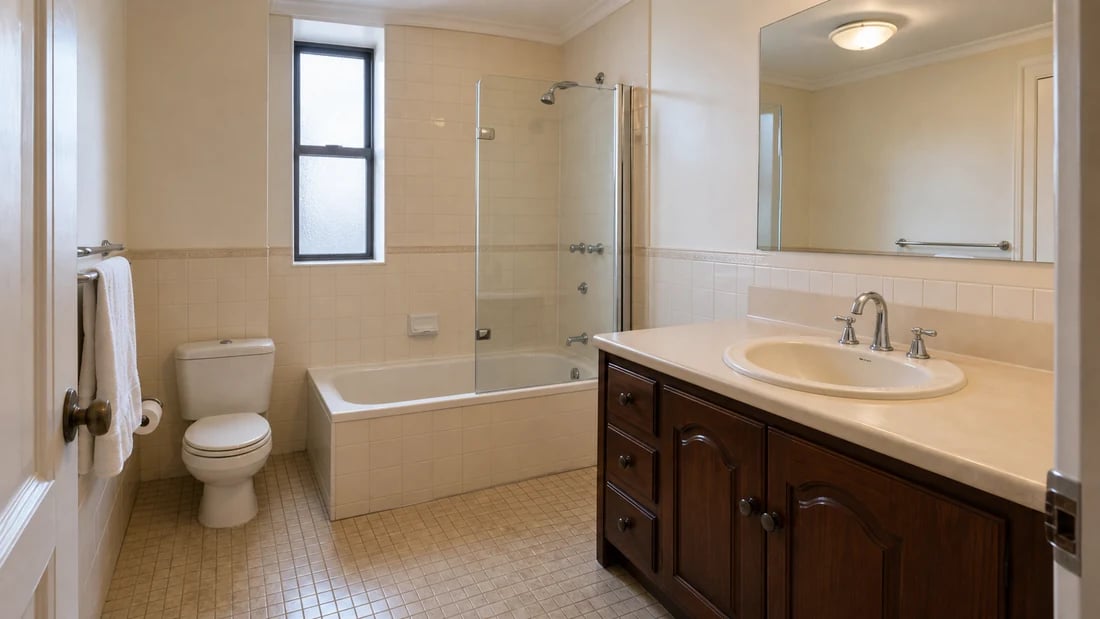
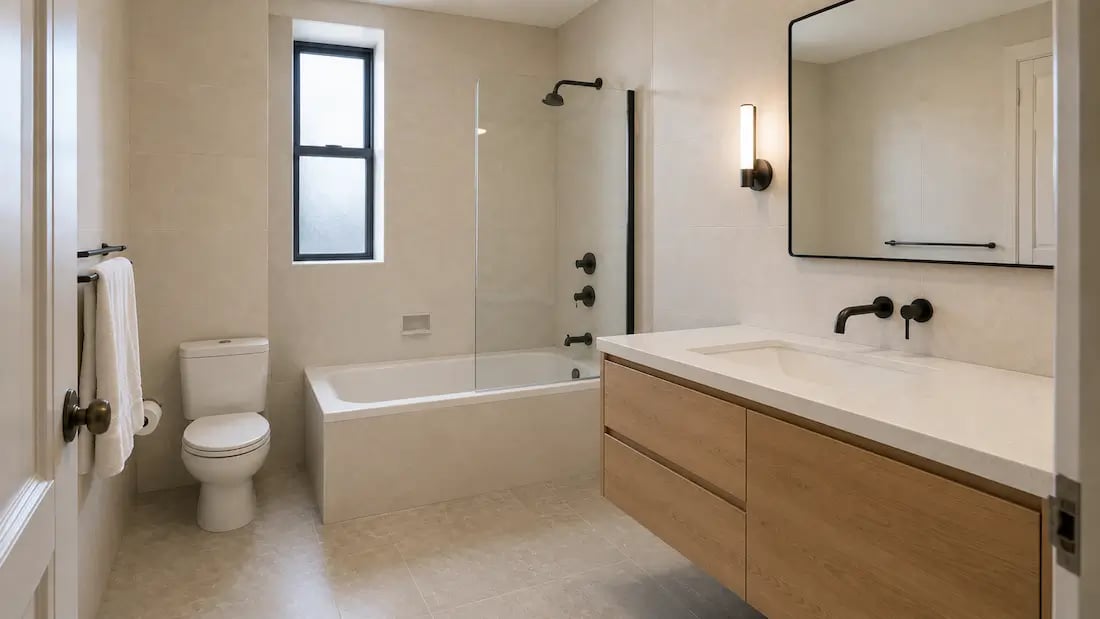
Average time to generate a photorealistic bathroom remodel render
30+
Bathroom styles available - from minimalist to classic spa
Free
Starting price - 30 credits, no card needed
+10%
Average boost to property value after a bathroom renovation
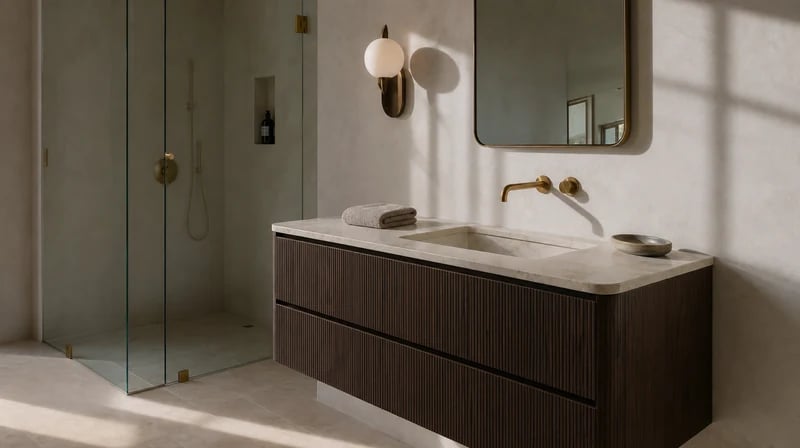
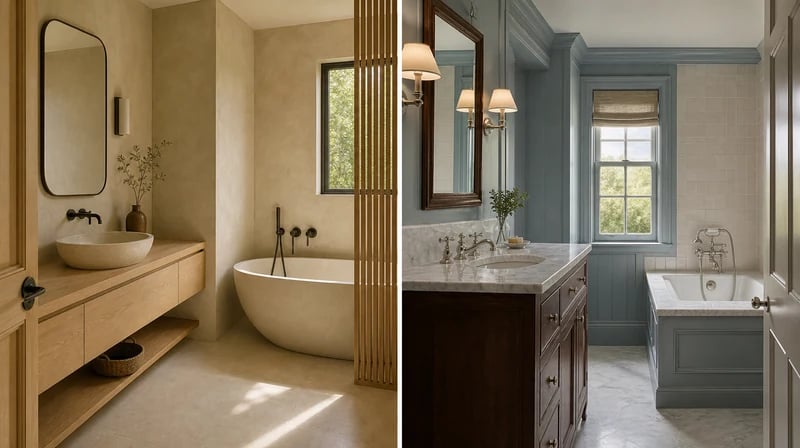
Swap the vanity style - freestanding, floating, or fitted. Change faucet finishes from chrome to matte black or brushed brass. Update the mirror, lighting fixture, and shower hardware. The AI renders each fixture with accurate proportions and lighting response, so you see how a dark vanity against white tile actually reads in your specific bathroom - not in a showroom under perfect lighting.
1
"I had no idea what tile I wanted until I actually saw three options on my actual bathroom. I'd been scrolling Instagram for weeks and getting nowhere. Uploaded my photo, tried a dark zellige tile, and that was it - decided in ten minutes. My contractor said it was the clearest brief he'd received in years."
2
"I use the bathroom renders to help buyers see past dated finishes. A quick before and after showing modern tiles and a new vanity changes how they perceive the whole property. It's become part of how I present listings that need work - buyers start seeing potential instead of problems."

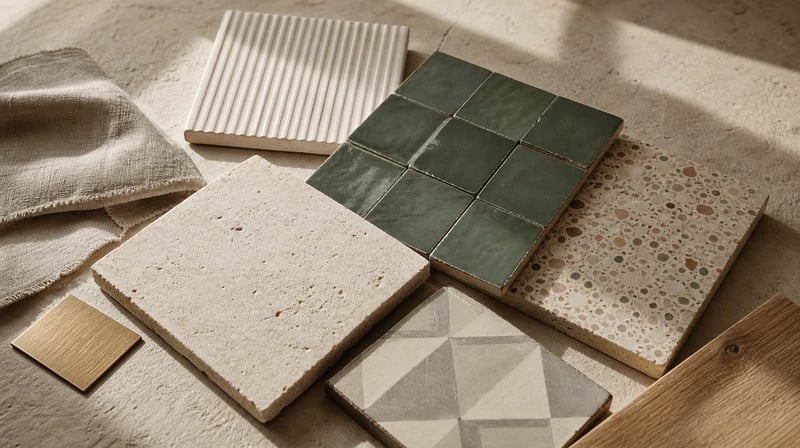
Tiles are one of the most expensive mistakes in a bathroom remodel - they're hard to change and impossible to unsee. Paintit.ai lets you visualize any tile combination on your actual bathroom walls before ordering. No samples, no guesswork, no regret. Test as many directions as you need in a single session.

Every render is applied to your specific bathroom - your dimensions, your window light, your existing plumbing positions. The AI reads the spatial context of your uploaded photo and places new finishes, fixtures, and surfaces in a way that responds to your actual room. When youexplore bathroom design stylesin more depth, the result always reflects your real starting point.

A single interior design consultation for a bathroom remodel runs $150–$400. A professional 3D render of one concept costs $300–$600. The Free plan on Paintit.ai gives you 30 credits at no cost - enough to fully explore and finalise a direction before spending a dollar on materials or labour.
Start free with an account — the Free plan includes 30 credits at 1K resolution, no credit card. Upgrade for more credits and higher-resolution exports: Starter (500 credits, 2K — $14.99/mo), Pro (1,500 credits, 4K, watermark-free, commercial licence — $29.99/mo), or Max (4,500 credits — $79.99/mo). No hidden fees, 7-day money-back, cancel anytime.
Yes. Paintit.ai's AI bathroom remodel tool lets you upload a photo of your existing bathroom and generate a photorealistic render showing new tiles, vanity, fixtures, flooring, and lighting - all applied to your actual space. The process takes under two minutes and requires no design experience or software knowledge.
Yes. The Free plan includes 30 credits at no cost - enough to generate and compare multiple full bathroom remodel directions. No credit card required to sign up. Upload a photo, describe what you want to change, and get a photorealistic result immediately. It works as a free ai bathroom remodel app directly in your browser - no download needed.
The AI preserves your bathroom's actual spatial structure - wall area, window position, fixture locations, and natural light direction - and applies new finishes on top. The results are accurate enough to use as contractor briefs and material reference guides. For structural changes like moving plumbing or walls, the render shows the aesthetic intent clearly, but always confirm technical feasibility with a licensed contractor.
Wall tile type, color, and pattern. Floor tile material and color. Vanity style, color, and configuration. Faucet and fixture finishes - chrome, matte black, brushed brass, brushed nickel. Mirror and lighting style. Shower type - walk-in, wet room, tub-shower combo. Overall bathroom style - modern, spa, Japandi, classic, coastal, industrial. For real estate applications, pair it withvirtual staging for listingsfor a complete inside presentation.
Yes. The AI works well with compact bathrooms, en-suites, and powder rooms. For a small bathroom remodel specifically, describe space-related goals in the prompt - "make it feel more open", "add vertical tiles to raise the ceiling visually", "use light colors throughout" - and the AI generates designs that address those constraints directly. It also supportsAI kitchen remodelif you're renovating multiple rooms at once.
Stop wondering what your bathroom could look like. Upload a photo and use AI for bathroom remodel planning - get a photorealistic result in under two minutes, free to start, no card needed.
START MY BATHROOM REMODEL FREEDive deeper into Paintit.ai and learn how AI can change not only room design but your whole creative process.
1
Explore AI room design tools that are free. Instantly create and visualize stunning interiors with ease. Perfect for bedrooms, living rooms, and more. Start designing today!
2
Discover endless creativity with our AI concept generator. Generate and refine design ideas for architecture, interiors, and more. Start creating today!
3
Redesign your home exterior effortlessly with our free AI house exterior design generator. Explore styles, materials, and textures tailored to your vision.
4
Create stunning house designs effortlessly with our free AI house generator. Explore styles, layouts, and features tailored to your vision. Start designing today!
5
Visualize paint colors for your home with the free AI house painter. Explore styles, match colors, and redesign walls effortlessly. Start designing now!
6
Create stunning outdoor designs with free AI landscape design tools. Generate gardens, patios, and yard layouts effortlessly. Start designing today!
7
Create stunning photorealistic renders for architecture and interior design with AI Rendering. Fast, easy, and accessible for all skill levels. Start for free today!
8
Design your dream home exterior with our easy-to-use home exterior design tool. Visualize colors, materials, and styles in real time. Try it for free today!
9
Upload a bathroom photo and visualize new tiles, vanities, fixtures, flooring, and lighting before you start renovation work. Try AI bathroom remodel ideas for free.
10
Create floor plan layouts from a text prompt or sketch. Plan room flow, dimensions, and layouts faster with an AI floor plan generator built for early design decisions.
11
Generate furniture concepts and place them directly inside your room photo. Explore sofas, tables, beds, shelving, lighting, and decor ideas in context.
12
Rearrange furniture in your room without moving heavy pieces. Test layouts, traffic flow, and furniture positions with AI before changing the real space.
13
Preview exterior renovation ideas for siding, trim, roofs, windows, doors, landscaping, and curb appeal updates using a photo of your current home.
14
Test paint colors on real room and exterior photos before buying samples. Compare palettes, accent walls, and finish directions in minutes.
15
Visualize kitchen remodel ideas with new cabinets, counters, backsplashes, flooring, lighting, and layouts before committing to a renovation plan.
16
See how different rugs look in your actual room. Compare styles, sizes, colors, and placement options before choosing the right rug.
17
Improve listing photos with AI enhancement for brighter, cleaner, more polished real estate visuals that help rooms look ready for buyers.
18
Turn room ideas into realistic interior renderings.
19
Preview wall colors, finishes, and design ideas in your space.
20
Explore door styles and exterior updates before renovating.
21
Visualize a floor plan as a realistic room design.
22
Compare flooring ideas in the context of your room.
23
Preview driveway layouts and materials for your home.
24
Explore paver patterns and surfaces for outdoor spaces.
25
Explore ideas for expanding your home's living space.
26
Turn a design sketch into a realistic visual concept.
27
Visualize an architectural elevation as a realistic render.
28
Preview cabinet styles, colors, and finishes in your room photo.
29
Explore deck concepts using a photo of your backyard.
30
Visualize garden layout and planting ideas for your yard.
31
Explore coordinated remodeling ideas across interior spaces.
32
Preview window styles and finishes on your home photo.
33
Try paint-color directions on a photo of your furniture.
34
Compare countertop materials and colors in your kitchen photo.
35
Preview outdoor lighting concepts in your real landscape.
36
See curtain styles, colors, and patterns on your own window.
37
Enhance an existing architectural or interior render for presentation.
