AI Interior Design - Free to Try
Paintit.ai - all-in-one design solution to reimagine interiors, exteriors and commercial spaces with AI. Get instant design ideas, styles, and layouts – no experience needed.
Start with an image, preset or prompt — redesign, repaint or stage like a pro.
AI Interior Design - Free to Try
Paintit.ai - all-in-one design solution to reimagine interiors, exteriors and commercial spaces with AI. Get instant design ideas, styles, and layouts – no experience needed.


Use Paintit.ai to reimagine rooms, stage listings, and move client projects forward faster.

Who Paintit is for
Paintit is an AI interior design tool built for professionals and homeowners who want to visualize rooms faster. Create interior, exterior and commercial designs, test ideas and refine layouts without complex software.

Design Professionals
Create client-ready concepts faster, explore multiple directions and iterate in minutes instead of hours. Keep the workflow simple from first mood to final presentation —without losing control over details.

Real Estate & Staging
Produce listing visuals that help buyers see potential — quickly and consistently. Create variations for different audiences, update finishes and furniture, generate marketing-ready images for ads and portals.

Short-Term Rentals
Refresh a space for better photos and better bookings. Test quick updates (colors, furniture, decor), create a cohesive look across rooms and get visuals that match the vibe you want to sell.

Home & DIY Projects
Test interior design ideas with a free AI room design tool before you spend money — compare options, refine details and reduce guesswork. Whether you’re updating one corner or planning a full refresh, you can move from “not sure” to a clear direction fast.

Commercial Spaces
Mock up design updates for approvals and brand consistency — cafes, restaurants, hotels, showrooms or offices. Generate options quickly, align stakeholders visually and iterate without restarting from scratch.

Creators & Marketers
Generate content-ready visuals for campaigns, socials and product storytelling. Build consistent scenes, test creative directions and produce variations faster for different platforms and audiences.
Recognized on Leading Review Platforms

Loved by Homeowners
See how people use our designs to transform their spaces.
Best way I’ve found to go from idea to a clear visual. It feels like a real workflow, not just a one-off image generator.

I wanted to visualize ideas for my new apartment before starting the renovation. Paintit helped me turn those ideas into actual visuals and iterate much faster, which made it easier to decide what I wanted.

Paintit saved me hours on client revisions. I can show 3–4 solid options fast, and clients stop second-guessing every little detail.

Maren Caldwell
As a realtor, staging is everything. I run listing photos through Paintit and get clean, modern looks that actually help the home show better.
Jace Holloway
I really like how intuitive and beautiful the interface is, which makes it very easy to use.

I love how quick it is to test paint colors and furniture swaps. Sometimes one render is slightly off, but the next iteration usually nails it.

Priya Nair
I manage a few Airbnb units and need ‘guest-ready’ vibes fast. This gives me style directions and shopping ideas without hiring a designer.

Soren Viklund
I own a small furniture store and use it to mock up sets for Instagram. It makes our pieces look cohesive in real rooms, not sterile studio shots.
Leila Chen
Perfect for planning a single room makeover. I wish exports had more layout notes, but for visuals and mood it’s been super reliable.
Matteo Rinaldi
I’m not a designer—just renovating my home. Paintit helped me avoid expensive mistakes and choose a look I actually liked before buying anything.

Tasha Montoya
Become a Partner of Our AI Interior Design Platform




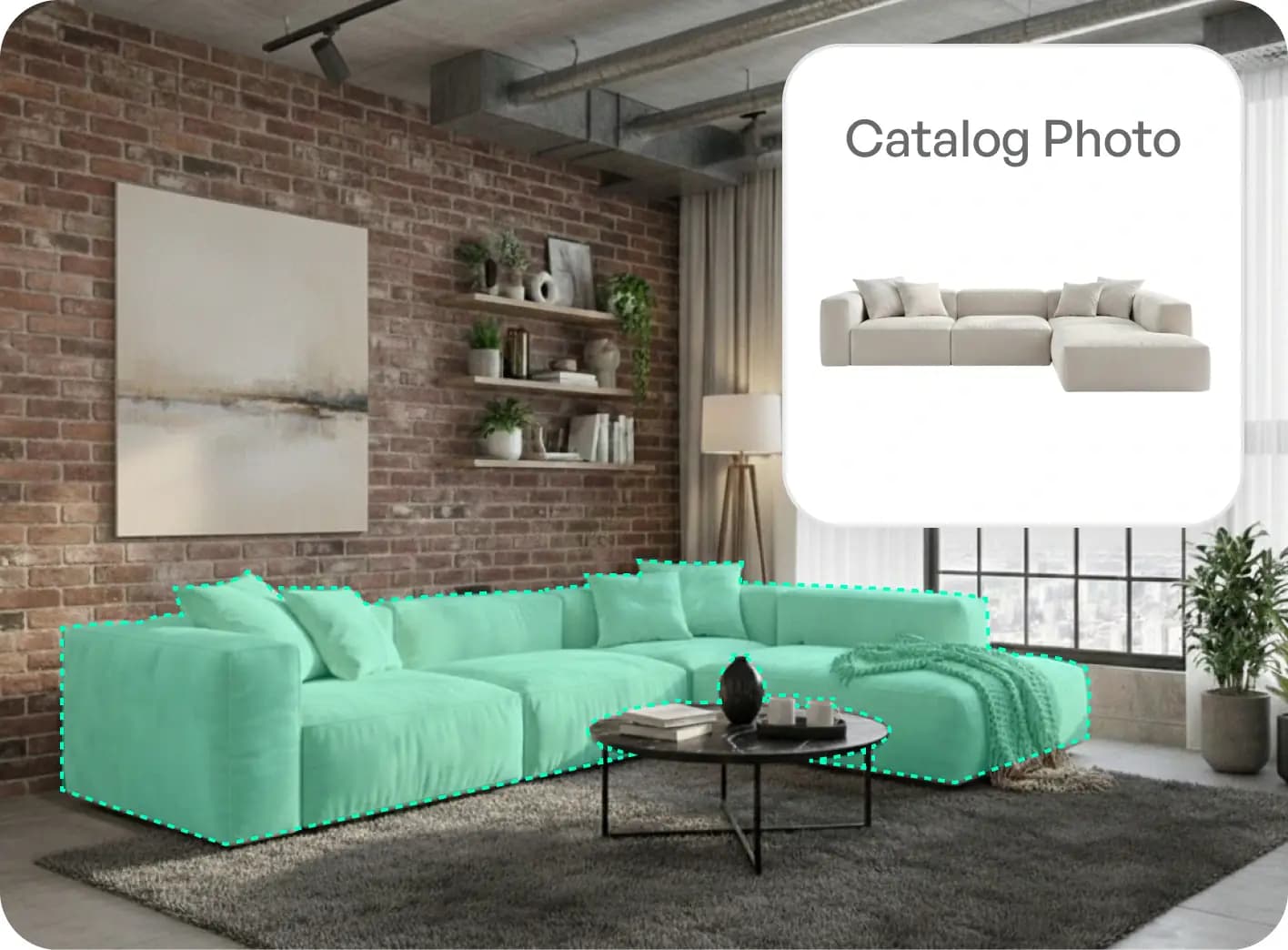
Native Integration
Your products are placed directly into realistic AI-generated scenes. Users see how your furniture looks in a real living space, not just on a white background.

Performance & Insights
Track real-time performance of your products. Get detailed analytics on views, clicks and sales to understand customer preferences and maximize ROI.
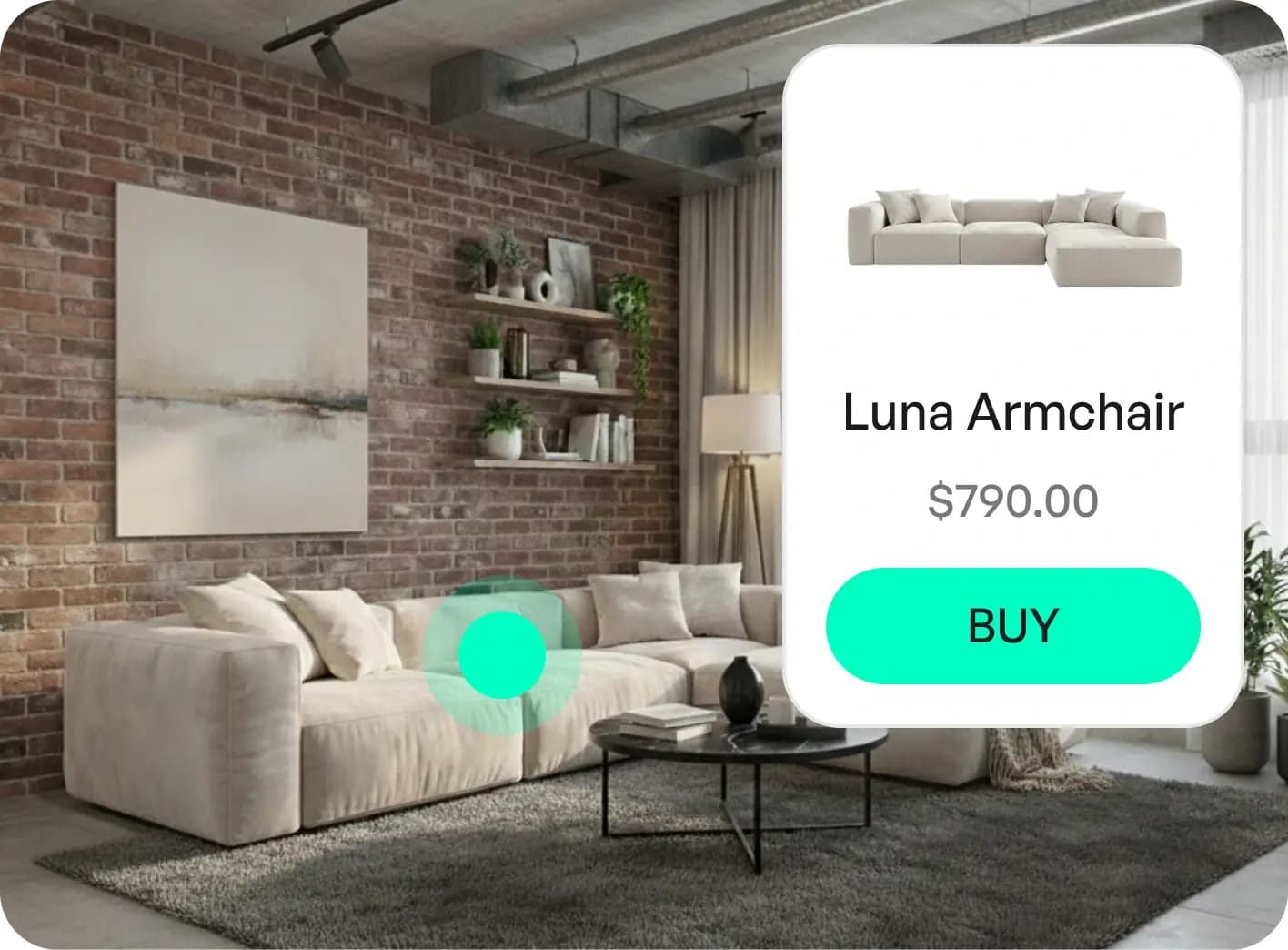
Click-to-Purchase
Drive traffic directly to your product pages. Every item in the generated image has a direct link to your store for seamless checkout.
Your Designs. Your Data. Fully Protected.
Paintit.ai uses encrypted storage, secure cloud infrastructure and trusted global providers to keep your photos and interior projects private and safe. From upload to final render — your data stays yours.

Member ID 000108
AI Ethics and Integrity International Association

Secure Payments
Powered by payment system Stripe

GDPR Compliance
General Data Protection Regulation

Comodo
Positive Wildcard
SSL
Your Questions Answered
Why is Paintit considered the best AI for interior design?
Paintit stands out from run-of-the-mill image generators that merely apply a style filter. Paintit.ai is the best AI interior design tool for you, it knows how the structural integrity of your whole interior is. We are more than a graphic designer of furniture visualizations — we deliver tangible products you can purchase and editing tools that allow you to use them in depth, providing the ideal combination of creativity and practical renovation planning.
Is there a completely free version available?
Yes. You are free at the top to begin with 30 credits you can easily start Free. This lets you create designs, use our AI chat guidance and receive real furniture recommendations without having to enter credit card details. And it’s the best testing ground for our free AI interior design quality before we upgrade.
How is Paintit.ai different from tools like RoomGPT?
Many tools only overlay a style on your picture; Paintit offers an integrated workflow: from a free AI room design project to professional 4K exported samples. We couple structural accuracy (keeping windows and walls well-positioned) with a special feature that works at an experiential level: providing real furniture you can make (and purchase), not just creating imaginary products.
How much does a subscription cost?
Paintit.ai has four plans: Free, Starter, Pro, and Max. You can start with the Free plan to test AI interior design and create your first concepts. Starter is designed for personal projects and lighter use. Pro gives you more credits, higher-quality exports, Pinterest connection, watermark-free results, and advanced AI models. Max is built for higher-volume work, commercial projects, real estate staging, client presentations, and teams. You can compare current prices, credits, and included features on the Prices page. Pro and Max include 360° views, Image to 3D, Floor Plan, CAD/DXF export, Listing Expert, Repaint Expert, Sketch to Render, Pinterest board import, real paint colors from Behr, Benjamin Moore, Dulux, Nippon Paint and Sherwin-Williams, similar furniture search (Amazon, IKEA, Jysk, Ashley), and API access. These features are available without country restrictions.
Can I use the designs for commercial purposes (Real Estate/Staging)?
Yes, but you will need the Pro Plan. It includes a full Commercial Usage License and high-resolution 4K exports, making it the standard choice for realtors and interior design professionals who need watermark-free, high-quality results for client presentations.
How does the "Real Furniture" feature work?
Available even on the Free plan, this feature sets us apart. Our AI room decorator identifies items in your design and suggests purchasable matches from trusted retailers. This bridges the gap between a dream picture and a real room, saving you hours of searching.
Can I modify just one part of the room?
Yes. With our targeted editing tools, you can keep your favorite existing furniture and change only the wall color or flooring. This precision allows you to perfect your home design without being forced to regenerate the entire image.
Do I need design skills to use Paintit?
No. We built Paintit to be intuitive. Whether you are using the Free plan or the Pro tools, you simply upload a photo and chat with the AI. It handles the lighting, perspective, and style rendering for you, delivering professional results in seconds.
Is my data and photo gallery private?
Paintit.ai gives you more privacy control on paid plans through Private Mode. Private Mode helps keep your uploaded photos, chats, and generated designs out of public-facing galleries and is useful for personal projects, client work, real estate listings, and commercial interiors. Paintit.ai may still process data as needed to provide the service, support users, maintain security, fix bugs, and improve product quality.
Can I cancel my subscription?
Yes. You can cancel your subscription from your Paintit.ai account at any time. Use My Subscription -> Manage current plan -> Cancel subscription or Profile -> Manage -> Cancel subscription. The Stripe Customer Portal will open so you can confirm the cancellation. After cancellation, future charges stop, and paid features usually remain available until the end of the already paid billing period. Refunds are reviewed case by case based on when the payment was made, whether credits were used, and what happened with the service.
What image formats can I upload?
We support standard formats like JPG, PNG, WebP, and HEIC. You can upload a high-quality photo from your phone, a professional floor plan, or even a rough hand-drawn sketch, and our AI interior design engine will transform it into a photorealistic space.