AI Door Design Generator for Front Door Ideas 

This Paintit.ai tool helps you preview front door ideas on a real home photo. Test door color, glass, sidelites, trim, hardware, and entryway style before repainting, replacing, or requesting quotes.

Upload the exterior photo in the app, describe the door direction, and keep the rest of the facade in context. A good front door should work with siding, brick, roof color, porch lighting, landscaping, and the overall curb appeal of the house.
UPLOAD MY FRONT DOOR PHOTO
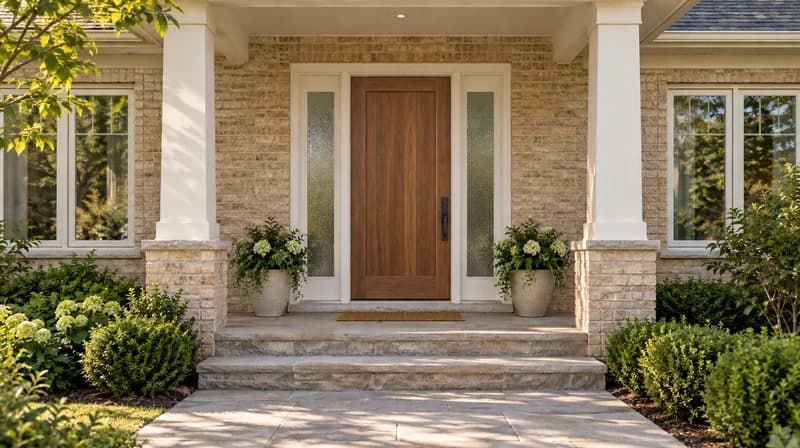
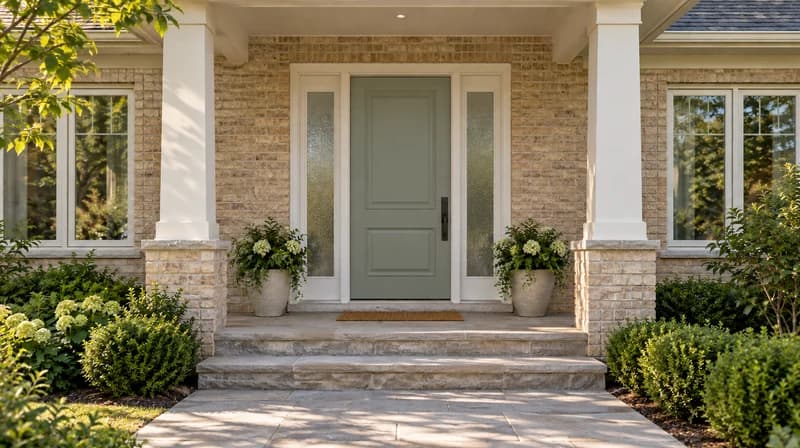
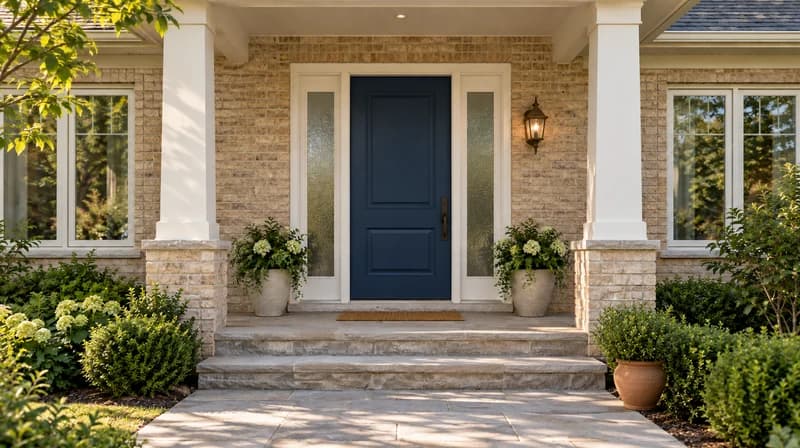
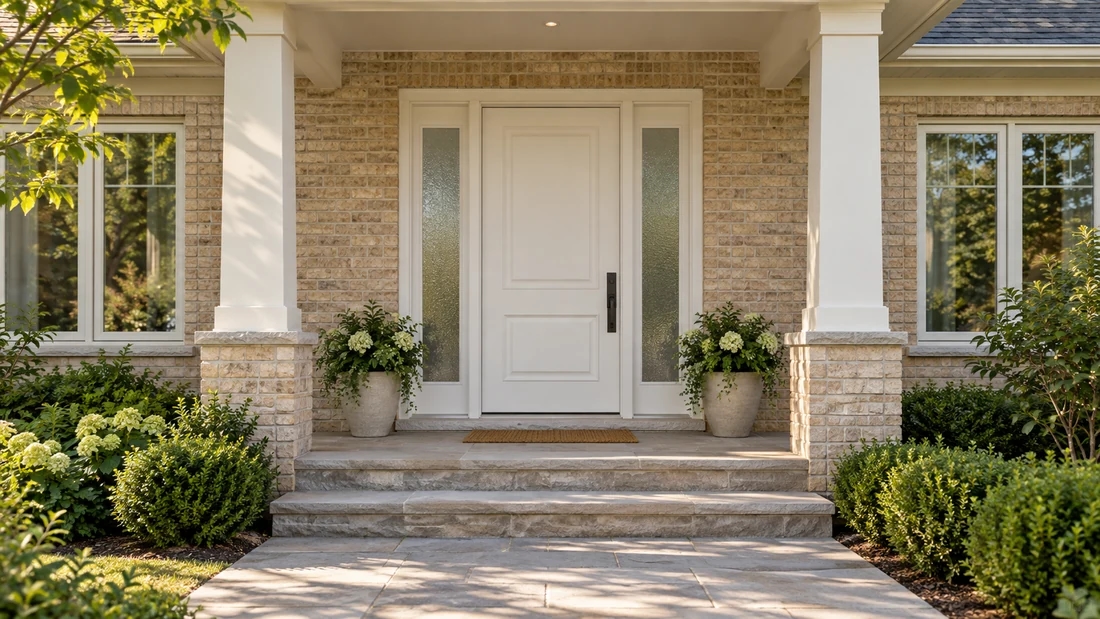
White paneled front door with frosted sidelights on a pale brick porch
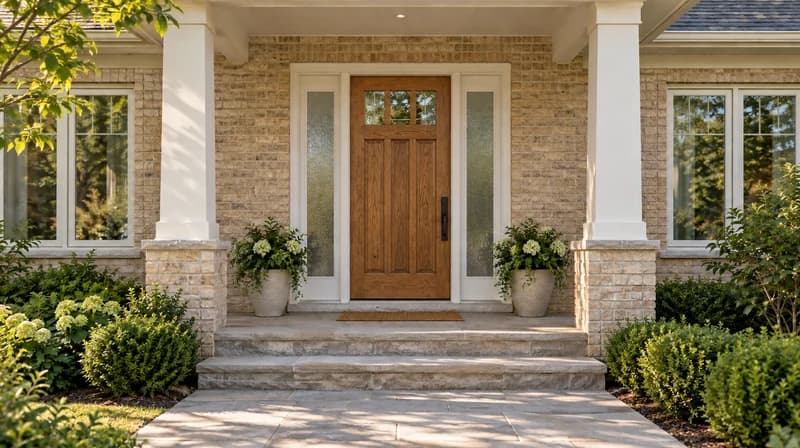
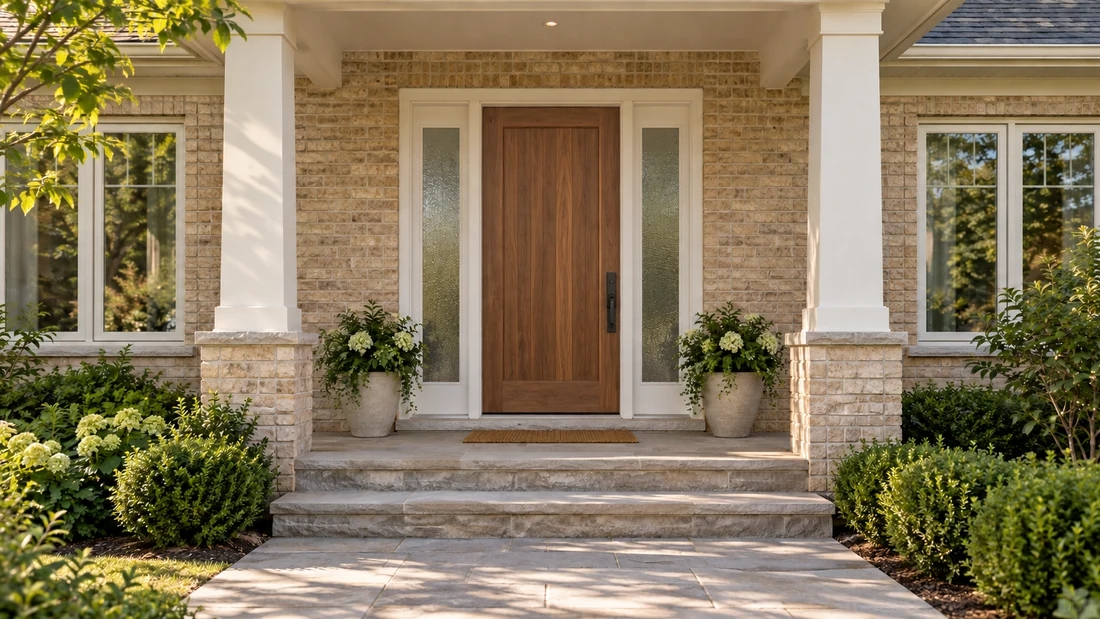
Same brick porch with a warm walnut door and black hardware

Start With Your Actual Front Door

Upload your home photo in Paintit.ai and describe the front door change you want to test. Keep the rest of the facade visible so the door can be judged with trim, siding, porch, steps, and landscaping.
Door area
Front entry door with sidelites
Style direction
Warm modern wood door with black hardware
Keep unchanged
Keep the brick, roof, porch columns, steps, and landscaping unchanged.
  • Modern black
  • Natural wood
  • Classic red
  • Soft sage
  • Glass + sidelites
  • Craftsman
UPLOAD MY FRONT DOOR PHOTO
Walnut front door with unchanged sidelights, brickwork, and porch

Choose What You Want to Change About the Door

Door color

Test black, red, sage, navy, cream, stained wood, or a color matched to trim and siding.

Door style

Compare modern slab, Craftsman, farmhouse, arched, French, double, or classic panel directions.

Glass and sidelites

Preview more glass, less glass, sidelites, transom feel, or a brighter entry look.

Entry details

Try hardware color, house numbers, porch lighting, planters, trim, wreath, or threshold contrast.

Front Door Ideas You Can Preview With AI

Use the same exterior photo to compare door directions. The door should improve the entry, but it also has to sit well with the facade.
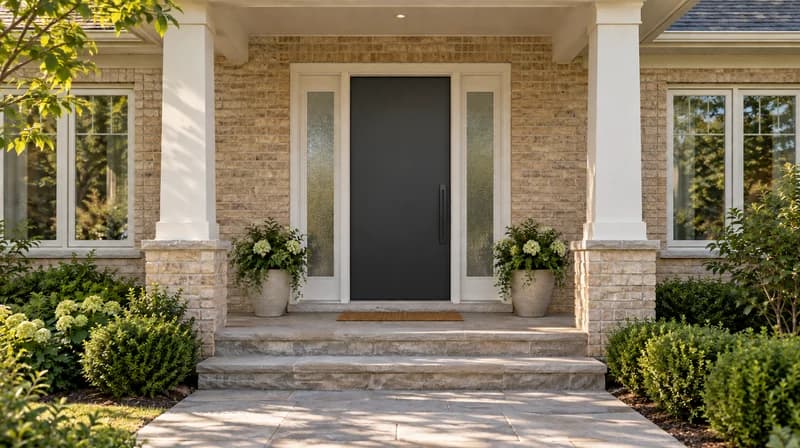
AI front door design modern black door

Modern Black Front Door

High-contrast black door with simple hardware and clean trim.
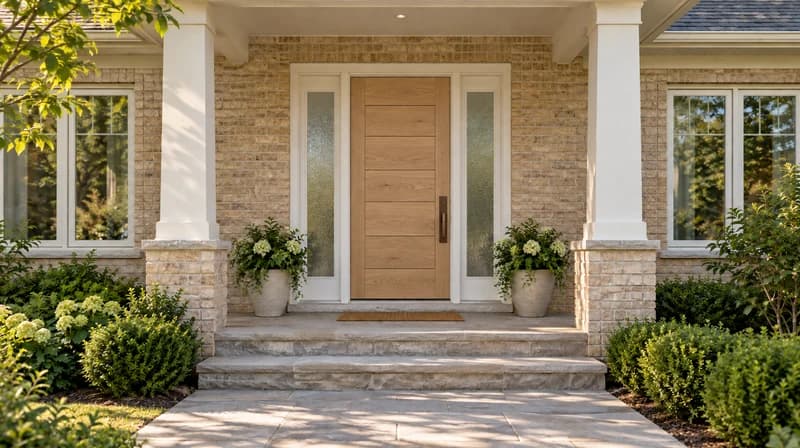
AI door design warm wood front door

Warm Wood Entry Door

Natural wood tone that softens brick, stone, or light siding.
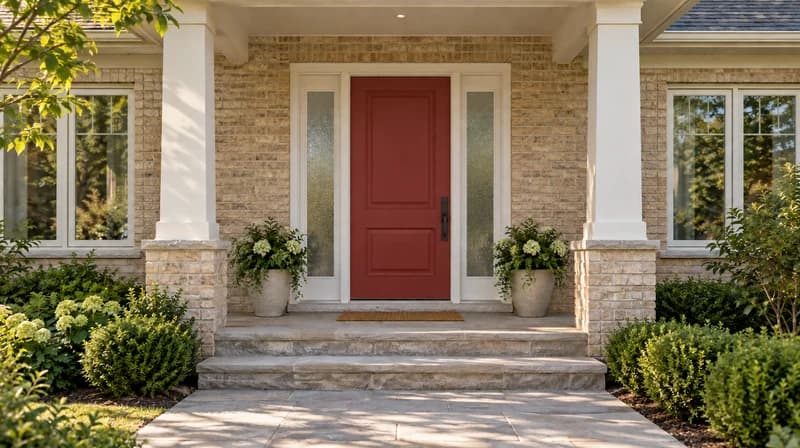
AI door design red front door

Classic Red Door

Traditional curb appeal with a confident front-door color.
AI door design sage green door

Sage Green Door

Softer color direction for cottage, craftsman, or warm neutral exteriors.
AI door design glass panel door

Glass Panel Door

More daylight and a lighter entry look with privacy-aware glass.
AI door design craftsman front door

Craftsman Door

Stained or painted craftsman style with square detail and simple hardware.
AI front door design double entry doors

Double Entry Doors

Balanced entry concept for wider facades or formal homes.
AI door design porch refresh

Door + Porch Refresh

Door color, trim, lighting, planter, and house-number direction together.

Door Decisions to Check Before You Buy or Paint

Facade match

The front door should work with siding, brick, stone, roof tone, trim, shutters, and porch materials.

Color in real light

Door colors look different on a shaded porch, full-sun entry, or north-facing facade.

Glass and privacy

More glass can brighten the entry but may change privacy, security, and product requirements.

Trim and hardware

Hardware, hinges, lockset, house numbers, trim, and lighting can make the door feel finished or mismatched.

Scale and proportions

Sidelites, transoms, double doors, and panels need the right proportion for the opening.

Real-world constraints

Final choice still needs measurements, manufacturer specs, installation review, and code/security checks.

How to Use the AI Door Design Generator

001

Upload a front-of-house photo

Use a clear exterior photo where the door, trim, porch, steps, and surrounding facade are visible.
002

Describe the door change

Example: "Try a warm wood front door with black hardware and keep the brick unchanged."
003

Name what should stay the same

Keep siding, roof, stone, porch columns, landscaping, or windows unchanged when those details matter.
004

Generate a few door directions

Compare color, glass, sidelites, trim, and hardware ideas before narrowing the style.
005

Use the best concept as a reference

Take the direction to a contractor, manufacturer visualizer, paint store, or exterior redesign workflow.

Prompt template

[Door location] + [style/color/material] + [glass/hardware/trim] + [home style] + [what to keep unchanged]

Front entry door, warm walnut wood, slim vertical glass panel, matte black hardware, modern farmhouse exterior, keep siding and porch columns unchanged.
AI Door Design by Entry Type

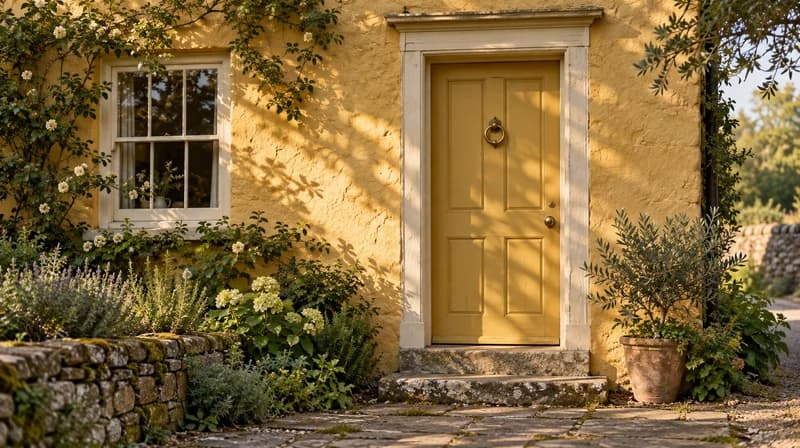
Mustard-yellow cottage door with pale trim and weathered stone steps

Front door color refresh

  • Try paint or stain options before buying samples or repainting the entry.
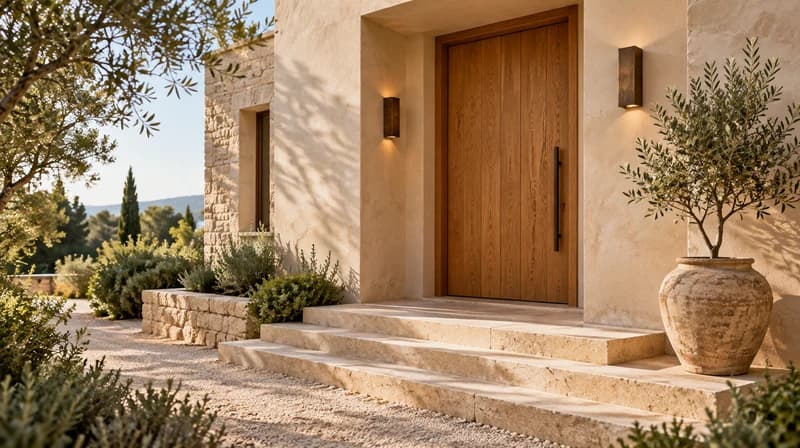
Wide oak entry door with bronze lights and limestone steps

Full entryway redesign

  • Test door, trim, lighting, planters, steps, and porch mood together.
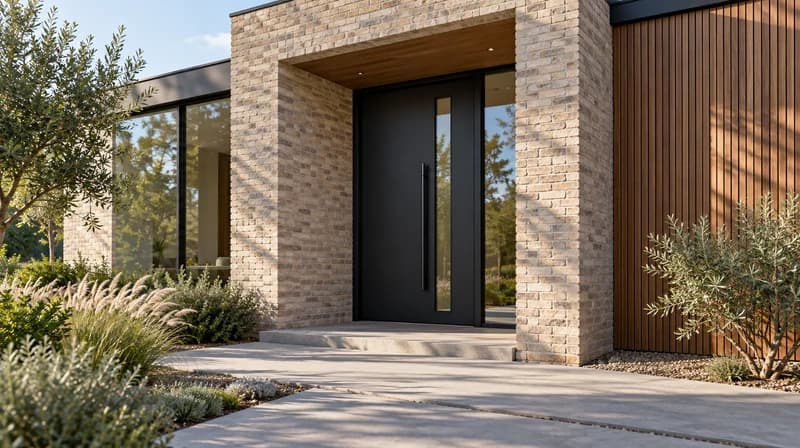
Modern black door with a narrow glass insert beside pale brick and wood cladding

Modern facade update

  • Compare black, glass, wood, and minimal hardware against the whole exterior.
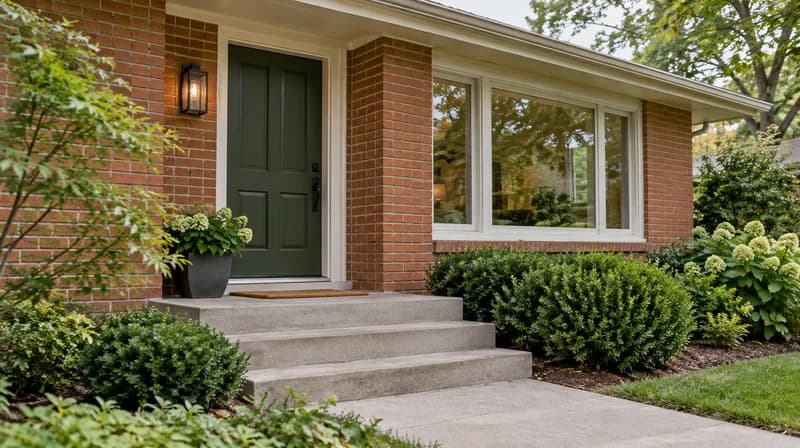
Dark-green paneled front door on a renovated red-brick home

Listing or renovation concept

  • Create a clearer before/after direction for buyers, clients, or contractors.

Use Pinterest References, Then Continue the Entry Design

Paintit.ai can turn door inspiration into a visual direction for the user's actual exterior. Use Pinterest-style references for color, material, glass mood, hardware, porch styling, and curb appeal, then save the strongest options before moving into exterior design or product-specific confirmation.

Use a door inspiration reference

Add a reference for wood tone, black steel, Craftsman panels, glass mood, color palette, or porch atmosphere. The prompt should say what to borrow and what must remain unchanged on the home.

Keep the real facade in context

Judge the door beside siding, brick, trim, steps, roof color, porch light, landscaping, and windows instead of looking at a standalone catalog door.

Save shortlist options in Projects

Keep door directions grouped by property, facade, color/material route, and status so homeowners or clients can compare options later.

Continue into exterior planning

If the door changes the whole curb appeal, continue into exterior design, house painting, porch refresh, or polished AI rendering workflows.

AI Door Design vs Door Visualizers and Catalog Tools

Different tools answer different questions. Use AI to choose the visual direction, then use manufacturer tools and professionals to confirm the actual product.
Good forLimitationWhere Paintit.ai helps
Manufacturer door visualizerTesting a real SKU or catalog door on a house photoLimited to one brand catalogHelps choose style direction before catalog narrowing.
AI image generatorInventing door inspiration from textMay not respect the real facade or proportionsStarts from the user's home photo and exterior context.
Paint-only visualizerTesting door color or trim colorDoes not solve glass, sidelites, hardware, or entry compositionLets you explore the broader entry concept.
Contractor quoteFinal measurements, installation, material, code, securityUsually comes after the visual direction is clearerGives a reference image before asking for quotes.
Paintit.ai AI door designEarly visual direction, curb appeal, style comparisonNot manufacturer specs or installation documentationHelps users see what door idea fits the home.

Why Use Paintit.ai for AI Door Design? 

  • See the door on your home

    See the door on your home

    A showroom door can look different once it sits beside your siding, brick, trim, roof, and porch.

  • Compare more than color

    Compare more than color

    Test material, glass, sidelites, trim, hardware, porch lighting, and curb appeal together.

  • Explore before catalogs

    Explore before catalogs

    Use AI concepts before you narrow down exact manufacturer models, sizes, and quotes.

  • Continue into exterior design

    Continue into exterior design

    If the door changes the whole facade, keep going with exterior design, painting, or rendering tools.

Pricing

Start free with an account — the Free plan includes 30 credits at 1K resolution, no credit card. Upgrade for more credits and higher-resolution exports: Starter (500 credits, 2K — $14.99/mo), Pro (1,500 credits, 4K, watermark-free, commercial licence — $29.99/mo), or Max (4,500 credits — $79.99/mo). No hidden fees, 7-day money-back, cancel anytime.

AI Door Design FAQ 

  • AI door design uses artificial intelligence to preview front door colors, materials, glass, sidelites, trim, hardware, and entryway styles on a real home photo. It helps you compare ideas before repainting, replacing, or choosing a manufacturer model.

  • Yes. Upload a clear exterior photo where the door and surrounding facade are visible. For best results, include the porch, trim, steps, siding, brick or stone, and nearby landscaping.

  • Paintit.ai has a Free plan with 30 credits, so users can start testing front door and exterior ideas before choosing a paid plan for more credits or higher-resolution exports.

  • Yes. You can test door paint or stain colors in context with the facade. For color-only changes, the AI house painter workflow is also relevant.

  • AI can help preview style directions such as modern black, Craftsman, wood, glass panel, double doors, or classic red. Final product selection still needs real measurements and manufacturer specifications.

  • No. Manufacturer visualizers are best for testing exact catalog models. Paintit.ai is better for early visual direction, facade fit, color, entry mood, and curb appeal before you narrow the product list.

  • You can use prompts to explore sidelites, glass feel, hardware color, trim contrast, porch lighting, and entry details. Treat the result as a concept, not a product specification.

  • No. Use AI for visual planning. Final door size, swing, security, fire rating, weatherproofing, installation, and code requirements need a manufacturer, installer, or qualified contractor.

Ready to Preview a New Front Door on Your Home? 

Upload your exterior photo, describe the front door direction, and compare color, glass, trim, hardware, and entryway ideas in Paintit.ai.

UPLOAD MY FRONT DOOR PHOTO

Related AI Features 

Dive deeper into Paintit.ai and learn how AI can change not only room design but your whole creative process.

  • 1

    AI Room Design

    Explore AI room design tools that are free. Instantly create and visualize stunning interiors with ease. Perfect for bedrooms, living rooms, and more. Start designing today!

    Explore featuresarrow
  • 2

    AI Concept Generator

    Discover endless creativity with our AI concept generator. Generate and refine design ideas for architecture, interiors, and more. Start creating today!

    Explore featuresarrow
  • 3

    AI Home Exterior Design

    Redesign your home exterior effortlessly with our free AI house exterior design generator. Explore styles, materials, and textures tailored to your vision.

    Explore featuresarrow
  • 4

    AI House Generator

    Create stunning house designs effortlessly with our free AI house generator. Explore styles, layouts, and features tailored to your vision. Start designing today!

    Explore featuresarrow
  • 5

    AI House Painter

    Visualize paint colors for your home with the free AI house painter. Explore styles, match colors, and redesign walls effortlessly. Start designing now!

    Explore featuresarrow
  • 6

    AI Landscape Design

    Create stunning outdoor designs with free AI landscape design tools. Generate gardens, patios, and yard layouts effortlessly. Start designing today!

    Explore featuresarrow
  • 7

    AI Rendering Software

    Create stunning photorealistic renders for architecture and interior design with AI Rendering. Fast, easy, and accessible for all skill levels. Start for free today!

    Explore featuresarrow
  • 8

    Home Exterior Design Tool

    Design your dream home exterior with our easy-to-use home exterior design tool. Visualize colors, materials, and styles in real time. Try it for free today!

    Explore featuresarrow
  • 9

    AI Bathroom Remodel

    Upload a bathroom photo and visualize new tiles, vanities, fixtures, flooring, and lighting before you start renovation work. Try AI bathroom remodel ideas for free.

    Explore featuresarrow
  • 10

    AI Floor Plan Generator

    Create floor plan layouts from a text prompt or sketch. Plan room flow, dimensions, and layouts faster with an AI floor plan generator built for early design decisions.

    Explore featuresarrow
  • 11

    AI Furniture Generator

    Generate furniture concepts and place them directly inside your room photo. Explore sofas, tables, beds, shelving, lighting, and decor ideas in context.

    Explore featuresarrow
  • 12

    AI Furniture Placement

    Rearrange furniture in your room without moving heavy pieces. Test layouts, traffic flow, and furniture positions with AI before changing the real space.

    Explore featuresarrow
  • 13

    Exterior Home Renovation

    Preview exterior renovation ideas for siding, trim, roofs, windows, doors, landscaping, and curb appeal updates using a photo of your current home.

    Explore featuresarrow
  • 14

    AI Paint Color Visualizer

    Test paint colors on real room and exterior photos before buying samples. Compare palettes, accent walls, and finish directions in minutes.

    Explore featuresarrow
  • 15

    AI Kitchen Remodel

    Visualize kitchen remodel ideas with new cabinets, counters, backsplashes, flooring, lighting, and layouts before committing to a renovation plan.

    Explore featuresarrow
  • 16

    AI Rug Visualizer

    See how different rugs look in your actual room. Compare styles, sizes, colors, and placement options before choosing the right rug.

    Explore featuresarrow
  • 17

    Real Estate Photo Enhancement

    Improve listing photos with AI enhancement for brighter, cleaner, more polished real estate visuals that help rooms look ready for buyers.

    Explore featuresarrow
  • 18

    AI Interior Design Rendering

    Turn room ideas into realistic interior renderings.

    Explore featuresarrow
  • 19

    AI Wall Design

    Preview wall colors, finishes, and design ideas in your space.

    Explore featuresarrow
  • 20

    AI Door Design

    Explore door styles and exterior updates before renovating.

    Explore featuresarrow
  • 21

    AI Render Floor Plan

    Visualize a floor plan as a realistic room design.

    Explore featuresarrow
  • 22

    AI Flooring Design

    Compare flooring ideas in the context of your room.

    Explore featuresarrow
  • 23

    Driveway Design Tool

    Preview driveway layouts and materials for your home.

    Explore featuresarrow
  • 24

    Paver Design Tool

    Explore paver patterns and surfaces for outdoor spaces.

    Explore featuresarrow
  • 25

    Home Addition Plans

    Explore ideas for expanding your home's living space.

    Explore featuresarrow
  • 26

    Sketch to Rendering AI

    Turn a design sketch into a realistic visual concept.

    Explore featuresarrow
  • 27

    Elevation to Render

    Visualize an architectural elevation as a realistic render.

    Explore featuresarrow
  • 28

    AI Cabinet Design

    Preview cabinet styles, colors, and finishes in your room photo.

    Explore featuresarrow
  • 29

    AI Deck Design

    Explore deck concepts using a photo of your backyard.

    Explore featuresarrow
  • 30

    AI Garden Planner

    Visualize garden layout and planting ideas for your yard.

    Explore featuresarrow
  • 31

    AI Remodel Interior Design

    Explore coordinated remodeling ideas across interior spaces.

    Explore featuresarrow
  • 32

    AI Window Visualizer

    Preview window styles and finishes on your home photo.

    Explore featuresarrow
  • 33

    Furniture Paint Visualizer

    Try paint-color directions on a photo of your furniture.

    Explore featuresarrow
  • 34

    Kitchen Countertop Visualizer

    Compare countertop materials and colors in your kitchen photo.

    Explore featuresarrow
  • 35

    Landscape Lighting Design Tool

    Preview outdoor lighting concepts in your real landscape.

    Explore featuresarrow
  • 36

    AI Curtain Visualizer

    See curtain styles, colors, and patterns on your own window.

    Explore featuresarrow
  • 37

    AI Render Enhancer

    Enhance an existing architectural or interior render for presentation.

    Explore featuresarrow
AI Door Design Generator | Free Online Tool | Paintit.ai