We use essential cookies to make our site work. With your consent, we may also use non-essential cookies to improve user experience, personalize content, and analyze website traffic. For these reasons, we may share your site usage data with our social media and analytics partners. By clicking “Accept,“ you agree to our website's cookie use as described in our Cookie Policy. You can change your cookie settings at any time on your browser preferences.
  • About
  • Blog
  • Contacts
  • Affiliate program
AiEi

Products

  • For E-commerce
  • For Real Estate

Tools

  • AI architecture generator
  • AI concept generator
  • AI exterior design
  • AI house generator
  • AI house painter
  • AI landscape design
  • AI rendering
  • AI room design
  • Home exterior design tool
  • AI Virtual Staging

Use Cases

  • AI Kitchen Design
  • AI Living Room Design
  • AI Bedroom Design
  • AI Bathroom Design
  • AI Closet Design
  • AI Office Design
  • AI Pool Design
  • AI Laundry Room Design
  • AI Restaurant Design
  • AI Classroom Design
  • AI Basement Design
  • Terms of Service
  • Privacy Policy
Logo
Paintit.ai - Free AI Interior Design Tool

© 2026

Stand with Ukraine
PAINTITAI LTD, 52 Leytonstone road, London, E15 1SQ, UK
Paintit.ai - ai home design free
  • Pricing
  • For Real Estate
  • For E-commerce
  • Blog
  • Contacts
/Blogs/Best AI Rendering Architecture Tools
AI technologies
21 april 2026

8 min. reading

The Best AI Rendering Architecture Tools in 2026: From Sketches to Photorealism 

avatar-blog

Yulii Cherevko

CEO paintit.ai

Share
  • ChatGPT
  • Perplexity
  • Claude
  • Grok
  • Google AI
The Best AI Rendering Architecture Tools in 2026: From Sketches to Photorealism

Page [break] Contents: 

  • 1. Key Takeaways
  • 2. Why AI Rendering Has Become Standard Practice
  • 3. Types of AI Rendering Tools in Architecture
  • 4. Comparison Table: AI Rendering Architecture Tools 2026
  • 5. The Best AI Rendering Architecture Tools in 2026
  • 6. The Hybrid Workflow: From Sketch to Photorealism
  • 7. Common Mistakes When Using AI Render Tools in Architecture
  • 8. Frequently Asked Questions
  • 9. Conclusion

Getting a client to understand what a building will actually look like has always been the hard part. Hand sketches help communicate intent, but they rarely communicate feeling. Traditional 3D rendering gets closer, but it takes hours - sometimes days - to produce a single compelling image. AI rendering tools are changing that equation fast.

In 2026, architects and designers can move from a rough concept to a photorealistic render in minutes, not days. But the tool you choose matters. Some AI render tools are built for speed and early-stage ideation. Others are built for precision, photorealism, and final delivery. Most professionals end up using more than one.

This guide covers the best AI rendering architecture tools available right now, what each one actually does well, and how to combine them into a workflow that gets you from sketch to photorealism without losing control of the design.


Key Takeaways

  • The best AI render tools in 2026 serve different stages: concept generation, style exploration, material testing, and final photorealistic output are different jobs.
  • Paintit.ai is the fastest way to test architectural styles, materials, and lighting directly on photos of real spaces - ideal for early-stage client work.
  • Midjourney and Stable Diffusion are strong for generating mood references and concept imagery from text prompts, but require more curation.
  • Veras and Enscape connect directly to Revit and SketchUp, making them the professional choice for BIM-integrated rendering workflows.
  • Lumion remains the standard for animation and walkthrough delivery, especially on exterior and landscape projects.
  • No single tool covers everything. A hybrid workflow - concept AI style testing BIM rendering final delivery - is how serious architecture teams are working now.

Why AI Rendering Has Become Standard Practice

Three years ago, AI rendering was a curiosity. Now it is a baseline expectation on most client-facing projects.

The reason is simple: clients make decisions based on what they can see. A rendered image that takes two days to produce slows down every approval cycle. AI rendering tools compress that timeline - sometimes to minutes - while still producing output that looks credible enough to drive real decisions.

That said, not all AI render tools work the same way. The category includes everything from text-to-image generators to BIM-integrated real-time renderers. Understanding the difference is what separates a useful workflow from a frustrating one.

Types of AI Rendering Tools in Architecture

Before comparing specific products, it helps to understand the four main categories of AI tools for rendering in architecture. Each has a different role in the design process.

Photo-based style visualizers take an existing photo or rough image and apply new materials, styles, and lighting to it. Paintit.ai is the clearest example. These tools are fastest for early-stage client work because they work from something real - your actual building or room - rather than a blank canvas.

Text-to-image generators create architectural imagery from written prompts. Midjourney and Adobe Firefly fall here. They are excellent for generating mood references, exploring stylistic directions, and producing concept boards, but they require significant curation because the output is not spatially grounded in your actual project.

BIM and model-integrated renderers connect directly to architectural software like Revit, SketchUp, or Rhino and render from your actual geometry. Veras, Enscape, and Lumion work this way. These tools are the professional standard for project delivery because the output reflects the real building, not an AI interpretation of it.

Standalone AI rendering platforms take uploaded 3D models or scene files and apply AI-accelerated rendering. V-Ray with AI denoising, Corona Renderer, and specialized platforms like Krea AI sit here. These offer the highest output quality but require the most technical setup.

Comparison Table: AI Rendering Architecture Tools 2026

Tool Best For Input Output Quality Ease of Use Cost
Paintit.ai Style exploration, early-stage client visualization Photo, sketch High Very high Subscription
Midjourney Concept mood boards, stylistic exploration Text prompt Medium-High High Subscription
Veras (EvolveLAB) BIM-integrated rendering from Revit/SketchUp 3D model Very high Medium Subscription
Enscape Real-time rendering, VR walkthroughs Revit, SketchUp, Rhino Very high Medium Subscription
Lumion Animation, exterior visualization, landscape 3D model Very high Medium Subscription
Adobe Firefly Concept generation, generative fill for renders Text, image Medium High Subscription
Krea AI Upscaling, image refinement, real-time generation Image, prompt High Medium Subscription
V-Ray + AI denoising Final photorealistic delivery 3D scene Exceptional Low Subscription

The Best AI Rendering Architecture Tools in 2026

Paintit.ai - Fastest for Style Exploration and Client Visualization

Paintit.ai

For architects and designers who need to show clients what a space could look like before a 3D model exists, Paintit.ai is the most practical starting point. Upload a photo of an existing facade, a rough interior, or even a simple sketch, and the platform applies styles, materials, and lighting in under two minutes.

What makes it useful for architecture specifically is the constraint system. You can ask it to keep the building shape, window positions, or room layout unchanged while changing facade materials, interior finishes, or lighting mood. That makes it credible for real project work, not just fantasy exploration.

Best for: Early-stage client presentations, facade material testing, interior style direction, rental and real estate visualization.

Inputs: Room photos, facade photos, sketches, uploaded images.

Typical use case: Testing whether a warm travertine cladding or a dark zinc panel system reads better on a specific building elevation before committing to a material specification.

Limitations: Not connected to Revit or SketchUp. Does not produce construction-ready geometry. Best used upstream of BIM workflows, not as a replacement for them.

Try-on tip: Upload a facade photo and use the AI Exterior Design tool to compare an organic modern cladding direction against a minimal dark contrast system. Keep the building shape unchanged and compare three material families side by side.

Midjourney - Best for Concept Mood Boards and Stylistic References

Midjourney remains the strongest text-to-image tool for architectural concept work. Describe a building type, style, material palette, and mood in a prompt, and it generates imagery that can anchor a design direction conversation with a client.

It does not know your building. The output is spatially invented, not geometrically accurate. But for establishing a visual language at the start of a project - before a model exists - it is hard to beat for speed and quality.

Best for: Concept boards, competition submissions, early-stage client alignment, atmosphere references.

Limitations: Output requires heavy curation. Architectural details are often implausible. Cannot be used for anything that needs to reflect actual project geometry.

Veras by EvolveLAB - Best BIM-Integrated AI Renderer

Veras by EvolveLAB

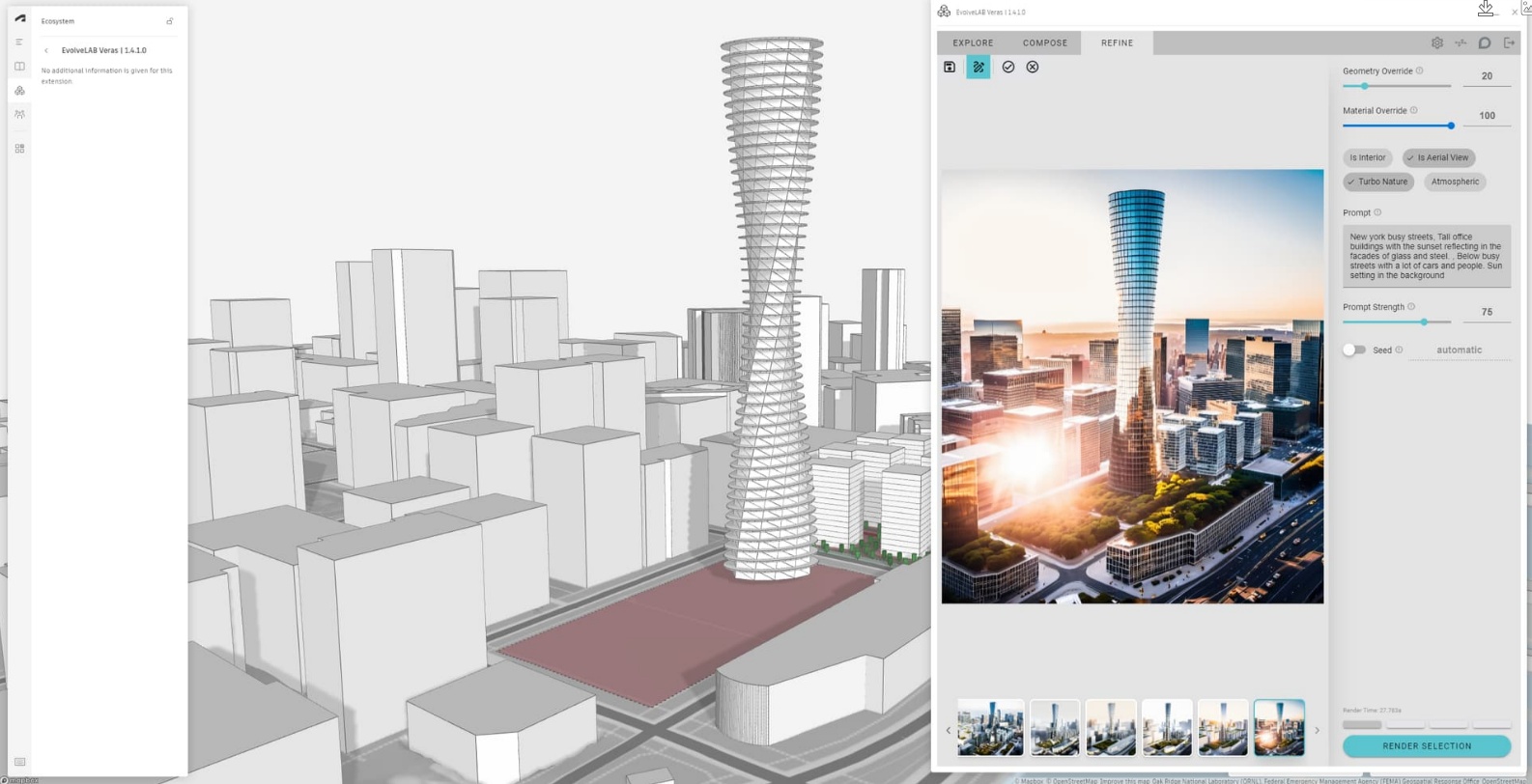
Veras is the tool that has had the most impact on professional architecture workflows in the past two years. It runs directly inside Revit and SketchUp as a plugin and generates AI-rendered images from your actual model geometry.

The key advantage is that the output is grounded in real project data. Windows are where they actually are. Floor plates have the right proportions. You are not approximating - you are rendering the real building with an AI style layer applied on top.

Best for: Architects already working in Revit or SketchUp who need client-presentable renders without leaving their modeling software.

Limitations: Requires a working 3D model. Output quality depends heavily on model cleanliness. Not useful for projects that are pre-model.

Enscape - Best for Real-Time Rendering and VR Walkthroughs

Enscape

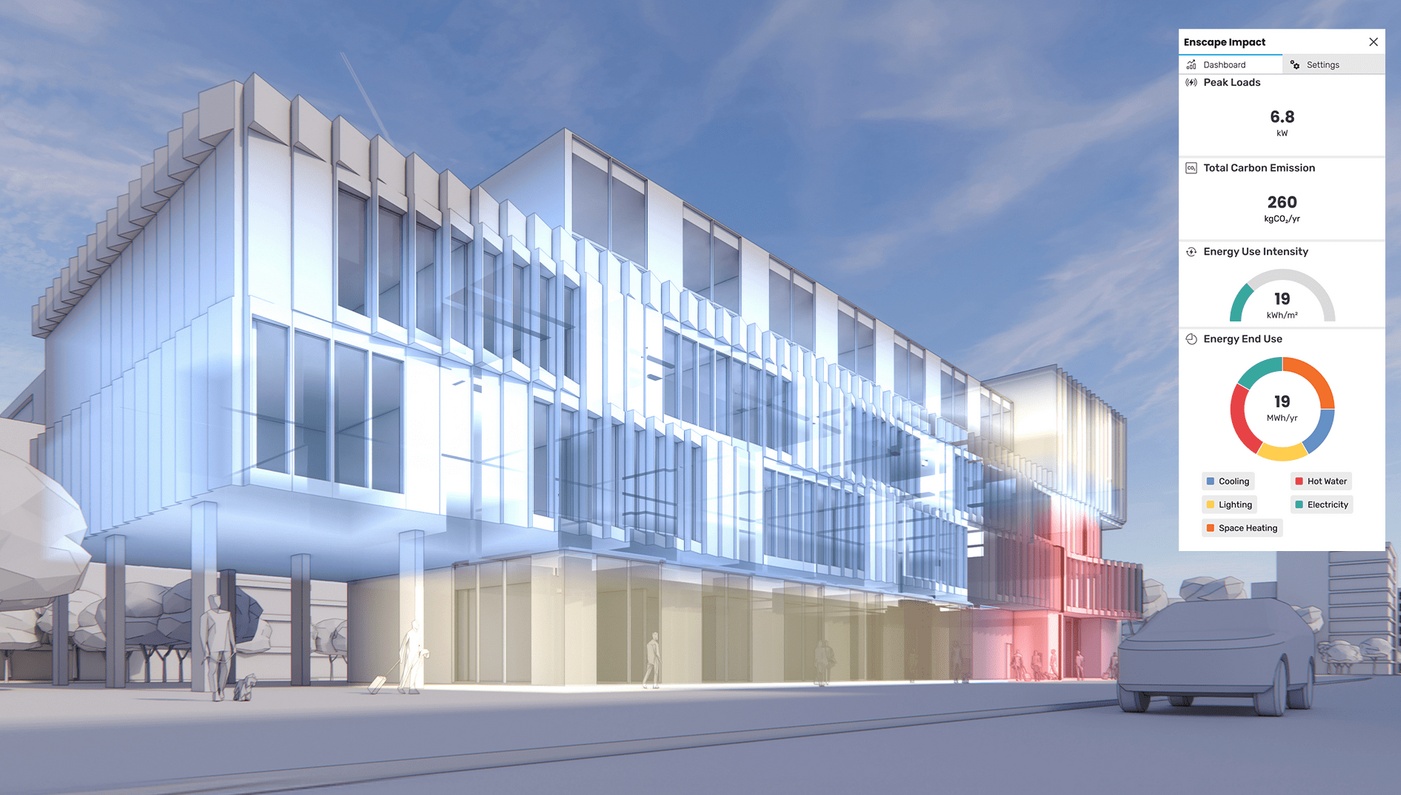
Enscape connects to Revit, SketchUp, Rhino, ArchiCAD, and Vectorworks and renders in real time. Walk through your building in a browser or VR headset while still making changes in the model. AI features have accelerated its denoising and material suggestion capabilities significantly in recent versions.

Best for: Client walkthroughs, design review meetings, interior and exterior visualization at design development stage.

Limitations: Real-time rendering means some visual quality tradeoffs compared to offline renders. Less useful for still images intended for marketing or publication.

Lumion - Best for Animation and Exterior Landscape Visualization

Lumion

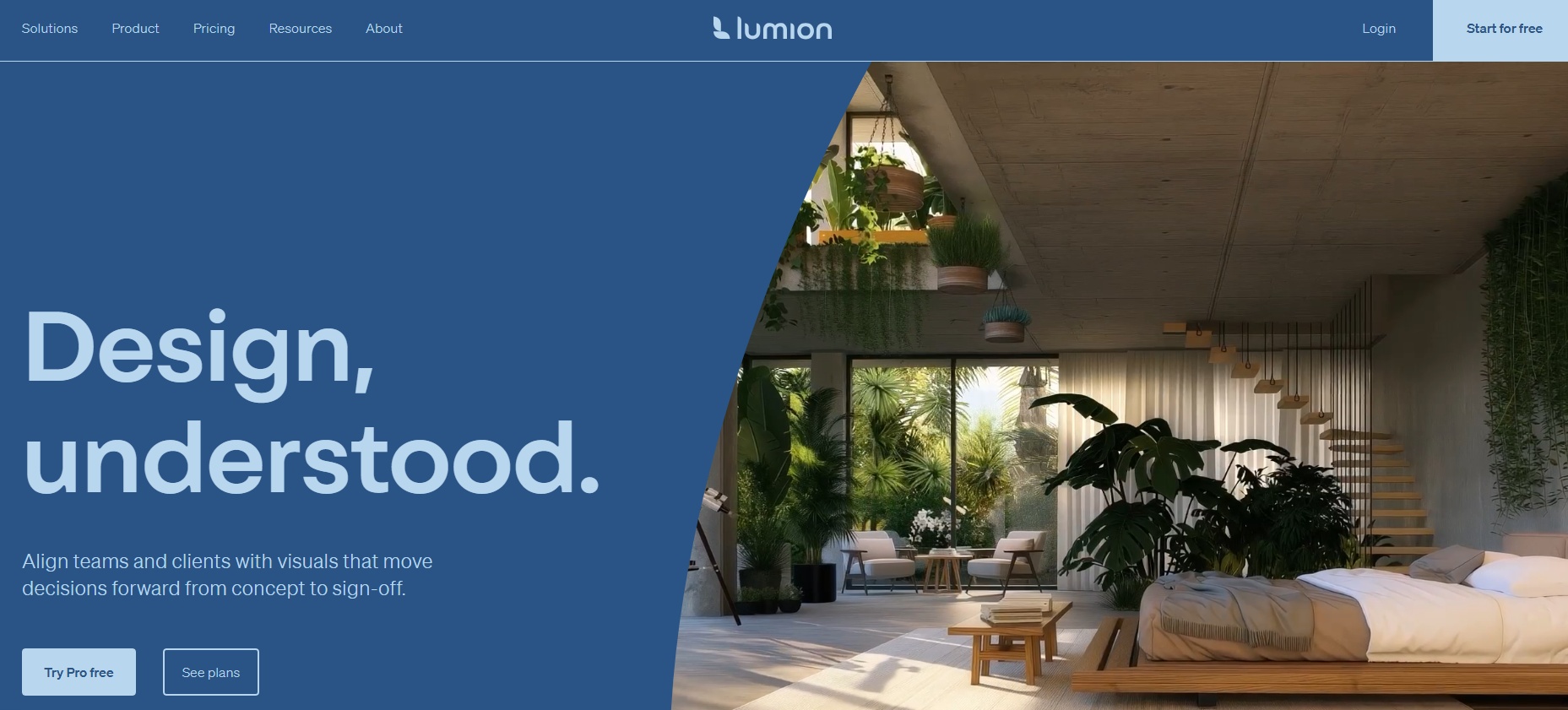
Lumion is the standard delivery tool for architectural animation in most mid-to-large practices. Import a 3D model, apply Lumion's extensive material and landscape library, and render walkthrough videos or high-quality stills. AI-powered style filters and sky replacement have been part of Lumion for several versions now.

Best for: Final delivery renders, exterior animation, landscape and context visualization, marketing imagery.

Limitations: High hardware requirements. Subscription cost is significant. Better suited to final-stage delivery than iterative design exploration.

Adobe Firefly - Best for Generative Fill and Render Enhancement

Adobe Firefly has become useful in architectural visualization workflows primarily for two things: generating background context in renders (sky, landscape, surroundings) and using generative fill to extend or modify existing renders. It integrates directly into Photoshop, which makes it practical for post-processing workflows.

Best for: Render post-production, context generation, extending image boundaries, quick variation testing on finished renders.

Limitations: Not an architectural rendering tool on its own. Most useful as a post-processing layer on top of renders from other tools.

Krea AI - Best for Upscaling and Real-Time Refinement

Krea AI offers real-time generation and upscaling that is increasingly used in architectural workflows to refine lower-resolution outputs from other AI tools. Its real-time canvas lets you sketch loosely and see AI-interpreted results update live, which some architects use for rapid concept sketching.

Best for: Upscaling renders, refining AI-generated concept images, real-time sketch-to-render exploration.

Limitations: Not BIM-connected. Output quality at final scale depends on input quality.

V-Ray with AI Denoising - Best for Final Photorealistic Delivery

V-Ray remains the industry standard for the highest-quality architectural renders. Its AI denoising significantly reduces render times while maintaining output quality. For studio-quality images intended for publication, marketing, or competition submissions, V-Ray (or Corona Renderer, which shares the same parent company) is still the reference benchmark.

Best for: Competition renders, publication-quality imagery, high-end residential and commercial project delivery.

Limitations: Steep learning curve. Requires clean, detailed 3D geometry. High hardware requirements. Not a tool for rapid iteration or early-stage exploration.


The Hybrid Workflow: From Sketch to Photorealism

The most effective architecture teams in 2026 are not using one AI tool. They are combining them in a logical sequence. Here is how that workflow typically looks.

Stage 1 - Direction setting (Paintit.ai or Midjourney)

Before a 3D model exists, use photo-based or text-based AI tools to establish the visual direction. Upload facade photos or existing interior conditions to Paintit.ai to test material families and style directions. Use Midjourney to generate mood references that anchor the design language.

This stage is about alignment, not accuracy. The goal is to get the client to agree on a direction before expensive 3D work begins.

Stage 2 - Model development and early rendering (Veras or Enscape)

Once a schematic model exists in Revit or SketchUp, move into BIM-integrated rendering. Veras and Enscape let you generate client-presentable images directly from the model without a separate export workflow. Iterate quickly as the design changes.

Stage 3 - Material and atmosphere refinement (Paintit.ai, Krea AI)

Use photo-based tools to test specific material combinations and lighting conditions on rendered images from Stage 2. Paintit.ai is particularly useful here for facade material testing - upload a Veras or Enscape render and test three different cladding systems side by side.

Stage 4 - Final delivery (Lumion, V-Ray, or Corona)

For marketing imagery, competition submissions, or client approval packages, produce final renders in Lumion or V-Ray. Use Adobe Firefly or Krea AI for post-production - context extension, sky replacement, upscaling.

Common Mistakes When Using AI Render Tools in Architecture

Using text-to-image tools for spatially accurate work. Midjourney and similar tools generate plausible-looking architecture, not accurate architecture. Using them to represent a specific project to a client without clearly framing them as references creates misaligned expectations.

Skipping the constraint layer. Tools like Paintit.ai produce much more credible results when you preserve the actual building geometry - window positions, building mass, room proportions. Without constraints, the AI invents details that may look good but bear no relationship to the real project.

Treating AI renders as construction documents. AI-generated images can look highly realistic, but they do not encode structural, material, or dimensional accuracy. They are communication tools, not technical specifications.

Trying to use one tool for everything. No single AI render tool is best at concept generation, BIM integration, and final delivery simultaneously. The hybrid workflow exists for a reason.

Frequently Asked Questions

What is the best AI for architecture rendering overall?

It depends on the project stage. For early-stage style exploration on real photos, Paintit.ai. For BIM-integrated rendering in Revit or SketchUp, Veras or Enscape. For final photorealistic delivery, V-Ray or Lumion.

What is the best AI render tool for architects without 3D modeling experience?

Paintit.ai requires no 3D model - just a photo of the space or building. It is the most accessible starting point for architects and designers who need client-presentable visuals before a model exists.

Can AI rendering tools replace traditional rendering software?

For early-stage and mid-stage client work, AI tools have largely replaced traditional offline rendering in many practices. For final delivery and marketing imagery, traditional rendering software like V-Ray still produces the highest quality output, often augmented by AI features like denoising.

How accurate are AI architectural renderings?

Photo-based tools like Paintit.ai preserve the original building geometry while changing materials and style. Text-to-image tools like Midjourney generate plausible but invented architecture. BIM-integrated tools like Veras and Enscape render the actual project geometry accurately.

What inputs work best for AI rendering tools?

Clear, well-lit photos with readable perspective work best for photo-based tools. Clean, complete 3D models work best for BIM-integrated renderers. Specific, detailed text prompts work best for text-to-image tools.

How much do AI architecture rendering tools cost?

Most tools use monthly subscriptions. Paintit.ai starts at $6.99/week. Midjourney starts at around $10/month. Veras, Enscape, and Lumion are typically priced for studio use and cost significantly more. V-Ray licensing varies by seat and studio size.

Conclusion

The gap between sketch and photorealistic render is smaller than it has ever been. In 2026, the tools exist to move through that gap quickly - but the tools are different at each stage, and using the wrong one at the wrong moment costs more time than it saves.

For architects and designers looking to start immediately, Paintit.ai is the lowest-friction entry point. Upload a facade or interior photo, test material directions, and show clients a believable concept before a 3D model exists. For practices already working in Revit or SketchUp, Veras or Enscape will integrate directly into the existing workflow. For final delivery, Lumion and V-Ray remain the professional benchmarks.

The best AI rendering architecture workflow is not one tool. It is a sequence - and knowing which tool belongs at which stage is what separates fast, credible work from frustrating experimentation.


Trending 

AI technologies
8 min read

The Best AI Rendering Architecture Tools in 2026: From Sketches to Photorealism

Alternatives
9 min read

Looking for IKEA Kreativ Alternatives? Top AI Tools for Beyond-IKEA Design

AI technologies
4 min read

Eliminating Technical Errors: How Agentic AI Matches Lighting Specs with Interior Design Requirements

Alternatives
8 min read

Best RoomSketcher Alternatives & Competitors in 2026: Full Review

Paintit.ai Guides
6 min read

Paintit.ai Guides

Related articles 

How Much Does 3D Rendering Cost? The Real Story Behind Pricing in the AI Era
AI technologies
22 april 2026

6 min read

How Much Does 3D Rendering Cost? The Real Story Behind Pricing in the AI Era

Discover the real story behind 3D rendering costs in 2026. Compare traditional pricing vs. AI-powered efficiency for architecture and real estate

avatar-blog

Yulii Cherevko

CEO paintit.ai

The Best AI Rendering Architecture Tools in 2026: From Sketches to Photorealism
AI technologies
21 april 2026

8 min read

The Best AI Rendering Architecture Tools in 2026: From Sketches to Photorealism

Compare the best AI rendering architecture tools in 2026 — Paintit.ai, Midjourney, Veras, Enscape, Lumion, V-Ray. Find the right tool for every workflow stage.

avatar-blog

Yulii Cherevko

CEO paintit.ai

Looking for IKEA Kreativ Alternatives? Top AI Tools for Beyond-IKEA Design
Alternatives
20 april 2026

9 min read

Looking for IKEA Kreativ Alternatives? Top AI Tools for Beyond-IKEA Design

Compare the best IKEA Kreativ alternatives in 2026. Explore AI tools for photorealistic room visualization, floor planning, and style exploration

avatar-blog

Yulii Cherevko

CEO paintit.ai

Eliminating Technical Errors: How Agentic AI Matches Lighting Specs with Interior Design Requirements
AI technologies
20 april 2026

4 min read

Eliminating Technical Errors: How Agentic AI Matches Lighting Specs with Interior Design Requirements

See how Agentic AI matches lumen output, color temperature, and CRI to design intent — eliminating lighting errors before installation begins.

avatar-blog

Yulii Cherevko

CEO paintit.ai

Best RoomSketcher Alternatives & Competitors in 2026: Full Review
Alternatives
16 april 2026

8 min read

Best RoomSketcher Alternatives & Competitors in 2026: Full Review

Looking for RoomSketcher alternatives in 2026? Compare top tools like Paintit.ai, Planner 5D, and SketchUp for 2D/3D floor planning and AI visualization.

avatar-blog

Yulii Cherevko

CEO paintit.ai

Paintit.ai Guides
Paintit.ai Guides
15 april 2026

6 min read

Paintit.ai Guides

Explore Paintit.ai guides for prompts, workflows, room redesigns, real estate staging, rentals, commercial spaces, realism, renovation planning, and more

avatar-blog

Yulii Cherevko

CEO paintit.ai