Key Takeaways
- Picking the right design software means finding that sweet spot: easy 2D/3D floor planning mixed with great visuals and renders.
- Paintit.ai shines as a super-fast AI visualization tool. You just upload room photos or floor plans, and boom - instantly try out tons of design styles.
- When you're looking at RoomSketcher alternatives, think about the size of their furniture library, how good the renders look, how easy it is to use, and what export options you absolutely need.
- The options really span the spectrum, from free, basic tools like Sweet Home 3D all the way up to serious professional software like Chief Architect. So, there's something for every skill level and project size.
- The best RoomSketcher alternative 2026 for you will ultimately come down to what matters most: ease of use, advanced features, or a solution that won't break the bank for your design projects.
Introduction
Look, finding the right floor planning and interior design software is make-or-break for getting your ideas off the ground. Doesn't matter if you're sprucing up your home, listing a property, or designing professionally. If you're checking out options beyond RoomSketcher, I bet you're after tools that mix easy design with really good visuals. This review really digs into the best RoomSketcher alternatives and competitors in 2026, looking at their features, how they feel to use, and what kind of value they offer. We'll show you how to create awesome 2D and 3D designs, try out virtual staging, and generally make your work much smoother with some smart platforms. We included these competitors: HomeByMe, Planner 5D, SketchUp, Chief Architect, and Sweet Home 3D. Want to know more about how AI is changing design? Check out Explore AI Interior Design Tools.
Types of AI tools in this category
The world of interior design and floor planning software has changed a lot lately, mostly thanks to AI. It's really making things faster and helping us see designs better. These tools typically fit into a few main buckets:
2D and 3D Floor Planners
These are the basics. They let you draw floor plans, drop in walls, doors, and windows, and then see everything in 3D. A lot of these started as desktop programs but are now moving online. Their main job is to handle the bones of your space and some simple furniture.
Interior Design Visualizers
These go way beyond just floor plans. They come packed with huge libraries of furniture, decor, and materials. You can design rooms with really lifelike textures and finishes, giving you a strong sense of how a space will actually look and feel. Some even use AI to throw out layout or style ideas.
Virtual Staging Solutions
These are specifically for real estate folks. Virtual staging tools take photos of empty rooms and fill them up with virtual furniture and decor. It's way cheaper than physical staging and makes properties look much more attractive to buyers. Plus, AI-powered virtual staging is fast and gives you loads of options.
AI Rendering Platforms
These are the really smart tools. You feed them a basic 2D layout or 3D model, and they spit out photorealistic images or even videos. Traditional rendering can take forever, but AI rendering platforms use machine learning to quickly give you high-quality visuals, often letting you play with lighting, materials, and styles automatically. This is exactly where an AI 3D floor plan generator really shows its strength, turning simple ideas into slick, professional results.
Comparison table
| Primary Use Case |
Input Method |
Strengths |
Limitations |
Example Tools |
Best User |
| Paintit.ai |
Photo/Sketch/Text |
Fast AI rendering, style exploration |
Not a primary floor planner |
Paintit.ai |
Designers, homeowners, stagers for quick visualization |
| 2D/3D Floor Plans & Interiors |
Drag-and-drop |
User-friendly, good for basic layouts |
Limited advanced features, rendering quality |
HomeByMe |
DIY enthusiasts, basic interior design |
| Fast 3D Interior Design |
Drag-and-drop |
Large object library, easy visualization |
Subscription cost, some premium features locked |
Planner 5D |
Homeowners, casual designers |
| 3D Modeling & Design |
Sketch-based, extensions |
Flexible, vast community, complex models |
Steeper learning curve, requires plugins |
SketchUp |
Architects, experienced designers |
| Professional Home Design |
CAD-like interface |
Detailed architectural plans, advanced rendering |
High cost, complex, professional focus |
Chief Architect |
Architects, home builders, professional remodelers |
| Free 2D/3D Home Design |
Drag-and-drop |
Free, open-source, basic functionality |
Basic graphics, limited library |
Sweet Home 3D |
Beginners, budget-conscious users |
Top Target Competitor alternatives in 2026
Paintit.ai - The AI-Powered Visualization Enhancer
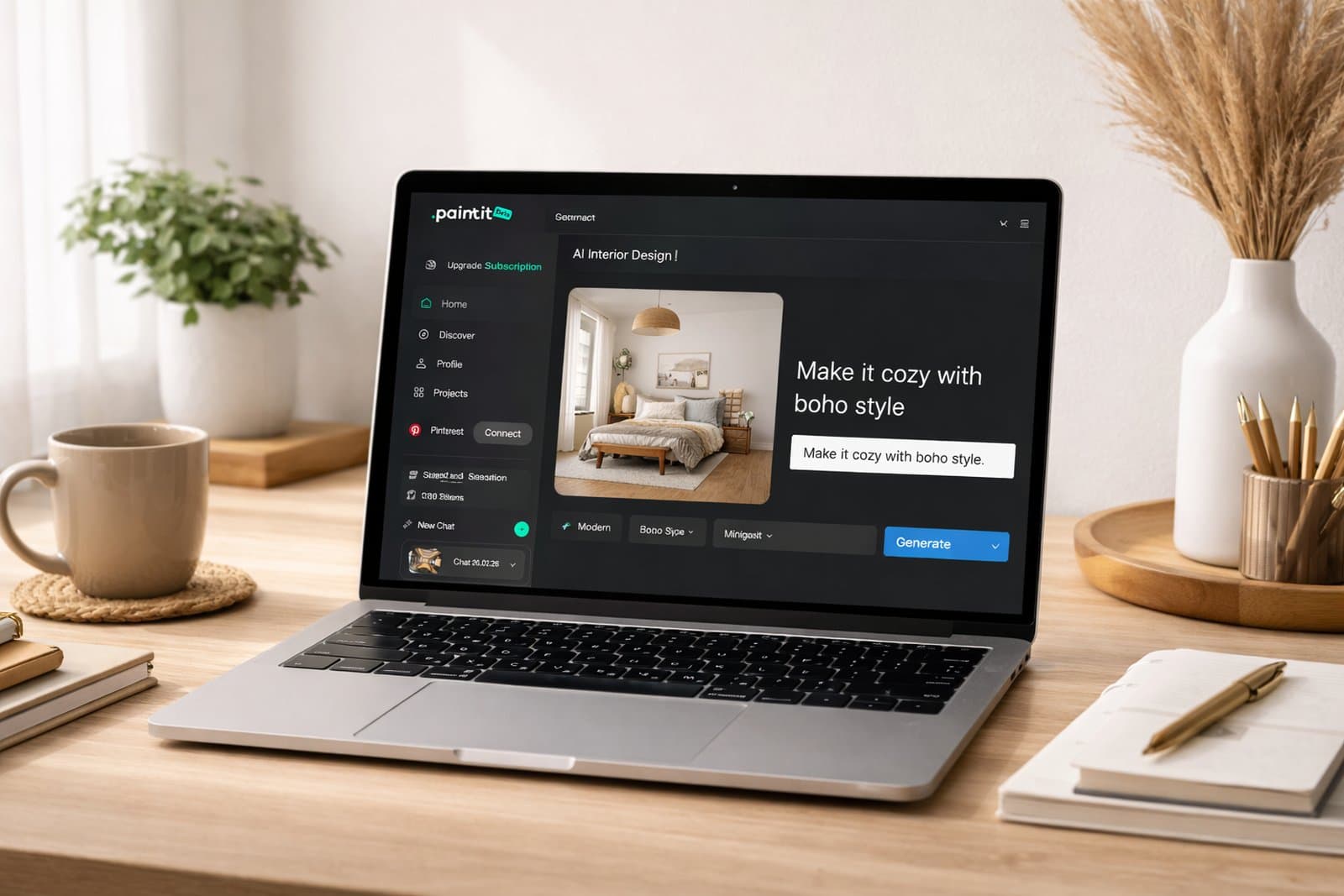
Paintit.ai isn't trying to replace your traditional floor planning software. Instead, it's a super strong partner that takes your basic designs or existing photos and turns them into incredibly realistic visuals with AI. Unlike RoomSketcher, which focuses on getting your layout down and furnishing it, Paintit.ai really shines when you want to quickly explore styles and get renders. You can instantly see dozens of design variations. It's perfect for quickly visualizing ideas and getting really sharp-looking results.
- Best for: Designers, real estate agents, and homeowners who want instant, photorealistic renders and a huge range of style options from their existing photos or simple plans.
- Key features:
- AI-powered photorealistic rendering.
- Instant style application (modern, minimalist, industrial, etc.).
- Virtual staging from empty room photos.
- Generates shopping lists or material suggestions (features vary by plan, so check the site!).
- Supports various inputs: photos, sketches, even just text prompts.
- Lets you iterate on designs super fast.
- Pros:
- Visualization is incredibly fast compared to doing it by hand.
- You get a massive selection of aesthetic styles.
- It takes simple inputs and gives you professional-level outputs.
- No more spending hours on manual 3D modeling just for visuals.
- Absolutely fantastic for impressing clients and making quick decisions.
- Cons / limitations:
- It's not a dedicated 2D floor planning tool; you'll need an existing layout or photo to start.
- The focus is purely on visualization, not detailed architectural blueprints.
- You'll get the best results with high-quality input images.
- Pricing: It varies, so hop over to the official site to see the different credit packages and subscription tiers.
- Try-on tip: Grab a photo of your current room or a basic 2D floor plan. Use the AI Room Design Tool to play around with different design styles and furniture layouts. You'll see instant transformations before you commit to anything.
- If you choose this over others: You're all about getting rapid, high-quality visual output and exploring styles, rather than complex 2D plan creation. And you want to see what your existing spaces *could* become. When you look at RoomSketcher vs Paintit.ai, our tool offers a distinct edge in visualization.
HomeByMe - The Intuitive All-Rounder
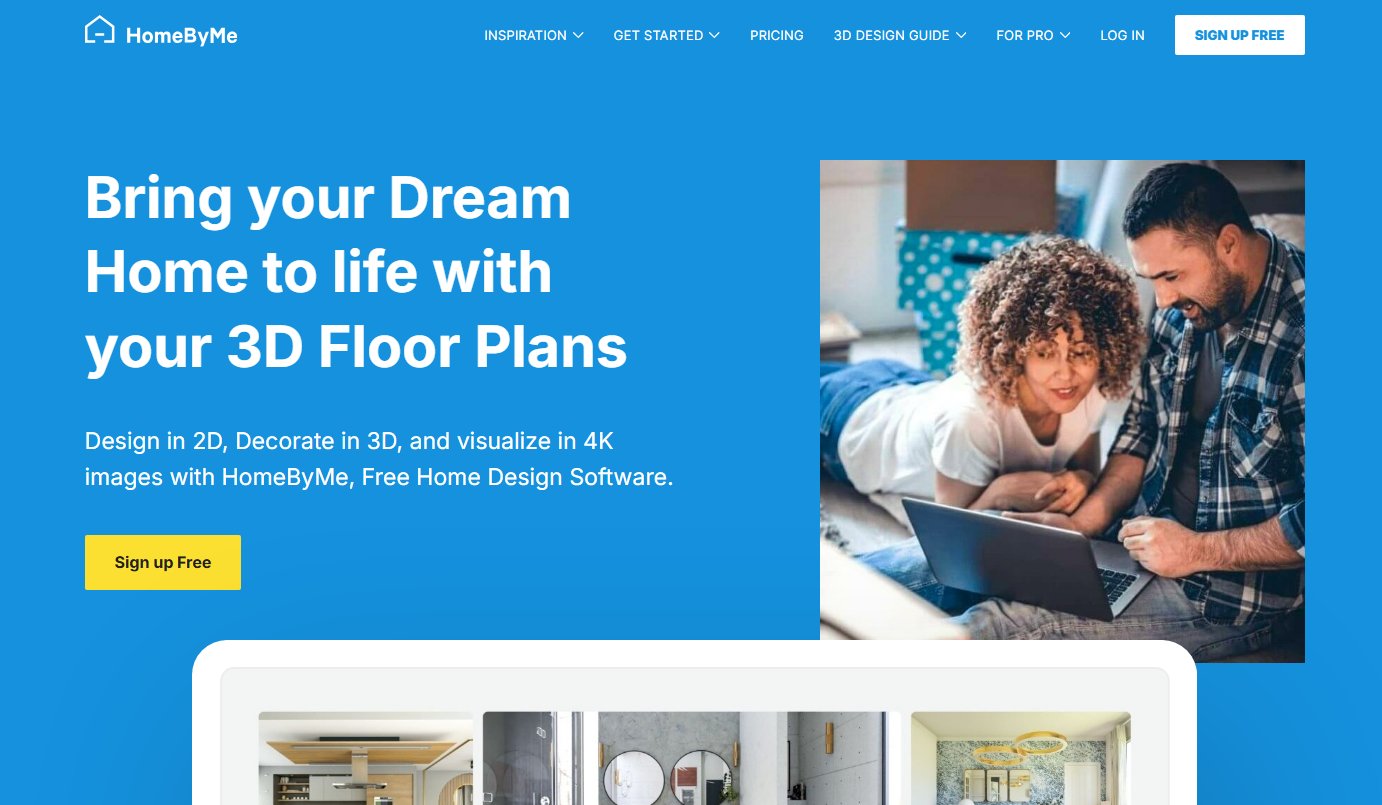
HomeByMe is an online 3D interior design app where you can whip up 2D and 3D floor plans and fill them with furniture from actual brands. It hits a nice sweet spot between being easy to use and giving you good-looking visuals. That makes it a solid option among apps like RoomSketcher.
- Best for: Homeowners and amateur designers who just want an easy tool to visualize furniture from real brands.
- Key features:
- Super intuitive drag-and-drop interface for 2D and 3D floor plans.
- A massive catalog of real branded furniture and decor.
- High-quality 3D renderings and 360 panoramas.
- It's cloud-based, so you can access it from any device.
- You can even do some basic exterior design.
- Pros:
- User-friendly interface with a really gentle learning curve.
- You get access to a huge library of branded products, which is great for realistic shopping.
- The renders are good quality for showing off your designs.
- There's a free basic plan to get started on your first projects.
- Cons / limitations:
- For advanced rendering and features, you'll often need a paid subscription.
- It can get a bit slow if you're working on very large or complex projects.
- Honestly, it's not the best if you need super detailed architectural plans, especially when you compare it to what you see in professional floor plan software reviews.
- Pricing: There's a free basic plan with limited features, and paid subscriptions if you want more projects, better render quality, and advanced options.
- Try-on tip: Once you've got your layout done in HomeByMe, export a 2D plan or 3D view. Then, upload that to Paintit.ai. You can generate even more style variations and photorealistic renders that you might not get directly within HomeByMe.
- If you choose this over others: You're looking for an easy, web-based solution to visualize your interior designs, and you really want that emphasis on real-world furniture options.
Planner 5D - Fast and Feature-Rich for Interiors
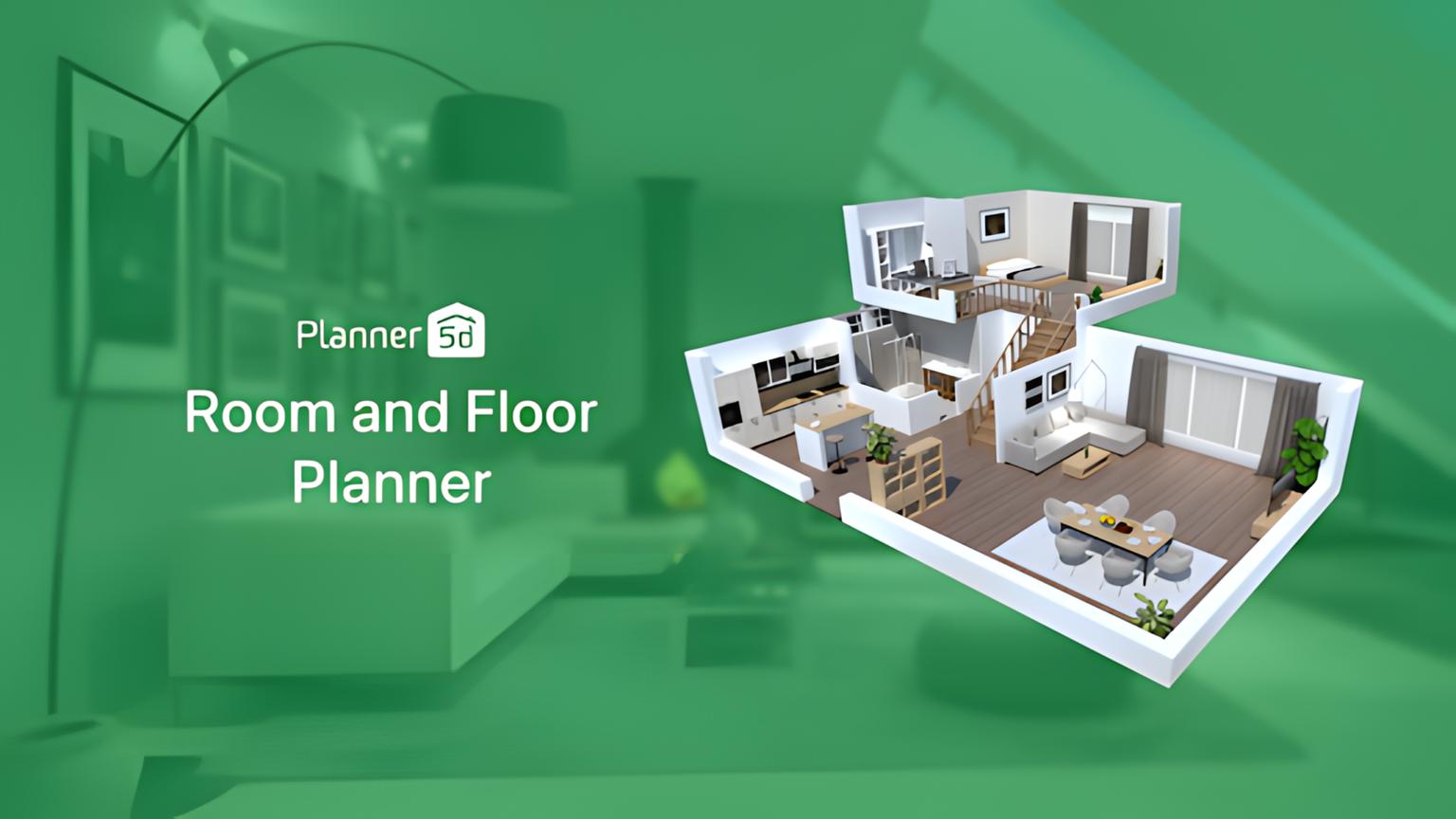
Planner 5D is another really popular online interior design tool. It's all about making detailed floor plans and 3D visualizations quickly. What makes it stand out is its huge item catalog and super user-friendly interface, which makes for a really smooth experience, especially if you found RoomSketcher a bit too limited or pricey.
- Best for: Homeowners, students, and casual designers who need a fast, easy-to-get-into tool for interior and exterior design visuals.
- Key features:
- A simple drag-and-drop interface for 2D floor plans and 3D designs.
- A truly vast catalog of furniture, appliances, and decor.
- AI-powered smart interior design suggestions (pretty neat!).
- HD rendering and 360 panorama views.
- Works across different platforms (web, iOS, Android).
- Pros:
- Super quick to learn and use.
- The item library is massive and gets updated all the time.
- Great for visualizing design ideas without fuss.
- There's a free version with all the core stuff.
- Cons / limitations:
- To get the full catalog and HD renders, you usually need a premium subscription.
- While the rendering quality is good, it might not hit the same level as really professional floor plan software reviews.
- It has limited capabilities for super complex architectural details.
- Pricing: There's a free version with basic features and a limited catalog; premium subscriptions unlock everything else, like HD renders and advanced tools.
- Try-on tip: Lay out your basic design and furnish it in Planner 5D. Then, if you want a fresh look or to try different styles, export your 3D view and use Paintit.ai to apply new aesthetics and generate truly stunning, high-definition renders.
- If you choose this over others: You want an all-in-one, accessible tool for quick interior design visuals with a vast library, and you like a little AI help with your designs.
SketchUp - The Versatile 3D Modeler

SketchUp is a seriously powerful 3D modeling software, and it's used everywhere for architectural design, interiors, engineering, and construction. RoomSketcher has a more template-driven way of doing things, but SketchUp gives you so much freedom in 3D modeling. That makes it one of the most flexible RoomSketcher alternatives out there.
- Best for: Architects, professional interior designers, and anyone who needs really detailed, custom 3D modeling and visualization.
- Key features:
- Flexible 3D modeling tools to create pretty much any shape or object.
- A massive 3D Warehouse packed with free models (furniture, fixtures, you name it).
- An Extensions Warehouse for all sorts of specialized plugins and renderers.
- Integrates with CAD and BIM workflows (if you get the Pro version).
- Comes in desktop, web, and iPad versions.
- Pros:
- Insanely versatile for custom designs and unique elements.
- A huge community and tons of online resources.
- You get a high level of detail and control over your designs.
- Excellent for conceptual design and showing off architectural ideas.
- Cons / limitations:
- The learning curve is definitely steeper than those simpler drag-and-drop tools.
- You'll need extra rendering plugins if you want photorealistic results.
- The free version (SketchUp Free) has fewer features compared to the paid ones.
- Pricing: There's a free web version (SketchUp Free) for personal use, and then paid subscriptions (SketchUp Shop, Pro, Studio) for professional features.
- Try-on tip: After you've built your detailed room in SketchUp, export a view or a 2D plan. Then, use Paintit.ai to instantly apply all sorts of finishes, materials, and styles to your model. You'll get photorealistic renders without having to fuss with complex rendering setups right inside SketchUp.
- If you choose this over others: You need a super flexible 3D modeling environment for custom designs and architectural precision, and you're ready to put in the time to learn a more robust tool.
Chief Architect - Professional Architectural & Home Design
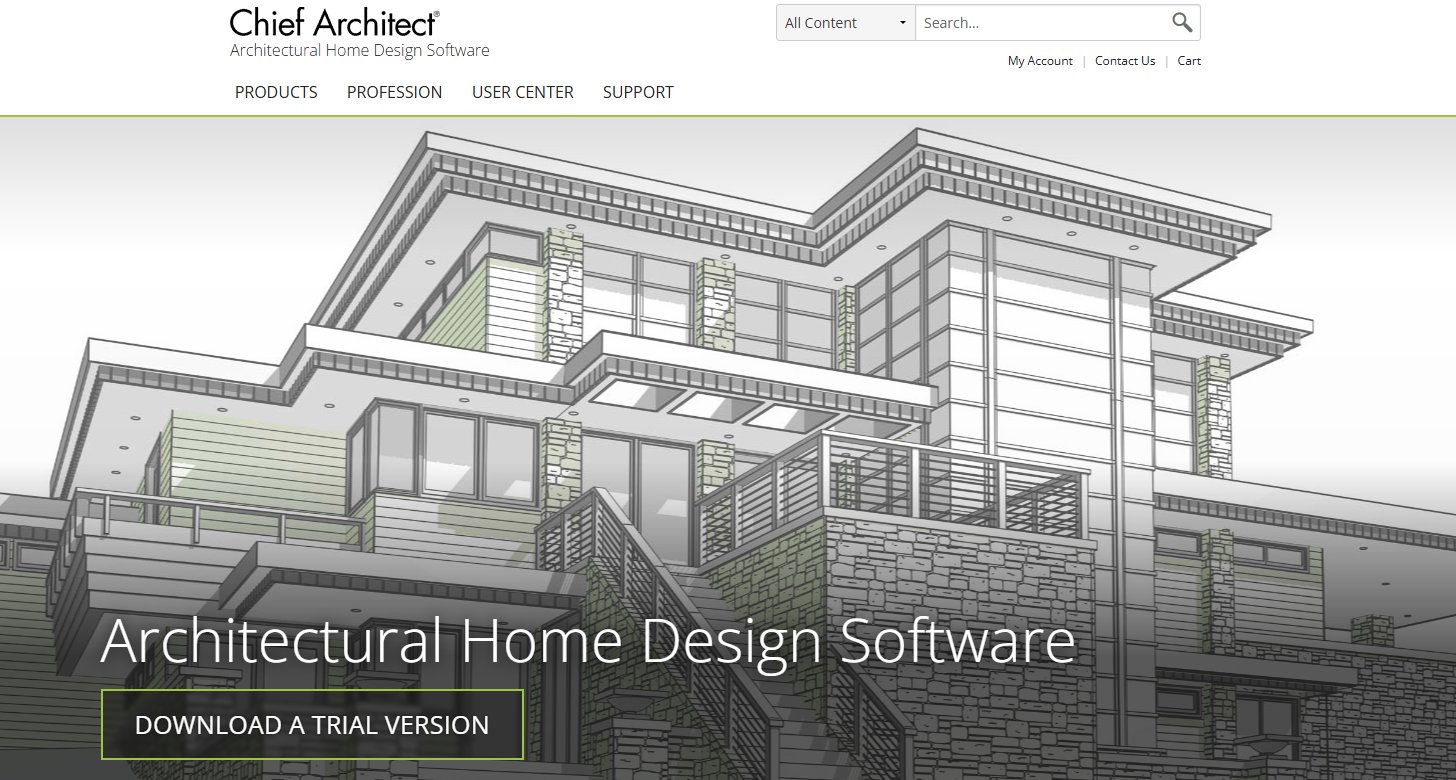
Chief Architect is serious, professional-grade software built for residential building design. It's a complete toolkit for architects, builders, and interior designers, packed with robust CAD tools and advanced rendering. Honestly, it goes way beyond simple apps like RoomSketcher, giving you detailed blueprints and all the construction documents you need.
- Best for: Professional architects, home builders, and seasoned designers who demand comprehensive tools for drafting, modeling, and rendering residential projects.
- Key features:
- Automated building tools for things like roofs, framing, and foundations.
- Advanced CAD tools for incredibly detailed drafting.
- Parametric objects that automatically adjust themselves.
- A high-quality 3D rendering engine and even virtual tours.
- Features for material lists and cost estimates.
- Huge libraries of architectural objects and finishes.
- Pros:
- These are industry-standard tools for professional residential design.
- It cranks out accurate blueprints and construction documents.
- The rendering quality and visuals are exceptional.
- It automates loads of those repetitive design tasks.
- Cons / limitations:
- The cost is very high compared to other RoomSketcher alternatives.
- There's a significant learning curve; it's definitely designed for professionals.
- Not for casual users or if you just want to do some simple interior decorating.
- Pricing: This is high-end professional software, so expect a significant one-time purchase or an annual subscription. Check their official site for the latest pricing.
- Try-on tip: While Chief Architect is highly capable, Paintit.ai can serve as a rapid ideation and presentation tool. Use an exported 2D plan or 3D view from Chief Architect and apply Paintit.ai's AI to quickly explore alternative design styles or virtual staging options for client presentations.
- If you choose this over others: You are a professional in the architecture, engineering, and construction (AEC) industry who needs powerful, accurate software for full-scale residential architectural design, including all the construction drawings and high-fidelity renders.
Sweet Home 3D - The Free RoomSketcher Alternative
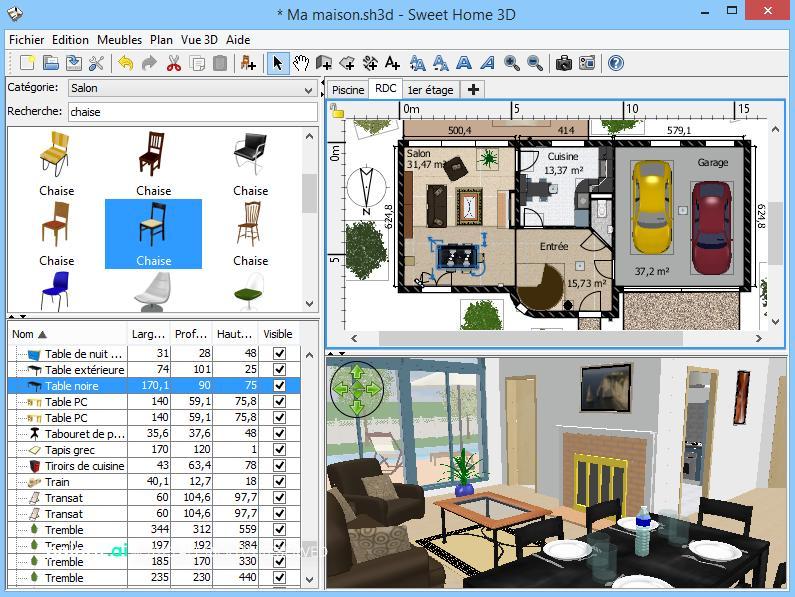
Sweet Home 3D is a totally free and open-source interior design app. It lets you draw your house plan, arrange furniture, and see it all in 3D. If you're looking for a straightforward and easy option, it's a great free RoomSketcher alternative.
- Best for: Beginners, students, and anyone on a tight budget who needs basic 2D floor planning and 3D visuals without paying a subscription.
- Key features:
- A simple interface for drawing walls and rooms.
- Drag-and-drop furniture from a catalog you can search.
- You can edit both the 2D plan and the 3D view at the same time.
- Lets you import your own custom 3D models.
- Works offline on your desktop (Windows, macOS, Linux).
- Pros:
- It's completely free and open-source.
- Lightweight, so it runs on pretty much any operating system.
- Super simple to learn for basic interior layouts.
- You can even import your own custom furniture.
- Cons / limitations:
- The graphics and rendering quality are pretty basic compared to paid tools.
- The furniture catalog is limited (though you can bring in your own stuff).
- It doesn't have fancy features like photorealistic rendering or virtual staging.
- You'll get community support, not dedicated customer service.
- Pricing: Free. (Seriously, free.)
- Try-on tip: Design your basic room layout and furnish it in Sweet Home 3D. Then, just grab a screenshot or export a simple 2D image and upload it to Paintit.ai. This will massively boost your visualization quality, letting you play with different styles for a really professional finish.
- If you choose this over others: You need a completely free RoomSketcher alternative and an easy tool for basic 2D floor plans and 3D interior setups, and super advanced rendering isn't your top priority.
Detailed feature comparison (Buyer-centric)
| Feature |
Paintit.ai |
HomeByMe |
Planner 5D |
SketchUp |
Chief Architect |
Sweet Home 3D |
| 2D Floor Planning |
Limited (via input) |
Yes |
Yes |
Yes (with plugins) |
Yes |
Yes |
| 3D Visualization |
Yes (AI-enhanced) |
Yes |
Yes |
Yes |
Yes |
Yes |
| AI Rendering |
Yes (Core feature) |
Limited |
Limited |
No (requires plugins) |
Limited |
No |
| Virtual Staging |
Yes (Core feature) |
No |
No |
No |
No |
No |
| Object Library Size |
N/A (AI generated) |
Large (branded) |
Very Large |
Vast (3D Warehouse) |
Extensive (pro-grade) |
Moderate (extensible) |
| Custom Object Import |
N/A |
Yes |
Yes |
Yes |
Yes |
Yes |
| Learning Curve |
Very Low |
Low |
Low |
Moderate to High |
High |
Low |
| Photorealistic Output |
High (AI) |
Moderate |
Moderate (premium) |
High (with renderers) |
Very High |
Low |
| Real-time 3D Walkthrough |
No |
Yes |
Yes |
Yes |
Yes |
Yes |
| Collaboration Tools |
No |
Limited |
Limited |
Yes (via Trimble) |
Yes (via cloud) |
No |
| Mobile App |
Web-based |
Yes |
Yes |
Yes |
No |
Yes |
| Offline Capability |
No |
No |
No |
Yes (Pro) |
Yes |
Yes |
Professional tools for advanced users
A lot of RoomSketcher alternatives are built for pretty much anyone, but professionals often need tools that do more than just show you what something *could* look like. For architects, contractors, and really experienced interior designers, the game changes. They need software that can spit out precise construction documents, super detailed material specs, and handle complex structural modeling. Think of tools like Chief Architect: they're not just simple design apps. They offer features like automated framing, roof generation, and work with Building Information Modeling (BIM) workflows. These platforms are absolutely essential when a project demands not just a beautiful render, but a plan you can actually build from. Yes, they're a big investment, both in money and the time it takes to learn them, but they give you the precision and power you need for large or structurally tricky projects. This is exactly what we look for in professional floor plan software reviews.
Strategic recommendations (Decision framework)
- If you primarily need quick, photorealistic visualizations and style exploration from existing images or basic plans, choose Paintit.ai.
- If you're a homeowner or amateur designer looking for an easy-to-use web-based tool with real brand furniture options, choose HomeByMe.
- If you need a fast and feature-rich interior design tool with a vast object catalog and AI suggestions, consider Planner 5D.
- If you require powerful and flexible 3D modeling for custom architectural elements or complex designs, SketchUp is your best bet.
- If you're a professional architect or builder needing comprehensive tools for detailed residential construction plans and high-fidelity renders, opt for Chief Architect.
- If you're on a strict budget and need a completely free RoomSketcher alternative for basic 2D and 3D layouts, Sweet Home 3D is an excellent option.
- If you are a real estate agent seeking the best real estate floor plan software with integrated virtual staging, consider a combination of a basic floor planner and Paintit.ai.
The ultimate hybrid workflow (Step-by-step)
Getting a really polished interior design means pulling together the best parts of different tools. I find that a hybrid approach is the way to go; it keeps things accurate, lets you play around creatively, and makes your presentations look amazing.
- Stage 1: Initial Floor Planning and Layout
Start with a dedicated floor planning tool, maybe HomeByMe, Planner 5D, or even Sweet Home 3D. You'll create your 2D floor plan, mark out rooms, drop in doors and windows, and get that basic structural layout in place. This stage is all about getting the spatial accuracy and functionality nailed down. For bigger, more complex jobs, this is where you'd use SketchUp or Chief Architect.
- Stage 2: Core Interior Design and Furnishing
Once your layout is solid, start furnishing your space inside your chosen floor planner. Pick out furniture, fixtures, and finishes from its library. Don't be afraid to try different arrangements and material options here. This gives you a clear picture of the functional design and the overall vibe you're going for.
- Stage 3: AI-Enhanced Visualization and Style Exploration
Now, take your 2D floor plan, a screenshot of your 3D view, or even an existing photo of your space and upload it to Paintit.ai. This is where the AI really works its magic on your design. You can quickly generate multiple photorealistic renders, instantly apply all sorts of design styles (like Scandinavian, industrial, or bohemian), and iterate on ideas in seconds. If you're virtually staging a property, this is also where you'd use AI Virtual Staging to fill those empty rooms with stunning furniture.
- Stage 4: Refinement and Presentation
Look through all those AI-generated renders. Pick the best ones, maybe tweak a few things back in your main design software based on what you've learned from the visuals. Use these high-quality images for client presentations, to beef up your portfolio, or just to make confident decisions for your own home. Combining precise planning with rapid AI visualization just makes the whole design process more efficient and much more impactful.
Managing expectations (Current AI limitations)
Okay, so AI tools like Paintit.ai are fantastic, offering incredible speed and a huge creative boost. But here's the thing: it's super important to keep your expectations realistic. AI is brilliant at making realistic images and throwing out style ideas, but it will never replace the finely tuned eye of a human designer or the technical smarts of an architect.
Sometimes, AI-generated designs might have small quirks, layouts that don't quite work in real life, or elements that aren't perfectly to scale or structurally sound. You should always double-check:
- Feasibility: Do those suggested furniture sizes and layouts actually make sense for your real space?
- Material Accuracy: Do the materials and finishes truly match what you can get, and are they within your budget?
- Structural Integrity: If you're looking at complex architectural stuff, remember AI visuals are for ideas, not blueprints for construction.
- Personal Preference: AI gives suggestions based on patterns; your unique taste and specific needs are always what matters most.
Always treat AI as a powerful assistant for sparking ideas and visualizing, but let human review and professional advice guide your final decisions and how you actually execute the project.
FAQ
Q: Is RoomSketcher difficult to learn?
A: Most people find RoomSketcher pretty user-friendly, especially when you're just starting, thanks to its drag-and-drop interface. That said, if you want to really master all its features, especially the advanced ones, you'll need to put in some dedicated time and practice.
Q: What's the biggest benefit of using design software like RoomSketcher alternatives?
A: The main perk is getting to visualize your designs in 2D and 3D *before* you actually make any physical changes. This saves you time, money, and helps avoid expensive mistakes by letting you tweak things right there in the planning stage.
Q: Can I use these alternatives for professional architectural projects?
A: Absolutely, some RoomSketcher alternatives like SketchUp Pro or Chief Architect are definitely up to snuff for professional architectural and home building work. Others, though, like Planner 5D or HomeByMe, are more aimed at homeowners or interior designers who are focused on visualization rather than churning out detailed architectural blueprints and construction documents.
Q: How do AI tools like Paintit.ai work with traditional floor planning software?
A: AI tools essentially supercharge your basic designs. They can generate really realistic renders, let you rapidly explore all sorts of styles, and even create virtual staging options. This totally elevates your final presentations and pushes creative boundaries beyond what standard software can do alone, truly making your initial floor plans pop.
Q: Are there any free RoomSketcher alternative options out there?
A: Yep, there are a few! Sweet Home 3D is a completely free RoomSketcher alternative. Plus, the basic tiers of Planner 5D and HomeByMe offer free access, though usually with some limits on features or the quality of your output.
Q: What should I look for in the best real estate floor plan software?
A: If you're in real estate, you'll want something that makes creating clear 2D and 3D floor plans a breeze, gives you good visual quality for your marketing, and ideally, has built-in or easy-to-add virtual staging. For real estate pros, speed and keeping costs down are also huge factors.
Conclusion
Sifting through all the floor planning and interior design software out there can feel pretty overwhelming. But, once you get a handle on what different RoomSketcher alternatives do best, you'll be able to pick exactly the right tool for your specific project. Whether you're all about easy drag-and-drop, need super detailed architectural modeling, or want lightning-fast AI visualization, there's definitely a solution out there that fits.
Tools like HomeByMe and Planner 5D are fantastic for daily design work with their friendly interfaces. Then you have SketchUp and Chief Architect, which offer the kind of depth pros really need. But if you're like me, and you want to really elevate your visuals - to instantly turn existing spaces or simple plans into photorealistic masterpieces - then Paintit.ai truly stands out. By marrying the precision of a floor planner with the creative muscle of AI, you can really streamline your design process, dive into endless possibilities, and present breathtaking visuals that bring your projects to life.