We use essential cookies to make our site work. With your consent, we may also use non-essential cookies to improve user experience, personalize content, and analyze website traffic. For these reasons, we may share your site usage data with our social media and analytics partners. By clicking “Accept,“ you agree to our website's cookie use as described in our Cookie Policy. You can change your cookie settings at any time on your browser preferences.
  • About
  • Blog
  • Contacts
  • Affiliate program
AiEi

Products

  • For E-commerce
  • For Real Estate

Tools

  • AI architecture generator
  • AI concept generator
  • AI exterior design
  • AI house generator
  • AI house painter
  • AI landscape design
  • AI rendering
  • AI room design
  • Home exterior design tool
  • AI Virtual Staging

Use Cases

  • AI Kitchen Design
  • AI Living Room Design
  • AI Bedroom Design
  • AI Bathroom Design
  • AI Closet Design
  • AI Office Design
  • AI Pool Design
  • AI Laundry Room Design
  • AI Restaurant Design
  • AI Classroom Design
  • AI Basement Design
  • Terms of Service
  • Privacy Policy
Logo
Paintit.ai - Free AI Interior Design Tool

© 2026

Stand with Ukraine
PAINTITAI LTD, 52 Leytonstone road, London, E15 1SQ, UK
Paintit.ai - ai home design free
  • Pricing
  • For Real Estate
  • For E-commerce
  • Blog
  • Contacts
/Blogs/Best Ikea Kreativ Alternatives AI Design Tools
Alternatives
20 april 2026

9 min. reading

Looking for IKEA Kreativ Alternatives? Top AI Tools for Beyond-IKEA Design 

avatar-blog

Yulii Cherevko

CEO paintit.ai

Share
  • ChatGPT
  • Perplexity
  • Claude
  • Grok
  • Google AI
Looking for IKEA Kreativ Alternatives? Top AI Tools for Beyond-IKEA Design

Page [break] Contents: 

  • 1. Key Takeaways
  • 2. Introduction
  • 3. Types of AI Tools in This Category (Buyer-Friendly Tech Stack)
  • 4. Comparison Table (Market Segmentation)
  • 5. Top IKEA Kreativ Alternatives in 2026
  • 6. Detailed Feature Comparison (Buyer-Centric)
  • 7. Professional Tools for Advanced Users
  • 8. Strategic Recommendations (Decision Framework)
  • 9. The Ultimate Hybrid Workflow (Step-by-Step)
  • 10. Managing Expectations (Current AI Limitations)
  • 11. FAQ
  • 12. Conclusion

Key Takeaways

  • Don't get stuck with just one store's products. Advanced AI visualization lets you explore tons of different, personal interior design styles.
  • See a huge range of looks, from calm minimalist to bold maximalist, all visualized so real it's like a photo.
  • Try out endless finishes, from raw industrial concrete to soft velvet, before you spend a dime.
  • Check different lighting in your virtual designs to make sure the mood and function are just right.
  • Paintit.ai lets you upload your room's photo to instantly see style changes, test color schemes, and compare different design ideas.
  • AI interior design apps for homeowners help you avoid expensive design mistakes by letting you preview layouts, colors, and furniture right in your space.

Introduction

If you've already messed around with IKEA Kreativ but felt a bit boxed in by their catalog or limited design choices, you're probably on the hunt for more powerful IKEA Kreativ alternatives. Seriously, interior design is changing fast, and AI interior design apps for homeowners are leading the charge. They do way more than just help you put furniture around. Here at Paintit.ai, we use smart AI to turn your wildest ideas into photorealistic designs. You can see any style, any color, any material right in your actual room before you buy anything. Come see how these tools can totally change how you design, offering flexibility and realism that basic planners can't touch. We've included some familiar names too: Planner 5D, RoomSketcher, HomeByMe, RoomGPT, InteriorAI, and Modsy.

Types of AI Tools in This Category (Buyer-Friendly Tech Stack)

When you're checking out IKEA Kreativ alternatives, it's smart to know what kinds of AI-powered design tools are out there. These aren't just your old 2D layouts or generic templates anymore; they use AI to give you a much more intuitive and realistic look at your designs.

Generative AI for Concept Exploration

These tools use AI to dream up new design ideas based on what you give them - maybe a photo of your room or a text description of the style you want. Unlike tools with fixed templates, generative AI can come up with truly unique concepts. It might suggest furniture, layouts, and decor you hadn't even thought of. This is super helpful when you're just starting out or feeling totally stuck for inspiration.

Photorealistic Visualizers

Many advanced AI tools are fantastic at taking simple inputs (like a room photo or a basic 3D model) and making them look incredibly real. They simulate light, shadows, textures, and how materials behave, making the virtual design look almost exactly like a real photograph. This kind of realism makes it much easier to feel confident about your color choices, finishes, and whether that giant sofa will actually fit.

Virtual Staging and Redecorating

These tools are specifically made to transform existing photos. They can get rid of old furniture, add new pieces, change wall colors, or even swap out flooring with amazing accuracy. They're perfect for seeing what a space would look like after a complete overhaul or for virtually staging properties if you're in real estate. This gives them a clear edge over IKEA Scene Scanner alternatives that usually have a much narrower focus.

Comparison Table (Market Segmentation)

Primary Use Case Input Method Strengths Limitations Example Tools Best User
AI Room Redesign/Concept Photo Upload / Text Photorealistic renders, broad style exploration Requires clear initial photo, internet connection Paintit.ai, RoomGPT, InteriorAI Homeowners seeking quick, diverse style visualization
2D/3D Room Planner Drag-and-drop / CAD Precise layouts, detailed floor plans Can be less intuitive, rendering realism varies Planner 5D, RoomSketcher, HomeByMe DIY decorators, some professionals needing floor plans
Full-Service Design Photos / Consultation Expert guidance, curated product recommendations Higher cost, longer turnaround, less DIY flexibility Modsy (service-focused) Busy homeowners needing end-to-end design assistance
Retailer-Specific Catalog-based Integrated purchasing, brand-specific visualization Limited product range, restricted style options IKEA Kreativ IKEA shoppers wanting to visualize IKEA products

Top IKEA Kreativ Alternatives in 2026

If you're on the hunt for the best IKEA Kreativ alternative 2026, these tools come packed with advanced AI to really step up your design game.

Paintit.ai - Advanced AI Visualization & Try-On Workflow

Paintit.ai

Paintit.ai really stands out as a top AI interior design platform. We built it to help you transform any space with photorealistic precision. It uses smart algorithms to understand your room's shape and what's already there, letting you seamlessly apply new styles and materials. Unlike simpler tools, Paintit.ai focuses on giving you practical, high-quality visuals just from a photo. It's a powerful choice if you're looking for more than just a basic planner, giving you results in under 90 seconds.

  • Best for: Homeowners, renters, and real estate agents who need realistic previews of their actual spaces without starting from scratch.
  • Key features:
    • Upload real room photos for instant AI redesigns.
    • Apply diverse interior styles (Modern, Scandinavian, Bohemian, etc.).
    • Experiment with wall colors, flooring, and material changes.
    • Virtual staging capabilities to furnish empty rooms.
    • High-quality, photorealistic rendering.
    • Style exploration and concept generation.
  • Pros:
    • Super easy to use, no design degree required. Honestly, I figured it out in 5 minutes without a tutorial.
    • Gives you incredibly realistic outputs from your photos.
    • Huge range of styles and materials to play with.
    • Blazing fast processing for quick tweaks.
    • Perfect for visualizing full room makeovers.
  • Cons / limitations:
    • Mainly about the visual look, less about detailed architectural drawings.
    • Doesn't have a built-in product catalog for direct shopping.
    • You might need a subscription for all the cool features.
  • Pricing: Varies-check the official site.
  • Try-on tip: Upload a photo of your living room to our AI Room Design Tool, then experiment with three distinct styles: "Minimalist Modern," "Cozy Scandinavian," and "Bold Industrial." Compare the results side-by-side to see which best fits your vision.
  • If you choose this over others: Pick Paintit.ai if you mainly need realistic visualizations of design ideas directly on photos of your own space. It gives you creative freedom way beyond any specific furniture catalogs.

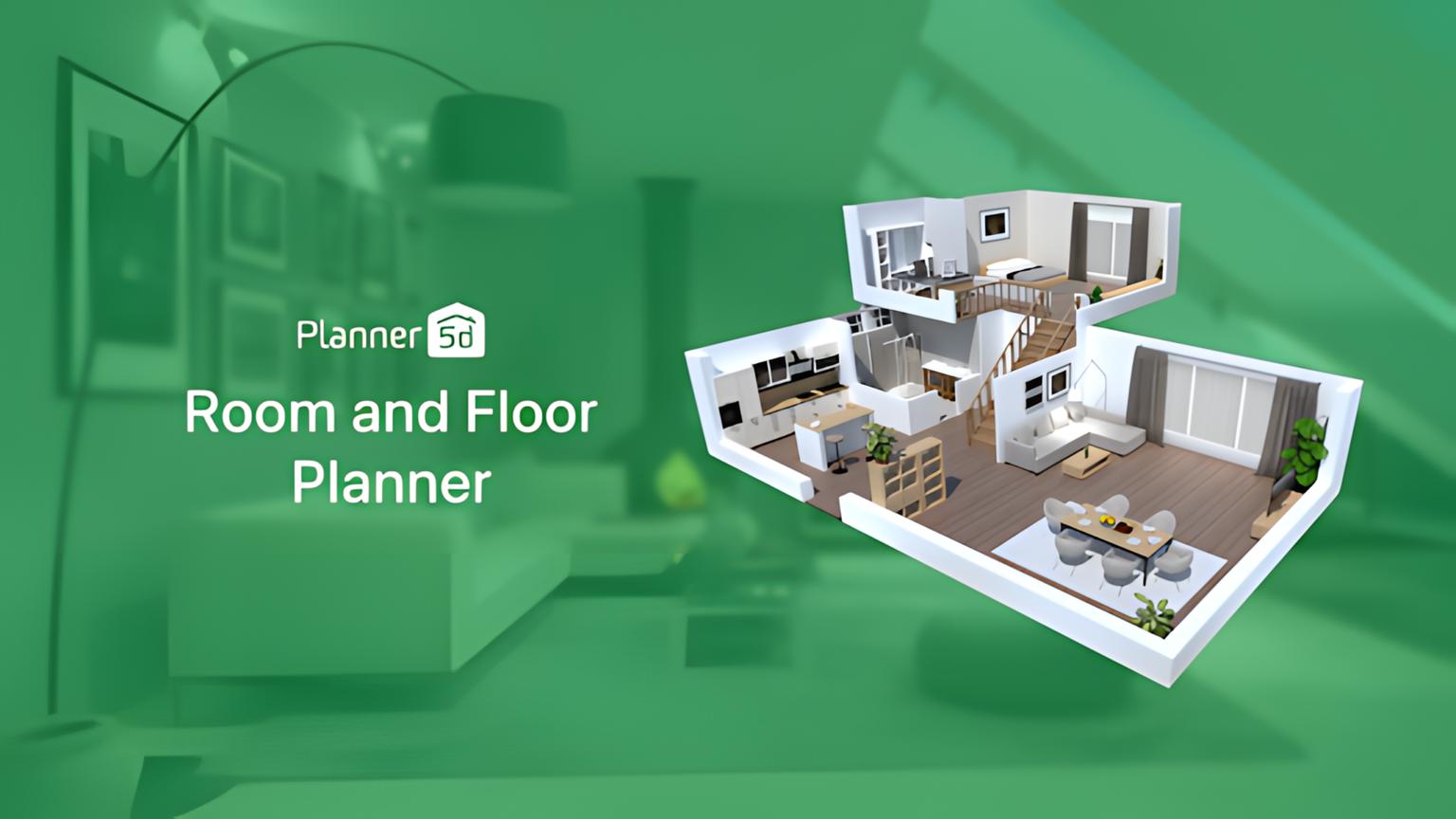
Planner 5D - Comprehensive 2D/3D Floor Planner

Planner 5D is a popular interior design app where you can create detailed 2D floor plans and then see them in 3D. It has a massive catalog of items, but its AI mostly helps with smart placement suggestions and basic rendering. It's not quite the same photorealistic output you get from dedicated AI visualizers like Paintit.ai.

  • Best for: People who need to create accurate floor plans and arrange furniture from a big library of items.
  • Key features:
    • Huge catalog of items (furniture, decor, appliances).
    • Creates 2D and 3D floor plans.
    • Options for both interior and exterior design.
    • Basic rendering.
    • Works on web, iOS, and Android.
  • Pros:
    • Massive library of items.
    • Great for detailed space planning and layouts.
    • Pretty easy to pick up for basic 3D modeling.
  • Cons / limitations:
    • Rendering quality isn't as photo-real as more advanced AI tools.
    • Can take a while for really complex designs.
    • The free version is quite limited in features and catalog access.
  • Pricing: Varies-check the official site.
  • Try-on tip: After you've finalized your furniture layout in Planner 5D, snag a screenshot and upload it to Paintit.ai. You'll get a truly photorealistic version with different lighting and material finishes.
  • If you choose this over others: Go with Planner 5D if you absolutely need precise 2D/3D floor planning and a huge library of pre-made items to drag and drop.

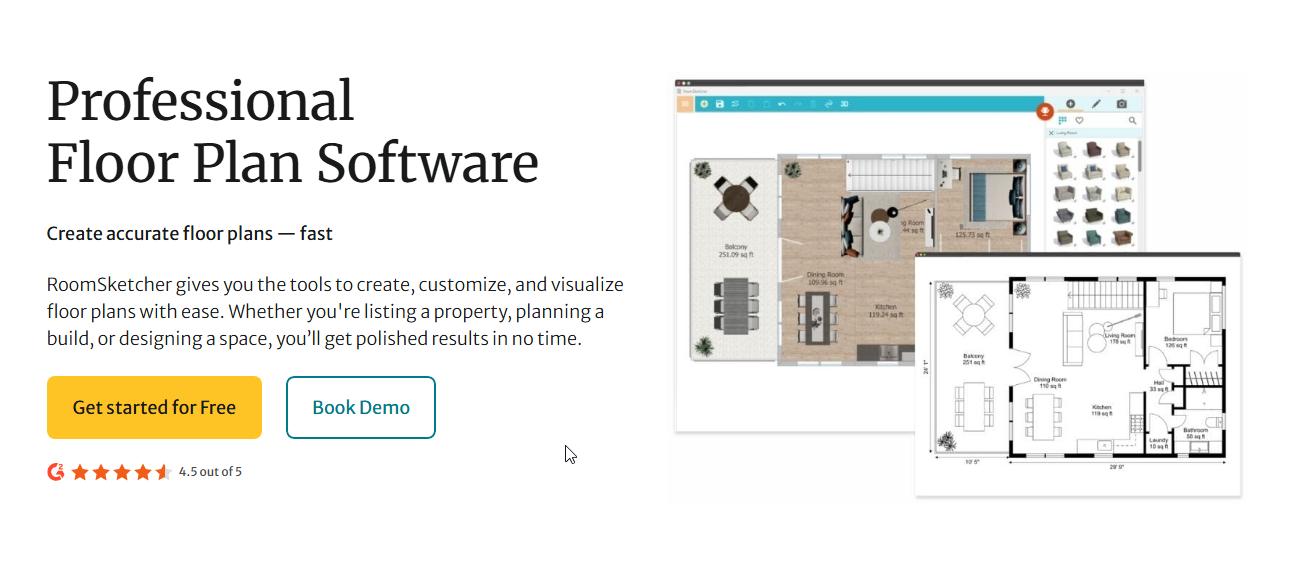
RoomSketcher - Professional Floor Planner and Home Designer

 RoomSketcher

RoomSketcher focuses on delivering high-quality 2D and 3D floor plans, often for real estate pros and interior designers, but homeowners can use it too. It has solid layout tools and decent 3D visuals. That said, its AI for style generation isn't as big a deal as it is in platforms like Paintit.ai.

  • Best for: Real estate agents, professional designers, and homeowners who need to make accurate floor plans and 3D walkthroughs.
  • Key features:
    • Create 2D and 3D floor plans quickly.
    • Generate 3D photos and 360-degree views.
    • Measure and scale rooms precisely.
    • Furniture library for placement.
    • Live 3D Walk feature.
  • Pros:
    • Excellent for accurate floor plans.
    • Good quality 3D renderings and walkthroughs.
    • User-friendly interface.
  • Cons / limitations:
    • Costs more for advanced features and high-quality outputs.
    • Less focused on generative AI for brand-new design ideas.
    • Needs more manual effort for design changes than pure AI visualizers.
  • Pricing: Varies-check the official site.
  • Try-on tip: Export your RoomSketcher 3D floor plan as an image and upload it to Paintit.ai to quickly see different design styles and material palettes at a photorealistic level.
  • If you choose this over others: Pick RoomSketcher if you require super accurate floor plans and professional 3D renderings for real estate listings or client presentations.

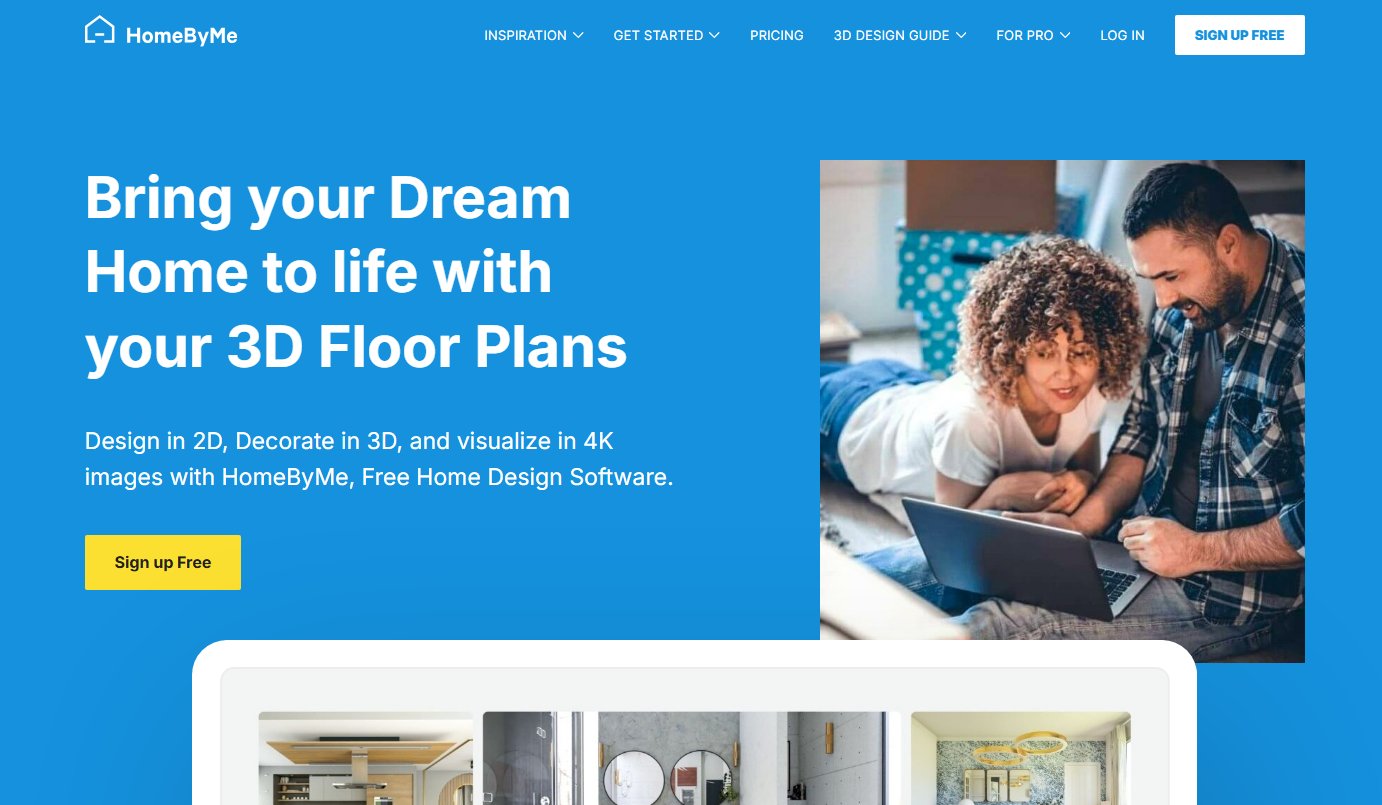
HomeByMe - Free 3D Interior Design Planner

HomeByMe

HomeByMe offers an easy-to-use platform for designing and furnishing homes in 3D. It boasts a large product catalog from various brands, letting you play with real-world furniture. Its AI helps with smart placement and some design suggestions, making it a good starting point for apps like IKEA Kreativ but for all furniture, though it lacks the advanced image-to-image AI of Paintit.ai.

  • Best for: Homeowners who want to design their place using actual brand furniture and see it in 3D.
  • Key features:
    • Create 2D plans and turn them into 3D.
    • Access to a catalog of real-brand products.
    • Generate realistic images and 360-degree views.
    • Community features for inspiration.
  • Pros:
    • Free to use for basic stuff.
    • Includes a wide range of recognizable brand products.
    • Intuitive drag-and-drop interface.
  • Cons / limitations:
    • The best renderings come with a price tag.
    • Can slow down on really big projects.
    • AI mostly helps place objects, not really generate new designs.
  • Pricing: Free for basic, paid for premium features/renders.
  • Try-on tip: Design your layout in HomeByMe, then grab a screenshot of your 3D view. Upload it to Paintit.ai to apply new styles or instantly change wall colors with much higher realism.
  • If you choose this over others: Go with HomeByMe if you want to include real furniture brands in your 3D home design and need a free planning tool.

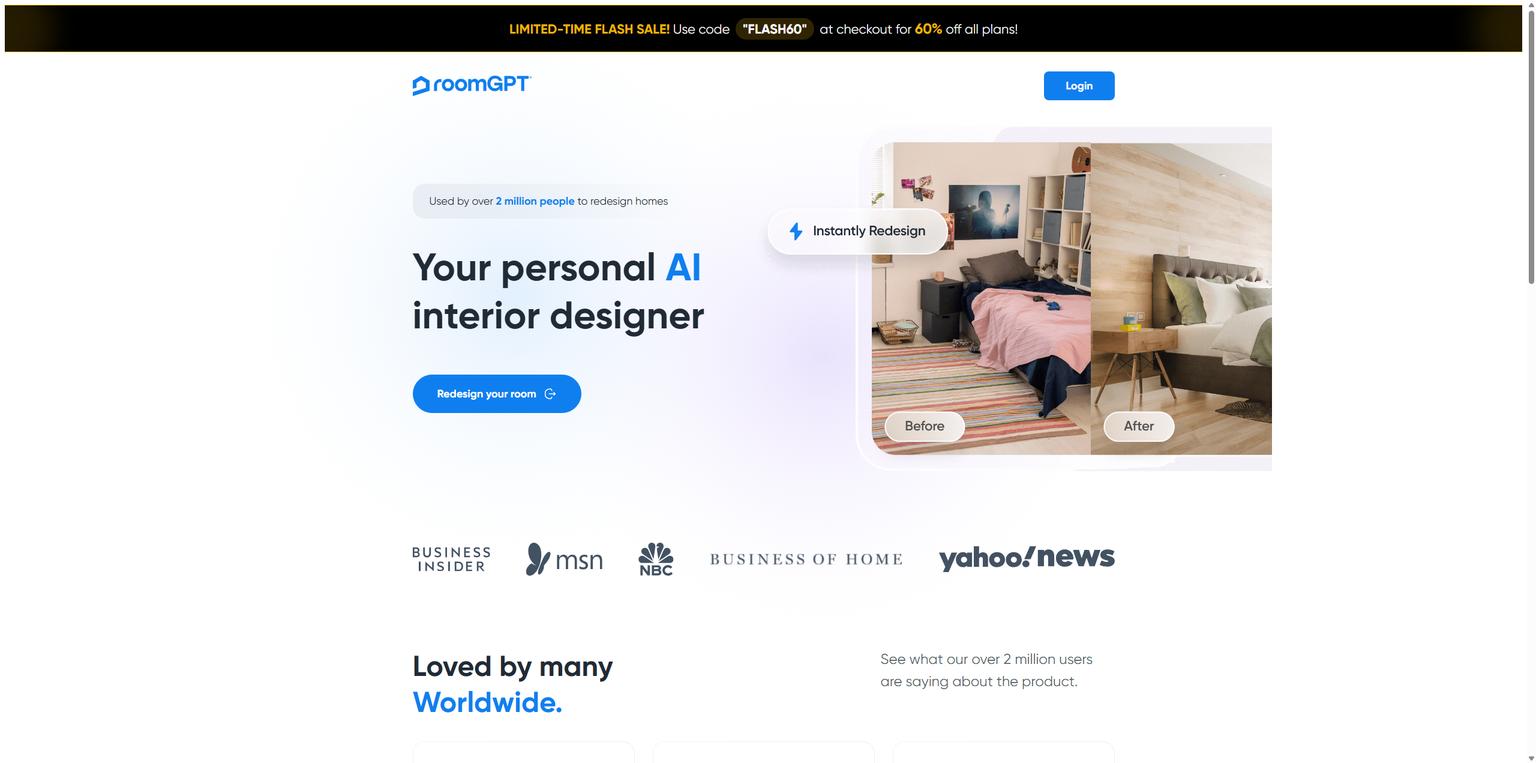
RoomGPT - AI Room Renovation and Design Generator

RoomGPT

RoomGPT is one of the newer IKEA Kreativ competitors that uses AI to whip up room ideas based on your uploaded photos and chosen styles. It's a straightforward alternative for quick visualization, letting you rapidly see different design takes on your existing space without any manual design work.

  • Best for: People who want quick, AI-generated design ideas for their actual rooms.
  • Key features:
    • Upload room photo, pick a style, get an AI-generated design.
    • Focuses on quickly showing different looks.
    • Simple and intuitive interface.
  • Pros:
    • Super fast at generating ideas.
    • No design skills needed.
    • Great for exploring many style options quickly.
  • Cons / limitations:
    • Less control over specific furniture placement or small details.
    • Outputs are AI-generated, so they might need some tweaking.
    • Might not offer the same level of customization as other tools.
  • Pricing: Varies-check the official site.
  • Try-on tip: Use RoomGPT for your initial style brainstorm. Then, take your favorite concepts and refine them with more precise control and photorealistic output on Paintit.ai.
  • If you choose this over others: Choose RoomGPT for a fast, hands-off way to generate diverse design concepts from your existing room photos.

InteriorAI - AI Interior Design Generator

InteriorAI works much like RoomGPT, using AI to instantly re-imagine your space from an uploaded photo. You can choose from various room types and styles, getting quick design mockups. This tool is all about inspiration and broad visualization, not detailed planning. It gives you a good way to compare IKEA Kreativ vs Paintit.ai when it comes to AI-driven visualization.

  • Best for: Homeowners looking for quick AI-generated inspiration and fast visual mockups for various rooms.
  • Key features:
    • AI-powered room redesign from photos.
    • Lots of room types and style options.
    • Generates various design concepts.
    • Focuses on quick, inspiring visuals.
  • Pros:
    • Fast and easy to use for generating ideas.
    • Good for exploring a wide range of styles.
    • Needs very little input from you.
  • Cons / limitations:
    • Less precise control over specific design elements.
    • Outputs might need more editing or refining elsewhere.
    • Not for detailed floor planning.
  • Pricing: Varies-check the official site.
  • Try-on tip: After getting broad ideas from InteriorAI, upload your original room photo to Paintit.ai. You can then apply the most promising styles with better realism and more options for fine-tuning materials and colors.
  • If you choose this over others: Go with InteriorAI if you want to quickly generate a bunch of AI-driven design concepts for different room types, prioritizing speed over granular control.

Modsy - 3D Interior Design Service with AI Assistance

Modsy mixes a human interior design service with AI-powered 3D visualization. You upload photos, get paired with a designer, and receive 3D renderings complete with shoppable product suggestions. While it does use AI, it's more of a guided service than a standalone DIY tool, which sets it apart from other IKEA Kreativ competitors.

  • Best for: Those who want a full-service design experience with expert help and 3D renderings that link to products you can buy.
  • Key features:
    • Personal designer consultation.
    • Custom 3D room renderings with real furniture.
    • Shoppable product recommendations from various retailers.
    • Multiple design revisions.
  • Pros:
    • Professional design guidance.
    • Super realistic 3D visualizations with hand-picked products.
    • Makes shopping much simpler.
  • Cons / limitations:
    • Costs more because it's a service.
    • Takes longer to get results compared to instant AI tools.
    • Not ideal for quick, independent experimenting.
  • Pricing: Varies-check the official site.
  • Try-on tip: Use Paintit.ai for instant visual concepts and quick color tests to narrow down your favorites before you put money into a full design service like Modsy.
  • If you choose this over others: Pick Modsy if you want professional design input and a curated shopping list alongside your 3D visualizations.

Detailed Feature Comparison (Buyer-Centric)

Feature / Tool Paintit.ai Planner 5D RoomSketcher HomeByMe RoomGPT InteriorAI Modsy
Input Method Photo Upload / Text 2D/3D Editor 2D/3D Editor 2D/3D Editor Photo Upload Photo Upload Photos + Consultation
Output Realism Photorealistic Good 3D renders High-res 3D photos Good 3D renders AI Concept Renders AI Concept Renders Photorealistic (pro)
Generative AI Design Yes (styles/concepts) Limited (suggestions) Limited Limited Yes Yes Yes (designer-driven)
Product Catalog No (generic items) Extensive Extensive Real Brands No No Real Brands (curated)
Floor Planning Limited Extensive Extensive Good No No Limited (designer)
Style Exploration Broad & Flexible Catalog-dependent Layout-focused Catalog-dependent Fast & Diverse Fast & Diverse Guided & Curated
Cost (Typical) Subscription Freemium / Sub Subscription Freemium / Sub Subscription Subscription Service Package
Ease of Use Very High Medium Medium High Very High Very High Medium (guided)
Target User Homeowners, Renters DIY, Professionals Professionals, DIY Homeowners Homeowners Homeowners Homeowners (full-service)

{IMAGE:idea1}

Professional Tools for Advanced Users

While AI interior design apps for homeowners are incredibly powerful for just seeing how things might look and for brainstorming ideas, professionals like architects, interior designers, and contractors often need much more robust tools. They need software for super detailed technical drawings, exact material specs, and managing entire projects. Programs like AutoCAD, Revit, SketchUp, and 3ds Max are still the industry go-tos because of their accuracy, massive feature sets, and ability to crank out construction-ready documents. AI tools can definitely help these pros by quickly generating ideas and client-facing visuals. But the core technical work? That usually stays with specialized CAD and BIM software.

Strategic Recommendations (Decision Framework)

  • If you are replacing IKEA Kreativ for broader style options, choose Paintit.ai to visualize virtually any aesthetic on your actual photos.
  • If you need a quick visual overhaul of your room without manual design work, choose RoomGPT or InteriorAI for fast AI-generated concepts.
  • If precise 2D and 3D floor plans are your priority, opt for Planner 5D or RoomSketcher.
  • If you want to visualize real furniture brands in your designs, HomeByMe offers a strong catalog.
  • If you're looking for the best IKEA Kreativ alternative 2026 for photorealistic style exploration, Paintit.ai offers unmatched ease and realism.
  • If you prefer a guided design process with professional recommendations, consider a service like Modsy.
  • If you want apps like IKEA Kreativ but for all furniture, not just IKEA's, HomeByMe is a solid freemium option, while Paintit.ai offers broader visualization without product catalog limits.

The Ultimate Hybrid Workflow (Step-by-Step)

To really get the most out of today's design tools, think about combining them. This hybrid workflow uses the best parts of different platforms:

  1. Ideation & Initial Visualization with AI: Start by uploading photos of your actual space to Paintit.ai. Let the AI quickly come up with diverse design concepts, try out different styles, and experiment with bold color palettes or material changes. This first step is all about exploring broadly and seeing what really catches your eye. For example, explore different design ideas for your AI Kitchen Design before committing to a layout.
  2. Layout & Space Planning with 3D Planners: Once you have a clear style direction from Paintit.ai, switch over to a 2D/3D planner like Planner 5D or RoomSketcher. There, you can refine your furniture layout, double-check dimensions, and make sure everything fits just right within your room's limits.
  3. Material & Product Selection: With your layout locked in, now you can go find specific furniture and decor. Tools like HomeByMe can be useful if you're looking at actual brand products, or you can just use your Paintit.ai visuals as a guide for online shopping.
  4. Final Review & Refinement: Before you buy anything, bring your chosen furniture and material ideas back to Paintit.ai. Upload a new photo or a rendered image. You can then fine-tune wall colors, check how lighting works, and confirm your design looks cohesive and stunning with one last, photorealistic preview.

Managing Expectations (Current AI Limitations)

AI has changed how we visualize interior design, no doubt. But it's important to be realistic about what it can and can't do right now. Even the most advanced IKEA Kreativ alternatives are mostly creative helpers, not replacements for human expertise.

  • Real-world Physics: AI can make things look real, but it might not perfectly account for tricky structural issues, plumbing, electrical setups, or very specific building codes.
  • Exact Product Matching: Some tools do include product catalogs. However, AI-generated designs often use generic versions of items. The exact furniture piece or material you see might not actually exist, or it might not look precisely the same in real life. Always double-check products and materials before buying.
  • Fine Details & Customization: Super specific custom carpentry, unique art installations, or intricate, one-off elements still usually need a human designer's touch and manual modeling. AI is great for big ideas and popular styles, but deep personalization can be a challenge.
  • Emotional & Sensory Experience: AI can create amazing visuals, but it can't fully capture what a space feels like. It can't tell you how soft a fabric is, how light truly shifts throughout the day, or what a room sounds like. For those things, you still need to be there in person and use your own judgment.

FAQ

Q: What makes AI design tools like Paintit.ai different from IKEA Kreativ?

A: IKEA Kreativ mainly works with IKEA's product catalog and has simpler visuals. AI tools like Paintit.ai offer more advanced stuff: photorealistic rendering from your photos, a wider range of style exploration beyond specific retailers, and generative design capabilities for truly unique ideas.

Q: Can I use Paintit.ai to visualize furniture I don't plan to buy from IKEA?

A: Absolutely. Paintit.ai is built to visualize any style and look. You can upload photos of your current space or the type of room you want and play with all sorts of furniture styles, colors, and materials. You're not stuck with specific brand catalogs. This makes it an ideal choice for apps like IKEA Kreativ but for all furniture.

Q: How realistic are the AI renderings from Paintit.ai?

A: Paintit.ai aims for photorealistic renderings. It does this by accurately simulating light, textures, and materials based on your uploaded photos and what you tell it. This gives you a very accurate peek at what your design could actually look like.

Q: Is AI interior design software suitable for renters?

A: Definitely. AI tools are perfect for renters because you can visualize changes without actually making any physical alterations. Test paint colors, furniture layouts, and decor styles to see how they'd look in your space before you commit to any purchases or changes.

Q: What kind of photos work best for AI interior design tools?

A: Clear, well-lit photos of your room work best. Ideally, take them during the day with natural light. Make sure the photo captures the whole space or at least the entire area you want to redesign. Try to avoid blurry pictures or very dark conditions for the best results.

Q: Are there any free AI room planner reviews I can trust?

A: Yes, many respected tech and design blogs review AI room planners. They often highlight the good, the bad, and how accurate they are. Look for reviews that show side-by-side comparisons of the original input photos and the AI-generated outputs.

Conclusion

The rise of AI design tools is a huge leap forward from basic configurators like IKEA Kreativ. For homeowners and designers alike, these advanced IKEA Kreativ alternatives bring incredible flexibility, realism, and creative power. Whether you're just exploring different styles, seeing how materials would look, or simply want a quick visual on a room redesign, AI tools simplify the whole process and help you avoid expensive slip-ups. By using platforms like Paintit.ai, you can change your design journey from guessing to confidently visualizing. It helps bring your dream spaces to life with just a few clicks. So go ahead, embrace the future of design and see what's possible beyond the limits of old-school planning tools.

Trending 

AI technologies
8 min read

The Best AI Rendering Architecture Tools in 2026: From Sketches to Photorealism

Alternatives
9 min read

Looking for IKEA Kreativ Alternatives? Top AI Tools for Beyond-IKEA Design

AI technologies
4 min read

Eliminating Technical Errors: How Agentic AI Matches Lighting Specs with Interior Design Requirements

Alternatives
8 min read

Best RoomSketcher Alternatives & Competitors in 2026: Full Review

Paintit.ai Guides
6 min read

Paintit.ai Guides

Related articles 

How Much Does 3D Rendering Cost? The Real Story Behind Pricing in the AI Era
AI technologies
22 april 2026

6 min read

How Much Does 3D Rendering Cost? The Real Story Behind Pricing in the AI Era

Discover the real story behind 3D rendering costs in 2026. Compare traditional pricing vs. AI-powered efficiency for architecture and real estate

avatar-blog

Yulii Cherevko

CEO paintit.ai

The Best AI Rendering Architecture Tools in 2026: From Sketches to Photorealism
AI technologies
21 april 2026

8 min read

The Best AI Rendering Architecture Tools in 2026: From Sketches to Photorealism

Compare the best AI rendering architecture tools in 2026 — Paintit.ai, Midjourney, Veras, Enscape, Lumion, V-Ray. Find the right tool for every workflow stage.

avatar-blog

Yulii Cherevko

CEO paintit.ai

Looking for IKEA Kreativ Alternatives? Top AI Tools for Beyond-IKEA Design
Alternatives
20 april 2026

9 min read

Looking for IKEA Kreativ Alternatives? Top AI Tools for Beyond-IKEA Design

Compare the best IKEA Kreativ alternatives in 2026. Explore AI tools for photorealistic room visualization, floor planning, and style exploration

avatar-blog

Yulii Cherevko

CEO paintit.ai

Eliminating Technical Errors: How Agentic AI Matches Lighting Specs with Interior Design Requirements
AI technologies
20 april 2026

4 min read

Eliminating Technical Errors: How Agentic AI Matches Lighting Specs with Interior Design Requirements

See how Agentic AI matches lumen output, color temperature, and CRI to design intent — eliminating lighting errors before installation begins.

avatar-blog

Yulii Cherevko

CEO paintit.ai

Best RoomSketcher Alternatives & Competitors in 2026: Full Review
Alternatives
16 april 2026

8 min read

Best RoomSketcher Alternatives & Competitors in 2026: Full Review

Looking for RoomSketcher alternatives in 2026? Compare top tools like Paintit.ai, Planner 5D, and SketchUp for 2D/3D floor planning and AI visualization.

avatar-blog

Yulii Cherevko

CEO paintit.ai

Paintit.ai Guides
Paintit.ai Guides
15 april 2026

6 min read

Paintit.ai Guides

Explore Paintit.ai guides for prompts, workflows, room redesigns, real estate staging, rentals, commercial spaces, realism, renovation planning, and more

avatar-blog

Yulii Cherevko

CEO paintit.ai