6 min. reading

Yulii Cherevko
CEO paintit.ai

AI in real estate development is most useful when it helps a team compare options, surface missing information, or produce a clearer visual for a decision that a qualified person still owns. It can speed up early site screening, feasibility work, design iteration, construction coordination, and pre-sales marketing. It should not be treated as a substitute for planning advice, code review, valuation, legal due diligence, or a final investment decision.
Key takeaways
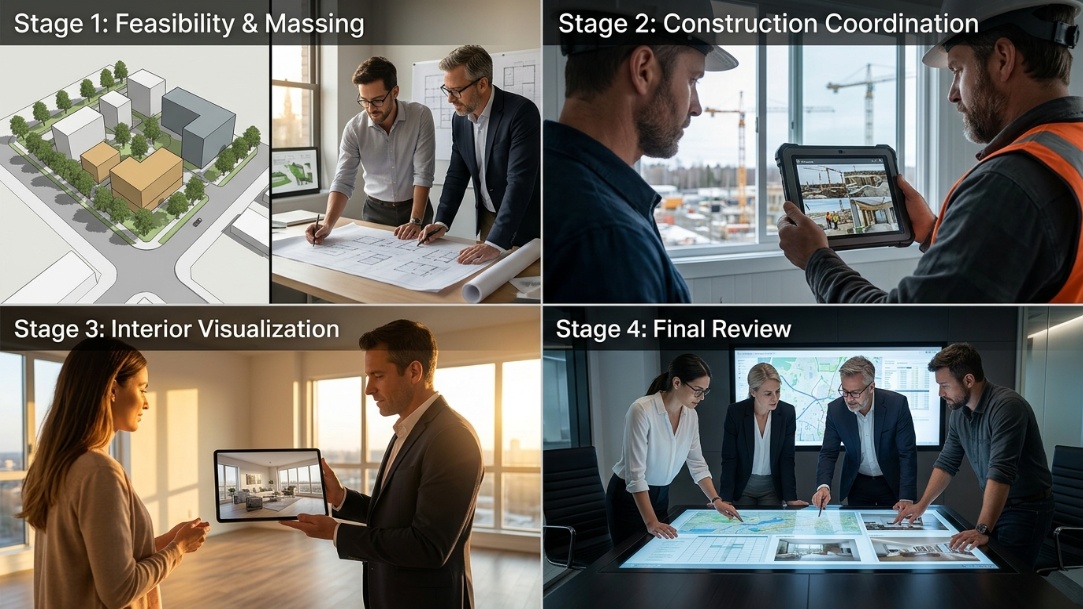
For a developer, AI is not one product and it is not automatically an autonomous agent. It can be a model that summarizes planning documents, a system that spots a pattern in site or schedule data, a generative tool that creates layout options, or a visual tool that helps a buyer understand a proposed apartment. The useful question is: which decision is slow, repetitive, and based on information your team can check?
AI can support more than one stage of a development project, from early site research through construction coordination and buyer communication. Paintit.ai fits at the visualization stage, where a development or sales team needs to make an approved space, layout, or design direction easier to understand.
A development team can use AI to organize candidate parcels against a repeatable set of criteria: location, existing use, size, surrounding supply, access, planning constraints, and the assumptions in the investment brief. The output should be a ranked research queue, not a recommendation to buy. An acquisitions lead still checks title, planning sources, utilities, contamination, market assumptions, and anything that could change the deal.
AI can turn a long project brief, an early floor plan, and a cost schedule into a structured list of assumptions and open questions. This is useful when the same issues keep disappearing between the architect, cost consultant, sales team, and lender materials. Ask the system to flag missing values and conflicting assumptions rather than asking it to produce a definitive residual land value.
Generative and rule-based tools can help a team explore more layout, daylight, parking, circulation, or unit-mix options before the design team narrows the field. The team should record the constraints that were used, keep the source drawings, and have the architect confirm that an option is buildable and appropriate for the jurisdiction. A polished render is not evidence that a scheme can be permitted.
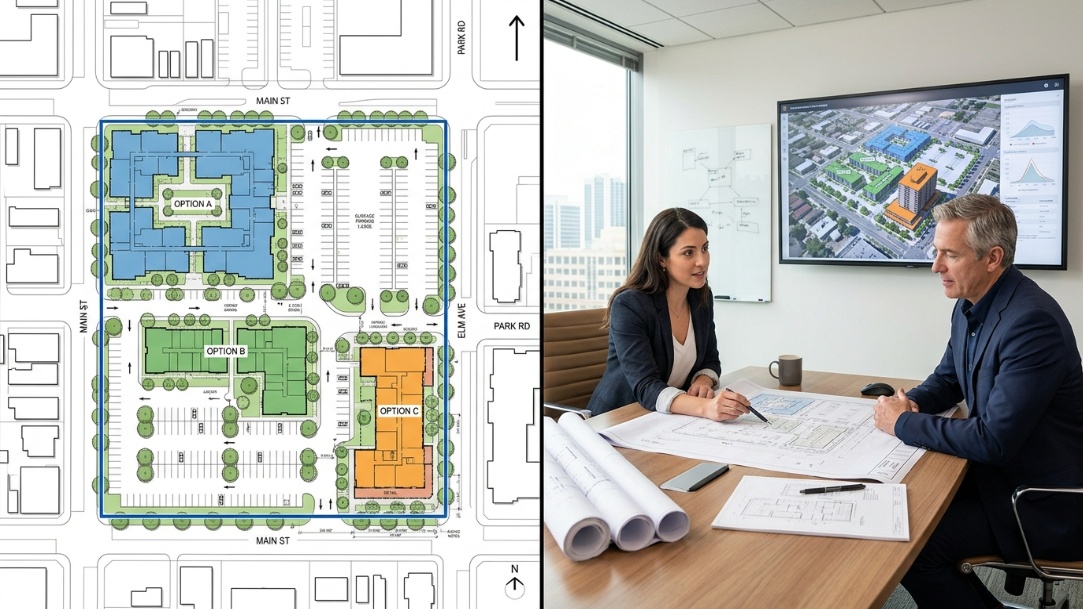
On a live project, AI can summarize meeting notes, group repeated RFI themes, compare photo logs with a schedule, or help a team find a decision buried in a document set. The value is administrative clarity. It does not remove the need for the contractor, superintendent, engineer, or owner representative to verify site conditions and approve changes.
Many development decisions are hard to explain with an empty room, a plan, or a technical render alone. AI-powered property visualization for real estate can help a sales team show several credible furnishing or finish directions while the structure, dimensions, and fixed features remain clear.
A development team can use approved visual concepts to test whether a buyer understands the intended use of a room, the storage strategy, or the difference between two finish packages. Treat the result as a communication test, not as market proof. Sales copy, material specifications, inclusions, and images still need to match the actual offer.
The best AI workflow often looks ordinary: named inputs, a saved prompt or template, an output, a reviewer, and a documented decision. That trail matters when the team revisits an assumption months later or needs to explain why a concept, cost item, or buyer visual changed.
These examples are illustrative workflows, not case studies or promises of a specific result. Their purpose is to show where AI can save research and communication time without being allowed to make a high-stakes decision alone.
| Development stage | Example AI task | Input needed | Human sign-off |
|---|---|---|---|
| Acquisition | Sort 40 candidate sites into a research queue against a stated buy box. | Parcel data, location criteria, target uses, project assumptions. | Acquisitions lead and relevant due-diligence specialists. |
| Feasibility | Extract assumptions and unresolved questions from an early development brief. | Brief, draft plans, cost assumptions, market notes. | Development manager, architect, quantity surveyor, finance lead. |
| Design | Generate three room-layout directions for a defined buyer profile. | Floor plan, room dimensions, intended price point, brand rules. | Architect or interior designer and the sales lead. |
| Construction | Summarize recurring issues from site reports and meeting notes. | Approved documents, dated reports, role-based access. | Project manager and the accountable technical lead. |
| Pre-sales | Create a furnished visualization of an empty show unit or future apartment. | Approved photo or render, design direction, fixed-feature constraints. | Marketing lead and the person accountable for listing accuracy. |
Paintit.ai is most relevant after a team has a space, a visual brief, and a need to communicate the result quickly. It can help a developer, broker, or sales team turn an empty room, plan, or approved visual into a clearer buyer-facing concept. It does not replace project feasibility, technical design, planning advice, or procurement controls.
For an unoccupied apartment or an existing listing, AI virtual staging for real estate listings can be used to show a practical furnishing direction. Keep the walls, windows, floor, perspective, and permanent fittings true to the source image. Label the result where required and retain the original image alongside the visualized version.
Do not begin with a company-wide AI rollout. Pick one workflow that has enough repetition to measure and enough human review to keep the risk low. A good first pilot is often one type of feasibility brief, one recurring site-report summary, or one buyer-visualization workflow for a single project.
Write down the workflow in one sentence: "We need to produce a first buyer-ready interior direction for each approved unit type." Name the person who reviews outputs and the person who decides whether the pilot is successful. Define what must never be altered or inferred.
Use approved plans, current photos, versioned briefs, and known constraints. Remove personal data and do not upload confidential project material to a tool unless the contract, access controls, and data policy allow it. Bad inputs create confident-looking bad outputs.
Run the new workflow beside the existing process on the same small set of tasks. Compare time to first usable output, number of reviewer corrections, and whether the final deliverable is actually easier for the intended user to understand. Avoid measuring success by the number of images or prompts generated.
Keep the workflow only if it creates a useful result with a review burden the team accepts. Turn the working prompt, checklist, source-file requirements, and reviewer role into a simple operating procedure. If the output needs so much correction that it adds work, stop and choose a narrower task.
Do not allow an AI output to approve a building code interpretation, planning position, accessibility requirement, valuation, legal contract, structural decision, safety decision, or fair-housing-sensitive marketing claim. Treat those outputs as prompts for a qualified person to investigate. The NIST AI Risk Management Framework is a useful starting point for assigning ownership, documenting risk, and defining human oversight around AI systems.
For buyer-facing images, the same principle applies. A generated interior can clarify potential, but it must not hide a defect, alter the room's size, invent a view, or imply that furniture, upgrades, or finishes are included when they are not.
AI can support site research, feasibility summaries, option generation, document review, construction coordination, and property visualization. The strongest use cases have a narrow task, reliable source material, a named reviewer, and a clear decision that remains with a person.
Examples include sorting candidate sites against a buy box, extracting open questions from a feasibility brief, comparing layout directions, summarizing repeated construction issues, and creating a buyer-ready visualization from an approved room photo or plan. Each example needs a qualified person to verify the facts and approve the output.
It can make a first review faster by organizing assumptions, comparing scenarios, and flagging missing information. It cannot confirm planning rights, construction cost, demand, finance, or legal risk on its own. Use it to prepare the work of the development team, not to replace that team.
Yes, AI can help create visual concepts for empty rooms, approved plans, or future units. Marketing teams should check that every image reflects the actual architecture and the offer, then add an appropriate virtual-staging or illustrative label when needed.
AI in real estate development works best when it reduces a specific type of uncertainty: which sites deserve deeper research, which assumptions need an answer, which option suits the brief, or how a buyer can understand a space. Start there. Keep the evidence, preserve human ownership of high-stakes decisions, and scale only the workflows that make the project easier to run.