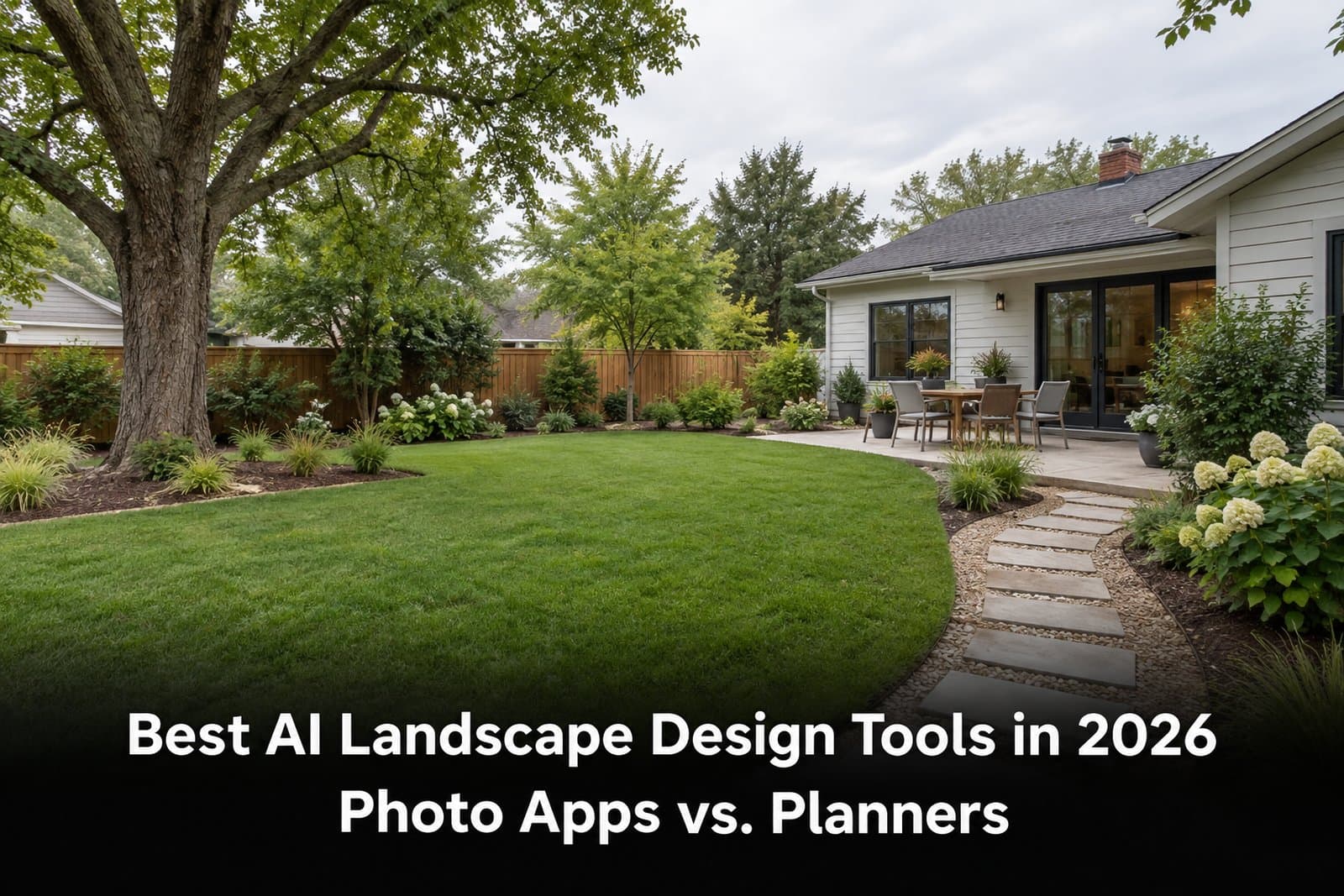
The best AI landscape design tool depends on what you need to decide next. A photo visualizer can show how a planting bed or patio might look in your own yard. An AR app helps place individual objects. A 2D/3D planner lets you edit a layout with dimensions. None of those outputs is a substitute for checking drainage, plant suitability, or construction details on site.
This comparison focuses on four tools with distinct workflows: Paintit.ai and Neighborbrite for photo-based concepts, iScape for manual placement and AR, and Planner 5D for editable plans. The examples below describe published product capabilities, not a hands-on performance test or a claim that one service wins every project.
Key Takeaways
- Start with a yard photo when the question is visual: "Could a different path, planting style, or patio layout work here?"
- Choose an editable planner when you need to move elements deliberately and compare approximate dimensions.
- iScape's 2D/3D features are listed for iOS; check your device before paying for an AR-led workflow.
- Free access is not the same across products. Check generation credits, object libraries, exports, and device support before choosing a plan.
- Use the image as a brief, then verify plants, grading, access, and permits with local professionals where needed.
AI Landscape Design Tools Compared
| Tool | Best Starting Point | Main Output | Free Starting Point | Main Limitation |
|---|---|---|---|---|
| Paintit.ai | Your yard photo | Visual redesign concepts | Free plan with 30 credits | No measured planting or construction plan |
| Neighborbrite | Your yard photo | Style-led yard concepts | Free basic design; advanced edits are paid | Precise element control needs an upgrade |
| iScape | Photo or supported AR view | Manually placed plants and hardscape | Limited free trial | 2D/3D design is listed for iOS only |
| Planner 5D | A drawn layout, sketch, or plan | Editable 2D/3D outdoor layout | Free plan with a limited catalog | More setup than a photo generator |
These are different kinds of tools, not four versions of the same app. The table compares what a homeowner can make with each one. It does not score image quality, speed, or plant accuracy, which would require the same documented test across all four products.
Paintit.ai: Explore a New Look From a Yard Photo
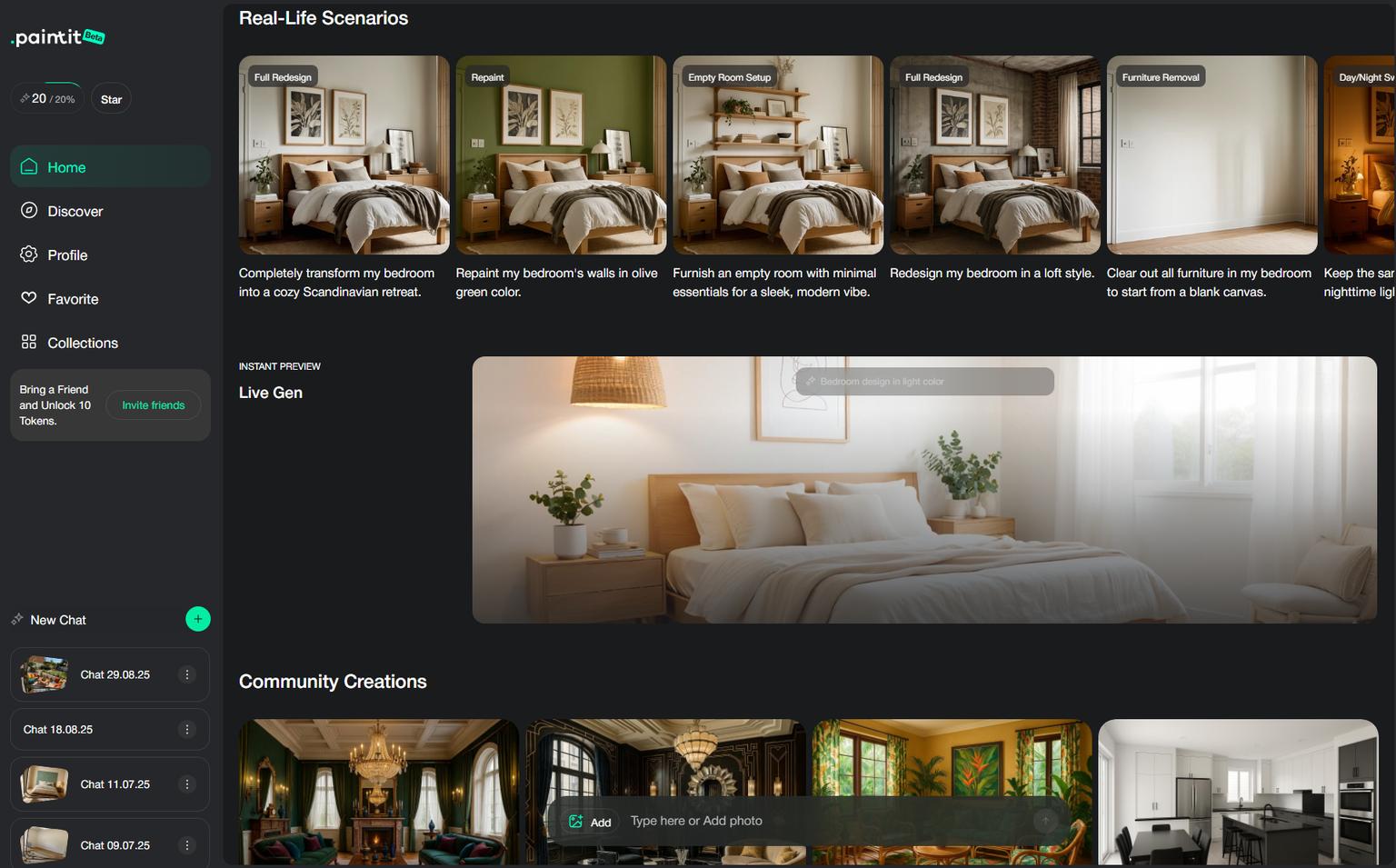
Paintit.ai is useful for testing an outdoor design direction without drawing the site first. Upload a clear photo, describe one change at a time, and compare versions of the same yard. For example, keep the house and existing tree while trying a smaller lawn, a wider path, or a planted patio edge. You can also explore the house exterior in the same product, which helps when the landscape and facade need to look coherent.
The current Free plan includes 30 credits. The cost of a particular generation depends on the chosen model and settings, so 30 credits is not a reliable promise of a fixed number of finished images. Check the displayed credit cost before generating. Paintit produces visual concepts, not planting schedules, surveyed dimensions, or drainage solutions.
For a first pass on your own property, try testing yard layouts from a photo. Keep your source image and note which existing features the concept must preserve.
Neighborbrite: Compare Photo-Based Garden Styles
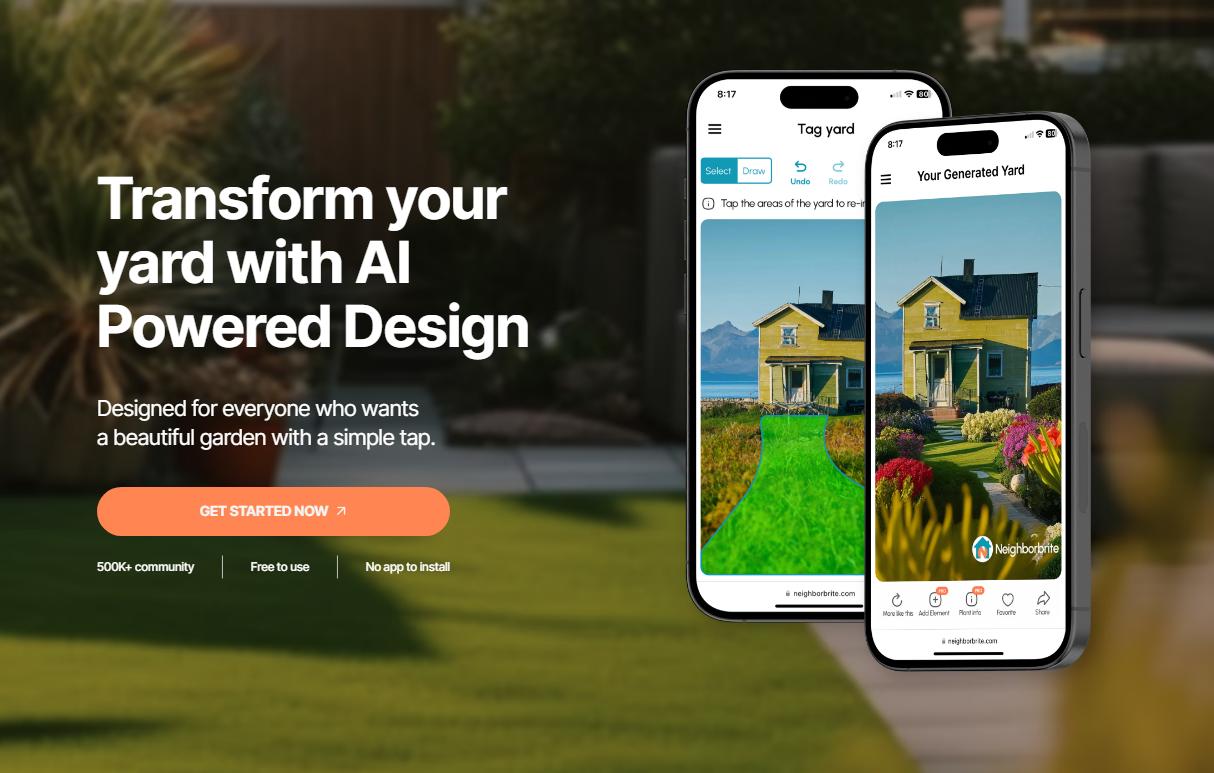
Neighborbrite also begins with a yard photo. Its basic flow is to upload the image, choose a garden style, and generate a new look. That makes it a sensible choice when you have not settled on a direction yet and want to see several broad possibilities before specifying individual plants or materials.
The vendor describes basic use as free, while more precise edits such as adding or erasing elements are assigned to paid tiers. It also offers professional design packages for users who want to take a visual concept toward a plan. Do not assume a generated planting is suitable for your climate just because it looks plausible in the picture.
iScape: Place Elements Yourself and Use AR on iOS
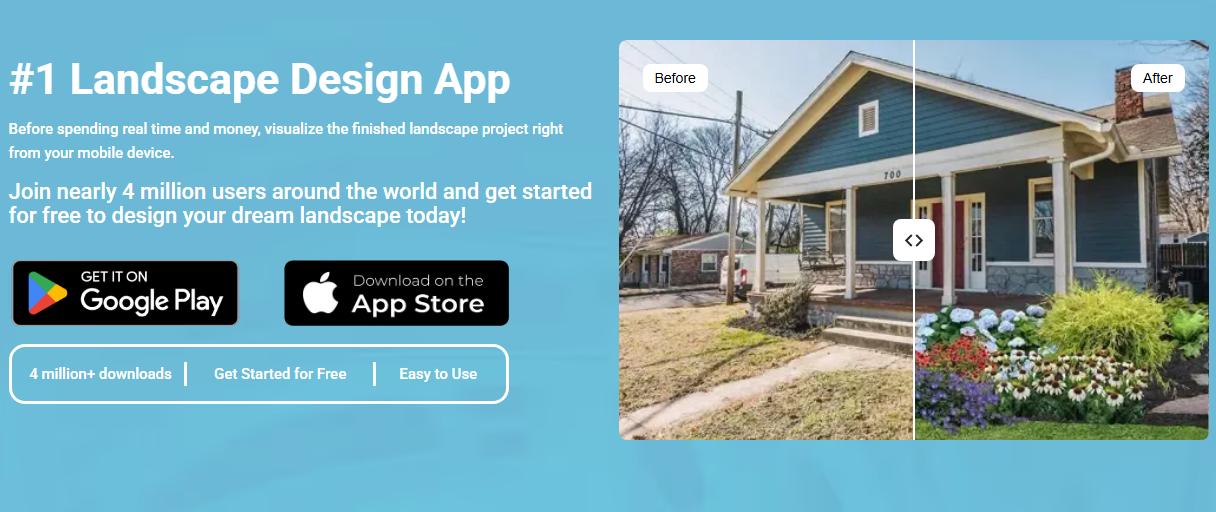
iScape is a different workflow. Instead of asking for a whole-yard makeover, you place plants, paving, or other outdoor objects over a site image. Its published pricing page lists 2D and 3D design for iOS, while the app is also available on Android. If live AR placement is the reason you are considering it, check that the feature works on your device and in the plan you intend to use.
The free tier has limited access to the object database. The listed Pro price is $29.99 per month or $299.99 per year in USD at the time of this review; promotions and taxes may change the checkout total. iScape's FAQ also mentions an AI landscaping feature in beta, so the established comparison here is its manual and AR workflow, not an assumed widely available AI generator.
Planner 5D: Build an Editable Outdoor Layout
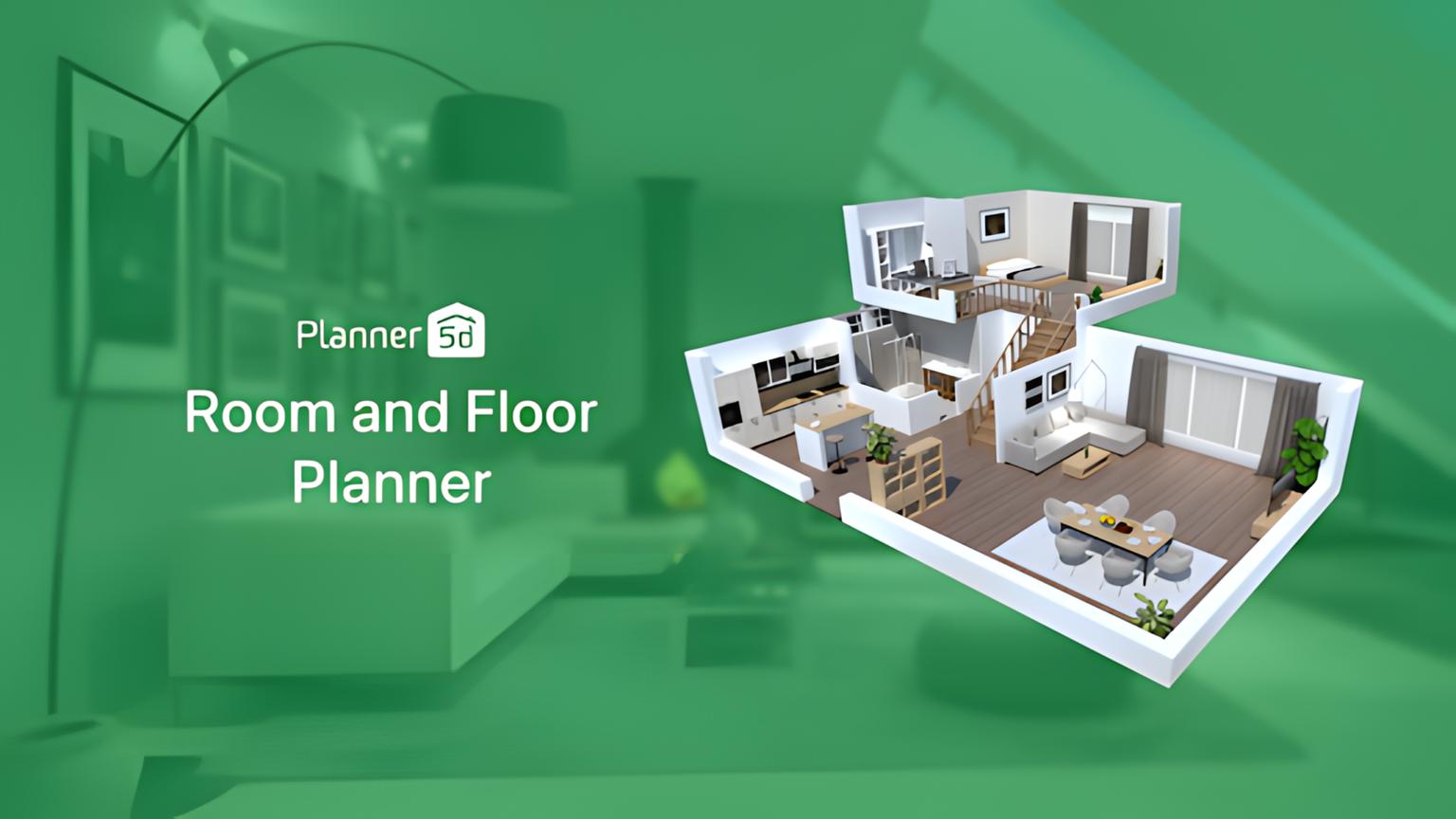
Planner 5D makes more sense when the layout matters more than a fast makeover image. Draw the site, add paths, seating, fences, and planting zones, then inspect the arrangement in 2D or 3D. The result is editable, so you can move a patio or narrow a bed without regenerating an entire photograph.
Its Free plan supports basic projects with a limited catalog. The vendor lists Premium at $19.99 with monthly billing or $59.99 billed annually in the US; some AI features and renders use separate allowances. The extra setup is worthwhile if you need to compare spatial arrangements, but a model is only as accurate as the dimensions and site conditions you enter.
Which Landscape Design Workflow Do You Need?
A photo-to-photo generator is useful when you have an existing yard and want to compare looks quickly. Keep the same source photo for every option so changes to the house, fence, and driveway are easy to spot. Treat a newly invented retaining wall, relocated tree, or wider lot as a bad concept, even when the image is attractive.
An object-placement app works differently: you choose a plant, path, or feature and position it over a photo or through an AR view. That takes more work but gives you more control over what changes. A 2D/3D planner starts with a drawn space and is better for testing the relationship between a patio, circulation, and planting zones. A measured drawing still needs real site dimensions and professional review before construction.
Free vs. Paid: Check the Limit That Affects Your Project
Free plans are useful for a first decision, but their limits differ. Paintit meters generations in credits; Neighborbrite reserves more controlled editing for paid tiers; iScape limits its free object access; Planner 5D limits its free catalog and places some AI or rendering features behind paid allowances. Published prices and entitlements can change, so check the current checkout terms before buying.
For a one-time front-yard refresh, ask whether you can export a usable visual before spending anything. For a client-facing project, check commercial use, output quality, revision control, and whether the final deliverable needs to be a concept image or an editable plan. The cheapest tool is not necessarily cheaper if it cannot produce the format you need.
Use the Same Yard Photo to Compare Results Fairly
- Photograph the yard in even daylight from the place where you usually see it. Include the house, path, fence, and any tree that must stay.
- Write a short brief with constraints: "Keep the driveway and maple; replace the narrow lawn strip with a wider planting bed; leave a clear route to the gate."
- Use that same photograph and brief for each photo-based tool. Save the source and the outputs side by side.
- Reject designs that move fixed features, create unsafe steps, block access, or imply that a sloping site is flat.
- Take the strongest visual direction into an editable plan or a conversation with a local landscape professional.
This is a repeatable comparison method for your own yard, not a claim that we ran and scored these products in a controlled test. It also makes an important distinction visible: a compelling image can be a useful brief even when it is not a buildable design.
What AI Garden Images Cannot Verify
A realistic render cannot tell whether a plant will survive your winter, whether a downspout will flood a bed, or whether a tree has room to mature. It may also obscure a gas line, invent a level patio on a slope, or shrink the space a person needs to walk through. Those are site questions, not image-quality questions.
The EPA WaterSense landscaping guidance recommends matching plants to local conditions and thinking about water use and irrigation together. Use local extension or nursery advice for species selection, and ask a qualified professional about grading, retaining structures, utilities, and permits.
For a climate-specific example of turning inspiration into an actual layout, see our desert front-yard planning ideas. The plant choices there still need to be checked against the particular site.
Frequently Asked Questions
What Is the Best AI Landscape Design App for a Yard Photo?
Start with a photo-based visualizer such as Paintit.ai or Neighborbrite if you want to compare how an existing yard could look. Pick an object-placement app if you already know which plants or features you want to position. A 2D/3D planner is a better next step when layout control matters more than quick visual inspiration.
Is There Free AI Landscape Design Software?
Yes, but "free" covers different limits. Paintit has a 30-credit Free plan, Neighborbrite offers free basic photo designs, iScape has a limited free tier, and Planner 5D lets you start a project with a restricted catalog. Check the current terms for exports, credits, object access, and device support rather than relying on a free label alone.
Can I Use an AI Landscape Design Software Image as a Contractor Plan?
No. A photo concept can communicate the look you prefer, but it does not establish property boundaries, drainage, utilities, material quantities, or local code compliance. Even an editable 2D/3D layout should be checked against site measurements before anyone prices or builds from it.
Should I Use a Photo App or a 2D/3D Planner First?
Use a photo app first if the design direction is unsettled. Once you know whether you want a larger patio, a different path, or a smaller lawn, move to a planner for deliberate placement and approximate dimensions. If you already have a surveyed site plan and a defined scope, start with the planner.