6 min. reading

Yulii Cherevko
CEO paintit.ai
Key takeaways
AI landscape design tools have moved fast. What required a professional designer and a substantial consultation fee just a few years ago is now accessible to any homeowner with a photo of their yard. The term "AI" gets applied to four genuinely different types of software — photo visualizers, AR platforms, AI-assisted planning tools, and professional CAD programs — and picking the wrong category wastes time. We tested all four across a range of projects to give you a clear breakdown of what each one actually does, what it costs, and where it stops being useful.
Three tools in this guide offer genuinely useful free tiers — not demos, but enough to get real work done without paying anything.
If your goal is to see your actual yard redesigned from a photo, Paintit.ai and Neighborbrite are the fastest free entry points. If you need to plan dimensions and spatial relationships, Planner 5D's free 2D environment is more useful. Full pricing for all tools — including what each paid tier actually adds — is in the individual sections below.
The word "AI" gets used for four different technologies in the landscape design market. Understanding which category a tool belongs to tells you immediately whether it fits your project stage.
These tools generate entirely new design concepts from a single photo. You upload your yard, choose a style — Modern, English Garden, Tropical — and the AI produces photorealistic renderings of possible transformations in under a minute. The core value is inspiration. It answers "what could this space actually look like?" faster than any other method.
Rather than generating a full visual concept, these tools use AI to recommend layouts, suggest furniture placement, or identify optimal plant positions within a 2D or 3D environment you're building manually. The output is efficiency — fewer decisions in the early layout stage, more time refining the specifics.
At the professional level, AI automates the repetitive documentation work inside CAD and BIM software: plant schedules, quantity take-offs, drawing annotation. This category isn't relevant to homeowners — it's for landscape architects running large project volumes where the time savings compound across dozens of projects.
General-purpose tools like Midjourney and DALL-E 3 generate visually striking images from text prompts. They carry no site-specific data. The output is useful for mood boards and early client conversations, not for anything that needs to translate into an actual plan.
| Category | Primary use case | Input method | Key strengths | Key limitations | Example tools | Primary user |
|---|---|---|---|---|---|---|
| AI instant visualizers | Rapid inspiration & ideation | Photo upload | Extremely easy to use, fast results, overcomes designer's block | Low user control, potential for unrealistic outputs | Paintit.ai, Neighborbrite, RescapeAI, Ideal.House | Homeowners, DIY beginners |
| Integrated design platforms | Detailed planning & visualization | Manual 2D/3D drawing, AR | Balance of control & AI assistance, AR visualization | Steeper learning curve, subscription required | Planner 5D, iScape | DIY enthusiasts, prosumers |
| Professional CAD & 3D suites | Construction-ready documents | Precision 2D/3D drafting | Unmatched precision, data integration (BIM) | High cost, steep learning curve | SketchUp, Vectorworks, AutoCAD | Landscape architects |
| Pure generative AI | Conceptual mood boarding | Text prompt | Limitless creative freedom | Not site-specific, no technical data | Midjourney, DALL-E 3 | Designers, content creators |
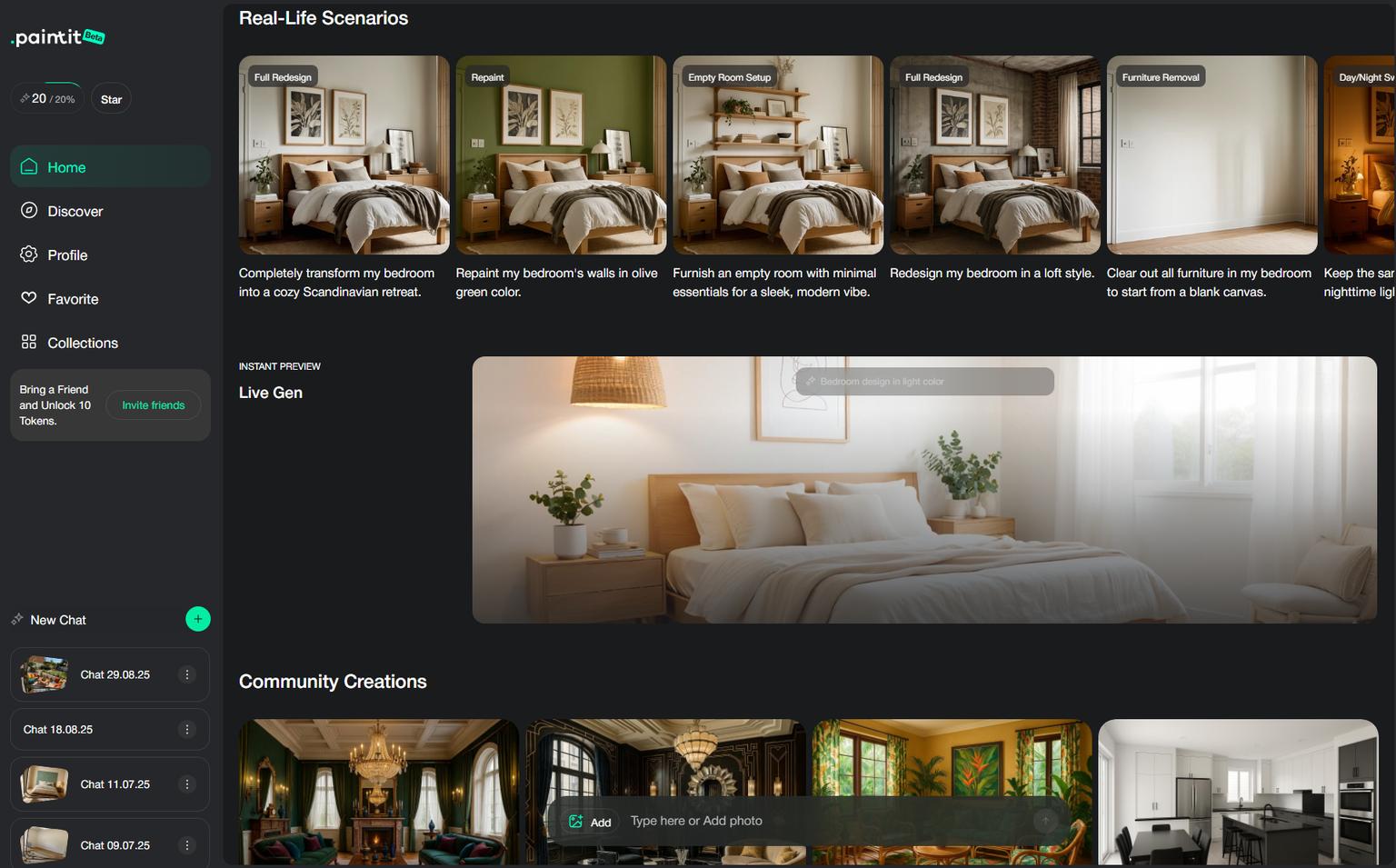
Paintit.ai competes in the instant visualizer category but covers more ground than any other tool in this guide. Where competitors focus on the yard in isolation, Paintit.ai extends to a full suite for home exterior design and interiors — so a single project can move from yard concept to house paint color to room redesign without switching platforms.
The core AI landscape design workflow is photo-based. Users upload a photo of their yard, patio, or garden, choose a style direction — modern minimalism, lush greenery, cottage garden — and the AI generates layout concepts within minutes. You can specify elements like pathways, water features, and seating areas to push the output closer to what you actually have in mind. The interface follows a chat-like format that makes the process feel more like a conversation than software, which our users consistently mention as a reason they finish a session with usable concepts rather than giving up halfway through.
Output quality is consistently high on clean, well-lit photos. The main constraint is that Paintit.ai handles visual transformation only — structural changes, drainage, and grading are out of scope. The AI occasionally inserts elements that don't exist in the source photo: a window in a solid wall, a wall that can't be moved. Those outputs are easy to discard. Most sessions produce at least two or three concepts worth taking forward.
Beyond landscape, the platform includes a home exterior design tool that covers facade changes, paint color visualization, and roof style adjustments — useful when the yard redesign is part of a broader curb appeal project.
Key features:
Best for: Homeowners running whole-home renovation projects who need a single tool for both interior and exterior inspiration.
Platform: Web-based with AR capabilities for home exteriors
Paintit.ai runs a tiered freemium model. The Free plan gives you 30 credits to test the AI before committing — enough for several landscape concepts at 1K resolution. Paid plans are currently running at 50% off list price:
| Plan | Credits | Price | Key additions |
|---|---|---|---|
| Free | 30 | $0 | 1K resolution, basic AI model, style library access |
| Starter | 500 | $14.99/month | 2K resolution, advanced AI models, private mode |
| Pro | 1,500 | $29.99/month | 4K upscale, watermark-free outputs, Pinterest connection |
| Max | 4,500 | $79.99/month | Priority generation, commercial usage license, shared projects |
No hidden fees. Paid plans include a 7-day money-back guarantee. For most homeowner landscape projects, the Starter plan covers everything needed. The Pro plan makes sense if you're generating concepts for multiple properties or need watermark-free exports for contractor briefs.
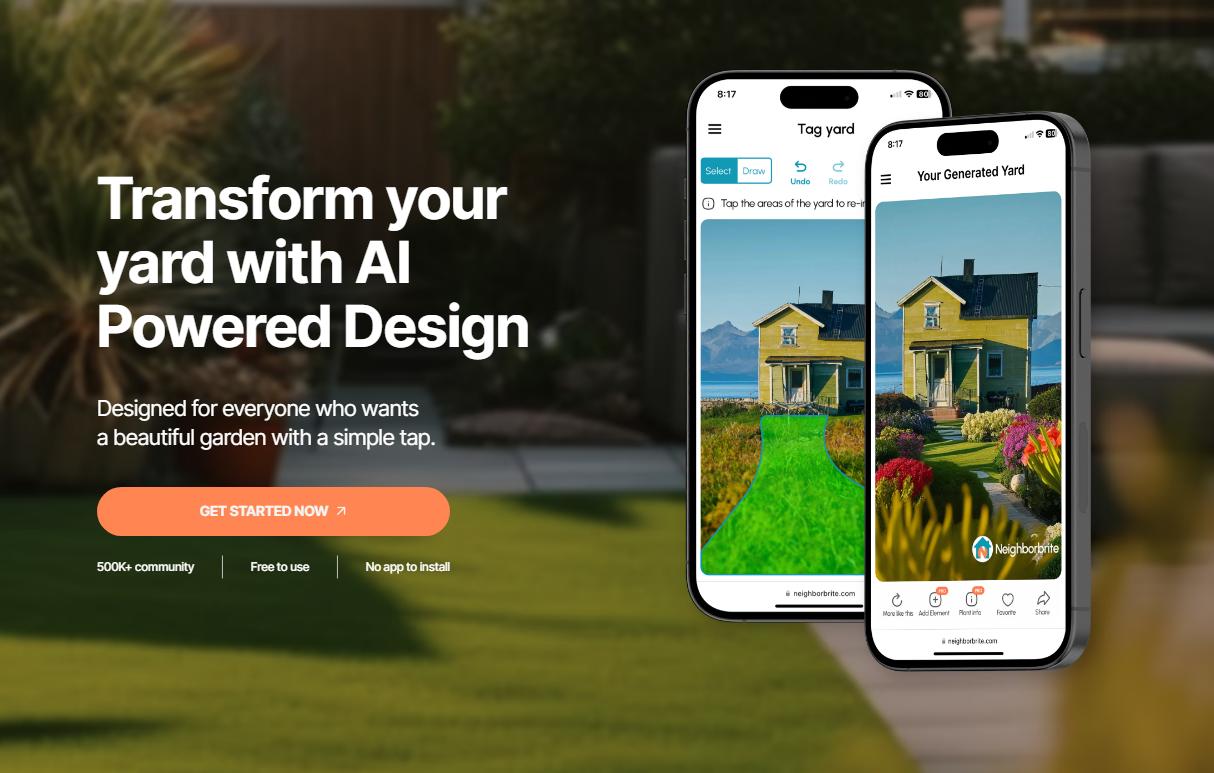
Neighborbrite is built around one idea: get from a photo to a redesigned yard concept as fast as possible, with zero learning curve. Upload a photo, pick a garden style, and the AI delivers redesigned concepts in seconds. The platform reports over 500,000 registered users and 15 million designs generated across 170 countries — notable scale for a tool that still offers its core function for free.
The AI is trained on a large dataset of landscape designs. That breadth shows in the style range — English Garden, Cottage Garden, Modern, and dozens of others. Users can iterate on a concept they like with a "More like this" function, which provides directed refinement without requiring manual input.
The free tier covers unlimited basic generation. Two things change with the paid Pro subscription. First: custom element libraries — pools, decks, pergolas, fire pits — that can be added to any design. Second, and more significant: location-based plant suggestions. The Pro plan generates planting recommendations based on your specific climate and solar conditions. That's the closest any instant visualizer in this guide gets to practical garden planning logic.
User feedback reflects the tool's tradeoffs clearly. Convenience and accessibility get consistent praise. The criticisms cluster around the same things: the AI doesn't always respect physical constraints (it'll place plants over a sidewalk), sun and shade conditions within the same yard get ignored, and there's limited control over where specific elements land. These are inherent limitations of the photo-generation format, not bugs.
For homeowners who want to take a concept further, Neighborbrite offers a human design service: pass your favorite AI-generated concept to a professional designer, who produces a full scaled 2D plan and materials list starting at $287. The free AI tool effectively becomes the first step of a professional design engagement.
Key features:
Best for: Homeowners who need fast visual inspiration and want to explore ideas before committing to any budget.
Pricing: Free unlimited generations; Pro subscription at $15/month
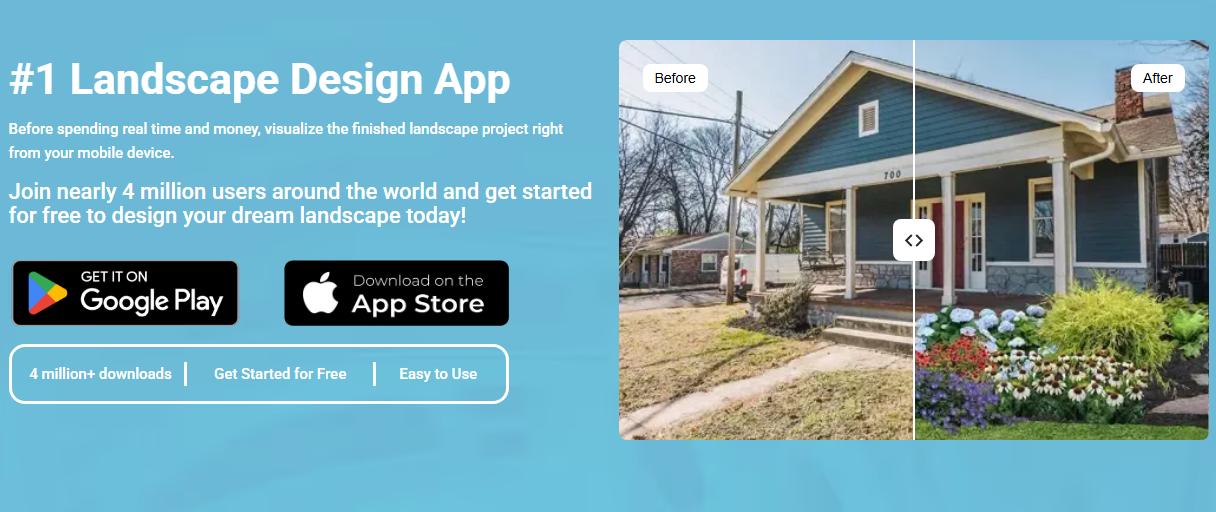
iScape operates differently from every other tool in this guide. There's no photo-to-design generation. Instead, the core feature is Augmented Reality: point your phone camera at your actual yard and place virtual 3D objects — plants, trees, pavers, outdoor furniture — directly into the live view. You see how a specific ornamental tree or patio set looks in your real space, at scale, in real time. With around 4 million downloads, it has a strong following among both homeowners and landscape professionals.
The design process is manual. You drag and drop elements from iScape's digital library to build your concept layer by layer, either on a static photo or in the live AR view. That control is the point — if you already know what you want and need to see how specific items fit, iScape answers that faster than any other tool here. If you're still exploring directions, the photo generators are more efficient for that stage.
The pricing model generates consistent frustration in user reviews. Free to download, but the free tier includes only a small demo selection of objects — not enough to design anything meaningful. Full access to the plant and object library requires a Pro subscription at $29.99/month. That's a real cost for a homeowner using the app for a single project, and the "paywall" framing appears repeatedly in App Store reviews.
Performance feedback is mixed. Many users report it works well for on-site client presentations. Others describe persistent issues: slow library loading, occasional crashes, and interface decisions that feel more enterprise than consumer. The tool's marketing targets landscape professionals primarily — proposal generation, materials lists, close-rate improvement for contractor sales — and the pricing reflects that positioning.
Key features:
Best for: Homeowners or professionals who want to visualize specific physical objects in a real outdoor space using AR.
Pricing: Free download; $29.99/month or $299.99/year for full library access
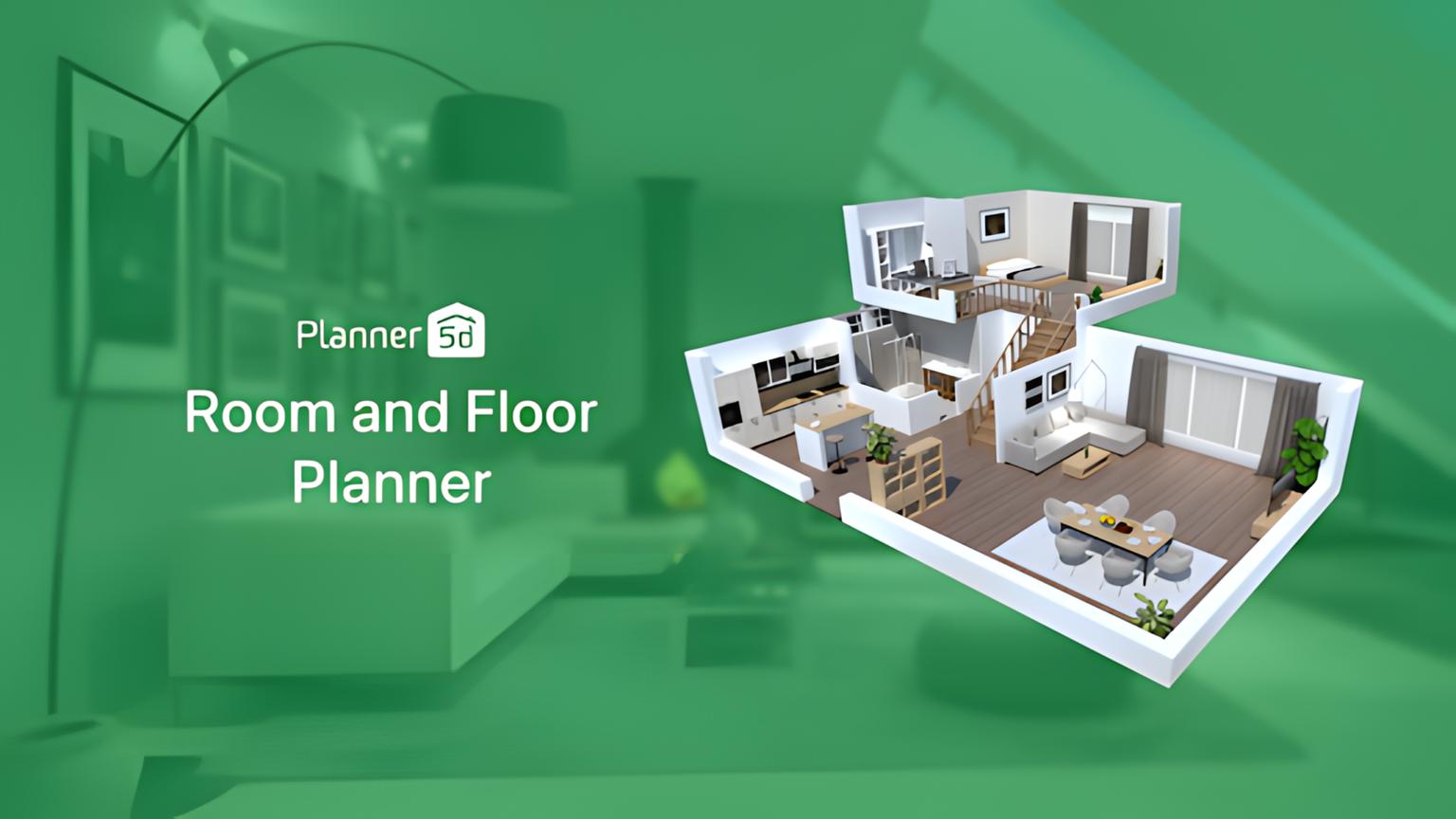
Planner 5D covers both interior and exterior home design in a single platform. Its main draw is flexibility: you can build an entire renovation project — from living room floor plan to backyard patio layout — without switching tools. The design environment supports 2D and 3D with a drag-and-drop interface and a library of thousands of objects covering furniture, architectural elements, plants, and hardscape materials.
The AI implementation here differs from the photo visualizers. It doesn't transform a photograph. The "AI-Powered Design" feature and Smart Wizard work inside the editor, generating layout suggestions based on the room shape, dimensions, and style preferences you set. AI acts as an accelerator through early-stage decisions rather than a generative engine.
The free tier gives access to core design tools with a limited object library. The full library — over 8,000 premium items — plus the AI tools and advanced rendering features require a paid subscription. Both solo and professional plans are available.
Compared to professional software like SketchUp, Planner 5D is significantly easier to learn. That accessibility has limits: the output isn't detailed enough for contractor-ready drawings, and the rendering quality stops short of high-end client presentations. It's a strong tool for homeowners planning and visualizing a project — not for professionals who need construction documents.
Key features:
Best for: Homeowners planning comprehensive indoor/outdoor projects who need dimensional accuracy alongside visual output.
Pricing: From $19.99/month or $59.99/year
| Feature | Paintit.ai | Neighborbrite | iScape | Planner 5D |
|---|---|---|---|---|
| Platform | Web-based | Web-based, iOS App | iOS, Android | Web-based, iOS, Android, Windows, macOS |
| Primary input | Photo upload | Photo upload | Photo overlay, live AR view | Manual 2D/3D drawing |
| Core AI feature | Generative photo-to-design | Generative photo-to-design | None (manual placement) | AI-assisted layout wizard |
| Augmented reality | Yes (home exterior) | No | Yes (core feature) | Yes (iOS) |
| Manual editing | No (AI generation only) | No (AI generation only) | Yes (2D overlay, 3D AR) | Yes (full 2D & 3D editor) |
| Plant intelligence | AI-driven style-based selection | Climate & location-aware (Pro) | Manual zone filtering | Large library, no climate intelligence |
| Hardscape library | Pathways, water features, seating | Custom elements (Pro plan) | Extensive library | Indoor & outdoor elements |
| Output quality | High-resolution AI renders | AI-generated photorealistic images | 2D overlays, AR views | 2D plans, 3D renderings, VR |
| Learning curve | Very low | Very low | Moderate | Moderate |
| Free tier | 30 credits; premium from $14.99/month | Unlimited free; Pro for extras | Very limited (demo-like) | Limited library; premium features |
| Pricing | Free / $14.99 / $29.99 / $79.99 per month | $15 Pro subscription | $29.99/month or $299.99/year | $19.99/month or $59.99/year |
| Ideal user | Whole-home design inspiration | Initial landscape inspiration | AR visualization enthusiasts | Comprehensive home planners |
Garden-specific projects expose a gap that most AI landscape tools don't advertise. Photo visualizers generate convincing garden concepts — plants, paths, hedging, planting beds — but they don't filter by climate zone, sun exposure, or soil type. An ornamental cherry dropped into a zone 9b north-facing front yard looks right on screen. Whether it grows there is a different question entirely.
We found that the tools in this guide handle the garden design problem differently:
For backyard-specific projects, the spatial constraints and workflow differ from front-yard work — our guide to AI landscape design solutions for your backyard covers those differences in detail. If outdoor furniture selection is part of the redesign, the AI outdoor furniture and landscape design guide covers how AI tools handle product selection alongside layout generation.
SketchUp Pro gives landscape architects unlimited modeling flexibility: custom object creation, professional-grade precision, and a large ecosystem of compatible plugins. The tradeoff is a steep learning curve and performance issues when working with complex plant models at scale. It's the right choice for prosumers who want to develop professional-level skills, not for homeowners testing a backyard concept.
AutoCAD and Vectorworks Landmark produce the construction-ready technical documents that contractors and permitting authorities actually require. Both support Building Information Modeling (BIM), automated plant schedules, and cost estimation workflows. These are professional-grade tools with professional-grade pricing and learning requirements. They're appropriate for licensed landscape architects and contractors managing complex projects — not a starting point for a homeowner redesign. For context on how this level of documentation relates to AI visualization output, see the architectural rendering styles guide.
The right tool depends on what you're actually trying to accomplish. Here's a direct breakdown by project type:
For larger projects, the best results usually come from using tools in sequence by stage rather than picking one and sticking with it throughout.
Start with Paintit.ai or Neighborbrite to generate design concepts and identify the direction you want — style, color palette, key structural elements. Run several variations. This stage is fast and can be done for free.
Take the direction you've chosen into iScape or Planner 5D to build a dimensionally accurate layout. Use AR to test specific plants or furniture pieces in your actual space before committing to any purchases.
Use the refined visual concept as a brief when you engage a landscape contractor. A clear visual reference reduces back-and-forth in early project conversations significantly — contractors understand what you want, and you understand what you're paying for.
These tools are genuinely useful. They also have clear limitations worth knowing before you commit to a design direction.
These limitations define the appropriate role for AI in a project, not a reason to avoid it. For porch and curb appeal projects, the combination of AI ideation and professional execution tends to work particularly well — the visual concepts are cheap and fast to generate, and the contractor has a clear brief to work from. The same logic applies to front deck design, where structural requirements come in early and clear communication with a contractor saves real money.
The 2026 options cover every project type and budget. Paintit.ai is the broadest platform — most useful when the yard is part of a larger home project. Neighborbrite wins on accessibility and free access for visual exploration. iScape solves the specific problem of seeing how a particular plant or piece of outdoor furniture looks in your actual space. Planner 5D handles dimensional planning when layout accuracy matters more than photorealistic output.
None of these replace a landscape contractor for work involving grading, drainage, irrigation, or structural elements. What they do is compress the ideation phase from weeks of uncertainty to an afternoon of focused visual exploration. That clarity — knowing what you want before you spend anything on labor — is the practical value.
Ready to see your yard transformed? Paintit.ai's AI landscape design tool gives you 30 free credits to test it with your own photos — no commitment required.
Yes. Neighborbrite offers unlimited free AI generations with no subscription required. Paintit.ai's free plan gives you 30 credits — enough to generate several yard concepts at 1K resolution before deciding whether to upgrade. Planner 5D has a free tier with core 2D/3D design tools, though the object library is limited. For most homeowners, the free versions of Paintit.ai or Neighborbrite are a practical starting point.
Yes — this is exactly what photo-based AI visualizers do. Paintit.ai and Neighborbrite both let you upload a photo of your existing yard and generate redesigned versions with new plants, pathways, and hardscaping applied directly to the image. iScape takes a different approach: it uses your phone's live camera to overlay 3D objects in AR, so you're placing elements in real space rather than editing a static photo.
It depends on what you need. For visual concepts — seeing what a redesigned garden could look like from a photo — Paintit.ai gives the highest output quality. For climate-aware plant selection alongside visual concepts, Neighborbrite's Pro plan is the most practical option. For placing specific plants in your actual garden space using AR, iScape is the right tool. No current AI tool replaces site-specific advice on soil, drainage, or planting schedules from a professional.
Neighborbrite offers the most generous free tier: unlimited AI generations with no account required for basic use. Paintit.ai's free plan is also genuinely useful — 30 credits, 1K resolution renders, and access to the full style library. For 2D spatial planning rather than photo visualization, Planner 5D has a free tier with basic design tools. Among these three, Neighborbrite covers the broadest use case without any payment.
They handle the visual side well and the plant logic less reliably. Photo generators like Paintit.ai and Neighborbrite produce accurate-looking garden concepts, but they don't filter by climate zone or sun exposure — a species that looks right in the image may not grow in your location. Neighborbrite's Pro plan adds location-based plant suggestions, which closes some of that gap. For zone-aware plant placement, iScape's library includes zone filtering for manual selection. In our experience, the most reliable workflow is using AI tools to establish the visual direction, then validating plant choices with a local nursery or landscape professional.
Traditional landscape design software — SketchUp, AutoCAD, Vectorworks — produces construction-ready technical documents: precise measurements, plant schedules, grading plans, and permit-ready drawings. AI landscape design tools produce photorealistic visualizations from photos or manual inputs, optimized for speed and accessibility rather than technical precision. The two categories serve different stages: AI tools for concept and inspiration, traditional software for documentation and execution. Most homeowners only need the AI tools. Landscape architects typically need both.
Yulii Cherevko
CEO paintit.ai