12 min. reading

Yulii Cherevko
CEO paintit.ai
Key Takeaways:
Decorating a room can feel overwhelming, but what if you could see your ideas come to life before picking up a paintbrush or buying a single piece of furniture? Discover how to use AI to decorate a room with unparalleled ease and creativity. Tools like Paintit.ai empower you to instantly visualize transformations by uploading a photo of your own space. Explore countless styles, test vibrant color palettes, and experiment with layouts – all from your screen. This approach minimizes guesswork, reduces costly mistakes, and accelerates your design process, turning abstract concepts into concrete visuals.
Using AI to decorate a room refers to leveraging artificial intelligence software to generate, visualize, and iterate on interior design concepts based on user input. Essentially, it’s like having an on-demand visualizer that can take a photo of your existing space and instantly apply different design styles, color schemes, furniture arrangements, or material finishes.
It is not about AI fully replacing human creativity or the need for professional designers for complex structural projects. AI tools are sophisticated assistants, not autonomous contractors.
Two common misconceptions are:
The ability to use AI for interior design is compelling due to several converging factors that impact design workflows and decision-making. The core drivers are efficiency, cost reduction, and enhanced communication.
Historically, visualizing a redesigned room meant expensive 3D renders, complex CAD software, or relying on imagination and physical samples. Each of these methods introduces significant time and cost pressures, extending approval cycles and introducing friction into the client-designer or homeowner-DIY process. If a client dislikes a proposed fabric, the entire rendering process might need to restart.
AI short-circuits this. It offers instant visual feedback, allowing stakeholders to rapidly test permutations. This drastically reduces the time spent on initial concept development and revisions. For homeowners, it means making confident decisions without the financial risk of buying furniture that doesn't fit or painting walls the wrong shade. For professionals, it streamlines client presentations, helping secure faster approvals and freeing up time for execution rather than endless conceptual iterations. This immediate, visual validation is what positions AI as a critical tool in today's fast-paced design environment.
At its core, using AI to decorate a room involves a sophisticated image-to-image or text-to-image pipeline. Here’s a simplified breakdown:
1. Input:
The process begins with your input. This typically involves:
2. Constraint Application & Data Processing:
Once you provide input, the AI model processes it. It relies on vast datasets of interior design images, architectural styles, material textures, and color theory. When you prompt for "Scandinavian living room," the AI accesses its knowledge base of what defines Scandinavian design (light wood, neutral palettes, clean lines, cozy textiles).
3. Generative AI Engine:
The heart of the system is a generative AI model (often based on diffusion models or GANs). It takes your input image and text prompt and uses its learned understanding to synthesize a new image. It's not just pasting objects; it's reconstructing the scene, adjusting lighting, shadows, and reflections to integrate new elements seamlessly into your original room's perspective. It effectively "paints" new walls, "places" new furniture, and "modifies" lighting within the existing photographic context.
4. Output Generation:
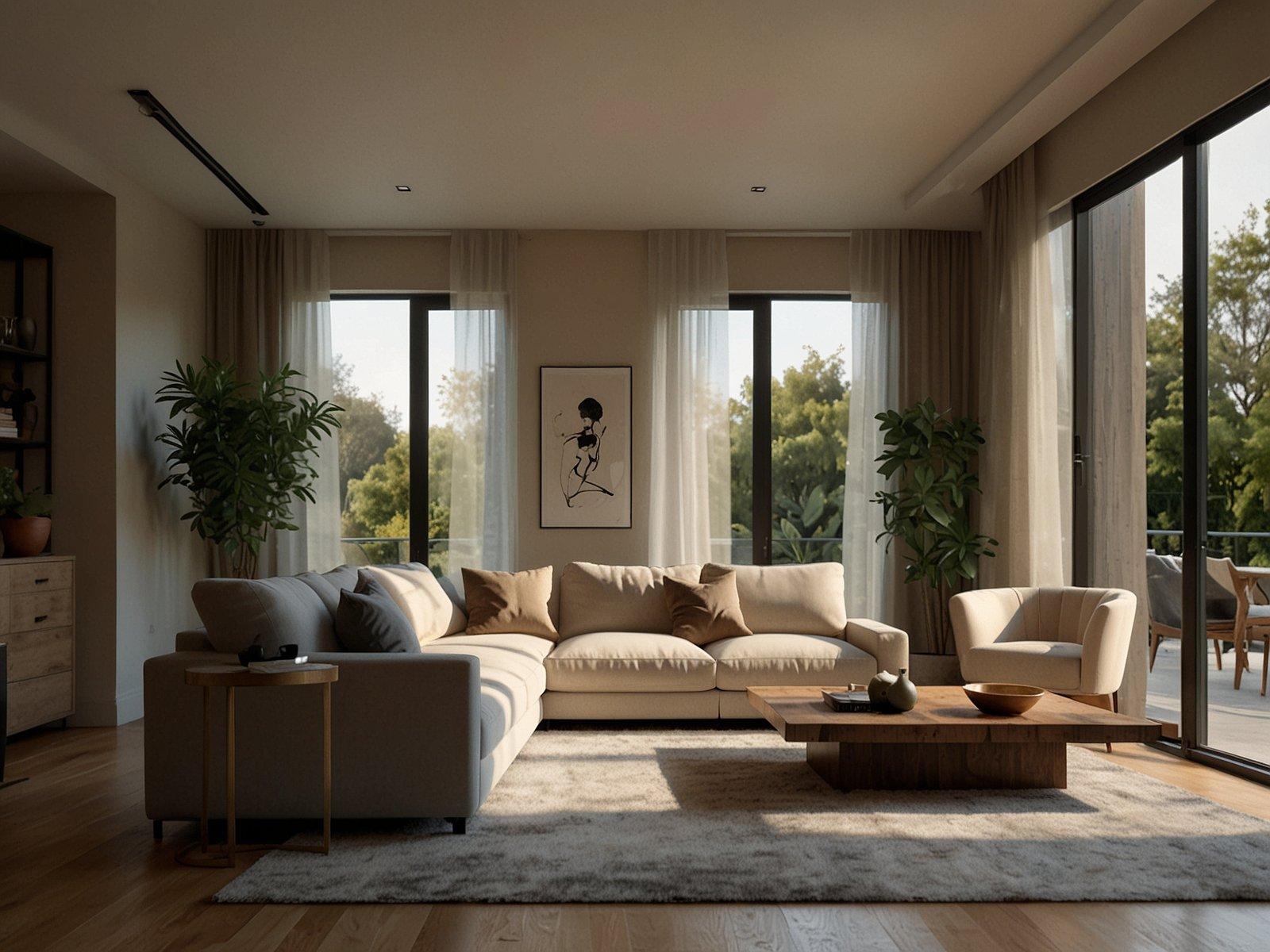
The AI then renders several visual options based on your prompt. These outputs are realistic visualizations of your room transformed. You might see the same room with different furniture layouts, alternative paint colors, or entirely distinct design styles applied.
5. Selection and Iteration:
This is where human intelligence re-engages. You review the generated options. If you like a specific direction, you can select it and provide further refinements. This iterative loop—input, generate, review, refine—allows you to progressively hone your design until it matches your vision. Typical failure modes include:
A structured, iterative approach is essential when you use AI to decorate a room effectively. This workflow minimizes rework and helps you converge on your ideal design with precision. The core principle is changing one major variable per iteration.
| Step | Input | What to control | Output | Pitfall | Paintit.ai shortcut |
|---|---|---|---|---|---|
| 1. Baseline Capture | Room photo | Room angle, lighting, objects to keep | Original photo | Blurry images, awkward angles | Use AI Room Design to upload a high-res photo. |
| 2. Style Exploration | Baseline photo, style prompt | Broad style (Modern, Boho, Industrial) | Diverse style concepts | Too many conflicting elements | Apply a single style preset like "Scandinavian." |
| 3. Layout & Furniture | Preferred style concept, layout prompt | Major furniture arrangement, key pieces | Layout variations | Overcrowding, poor flow | Test "L-shaped sofa" or "dining table in center." |
| 4. Color Palette | Preferred layout, color prompt | Wall colors, major accent colors, material hues | Color variations | Clashing colors, flat schemes | Adjust wall paint (e.g., "light grey," "terracotta"). |
| 5. Material & Texture | Preferred colors, material prompt | Flooring, textiles, specific finishes | Texture-rich concepts | Inconsistent material finishes | Try "wood floor" or "velvet curtains." |
| 6. Lighting & Ambiance | Refined design, lighting prompt | Ambient, task, accent lighting; natural light | Varied lighting effects | Harsh shadows, dim spots | Refine "bright natural light" or "mood lighting." |
| 7. Final Review | Selected render | Scale, proportion, aesthetic harmony | Finalized visualization | Disregarding real-world constraints | Use AI Rendering for high-fidelity output. |
1. Baseline Capture:
Begin by taking a clear, well-lit photograph of the room you intend to decorate. Ensure the photo captures the entire space, or the specific area you're focusing on, from a sensible vantage point. Upload this to an AI platform like the Paintit.ai AI Room Design tool.
2. Style Exploration:
With your baseline image, experiment with broad design styles. Provide a simple prompt like "Modern Minimalist living room" or "Bohemian bedroom." Generate a few options to see which aesthetic resonates most. Don't worry about specifics yet; focus on the overall mood.
3. Layout & Major Furniture:
Once you've narrowed down a style, focus on the major furniture pieces and their arrangement. For example, if you chose Modern Minimalist, prompt for "Modern Minimalist living room with L-shaped sofa and simple coffee table." Generate to see how the core layout impacts the space.
Pro tip: For small spaces, specify "space-saving solutions" or "minimal footprint" in your prompts to guide the AI towards efficient layouts.
4. Color Palette Refinement:
Next, iterate on colors. Keeping the furniture layout consistent, prompt for different wall colors or accent hues. "Modern Minimalist living room, light grey walls, mustard accent pillows" allows you to test specific color combinations. See how light and shadow play on these colors.
5. Material & Texture Integration:
Once you're happy with the colors, introduce specific materials and textures. "Modern Minimalist living room, light grey walls, mustard accents, light oak flooring, textured rug." This step adds depth and realism, allowing you to visualize how different surfaces interact.
6. Lighting & Ambiance:
Finally, fine-tune the lighting. This can dramatically alter the mood. Prompt for "Modern Minimalist living room, light grey walls, oak floor, soft ambient lighting" or "bright natural light." Observe how different lighting scenarios impact the overall feel.
7. Final Review & Real-World Check:
Review your selected AI-generated visualization. Does it align with your practical needs? Consider actual measurements, existing structural elements, and budget constraints. This render is your blueprint for real-world implementation.
Brief: A couple wants to refresh their dated guest bedroom, which currently has a worn carpet, cream walls, and old wooden furniture. They want a Cozy Scandinavian Hygge aesthetic to make guests feel welcome and relaxed. Their budget is moderate, and they plan to do most of the painting and furniture assembly themselves.
Constraints:
Steps using AI:
Success Criteria:
The couple now has a high-fidelity visualization that clearly shows their guest bedroom transformed into a Cozy Scandinavian Hygge space. They can see the pale blue walls, light oak furniture, and various textures fitting together harmoniously. This visual guide allows them to confidently purchase paint, select bedding, and source furniture that aligns precisely with their vision, avoiding costly mistakes and ensuring their guests feel right at home.
Paintit.ai is designed to accelerate and simplify the initial visualization and iteration phases of interior design. It excels when you need to quickly explore multiple styles, color palettes, furniture arrangements, or material finishes in an existing space. Uploading a photograph of your room allows you to virtually "try on" ideas, providing immediate visual feedback that would otherwise take hours of manual rendering or expensive consultations. This makes Paintit.ai fastest for:
However, AI tools, including Paintit.ai, are still decision support systems, not substitutes for all aspects of a project. You still need manual work for:
For example, our AI Rendering tool can show you a flawless depiction of exposed brick walls in your office, but you’ll still need to determine if your existing walls can be exposed or if faux brick paneling is the practical alternative.
Navigating AI design tools effectively requires understanding their limitations and best practices. Here are common mistakes and how to sidestep them:
Using low-quality input photos:
Vague or generic prompts:
Ignoring the iteration process:
Disregarding real-world scale and dimensions:
Over-reliance on digital color accuracy:
Neglecting functional needs:
Trying to change too many variables at once:
Not considering the cost of real materials:
Yes, AI tools are powerful visual aids that help you explore styles, test color palettes, and visualize furniture placement in your actual space quickly. This reduces guesswork and builds confidence in your design choices, turning abstract ideas into concrete visuals.
A: Many AI design tools, including some features on Paintit.ai, offer free basic functionalities or trials. These allow you to experiment with core features. Paid versions typically provide more advanced options, higher resolution outputs, or a wider range of customization. You can often get a good start without immediate cost.
Primarily, a clear, well-lit photograph of your room. Additionally, text prompts detailing your desired style, color preferences, materials, or specific furniture types will guide the AI for more tailored results. The more specific your input, the better the output.
AI visualizations are highly accurate for demonstrating potential aesthetics, styles, and color combinations within your space. They provide realistic previews of how things could look, but they don't account for every structural detail or the precise tactile feel of physical materials. Always use them as a strong visual guide, but test paint colors and feel materials in person before purchasing. For more insights, visit the Paintit.ai blog.
Absolutely. AI tools are excellent for small rooms as they allow you to experiment with layouts and furniture arrangements that maximize space without physically moving items. You can prompt for "space-saving solutions" or "multi-functional furniture" to see tailored ideas.
AI augments, rather than replaces, interior designers. It automates the tedious visualization phase, freeing designers to focus on complex problem-solving, custom solutions, material sourcing, and project management. For homeowners, it democratizes access to professional-grade visualization.