9 min. reading

Yulii Cherevko
CEO paintit.ai
Pinterest boards are easy to make and surprisingly hard to use.
You save a bathroom with the right tile, a living room with the right sofa shape, a kitchen with the right light, a rental apartment with the right mood. The board grows. The taste becomes clearer. But when it is time to make an actual design decision, the board can still feel vague.
That is the gap between inspiration and execution.
Pinterest is excellent for interior design inspiration because it captures taste quickly: color, texture, mood, lighting, furniture shapes, room types, and tiny details you may not know how to describe yet. But a board does not automatically explain what each image is supposed to do.
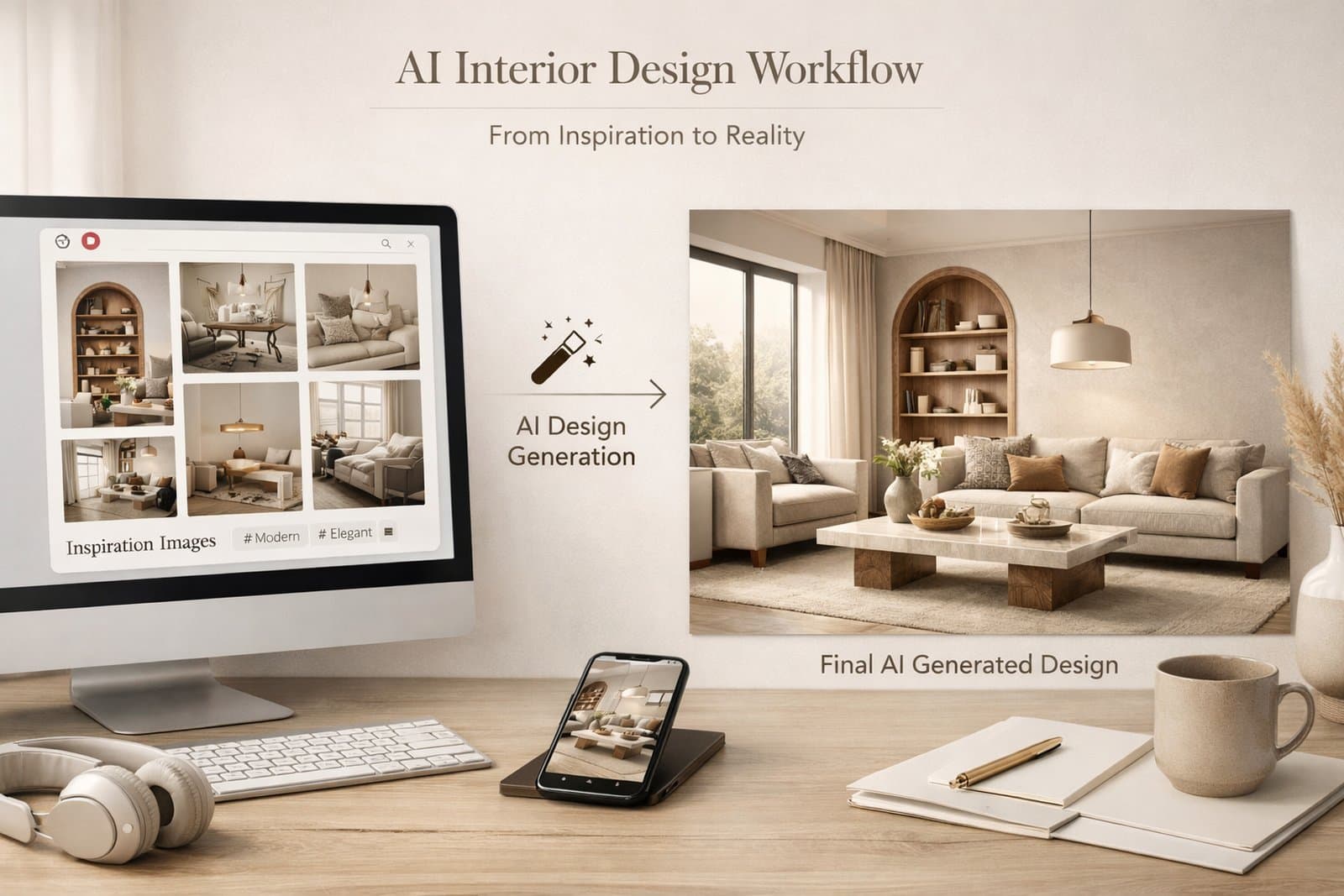
Paintit.ai helps turn that loose inspiration into a clearer AI interior design workflow. Instead of screenshotting every pin, uploading files one by one, and hoping the AI understands the vibe, you can connect Pinterest, choose the references that matter, and turn them into a design brief.
The point is not to copy a Pinterest image exactly. The point is to use Pinterest like a source of design signals.
A Pinterest board usually contains more than one idea.
One pin might be about wall color. Another might be about the shape of a mirror. Another might be about a tile layout. Another might be there only because the light feels warm. When all of those images sit together, they feel coherent to you because your brain knows why you saved them.
An AI tool does not automatically know that.
If you want to turn your Pinterest board into a real room, the important step is translation: deciding what each pin should contribute.
Do you want the palette? The materials? The lighting? The layout? The mood? The furniture silhouette?
That simple act - giving every reference a job - is what turns a board from a folder of pretty images into usable design direction.
The most common workaround is messy: take screenshots from Pinterest, save them to your camera roll, upload them into an AI tool, then explain what you liked about each one.
That works, but it adds friction.
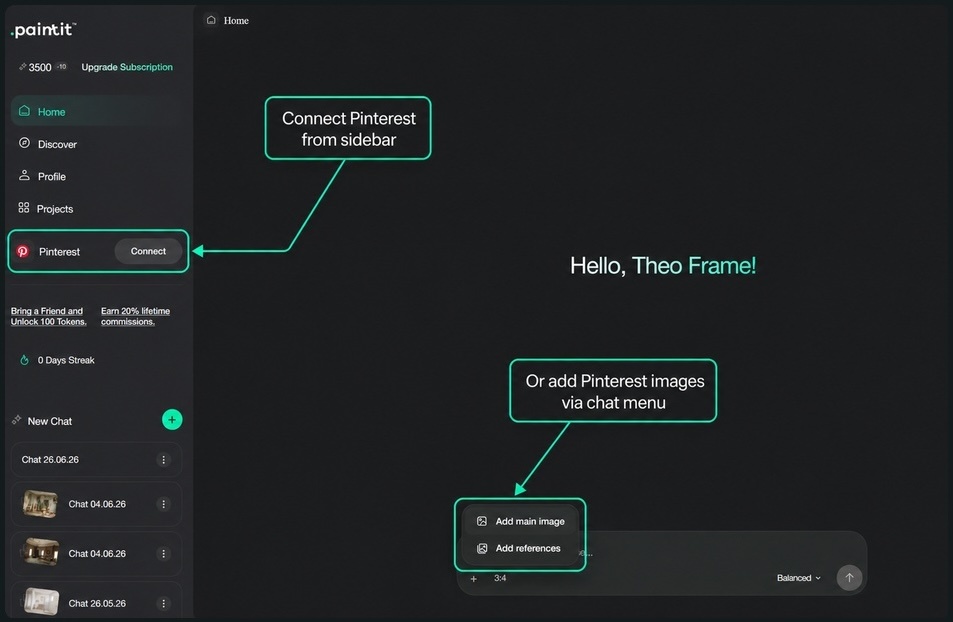
In Paintit.ai, the cleaner path is to bring Pinterest into the workspace where you are already generating. You can connect Pinterest from the sidebar, or add Pinterest images from the chat menu as a main image or reference.
This is where Pinterest board to AI design becomes practical. The board is no longer just a place where inspiration lives. It becomes a source you can pull from while building a room concept.
Once Pinterest is connected, do not sync everything just because it is available.
A board for bathroom ideas and a board for furniture inspiration can both be useful. But they should not always feed the same prompt. If the sources are too broad, the output may become a collage of unrelated preferences.
Choose the board that matches the current room, style, or decision.
For example:
This keeps your Pinterest interior design inspiration focused enough for the AI to use.
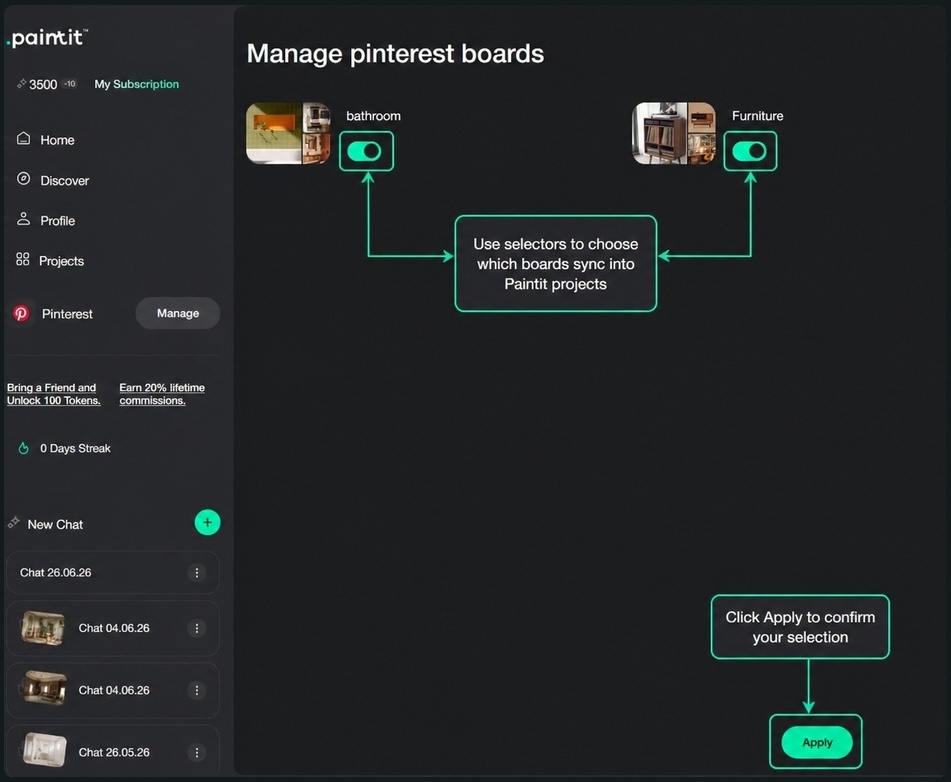
The useful moment happens when the board stops being a mood board and becomes a set of selectable references.
Open the Pinterest board inside Projects, review the pins, and start thinking like an editor.
Do not ask: "Which image is pretty?" Ask: "What job could this image do?"
One pin may be useful for layout. One may be useful for tile. One may be useful for color blocking. One may be useful for warm evening light. One may be useful because it shows the scale of the vanity or sofa.
This is the difference between saving inspiration and using it.
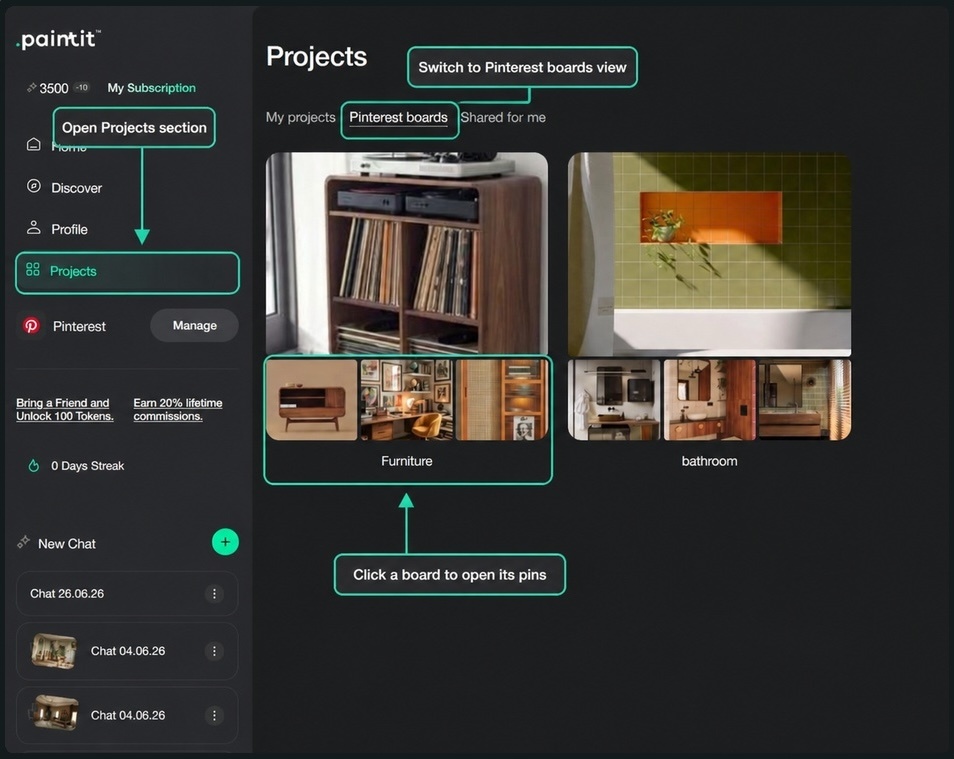
A strong AI room design from photo workflow usually needs an anchor.
The anchor can be a photo of your own room. It can also be a Pinterest pin that represents the main direction you want to test. The key is to avoid making every image equally important.
Pick one main image that answers the question: "What is the general direction?"
Then use the other references to shape the details.
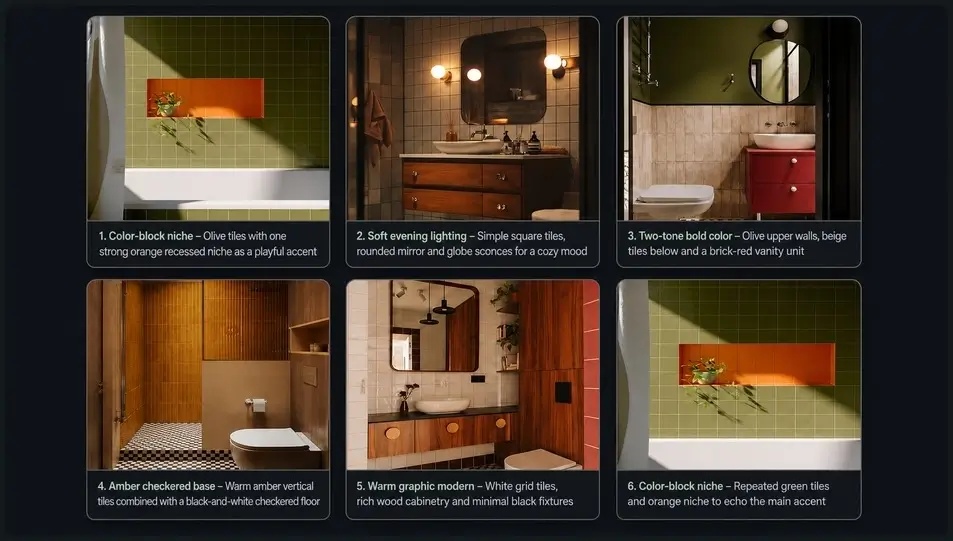
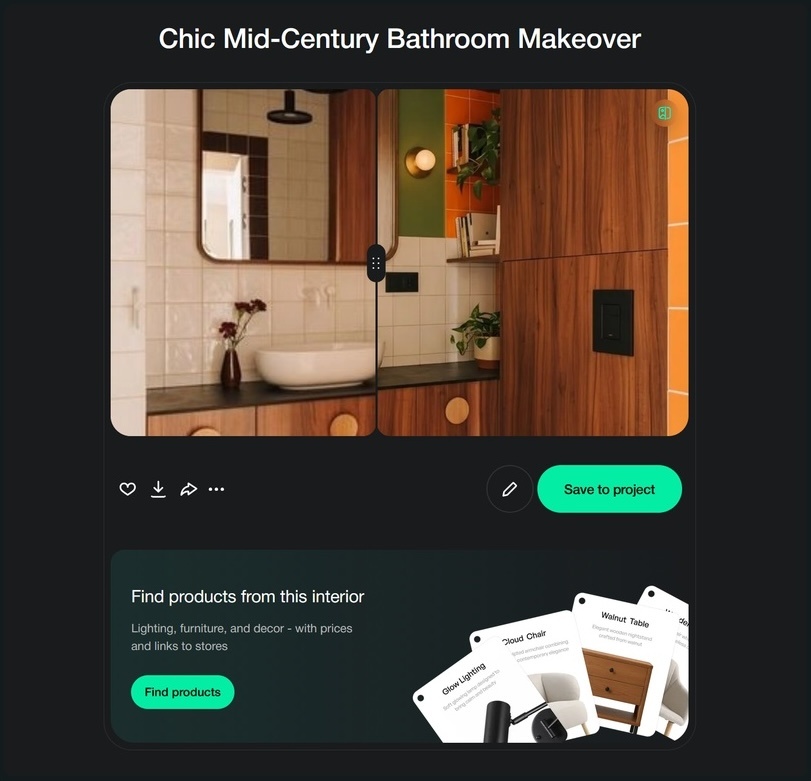
In the bathroom example, the main image might define the room type and overall composition. Other pins can guide the green tile, orange niche, warm wood, round mirror, black fixtures, and soft lighting.
That hierarchy matters. Without it, the AI may try to blend everything at once. With it, the AI has a clearer starting point.
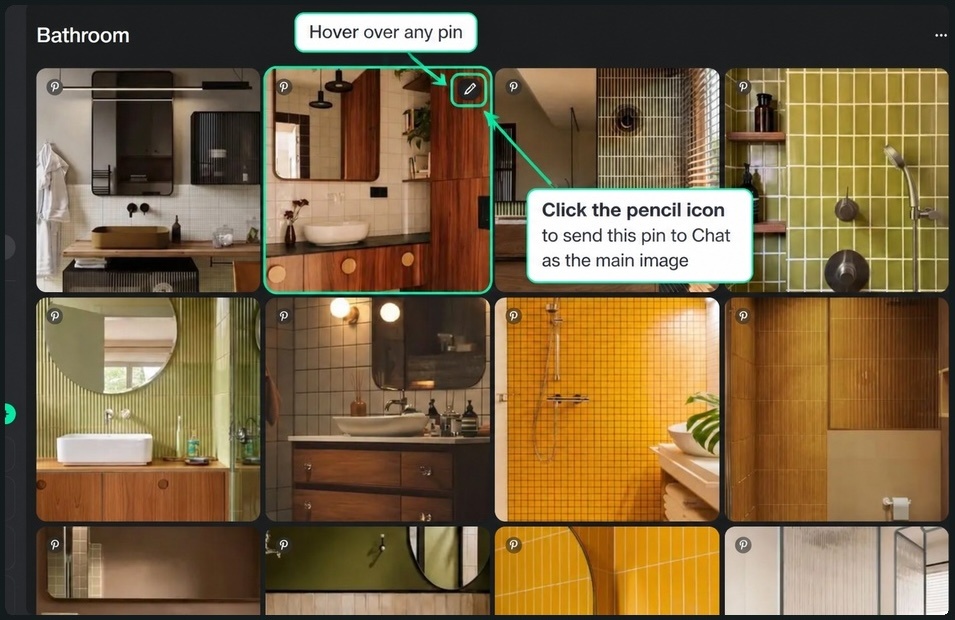
After you choose the main pin, Paintit places it into the chat composer as the main image.
This is a small interaction with a big effect. Instead of typing "make a nice bathroom," you are showing the AI the design direction you want to build from.
That does not mean "copy this pin." It means: use this pin as the base for the conversation.
This is especially useful when your goal is AI interior design from photo, but the photo is not enough by itself. Maybe your room photo is plain, unfinished, or poorly lit. The main image gives the AI a stronger visual target, while your prompt explains what should change.
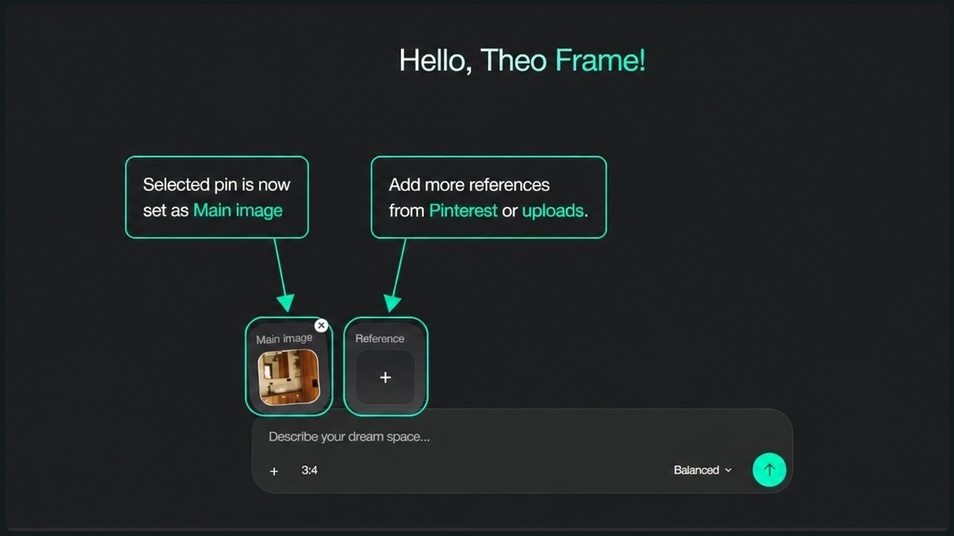
Not every reference has to come from Pinterest.
Sometimes your best main image is a real room photo. Sometimes your best material reference is a Pinterest pin. Sometimes your best layout reference is an existing Paintit project. Sometimes you need to upload a product image, a fabric sample, or a tile sample.
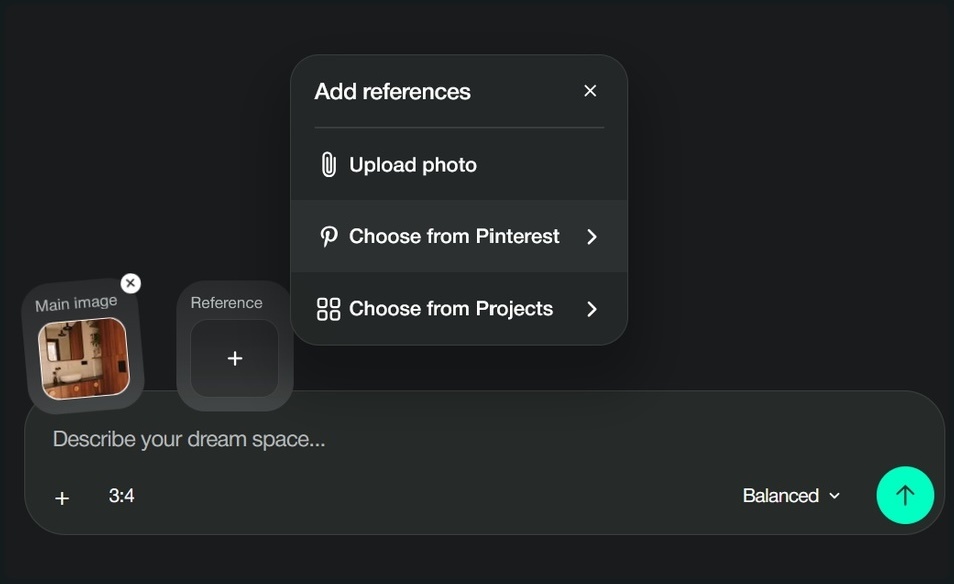
Paintit supports that mixed workflow: upload a photo, choose from Pinterest, or choose from Projects.
That is useful because reference image interior design AI works best when the sources have clear roles. You are not feeding the AI a random pile of images. You are assembling a small reference set that explains what matters.
More references do not always create a better result.
A board with twenty beautiful images can still confuse the output if the images point in different directions. A smaller set of references usually works better because each image can be assigned a specific role.
A practical reference set might include:
That is the heart of a good mood board to interior design AI workflow. You are not asking the AI to read your entire taste history. You are giving it a compact brief.
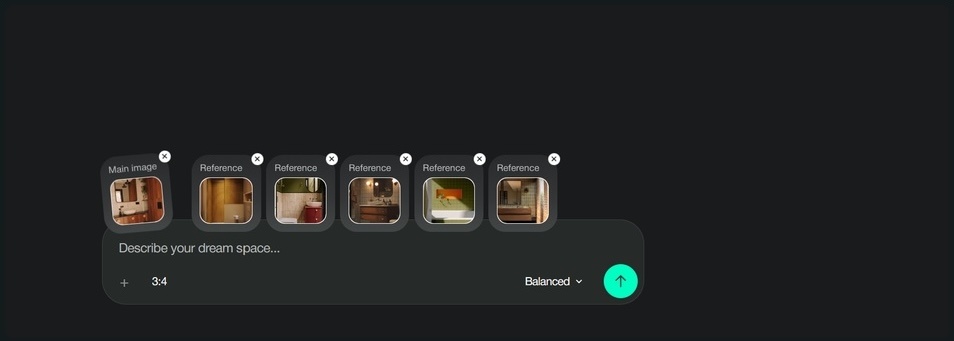
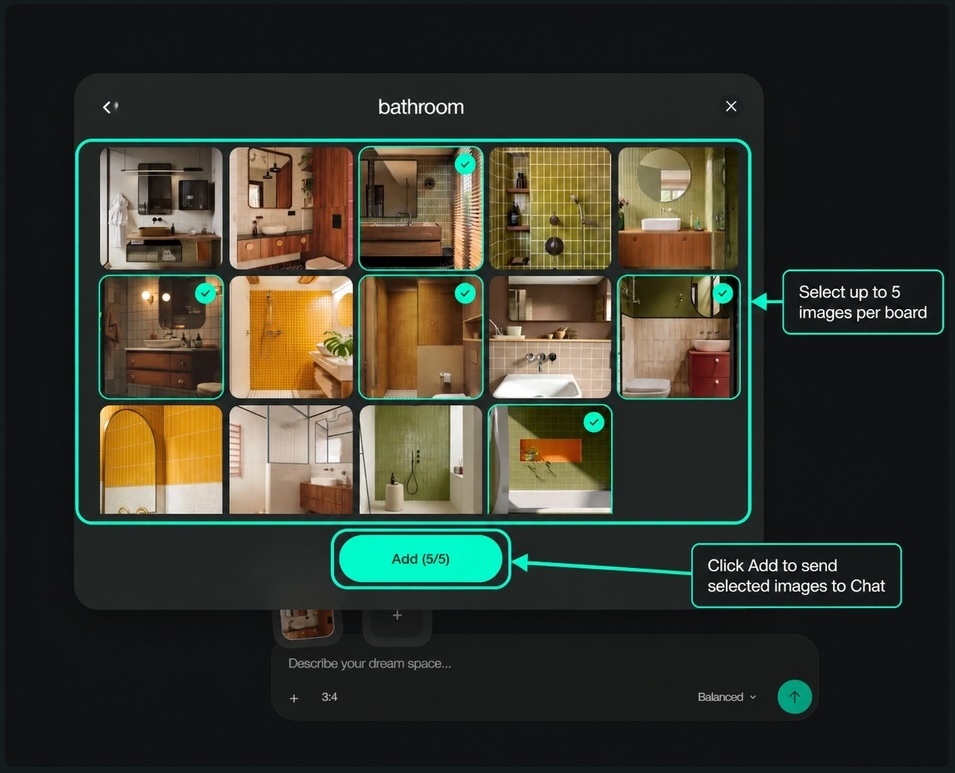
If you are unsure how many pins to choose, start with five.
Five references can usually cover the important design signals: palette, materials, lighting, mood, and layout.
That does not mean five is a magic number. It means five forces a useful decision. You have to choose the pins that matter, remove duplicates, and avoid conflicting styles.
For a bathroom, that might mean one image for green tile, one for warm wood, one for an orange accent, one for mirror and lighting, and one for shower or vanity layout.
For a living room, it might mean one image for seating shape, one for rug scale, one for wall art, one for lighting, and one for the overall mood.
This is how interior design AI from reference images becomes more controlled: each reference has a reason to be there.
References help, but the prompt still matters.
Do not make the AI guess why each image is included. Tell Paintit what to borrow from the references and what to avoid copying.
A weak prompt sounds like this:
Make this bathroom look like my Pinterest board.
A stronger prompt sounds like this:
Create a warm graphic modern bathroom inspired by the selected Pinterest references. Keep the white grid tile, rich wood cabinetry, olive and orange color blocking, rounded mirror, warm lighting, and minimal black fixtures. Avoid copying any single reference exactly. Make the room feel realistic, livable, and suitable for a small apartment bathroom.
That prompt works because it gives the AI a job.
It names the room type. It gives a style direction. It tells Paintit which visual cues matter. It sets constraints. And it makes clear that the goal is a new concept, not a duplicate of one saved image.
This is also where broader searches like AI room design generator and generate room design from inspiration photos connect to the actual workflow. The tool can generate, but your prompt determines whether the output is usable.
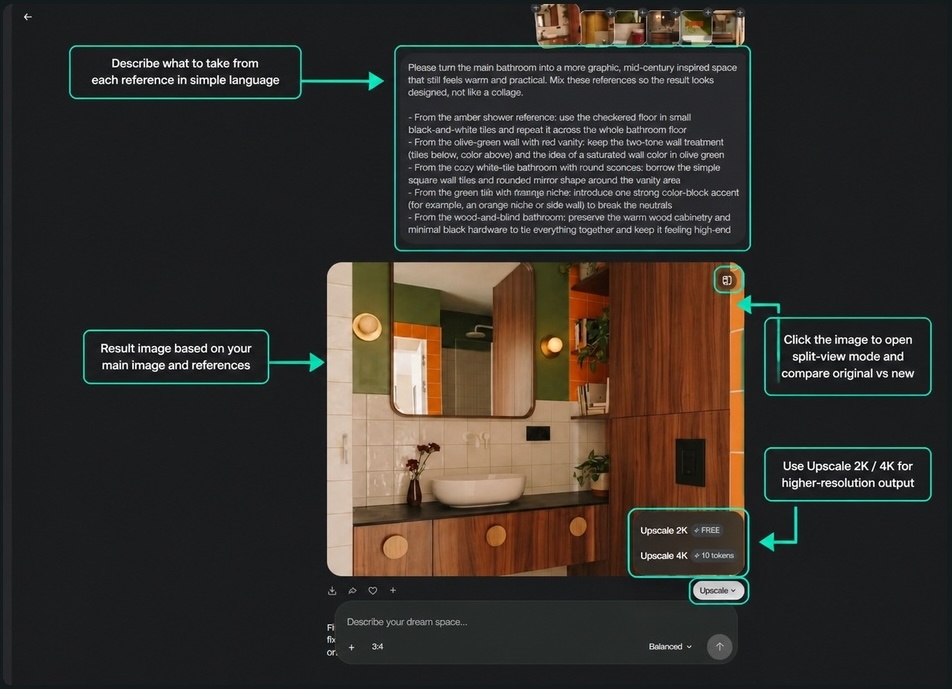
Once Paintit generates a result, do not stop at "looks good."
Evaluate it like a decision tool:
The best result is not just a pretty image. It is a direction you can compare, edit, save, and use.
That matters for homeowners and renters who want to know what a board could look like in their own room. It matters for designers who need to translate a client's messy Pinterest board into a first concept. It matters for property teams, Airbnb hosts, and real estate marketers who need to test room directions before spending money.
This is where AI home design from photos becomes more than a novelty. The result becomes part of a project.
If you want a quick system, use this:
This is the difference between "I like this" and "this is the direction we are testing."
Do not upload a huge board and expect the AI to understand your taste automatically.
Do not mix too many room types unless the prompt explains why.
Do not ask for an exact copy of a Pinterest image.
Do not treat every pin as equal.
Do not skip the prompt because the images feel obvious to you.
Your board may be obvious to you because you remember why you saved each pin. The AI only sees the inputs you give it. Better inputs create better outputs.
No. The better use is to borrow design cues from selected references, not recreate one pin exactly. Use Pinterest for palette, materials, lighting, furniture shapes, mood, and layout ideas.
No. One strong image can be enough. A full board is useful when you want a broader style direction, but a compact set of references often creates a clearer prompt.
Choose one main image, add a few focused references, and tell Paintit what each image should contribute. That approach is more reliable than sending the whole board at once.
Yes. A practical workflow is to use your own room photo as the main image, then add Pinterest pins as style references. That helps preserve the actual room while testing a new direction.
No. "Pinterest AI" often refers to Pinterest's own platform features. This article is about using Pinterest boards and pins as references inside an AI interior design workflow in Paintit.ai.
Pinterest is where many design projects begin, but it is rarely where they become clear.
The board shows what you like. The hard part is turning that taste into instructions.
Paintit.ai helps make that translation easier: choose the references, give each one a job, write a prompt that reads like a brief, and generate a concept you can actually compare.
That is how a saved board becomes a design direction.