9 min. reading

Yulii Cherevko
CEO paintit.ai
A gemini interior design prompt helps turn a loose room idea into something you can actually discuss: style, layout, palette, materials, lighting, and mood. The smarter workflow in 2026 is not stopping at the AI concept. It is using that concept as a brief for a realistic render of your actual room.
Most prompt lists give you copy-paste text and leave you with a pretty image. Useful, but not enough. Here, we'll go one step further: 30 practical prompts, how to adjust them after the first result, and how to move from idea to real render with Paintit.ai when you want to test the design on your own photo.
At Paintit.ai, we've observed that users often use AI tools like Gemini for initial creative brainstorming, then turn to realistic visualization to see how those ideas truly fit their unique spaces. That handoff matters. An imaginative AI room can have perfect proportions, ideal windows, and furniture that would never fit through your door, never mind your room. A real-photo render brings the idea back to your walls, floor, ceiling height, and everyday rhythm.
One naming note before we start: Gemini's image-generation model is widely nicknamed "Nano Banana," with an upgraded "Nano Banana Pro" version also in use in 2026. If you've seen either term, it's the same underlying image capability these prompts are written for.
Gemini is useful for broad ideation. You can ask for 10 living room directions, 3 color palettes, or a kitchen concept with walnut cabinets and warm task lighting. It is fast, intuitive, and flexible when you are still choosing the "track" for your design playlist.
But a Gemini concept is not the same as a decision-ready interior render.
A generated room may invent a wider window, replace your radiator, remove a door, or use furniture that looks good but blocks movement in a real 3.2-meter-wide room. This is where the second step helps: keep the idea, then test it against your actual space.
In practical workflows, that shift — from an imaginative AI render to a realistic preview on your own room photo — is where Paintit.ai does the heavy lifting. If Gemini gives you "soft Scandinavian minimalism with oak, linen, and matte black accents," Paintit.ai can help you apply that concept to your uploaded room using Full Redesign, Repaint, Style Transfer, Empty Room Staging, or Object-level edits.
For professional studios, this also changes the client conversation. A mood concept is useful; a photo-based option showing the client's real sofa wall, window position, and floor tone is much easier to approve. Teams that need a client-facing workflow can use a concept-to-preview workflow for designers when early ideas need to become presentable design options.
Based on Paintit.ai data, users tend to get better design confidence when they separate the process into 2 stages: first, open-ended inspiration; second, realistic validation on their actual room.
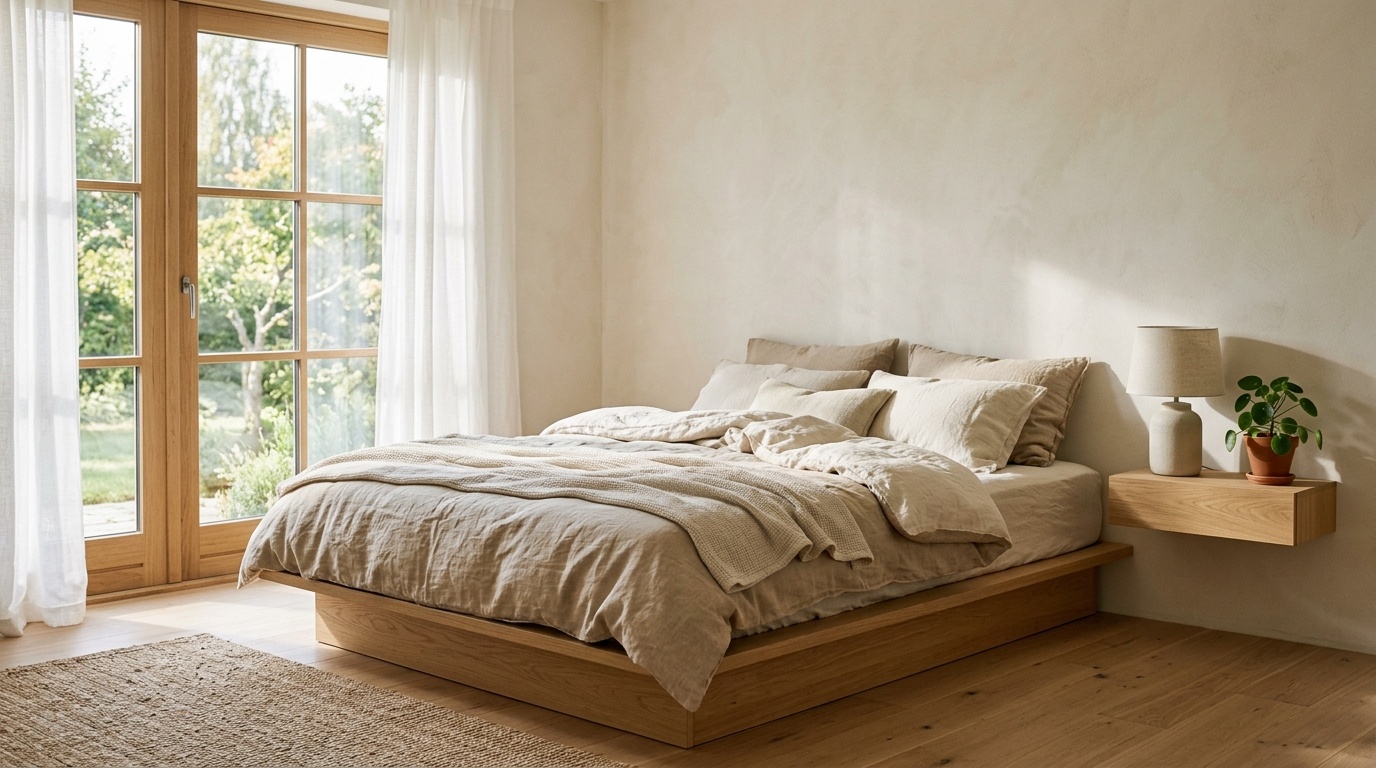
A strong gemini interior design prompt does not need to be long. It needs to be specific in the places that matter. In our renders, the most reliable briefs usually include 6 parts:
Here is the basic formula:
Create an interior design concept for a [room type] in a [design style]. Keep [existing constraint]. Use [materials and finishes]. Add [lighting mood]. Make it realistic, livable, and suitable for [output direction].
A weak prompt says:
Design a cozy living room.
A stronger prompt says:
Create a cozy Japandi living room for a compact city apartment. Keep the existing wall layout and one large window. Use pale oak, warm white walls, a low beige sofa, linen curtains, ceramic decor, and soft evening lighting. Make it realistic, uncluttered, and suitable for a photo-based redesign.
That second version gives Gemini enough structure to create a coherent room. It also gives you a cleaner brief to carry into Paintit.ai later.
If you use ChatGPT to draft or critique prompts before sending them into Gemini, you can also compare our ChatGPT prompt patterns and adapt the same room-specific logic.
A strong prompt works best when it avoids abstract words like "beautiful" or "luxury" on their own. Replace them with visible choices: "travertine coffee table," "walnut slat wall," "2700K warm lighting," "matte clay paint," "bouclé lounge chair," or "brass wall sconces."
Use Gemini when you want broad visual exploration, not final procurement. For from idea to buy planning, save the useful furniture, color, and material cues, then verify them against your room and real furniture options.
These 30 prompts are written for practical ideation, not fantasy interiors with invisible budgets and suspiciously large windows. Replace the bracketed parts with your room details, then keep the best output as your design direction.
If you want an interior design prompt for gemini to produce images with stronger composition, borrow terms like “straight-on view,” “wide-angle but realistic,” “eye-level perspective,” and “natural proportions.” For another image-generation angle, you can use composition wording from our Midjourney guide and simplify it for Gemini.
The first output is rarely the final idea. Treat it like a first track in a playlist: maybe the rhythm is right, but the tempo needs adjusting. Use 3 passes.
If Gemini changes the architecture too much, add constraints.
Try:
Keep the original room footprint, door position, window placement, and ceiling height. Do not add new windows, fireplaces, stairs, or built-in features. Focus only on furniture, color, lighting, decor, and surface finishes.
This is useful when the image looks appealing but impossible to apply. A prompt for interior design gemini output often improves when you define what cannot change as clearly as what can.
If the style is too generic, name the ingredients.
Instead of:
Make it modern.
Use:
Make it warm modern with oak furniture, soft beige upholstery, matte black accents, sculptural lighting, and minimal decor. Avoid glossy surfaces, cold gray floors, and oversized marble.
The “avoid” sentence is often the quiet hero. It tells the model what not to average into the result.
The first output is rarely the final idea. Treat it like a first track in a playlist: maybe the rhythm is right, but the tempo needs adjusting. Use 3 passes.
If Gemini changes the architecture too much, add constraints.
Try:
Keep the original room footprint, door position, window placement, and ceiling height. Do not add new windows, fireplaces, stairs, or built-in features. Focus only on furniture, color, lighting, decor, and surface finishes.
This is useful when the image looks appealing but impossible to apply. Results often improve when you define what cannot change as clearly as what can.
If the style is too generic, name the ingredients.
Instead of: Make it modern.
Use: Make it warm modern with oak furniture, soft beige upholstery, matte black accents, sculptural lighting, and minimal decor. Avoid glossy surfaces, cold gray floors, and oversized marble.
The "avoid" sentence is often the quiet hero. It tells the model what not to average into the result.
If the room feels flat, refine the light.
Try:
Use soft morning natural light from the left side, warm 2700K lamps in the evening zones, gentle shadows, and no harsh ceiling glare. Keep colors muted and realistic.
Lighting words are powerful because they change the emotional read of the room. "Cinematic lighting" may look dramatic, but it can also make a normal bedroom feel like a set. "Soft daylight," "warm ambient lamps," or "diffused window light" usually translates better into real interiors.
In our analysis of Paintit.ai user prompts, we see that users tend to move from broad mood words to more concrete visual references after 1 or 2 iterations. "Cozy" becomes "linen curtains, oak sideboard, 2700K lamps, warm off-white walls." That is the point where a concept becomes usable.
Once the direction is clearer, test the render logic in Paintit.ai to see whether the idea still works when the room dimensions, natural light, and existing surfaces are no longer imaginary.
The best workflow is not Gemini versus Paintit.ai. It is Gemini for open ideation, then Paintit.ai for realistic application. One helps you choose the track; the other lets you hear it in your own room.
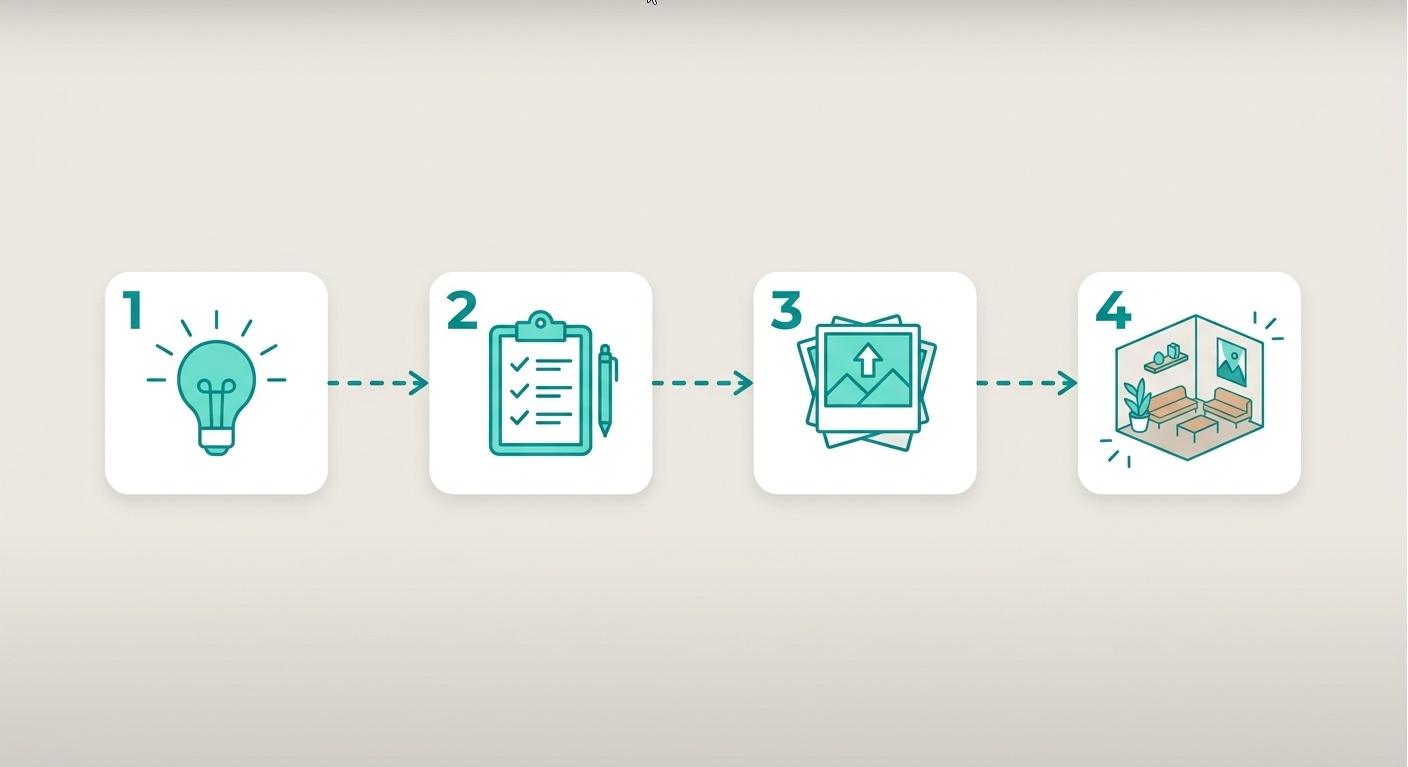
Here is a 4-step flow.
Start wide, but not endless. Ask Gemini for 3 to 5 directions for one room. More than that can create noise.
For example:
Create 5 design directions for my narrow living room with one large window and a dark wood floor. Include style, color palette, materials, furniture shapes, lighting mood, and what to avoid.
Pick the concept that feels most personal, not the one that looks most polished. Your space. Your rhythm.
Before moving into a real render, extract the usable parts.
From a "bohemian living room with rattan furniture and layered textiles," you might keep:
From an "industrial brick wall" concept, you might keep:
From "warm ambient lighting," you might keep:
This translation step prevents the classic AI problem: the concept looks good, but no one knows what to change first.
In Paintit.ai, you can upload JPG, PNG, PDF, or DWG files depending on your workflow. For most home users, a straight, well-lit room photo is enough.
Then choose the right mode:
Most renders finish in 1–2 minutes, so you can test 2 or 3 modes back to back in one sitting. If you already have a Gemini concept, paste the useful details into your Paintit.ai brief. You can upload your current room photo instead of guessing from a generic AI room.
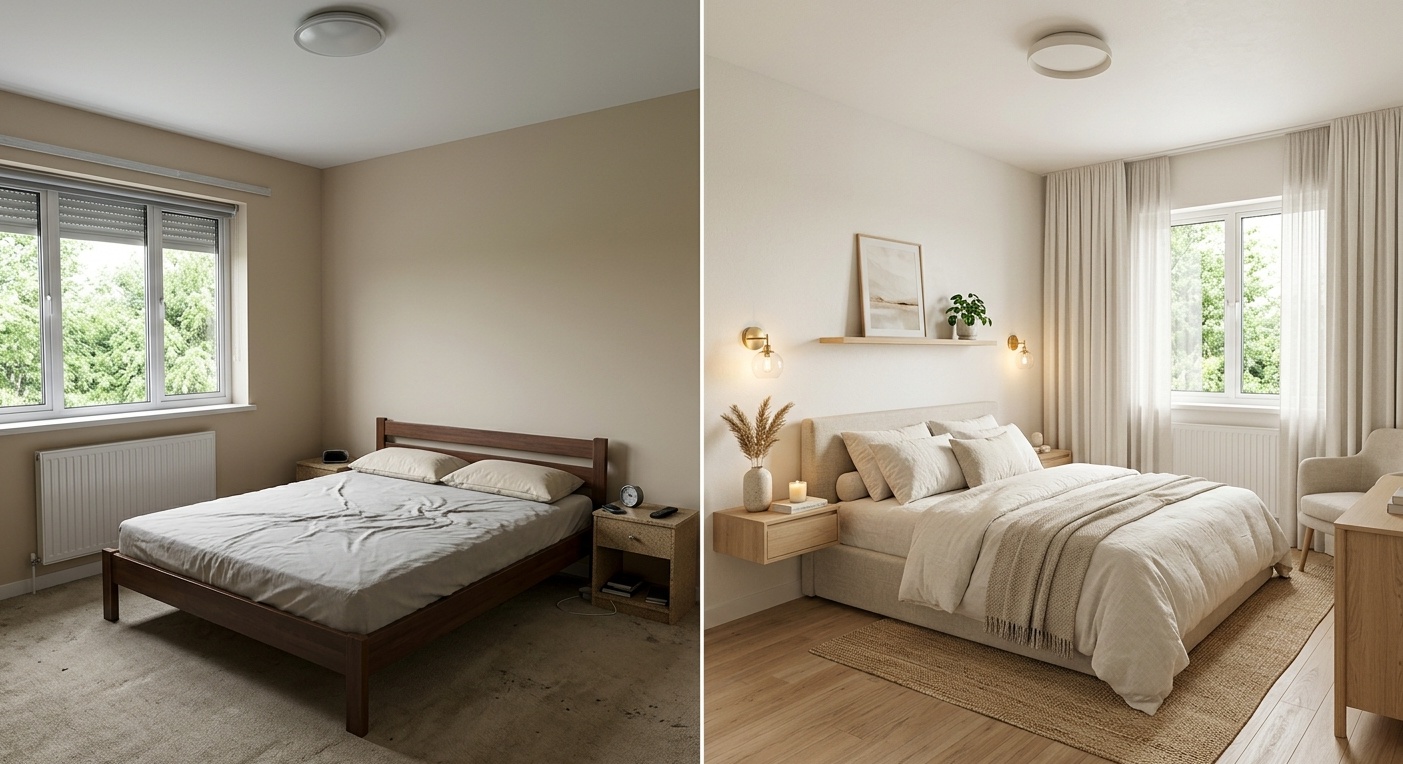
A realistic render is not a shopping list, but it helps you make calmer buying decisions. If the cream sofa disappears into your beige walls, you find out before ordering. If the dark green wall makes the room feel smaller, you can test sage, clay, or warm white in minutes.
Paintit.ai also supports a from idea to buy rhythm through retail partners such as Amazon, IKEA, Jysk, and Ashley, where available. We do not promise third-party furniture prices, but we do help connect visual decisions to real furniture exploration.
Paintit.ai starts with 30 free credits. Paid plans start at Starter for $14.99 a month with 500 credits, Pro for $29.99 a month with 1,500 credits and Pinterest connection, and Max for $79.99 a month with 4,500 credits and priority generation. Payment options include Visa, Mastercard, AMEX, Discover, PayPal, and Apple Pay. No hidden fees, cancel anytime, with a 7-day money-back guarantee on paid plans.
| Use Gemini for | Use Paintit.ai for | |
|---|---|---|
| Stage | Open-ended ideation | Realistic validation |
| Input | Text description | Your real room photo |
| Output | 10 fast style ideas, mood words, palette options | Photorealistic surface and furniture placement on your actual space |
| Best for | Layout concepts before testing, material combinations, a creative brief for a designer | Paint, material, or style testing; before-and-after comparisons |
| Decision it answers | "What should this room feel like?" | "Will this work in my room?" |
For a whole-home Gemini prompt, you can go broader: ask for a consistent palette across the living room, hallway, kitchen, and bedroom. Then test each room separately in Paintit.ai so the whole home has flow without becoming repetitive.
Pinterest is useful when words are not enough. The safest workflow is not to ask Gemini, or any design tool, to copy a room exactly. Use Pinterest references for visual qualities instead: palette, materials, mood, or furniture rhythm.
We recommend a 3-part stacking method:
Use this constraint:
Use this reference for style, palette, materials, and mood. Do not copy exact composition. Keep my room layout unchanged.
That sentence matters. It protects your own layout and keeps the AI focused on translation rather than imitation.
For example, if your anchor reference is a warm minimalist living room, your material reference is pale oak and limewash, and your mood reference is soft evening light, Gemini can turn those into a written concept. Paintit.ai can then apply the same design language to your room photo with a more grounded result.
If you're preparing client-facing options, keep one real-room render per project stage rather than generating a dozen loosely related variations — for a decision someone else has to approve, clarity beats volume.
A good Gemini prompt is not only about adding detail. It is also about removing confusion. These 7 mistakes cause many weak outputs.
"Japandi industrial coastal glam" will usually create a confused room. Choose 1 main style and 1 supporting influence.
Better: Create a Japandi living room with a subtle industrial influence through black metal lighting and slim shelving.
A 25-square-meter living room and a 9-square-meter bedroom need different furniture. Add rough dimensions when you can.
Better: Design a compact bedroom under 10 square meters with a queen bed, narrow bedside tables, and wall-mounted lighting.
"Cozy," "premium," and "fresh" are too open on their own. Add materials.
Better: Make it cozy with wool textiles, warm white walls, oak furniture, low lamps, and soft curtains.
If the floor, sofa, kitchen cabinets, or windows must stay, say so.
Better: Keep the existing dark wood floor and white sofa. Redesign the walls, rug, lighting, coffee table, and decor only.
Too much dramatic light can make a room look cinematic but hard to use. Ask for realistic natural and artificial lighting.
Better: Use soft daylight from the right window and warm lamps in the seating area. Avoid exaggerated shadows.
Gemini can suggest a marble island, arched shelving, or a curved sofa. That does not mean each item fits your room or budget. Use Gemini to explore, then use Paintit.ai to validate scale, palette, and room fit.
AI renders are visual decisions, not structural instructions. Do not use them for load-bearing, electrical, plumbing, or code-related decisions. For those, work with qualified professionals.
If a room concept needs practical testing, Paintit.ai's Full Redesign, Repaint, and Object-level edits help you move from an idea to a realistic visual option without pretending the image is a construction document.
Start with a 6-part prompt: room type, style, constraints, materials, lighting, and output goal. For example: Create a warm minimalist living room for a small apartment. Keep the existing window and sofa position. Use oak, linen, warm white walls, a neutral rug, and soft ambient lighting. Make it realistic and easy to adapt to a real room photo.
Gemini can help interpret ideas and generate visual directions, but results may change architecture, scale, or furniture in ways that are not practical. For decision-making, upload your actual room to a photo-based tool like Paintit.ai and test the concept against your real layout.
Try 3 to 5 prompts for one room, then refine the best 1 or 2. More options can feel productive, but after about 5 directions, many users start comparing images instead of making design decisions.
Add a constraint sentence: Keep the original room footprint, wall layout, door position, window placement, and ceiling height. Do not add or remove architectural features. Only change furniture, finishes, color, lighting, and decor.
Gemini is better for style ideas, mood exploration, and early concept writing. Final renders should be tested on your own photo, especially if you are choosing paint, furniture scale, lighting mood, or a material palette.
Yes, but use it as a reference, not something to copy. Try: Use this reference for style, palette, materials, and mood. Do not copy exact composition. Keep my room layout unchanged. That gives the AI clearer direction and keeps the result more personal.
It's the common nickname for Gemini's image-generation model (with "Nano Banana Pro" as the newer version). The prompts in this guide work the same way regardless of which name you've seen used — the room brief matters more than the model nickname.
A gemini interior design prompt is most useful when it starts a design conversation, not when it tries to finish the whole project in one image. Use Gemini to find the mood, then use Paintit.ai to test the idea where it matters: your real room, your real furniture, your rhythm.