5 min. reading

Yulii Cherevko
CEO paintit.ai
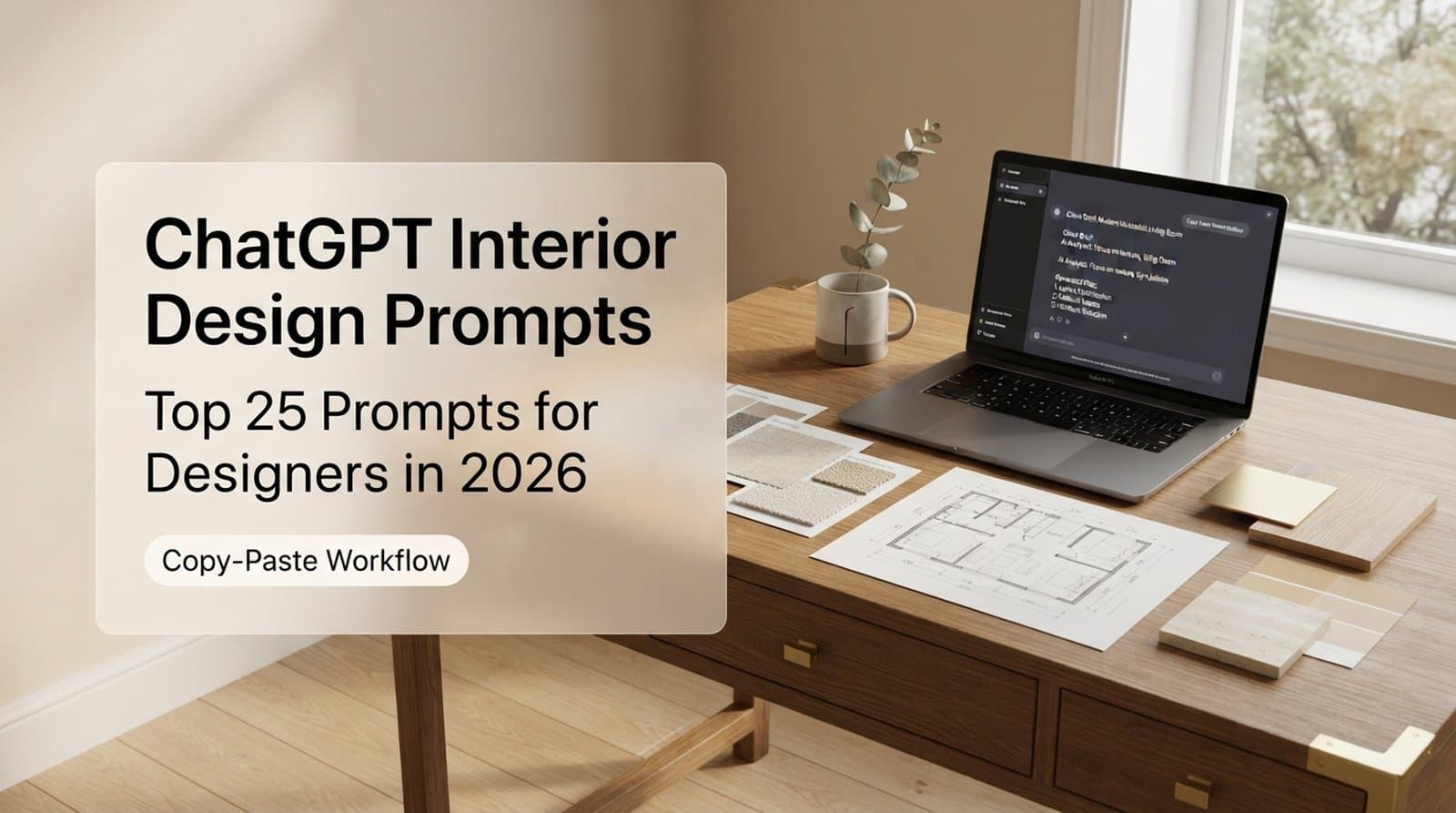
ChatGPT Prompts for Interior Design work best when they turn vague taste into real decisions: style, palette, layout, materials, budget logic, and the words you use with a client. The strongest prompts in 2026 do not ask ChatGPT to “design a room.” They give it a role, a room brief, constraints, an output format, and a clear next step for visual testing.
Most prompt lists stop at mood boards and color ideas. Useful, yes. Enough for a real project? Not really. A working design process needs rhythm: concept, space planning, client approval, material logic, visual validation, and then a path from idea to purchase using real furniture where possible.
At Paintit.ai, we consistently observe that designers achieve superior results when they combine the ideation power of AI with the precision of visual validation. Text can suggest a warm Japandi living room. It cannot prove that the beige wall, oak floor, black lamp, and actual window light will work together in your client’s room.
This guide gives you 25 copy-ready prompts, plus the thinking behind them, useful follow-up questions, and a practical way to test the output visually.
A weak prompt gives you taste words. A strong prompt gives you usable direction.
Ask ChatGPT for a modern bedroom, and you may get 10 familiar ideas: neutral palette, clean lines, soft lighting. Nothing wrong with that. But it is not a design brief. A better prompt defines the room size, client profile, desired feeling, existing items, budget tier, and the exact format you want back.
In our analysis of Paintit.ai user prompts, the strongest briefs tend to include 1 dominant style, 2 to 3 material cues, and at least 1 hard constraint such as keeping the existing sofa, maintaining the room layout, or avoiding major construction.
That is the gap between inspiration and workflow.
For professional interiors, AI works well as an assistant that drafts, compares, organizes, and reframes. It can help you generate 3 concept routes before a client meeting. It can write a material comparison in plain English. It can turn a loose client questionnaire into a structured brief. It can prepare a room-by-room checklist.
But it cannot see your project conditions unless you provide them. It cannot confirm local building compliance. It cannot judge real light, texture, scale, or furniture fit from text alone. That is why designers need both text prompts and visual verification.
If you work with clients, teams, or several room concepts at once, the most useful flow is simple: use ChatGPT for language and structure, then move the chosen direction into a visual tool. For design teams, this client workflow for designers often starts with fast concept variants, not one polished idea too early.
Use this article as a working library of ChatGPT Interior Design Prompts, ChatGPT Prompts for Interior Design that you can adapt to bedrooms, kitchens, hospitality spaces, small apartments, retail interiors, and early architectural concepts.
The best interior design prompts follow a 6-part structure:
Here is the simplest version:
Act as an interior designer. I am redesigning a 16-square-meter bedroom for a client who wants a calm, warm minimalist feel. Keep the existing bed and walnut floor. Suggest 3 design concepts with color palette, materials, lighting, furniture additions, and one risk for each concept. Format the answer as a comparison table.
Why it works:
The role tells ChatGPT how to think. The room size gives scale. The client feeling gives emotional direction. The existing bed and floor stop the answer from drifting into fantasy. The 3 concepts create options. The risk column keeps the response honest.
This is also where many lists of interior design prompts fall short. They give you a sentence, but not a method. Once you understand the structure, you can build better prompts in 30 seconds.
A good refinement sequence looks like this:
First prompt:
Act as an interior designer. Create 3 design concepts for a Scandinavian-inspired living room with a muted color palette, natural wood accents, and soft layered lighting. The room is 22 square meters and must keep the existing grey sofa.
Follow-up 1:
Now choose the strongest concept for a young family with 1 child and explain why it is more practical than the other 2 options.
Follow-up 2:
Convert that concept into a shopping and styling brief with furniture types, approximate dimensions, materials, and placement notes.
Follow-up 3:
Rewrite the concept as a client-facing paragraph under 120 words with a warm, confident tone.
If you are learning how to prompt chat gpt for interior design, this sequence matters more than memorizing 100 prompts. Good prompting is iterative. You ask, review, correct, and narrow. Like building a playlist, you start with a style, then adjust the flow until every track belongs.
Based on Paintit.ai data, users tend to get more realistic visual outcomes when they describe what should stay unchanged as clearly as what should change. For example: keep the room layout, preserve the window position, keep the flooring, change only wall color and furniture style.
When you move from ChatGPT into Paintit.ai, this becomes even more important. Paintit.ai supports JPG, PNG, PDF, and DWG files, but the instruction still needs design clarity. If you want a deeper prompt-writing method for visuals, we explain the difference between vague and render-ready instructions in our guide to sharper visual briefs.
These are the best chatgpt prompts for interior design when you need more than surface-level inspiration. Each one is written to produce a useful output, not just a decorative description.
Use this when a client sends scattered notes, Pinterest boards, voice messages, or questionnaire answers.
Prompt:
Act as a senior interior designer. Turn the following client notes into a structured design brief. Include project goals, emotional tone, functional needs, style preferences, disliked elements, must-keep items, budget sensitivity, unknowns, and 5 follow-up questions I should ask before starting. Client notes: [paste notes].
Refine with:
Now convert this into a 1-page client brief with headings I can send for approval.
Why it works: it reduces early ambiguity. In a 45-minute discovery call, clients often describe feelings before requirements. This prompt turns that personal language into usable design direction.
Use this when a client says something like cozy, clean, elegant, or not too modern.
Prompt:
Act as an interior designer. Translate this client style description into 4 clear interior design directions. For each direction, include style name, color palette, materials, furniture shapes, lighting approach, and what to avoid. Client description: [paste description].
Refine with:
Rank the 4 directions from safest to boldest for a residential client.
Why it works: clients usually speak in personal words, not design vocabulary. This prompt helps you translate feeling into visual language without making them feel wrong for not knowing the terminology.
Use this before presenting options.
Prompt:
Create 3 distinct concept routes for a [room type] in a [home, apartment, office, hotel, restaurant]. The room is [size] and the client wants [feeling]. Keep [existing items]. For each route, provide a concept name, 5 design principles, palette, key materials, furniture direction, lighting plan, and one trade-off.
Refine with:
Make route 1 more budget-conscious, route 2 more premium, and route 3 more distinctive.
Why it works: the trade-off stops all 3 concepts from sounding equally perfect. Helpful, because in design nothing is free, not even "effortless calm."
Use this to brief a mood board before collecting visuals.
Prompt:
Build a mood board direction for a [style] [room type]. Include 8 image categories I should collect, 5 texture references, 5 color notes, 3 furniture silhouettes, 3 lighting references, and 3 styling details. Avoid literal copying and focus on visual qualities.
Refine with:
Turn this into a Pinterest search plan with 12 search phrases.
Why it works: it makes visual research more intentional. This pairs well with the Paintit.ai Pinterest workflow: use an anchor reference for the main style, a material reference, and a mood reference.
Use this when a design needs a narrative for presentation.
Prompt:
Write a concise design story for a [room type] inspired by [style or reference]. The story should explain how the space should feel at 3 moments of the day: morning, afternoon, and evening. Include palette, texture, light, and furniture mood. Keep it under 180 words.
Refine with:
Rewrite it for a high-end residential client who prefers calm language and no design jargon.
Why it works: clients buy clarity before they buy objects. A good story helps them understand the rhythm of the room.
Use this before repainting or creating render variants.
Prompt:
Act as a color consultant. Create 5 color palettes for a [room type] with [natural light level], [flooring color], and [existing furniture]. For each palette, include wall color, trim color, accent color, metal finish, wood tone, mood, and risk.
Refine with:
Choose the best palette for resale appeal and explain the compromise.
Why it works: color cannot be judged in isolation. This prompt forces ChatGPT to connect paint, flooring, furniture, and light.
Use this for kitchens, bathrooms, built-ins, hospitality spaces, and retail interiors.
Prompt:
Suggest 4 material palettes for a [room type] using [main material] as the anchor. For each palette, include countertop or surface, cabinetry or millwork, flooring, wall finish, metal finish, fabric or soft texture, maintenance level, and durability notes.
Refine with:
Remove any material that is difficult to maintain for a family with 2 children and a dog.
Why it works: it brings practicality into the palette discussion early, before everyone falls in love with something beautiful and impossible to live with.
Use this when a scheme feels almost right but slightly off.
Prompt:
Review this finish list and identify possible visual conflicts: [paste finishes]. Look for undertone clashes, too many wood tones, metal finish conflicts, texture imbalance, and maintenance issues. Suggest 3 corrected finish combinations.
Refine with:
Explain the corrections in client-friendly language.
Why it works: this is one of the most useful prompts for preventing expensive sample-board mistakes.
Use this for any room where mood matters.
Prompt:
Create a layered lighting plan for a [room type] of [size]. Include ambient, task, accent, and decorative lighting. Suggest fixture types, approximate placement logic, color temperature range, dimming strategy, and 3 scenes: everyday, entertaining, and evening calm.
Refine with:
Adjust the plan for a room with only 1 ceiling point and limited electrical changes.
Why it works: it separates lighting atmosphere from fixture shopping. That distinction saves a lot of time.
Use this for planning before visual rendering.
Prompt:
Act as an interior space planner. Suggest 3 furniture layouts for a [room type] measuring [dimensions]. Include circulation paths, focal point, seating or work zones, storage, approximate furniture dimensions, and why each layout works. Keep [existing items] in place.
Refine with:
Select the best layout for hosting 6 people twice a month.
Why it works: it makes the model think about behavior, not just furniture.
Use this for studios, compact bedrooms, entryways, and urban apartments.
Prompt:
Design a small-space strategy for a [room type] measuring [size]. The client needs [functions]. Suggest 10 space-saving ideas, furniture types, storage methods, visual tricks, and 3 things to avoid because they will make the space feel smaller.
Refine with:
Reduce this to 5 ideas under a modest budget and no built-in construction.
Why it works: small spaces need hierarchy. This prompt asks ChatGPT to choose what matters most, instead of cramming in every clever trick from the internet.
Use this for living-dining-kitchen spaces.
Prompt:
Create a zoning plan for an open-plan space of [dimensions] that includes [zones]. Suggest furniture placement, rug sizes, lighting zones, storage, circulation paths, acoustic considerations, and visual separation methods without building walls.
Refine with:
Make the plan suitable for a renter who cannot drill into walls or change flooring.
Why it works: open-plan rooms often fail because zones are implied, not designed.
Use this for early architectural massing, façade ideas, or interior architecture language.
Prompt:
Act as an architect. Develop 3 concept directions for a [project type] with [site/context], [client goals], and [constraints]. For each direction, include spatial idea, form language, material concept, daylight strategy, circulation logic, and 3 risks to investigate.
Refine with:
Turn the strongest direction into a short concept statement for a client presentation.
Why it works: it supports early thinking without pretending to replace technical design or local compliance review. If you want to move an architectural idea into visual form, you can check the massing mood and façade language before spending time on detailed presentation assets.
Use this when moving from idea to buy.
Prompt:
Create a furniture curation brief for a [room type] in [style]. Include 8 furniture or decor categories, ideal dimensions, material preferences, color notes, search terms, and what to avoid. Prioritize pieces that could realistically be sourced from retailers such as Amazon, IKEA, Jysk, or Ashley.
Refine with:
Make the list more cohesive by choosing 1 dominant wood tone and 1 metal finish.
Why it works: it keeps furniture selection grounded. ChatGPT should guide the shopping logic, not promise prices or availability.
Use this after the main furniture is decided.
Prompt:
Create a decor styling plan for a [room type] with [main furniture pieces]. Include artwork scale, cushion or textile palette, rug guidance, shelf styling, plants, ceramics, books, and 5 styling rules to keep the room from feeling cluttered.
Refine with:
Make the styling warmer without adding more objects.
Why it works: it helps designers tune the final 10 percent of the room.
Use this when a client has a fixed total spend.
Prompt:
Act as an interior designer. Allocate a [budget amount] budget across a [room type] project. Include furniture, lighting, paint or finishes, textiles, decor, contingency, and where to save versus spend. Explain the logic in simple client-facing language.
Refine with:
Create a lower-cost version that keeps the same visual mood.
Why it works: it separates budget planning from item shopping. That distinction reduces client friction.
Use this when a client asks for more responsible material choices.
Prompt:
Review this design concept for sustainability opportunities: [paste concept]. Suggest lower-impact alternatives for materials, furniture, lighting, reuse, vintage sourcing, durability, and maintenance. Include 5 client-friendly talking points and 3 trade-offs.
Refine with:
Rewrite the recommendations for a client who cares about durability more than labels.
Why it works: it turns sustainability from a slogan into practical decisions.
Use this for early planning, not final compliance.
Prompt:
Review this room plan for accessibility considerations: [describe plan]. Identify possible issues with circulation, reach ranges, clearances, seating, lighting, contrast, flooring, handles, and trip hazards. Provide a checklist of items to verify with local guidelines and a qualified professional.
Refine with:
Prioritize the top 5 changes that would improve daily comfort without major renovation.
Why it works: it helps you ask better questions. It does not replace code review, accessibility consultation, or professional responsibility.
Use this when clients cannot do everything at once.
Prompt:
Create a 3-phase redesign plan for a [room or home]. Phase 1 should make the biggest visual impact quickly, Phase 2 should improve function, and Phase 3 should complete the long-term design. Include dependencies, risks, and what not to buy too early.
Refine with:
Adjust the plan for a client who will live in the home during the work.
Why it works: phasing protects the final design from short-term purchases that do not fit later.
Use this after a design meeting or when explaining a decision.
Prompt:
Draft a client email summarizing our design recommendation for [room/project]. Explain the concept, why it fits their goals, what decisions are needed this week, and what will happen next. Tone: warm, concise, professional. Keep it under 220 words.
Refine with:
Make it more reassuring because the client is nervous about the darker wall color.
Why it works: a good email can prevent 3 rounds of confusion.
Use this before sending a design proposal.
Prompt:
Create a scope of work for an interior design project covering [rooms]. Include deliverables, number of concept options, revisions, visual outputs, sourcing support, exclusions, client responsibilities, timeline assumptions, and approval milestones.
Refine with:
Make the exclusions clearer without sounding defensive.
Why it works: it protects the relationship. Many project issues begin with unclear scope.
Use this before client reviews.
Prompt:
Create a 45-minute client meeting agenda for reviewing [concept, layout, materials, renderings]. Include timing, discussion points, decisions needed, visuals to prepare, questions to ask, and a follow-up email outline.
Refine with:
Add a 10-minute section for comparing 2 alternative color palettes.
Why it works: it keeps creative meetings from drifting.
Use this when moving from concept to execution planning.
Prompt:
Turn this approved design concept into a project task list: [paste concept]. Organize tasks by design, sourcing, client approvals, contractor coordination, visuals, procurement, and installation. Include dependencies and priority levels.
Refine with:
Convert this into a 4-week schedule with weekly milestones.
Why it works: ChatGPT is useful for structure. You still need human judgment for lead times, contractor sequencing, and site realities.
Use this carefully, only as a research checklist.
Prompt:
Create a preliminary regulatory research checklist for a [project type] in [location]. Include possible topics to verify, such as permits, fire safety, accessibility, ventilation, heritage restrictions, plumbing, electrical, and change-of-use. Do not provide final legal or technical advice. List questions for the local authority or licensed professional.
Refine with:
Separate the checklist into items for the architect, contractor, client, and local authority.
Why it works: it helps teams organize questions. It must never be treated as final compliance advice.
Use this before creating AI renders or client visuals.
Prompt:
Prepare a visual rendering brief for a [room type] based on this concept: [paste concept]. Include what must stay unchanged, what should change, style direction, color palette, materials, furniture mood, lighting mood, camera angle, and 5 negative instructions to avoid unwanted changes.
Refine with:
Rewrite the brief as a short instruction for an AI visualization tool, keeping the room layout unchanged.
Why it works: it turns text into a render-ready brief. This is the bridge between ChatGPT and a visual workflow.
For chatgpt interior design prompts for beginners, start with prompts 1, 3, 6, 10, and 25. Those 5 cover brief, concept, color, layout, and visualization. If you searched for prompts for chat gpt for interior design because you need something copy-ready, save the full set above and adapt only the bracketed details.
The most underused chat gpt interior design prompts are not about style. They are about coordination.
A professional designer may spend 2 hours choosing a palette, then 6 hours explaining it, documenting it, revising it, sourcing around it, and preparing it for approval. ChatGPT is often strongest in those quieter, less glamorous steps.
Here are 4 workflow areas where prompts can save mental energy without replacing judgment.
Prompt:
Rewrite this technical design explanation for a client with no design background. Keep the meaning, remove jargon, and make the tone calm and confident. Text: [paste text].
Prompt:
Create 3 versions of a client message explaining why we recommend investing in better lighting before buying more decor. Version 1: direct. Version 2: warm. Version 3: luxury residential tone.
The number to remember: if a client must approve 5 decisions this week, put those 5 decisions in a numbered list. ChatGPT can format the message, but you decide what matters.
Prompt:
Turn this room design into a decision tracker with columns for item, decision owner, deadline, dependency, risk, and current status. Concept: [paste concept].
Prompt:
Create a pre-render checklist with 12 items I should confirm before producing client visuals for a kitchen redesign.
This is where AI becomes less like a mood board assistant and more like a quiet project coordinator.
Prompt:
Compare quartz, marble, porcelain, and wood countertops for a family kitchen. Include visual character, maintenance, durability, cost sensitivity, and client-fit notes. Do not recommend one option until the end.
Prompt:
Create a material sample review checklist for a bathroom project. Include undertone, slip resistance, cleaning, grout contrast, edge detail, lighting interaction, and compatibility with existing finishes.
Use these prompts to structure research. Then verify specifications with suppliers and product documentation.
Prompt:
List the professional checks I should complete before changing a residential bathroom layout in [location]. Include plumbing, ventilation, waterproofing, electrical zones, accessibility, permits, and contractor questions. Do not give final compliance advice.
Prompt:
Review this proposed office layout for possible comfort and accessibility concerns. Include circulation, glare, seating variety, acoustic issues, signage, lighting contrast, and questions to verify.
A useful rule: use ChatGPT to generate 10 questions, not 1 final answer, whenever safety, accessibility, permits, or building regulations are involved.
If you want to see how this fits into a client-facing design rhythm, we've written more about turning early ideas into fast visual options without making the process feel rushed.
Text is excellent at naming a direction. Visual AI is better at testing whether that direction works in a real room.
Here is a 5-step workflow we recommend.
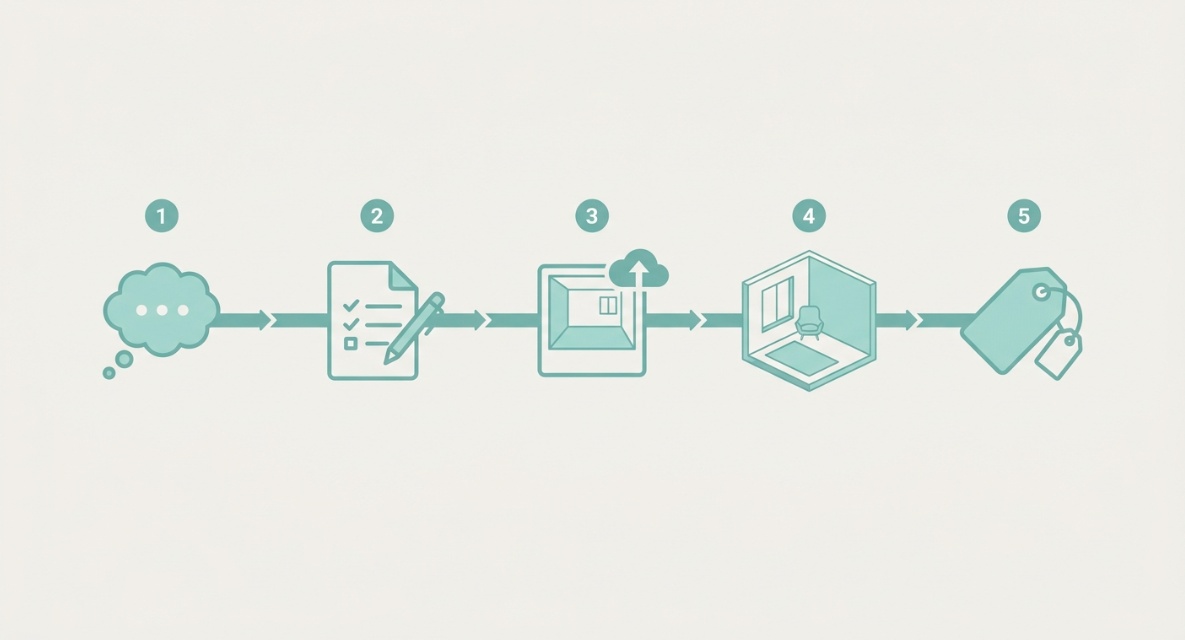
Start with a specific design prompt:
Act as an interior designer. Create a Scandinavian-inspired living room concept with a muted palette, natural wood accents, soft textiles, and black metal details. The room has a grey sofa, oak flooring, and one large north-facing window. Keep the layout practical for 4 people and avoid a cold showroom feeling.
Ask for:
This gives you language and structure.
Use ChatGPT to rewrite the selected concept:
Rewrite this as a concise AI visualization brief. Include what must stay unchanged, what should change, style, palette, materials, furniture mood, lighting, and negative instructions. Keep the room layout unchanged.
A good visual brief might say:
Keep the existing room layout, window position, flooring, and sofa placement. Redesign the room in a warm Scandinavian style with muted beige walls, natural oak accents, textured cream rug, simple linen curtains, black metal floor lamp, and soft layered lighting. Do not change the room dimensions, window shape, or camera angle.
n Paintit.ai, upload a room photo or project file. Supported formats include JPG, PNG, PDF, and DWG. Choose the feature that matches the task: Full Redesign for a new look, Repaint for wall color testing, Empty Room Staging for vacant spaces, Style Transfer for reference-led work, or Object-level edits for targeted changes. Most renders finish in 1–2 minutes, so you can compare a few directions in one working session.
For a living room, you can upload your current photo and compare several visual directions before a client meeting.
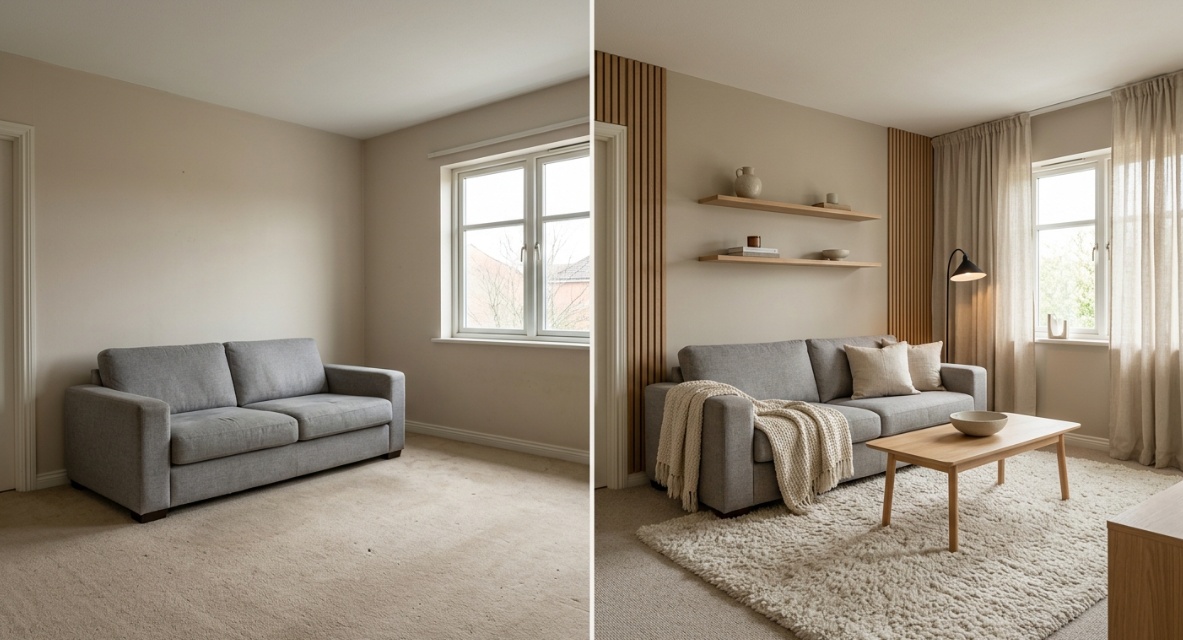
If you use Pinterest images, stack them in 3 parts:
Use this constraint:
Use this reference for style, palette, materials, and mood. Do not copy exact composition. Keep my room layout unchanged.
This works best for transferring visual qualities, not literal copying.
Generate 3 to 5 variants. Compare them against the client brief, not just taste.
Ask:
In practice, moving from a ChatGPT-generated concept to a tangible visual in Paintit.ai gives you immediate feedback and room to refine, which saves time and helps prevent expensive misunderstandings.
Paintit.ai starts with 30 free credits. Paid plans start at Starter for $14.99 a month with 500 credits, Pro for $29.99 a month with 1,500 credits and Pinterest connection, and Max for $79.99 a month with 4,500 credits and priority generation. Payment options include Visa, Mastercard, AMEX, Discover, PayPal, and Apple Pay. No hidden fees, cancel anytime, with a 7-day money-back guarantee on paid plans.
The tool is intuitive, but the output depends on the brief. These 7 mistakes create most of the weak results we see.
Bad prompt: Give me a Japandi living room.
Better prompt: Create a Japandi concept for a 20-square-meter living room with oak flooring, a cream sofa, limited natural light, and a client who dislikes clutter.
A style is not a design. It needs a room, a user, and constraints.
If the client is keeping the sofa, flooring, windows, or built-ins, say so. Otherwise, ChatGPT may suggest a concept that depends on replacing the wrong thing.
Use this line: Keep [items] unchanged and design around them.
Do not ask for concept, budget, sourcing, render brief, client email, and install plan in 1 prompt. Split the work into 5 stages. The output will be cleaner.
ChatGPT can describe a bohemian chic living room, but visual interpretation can vary widely. Texture, daylight, scale, undertone, and composition need image-based testing.
When users test ideas visually before committing, such as applying a ChatGPT-suggested color palette to their actual room photo in Paintit.ai, they gain confidence and clarity that text alone cannot provide.
Negative instructions are not just for image tools. They help ChatGPT avoid the wrong direction.
Add: Avoid glossy finishes, oversized furniture, cool grey walls, open shelving, and high-maintenance materials.
A list of 5 avoidances can improve the answer more than another paragraph of inspiration.
The first output is often a sketch. Ask for alternatives.
Try:
This creates flow. Each prompt is a track transition, not a new album.
For architecture, accessibility, electrical work, fire safety, plumbing, structural changes, and permits, use ChatGPT as a checklist assistant only. Verify with local codes, consultants, suppliers, contractors, and qualified professionals.
The safe pattern is: ask for questions to verify, not final approval.
This distinction protects clients, projects, and professional judgment.
The best prompts are specific to a project stage. Use brief extraction prompts at discovery, concept prompts during ideation, layout prompts during planning, material prompts during specification, and visual validation prompts before rendering. A strong prompt usually includes room type, size, client goal, style direction, constraints, and the exact output format you want.
ChatGPT can help structure ideas, compare styles, draft briefs, suggest palettes, and prepare client communication. It cannot reliably judge real scale, light, texture, or spatial relationships from text alone. For a real project, use ChatGPT for thinking and Paintit.ai for visual testing.
For chatgpt interior design prompts for beginners, include 5 basics: room type, room size, existing items, desired feeling, and what you want back. For example, ask for 3 concepts, each with palette, materials, furniture direction, lighting, and risks.
Ask ChatGPT to rewrite the concept as a visual brief. Include what must stay unchanged, what should change, style, palette, materials, lighting, and negative instructions. Then upload the room photo to Paintit.ai and test the concept with Full Redesign, Repaint, Style Transfer, or Object-level edits.
Yes, but with clear limits. Architects can use prompts for concept language, spatial ideas, client narratives, material direction, meeting agendas, and research checklists. They should not use ChatGPT as a substitute for technical drawings, structural judgment, local regulations, or licensed professional review.
For most early design presentations, test 3 concept routes and 3 to 5 visual variants. That gives enough contrast for decision-making without overwhelming the client. After that, narrow the direction and refine details rather than generating endless options.
No. Prompts are a starting point. Professional work still needs taste, empathy, measurement, sourcing, coordination, documentation, and client judgment. The strongest workflow is personal and practical: type the idea, see it visually, tweak it, and then move toward buying or specifying with more confidence.