
9 min. reading
How to Design a Kitchen with Paintit.ai

Yulii Cherevko
CEO paintit.ai
Page Contents:
- 1. Why Kitchens Are Technically Demanding
- 2. What Makes a Strong Kitchen Result
- 3. Layout and Cabinet Rhythm First
- 4. How to Build a Better Kitchen Prompt
- 5. Kitchen Prompt Cards
- 6. How to Compare Kitchen Directions
- 7. Advanced Kitchen Techniques
- 8. Frequently Asked Questions
- 9. Related articles
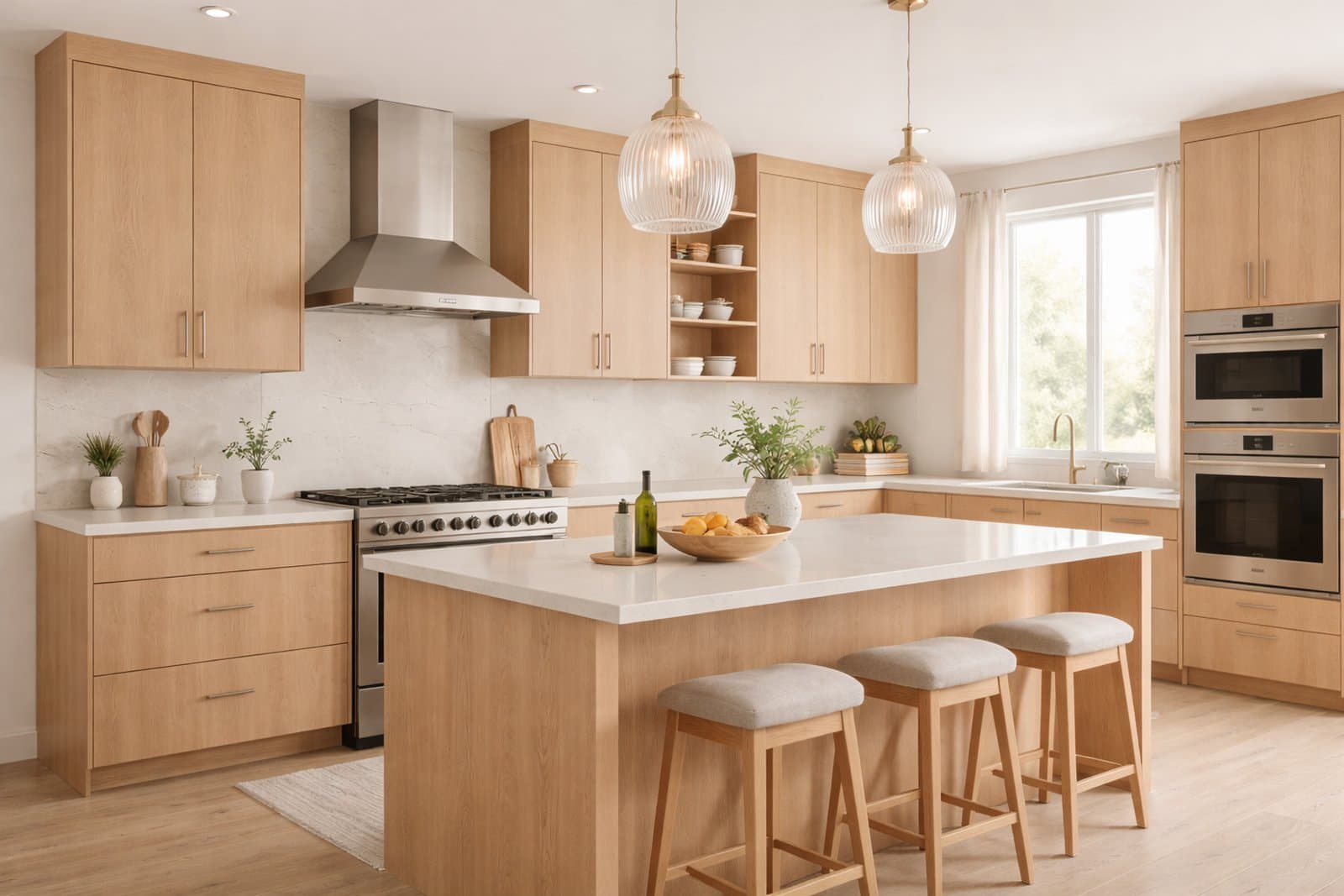
Kitchens are one of the most technical spaces to redesign in Paintit.ai because realism depends on layout logic, cabinet rhythm, appliance placement, material hierarchy, and lighting balance. This guide shows how to generate cleaner, more believable kitchen concepts with stronger prompt control.
Why Kitchens Are Technically Demanding
A kitchen can look stylish and still feel wrong if the functional logic breaks.
In most rooms, visual mistakes can sometimes hide behind atmosphere. In kitchens, they are easier to notice. Cabinet alignment, counter continuity, appliance hierarchy, backsplash logic, and circulation usually need to feel physically plausible for the image to feel believable.
What makes kitchens more technical
Functional zones matter — prep, cooking, sink, storage, and circulation should feel coherent.
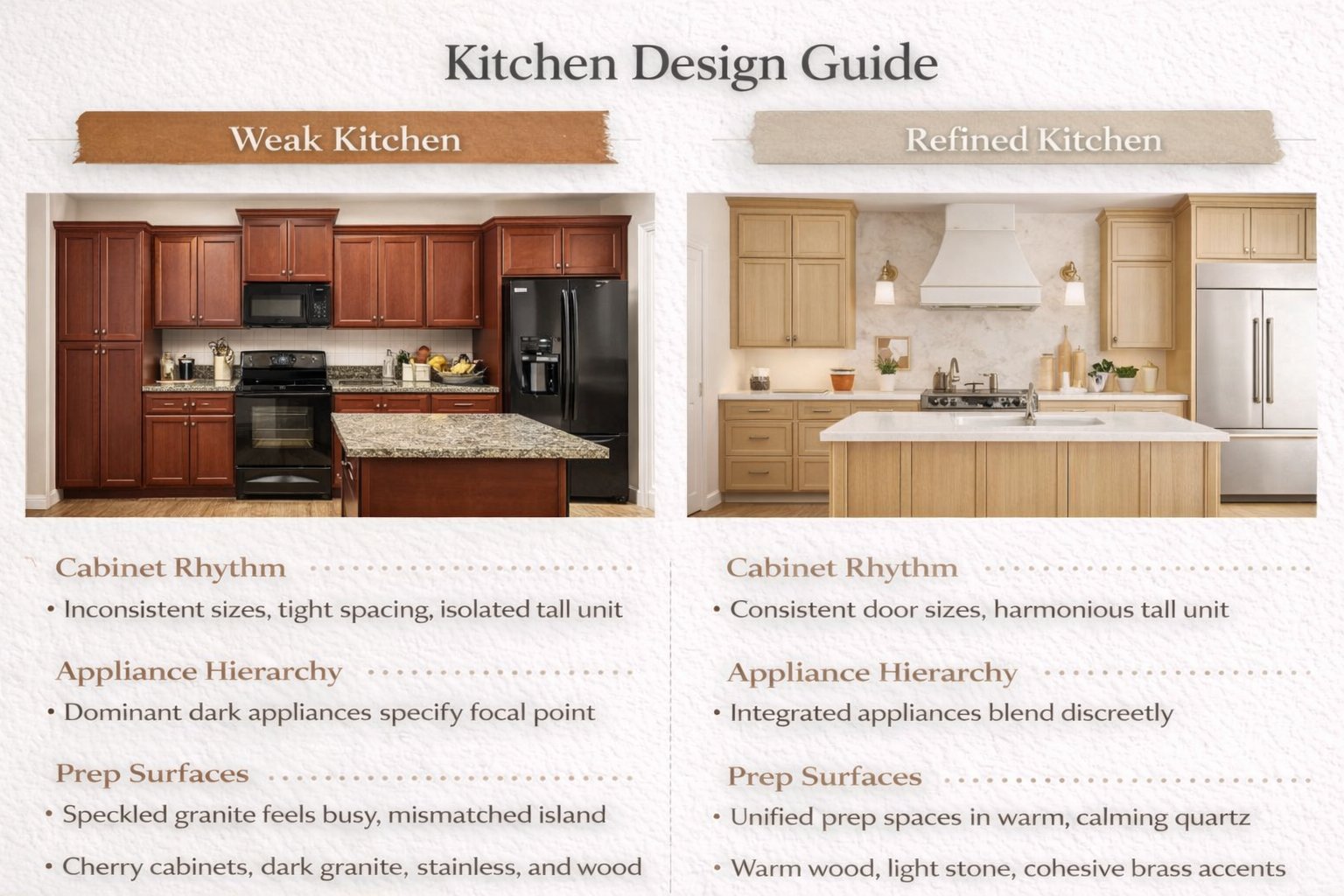
Cabinet rhythm matters — upper and lower units should feel structurally organized, not random.
Appliances create hierarchy — fridge, oven, cooktop, hood, and sink influence the whole composition.
Surface logic is visible — countertop, backsplash, wood, stone, and hardware need to feel like one system.
This is why kitchen prompts benefit from more structural guidance than generic style-only prompts.
What Makes a Strong Kitchen Result
The best kitchen concepts feel clean, usable, and materially coherent.
A strong Paintit.ai kitchen should read as a functional working environment, not just a styled backdrop. The cabinetry should feel intentional, the surfaces should connect logically, and the room should still feel navigable.
A strong kitchen result usually gets these things right
Clear zone hierarchy — sink, prep, cooking, and storage feel organized.
Believable cabinet composition — tall units, base cabinets, and open areas feel balanced.
Consistent material family — fronts, counters, backsplash, and hardware work together.
Controlled visual density — enough detail to feel premium, not so much that the kitchen becomes noisy.
Realistic lighting — daylight, under-cabinet glow, and reflective surfaces feel natural instead of harsh.
Kitchens usually become more convincing when material restraint and layout clarity are stronger than decoration.
Layout and Cabinet Rhythm First
Most weak kitchen results fail because the structure feels wrong before the styling even begins.
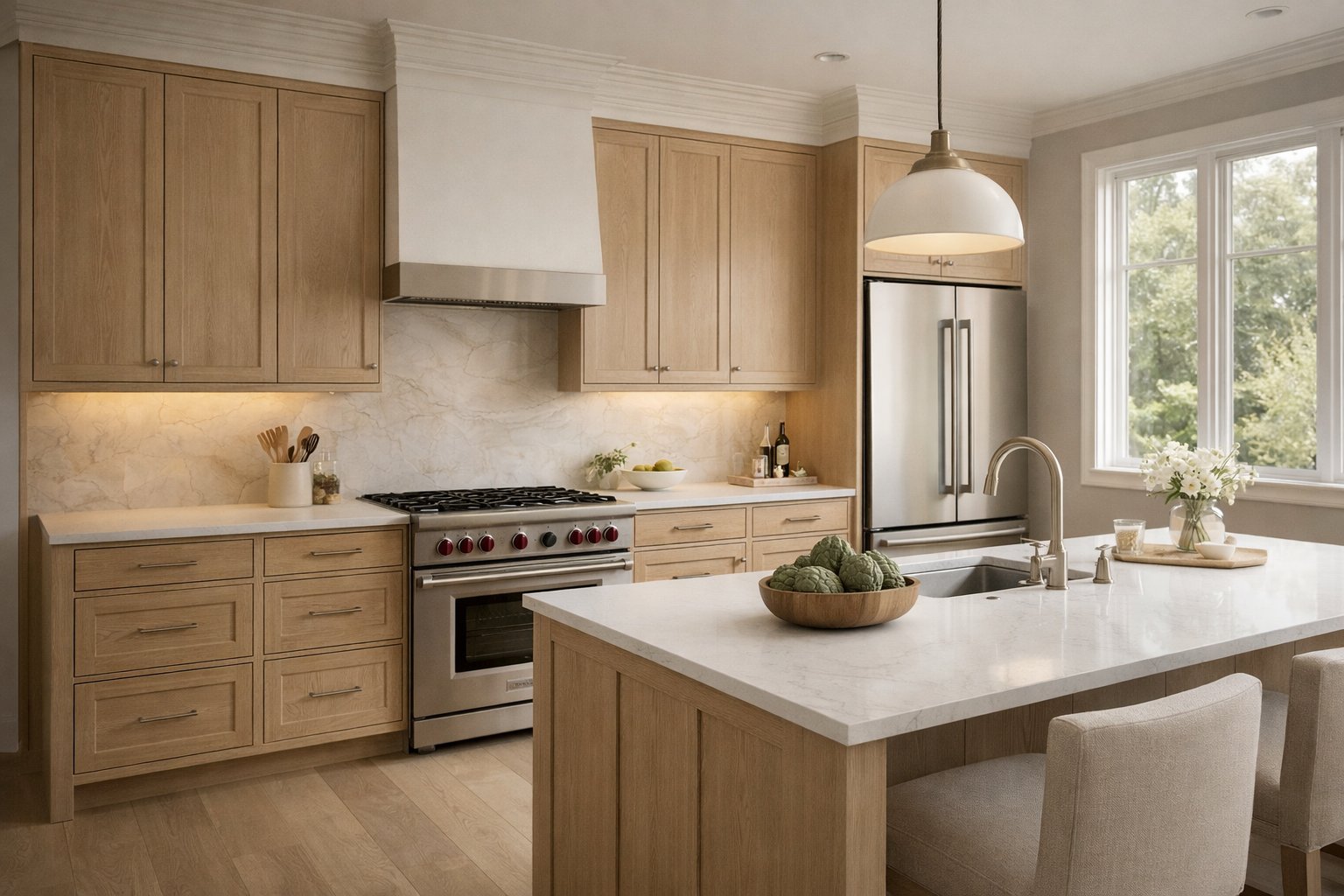
A good kitchen usually has a readable order. That order may be linear, L-shaped, U-shaped, island-based, or galley-like, but it still needs to feel deliberate. When the layout logic is weak, even premium materials will not fully rescue the result.
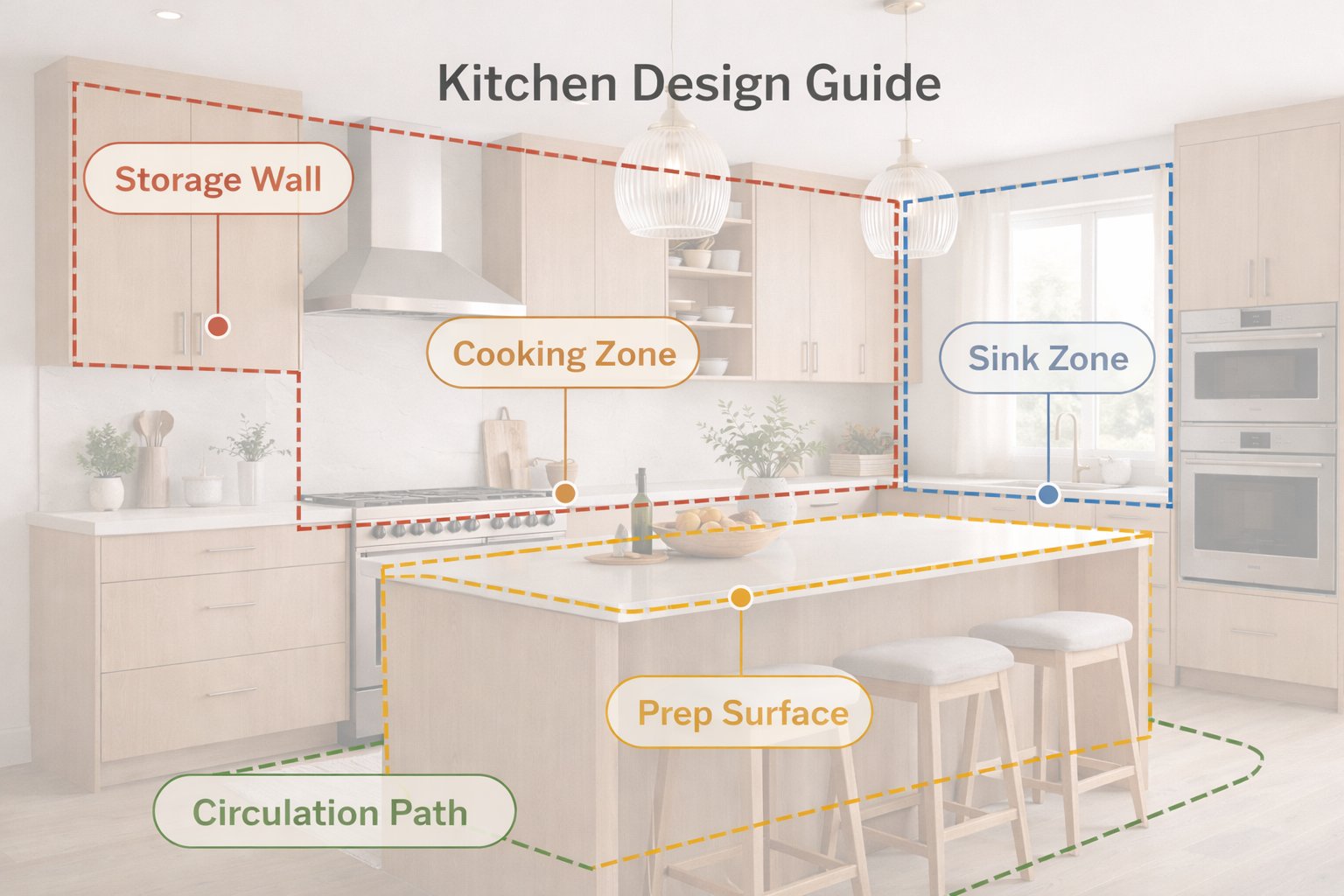
The 5 kitchen anchors to think about first
Sink zone — where the sink sits and how it relates to the window or counter run.
Cooking zone — where the hob, oven, or hood create the main technical focus.
Storage wall — tall cabinets, fridge integration, pantry rhythm, or appliance wall logic.
Prep surface — whether the room has enough uninterrupted worktop to feel usable.
Circulation — whether the kitchen still feels workable, especially around islands or narrow passages.
One of the best ways to improve a kitchen result is to mention at least one of these anchors explicitly in the prompt. That gives Paintit.ai stronger functional direction.
Technical tip
If the source kitchen already has viable plumbing and appliance logic, preserve the layout first. Focus on cabinet language, materials, hardware, lighting, and surface refinement before trying to reinvent the room.
How to Build a Better Kitchen Prompt
The best kitchen prompts define structure, material system, and technical emphasis clearly.
Weak kitchen prompts often ask only for “modern,” “beautiful,” or “luxury.” Stronger prompts define the kitchen type, cabinetry language, material hierarchy, and what should stay fixed.
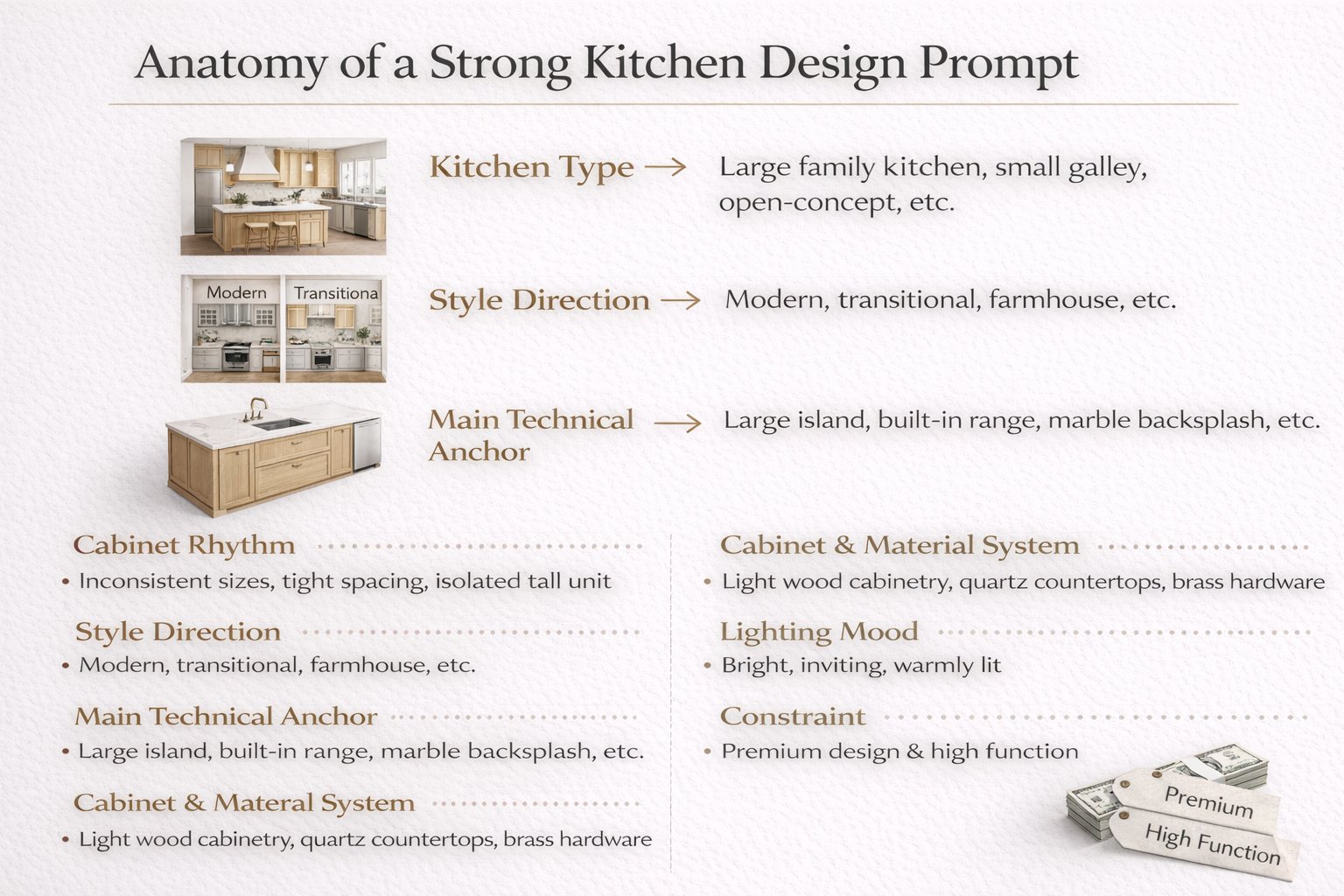
A practical kitchen prompt structure
[Kitchen type] + [Style direction] + [Main technical anchor] + [Cabinet and material system] + [Lighting mood] + [Constraint]
What to define more clearly
Kitchen type — apartment kitchen, open-plan kitchen, compact galley kitchen, family kitchen, premium island kitchen.
Main technical anchor — island, tall storage wall, sink under window, statement backsplash, integrated appliance wall.
Cabinet and material system — flat oak fronts, warm white cabinetry, stone countertop, integrated hardware, darker lower units, brushed metal details.
Lighting mood — soft daylight, clean bright daylight, warm under-cabinet lighting, refined evening ambience.
Constraint — keep layout, window positions, appliance logic, or room proportions unchanged when needed.
Example of a technically stronger kitchen prompt:
Redesign this kitchen as a warm contemporary space with flat oak cabinetry, a light stone countertop, integrated appliances, a clean backsplash, soft daylight, and a calm premium atmosphere. Keep the kitchen layout, sink position, and window placement unchanged.
This works better because it defines cabinet language, surface hierarchy, and technical control all at once.
Kitchen Prompt Cards
Use these as copy-ready starting points for the most useful kitchen directions.
Core kitchen prompt cards
Warm contemporary kitchen
Redesign this kitchen as a warm contemporary space with flat oak cabinetry, light stone counters, integrated appliances, a clean backsplash, and soft daylight. Keep the layout, sink position, and room proportions unchanged.
Minimal modern kitchen
Transform this kitchen into a clean minimal modern design with simple cabinetry, restrained hardware, soft matte finishes, clean stone surfaces, and bright natural light. Preserve the appliance layout and openings.
Organic modern kitchen
Redesign this kitchen in an organic modern style with warm wood cabinetry, a textured stone island, subtle integrated lighting, earthy neutral tones, and a relaxed premium atmosphere. Keep the structure and circulation unchanged.
Special-use kitchen cards
Compact apartment kitchen
Turn this compact kitchen into a clean efficient design with light cabinetry, simple storage rhythm, easy-to-read surfaces, and brighter daylight. Keep the layout and appliance positions unchanged.
Family island kitchen
Redesign this kitchen as a warm family kitchen with a functional central island, integrated storage, soft neutral palette, durable premium materials, and a welcoming bright atmosphere. Preserve the room structure and circulation logic.
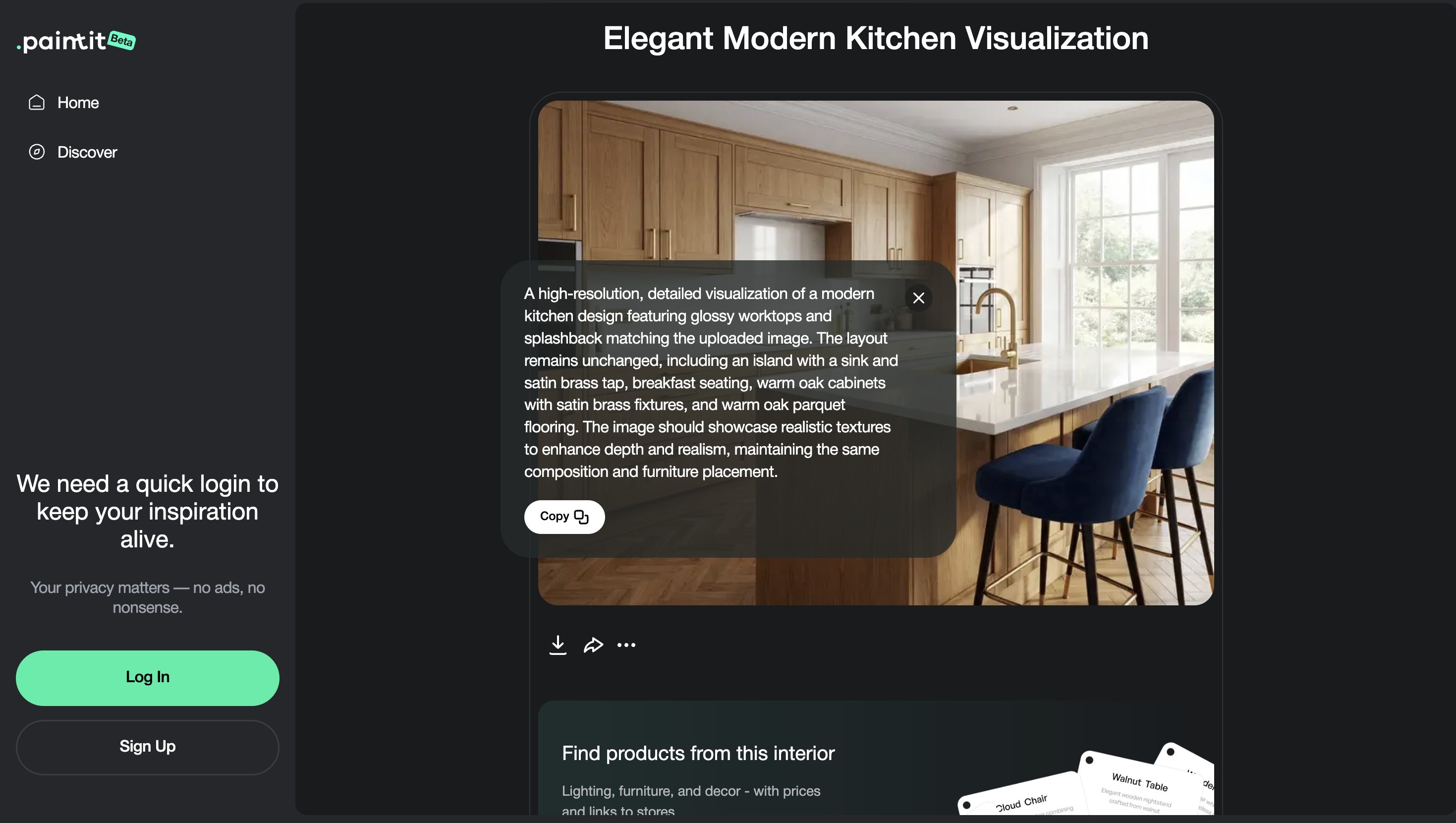
Best practice: define the cabinet language first, then the dominant countertop or backsplash logic, then the light character. That order usually produces cleaner kitchen results.
How to Compare Kitchen Directions
Kitchen comparison works best when the versions differ by material system, cabinet language, and atmosphere.
Because kitchens are highly structured, comparison should focus on controlled shifts rather than unrelated style jumps. The most useful differences are usually in cabinet character, surface palette, and light temperature.
A useful comparison framework
Version 1 — clean and bright
Version 2 — warmer and softer
Version 3 — darker premium contrast
Version 4 — balanced everyday winner
This gives you meaningful contrast without losing the technical structure of the room.
Advanced Kitchen Techniques
These small technical moves often make the difference between an average kitchen image and a convincing one.
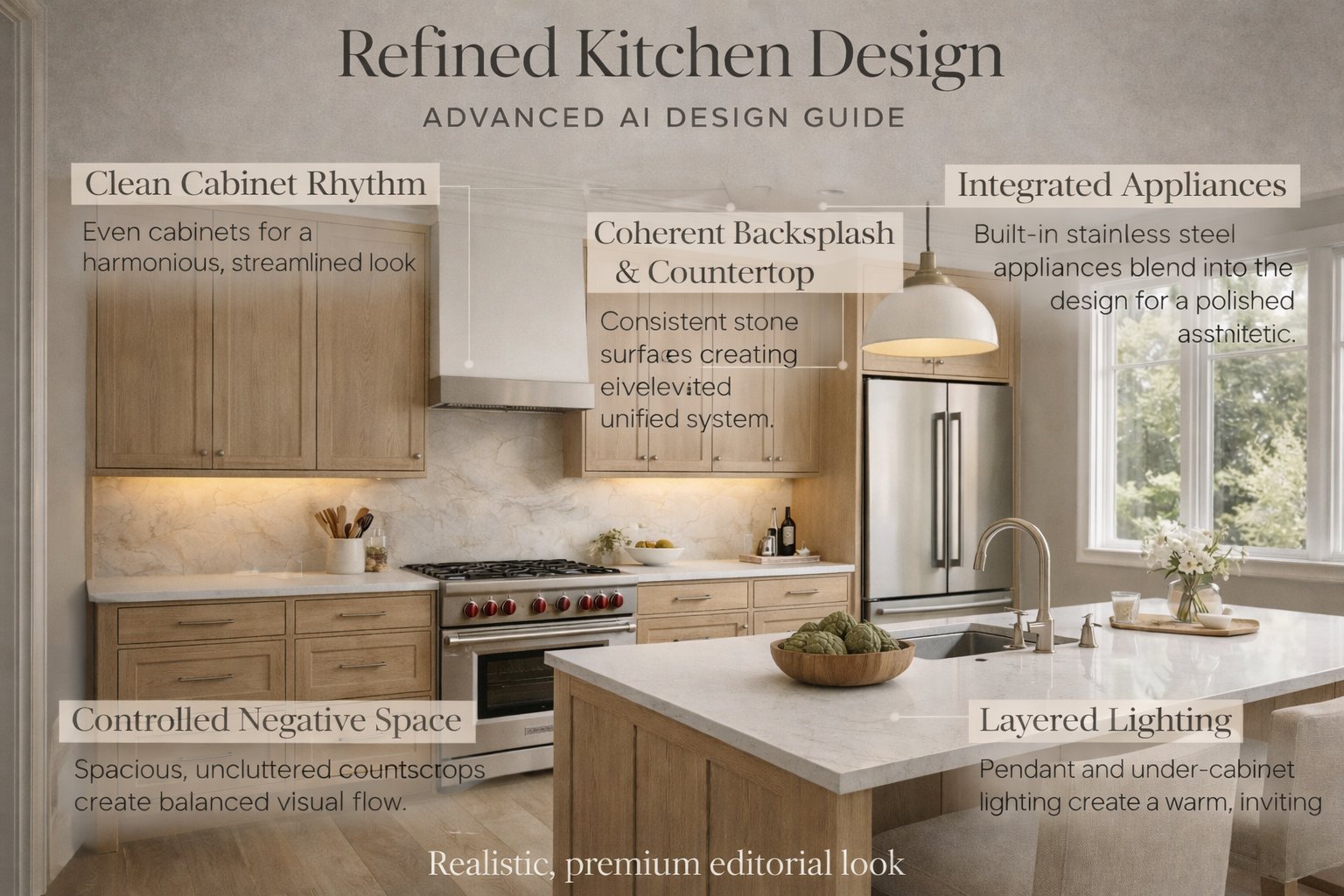
Technique 1 — Simplify cabinet rhythm
If the kitchen feels visually busy, reduce unnecessary breaks in the cabinetry and keep one clear language.
Technique 2 — Treat backsplash and countertop as one system
Kitchens feel cleaner when these surfaces support one another instead of competing.
Technique 3 — Control appliance emphasis
If appliances dominate too much, ask for more integrated or cleaner appliance treatment.
Technique 4 — Respect negative space
Not every wall needs open shelves, decor, or visual texture. Calm gaps often make kitchens feel more premium.
Technique 5 — Use under-cabinet and ambient lighting precisely
Better kitchen outputs often come from soft layered light rather than hard generic brightness.
In kitchen design, refinement usually comes from stronger systems and fewer competing details.
Frequently Asked Questions
What is the most important part of a kitchen redesign?
Usually the structural logic: cabinet rhythm, appliance hierarchy, prep surfaces, and overall layout coherence.
How do I make a kitchen feel more premium?
Use fewer stronger materials, cleaner cabinetry, better appliance integration, restrained hardware, and softer layered lighting.
Should I keep the layout unchanged?
In most cases, yes at first. Kitchens become more believable when plumbing, appliances, and circulation logic are respected.
What is the biggest technical mistake in kitchen prompts?
Asking for a beautiful kitchen without defining cabinet language, material hierarchy, or what should stay structurally fixed.
How do I reduce clutter in a kitchen result?
Simplify cabinet rhythm, reduce open-shelf noise, keep one clear material family, and avoid over-layering decor.
How many kitchen directions should I compare?
Usually three to four materially distinct directions are enough before refining one final route.
Redesign Your Kitchen
Upload your kitchen, define a cleaner cabinet and material system, and turn it into a more believable, functional, and premium concept with Paintit.ai.
Related articles
Trending
Best Qbiq Alternatives for Layout Optimization & High-End Visualization
How Real Estate Agents and Stagers Can Use Paintit.ai
How Interior Designers Can Use Paintit.ai for Faster Client Concepts
How to Visualize Commercial Spaces with Paintit.ai
How to Redesign a Home Exterior with Paintit.ai
Related articles
7 min read
How to Create Organic Minimalism with Curved Furniture and Soft Shapes
Learn how to create organic minimalism with curved furniture, soft shapes, and natural textures. Explore palettes, materials, and visualize it with Paintit.ai.
Yulii Cherevko
CEO paintit.ai
9 min read
Best Qbiq Alternatives for Layout Optimization & High-End Visualization
Compare the best Qbiq alternatives for AI space planning and interior visualization in 2026. Find the right tool for architects, designers, and agents.
Yulii Cherevko
CEO paintit.ai
9 min read
How Real Estate Agents and Stagers Can Use Paintit.ai
Learn how real estate agents and stagers can use Paintit.ai to stage empty rooms, refresh dated listings, clarify room purpose, and create more believable buyer-friendly visuals faster
Yulii Cherevko
CEO paintit.ai
9 min read
How Interior Designers Can Use Paintit.ai for Faster Client Concepts
Learn how interior designers can use Paintit.ai to build faster concept directions, compare options, improve client communication, and structure revisions without losing design control
Yulii Cherevko
CEO paintit.ai
9 min read
How to Visualize Commercial Spaces with Paintit.ai
Learn how to visualize commercial spaces with Paintit.ai using better zoning logic, stronger brand alignment, realistic seating and circulation, and more believable retail, office, cafe, and hospitality concepts
Yulii Cherevko
CEO paintit.ai
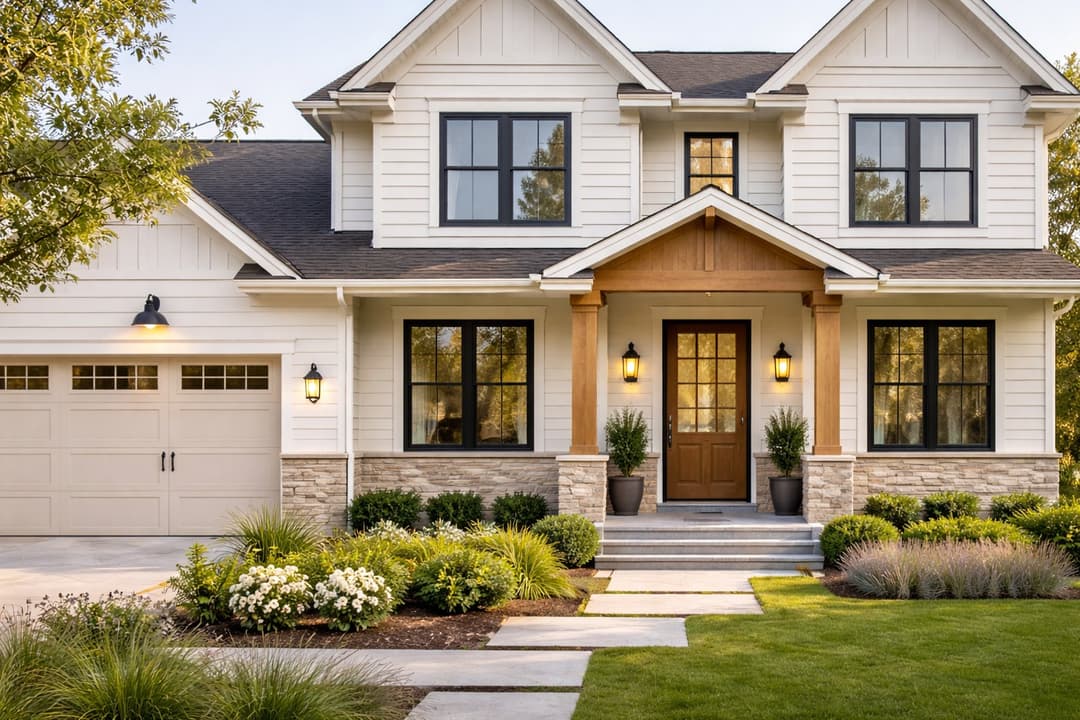
9 min read
How to Redesign a Home Exterior with Paintit.ai
Learn how to redesign a home exterior with Paintit.ai using better facade logic, cleaner material systems, realistic curb-appeal upgrades, stronger prompt control, and more believable exterior concepts
Yulii Cherevko
CEO paintit.ai