
9 min. reading
Top 6 Homestyler Alternatives: Best Tools for Instant Interior Design

Yulii Cherevko
CEO paintit.ai
Page Contents:
- 1. The Core Difference: Constructive Modeling vs. Generative Visualization
- 2. Evaluation Criteria: The EIS Framework
- 3. Top 6 Homestyler Alternatives in 2025
- 4. Detailed Comparative Analysis: Workflow & UX
- 5. The "Agentic" Future: From Picture to Purchase
- 6. Pricing Snapshot (2025)
- 7. Verdict: Which Tool Suits Your Workflow?
Key Takeaways
- The Paradigm Shift: We are moving from Constructive Modeling (manual CAD) to Generative Visualization (AI).
- Best for Flow: Paintit.ai replaces the friction of "drag-and-drop" with instant, photo-realistic generation.
- Best for Pros: Foyr Neo is the top alternative if you still need construction documents and blueprints.
- Best for Staging: REimagine Home specializes in emptying and staging rooms for real estate listings.
- The "Gap of Reality": Most AI tools create fantasies. Look for tools with Agentic Commerce (like Paintit.ai) that link designs to real furniture SKUs.
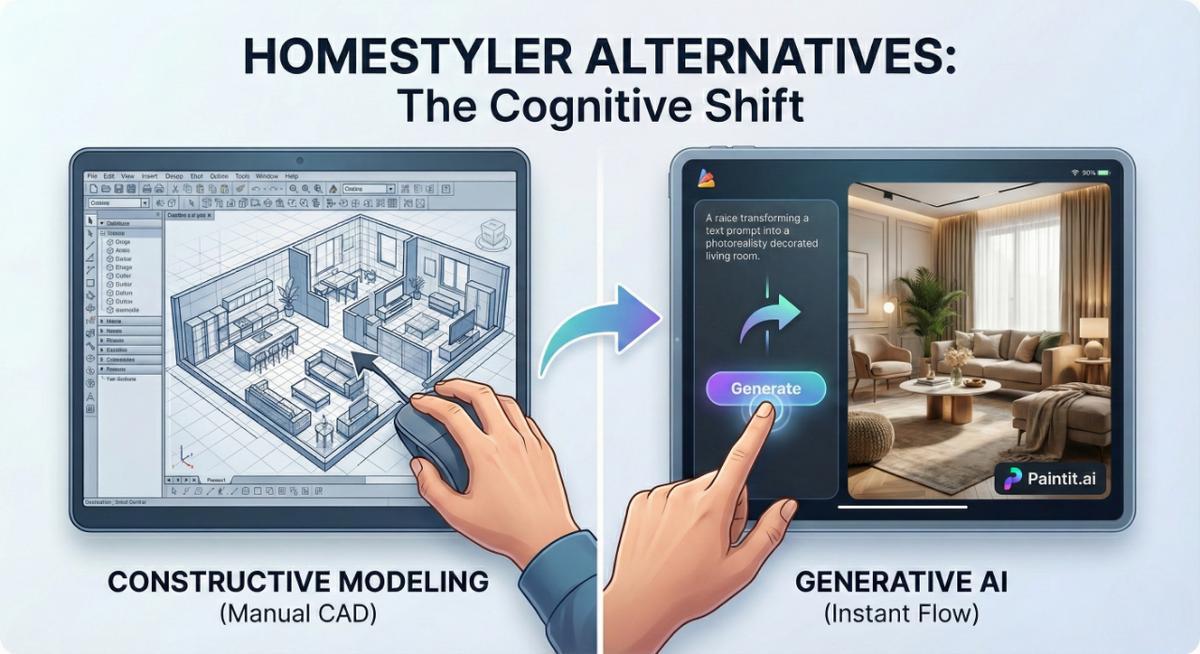
The interior design and architectural visualization industry is standing at the edge of a massive transformation. For the better part of two decades, the dominant model for digital design has been what we call "Constructive Modeling." Platforms like Homestyler rose to prominence by democratizing this process-allowing users to drag and drop walls, insert windows, and manually position 3D furniture models within a browser-based CAD (Computer-Aided Design) interface.
While Homestyler remains a titan with millions of users, the landscape in 2025 has shifted. We are moving away from manual construction toward "Generative Visualization."
Homeowners and modern designers are no longer looking for lighter versions of AutoCAD; they are looking for Homestyler alternatives that prioritize creativity over geometry. They want to move from the tedious task of "drawing lines" to the creative act of "curating styles."
This review explores the top tools leading this shift, analyzing them not just by feature lists, but by how they change the way you design.
The Core Difference: Constructive Modeling vs. Generative Visualization
To understand which Homestyler competitor is right for you, you must first understand the two opposing philosophies currently battling for the market.
The Old Way: Constructive Modeling (Homestyler)
Homestyler operates on a deterministic logic. If you want a living room, you must build it.
-
The Process: You draw the floor plan ➜ You select a specific 3D sofa model ➜ You rotate it ➜ You apply a texture ➜ You wait for the render.
-
The Cognitive Load: This requires high spatial intelligence and technical patience. You are acting as a drafter. If you place a window in the wrong spot, the render looks wrong. The responsibility for realism lies entirely on your manual skills.
-
The Limitation: It is slow. Iterating on a design means deleting objects and dragging in new ones, one by one.
The New Way: Generative Visualization (AI)
Newer platforms like Paintit.ai operate on semantic logic. If you want a living room, you simply describe it.
-
The Process: You upload a photo or type a prompt ➜ The AI understands "Mid-century modern with a cozy vibe" ➜ It generates the entire scene instantly.
-
The Cognitive Load: This requires curatorial intelligence. You are acting as a creative director. The AI handles the geometry, lighting, and textures.
-
The Advantage: It is instant. You can test 50 variations of a room in the time it takes to draw four walls in Homestyler.
Evaluation Criteria: The EIS Framework
We evaluated the following Homestyler alternatives using the EIS Framework (Empathy, Intuitiveness, Seamlessness), a metric designed to measure how well a tool serves the human user, rather than just how many buttons it has.
-
Empathy (Understanding Intent): Does the tool understand a prompt like "make it romantic," or does it require you to manually adjust lighting sliders?
-
Intuitiveness (The Learning Curve): Can a user get a professional result in under 5 minutes without watching a tutorial?
-
Seamlessness (The Commerce Bridge): Does the design stay a fantasy, or does the tool connect you with real furniture you can actually buy?
-
Edit Depth: Can you change a single chair without hallucinating the rest of the room?
Top 6 Homestyler Alternatives in 2025
1. Paintit.ai - The Generative Leader
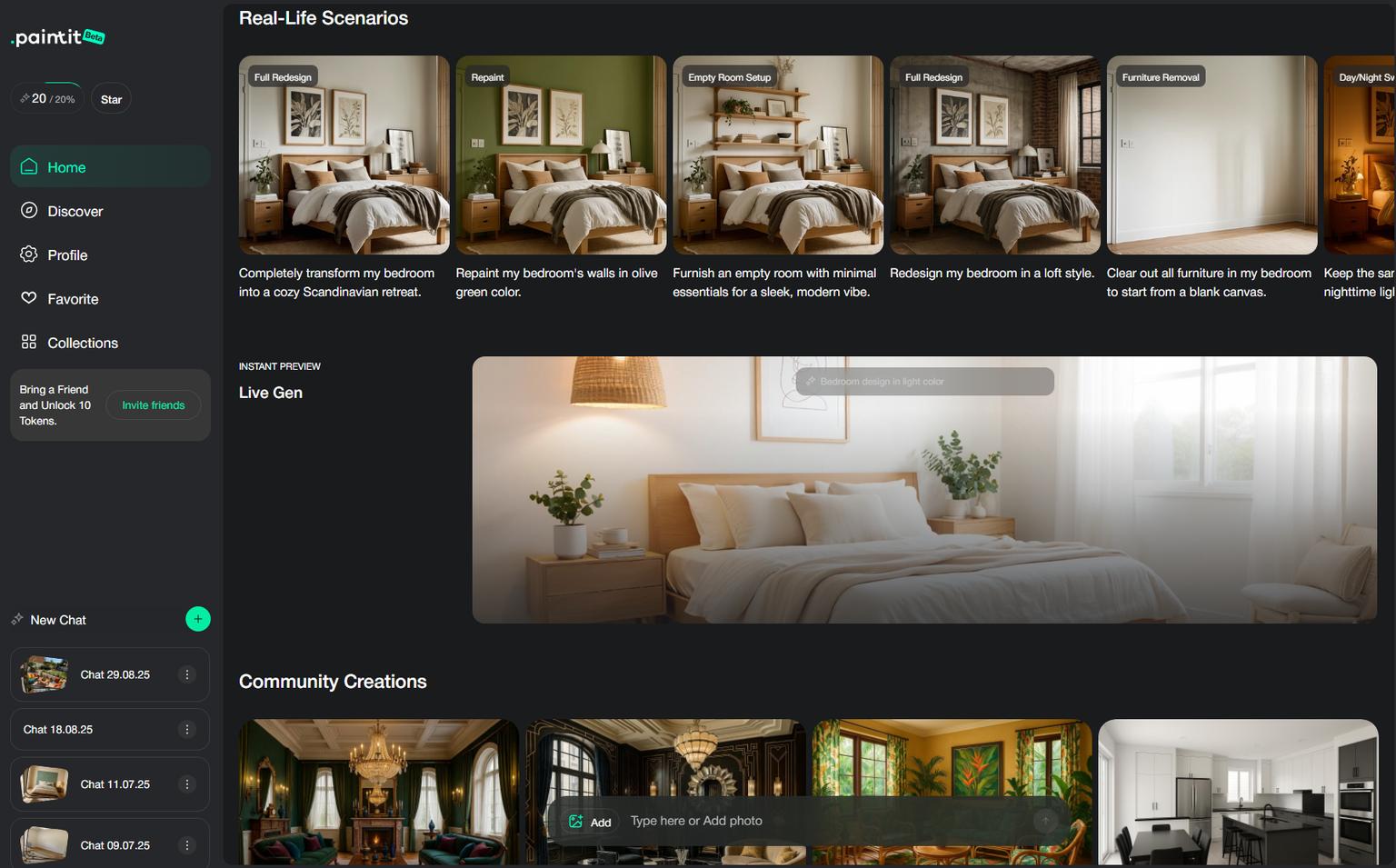
Best For: Homeowners and Designers seeking a "Flow State" workflow.
If Homestyler is the digital equivalent of a drafting table, Paintit.ai is your personal design team. It is currently the most sophisticated implementation of the "Generative Visualization" model.
Paintit.ai was built to solve the friction of traditional CAD tools. Instead of forcing you to act as an architect, it allows you to act as a curator. The platform's philosophy is "Type. See. Tweak. Buy."
Key Features & Innovations:
-
Semantic Understanding: Unlike Homestyler, where you must manually select a "blue velvet sofa," in Paintit.ai you can simply prompt for a "moody, aquatic living room," and the AI interprets the nuance of texture and lighting automatically.
-
On-Image Controls: One of the biggest frustrations with Homestyler is navigating sidebars and menus. Paintit.ai introduces "hover-state editing," where tools appear directly on the image canvas. You can erase, replace, or recolor specific objects without your mouse ever leaving the scene.
-
Agentic Commerce: This is the game-changer. While Homestyler offers a catalog of 3D models (often generic), Paintit.ai uses AI to identify and recommend real, purchasable furniture that matches your generated design. It bridges the gap between dreaming and doing.
-
Smart Model Selection: The system automatically switches between different AI models depending on whether you are doing a virtual staging task or a full architectural remodel.
The Verdict:
Paintit.ai is the #1 Homestyler alternative for anyone who values time and aesthetics over technical drafting. It removes the "construction" phase entirely.
Pricing:
-
Weekly Sprint: $6.99 (Perfect for single-room projects)
-
Monthly Flow: $24.99 (For continuous design needs)
Try it: AI room design app
2. HomeDesigns AI - The Feature-Rich Hub
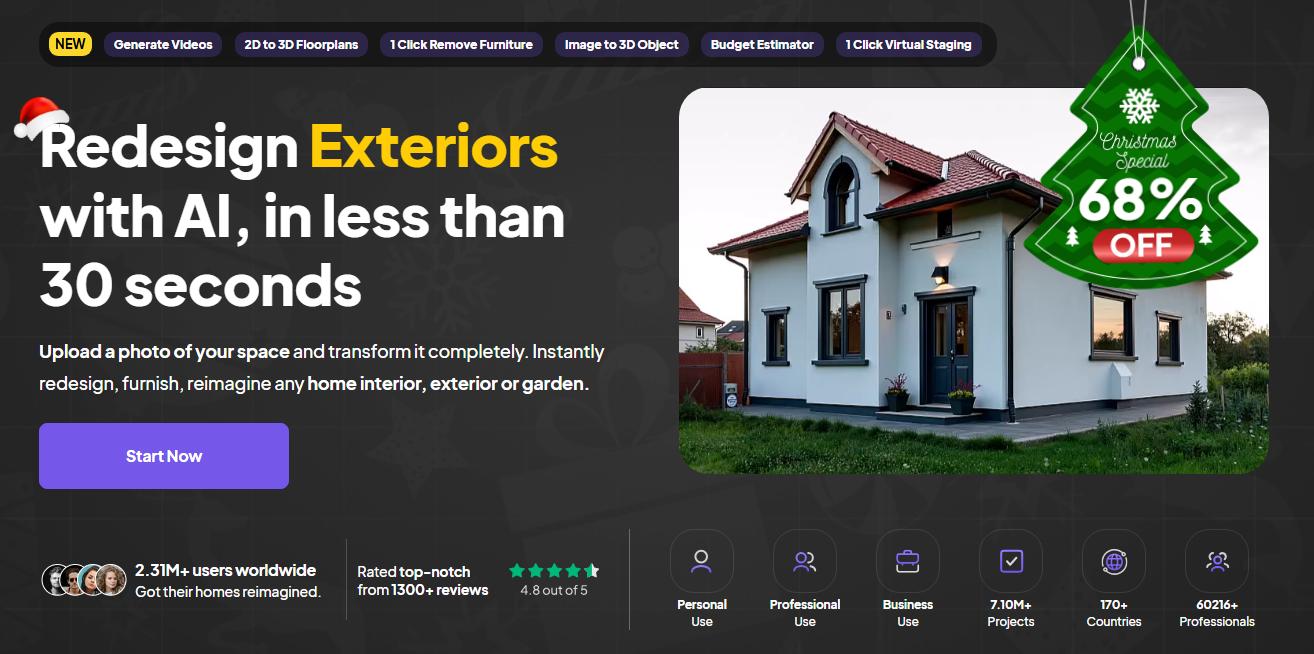
Best For: Users who want a "Swiss Army Knife" approach with many distinct modes.
HomeDesigns AI has positioned itself as a direct, aggressive competitor in the generative space. It appeals to users who love having a button for everything. It offers a staggering array of specific "modes" (over 40), ranging from "Fill Spaces" to "Sky Colors."
Why compare it to Homestyler?
Like Homestyler, HomeDesigns AI can feel dense. It offers granular control but through a generative lens rather than a constructive one. It allows for exterior design, garden planning, and interior remodeling all in one dashboard.
Pros:
-
Versatility: It covers everything from interiors to landscapes.
-
Community Features: As of late 2025, they introduced social sharing, allowing users to publish designs to a community feed.
-
3-Step Workflow: Despite the feature density, the core onboarding is relatively clear.
Cons:
-
Analysis Paralysis: The sheer number of modes can be overwhelming for a user who just wants a quick result.
-
Upselling: The interface is known for frequent prompts to upgrade to higher tiers to unlock specific rendering speeds or resolutions.
3. Planner 5D - The Mobile Hybrid

Best For: Mobile users and those transitioning slowly from CAD.
Planner 5D is an interesting hybrid. Historically, it was a direct Homestyler competitor in the constructive space (drag-and-drop walls). However, in recent years, it has integrated AI features, attempting to bridge the gap between the old and new worlds.
Why consider it?
If you still want to draw floor plans manually but want some AI assistance, Planner 5D is a safe middle ground. Its mobile app is arguably better than Homestyler's, utilizing AR (Augmented Reality) to scan your room.
Pros:
-
AR Room Scanner: You can use your phone to measure your room, creating a digital twin instantly.
-
Manual + AI: You can manually place a wall, then ask AI to decorate the room.
Cons:
-
Jack of All Trades: It is not as powerful a CAD tool as Homestyler, and not as fast or photorealistic a generator as Paintit.ai.
-
Paywalls: High-quality renders (4K) are often locked behind expensive credit packs.
4. RoomGPT - The Quick Visualizer
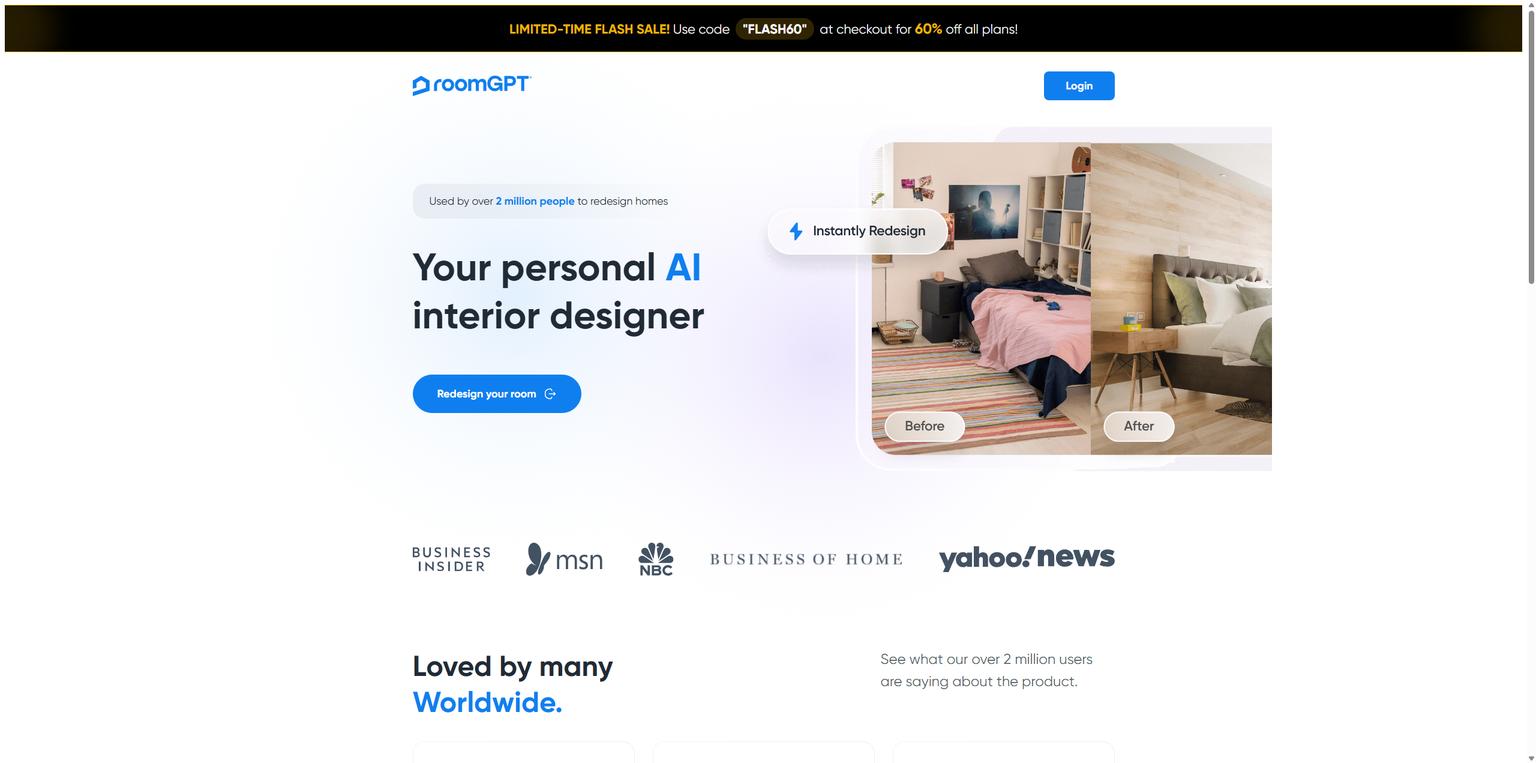
Best For: Casual users wanting a 10-second makeover.
RoomGPT acts as the lightweight, viral alternative. It is the antithesis of Homestyler. Where Homestyler takes hours, RoomGPT takes seconds. It popularized the "photo-to-design" mechanism that many other tools now use.
Why consider it?
It's the most accessible tool on the list. If you are looking for free Homestyler alternatives (or at least a free trial), RoomGPT is the usual starting point.
Pros:
-
Zero Learning Curve: Upload photo ➜ Pick Style ➜ Done.
-
Mobile Apps: Released dedicated apps in 2025 for on-the-go redesigns.
Cons:
-
Lack of Depth: You cannot move furniture. You cannot change just the rug. It applies a global "filter" or "reskin" to the room. It is a visualizer, not a designer.
-
No Commerce: It generates pretty pictures, but the furniture is often "hallucinated" and impossible to find in real life.
5. REimagine Home - The Staging Specialist
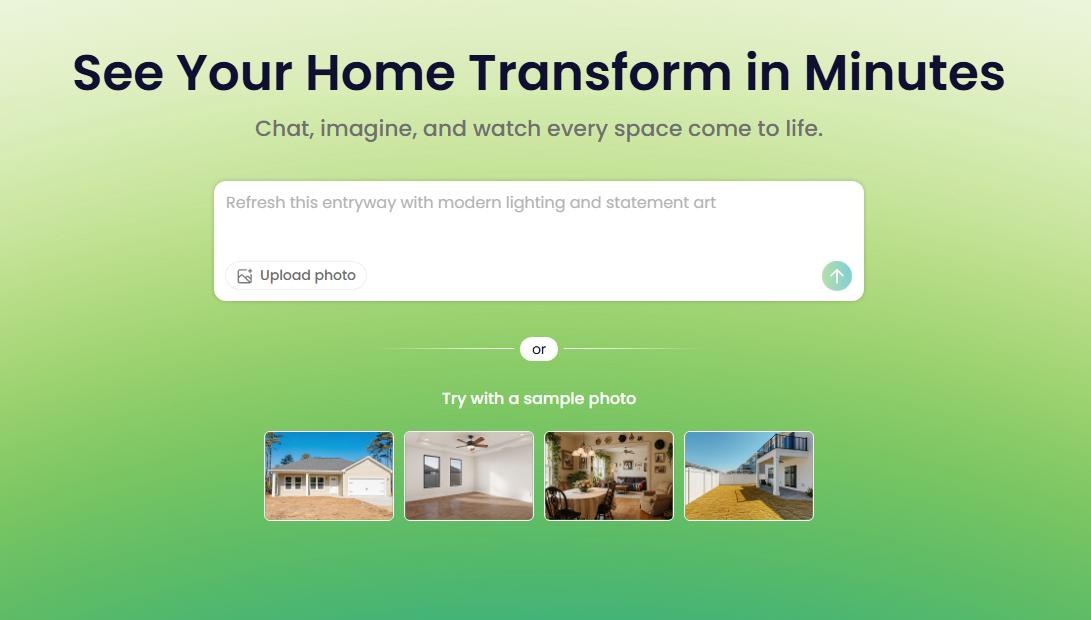
Best For: Real Estate Agents focused on selling empty homes.
While Homestyler is often used by interior designers, REimagine Home targets the real estate market specifically. Its primary strength is "Decluttering" and "Virtual Staging."
Why compare it to Homestyler?
Homestyler requires you to manually model an empty room. REimagine Home allows you to upload a photo of a messy room, click "Declutter," and the AI wipes it clean and restages it.
Pros:
-
Object Removal: Excellent algorithms for removing existing furniture.
-
Exterior Staging: Strong capabilities for boosting curb appeal (lawns, driveways, sky replacement).
Cons:
-
Business Focus: The tool feels clinical. It lacks the warmth and "personal style" nuance of consumer-focused tools like Paintit.ai.
-
Credit System: Pricing is based on credits, which can be confusing and expensive for heavy users.
6. Foyr Neo - The Professional's CAD
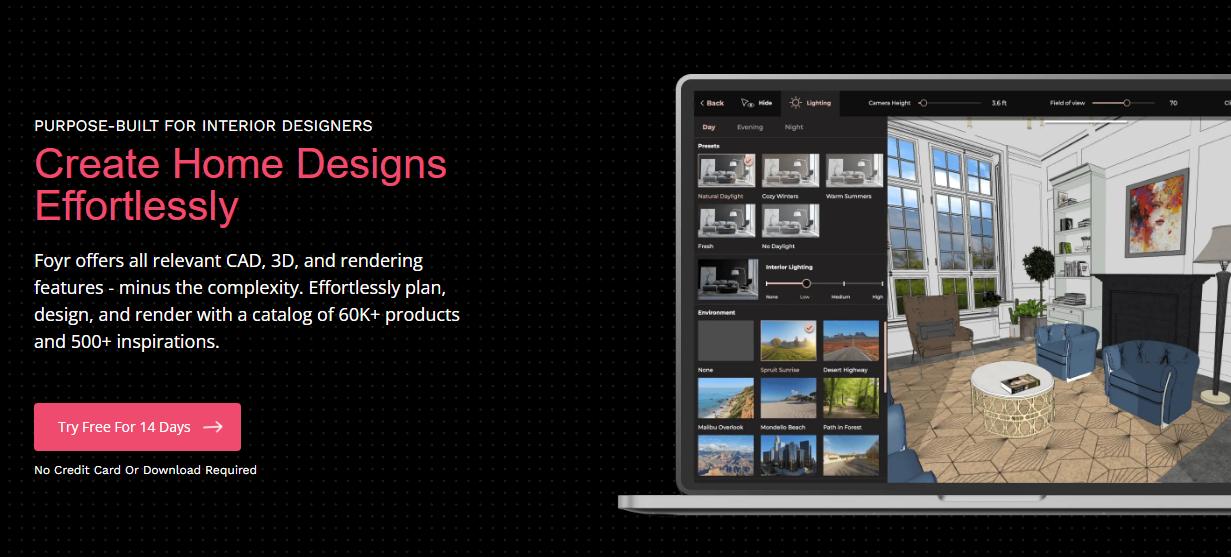
Best For: Professional Interior Designers who need construction documents.
If you are looking for an alternative to Homestyler because you need more professional features, not fewer, Foyr Neo is the answer. It is a cloud-based design software that competes directly with the "Pro" tier of Homestyler.
Why consider it?
It combines floor planning and rendering into a faster workflow than traditional CAD, but it is still fundamentally a "constructive" tool.
Pros:
-
Speed: It claims to cut rendering time significantly compared to older engines.
-
Documentation: Unlike the AI tools listed above, Foyr Neo can help generate floor plans and elevations for contractors.
Cons:
-
Price: It is significantly more expensive than AI generators (often $40-$50+/month).
-
Learning Curve: Like Homestyler, you need to learn how to build.
Detailed Comparative Analysis: Workflow & UX
The table below breaks down the fundamental differences in how you interact with these platforms.
| Feature | Paintit.ai | Homestyler | HomeDesigns AI | RoomGPT |
| Core Philosophy | Generative (Flow) | Constructive (Build) | Generative (Toolbox) | Filter (Reskin) |
| Input Method | Photo + Text Prompt | Drag-and-Drop 3D | Photo + Mode Select | Photo + Style Click |
| Time to Result | < 30 Seconds | 1 - 4 Hours | < 1 Minute | < 15 Seconds |
| Editability | On-Image (Semantic) | Geometric (Manual) | Masking / Mode | None (Regenerate) |
| Learning Curve | Low (Intuitive) | High (Technical) | Medium | Very Low |
| Commerce | Real Furniture SKUs | Generic 3D Models | Shopping Links | None |
The "Friction" Factor
The biggest complaint among Homestyler users is the friction of revision.
-
In Homestyler: If a client says, "I hate that chair," you must find the chair object, delete it, search the catalog for a new one, position it, rotate it, and re-render the scene.
-
In Paintit.ai: If a client hates the chair, you use the "In-painting" tool to circle it and type "Modern leather armchair." The AI generates it seamlessly into the perspective and lighting of the room.
This difference is what we call the shift from Labor to Flow.
The "Agentic" Future: From Picture to Purchase
One of the critical limitations of early AI design tools (and legacy tools like Homestyler) is the "Gap of Reality." You design a beautiful room, but you cannot buy the items in it.
Paintit.ai addresses this through Agentic AI Commerce. This technology analyzes the generated image, identifies the style, material, and form of the furniture, and retrieves matching products from real inventory databases.
While Homestyler offers a "Brand Catalog," it is limited to brands that have paid to have their 3D models hosted on the platform. Agentic AI acts as a universal shopper, finding visually similar items across the web. This makes the design actionable, not just aspirational.
Pricing Snapshot (2025)
When choosing a Homestyler alternative, budget is often a deciding factor. Homestyler has a free tier, but its professional renders require "points" or a subscription.
-
Paintit.ai: Offers a high-value $6.99 Weekly Sprint. This is unique in the market, catering to DIYers who just want to finish one room without a monthly commitment. The monthly plan is $24.99.
-
HomeDesigns AI: Generally ranges from $27 - $29 / month, with yearly lock-ins for cheaper rates.
-
Foyr Neo: The professional option, often starting around $49/month or more.
-
RoomGPT: Operates on a credit pack model (e.g., $9 for 30 renders), which can add up if you iterate frequently.
-
Planner 5D: Freemium, but "Pro" textures and renders require a subscription (~$19/month depending on platform).
[Note: Prices are based on public information as of September 2025 and are subject to change.]
Verdict: Which Tool Suits Your Workflow?
The "best" alternative depends entirely on your goal.
Scenario A: You are an Architect requiring Blueprints.
Stick with Homestyler or switch to Foyr Neo. You need precision geometry, wall thickness measurements, and construction documents. Generative AI is not yet a replacement for CAD in this specific use case.
Scenario B: You are a Homeowner or Designer focused on Aesthetics.
Paintit.ai is the clear winner. If you want to visualize kitchen designs or bedroom makeovers without learning 3D modeling, Paintit provides the fastest, most beautiful results. It bridges the gap between imagination and reality.
Scenario C: You are a Realtor needing fast Staging.
REimagine Home or Paintit.ai is your specialized tool for emptying and refilling rooms for MLS listings.
Scenario D: You are a Mobile Power User.
Planner 5D offers the best on-the-go experience for measuring and rough planning.
The Final Word
The era of manual drag-and-drop design is fading for the conceptual phase of design. Why spend hours building a room when you can flow through ten variations in minutes?
Ready to experience the flow state?
Stop building. Start designing.
Try Paintit.ai today for just $6.99
FAQ
1. Is there a free alternative to Homestyler?
Yes. RoomGPT allows for limited free generations. Planner 5D has a free mode for basic layout, though high-quality rendering is paid. Homestyler itself has a free tier, but it is heavily watermarked and limited in speed.
2. Can Paintit.ai do exterior design?
Yes. Paintit.ai supports AI Exterior Design, allowing you to upload a photo of your house and visualize new siding, roofing, or landscaping instantly.
3. Does Paintit.ai work on mobile?
Paintit.ai is a browser-based web app, meaning it works on any device with a browser, including tablets and smartphones, without requiring a heavy app download.
4. Why is Homestyler so hard to use?
Homestyler is based on CAD (Computer-Aided Design) principles. It requires users to understand 3D space, coordinates, and object placement. It is a professional tool simplified for the web, but it still retains the complexity of "manual construction."
5. Are the designs from AI tools copyright-free?
Most AI platforms, including Paintit.ai, grant you commercial rights to the images you generate, meaning you can use them for client presentations or marketing materials. Always check the specific Terms of Service of the platform you choose.
Trending
AI Landscape Design: Create Your Dream Backyard for Free
MyArchitectAI Alternatives: Full Comparison of 2026 AI Design Tools
Empowering Choices: Agentic AI for Home Decor & Autonomous Purchases
7 Best Coohom Alternatives & Competitors in 2026: Full Review
Best AI for Bedroom Design: Transform Your Sleep Space Instantly
Related articles
7 min read
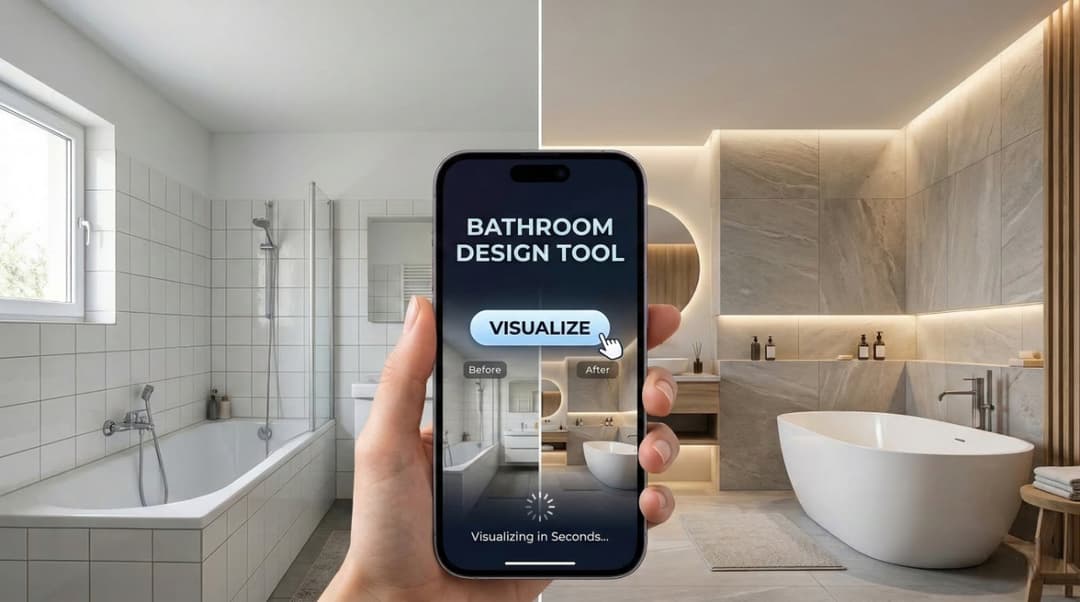
Best AI Bathroom Design App: Visualize Your Sanctuary in Seconds
Transform your bathroom with the best AI design apps. Compare Paintit.ai, Planner 5D, and more to visualize tiles, layouts, and styles in seconds. Try it now!
Yulii Cherevko
CEO paintit.ai

6 min read
AI Landscape Design: Create Your Dream Backyard for Free
Transform your backyard with AI landscape design. Upload a photo, generate 3D garden concepts, and visualize your dream outdoor space for free with Paintit.ai
Yulii Cherevko
CEO paintit.ai
12 min read
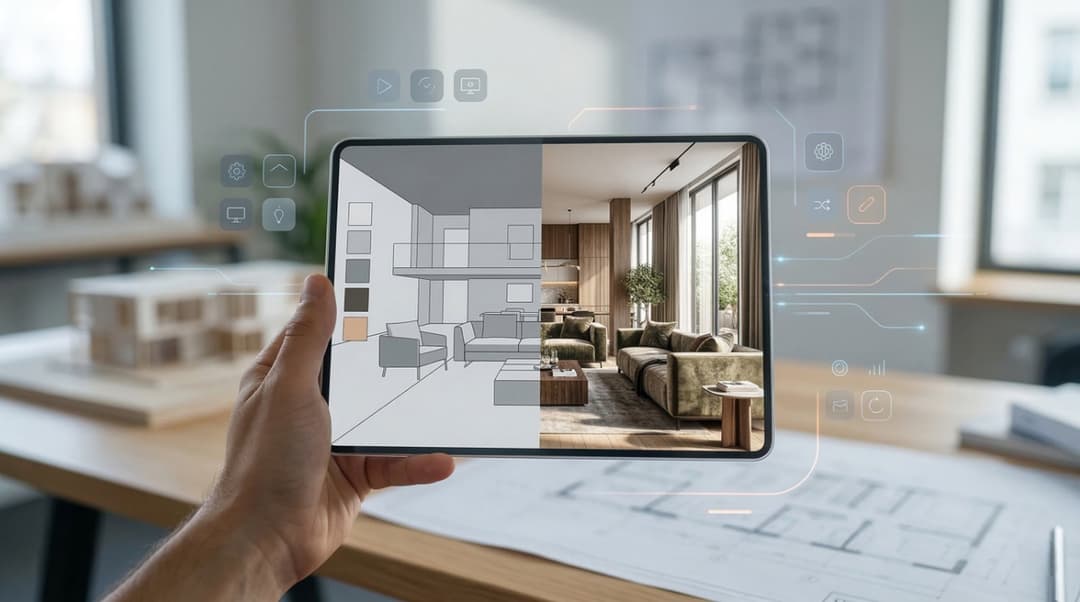
MyArchitectAI Alternatives: Full Comparison of 2026 AI Design Tools
Looking for MyArchitectAI alternatives? Compare the best AI design tools in 2026: Paintit.ai, Coohom, Decorilla, and more. Find your perfect rendering solution.
Yulii Cherevko
CEO paintit.ai

9 min read
Empowering Choices: Agentic AI for Home Decor & Autonomous Purchases
Discover how Agentic AI transforms home decor retail. Learn how autonomous visualization and AI-driven bundles increase AOV and solve customer choice paralysis.
Yulii Cherevko
CEO paintit.ai

12 min read
7 Best Coohom Alternatives & Competitors in 2026: Full Review
Explore the best Coohom alternatives for 2026. Compare Paintit.ai, SketchUp, and Foyr Neo to find the right 3D design software for your workflow. Try it now!
Yulii Cherevko
CEO paintit.ai

7 min read
Best AI for Bedroom Design: Transform Your Sleep Space Instantly
Discover the best AI for bedroom design in 2026. Compare Paintit.ai, RoomGPT, and Planner 5D to visualize styles and layouts instantly. Start your makeover now!
Yulii Cherevko
CEO paintit.ai