
12 min. reading
MyArchitectAI Alternatives: Full Comparison of 2026 AI Design Tools

Yulii Cherevko
CEO paintit.ai
Page Contents:
- 1. Key Takeaways
- 2. Introduction
- 3. Types of AI tools in this category
- 4. Comparison table
- 5. Top Target Competitor alternatives in 2026
- 6. Detailed feature comparison
- 7. Professional tools for advanced users
- 8. Strategic recommendations
- 9. The ultimate hybrid workflow
- 10. Managing expectations
- 11. FAQ
- 12. Conclusion
Key Takeaways
- Paintit.ai provides realistic interior and exterior visualization with an easy-to-use try-on workflow, offering a comprehensive alternative to MyArchitectAI.
- Many AI design tools focus on specific niches, such as interior room redesign (Decorilla), exterior home generation (Coohom), or broad architectural concepts (MyArchitectAI).
- Choosing the best MyArchitectAI alternative for 2026 depends on your primary goal: quick concept generation, photorealistic rendering, or practical virtual staging.
- Pricing for AI design tools varies, with many offering credit-based systems or tiered subscriptions that should be compared to MyArchitectAI pricing vs competitors.
- For homeowners and real estate agents, tools that prioritize ease of use and tangible outputs, like shopping lists or material specs, often deliver the most value.
- The ultimate hybrid workflow combines the speed of AI concept generation with detailed rendering and manual refinement for professional-grade results.
Introduction
The process of visualizing design concepts has changed with advanced AI tools. You no longer need complex software or professional services to see a design come to life. These tools are now accessible, intuitive, and powerful, providing clearer ways to develop and share your ideas. This article explores leading MyArchitectAI alternatives, delving into the capabilities of various AI design platforms available in 2026.
Whether you are a homeowner planning a renovation, a real estate agent preparing a property, or a designer seeking inspiration, understanding these tools is key. We included these competitors: MyArchitectAI, Decorilla, and Coohom. We will compare their strengths, pinpoint ideal use cases, and highlight how they can transform your design process. Consider starting your visual journey with a platform like Paintit.ai, where you can upload a photo of your space, explore various styles, and instantly preview results before committing to any changes. This try-on workflow allows for rapid iteration and informed decision-making. By the end, you will be equipped to choose the AI design platform that best suits your specific project and creative ambitions.
Types of AI tools in this category

AI design tools are not uniform; they serve different purposes across the design spectrum. Understanding these categories helps in identifying the tool that aligns with your specific needs.
AI Concept Generators
These tools primarily focus on generating initial design ideas and styles based on text prompts or basic inputs. They are excellent for brainstorming and exploring diverse aesthetics, quickly producing multiple variations of a room or building concept. Their strength lies in ideation rather than detailed realism.
Realistic AI Rendering Tools
Specialized in transforming existing designs or photos into photorealistic visualizations. These tools excel at depicting accurate lighting, materials, and textures, making them suitable for showcasing design proposals with a high degree of fidelity.
AI Virtual Staging Platforms
Aimed primarily at real estate professionals, these tools furnish empty rooms or update existing décor virtually. They create appealing, staged environments that help potential buyers visualize a property's potential without physical staging costs.
AI Exterior and Landscape Design
These tools allow users to visualize changes to a home's facade, including paint colors, siding materials, roofing, and landscaping elements. They are invaluable for assessing curb appeal and planning outdoor renovations.
Comparison table
| Feature | Paintit.ai | MyArchitectAI | Decorilla | Coohom |
|---|---|---|---|---|
| Primary Use | Realistic Interior & Exterior Rendering | Broad Architectural & Concept Generation | AI-Assisted Interior Design & Professional Help | Exterior Home AI Generation & 3D Planning |
| Input Method | Photo upload, text prompts | Text prompts, basic sketches | Photo upload, floor plans | Photo upload, 2D floor plans |
| Strengths | High realism, fast rendering, virtual staging, exterior redesign | Wide range of architectural styles, quick concept iteration | Focus on interior styles, designer marketplace, mood boards | Dedicated exterior tool, 3D floor planner, detailed material options |
| Limitations | Less emphasis on complex architectural schematics (focus on visual design) | Outputs can sometimes be abstract or less photorealistic for interiors | Primarily interior focused, may require paid design services for full potential | Less focus on interior design details and realistic staging |
| Best User | Homeowners, real estate agents, interior designers, renovators | Architects, early-stage concept developers, users exploring abstract ideas | Homeowners, aspiring designers seeking professional guidance | Homeowners, contractors, real estate agents (exterior focus) |
Top Target Competitor alternatives in 2026
Paintit.ai — Realistic Visualization & Virtual Staging
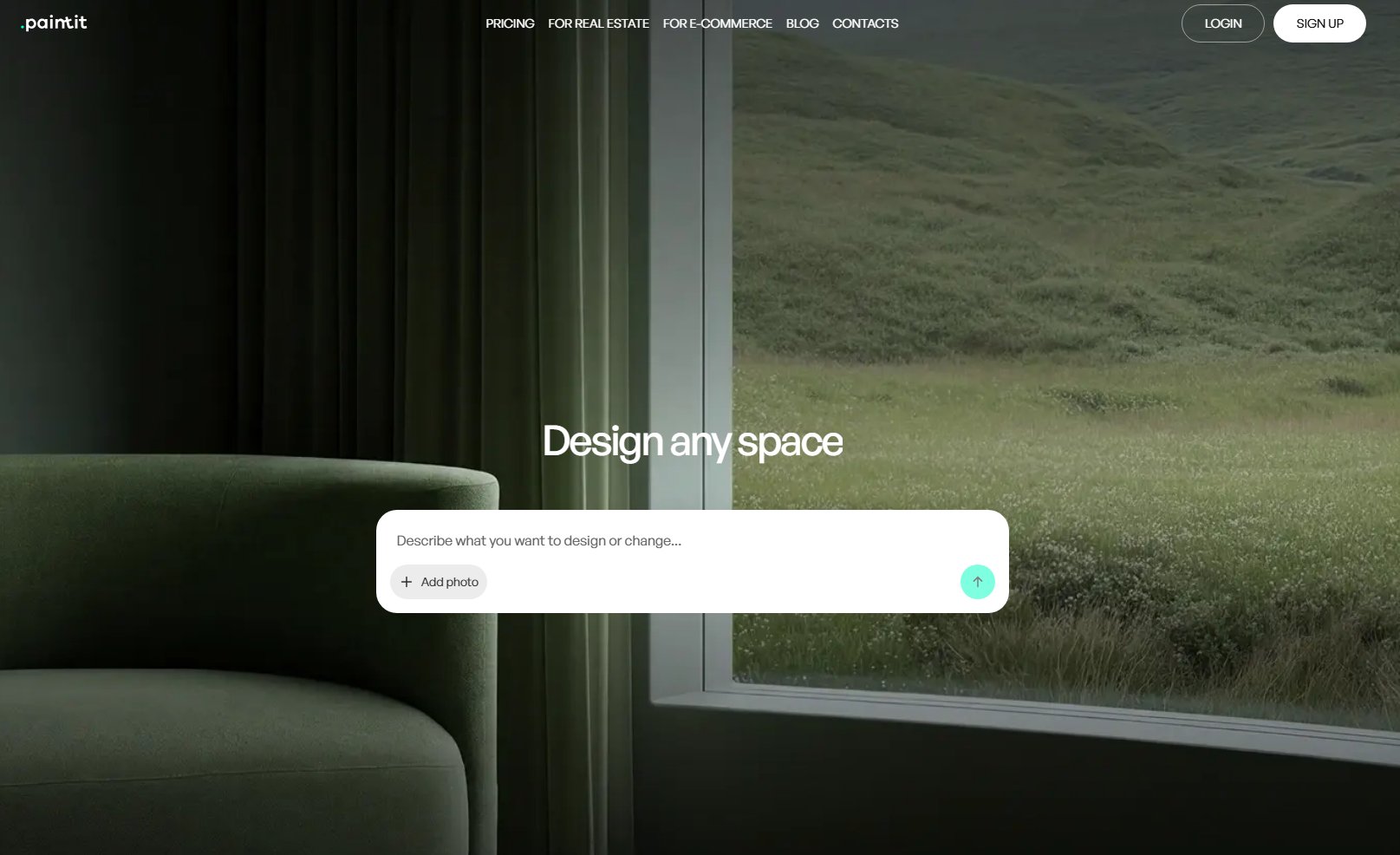
Paintit.ai specializes in providing highly realistic AI visualizations for both interior and exterior design projects. Unlike MyArchitectAI, which often focuses on broad architectural concepts, Paintit.ai prioritizes transforming existing photos into tangible design previews. It’s designed for users who want to see practical changes, from new paint colors and furniture arrangements to full virtual staging, with a focus on photorealism.
- Best for: Homeowners, interior designers, and real estate professionals seeking accurate, realistic visualizations for renovations, redesigns, and property staging.
- Key features:
- Photorealistic interior room design (e.g., living room, bedroom, kitchen).
- AI exterior design for house facelifts and curb appeal.
- Virtual staging for empty rooms or properties.
- Custom style generation based on uploaded photos.
- Material and color palette experimentation.
- Rapid concept generation from existing images.
- Detailed output for practical decision-making.
- Pros:
- Exceptional realism in generated images.
- User-friendly interface for quick learning.
- Versatile for both interior and exterior projects.
- Ideal for virtual staging in real estate.
- Fast generation speeds.
- Cons / limitations:
- Less focused on complex architectural blueprints or structural engineering.
- May require high-quality input photos for best results.
- Pricing: Varies—check the official site for credit packages and subscription tiers.
- Try-on tip: Upload a photo of your living room to Paintit.ai/tools/ai-room-design/. Experiment with a "Scandinavian" style, then generate a version with a "Bohemian" aesthetic, observing how lighting and material textures change.
- If you choose this over others: You need realistic, high-quality visual outputs for practical design decisions and property marketing, not just abstract concepts.
MyArchitectAI — Concept Generation for Architecture
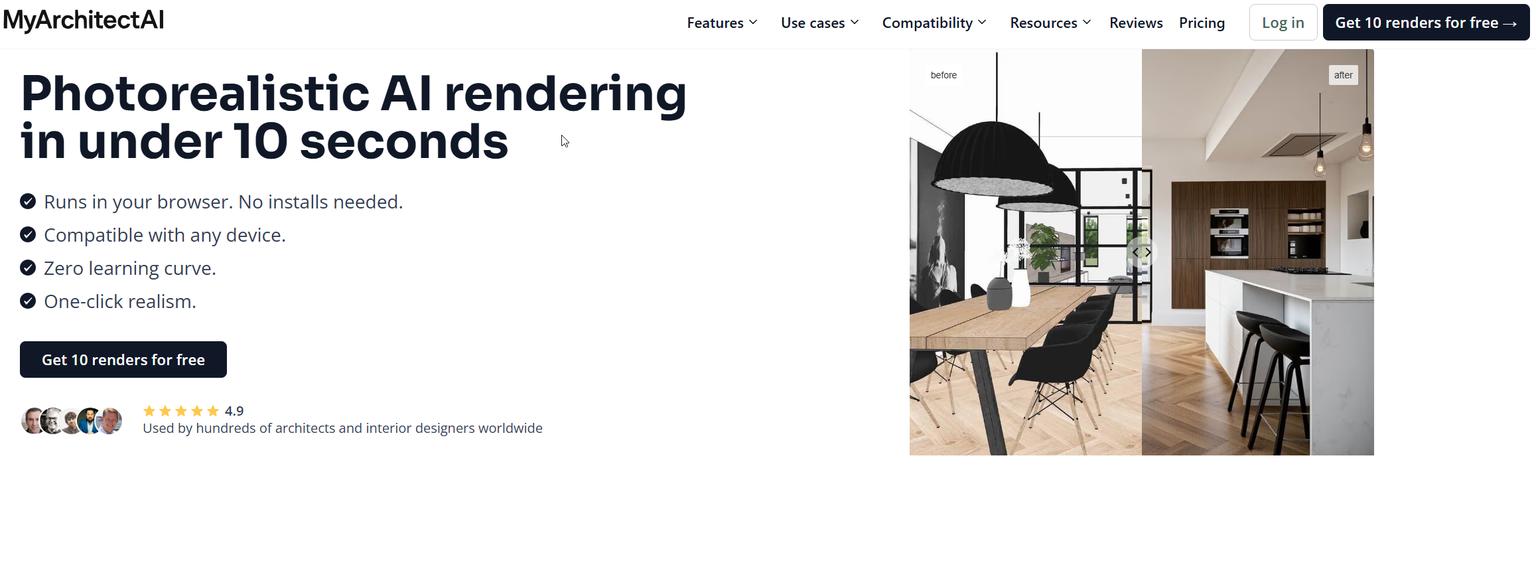
MyArchitectAI is geared towards generating broad architectural concepts and exploring diverse design styles based on user prompts. If Paintit.ai is about refining existing spaces, MyArchitectAI often focuses on the initial ideation phase, offering a wide range of stylistic interpretations for buildings and environments.
- Best for: Architects, designers, or hobbyists in the early stages of a project, looking to generate diverse architectural concepts and explore different aesthetic directions.
- Key features:
- Architectural concept art generation.
- Style transfer for various building types.
- Rapid iteration of design ideas.
- Broad stylistic explorations (e.g., brutalism, modernism, futurism).
- Pros:
- Excellent for abstract concept ideation.
- Generates a wide variety of architectural styles.
- Good for initial inspiration and mood boarding.
- Cons / limitations:
- Outputs can sometimes be abstract and less suitable for photorealistic rendering.
- May lack detailed interior design specificity.
- Less emphasis on practical, real-world material application.
- Pricing: Varies—check the official site.
- Try-on tip: If you find MyArchitectAI outputs too abstract for a renovation, use Paintit.ai to apply the essence of that style to an actual room photo for a realistic preview.
- If you choose this over others: Your priority is generating diverse, high-level architectural concepts for inspiration, rather than detailed, photorealistic interior or exterior renderings.
Decorilla — AI-Assisted Interior Design & Services

Decorilla combines AI visualization tools with professional interior design services. Unlike MyArchitectAI, which provides standalone AI generation, Decorilla integrates AI into a broader service offering, allowing users to get initial ideas from AI before working with a human designer. If MyArchitectAI feels too detached from practical interior application, Decorilla offers a path to more guided results.
- Best for: Homeowners who want AI assistance for initial design ideas but ultimately desire professional interior designer input and project management.
- Key features:
- AI mood board generation.
- 3D renderings and floor plans.
- Access to professional interior designers.
- Shopping lists for purchased designs.
- Style quizzes for personalized recommendations.
- Pros:
- Blends AI with human expertise.
- Provides professional design guidance.
- Offers tangible shopping lists.
- Strong focus on interior aesthetics.
- Cons / limitations:
- The full experience often involves professional service fees.
- AI tools might be more limited compared to specialized generators.
- Less focused on exterior design.
- Pricing: Varies—check the official site for design package pricing.
- Try-on tip: If Decorilla's AI outputs spark an idea but you need a faster, self-service way to visualize multiple iterations, use Paintit.ai to apply those ideas to your own room photos.
- If you choose this over others: You're looking for a guided interior design experience that starts with AI but includes human professional oversight and a complete design package.
Coohom — Exterior Home AI Generator & 3D Planning
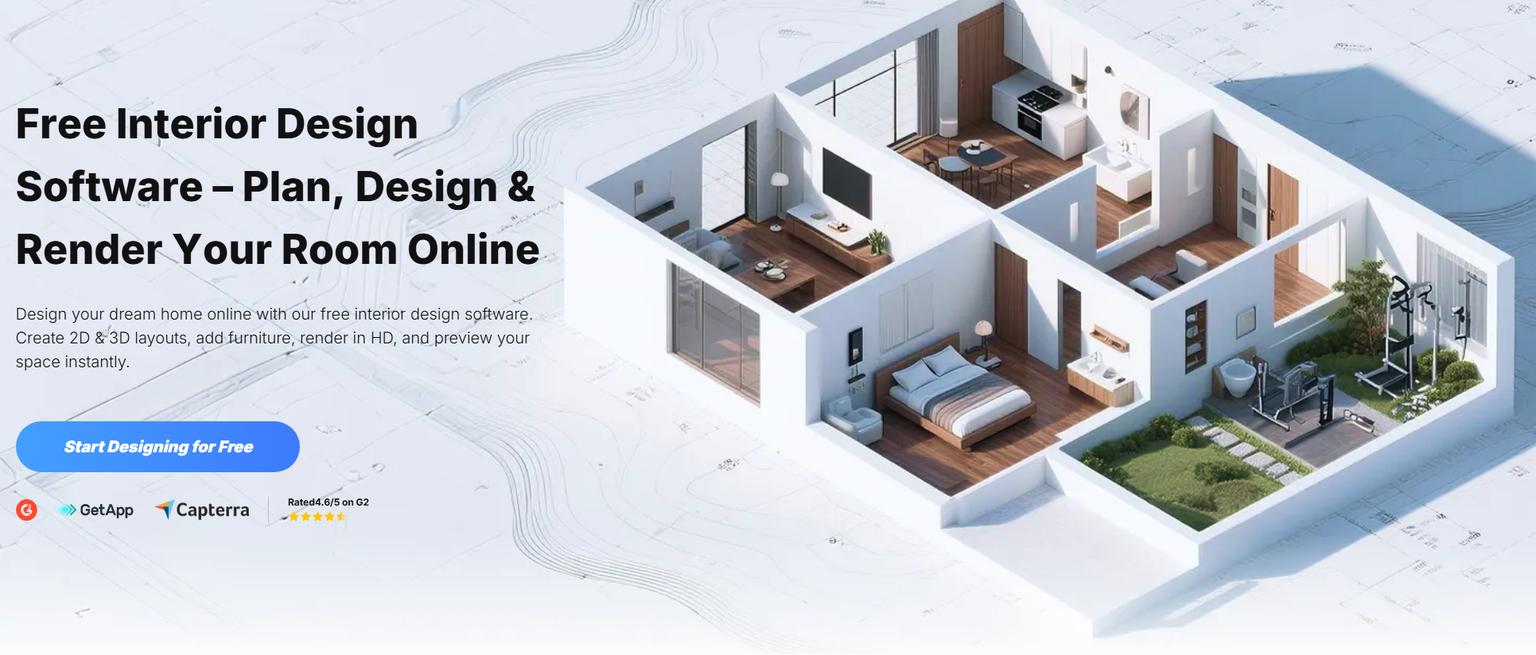
Coohom offers a robust suite of 3D planning tools, with a notable strength in exterior home AI generation. While Paintit.ai also excels at exterior redesign, Coohom provides a comprehensive platform for creating 3D floor plans and then visualizing exteriors. If MyArchitectAI is too general for specific home design, Coohom provides a more structured 3D environment for planning.
- Best for: Homeowners, contractors, and real estate professionals needing detailed 3D floor plans and dedicated exterior visualization capabilities.
- Key features:
- 2D/3D floor plan creation.
- Extensive material library.
- Exterior home AI generator.
- Furniture placement and staging.
- Walkthroughs and panoramas.
- Pros:
- Strong 3D modeling and planning capabilities.
- Excellent for detailed floor plan work.
- Good exterior visualization options.
- Large asset library.
- Cons / limitations:
- Learning curve can be steeper due to comprehensive features.
- Photorealism might not always match dedicated rendering tools.
- Some advanced features may be behind a paywall.
- Pricing: Offers a free tier with limitations, paid subscriptions for full features. Check the official site.
- Try-on tip: After planning your layout in Coohom, use Paintit.ai's exterior tool to generate photorealistic previews of different siding or paint options on your actual home photo for a faster, more realistic visual.
- If you choose this over others: You require a comprehensive platform for 3D floor planning and detailed exterior design, with less emphasis on purely conceptual or interior photo-based rendering.
Fotor AI Decorator — Accessible AI Image Editing
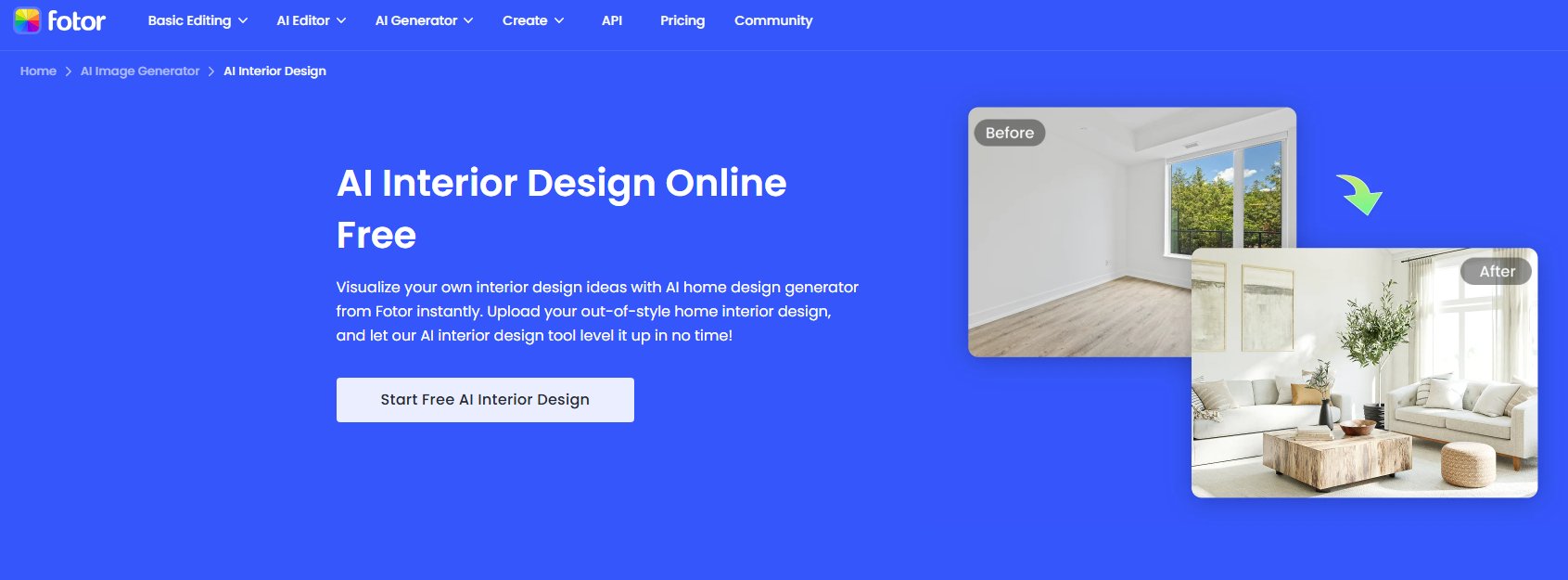
Fotor is widely known as a versatile online photo editor that has integrated AI capabilities, including an AI Decorator. Unlike MyArchitectAI's architectural focus, Fotor provides simpler, more accessible AI features for general image enhancement and basic interior style application. It's a useful, cheaper MyArchitectAI alternative for quick, non-critical visual experiments.
- Best for: Casual users, social media managers, or small businesses needing quick AI photo editing and basic decorative style applications.
- Key features:
- AI room style application.
- Image enhancement and background removal.
- Object replacement.
- Various creative filters.
- Pros:
- Easy to use interface.
- Integrated into a broader photo editing suite.
- Accessible for beginners.
- Often has a free tier for basic usage.
- Cons / limitations:
- Realism is often lower than specialized design tools.
- Less control over specific design elements or materials.
- Outputs may look more stylized than photorealistic.
- Pricing: Free basic version, subscription for full features.
- Try-on tip: For a more realistic preview of styles generated in Fotor, upload your room photo to Paintit.ai and apply similar aesthetic prompts for higher fidelity.
- If you choose this over others: You need a general-purpose AI image editor with basic room styling capabilities for quick, casual use cases.
Midjourney / Stable Diffusion — Generative AI Art & Concepts
Midjourney and Stable Diffusion are advanced generative AI models known for creating diverse and often stunning images from text prompts. While not specific design tools in the traditional sense, they can be used to generate highly creative architectural and interior concepts. They offer a different kind of MyArchitectAI alternative for concept generation, leaning heavily into artistic freedom rather than practical application.
- Best for: Artists, concept designers, and advanced users who want to explore abstract, highly stylized, or unique architectural and interior concepts with deep creative control.
- Key features:
- Text-to-image generation.
- Advanced prompt engineering.
- Style consistency across generations.
- High artistic flexibility.
- Pros:
- Produces unique and innovative concepts.
- Exceptional artistic control with detailed prompts.
- Constantly evolving capabilities.
- Cons / limitations:
- Requires a steeper learning curve for effective prompting.
- Not designed for photorealistic application to existing spaces.
- Outputs can be highly stylized and require further work for practical design.
- Lacks specific interior design features like furniture placement or material libraries.
- Pricing: Midjourney is subscription-based; Stable Diffusion has open-source versions (free) and commercial implementations (varied pricing).
- Try-on tip: Use Midjourney or Stable Diffusion for pure conceptual exploration. Once you have a strong artistic direction, take that inspiration to Paintit.ai to apply it realistically to an existing photo of your space.
- If you choose this over others: You prioritize artistic concept generation and abstract inspiration over practical, photorealistic design visualization on existing images.
HomeByMe — 3D Home Planner & Virtual Tours

HomeByMe is a comprehensive 3D home planner that allows users to create floor plans, furnish interiors, and visualize exteriors in 3D. While it leverages AI to assist with some aspects, its core strength is in detailed 3D modeling and virtual tours. It's a more hands-on MyArchitectAI alternative for those who want to build their design from scratch in a 3D environment.
- Best for: Homeowners, interior designers, and real estate professionals who want to build and visualize detailed 3D floor plans and furnished spaces from the ground up.
- Key features:
- 2D/3D floor plan creator.
- Extensive product catalog for furnishing.
- Virtual tour creation.
- Interior and exterior visualization.
- Budget estimation tools.
- Pros:
- Comprehensive 3D planning capabilities.
- Large library of real-world products.
- Good for spatial planning and virtual walkthroughs.
- Cons / limitations:
- Can have a learning curve for new users.
- Realism of renderings might not always match dedicated AI rendering tools.
- Can be time-consuming to create detailed designs from scratch.
- Pricing: Free basic version, paid plans for more features and HD images.
- Try-on tip: After designing your floor plan and furniture layout in HomeByMe, use Paintit.ai to generate photorealistic renderings of key rooms from various angles using your chosen styles and materials.
- If you choose this over others: You need a detailed 3D planning tool to design spaces from scratch, with an emphasis on accurate dimensions and product placement, rather than purely AI-generated concepts from photos.
Detailed feature comparison
| Feature | Paintit.ai | MyArchitectAI | Decorilla | Coohom | Fotor AI Decorator | Midjourney / Stable Diffusion | HomeByMe |
|---|---|---|---|---|---|---|---|
| Photorealistic Rendering | ✅ | 🔶 | ✅ | 🔶 | 🔶 | ❌ | 🔶 |
| Interior Room Design | ✅ | ❌ | ✅ | ✅ | ✅ | ❌ | ✅ |
| Exterior House Design | ✅ | 🔶 | ❌ | ✅ | ❌ | 🔶 | ✅ |
| Virtual Staging | ✅ | ❌ | 🔶 | ✅ | ❌ | ❌ | 🔶 |
| Concept Generation | ✅ | ✅ | ✅ | ✅ | ✅ | ✅ | 🔶 |
| Style Transfer (Photo) | ✅ | 🔶 | ✅ | 🔶 | ✅ | ❌ | ❌ |
| 2D/3D Floor Plans | ❌ | ❌ | ✅ | ✅ | ❌ | ❌ | ✅ |
| Material/Color Options | ✅ | 🔶 | ✅ | ✅ | 🔶 | ❌ | ✅ |
| Ease of Use (Beginner) | ✅ | 🔶 | ✅ | 🔶 | ✅ | ❌ | 🔶 |
| Professional Services | ❌ | ❌ | ✅ | ❌ | ❌ | ❌ | ❌ |
| Shopping List Output | 🔶 | ❌ | ✅ | ❌ | ❌ | ❌ | ❌ |
| Learning Curve | Low | Medium | Low | Medium | Low | High | Medium |
Legend: ✅ = Strong feature, 🔶 = Partial/Contextual feature, ❌ = Not a primary feature
Professional tools for advanced users
While AI visualizers offer incredible speed and accessibility, professionals often require more control, precision, and integration with existing CAD/BIM workflows. Instant visualizers are excellent for ideation and client presentations, but moving beyond them means diving into software that allows for exact measurements, structural considerations, and intricate detailing.
Architects and interior designers using tools like AutoCAD, Revit, SketchUp, or Blender, may use AI as a preliminary step, feeding AI-generated concepts into their existing, robust design software. This allows them to translate a compelling AI vision into a fully buildable blueprint. For advanced users, the AI-generated image becomes a powerful starting point, saving hours on initial sketching and conceptualization, but the heavy lifting of technical design still resides with traditional software.
Strategic recommendations
Finding the right AI design tool depends on your specific needs and project goals.
- If you need quick, realistic interior and exterior visualizations from photos, choose Paintit.ai.
- If you are an architect seeking abstract concepts and broad stylistic exploration, MyArchitectAI or generative AI tools like Midjourney are more suitable.
- If you want to visualize interior redesigns and potentially connect with a human designer, Decorilla offers a blended approach.
- If you require detailed 3D floor planning with good exterior visualization capabilities, Coohom or HomeByMe could be your fit.
- If you're on a budget and need basic AI image editing and style application, Fotor AI Decorator provides accessible options.
- If you value speed and ease of use for general aesthetic exploration, Paintit.ai is a strong contender, offering practical, high-quality results faster than more complex 3D modeling software.
- If photorealism for virtual staging is your priority, Paintit.ai excels in transforming empty spaces into inviting, furnished rooms.
The ultimate hybrid workflow
Combining the strengths of various AI tools and traditional design methods can lead to superior results. Here's a 3-stage workflow:
- Ideation & Rapid Visualization (Paintit.ai): Start by uploading existing photos of your space to Paintit.ai/tools/ai-exterior-design/ (for exteriors) or similar interior tools. Generate numerous design concepts, test different styles (e.g., Modern, Scandinavian, Industrial), and experiment with color palettes and materials. This stage quickly provides high-quality visual references and helps you narrow down your preferences.
- Refinement & Planning (Coohom/HomeByMe): Once you have a strong visual direction from Paintit.ai, use a 3D planning tool like Coohom or HomeByMe to create a detailed floor plan. Integrate specific furniture pieces, ensure accurate dimensions, and plan layouts. This translates the AI's aesthetic into a practical, measurable space.
- Finalization & Presentation (Paintit.ai & Professional Review): Take your refined 3D plans or even screenshots from Coohom/HomeByMe back into Paintit.ai for final photorealistic renderings, especially for showcasing specific material choices or lighting scenarios. Then, if needed, consult with a human designer or architect for structural feasibility, budget assessment, and professional feedback, ensuring the design is not only visually stunning but also achievable.
Managing expectations
While AI design tools offer remarkable capabilities, it's important to manage expectations regarding their current limitations. AI excels at generating visuals based on patterns and existing data, but it does not possess human intuition, contextual understanding, or the ability to troubleshoot complex structural issues.
- Verifying Outputs: Always treat AI renderings as conceptual visualizations. Colors may appear slightly different in person due to light conditions and screen calibration. Material textures, while realistic, might not perfectly represent the tactile experience.
- Functional Limitations: AI tools primarily focus on aesthetics. They generally do not account for plumbing, electrical, HVAC systems, or structural integrity. A beautiful AI-generated design still needs to be vetted by professionals for buildability and compliance with local codes.
- No "Right" Answer: AI offers options, but it cannot decide what is "best" for a specific individual's lifestyle or long-term needs. Personal preferences, budget, and practicality still require human judgment.
- Data Dependence: AI's output quality is heavily dependent on the quality of its training data and your input. Blurry photos or vague prompts will yield less effective results.
FAQ
Q: Can AI design tools replace human interior designers?
A: AI tools excel at visualization, concept exploration, and generating ideas rapidly. However, they currently lack the nuanced understanding of client needs, spatial problem-solving, and project management skills that a professional interior designer provides. They are powerful aids, not replacements.
Q: How accurate are AI interior design renderings?
A: Accuracy varies by tool. Leading AI tools, like Paintit.ai, strive for high realism by considering lighting, materials, and proportions. However, they are digital representations and may not capture every minute detail perfectly. Always use them as a strong guide, not an absolute blueprint.
Q: Can I use AI design tools for small spaces or complex layouts?
A: Yes, many AI tools are adept at analyzing existing photos or floor plans to generate designs for spaces of any size. They can be particularly helpful in visualizing how to optimize the layout and functionality of smaller or unconventionally shaped rooms.
Q: Do I need to be a tech expert to use AI design tools?
A: The trend is towards user-friendly interfaces. Tools like Paintit.ai are designed for accessibility, allowing users with basic computer skills to upload images and generate designs without extensive training.
Q: What is the difference between AI concept generators and AI rendering tools?
A: Concept generators focus on generating novel design ideas and styles based on prompts. Rendering tools specialize in creating photorealistic visualizations from existing designs or images, often focusing on lighting and materials.
Q: Are AI design tools free to use?
A: Some tools offer free basic versions or trials, while others operate on a subscription or credit system. Pricing varies significantly based on features, generation limits, and output quality. Paintit.ai offers various options to suit different user needs.
Conclusion
The array of AI design tools available in 2026 offers unprecedented power to visualize and plan your spaces, offering compelling MyArchitectAI alternatives for various needs. From generating abstract architectural concepts to creating photorealistic renderings of interiors and exteriors, these tools democratize design, making it accessible to homeowners, designers, and real estate professionals alike.
For those prioritizing practical, realistic visualizations, quick iteration, and robust virtual staging capabilities, Paintit.ai stands out. It bridges the gap between conceptual ideas and tangible previews, ensuring you can make informed decisions before any physical work begins. Whether you're exploring a cheaper MyArchitectAI alternative or seeking the best MyArchitectAI alternative for specific project types, understanding each tool's niche is key.
Ultimately, the best AI design tool is the one that aligns most closely with your project's goals, your technical comfort level, and your budget. We encourage you to explore the capabilities of these platforms. To experience how quickly you can transform your design ideas into vivid realities, we invite you to try Paintit.ai today.
Trending
AI Landscape Design: Create Your Dream Backyard for Free
MyArchitectAI Alternatives: Full Comparison of 2026 AI Design Tools
Empowering Choices: Agentic AI for Home Decor & Autonomous Purchases
7 Best Coohom Alternatives & Competitors in 2026: Full Review
Best AI for Bedroom Design: Transform Your Sleep Space Instantly
Related articles
7 min read
Best AI Bathroom Design App: Visualize Your Sanctuary in Seconds
Transform your bathroom with the best AI design apps. Compare Paintit.ai, Planner 5D, and more to visualize tiles, layouts, and styles in seconds. Try it now!
Yulii Cherevko
CEO paintit.ai

6 min read
AI Landscape Design: Create Your Dream Backyard for Free
Transform your backyard with AI landscape design. Upload a photo, generate 3D garden concepts, and visualize your dream outdoor space for free with Paintit.ai
Yulii Cherevko
CEO paintit.ai
12 min read
MyArchitectAI Alternatives: Full Comparison of 2026 AI Design Tools
Looking for MyArchitectAI alternatives? Compare the best AI design tools in 2026: Paintit.ai, Coohom, Decorilla, and more. Find your perfect rendering solution.
Yulii Cherevko
CEO paintit.ai

9 min read
Empowering Choices: Agentic AI for Home Decor & Autonomous Purchases
Discover how Agentic AI transforms home decor retail. Learn how autonomous visualization and AI-driven bundles increase AOV and solve customer choice paralysis.
Yulii Cherevko
CEO paintit.ai

12 min read
7 Best Coohom Alternatives & Competitors in 2026: Full Review
Explore the best Coohom alternatives for 2026. Compare Paintit.ai, SketchUp, and Foyr Neo to find the right 3D design software for your workflow. Try it now!
Yulii Cherevko
CEO paintit.ai

7 min read
Best AI for Bedroom Design: Transform Your Sleep Space Instantly
Discover the best AI for bedroom design in 2026. Compare Paintit.ai, RoomGPT, and Planner 5D to visualize styles and layouts instantly. Start your makeover now!
Yulii Cherevko
CEO paintit.ai