
8 min. reading
Looking for HomeByMe Alternatives? Top AI Tools for Instant 3D Design & Rendering

Yulii Cherevko
CEO paintit.ai
Page Contents:
- 1. Key Takeaways
- 2. Introduction
- 3. Types of AI tools in this category (Buyer-friendly tech stack)
- 4. Comparison table (Market segmentation)
- 5. Top Target Competitor alternatives in 2026
- 6. Detailed feature comparison (Buyer-centric)
- 7. Professional tools for advanced users
- 8. Strategic recommendations
- 9. The ultimate hybrid workflow (Step-by-step)
- 10. Managing expectations (Current AI limitations)
- 11. FAQ
- 12. Conclusion
Key Takeaways
- Paintit.ai offers an AI-powered try-on workflow, allowing users to upload a photo and instantly visualize design changes with photorealistic renderings.
- Many HomeByMe alternatives now integrate generative AI for faster concept creation, reducing the manual effort of traditional 3D home planners.
- The best HomeByMe alternative for you depends on whether you prioritize interior design, exterior makeovers, virtual staging, or comprehensive architectural visualization.
- Tools like Paintit.ai excel in speed and realism, providing quick previews of styles, colors, and materials for both homeowners and design professionals.
- Specific HomeByMe competitors offer diverse strengths, from user-friendly floor planning to professional-grade rendering and extensive asset libraries.
Introduction
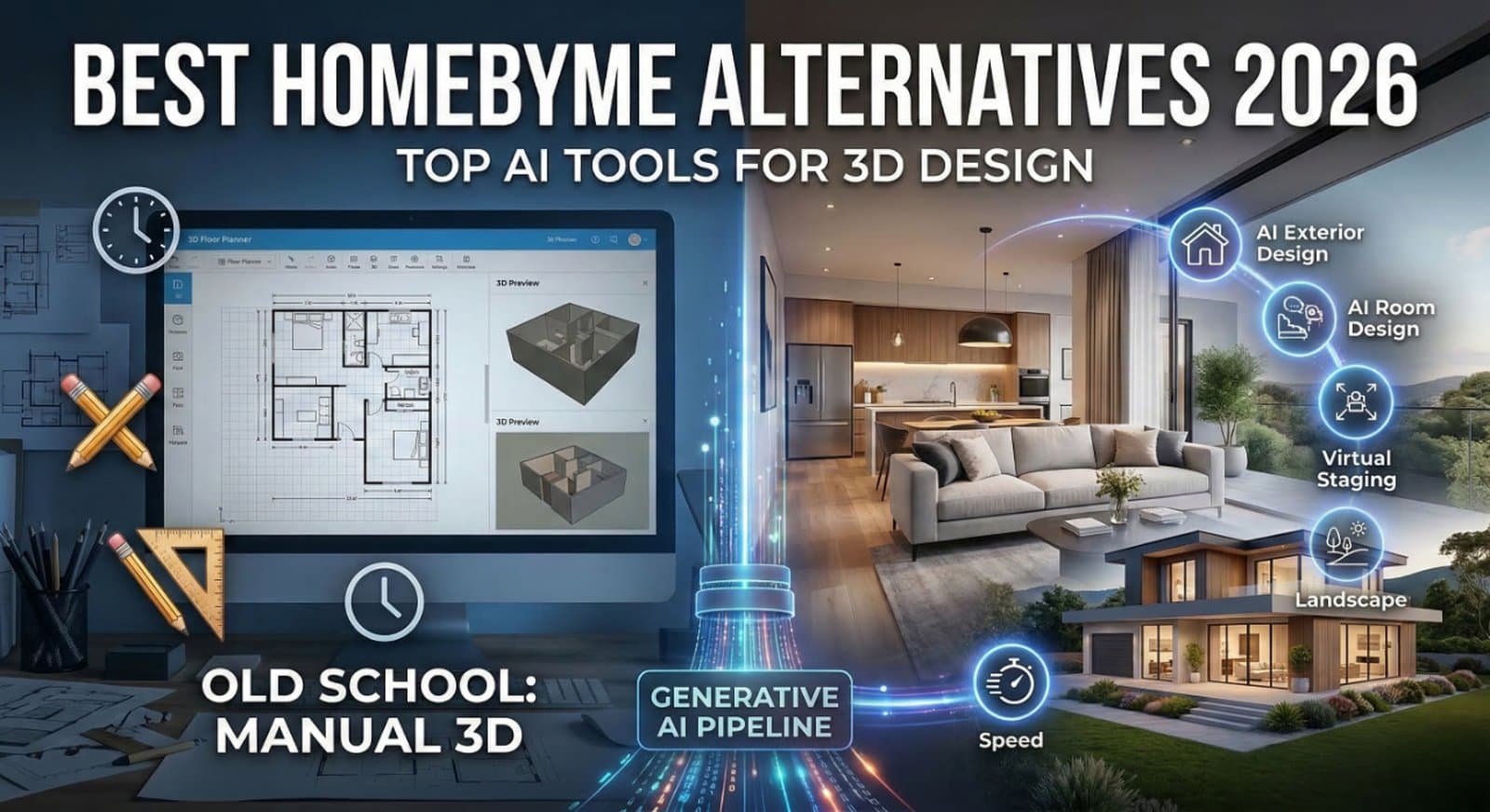
Searching for robust HomeByMe alternatives? The world of digital interior and exterior design is rapidly evolving, driven by powerful AI that transforms static images into dynamic 3D visualizations in moments. While HomeByMe offers a solid platform for 3D home planning, newer AI-driven tools provide unparalleled speed, photorealism, and ease of use for homeowners, designers, and real estate agents alike. This guide explores the top competitors of HomeByMe in 2026, focusing on tools that leverage artificial intelligence to generate stunning designs instantly. Discover how platforms like Paintit.ai are setting new standards for quick, accurate, and inspiring design visualizations. We included these competitors: ReimagineHome.ai, Planner 5D, Foyr, Homestyler, Coohom, and Sweet Home 3D.
Types of AI tools in this category (Buyer-friendly tech stack)
The shift from traditional 3D modeling to AI-driven design tools marks a significant change in how we approach visualization. Instead of meticulously drawing every element, these platforms leverage artificial intelligence to interpret inputs and generate complex outputs.
AI-Powered Concept Generators
These tools use AI to rapidly create multiple design variations based on simple prompts or uploaded images. They are ideal for early-stage ideation, helping users explore diverse styles, layouts, and color palettes without manual construction. This capability saves significant time compared to building concepts from scratch in a conventional 3D home planner.
Photorealistic Rendering Engines
Many modern alternatives to HomeByMe integrate advanced AI rendering to produce images that are almost indistinguishable from real photographs. This is crucial for visualizing materials, lighting, and textures accurately, ensuring that the digital design translates effectively to the real world. This capability is a significant upgrade from basic 3D renders.
Specialized Design Assistants
Beyond general concept generation, specific AI tools focus on particular design tasks. This can include AI house painters for exterior color visualization, AI landscape design tools, or virtual staging software alternatives that furnish empty rooms with realistic decor. These specialized functions address common design frustrations with targeted, AI-driven solutions.
Comparison table (Market segmentation)
| Feature | Primary Use Case | Input Method | Strengths | Limitations | Example Tools | Best User |
|---|---|---|---|---|---|---|
| Paintit.ai | Instant AI visualization, interior/exterior makeovers, virtual staging | Photo upload, text prompts | Speed, photorealism, versatility, easy-to-use | AI outputs require user guidance | Paintit.ai (AI Room Design, AI Exterior Design) | Homeowners, designers, real estate agents |
| HomeByMe | 3D floor plans, interior design, product integration | Manual 2D/3D drawing | Large product catalog, detailed planning | Slower rendering, steeper learning curve, less AI | HomeByMe | DIYers with time for manual design, product sourcing |
| ReimagineHome.ai | AI interior transformation | Photo upload | AI-driven style changes, fast concepts | Primarily interior-focused, less 3D planning | ReimagineHome.ai | Homeowners seeking style inspiration |
| Planner 5D | 2D/3D floor planning, basic interior design | Manual 2D drawing, drag & drop | User-friendly, large item catalog, free tier | Basic rendering quality, less AI integration | Planner 5D | Beginners, quick layout planning |
| Homestyler | Interior & exterior design, photorealistic rendering | Manual 2D/3D drawing, photo import | High-quality rendering, browser-based, asset library | Can be complex for beginners, limited AI | Homestyler | Intermediate DIYers, small design businesses |
| Coohom | Professional interior design, high-quality rendering | Manual 2D/3D drawing, CAD import | Advanced rendering, massive 3D library, VR support | Steeper learning curve, resource-intensive | Coohom | Professional interior designers, furniture brands |
| Sweet Home 3D | Basic 2D/3D home design, floor plans | Manual 2D drawing | Free, open-source, lightweight | Limited features, basic graphics, small library | Sweet Home 3D | Beginners, students, budget-conscious users |
Top Target Competitor alternatives in 2026
Paintit.ai - Your AI-Powered Design Assistant
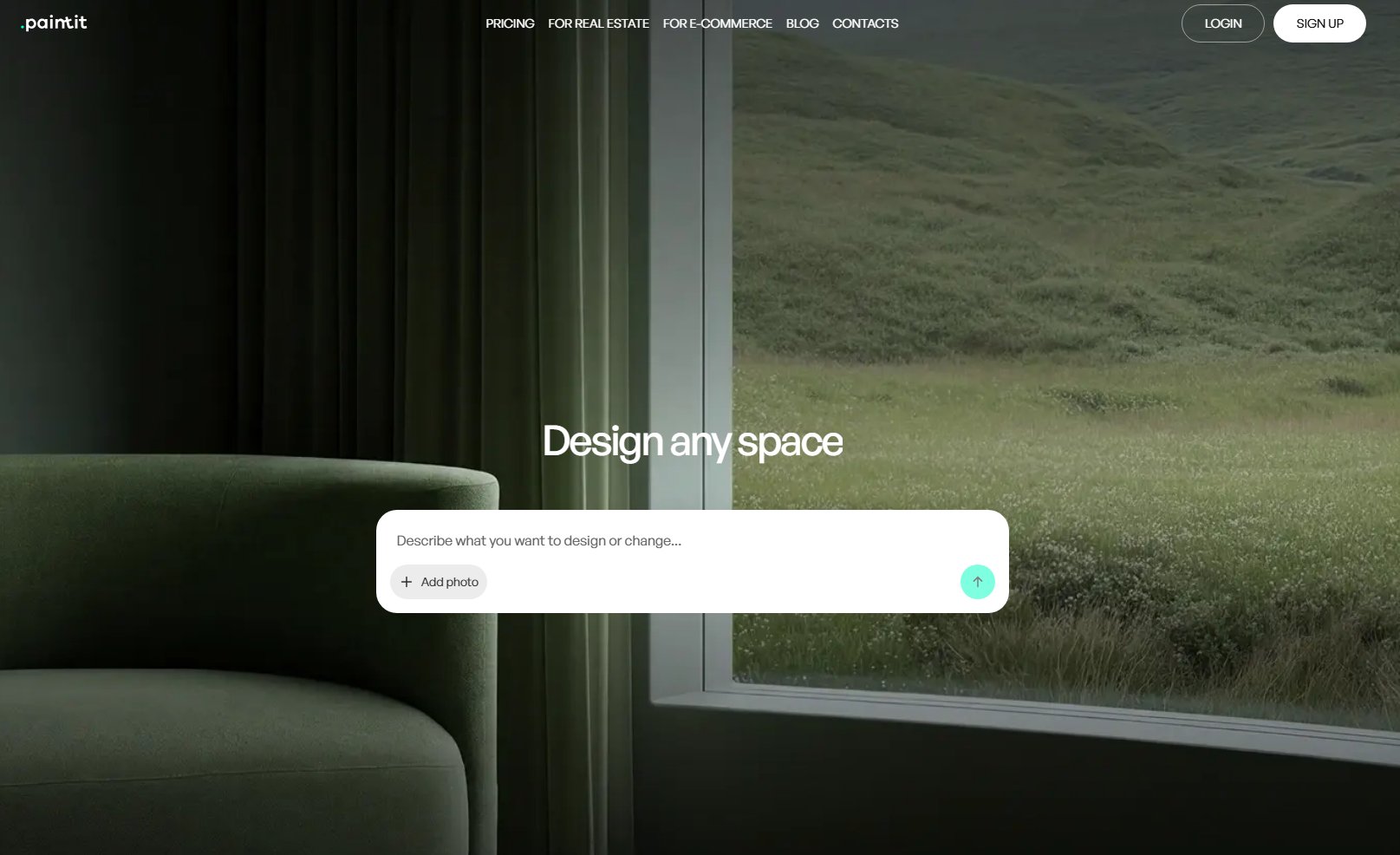
Paintit.ai provides an intuitive, AI-driven platform for anyone looking to visualize design changes quickly and realistically. It simplifies the design process by allowing users to upload a photo of their space and instantly generate multiple design concepts. Unlike HomeByMe, which often requires manual 3D modeling and placement, Paintit.ai leverages generative AI to transform spaces in seconds, offering a faster path from concept to photorealistic rendering. This is an excellent solution for those frustrated with the time commitment of traditional 3D home planners.
- Best for: Homeowners, interior designers, real estate agents, and e-commerce teams who need instant, photorealistic visualizations of design ideas.
- Key features:
- Upload photo and get instant AI design concepts.
- AI-powered room design for various interior spaces.
- Dedicated AI exterior design and AI landscape design tools.
- Virtual staging software capabilities for real estate listings.
- Photorealistic 3D rendering for DIY and professional projects.
- Ability to explore different styles, colors, and materials.
- Browser-based interior design tool for accessibility.
- Pros:
- Exceptional speed for generating design concepts.
- High-quality, photorealistic output.
- Versatile tools for both interior and exterior projects.
- User-friendly interface, minimal learning curve.
- Cost-effective way to try on designs before committing.
- Cons / limitations:
- Requires a clear input photo for best results.
- While powerful, AI output may need refinement to match specific visions.
- Not a full-fledged CAD tool for architectural blueprints.
- Pricing: Varies-check the official site for different plans.
- Try-on tip: Upload a photo of your living room to AI Room Design. Experiment with a Mid-Century Modern style using warm earth tones, then generate another concept with a minimalist aesthetic and cool neutrals. Compare the instant results to see which vibe fits your space.
- If you choose this over others: If you prioritize instant visualization, photorealistic results, and a broad range of AI-powered tools for both interior and exterior design without complex manual modeling.
ReimagineHome.ai - AI for Style Transformation
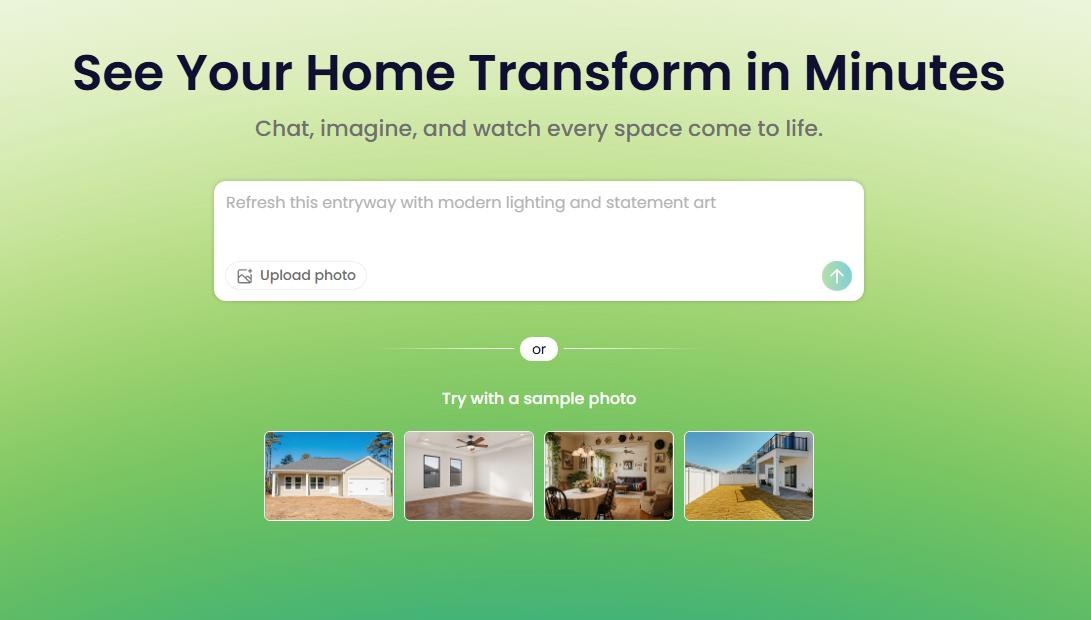
ReimagineHome.ai focuses on transforming interior spaces with AI-driven style suggestions. It allows users to upload an image and apply various design styles, offering a fresh perspective on existing rooms. Unlike HomeByMe, which provides a more structured 3D environment, ReimagineHome.ai excels at rapid aesthetic shifts, making it a powerful AI-powered home design assistant for quick conceptualization.
- Best for: Homeowners and designers primarily interested in seeing how different interior design styles and finishes look in their existing spaces.
- Key features:
- AI-driven interior style transformations.
- Upload images to visualize new looks.
- Focus on furniture, decor, and material changes.
- Generates various design concepts for single rooms.
- Quick visualization of design trends.
- Pros:
- Fast conceptualization of interior styles.
- Easy to use with minimal technical skill.
- Good for inspiration and exploring new trends.
- Browser-based access.
- Cons / limitations:
- Less emphasis on detailed 3D floor planning or exterior design.
- Control over specific furniture placement can be limited.
- Output can sometimes be less photorealistic than dedicated rendering tools.
- Pricing: Varies-check the official site.
- Try-on tip: If HomeByMe feels too slow for rapid style exploration, upload a photo of your bedroom to ReimagineHome.ai. Test out 3-4 distinct interior styles, like Bohemian, Industrial, and Scandinavian, to quickly gauge their impact.
- If you choose this over others: If your main goal is to rapidly explore different interior design styles in your existing photos without extensive 3D modeling or floor plan creation.
Homestyler - Accessible 3D Design & Rendering
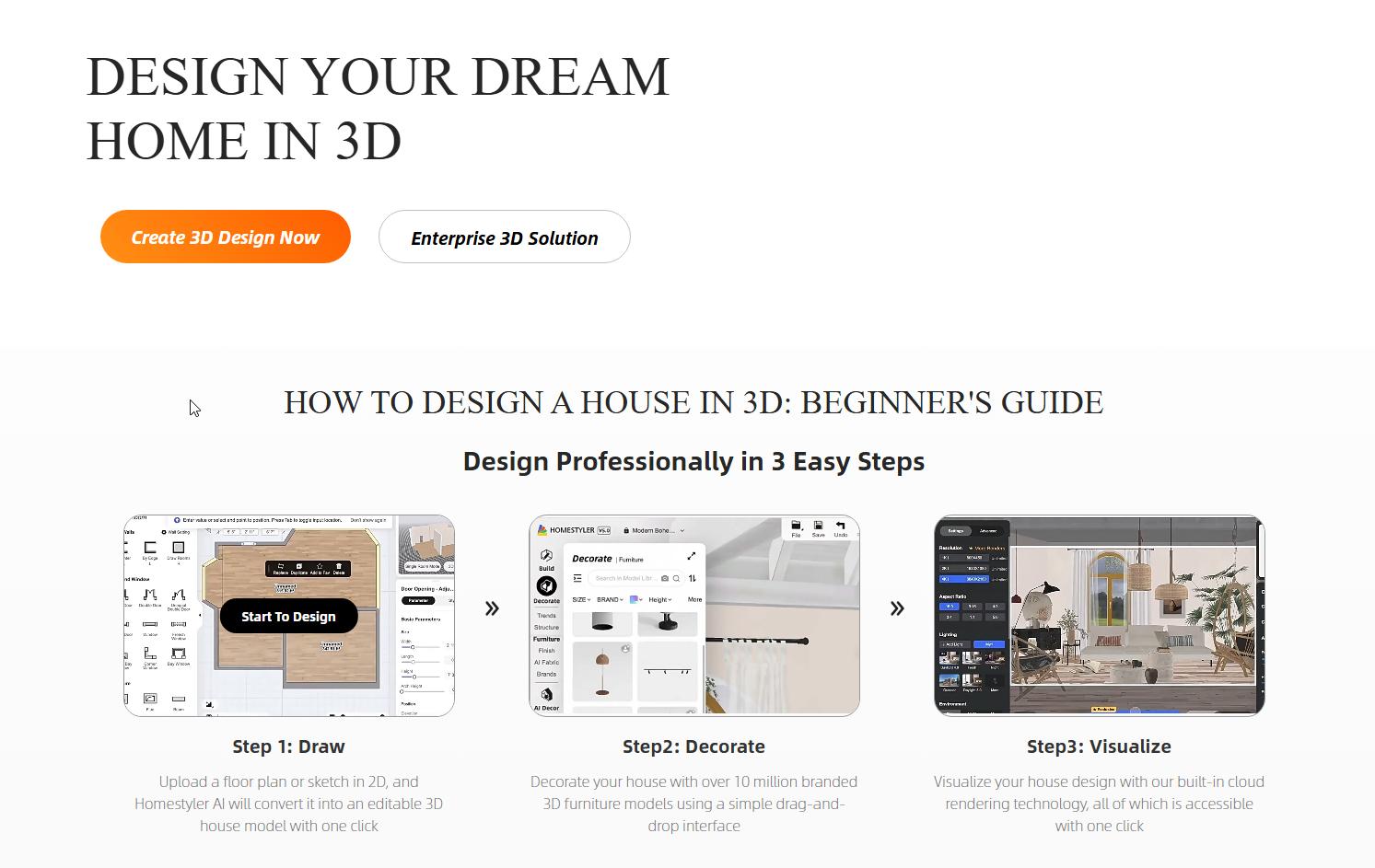
Homestyler provides a browser-based interior design tool and exterior visualization capabilities, positioning itself as a comprehensive platform for DIY enthusiasts and design professionals. While HomeByMe offers similar 3D planning, Homestyler is often praised for its high-quality rendering options and extensive product library. It serves as a strong online floor plan creator with good rendering quality.
- Best for: Intermediate DIYers and small design businesses seeking a robust browser-based tool for both interior and exterior design with good rendering capabilities.
- Key features:
- Create 2D floor plans and convert to 3D.
- Extensive library of furniture, materials, and decor items.
- Photorealistic rendering for interiors and exteriors.
- Cloud-based platform, accessible from anywhere.
- Collaboration features for team projects.
- Pros:
- Good balance of features for interior and exterior.
- High-quality renderings available.
- Large, branded product catalog.
- Active user community.
- Cons / limitations:
- Can have a learning curve for beginners.
- Less focused on AI-driven concept generation compared to Paintit.ai.
- Some advanced features are paywalled.
- Pricing: Varies-check the official site for subscription plans.
- Try-on tip: If HomeByMe's rendering isn't meeting your needs, import a floor plan into Homestyler. Focus on designing an exterior facade with specific siding materials and paint colors, then generate a photorealistic render to compare.
- If you choose this over others: If you need a capable 3D design tool with strong rendering for both interiors and exteriors, and you are comfortable with some manual design work.
Planner 5D - User-Friendly Floor Planning
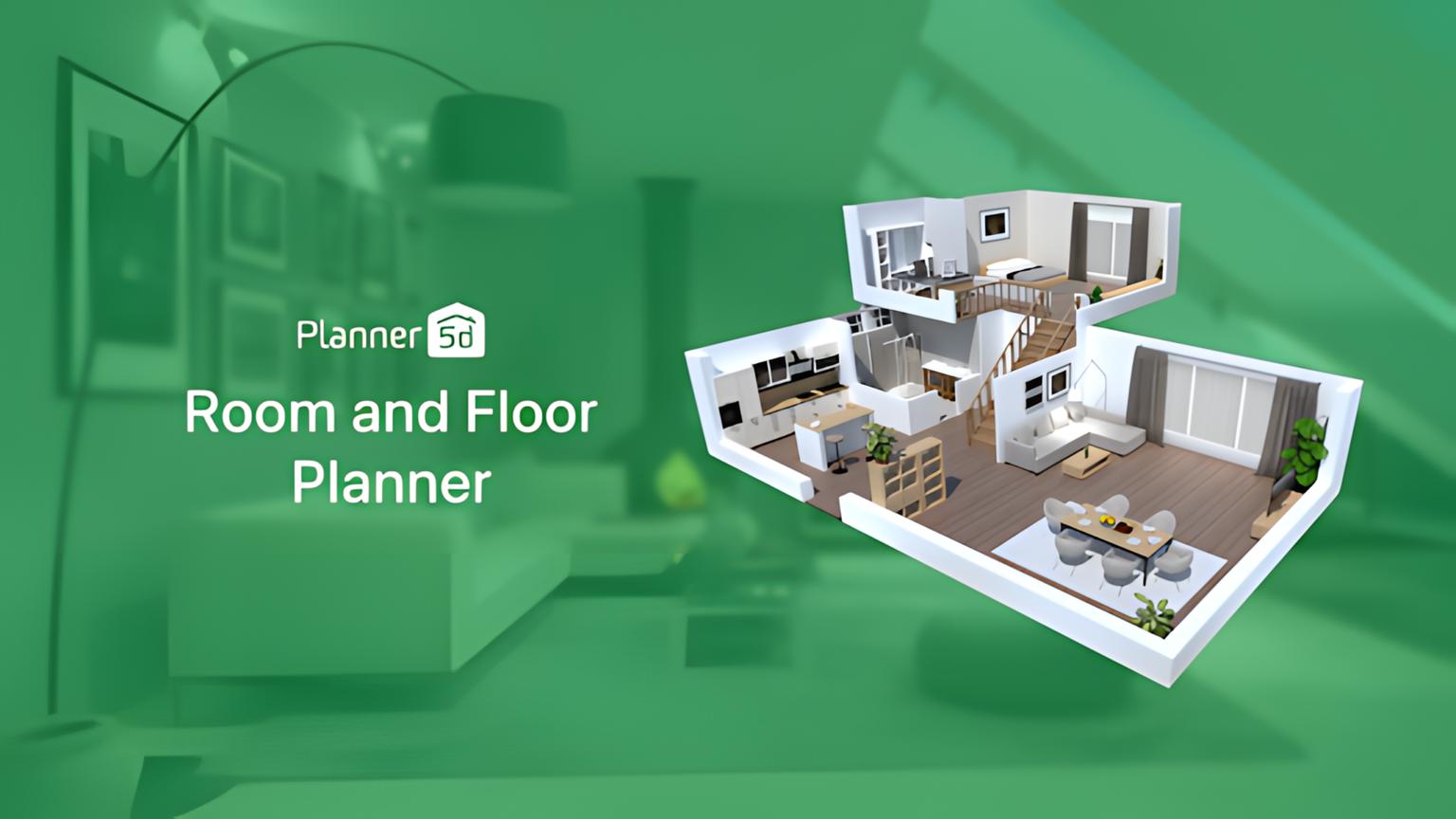
Planner 5D is known for its user-friendliness, making it an excellent starting point for beginners looking to create 2D floor plans and basic 3D interior designs. Compared to HomeByMe, Planner 5D often offers a simpler, more intuitive interface for laying out rooms and placing furniture. This makes it a popular choice among free apps like HomeByMe, even if its AI integration is less prominent than tools like Paintit.ai.
- Best for: Beginners, students, and homeowners who primarily need to create simple 2D/3D floor plans and visualize basic room layouts.
- Key features:
- Intuitive 2D floor plan editor.
- Instant conversion to 3D view.
- Large catalog of furniture and decor.
- Drag-and-drop interface for easy placement.
- Mobile app availability.
- Pros:
- Very easy to learn and use.
- Offers a free tier for basic functionality.
- Good for quick layout experimentation.
- Cross-platform availability.
- Cons / limitations:
- Rendering quality is not as photorealistic as Paintit.ai or Homestyler.
- Limited advanced design features.
- Less emphasis on AI concept generation or exterior design.
- Pricing: Offers free and premium subscription plans.
- Try-on tip: If HomeByMe vs Planner 5D comes down to ease of use for floor plans, try Planner 5D. Quickly sketch out your apartment layout, then experiment with different furniture arrangements to optimize space utilization.
- If you choose this over others: If you need a simple, accessible tool primarily for 2D/3D floor planning and basic interior layout, especially if you're a beginner.
Coohom - Professional-Grade Design & Rendering
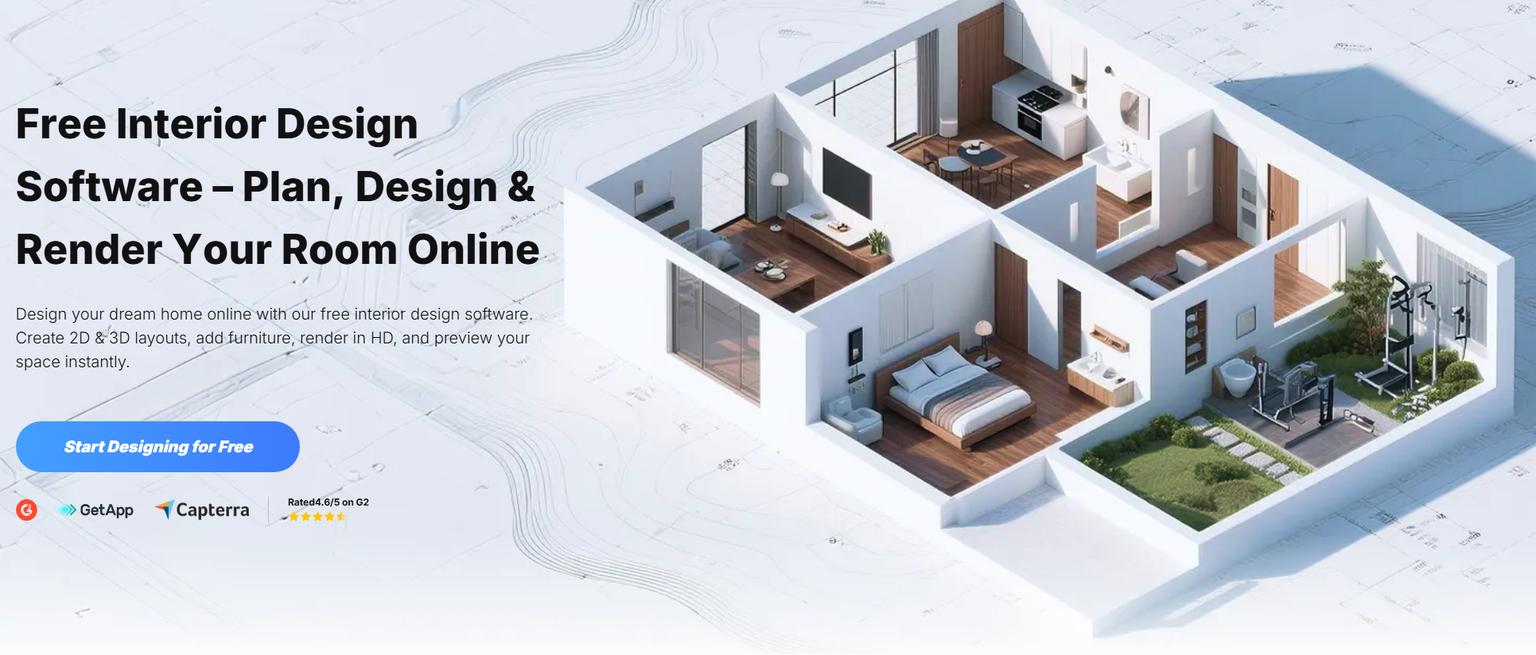
Coohom positions itself as a robust platform for interior designers and furniture brands, offering high-quality rendering, a massive 3D model library, and VR capabilities. If HomeByMe's rendering fidelity or asset library feels insufficient for professional needs, Coohom provides a step up. It's a powerful AI interior design software review frequently mentions for its realism.
- Best for: Professional interior designers, kitchen and bath designers, furniture manufacturers, and anyone requiring photorealistic renders for client presentations.
- Key features:
- Advanced 3D modeling and rendering engine.
- Extensive library of branded and generic 3D models.
- VR panoramas and walkthroughs.
- Kitchen and bath specific design tools.
- Cloud rendering for fast output.
- Pros:
- Industry-leading photorealistic rendering.
- Comprehensive and detailed 3D asset library.
- Tools for complex designs and custom cabinetry.
- Supports professional workflows.
- Cons / limitations:
- Steep learning curve for new users.
- Can be resource-intensive, requiring robust hardware for local rendering.
- Higher cost compared to simpler tools.
- Pricing: Offers various subscription tiers, check the official site.
- Try-on tip: If you find HomeByMe limited for professional-grade rendering, Coohom can be a powerful alternative. Use it to design a custom kitchen layout and generate a photorealistic rendering, paying close attention to material textures and lighting.
- If you choose this over others: If you are a design professional requiring top-tier rendering quality, a vast asset library, and advanced modeling capabilities for intricate projects.
Sweet Home 3D - Free and Open-Source Simplicity
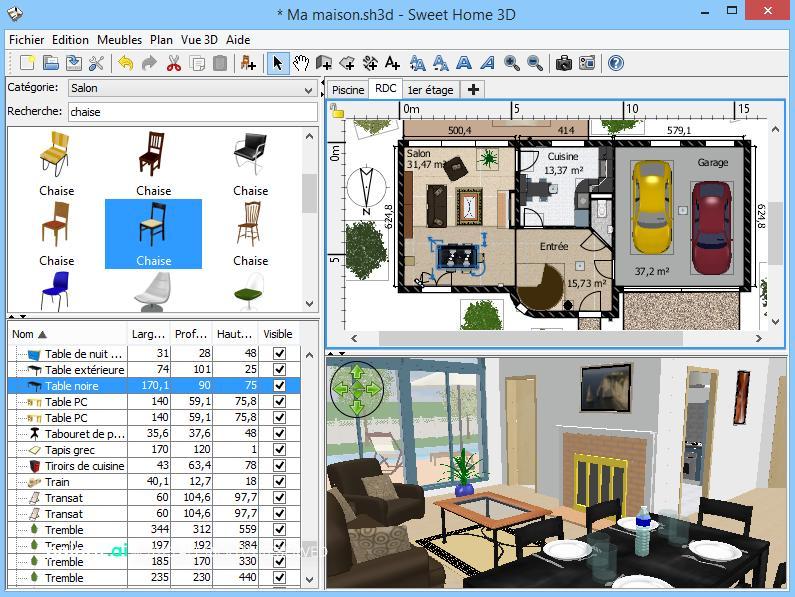
Sweet Home 3D is a free design software focusing on 2D floor plans and basic 3D interior visualization. As a free app like HomeByMe, it offers a simple way to arrange furniture and appliances. While it lacks the AI integration of Paintit.ai or the rendering prowess of Coohom, its open-source nature makes it accessible without any cost, which is a significant cheaper alternative to HomeByMe for basic needs.
- Best for: Users on a tight budget, students, or those needing very basic 2D floor planning and simple 3D walkthroughs without advanced features.
- Key features:
- Create 2D floor plans with drag-and-drop.
- Instant 3D preview as you design.
- Basic furniture library.
- Open-source and free to download/use.
- Plugins available for extended functionality.
- Pros:
- Completely free with no hidden costs.
- Lightweight and easy to install.
- Good for learning 3D design fundamentals.
- Can import additional 3D models.
- Cons / limitations:
- Graphics and rendering are very basic.
- Limited feature set compared to commercial alternatives.
- Small default furniture library.
- No AI capabilities for concept generation or photorealism.
- Pricing: Free.
- Try-on tip: If HomeByMe pricing alternative is your primary concern, Sweet Home 3D offers a cost-free entry. Use it to map out a single room's furniture arrangement to confirm basic clearance and flow before buying anything.
- If you choose this over others: If you need a completely free, straightforward tool for fundamental 2D floor planning and simple 3D interior visualization, and advanced features or photorealism are not critical.
Detailed feature comparison (Buyer-centric)
| Feature | Paintit.ai | HomeByMe | ReimagineHome.ai | Planner 5D | Homestyler | Coohom | Sweet Home 3D |
|---|---|---|---|---|---|---|---|
| Input Method | Photo/Text Prompt | Manual 2D/3D | Photo Upload | Manual 2D | Manual 2D/Photo | Manual 2D/CAD | Manual 2D |
| AI Concept Generation | Yes (High) | No (Low) | Yes (Medium) | No (Low) | No (Low) | No (Low) | No (Low) |
| Photorealistic Rendering | High | Medium | Medium | Low | High | Very High | Very Low |
| Interior Design | Yes (AI-driven) | Yes (Manual) | Yes (AI-driven) | Yes (Basic) | Yes (Manual) | Yes (Advanced) | Yes (Basic) |
| Exterior Design | Yes (AI-driven) | Limited | No | No | Yes (Manual) | Limited | No |
| Virtual Staging | Yes | No | Indirectly | No | No | Yes | No |
| Learning Curve | Low | Medium | Low | Very Low | Medium | High | Low |
| Asset Library Size | AI-generated | Large (Branded) | AI-generated | Large | Large (Branded) | Massive (Branded) | Small |
| Output Formats | Image (JPG, PNG) | Image, Video, 3D | Image | Image, Video | Image, Video, VR | Image, Video, VR | Image |
| Browser-Based | Yes | Yes | Yes | Yes | Yes | Yes | Yes (Desktop App) |
Professional tools for advanced users
While AI interior design software reviews highlight the speed and accessibility of tools like Paintit.ai, professional architects, structural engineers, and seasoned interior designers often require more control and precision than instant visualizers can offer. For these advanced users, traditional CAD (Computer-Aided Design) software remains indispensable. Programs like SketchUp, Revit, and AutoCAD allow for highly detailed 3D modeling, precise architectural plans, custom element creation, and integration with building information modeling (BIM) workflows.
These tools offer granular control over every dimension, material, and structural component, making them suitable for complex projects that require exact measurements for construction or manufacturing. They also typically feature robust collaboration tools and extensive libraries for technical specifications, going far beyond visual representation to encompass the entire building process. When your project demands blueprint-level accuracy and custom parametric modeling, moving beyond an AI-powered home design assistant to a professional CAD suite is the logical next step.

Strategic recommendations
Choosing the right design tool can be overwhelming. Here are some "If you..., choose..." rules to help you decide which HomeByMe alternative is best for your specific needs:
- If you need instant, photorealistic visualization for both interiors and exteriors without manual 3D modeling: Choose Paintit.ai.
- If you are a beginner looking for a simple, free 2D/3D floor planner: Choose Sweet Home 3D or Planner 5D.
- If your primary goal is to quickly try on different interior design styles in existing photos: Choose ReimagineHome.ai.
- If you are an intermediate DIYer who wants a robust browser-based tool for manual 3D interior and exterior design with good rendering: Choose Homestyler.
- If you are a design professional requiring top-tier photorealistic rendering, a massive asset library, and advanced modeling for detailed projects: Choose Coohom.
- If HomeByMe feels too time-consuming for rapid concept exploration and you need faster iteration: Consider Paintit.ai for its AI-driven speed.
- If you need a cheaper alternative to HomeByMe for basic planning without compromising on essential 3D views: Consider Planner 5D's free tier or Sweet Home 3D.
- If you are a real estate agent looking for an effective virtual staging software alternative: Choose Paintit.ai for its speed and realism.
The ultimate hybrid workflow (Step-by-step)
An effective design process often combines the strengths of various tools. Here's a hybrid workflow that leverages AI for speed and creativity, while ensuring precision and professional quality:
- Stage 1: AI Ideation & Rapid Visualization (Paintit.ai)
- Start by uploading a photo of your existing space (interior or exterior) into Paintit.ai.
- Use the AI tools to generate multiple design concepts, experimenting with different styles, colors, and layouts within seconds. For instance, utilize Paintit.ai's AI Exterior Design to quickly preview new siding, paint, and landscaping options for your home's facade.
- This stage is about broad exploration and quickly identifying promising directions without any manual modeling effort.
- Stage 2: Refinement & Detailed Layout (Homestyler or Planner 5D)
- Once you have a strong AI-generated concept from Paintit.ai, use a tool like Homestyler or Planner 5D to manually refine the 2D floor plan and fine-tune furniture placement.
- This step allows you to ensure practical considerations like circulation, clearances, and exact dimensions are met, translating the AI vision into a workable layout.
- Stage 3: Advanced Rendering & Material Specification (Coohom)
- For photorealistic final renders or specific material specifications, export your detailed design from Stage 2 into a professional rendering tool like Coohom.
- Here, you can apply high-definition textures, adjust lighting precisely, and generate client-ready visuals that showcase every detail with exceptional realism.
- Stage 4: Documentation & Execution (CAD Software / Physical Implementation)
- If the project requires architectural blueprints or custom fabrication, transition to a CAD software (e.g., SketchUp or Revit) to create technical drawings based on your refined design.
- Finally, use your comprehensive visualizations and technical plans to guide the physical implementation, confident that your design has been thoroughly visualized and planned.
Managing expectations (Current AI limitations)
While AI tools like Paintit.ai offer incredible speed and realism, it is important to manage expectations regarding their current limitations. AI design assistants excel at generating concepts and visualizing aesthetic changes, but they are not a substitute for human intuition, professional expertise, or detailed architectural planning.
Users should be aware that:
- Context matters: AI processes images, but it doesn't always understand the underlying structural or functional context of a space as deeply as a human designer.
- Specificity: While AI can generate diverse ideas, achieving highly specific, custom elements (e.g., bespoke cabinetry dimensions, unique art pieces) may still require manual input or refinement.
- Technical accuracy: AI-generated visualizations are primarily for aesthetic concept. They do not typically provide precise measurements, material quantities, or structural integrity details required for construction. Always verify dimensions and specifications with actual product data or professional advice.
- Unintended elements: Occasionally, AI might introduce minor illogical details or artifacts that require a human eye to correct.
- Legal & safety compliance: AI tools do not account for local building codes, safety regulations, or accessibility standards. These crucial aspects must always be reviewed by qualified professionals.
Ultimately, AI design tools are powerful accelerators and visual aids, not autonomous designers capable of overseeing a project from start to finish without human oversight.
FAQ
Q: How accurate are AI design tools compared to traditional software like HomeByMe?
A: AI tools like Paintit.ai excel at rapid visualization and concept generation, often providing highly realistic renderings quickly. Traditional software might offer more granular control over every single 3D model component, but AI significantly speeds up the iterative design process, especially for visual exploration.
Q: Can I use these AI tools if I'm a beginner with no design experience?
A: Absolutely. Many AI tools, including Paintit.ai, are designed for ease of use. By uploading a photo and using simple prompts or selection tools, beginners can generate professional-looking designs without needing complex modeling skills.
Q: Do I need a high-end computer to use AI design software?
A: Most AI design tools operate via web browsers or cloud platforms, meaning they rely on processing power handled remotely. This typically eliminates the need for high-end hardware; a standard computer with a reliable internet connection is usually sufficient. This is a significant advantage over many traditional 3D software requiring powerful local machines.
Q: How quickly can I see results using an AI tool as a HomeByMe alternative?
A: Results can be almost instantaneous. Tools like Paintit.ai can generate multiple design concepts or color change previews within seconds to minutes, drastically reducing the time compared to manual 3D modeling and rendering.
Q: Are AI-generated designs truly photorealistic?
A: Modern AI rendering engines create highly photorealistic images, simulating lighting, textures, and materials with remarkable accuracy. While minor imperfections might exist, the results are often indistinguishable from professional photographs for practical design decisions, making them powerful virtual staging software alternatives.
Q: Can I use AI design tools for both interior and exterior projects?
A: Yes. Leading platforms like Paintit.ai offer specialized AI tools for both interior design (e.g., AI room design) and exterior visualization (e.g., AI exterior design), providing a comprehensive solution for home makeovers.
Q: Is there a cheaper alternative to HomeByMe that still offers good features?
A: Yes, options like Planner 5D offer a free tier with good basic floor planning capabilities, and Sweet Home 3D is completely free and open-source, though both have less advanced rendering and AI than premium tools.
Conclusion
The search for robust HomeByMe alternatives leads directly to the powerful capabilities of AI-driven design tools. Gone are the days when comprehensive 3D visualization required extensive training or hours of manual effort. Today's AI solutions, particularly Paintit.ai, offer a faster, more accessible, and often more photorealistic path to realizing your design visions.
Whether you're a homeowner looking to visualize a quick renovation, a designer exploring new concepts, or a real estate agent seeking efficient virtual staging, the options reviewed provide diverse strengths. By understanding your specific needs-from instant concept generation to detailed floor planning or professional-grade rendering-you can select a tool that truly streamlines your workflow. We encourage you to explore these top competitors of HomeByMe in 2026 and discover how AI can transform your design process. Ready to see your ideas come to life? Try Paintit.ai today.
Trending
Best AI Bathroom Design App: Visualize Your Sanctuary in Seconds
AI Landscape Design: Create Your Dream Backyard for Free
MyArchitectAI Alternatives: Full Comparison of 2026 AI Design Tools
Empowering Choices: Agentic AI for Home Decor & Autonomous Purchases
7 Best Coohom Alternatives & Competitors in 2026: Full Review
Related articles
8 min read
Looking for HomeByMe Alternatives? Top AI Tools for Instant 3D Design & Rendering
Searching for a HomeByMe alternative? Explore the best AI-powered tools for instant interior design and photorealistic rendering. Find your perfect fit with Paintit.ai.
Yulii Cherevko
CEO paintit.ai
7 min read
Best AI Bathroom Design App: Visualize Your Sanctuary in Seconds
Transform your bathroom with the best AI design apps. Compare Paintit.ai, Planner 5D, and more to visualize tiles, layouts, and styles in seconds. Try it now!
Yulii Cherevko
CEO paintit.ai

6 min read
AI Landscape Design: Create Your Dream Backyard for Free
Transform your backyard with AI landscape design. Upload a photo, generate 3D garden concepts, and visualize your dream outdoor space for free with Paintit.ai
Yulii Cherevko
CEO paintit.ai
12 min read
MyArchitectAI Alternatives: Full Comparison of 2026 AI Design Tools
Looking for MyArchitectAI alternatives? Compare the best AI design tools in 2026: Paintit.ai, Coohom, Decorilla, and more. Find your perfect rendering solution.
Yulii Cherevko
CEO paintit.ai

9 min read
Empowering Choices: Agentic AI for Home Decor & Autonomous Purchases
Discover how Agentic AI transforms home decor retail. Learn how autonomous visualization and AI-driven bundles increase AOV and solve customer choice paralysis.
Yulii Cherevko
CEO paintit.ai

12 min read
7 Best Coohom Alternatives & Competitors in 2026: Full Review
Explore the best Coohom alternatives for 2026. Compare Paintit.ai, SketchUp, and Foyr Neo to find the right 3D design software for your workflow. Try it now!
Yulii Cherevko
CEO paintit.ai