9 min. reading
7 Best Apply Design Alternatives in 2026: Full Review

Yulii Cherevko
CEO paintit.ai

Page Contents:
- 1. Key Takeaways
- 2. Introduction
- 3. Types of AI tools in this category
- 4. Comparison table
- 5. Top Target Competitor alternatives in 2026
- 6. Detailed feature comparison (Buyer-centric)
- 7. Professional tools for advanced users
- 8. Strategic recommendations (Decision framework)
- 9. The ultimate hybrid workflow
- 10. Managing expectations
- 11. FAQ
- 12. Conclusion
Key Takeaways
- Paintit.ai offers a fast, AI-powered try-on workflow for visualizing design concepts and virtual staging, providing practical outputs like shopping lists.
- Many Apply Design alternatives offer more specialized features, whether for professional virtual staging, detailed 3D modeling, or rapid AI concept generation.
- Homestyler and Planner5D are user-friendly options, ideal for homeowners and DIY enthusiasts seeking intuitive drag-and-drop design.
- Cedreo provides efficient 3D floor planning and rendering, catering to real estate professionals and home builders.
- For high-volume real estate listings, consider tools that prioritize speed and photorealistic virtual staging to enhance property appeal.
- The best Apply Design alternative for you depends on your specific needs: budget, required detail, speed, and whether you need AI automation or manual control.
Introduction
Searching for the best Apply Design alternatives in 2026? While Apply Design offers a solid entry into visualizing interior concepts, many users find themselves exploring other powerful tools to meet specific project needs. Whether it's for professional real estate staging, intricate 3D modeling, or lightning-fast AI-driven ideation, a wider array of options exists. This review dives deep into seven top-tier alternatives that can help you bring your design visions to life with unparalleled clarity and ease.
We included these competitors: Homestyler, Dreamina, Planner5D, and Cedreo. Discover how various tools can elevate your design process, and see how you can visualize these transformations instantly with Paintit.ai.
Types of AI tools in this category
The interior design and visualization software market offers a diverse range of AI-powered and traditional tools, each suited for different user needs.
AI Virtual Staging & Room Design
These tools, like Paintit.ai, specialize in instantly furnishing empty rooms or redesigning existing ones using artificial intelligence. Users can upload a photo and receive multiple design variations, often with options for different styles, furniture, and materials. They are particularly popular among real estate agents and e-commerce businesses for their speed and efficiency in creating photorealistic visuals for listings or product placements.
3D Floor Planners & Home Design Software
These tools allow users to create detailed 2D floor plans and then convert them into 3D models. They often include extensive libraries of furniture, appliances, and decor. While some offer AI enhancements for layout or style suggestions, their core strength lies in detailed space planning and architectural visualization.
AI Concept Generators
Focusing more on inspiration and ideation, these tools use AI to generate novel design concepts from text prompts or basic sketches. They are excellent for breaking creative blocks and exploring diverse aesthetic directions quickly, often producing mood boards, color palettes, and material combinations that might not be immediately obvious.
Professional Rendering & CAD-lite Tools
Geared towards more advanced users, these tools offer robust 3D modeling capabilities, detailed material editing, and advanced lighting simulations. While they may have a steeper learning curve, they provide maximum control over the final output, making them suitable for bespoke designs and high-fidelity architectural visualizations.
Comparison table
| Primary Use Case | Input Method | Strengths | Limitations | Example Tools | Best User |
|---|---|---|---|---|---|
| AI Virtual Staging & Redesign | Photo Upload, Text Prompt | Speed, AI automation, Multiple concepts | Less manual control over individual objects | Paintit.ai, Dedicated AI Virtual Staging Services | Real estate agents, Homeowners, E-commerce teams |
| 3D Interior Design | Drag & Drop, 2D Floor Plan | Intuitive, Large libraries, Good for planning | Rendering quality can vary, Subscription cost | Homestyler, Planner5D | Homeowners, DIY enthusiasts, Small interior design firms |
| Architectural Visualization | 2D/3D Drafting, Parameters | Realistic renders, Precise planning, Floor plans | Steeper learning curve, Often professional-grade | Cedreo, Advanced 3D CAD Software | Architects, Builders, Remodelers, Professional designers |
| AI Concept Ideation | Text Prompt, Basic Sketch | Creative generation, Style exploration | Outputs need refinement, Not for detailed plans | Dreamina, Other AI Art/Concept Tools | Designers seeking inspiration, Content creators |
Top Target Competitor alternatives in 2026
1. Paintit.ai - The Instant Visualization AI
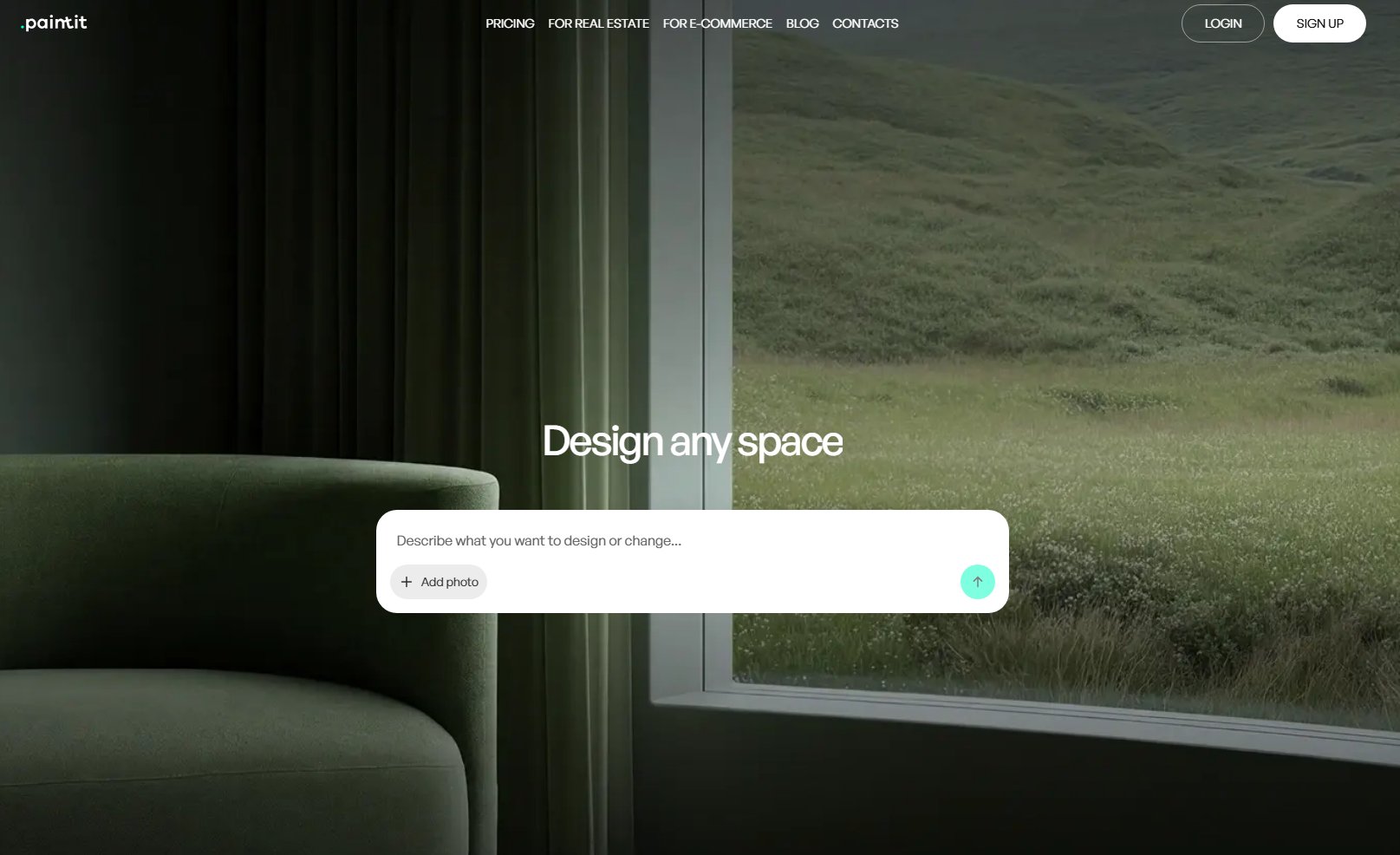
Paintit.ai stands out as a rapid, AI-powered solution for homeowners, real estate professionals, and e-commerce teams. Unlike Apply Design, which focuses on virtual staging, Paintit.ai offers a broader try-on workflow, allowing users to upload a photo of their space and instantly visualize diverse design styles, paint colors, or furniture layouts. This speed and automation significantly reduce the manual effort typically required in design software.
- Best for: Homeowners, real estate agents, and e-commerce businesses needing fast, high-quality virtual staging, room redesign, or exterior visualization.
- Key features: AI-powered room redesign, virtual staging, exterior design, AI house painter, material/style exploration, practical outputs (e.g., shopping lists).
- Pros:
- Extremely fast visualization turnaround.
- High-quality, realistic AI renders.
- User-friendly interface, no design experience needed.
- Offers practical outputs like material specifications.
- Cost-effective for high-volume needs compared to manual staging.
- Cons / limitations:
- Less manual control over individual furniture placement compared to traditional 3D modelers.
- Requires a clear input photo for best results.
- Pricing: Varies-check the official site for credit-based or subscription plans.
- Try-on tip: Upload a photo of your empty room and use Paintit.ai's AI Virtual Staging tool to generate several distinct furnishing styles. Experiment with modern, minimalist, or bohemian concepts to see which best highlights the space's potential.
- If you choose this over others: Choose Paintit.ai if speed, AI automation, and realistic visualizations for real estate or personal redesigns are your top priorities, and you need a user-friendly try-on workflow.
2. Homestyler - The Accessible 3D Designer
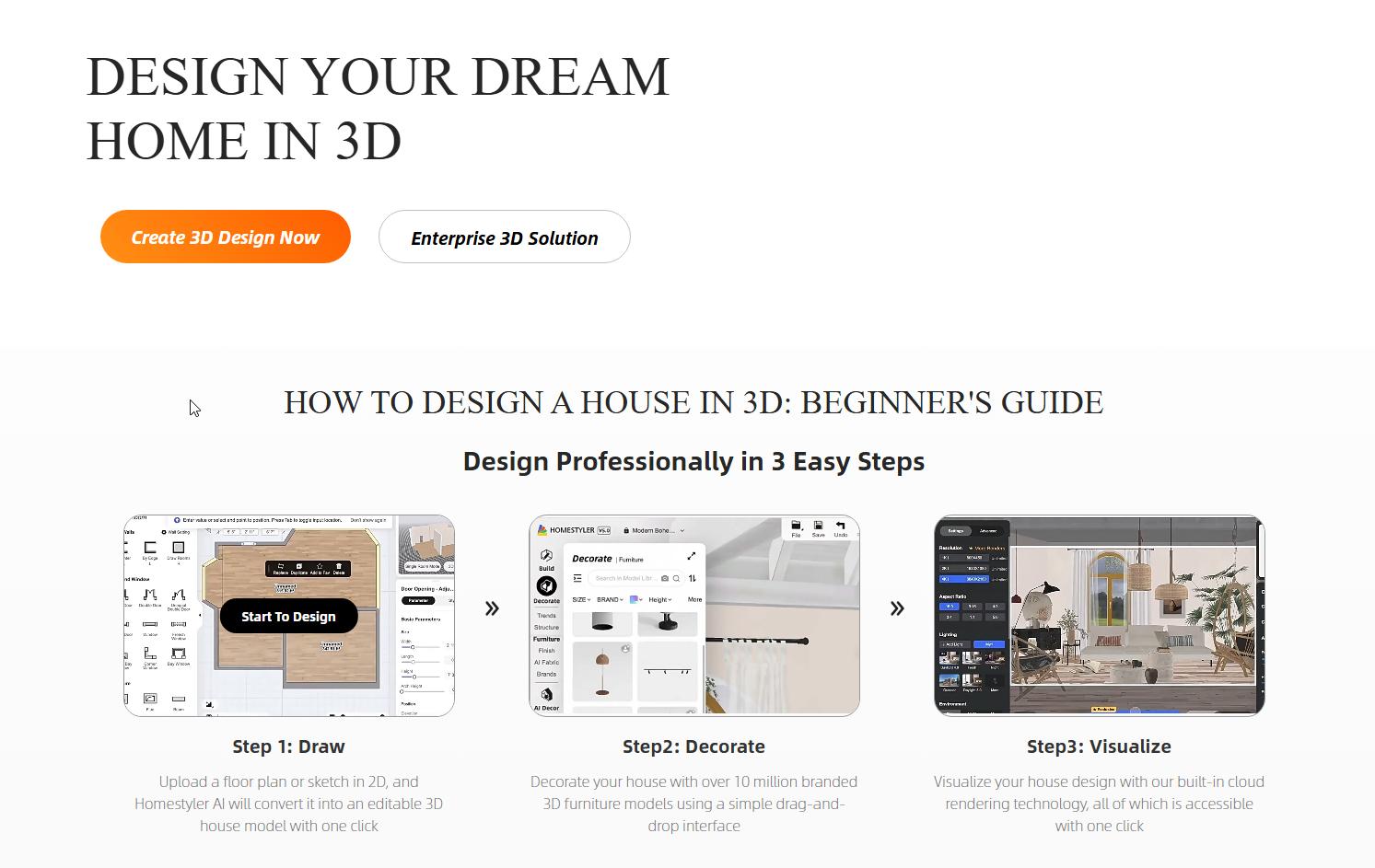
Homestyler offers an intuitive, browser-based 3D interior design and floor planning tool, providing a more hands-on design experience compared to Apply Design's virtual staging focus. It allows users to create 2D floor plans and visualize them in 3D with a vast library of real-world products. Homestyler is particularly strong for those who want to build a space from scratch or extensively redesign an existing layout.
- Best for: Homeowners, interior design enthusiasts, and small firms looking for a comprehensive and user-friendly 3D design platform.
- Key features: 2D/3D floor planning, extensive furniture and decor library (real brands), photorealistic rendering options, cloud-based access, design community features.
- Pros:
- Very easy to learn and use, especially for beginners.
- Large, regularly updated library of branded products.
- Good quality 3D renderings for a web-based tool.
- Free basic tier available.
- Cons / limitations:
- Advanced rendering features are typically part of paid plans.
- Can be slower on complex projects or older hardware.
- Unlike Apply Design, it requires manual building of rooms.
- Pricing: Free basic plan, subscription tiers for advanced features and higher-quality renders.
- Try-on tip: After building your floor plan in Homestyler, use its library to experiment with furniture layouts. For a quicker visual test of specific materials or paint colors, screenshot your Homestyler design and upload it to Paintit.ai to try different finishes on the walls or floors.
- If you choose this over others: Select Homestyler if you prefer to build your designs from the ground up, need an extensive library of real products, and value an intuitive interface for detailed interior planning.
3. Dreamina - The AI Concept Ideator
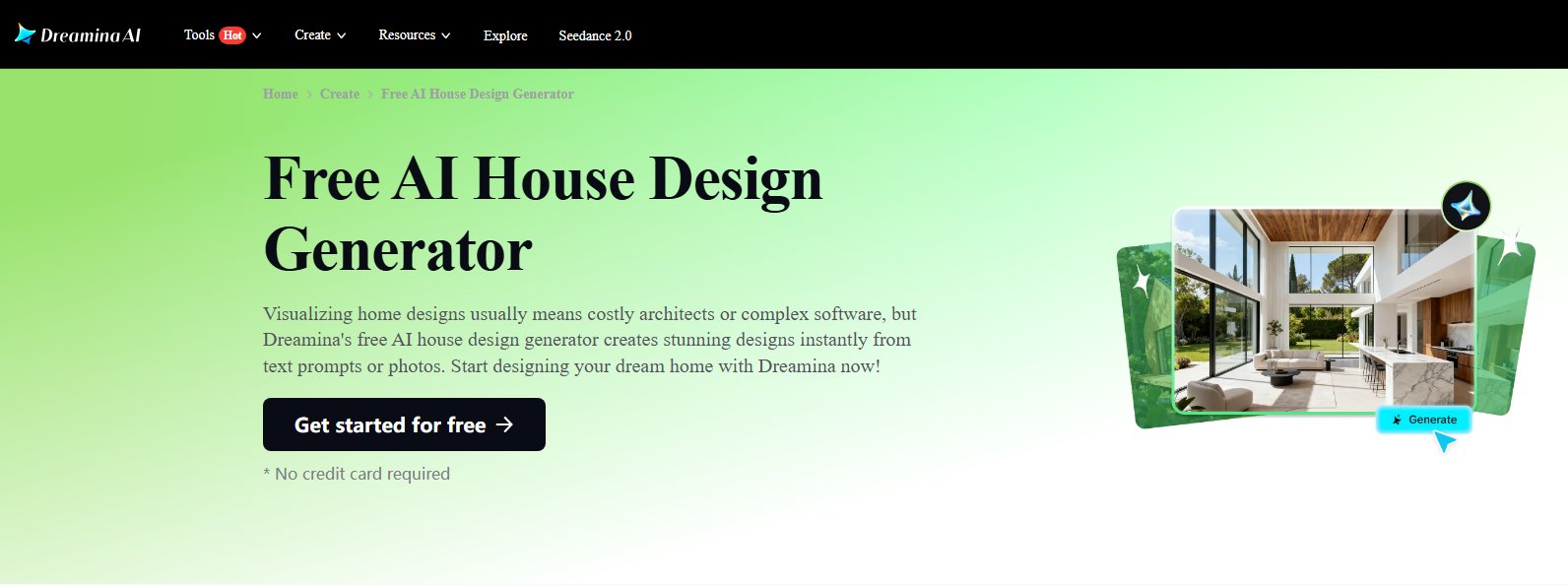
Dreamina, unlike the practical staging of Apply Design, focuses purely on AI-driven concept generation from text prompts. It's a tool for artists, designers, and marketers to quickly generate a wide array of visual ideas and styles without traditional 3D modeling. If Apply Design provides the final staged photo, Dreamina provides the initial sparks of design creativity.
- Best for: Designers seeking inspiration, concept artists, marketers, and users interested in exploring abstract or imaginative design themes.
- Key features: AI image generation from text prompts, style transfer, diverse artistic output, rapid concept iteration.
- Pros:
- Generates unique and creative concepts quickly.
- Excellent for overcoming creative blocks.
- No 3D modeling skills required.
- Can produce a wide range of stylistic outputs.
- Cons / limitations:
- Outputs are conceptual, not ready for precise architectural or interior planning.
- Requires further refinement in other tools for practical application.
- Not designed for virtual staging or floor planning like Apply Design.
- Pricing: Varies-check the official site for credit-based plans.
- Try-on tip: Use Dreamina to generate several "mood images" for a desired aesthetic (e.g., "futuristic living room with natural elements"). Pick the strongest visual concept, then use Paintit.ai to apply the key colors, textures, and general style to a photo of your actual room to see how it translates.
- If you choose this over others: Opt for Dreamina if your primary need is rapid, AI-driven creative ideation and mood board generation, rather than precise virtual staging or 3D modeling.
4. Planner5D - The Easy-to-Use Floor Planner
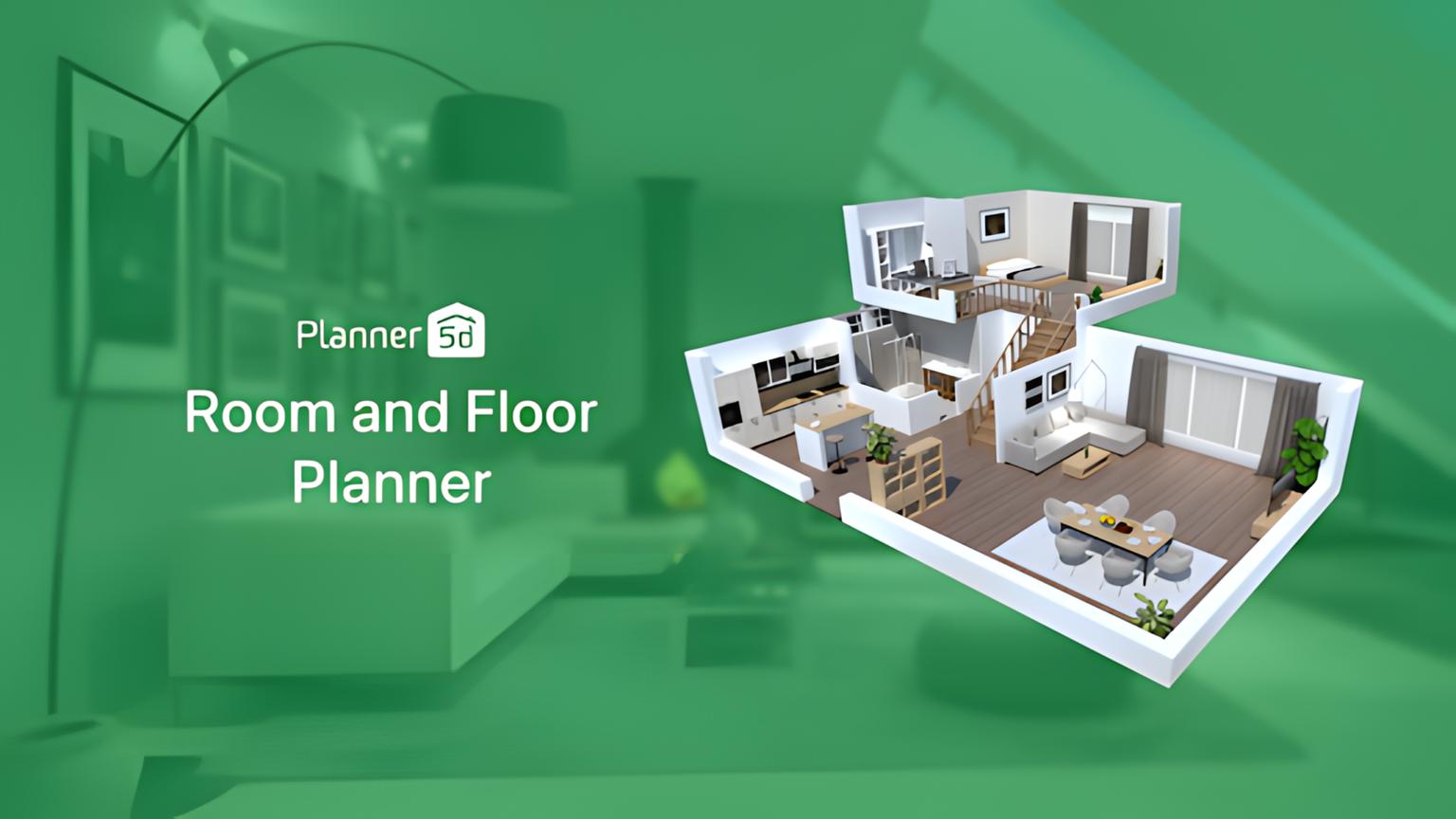
Planner5D is an accessible 2D/3D home and interior design tool, similar to Homestyler in its approach but often cited for its user-friendliness on mobile devices. It offers a comprehensive set of features for creating floor plans, furnishing spaces, and visualizing designs in 3D. While Apply Design provides a quick virtual staging solution, Planner5D empowers users to design and iterate their entire space.
- Best for: Homeowners, DIY enthusiasts, and students who need a straightforward tool for planning and visualizing interior and exterior home projects.
- Key features: 2D floor plan creator, 3D room planner, extensive furniture and material catalog, photorealistic rendering (paid feature), mobile app availability.
- Pros:
- Extremely intuitive interface, easy to get started.
- Works well across different devices (web, iOS, Android).
- Large item catalog for furnishing and decorating.
- Free version available for basic planning.
- Cons / limitations:
- High-quality renders require a paid subscription.
- Can feel less sophisticated than professional CAD software.
- Doesn't offer AI-powered staging directly from photos like Apply Design.
- Pricing: Free basic plan, premium subscriptions for full features and higher resolution.
- Try-on tip: Design your room layout in Planner5D and add placeholder furniture. To see how a particular paint color or a new flooring material would look in an *actual* photo of your existing room, screenshot your Planner5D layout and use it as a reference for a Paintit.ai redesign.
- If you choose this over others: Choose Planner5D if you prioritize ease of use, cross-device accessibility, and the ability to design both interior and exterior spaces with a comprehensive catalog.
5. Cedreo - The Professional Home Design Software
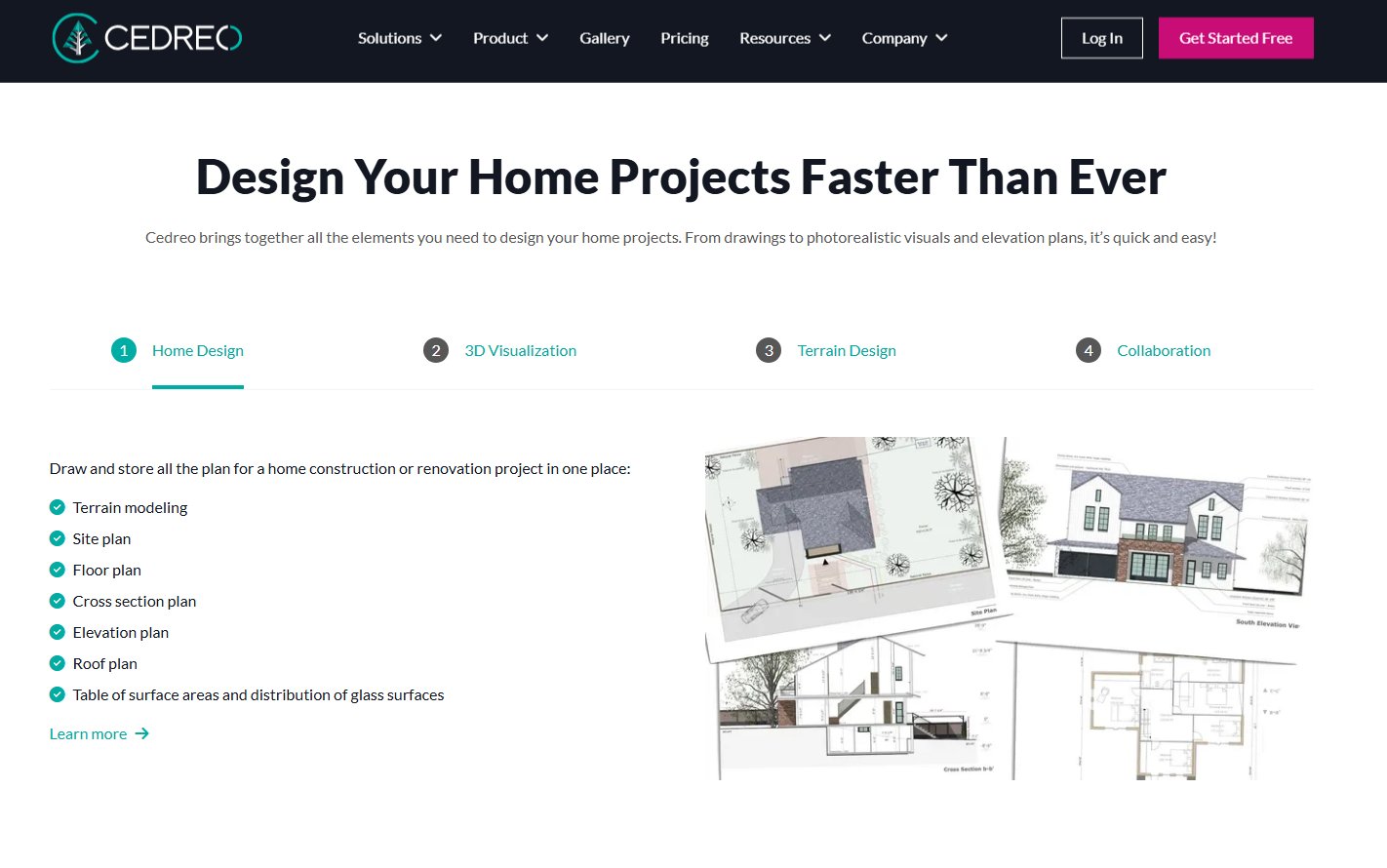
Cedreo is a specialized 3D home design software built for home builders, remodelers, and real estate professionals. Unlike Apply Design, which is mainly for virtual staging, Cedreo allows users to create accurate 2D floor plans, generate 3D models of entire homes (interior and exterior), and produce photorealistic renders quickly. It emphasizes speed and efficiency for design-build workflows.
- Best for: Home builders, remodelers, interior designers, and real estate agents needing professional-grade floor plans and photorealistic renders for new constructions or renovations.
- Key features: 2D/3D floor plan creation, automated 3D rendering, interior and exterior design tools, extensive product library, multiple export formats.
- Pros:
- Produces high-quality, photorealistic renders quickly.
- Efficient for creating detailed floor plans and entire home designs.
- User-friendly for professionals, with a focus on speed.
- Offers tools for both interior and exterior visualization.
- Cons / limitations:
- Can be more expensive than consumer-grade tools.
- Steeper learning curve for complete beginners compared to drag-and-drop tools.
- Not designed for direct AI virtual staging of existing photos like Apply Design.
- Pricing: Subscription-based, with different tiers for professionals.
- Try-on tip: Use Cedreo for creating detailed floor plans and architectural renders. For quick virtual staging or to test specific furniture styles within a photo of an actual property (not a 3D model), integrate with Paintit.ai to apply those styles onto a vacant room photo.
- If you choose this over others: Opt for Cedreo if you are a design-build professional requiring fast, accurate 2D/3D floor plans and high-quality renders for new builds or extensive renovations, where efficiency for client presentations is key.
6. Dedicated Virtual Staging Services - The Specialist Approach
Beyond software, dedicated virtual staging *services* offer a full-service alternative to tools like Apply Design. These are typically human-powered (or hybrid AI-assisted) teams that professionally stage your empty property photos for a fee, often on a pay-per-photo basis. If Apply Design is a DIY tool, these services are the outsourced professional solution.
- Best for: Real estate agents, developers, and property managers who need consistent, high-quality virtual staging without managing software or design tasks themselves, especially for high-volume property listings.
- Key features: Professional photo editing, furniture selection by designers, various style options, quick turnaround times, revision rounds.
- Pros:
- Guaranteed professional, photorealistic results.
- Zero learning curve or software to manage.
- Ideal for agents with high-volume property listings who need to save time.
- Can often handle more complex photo edits or specific staging requests.
- Cons / limitations:
- Generally more expensive per photo than DIY software.
- Less control over the creative process.
- Turnaround can still be longer than instant AI tools.
- No iterative design exploration like AI concept generators.
- Pricing: Typically pay-per-photo, with bulk discounts available.
- Try-on tip: If using a dedicated service for high-stakes listings, use Paintit.ai as a preliminary ideation tool. Quickly upload your vacant room photos to Paintit.ai to explore a few initial staging styles and color palettes. This helps you provide clearer instructions to your professional stager, ensuring the final output matches your vision.
- If you choose this over others: Choose a dedicated service if you prioritize professional-grade, consistent results and want to outsource the entire virtual staging process, particularly for high-value or high-volume properties.
7. Advanced 3D CAD Software (Light Versions) - The Detailed Modeler

While Apply Design excels at quick staging, a category of advanced 3D CAD (Computer-Aided Design) software, often in simplified or cloud-based versions, provides unparalleled precision and customization. Think of lighter versions of tools like SketchUp, Revit, or even Blender, adapted for interior design. These are for users who need to design custom furniture, intricate millwork, or detailed architectural elements that go beyond simply placing existing objects.
- Best for: Experienced interior designers, architects, furniture designers, and users requiring high-level customization and detailed 3D modeling.
- Key features: Parametric modeling, custom object creation, detailed material mapping, advanced lighting simulations, robust rendering engines, precise dimensioning.
- Pros:
- Maximum control over every design element.
- Ability to create unique, bespoke furniture and architectural details.
- Produces highly accurate and photorealistic renders.
- Integration with professional BIM (Building Information Modeling) workflows.
- Cons / limitations:
- Significant learning curve, requiring specialized skills.
- Often expensive, with steep subscription costs.
- Time-consuming for simple tasks like basic virtual staging, unlike Apply Design.
- Can require powerful hardware.
- Pricing: Typically high-cost subscriptions, sometimes with perpetual license options.
- Try-on tip: Use advanced CAD software for detailed custom designs or architectural modifications. Once your custom elements are modeled, integrate them into a larger visualization by exporting sections or taking screenshots, which can then be combined with Paintit.ai to quickly visualize how these elements appear within a real room photo.
- If you choose this over others: Select advanced CAD software if your projects demand intricate custom design, precise architectural detailing, and you possess the technical skills and time investment for high-fidelity 3D modeling.
Detailed feature comparison (Buyer-centric)
| Feature / Category | Paintit.ai | Homestyler | Dreamina | Planner5D | Cedreo | Dedicated Staging Service | Advanced 3D CAD Software |
|---|---|---|---|---|---|---|---|
| Primary Approach | AI Visualization | 3D Editor | AI Concept | 3D Editor | 3D Architectural | Human/AI Service | Parametric 3D Modeling |
| Input Method | Photo/Text Prompt | Drag & Drop | Text Prompt | Drag & Drop | 2D Sketch/Params | Photo Upload | 2D Sketch/Params |
| Learning Curve | Very Low | Low | Very Low | Low | Medium | None | High |
| Virtual Staging from Photo | Yes | No (manual build) | No (conceptual) | No (manual build) | No (manual build) | Yes | No (manual build) |
| 2D Floor Planning | No | Yes | No | Yes | Yes | No | Yes |
| AI Concept Generation | Yes | Limited | Yes | No | No | No | No |
| Real Product Library | No (AI generated) | Yes | No (conceptual) | Yes | Yes (limited) | Yes (by designer) | Yes (import) |
| Photorealistic Rendering | High | Good (paid) | Conceptual | Good (paid) | High | Very High | Very High |
| Mobile App | No (web optimized) | Yes | No (web optimized) | Yes | No (web optimized) | No (client portal) | No (desktop) |
| Cost Efficiency for Volume | High | Medium | Medium | Medium | Medium | Medium | Low |
Professional tools for advanced users
While tools like Paintit.ai, Homestyler, and Planner5D offer fantastic starting points for quick visualization and easy design, professionals often need to move beyond instant visualizers. For architects, builders, and experienced interior designers, the depth of control and precision offered by more advanced software becomes crucial. This includes parametric CAD tools that allow for custom element creation, detailed material specification, and robust interoperability with Building Information Modeling (BIM) systems. When projects demand bespoke furniture, complex structural modifications, or highly detailed construction documentation, the investment in time and cost for these advanced tools pays off in accuracy and execution. They bridge the gap between initial concept and final build, ensuring every detail from structural integrity to lighting schematics is meticulously planned.
Strategic recommendations (Decision framework)
- If you are a real estate agent focused on high-volume, rapid virtual staging to make vacant listings appealing, choose Paintit.ai for its AI automation and speed, or a Dedicated Virtual Staging Service for professional outsourcing.
- If you are a homeowner or DIY enthusiast who wants an intuitive tool to plan layouts and furnish rooms from scratch, choose Homestyler or Planner5D for their drag-and-drop interfaces and extensive libraries.
- If you are a designer seeking initial creative sparks and diverse stylistic ideas from simple text prompts, choose Dreamina for its AI concept generation capabilities.
- If you are a home builder or remodeler needing efficient creation of accurate 2D floor plans and photorealistic 3D renders for client presentations, choose Cedreo.
- If you require ultimate control, custom furniture design, and intricate architectural detailing for bespoke projects, consider advanced 3D CAD Software, understanding the steeper learning curve.
- If Apply Design feels too slow for rapid iteration or lacks the direct photo-to-design workflow you need, Paintit.ai provides a faster, AI-driven alternative.
- If Apply Design's virtual staging doesn't offer enough stylistic variety or customizability, exploring tools like Paintit.ai might give you more diverse AI-generated options.
The ultimate hybrid workflow
A truly effective design process often combines the strengths of multiple tools, creating a seamless workflow from ideation to final presentation.
- Stage 1: Rapid Ideation & Visualization (Paintit.ai)
Start by uploading a photo of your existing space to Paintit.ai's AI Room Design. Experiment with different styles, paint colors, and layouts generated by the AI. This quick, visual feedback helps define the aesthetic direction and narrow down initial concepts without significant manual effort. You can generate multiple variations in minutes, helping you "try on" ideas before committing. - Stage 2: Detailed Planning & Layout (Homestyler or Planner5D)
Once you have a strong visual concept from Paintit.ai, move to a 3D planning tool like Homestyler or Planner5D. Create a precise 2D floor plan of your room, incorporating the overall layout and key furniture pieces identified in Stage 1. This stage allows you to refine dimensions, check clearances, and ensure the design is practical within the physical constraints of the space. - Stage 3: Material & Furniture Selection (Homestyler or Cedreo)
Using the detailed plan, leverage the extensive real-product libraries in tools like Homestyler or Cedreo to select specific furniture, finishes, and materials. This helps in budgeting and ensures the chosen items align with the visual aesthetic established earlier. You can fine-tune textures and lighting to get a closer representation of the final look. - Stage 4: Final Presentation & Documentation (Cedreo or Advanced CAD)
For professional clients or complex projects, use Cedreo for high-quality architectural renders or even more advanced CAD software for detailed construction documents. This final stage translates your approved design into a comprehensive visual and technical package, ready for implementation or client sign-off.
Managing expectations
While AI tools like Paintit.ai offer incredible speed and creative power, it's crucial to manage expectations. AI-generated designs, while visually stunning, may not always account for highly specific architectural quirks, structural limitations, or intricate building codes. For instance, an AI might place a window where a load-bearing wall exists, or suggest furniture sizes that are impractical for a specific doorway.
Users should treat AI outputs as sophisticated concept generators, not infallible blueprints. Always verify dimensions, material compatibility, and structural feasibility with actual measurements and professional advice. The aesthetic suggestions are often excellent, but the practical execution still requires human oversight and, in many cases, manual refinement in traditional CAD or planning software. AI is a powerful assistant, but the ultimate responsibility for a functional and safe design remains with the human designer.
FAQ
Q: What is the primary advantage of using an AI-powered design tool over traditional software?
A: AI tools excel at rapid ideation, generating multiple concepts and style combinations quickly based on user prompts, significantly speeding up the initial creative process compared to manual modeling.
Q: Are these Apply Design alternatives suitable for beginners with no prior design experience?
A: Yes, many alternatives like Paintit.ai, Homestyler, and Planner5D offer intuitive interfaces and beginner-friendly features, making them accessible to users with no prior design experience.
Q: How can I ensure the colors and materials I choose in the software will look the same in real life?
A: While digital representations are highly accurate, slight variations can occur due to screen calibration and real-world lighting. Always order physical samples of paint colors and materials whenever possible for final verification.
Q: Can these tools help me visualize a room that is currently empty or needs a full renovation?
A: Absolutely. Many of these tools, especially Paintit.ai and dedicated virtual staging services, allow you to upload photos of empty spaces and virtually furnish or renovate them. Other tools like Homestyler and Planner5D enable you to build a room from scratch.
Q: What is virtual staging, and which of these tools are best for it?
A: Virtual staging involves digitally furnishing and decorating empty properties for real estate listings to enhance their appeal and help potential buyers visualize the space. Paintit.ai and dedicated virtual staging services are specifically optimized for this purpose, offering efficient workflows and realistic outputs.
Conclusion
Exploring Apply Design alternatives in 2026 reveals a rich spectrum of tools tailored to various design needs and skill levels. From the instant, AI-powered visualizations of Paintit.ai, ideal for quick virtual staging and concept generation, to the detailed 3D planning offered by Homestyler and Planner5D, or the professional-grade architectural renders from Cedreo, there's a solution for every project. The best choice ultimately depends on your specific workflow, budget, and desired level of detail.
Whether you're a real estate agent aiming for high-volume, impactful property listings, a homeowner dreaming of a rapid room makeover, or a designer seeking fresh inspiration, the market provides robust options. By understanding the unique strengths and limitations of each tool, you can move beyond your current frustrations and select software that truly empowers your creative process. We encourage you to try Paintit.ai for Real Estate or personal projects to experience its speed and simplicity in bringing your interior visions to life.
Trending
Selling the Fully Furnished Dream: Automating Interior Outfitting with Agentic AI for Developers
Looking for BoxBrownie Alternatives? Top AI Tools for Instant Virtual Staging
Best AI for Furniture Design: The Ultimate 2026 Pro Guide
Challenges and Limitations of Integrating AI into Architectural Design
7 Best Styldod Alternatives & Competitors in 2026: Full Review
Related articles

9 min read
7 Best Apply Design Alternatives in 2026: Full Review
Explore the top Apply Design alternatives for 2026. Compare Paintit.ai, Homestyler, and more to find the best AI virtual staging and 3D home design software
Yulii Cherevko
CEO paintit.ai
6 min read
Selling the Fully Furnished Dream: Automating Interior Outfitting with Agentic AI for Developers
Learn how agentic AI and Paintit.ai automate interior design for developers. Scale outfitting, increase ROI, and reduce property time-on-market effectively
Yulii Cherevko
CEO paintit.ai

11 min read
Looking for BoxBrownie Alternatives? Top AI Tools for Instant Virtual Staging
Discover the best BoxBrownie alternatives for 2026. Compare AI virtual staging tools like Paintit.ai for instant photo enhancement and photorealistic rendering
Yulii Cherevko
CEO paintit.ai

7 min read
Best AI for Furniture Design: The Ultimate 2026 Pro Guide
Discover the best AI for furniture design in 2026. Compare Paintit.ai, Planner 5D, and more to optimize your 3D modeling, ideation, and sustainable workflows
Yulii Cherevko
CEO paintit.ai