
8 min. reading
How to Use Space Type and Design Style in Paintit.ai

Yulii Cherevko
CEO paintit.ai
Page Contents:
- 1. Why These Controls Matter
- 2. What Space Type Actually Does
- 3. What Design Style Actually Does
- 4. How to Use Them Together
- 5. Advanced Tips for Better Results
- 6. Best Combinations by Room Type
- 7. Common Mistakes to Avoid
- 8. Frequently Asked Questions
- 9. Related articles
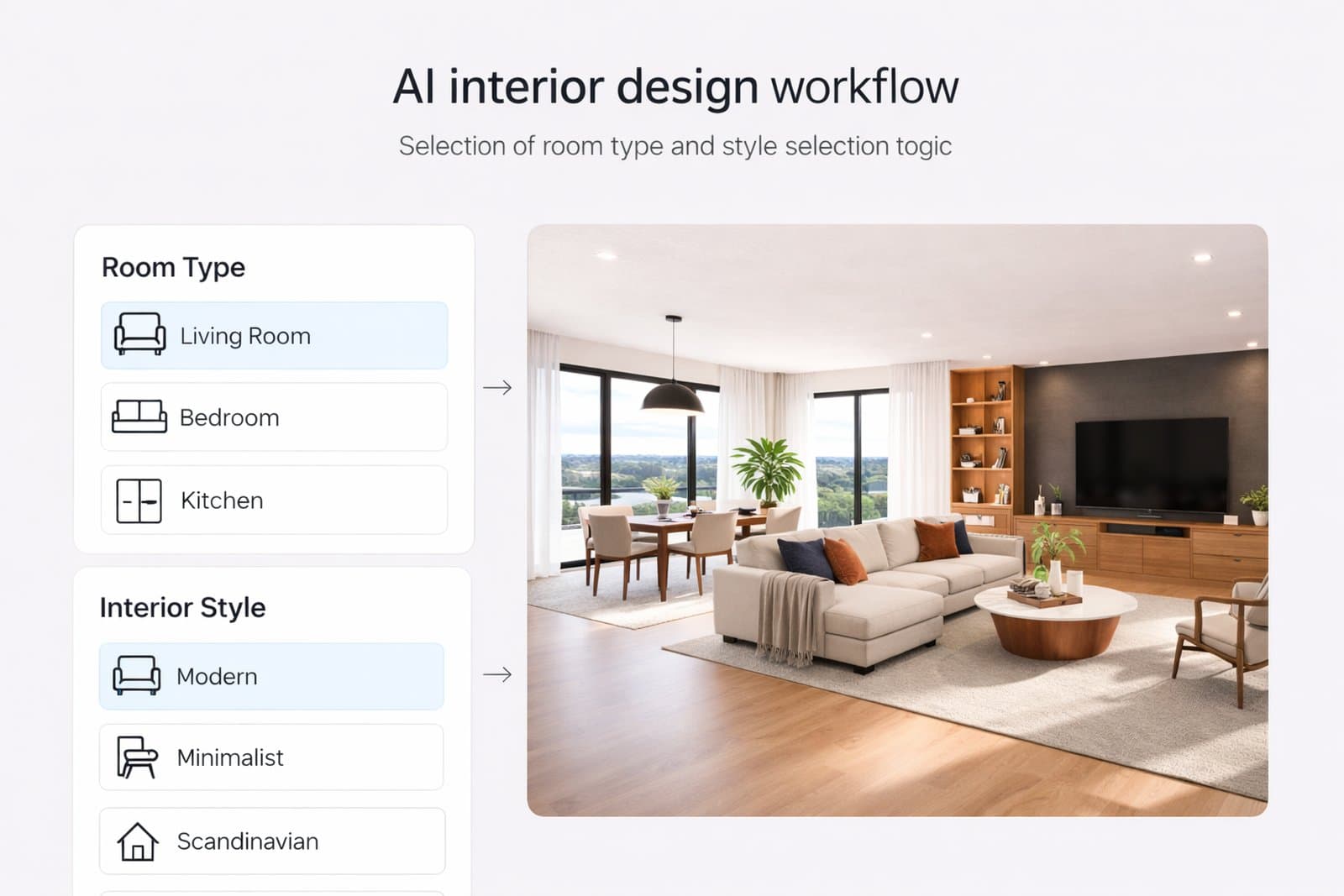
Space Type and Design Style are two of the most important controls in Paintit.ai. When used correctly, they help the model understand what kind of room it is working with, what visual language to follow, and how to produce more accurate and consistent results.
Why These Controls Matter
If prompting tells Paintit.ai what you want, Space Type and Design Style help it understand how to interpret the room.
Many users try to solve everything only with prompts. But in practice, Paintit.ai usually performs better when the room logic and style logic are also made explicit through the built-in controls.
Why these controls improve results
Better room logic — a bedroom, bathroom, kitchen, and office should not behave like the same space.
Better style consistency — the model has a clearer visual language to follow.
Better control — less random furniture, less stylistic confusion, and more usable concepts.
Faster iteration — strong defaults reduce the amount of prompt correction you need later.
In other words, these controls do not replace prompting. They make prompting more effective.
What Space Type Actually Does
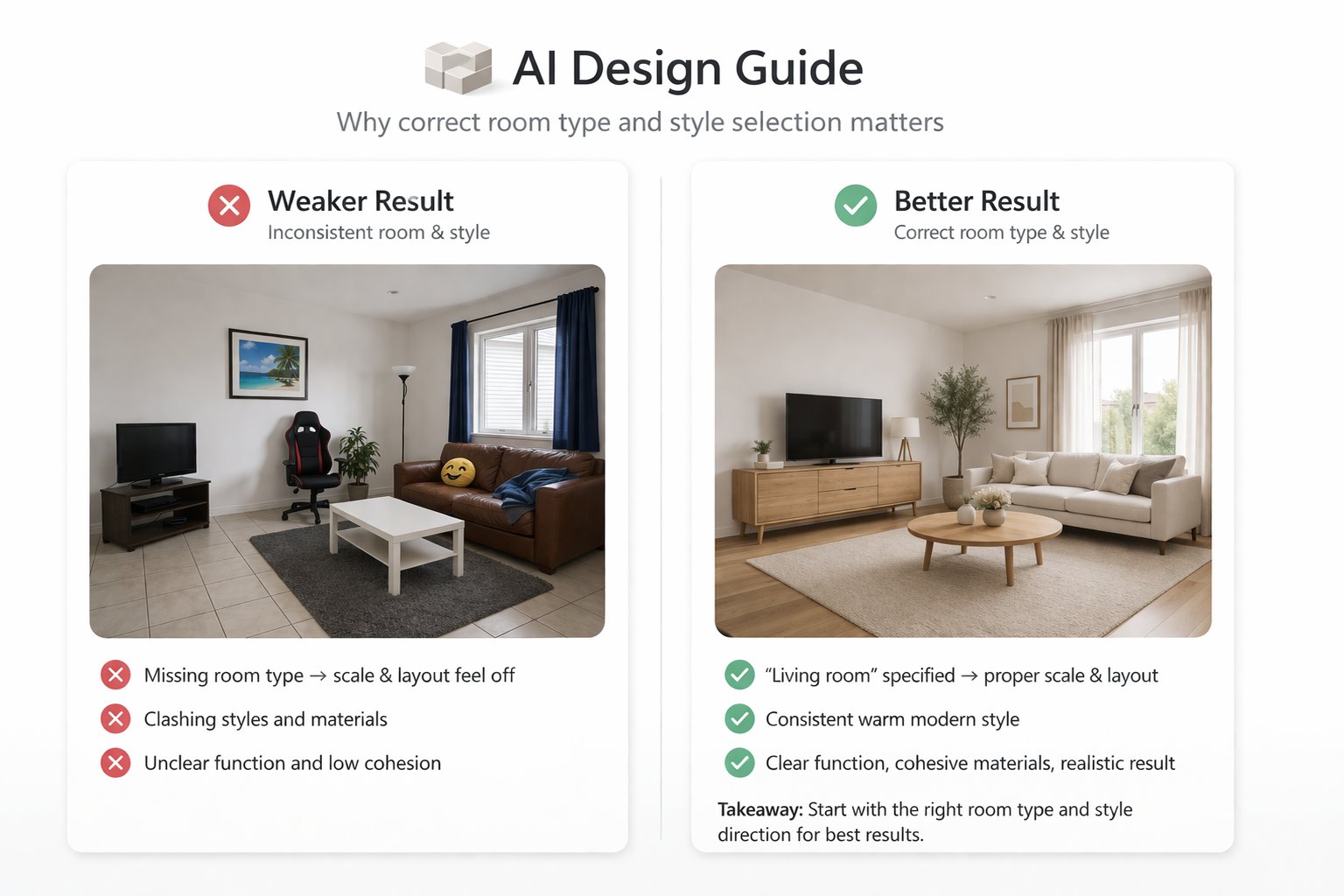
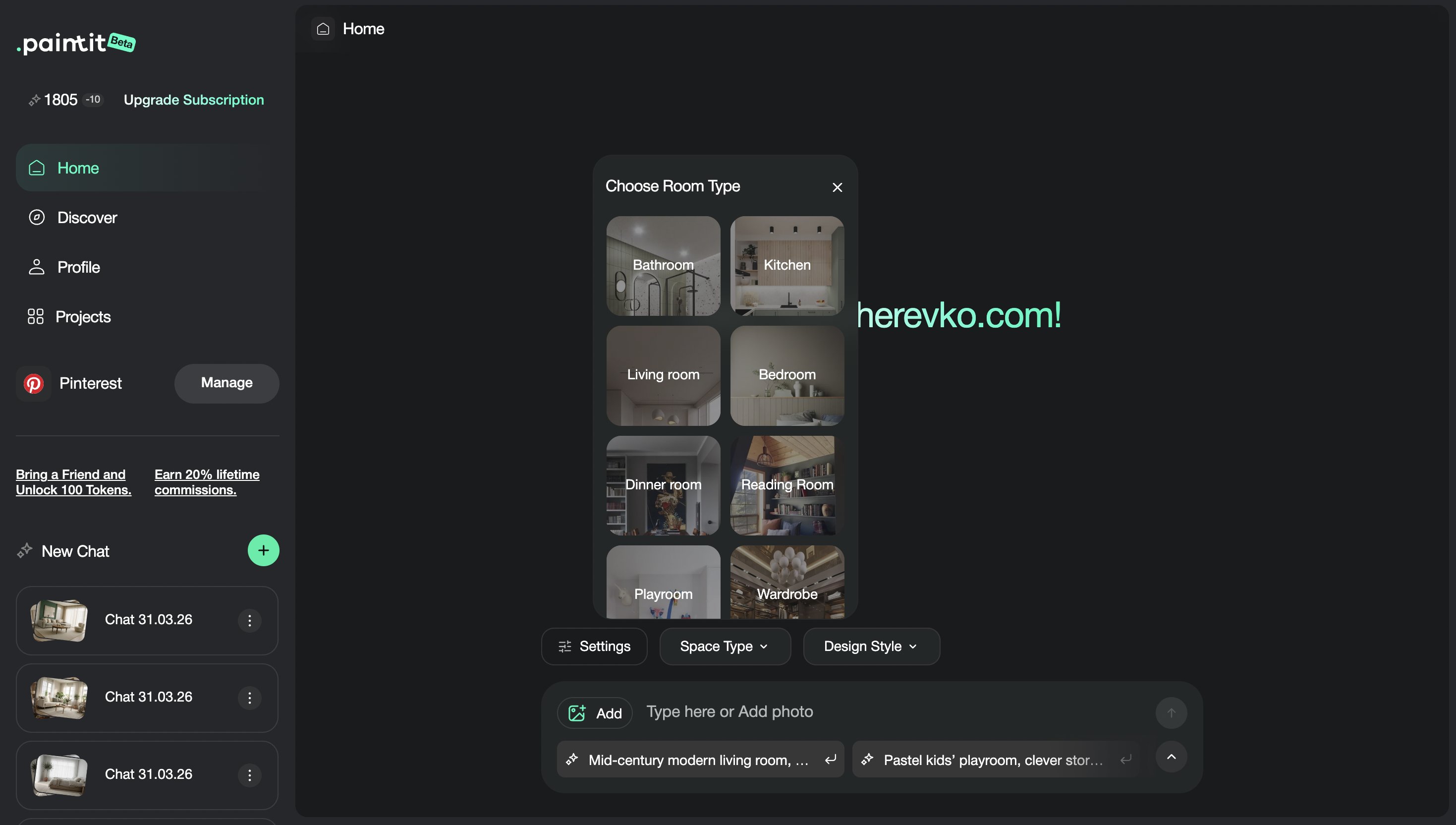
Space Type tells Paintit.ai what kind of room or area it is interpreting.
This matters because every room has different functional expectations. A bedroom needs different furniture, composition, and mood than a kitchen or a reading room. When Space Type is selected correctly, Paintit.ai is more likely to place the right objects, respect the right layout logic, and generate a more believable result.
What Space Type influences most
Furniture selection — beds in bedrooms, vanities in bathrooms, dining tables in dining rooms, desks in offices.
Composition logic — how the room is organized visually.
Functional cues — what the room is expected to do.
Detail priorities — what surfaces, objects, and zones the model emphasizes.
If you choose the wrong Space Type, the result may still look attractive, but it may feel less logical, less useful, or less aligned with the real function of the room.
What Design Style Actually Does
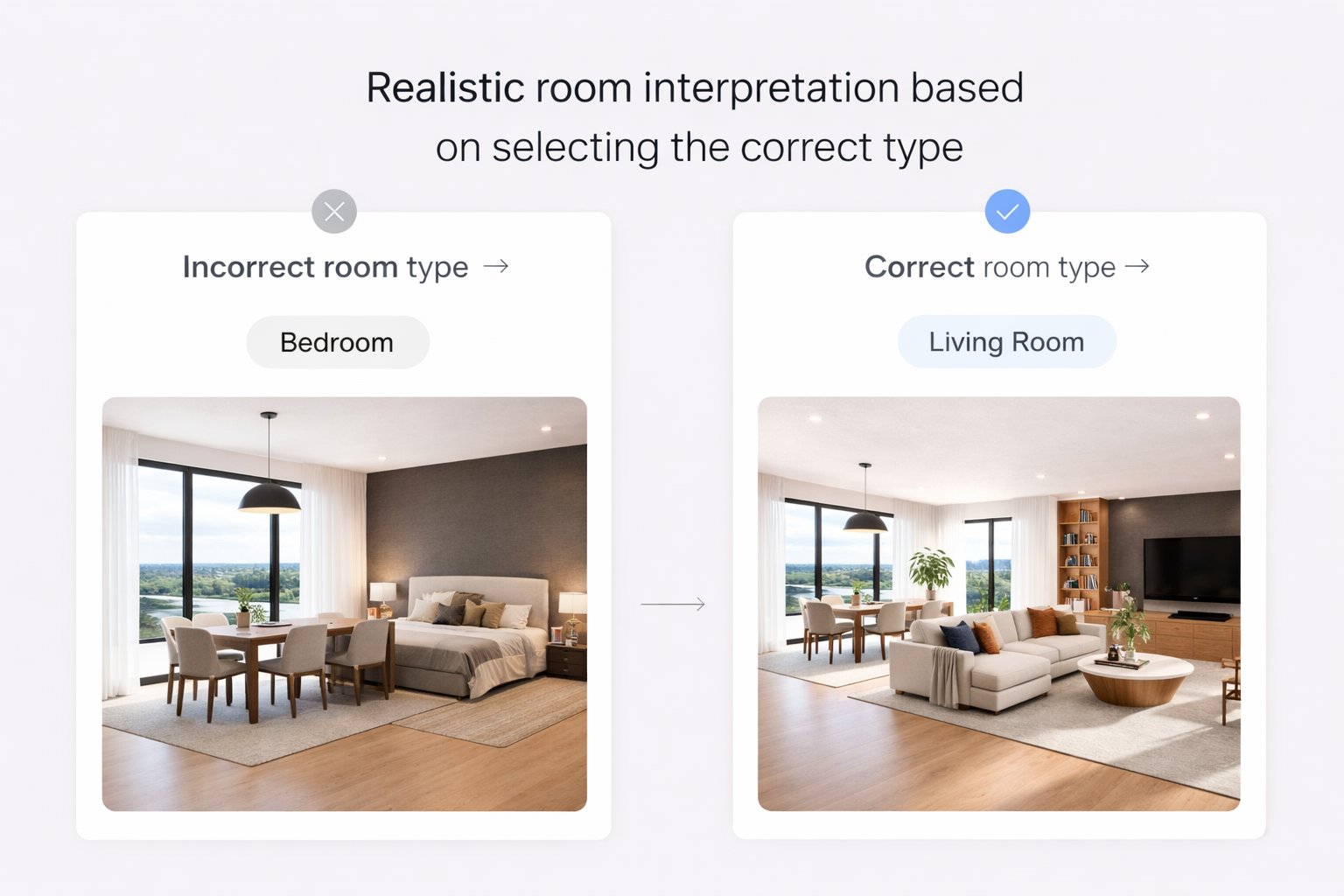
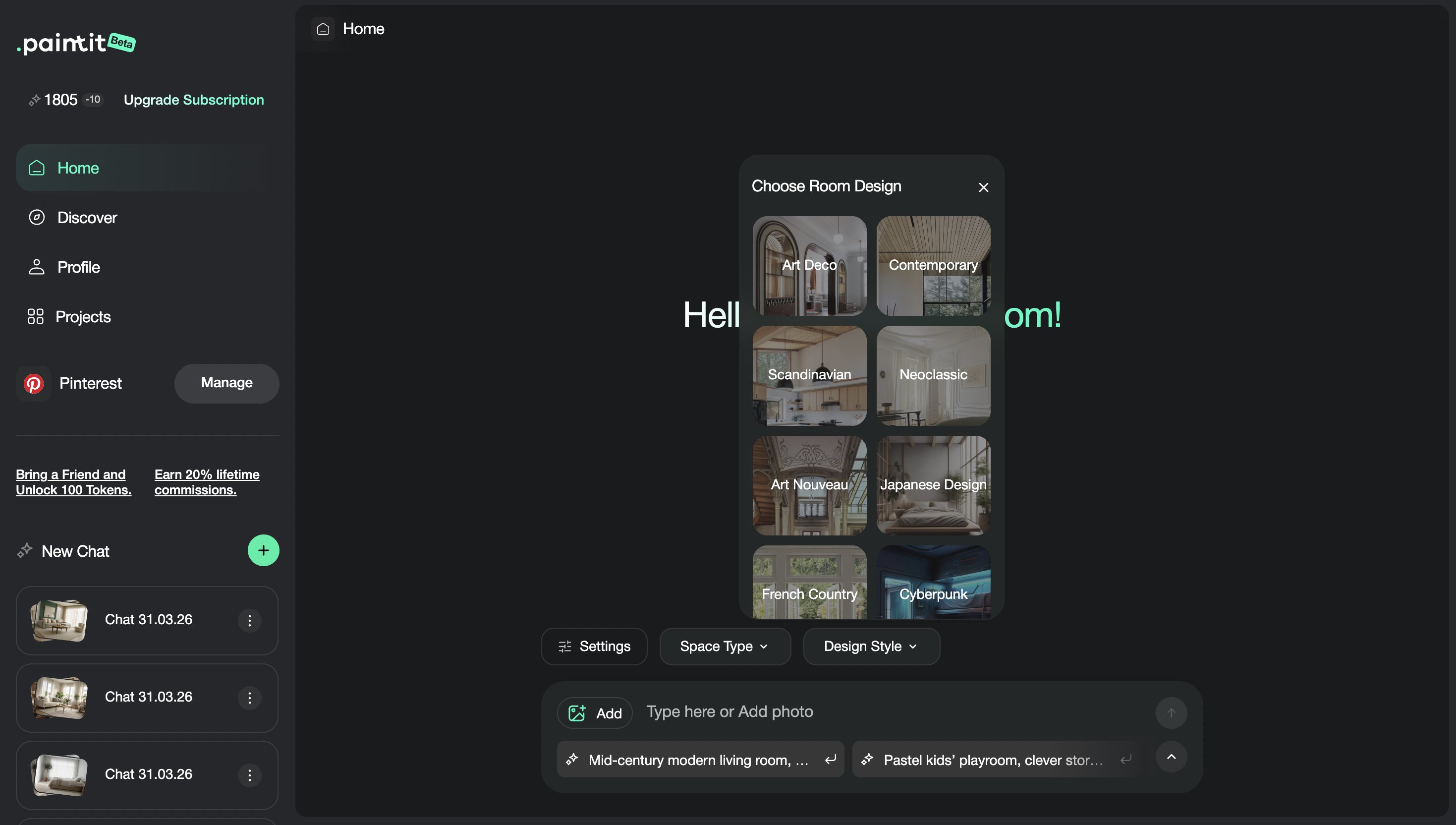
Design Style gives Paintit.ai a visual language to follow.
While Space Type defines what the room is, Design Style helps define how the room should feel. This influences materials, forms, palette direction, furniture character, and the overall atmosphere.
What Design Style influences most
Forms and silhouettes — minimal, soft, structured, classic, contemporary, or organic.
Materials — wood, stone, plaster, metal, linen, glossy finishes, or darker industrial surfaces.
Color palette — light neutral, earthy, dramatic, warm, cool, or contrast-driven.
Mood — cozy, calm, airy, premium, clean, dramatic, or understated.
A clear Design Style usually produces cleaner outputs than trying to mix several unrelated styles inside one prompt. The more focused the style direction is, the easier it becomes to compare and refine results.
How to Use Them Together
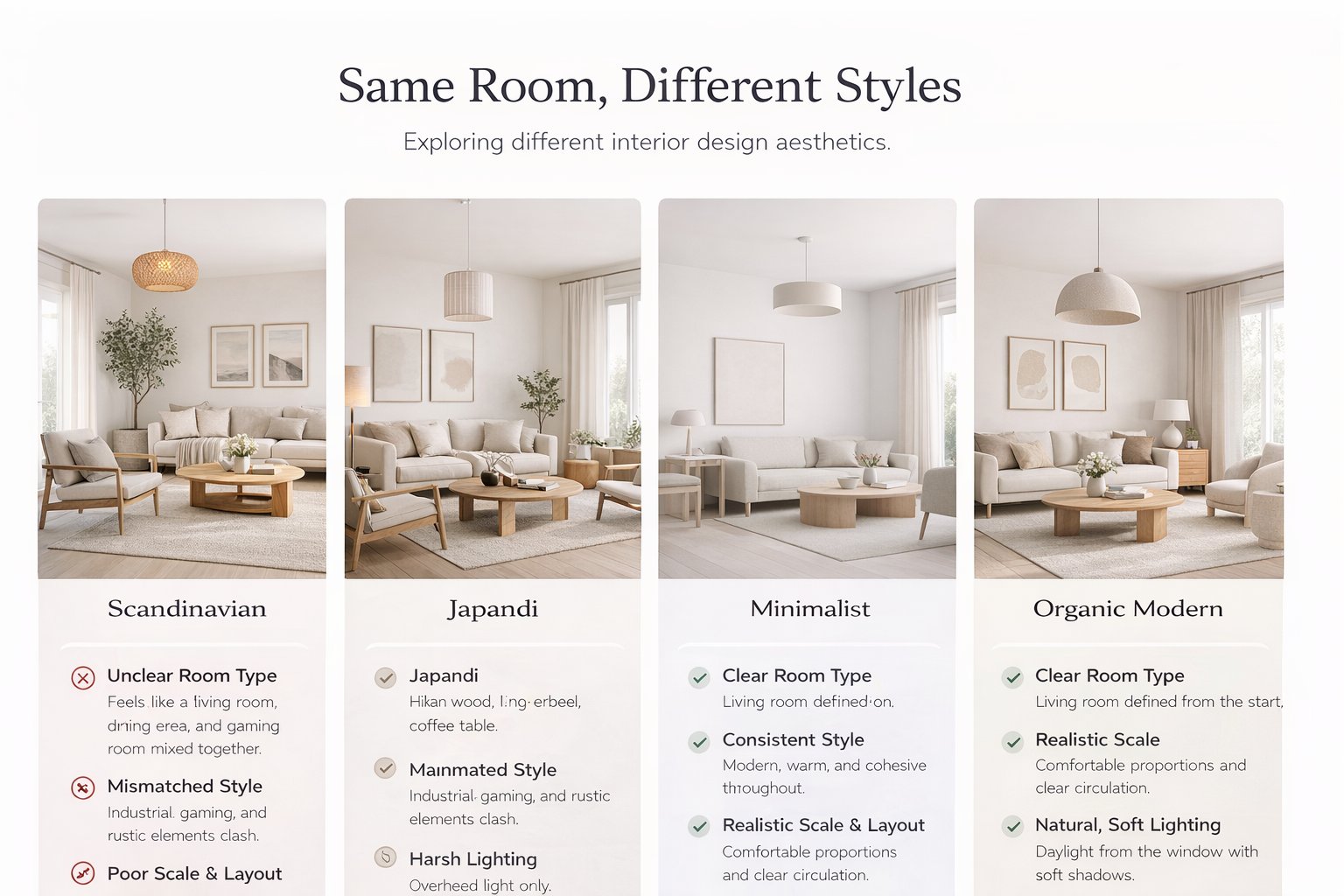
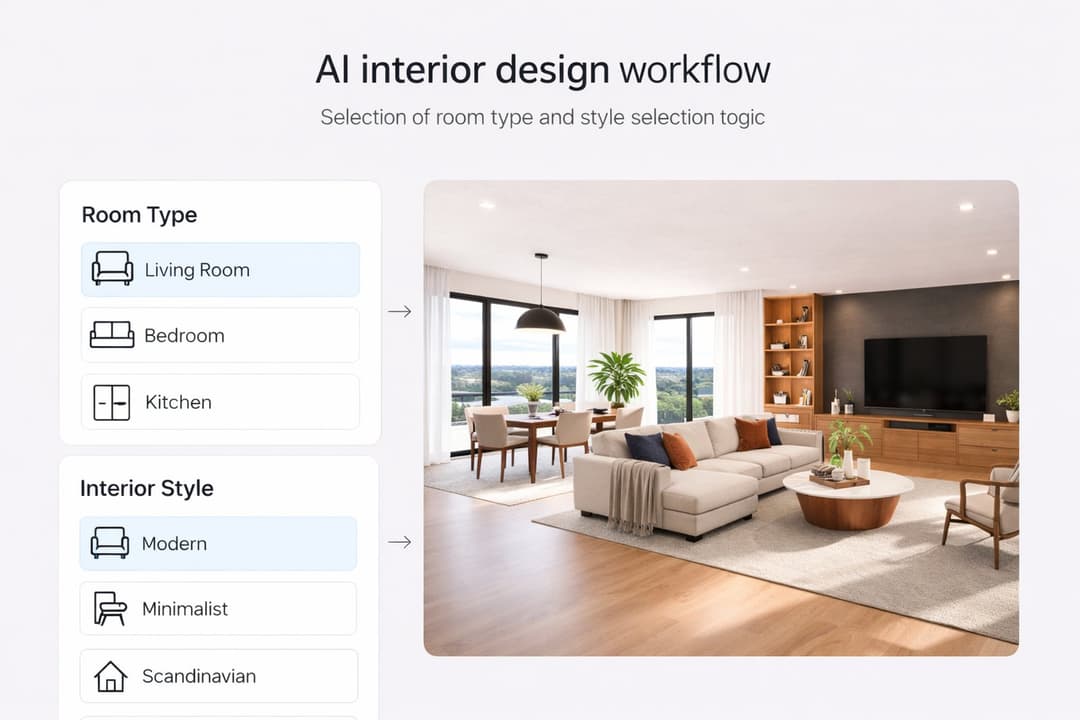
The strongest results often come from combining the right Space Type with one clear Design Style.
The simplest way to think about it is this: Space Type defines the room logic, while Design Style defines the visual language. Together, they give Paintit.ai a much stronger starting point.
A simple decision rule
First: choose the real function of the room.
Second: choose one style direction that matches your goal.
Third: use the prompt only to add specifics such as materials, mood, and constraints.
Result: less noise, better consistency, and more believable outputs.
This is also one of the best ways to reduce random results. If the controls are doing more of the setup work, the prompt can stay cleaner and more focused.
Advanced Tips for Better Results
These small adjustments can noticeably improve the quality of your generations.
Tip 1 — Let the controls do the heavy lifting
If Space Type and Design Style are set correctly, the prompt can be shorter and cleaner. This usually improves control.
Tip 2 — Use one dominant style first
Start with one strong direction before experimenting with nuance. Clean inputs are easier to compare.
Tip 3 — In open-plan spaces, choose the dominant zone
If the image includes multiple zones, select the primary room function you care about most.
Tip 4 — If the room already has a strong character, use a lighter prompt
Over-specifying both the controls and the prompt can sometimes create unnecessary tension.
Tip 5 — Use style for language, prompt for intention
Design Style should define the visual world. The prompt should define what you want changed inside that world.
These are the kinds of small operational decisions that often separate average results from professional-looking ones.
Best Combinations by Room Type
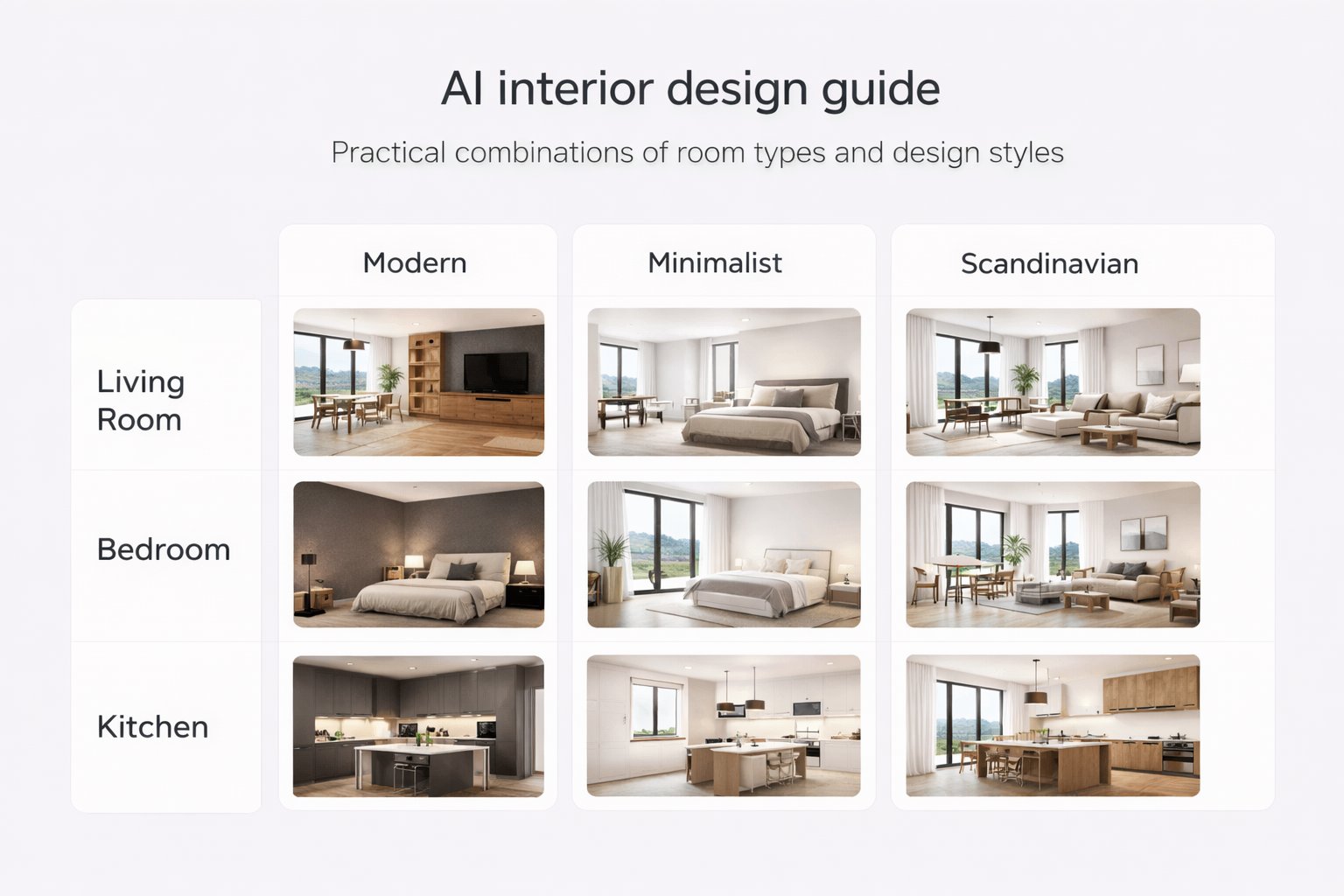
Use these as practical starting points when you want fast, clean results.
Bedroom combinations
Bedroom + Japandi
Best for calm, warm, minimal spaces with clean furniture and soft natural materials.
Bedroom + Scandinavian
Best for bright, airy, approachable rooms with light woods and soft neutral textiles.
Living room combinations
Living Room + Organic Modern
Best for warm premium interiors with texture, curves, wood, stone, and a relaxed upscale feel.
Living Room + Minimalist
Best for cleaner compositions, less visual noise, and stronger architectural focus.
Bathroom and exterior combinations
Bathroom + Spa / Soft Minimal
Best for calm stone-like surfaces, soft light, and a more premium wellness feel.
Exterior + Organic Modern
Best for facade updates with wood, texture, natural palette, and stronger curb appeal.
Professional tip: treat these combinations as starting frameworks, not fixed rules. Once one combination works, then refine the prompt.
Common Mistakes to Avoid
Most weak results here come from confusion, not from lack of detail.
Wrong Space Type
If the room function is set incorrectly, the layout and furniture logic may drift in the wrong direction.
Too many styles at once
Mixing several unrelated styles usually weakens consistency.
Overwriting the controls with the prompt
If the controls and the prompt are pushing in different directions, results may become less stable.
Choosing a style that does not match the room goal
Some styles may be visually interesting but not ideal for the intended room function or audience.
Ignoring comparison
The fastest way to improve is often to compare two clean control combinations instead of endlessly rewriting one prompt.
Frequently Asked Questions
Should I always choose a Space Type?
In most cases, yes. It helps Paintit.ai understand the room function and usually improves logic and consistency.
Should I always choose a Design Style?
Usually yes, especially when you want a clean, consistent visual direction. It helps reduce random stylistic variation.
What if the space has multiple functions?
Choose the dominant zone you care about most, then clarify the mixed-use context in the prompt if needed.
Can I still use prompts if I already selected Space Type and Style?
Yes. The best results often come from using controls for structure and prompts for specific materials, mood, and constraints.
What is the biggest mistake with these controls?
Setting a weak or incorrect room logic, then trying to fix everything only through prompting.
What is the fastest way to improve results here?
Pick the correct Space Type, choose one clear Design Style, keep the prompt focused, and compare two strong variations instead of many messy ones.
Choose Your Space and Style
Set the right room type, choose one clear design language, and make Paintit.ai work with you instead of against you.
Related articles
Trending
How to Furnish an Empty Room with Paintit.ai
How to Repaint a Room with Paintit.ai
15 Small Front Porch Ideas: Budget DIY Projects That Look Expensive
How to Use Full Redesign in Paintit.ai
How to Write Better Prompts for Paintit.ai
Related articles
8 min read
How to Use Space Type and Design Style in Paintit.ai
Learn how to use Space Type and Design Style in Paintit.ai to get more accurate interiors, stronger style consistency, better room logic, and more controlled AI design results
Yulii Cherevko
CEO paintit.ai
8 min read
How to Furnish an Empty Room with Paintit.ai
Learn how to furnish an empty room with Paintit.ai, add realistic furniture, keep proportions believable, choose the right style direction, and compare multiple furnishing concepts before making decisions
Yulii Cherevko
CEO paintit.ai
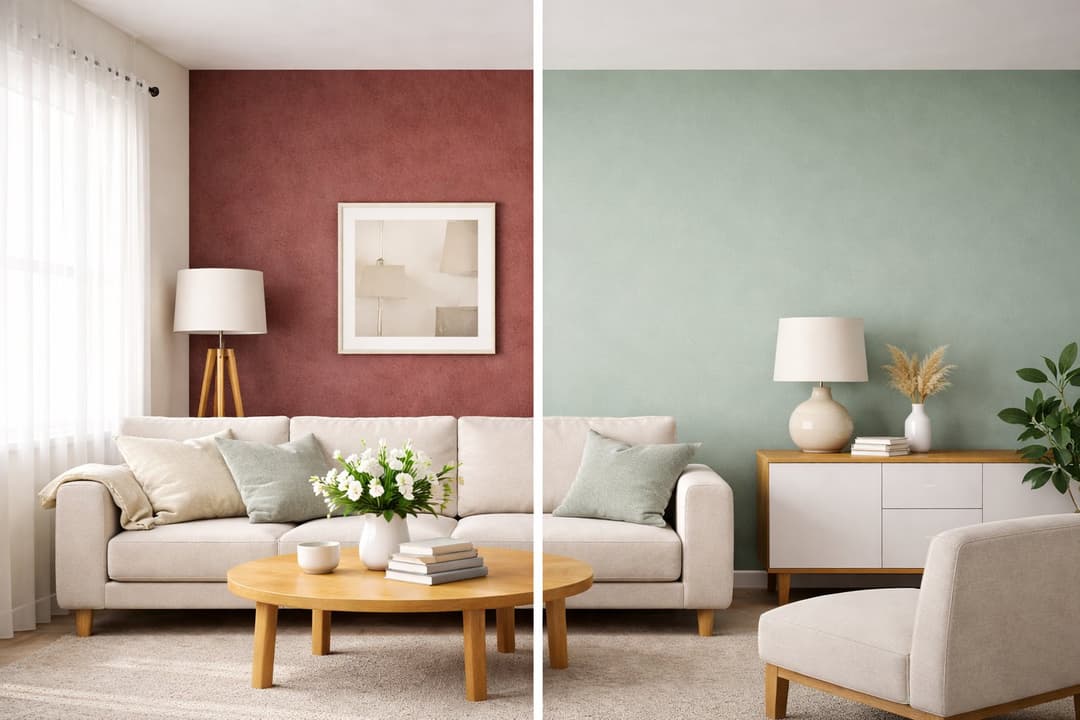
7 min read
How to Repaint a Room with Paintit.ai
Learn how to repaint a room with Paintit.ai, test wall colors, compare finishes, keep furniture and layout unchanged, and get more realistic repaint results before making real decisions.
Yulii Cherevko
CEO paintit.ai
15 min read
15 Small Front Porch Ideas: Budget DIY Projects That Look Expensive
Transform your small porch on a budget with 15 DIY ideas. Use Paintit.ai to visualize new colors, layouts, and decor for a high-end look instantly
Yulii Cherevko
CEO paintit.ai
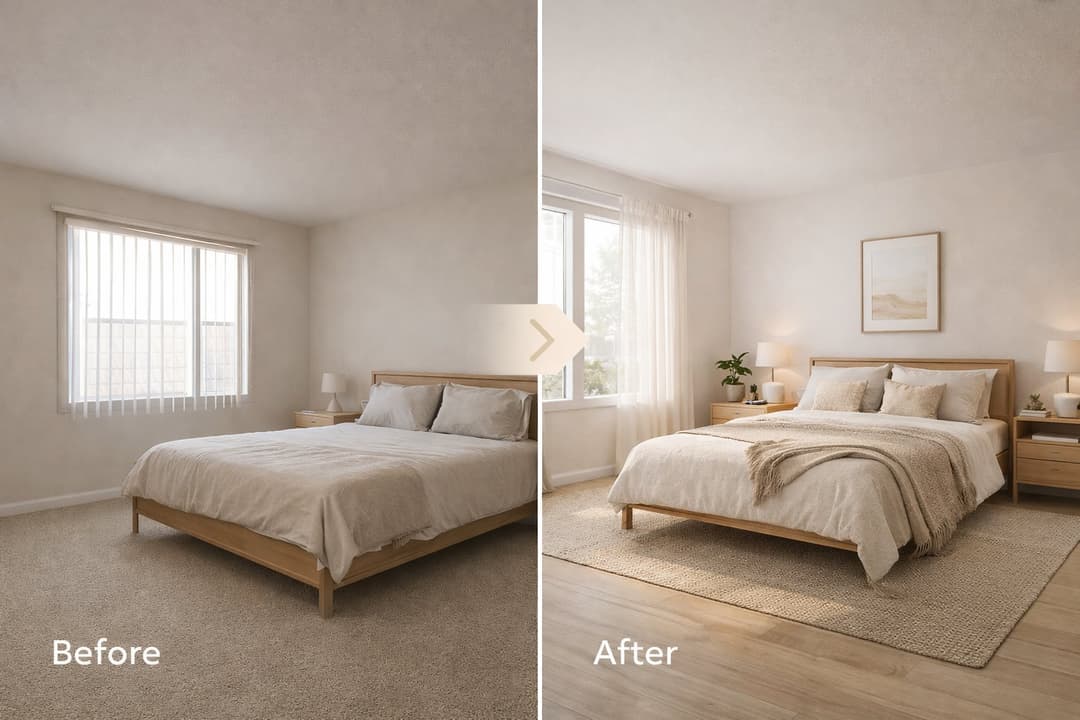
8 min read
How to Use Full Redesign in Paintit.ai
Learn how to use Full Redesign in Paintit.ai to transform interiors, exteriors, and empty spaces with clearer style direction, better control, and stronger visual results
Yulii Cherevko
CEO paintit.ai
8 min read
How to Write Better Prompts for Paintit.ai
How to Write Better Prompts for Paintit.ai: A Practical Prompting Guide Meta description: Learn how to write better prompts for Paintit.ai with a simple formula, clear prompting patterns, reference image tips, practical examples, and common mistakes to avoid.
Yulii Cherevko
CEO paintit.ai