
10 min. reading
Renovate AI Alternatives: Best AI Tools for Realistic Exterior & Interior Visualization

Yulii Cherevko
CEO paintit.ai

Page Contents:
- 1. Key Takeaways
- 2. Introduction
- 3. Types of AI tools in this category (Buyer-friendly tech stack)
- 4. Comparison table (Market segmentation)
- 5. Top Target Competitor alternatives in 2026
- 6. Detailed feature comparison (Buyer-centric)
- 7. Professional tools for advanced users
- 8. Strategic recommendations (Decision framework)
- 9. The ultimate hybrid workflow (Step-by-step)
- 10. Managing expectations (Current AI limitations)
- 11. FAQ
- 12. Conclusion
Key Takeaways
- AI home remodeling software significantly simplifies visualizing renovations for both home exteriors and interiors.
- Tools like Paintit.ai offer versatile solutions for testing colors, styles, and layouts before committing to physical changes.
- Dedicated AI exterior visualizers help perfect curb appeal by previewing siding, paint, and landscaping changes in realistic detail.
- Virtual staging AI transforms empty or outdated rooms into market-ready spaces, especially beneficial for real estate listings.
- Numerous free and cheaper alternatives to tools like Renovate AI exist, offering accessible visualization power for various budgets.
- While AI previews are excellent for guiding decisions, always research material durability and consult professionals for final project plans.
Introduction
Dreaming of a home makeover but struggling to visualize the final result? Finding the right AI home remodeling software can transform uncertainty into clarity. Tools like Paintit.ai offer powerful, user-friendly ways to see potential changes realistically, acting as invaluable alternatives to traditional methods or specific software like Renovate AI. Whether you're rethinking your home's exterior curb appeal, staging a property for sale, or redesigning an entire interior room, AI visualization tools put your vision within reach. Explore the best options and see your dream home come to life before the first hammer swings - try it now at Paintit.ai.
We included these competitors in our comparison: Reimagine Home, Planner 5D, Houzz, Interior AI, and Buildxact.
Types of AI tools in this category (Buyer-friendly tech stack)
The landscape of AI-powered design tools has expanded rapidly, offering diverse functionalities for homeowners, designers, and real estate professionals. These tools primarily fall into a few key categories, each serving a distinct purpose in the remodeling and visualization process.
AI Exterior Visualizers focus on a home's facade and surrounding environment. These tools allow users to upload a photo of their house and then apply changes to siding, roofing, paint colors, windows, doors, and even landscaping elements. Their goal is to provide a realistic preview of curb appeal improvements.
AI Interior Design Generators specialize in indoor spaces. Users upload a photo of a room, and the AI can redecorate it based on selected styles, furniture types, or color palettes. These are ideal for exploring different aesthetic concepts for living rooms, kitchens, bedrooms, or bathrooms.
Virtual Staging AI tools are particularly useful for real estate. They take photos of empty or sparsely furnished rooms and populate them with realistic, digitally rendered furniture and decor. This helps potential buyers envision the space's full potential without the cost or logistics of physical staging.
AI Landscape Design Tools allow for the visualization of outdoor areas. From adding patios and walkways to experimenting with different plants, trees, and water features, these tools help plan garden layouts and exterior living spaces.
Comparison table (Market segmentation)
| Primary Use Case | Input Method | Strengths | Limitations | Example Tools | Best User |
|---|---|---|---|---|---|
| Exterior & Interior Concepts | Photo upload / Text | Versatile, realistic outputs, fast | Granular control may require iteration | Paintit.ai | Homeowners, Designers, Real Estate |
| Interior Design Concepts | Photo upload / Styles | Quick aesthetic transformations | Limited exterior focus, less precise planning | Reimagine Home, Interior AI | Homeowners, DIYers, Interior Stylists |
| 2D/3D Floor Planning | Manual drawing / Templates | Detailed layout, extensive object library | Steeper learning curve, less AI concept generation | Planner 5D | DIYers, Architects, Students |
| Construction Management | Data entry, Integrations | Estimating, project scheduling, invoicing | Not a visualization tool for design concepts | Buildxact | Contractors, Builders, Project Managers |
| Community & Inspiration | User submissions | Vast library of ideas, professional network | Not an AI visualization tool | Houzz | Homeowners seeking inspiration, Pros for leads |
Top Target Competitor alternatives in 2026
Paintit.ai - The Versatile Visualizer for Exteriors and Interiors
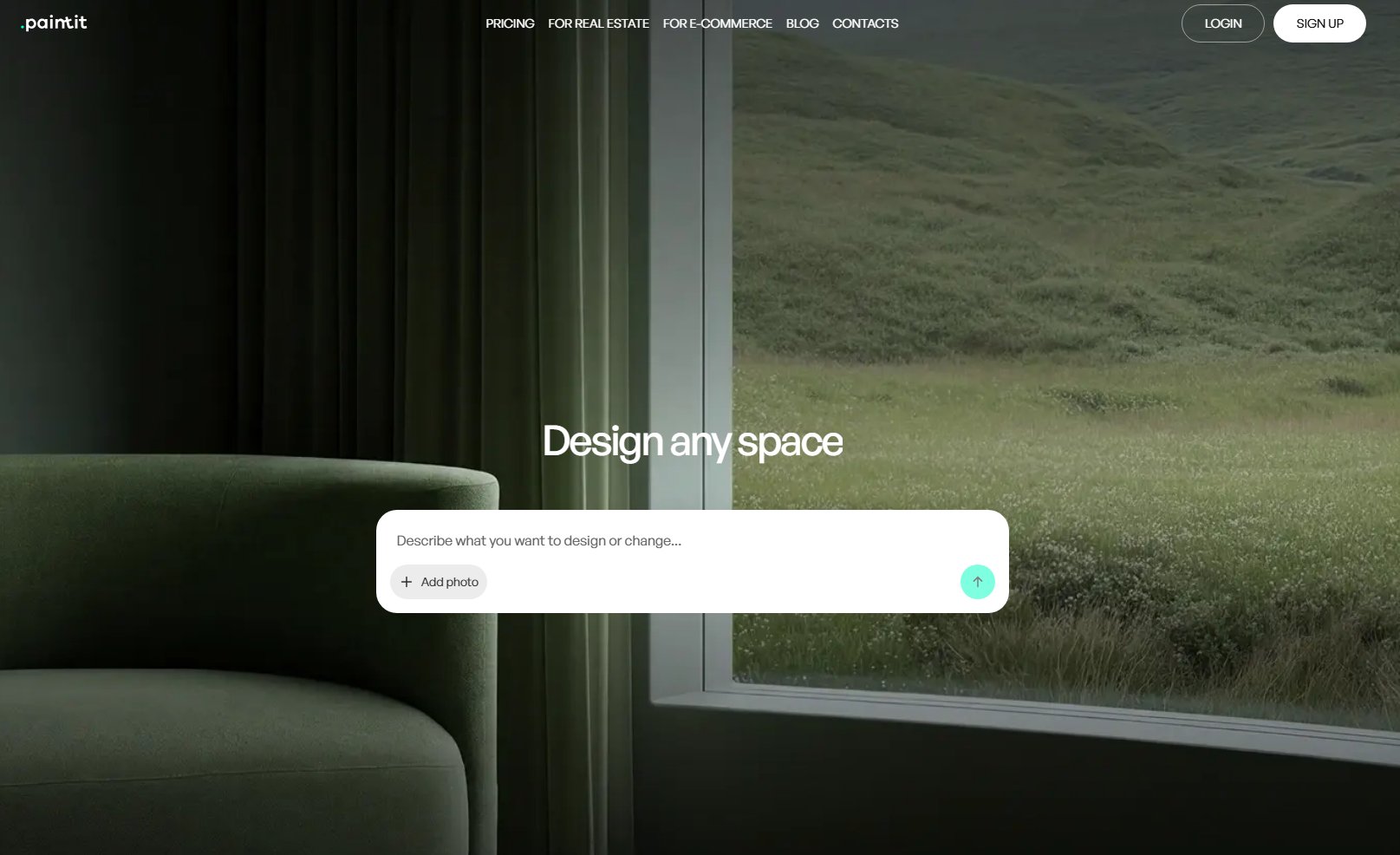
Paintit.ai serves as a comprehensive AI home remodeling software, allowing users to effortlessly visualize both interior and exterior transformations. Unlike Renovate AI, which might focus on specific functionalities, Paintit.ai offers a broad spectrum of tools, enabling users to upload a photo of their home or a specific room and apply various design styles, colors, and materials. It's built for rapid iteration, helping you explore countless possibilities before committing to a single design. This platform prioritizes practical outputs, ensuring you can preview changes like paint colors, siding textures, or furniture layouts with impressive realism.
Best for: Homeowners, interior designers, and real estate agents seeking a fast, user-friendly tool for realistic exterior and interior visualization.
Key features:
- AI-powered exterior design visualizer for facades, roofing, and landscaping.
- AI room design for interiors including kitchens, bedrooms, and living spaces.
- Virtual staging capabilities for empty rooms.
- Realistic material and color application.
- Quick concept generation from uploaded photos.
- Multiple style options (Modern, Farmhouse, Scandinavian, etc.).
- Intuitive "try-on" workflow for specific elements.
Pros:
- Offers both exterior and interior visualization in one platform.
- High degree of realism in renderings.
- User-friendly interface requiring no design expertise.
- Fast generation of multiple design options.
- Effective for both conceptual inspiration and specific material testing.
Cons / limitations:
- Highly specific custom elements might require external 3D modeling.
- Final architectural blueprints are not generated by the AI.
Pricing: Varies-check the official site for subscription tiers.
Try-on tip: Upload a photo of your living room to Paintit.ai's AI Room Design tool. Experiment with different wall paint colors, flooring options, and furniture styles. See how a minimalist aesthetic compares to a cozy bohemian look in your exact space.
If you choose this over others: You prioritize a single, versatile platform for both exterior and interior visualization that offers realistic previews and quick iteration.
Reimagine Home - AI-Powered Interior Concepts
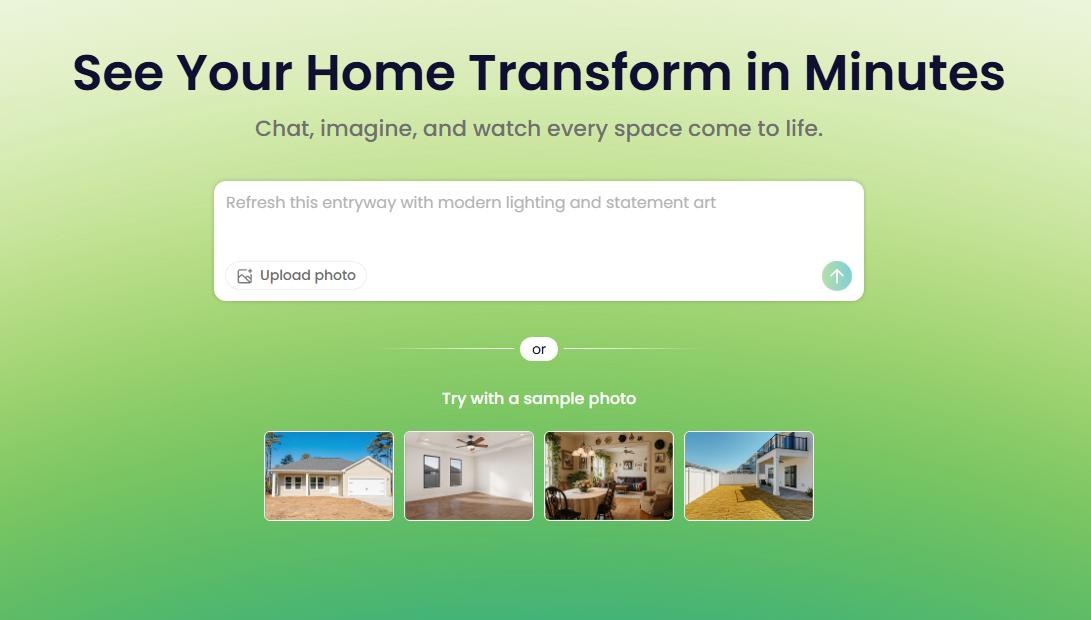
Reimagine Home focuses primarily on AI-powered interior design transformations. Users can upload a photo of an interior room and receive AI-generated design concepts based on their preferred styles. Unlike Paintit.ai's broader scope which covers both interior and exterior, Reimagine Home specializes in generating aesthetic visions for indoor spaces. If Renovate AI feels too generic for specific interior stylistic exploration, Reimagine Home offers a more dedicated approach to interior concept generation.
Best for: Homeowners and DIY enthusiasts looking for quick interior design inspiration.
Key features:
- AI-generated interior design concepts.
- Style selection from a curated library.
- Upload your own room photos.
- Focus on aesthetic transformation.
- Various room types supported.
Pros:
- Excellent for generating diverse interior design ideas quickly.
- Simple and intuitive interface for concept exploration.
- High-quality visual outputs for inspiration.
Cons / limitations:
- Limited functionality for exterior design.
- Less emphasis on detailed material specifications or specific product linking.
- Granular control over specific elements might be restricted.
Pricing: Varies-check the official site.
Try-on tip: After using Reimagine Home for initial concepts, consider using Paintit.ai to test specific paint colors or flooring materials directly onto your photo, refining the Reimagine Home vision with practical elements.
If you choose this over others: You primarily need quick, AI-driven aesthetic concepts for interior spaces and value rapid style exploration.
Interior AI - Interior Design & Virtual Staging
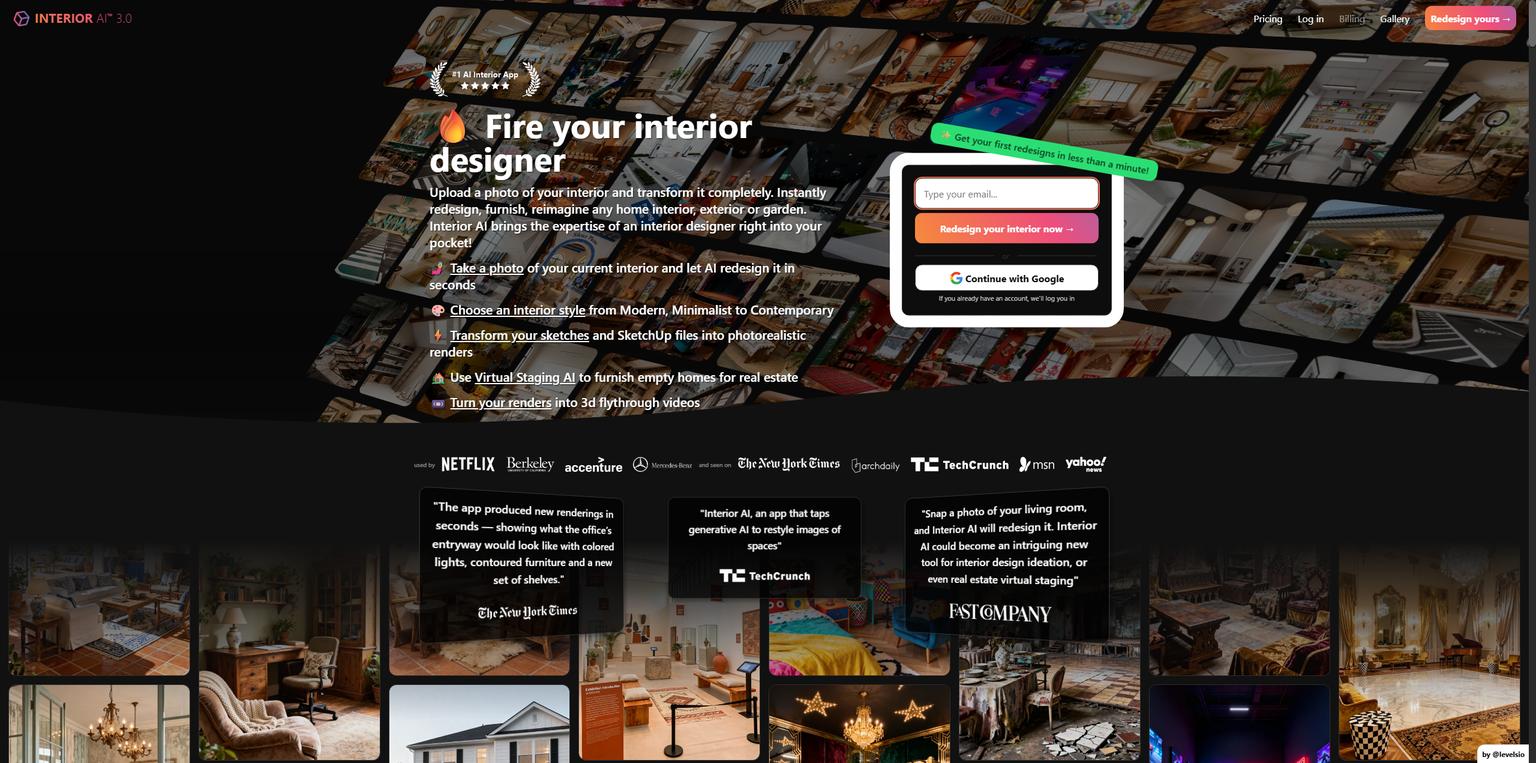
Interior AI functions as a dedicated tool for transforming interior photos into different design styles, including virtual staging. Similar to Reimagine Home, its strength lies in interior visualization. Compared to Renovate AI, which might cover more ground but with less specific focus, Interior AI offers targeted features for generating new looks for existing rooms or staging empty ones. It's particularly useful for real estate professionals needing to present properties in their best light.
Best for: Real estate agents, interior stylists, and homeowners needing quick interior redesigns or virtual staging.
Key features:
- AI-powered interior design generation.
- Virtual staging for empty rooms.
- Multiple style presets.
- Photo-realistic rendering.
- Offers transformation of cluttered rooms.
Pros:
- Strong capabilities for virtual staging empty properties.
- Effective for interior transformations and decluttering.
- Generates stylish and modern interior concepts.
Cons / limitations:
- Exclusively focused on interiors; no exterior visualization.
- Might not offer deep customization for architectural changes.
- Output quality can vary depending on input photo.
Pricing: Varies-check the official site.
Try-on tip: If Interior AI provides a great staging concept, use Paintit.ai's AI House Painter feature to quickly test how new wall colors would integrate with the AI-staged furniture before any actual painting.
If you choose this over others: Your main focus is interior design transformation or virtual staging for marketing purposes, particularly for real estate.
Planner 5D - Detailed 2D/3D Floor Plans & Visualization
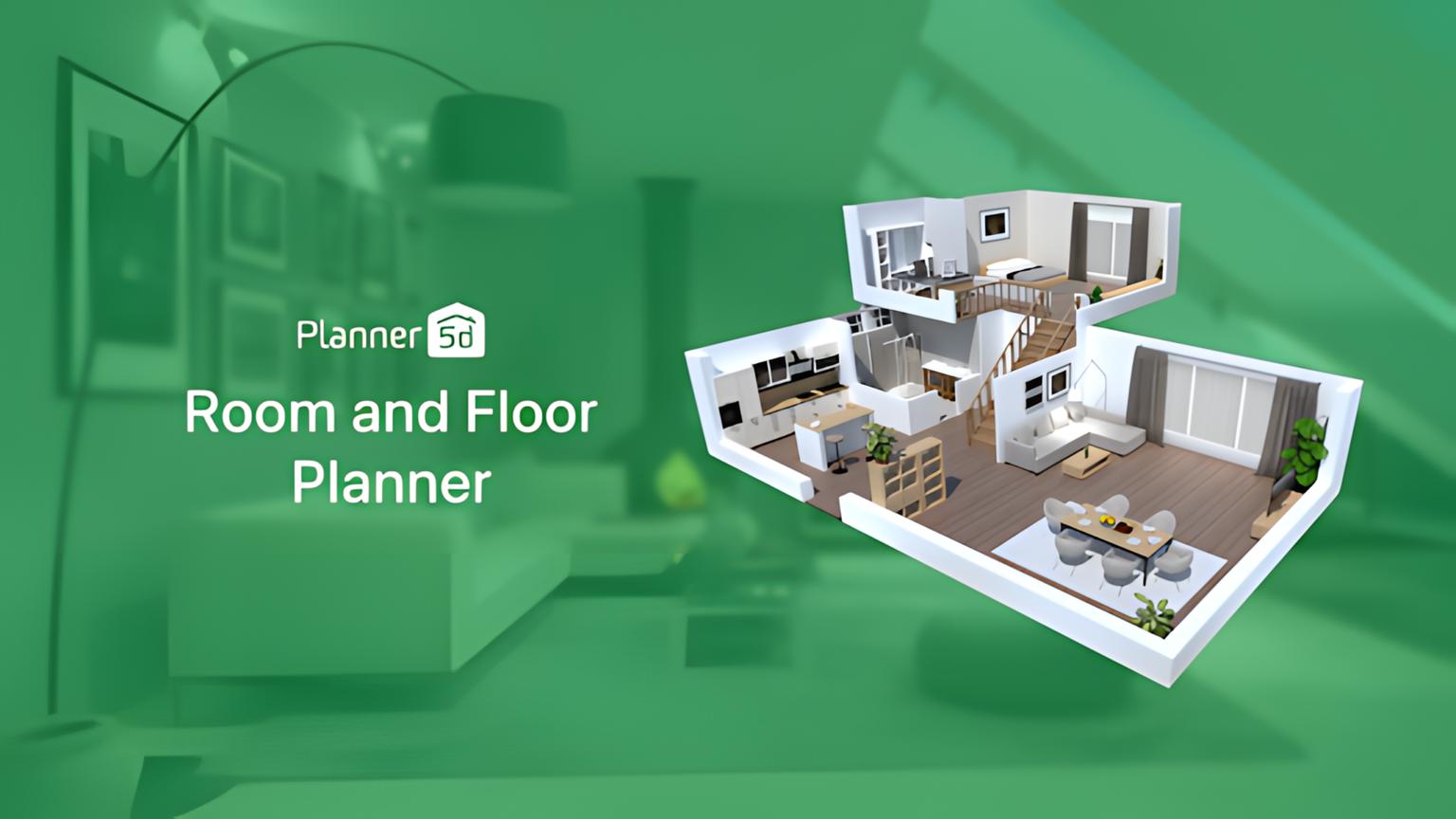
Planner 5D is a robust home design software that allows users to create detailed 2D floor plans and then visualize them in 3D. Unlike the pure AI concept generators like Reimagine Home or Interior AI, Planner 5D gives users granular control over layout, structural elements, and furniture placement. If Renovate AI offers a quick visual, Planner 5D provides the tools for building a design from the ground up. While it integrates some AI-driven features for quick object placement, its core strength is manual design and extensive object libraries.
Best for: Users who need to design detailed floor plans and visualize them in 3D, from architects to DIYers planning major renovations.
Key features:
- Create 2D floor plans with precise measurements.
- Generate 3D renderings and walkthroughs.
- Extensive catalog of furniture, appliances, and decor.
- Customization of materials and finishes.
- Supports both interior and exterior layouts.
Pros:
- Offers precise control over room dimensions and layout.
- Rich library of items for detailed design.
- Ability to create detailed architectural plans.
- Good for understanding spatial relationships.
Cons / limitations:
- Steeper learning curve compared to AI-only visualizers.
- Less focused on AI-generated stylistic concepts.
- Requires more manual input and design work.
Pricing: Offers a free version with limited features; premium plans vary.
Try-on tip: Use Planner 5D to establish your floor plan, then export a static image of a room to Paintit.ai to quickly apply AI-driven styles and specific material textures, blending detailed planning with rapid visualization.
If you choose this over others: You require detailed 2D/3D floor planning capabilities and extensive control over spatial design, beyond just aesthetic concepts.
Competitor Snapshots: Houzz & Buildxact
While not direct AI visualization tools like Paintit.ai or Renovate AI, Houzz and Buildxact serve different, but related, needs in the home improvement ecosystem. Houzz is a platform offering design inspiration, product sourcing, and a directory for home professionals. It's a vast resource for ideas and connecting with experts, but it doesn't offer AI-powered visualization in the same way. Buildxact, on the other hand, is construction management and estimating software. It's designed for professionals to manage projects, create quotes, and track expenses, not to visualize design concepts for homeowners.
Detailed feature comparison (Buyer-centric)
| Feature | Paintit.ai | Reimagine Home | Interior AI | Planner 5D |
|---|---|---|---|---|
| AI Exterior Visualization | Yes | No | No | Limited |
| AI Interior Design Generation | Yes | Yes | Yes | Limited (manual focus) |
| Virtual Staging | Yes | No | Yes | No |
| 2D/3D Floor Planning | No (image upload) | No | No | Yes |
| Realistic Material Application | High | Medium | Medium | High |
| Upload Existing Photos | Yes | Yes | Yes | No (starts from blank) |
| Extensive Object Library | No (AI generates) | No (AI generates) | No (AI generates) | Yes |
| Ease of Use | Very High | High | High | Medium |
| Iteration Speed | Very Fast | Fast | Fast | Medium |
| Target Audience | Homeowners, Designers, RE Agents | Homeowners, DIYers | RE Agents, Stylists, Homeowners | DIYers, Architects |
Professional tools for advanced users
While AI visualizers like Paintit.ai are fantastic for ideation and quick previews, professionals often need tools that offer deeper control, precision, and integration with architectural workflows. This means moving beyond instant visualizers to software like AutoCAD, SketchUp Pro, Revit, or Chief Architect. These platforms allow for precise measurements, detailed technical drawings, structural analysis, and complex material specifications. They are essential for creating construction-ready blueprints, managing large-scale projects, and ensuring every detail meets engineering standards. When a project moves from "what if?" to "how to build it," these robust CAD and BIM (Building Information Modeling) tools become indispensable.
Strategic recommendations (Decision framework)
- If you need quick, realistic visualizations for both your home's exterior and interior from a single platform, choose Paintit.ai.
- If your primary goal is to generate diverse interior design concepts from existing room photos, consider Reimagine Home or Interior AI.
- If you require detailed 2D floor plans and 3D architectural layouts with an extensive object library, Planner 5D is a strong option.
- If you are a real estate agent looking to virtually stage empty rooms for listings, Interior AI offers specialized features for this.
- If you are on a tight budget and need a free Renovate AI alternative, explore the free tiers or basic functionalities of tools like Paintit.ai or Planner 5D.
- If you are planning significant structural changes and require precise measurements and technical drawings, consider professional-grade CAD/BIM software over instant visualizers.
- If you need to test specific paint colors on your house's exterior or interior walls with minimal effort, Paintit.ai's AI House Painter function is ideal.
The ultimate hybrid workflow (Step-by-step)
An effective design process often combines the speed of AI with the precision of traditional methods. Here's a hybrid workflow:
- Ideation with AI: Start by uploading photos of your existing spaces (interior or exterior) to an AI tool like Paintit.ai. Experiment with different styles, colors, and materials. Use the AI to generate a wide array of concepts-from a sleek modern kitchen to a rustic farmhouse exterior. This rapid exploration helps define your preferred aesthetic direction. For example, upload your house facade to Paintit.ai's AI Exterior Design tool to quickly visualize changes to siding, roofing, and front door styles.
- Refine & Visualize Details: Once you have a few strong AI-generated concepts, use Paintit.ai's specific tools (e.g., AI House Painter for color, AI Room Design for furniture placement) to refine details. This stage is about applying specific product finishes or testing exact color swatches against your AI-generated foundation.
- Detailed Planning (Optional): If your project involves structural changes or specific layouts, take your refined AI visuals and translate them into a more precise planning tool like Planner 5D to create detailed 2D floor plans and confirm measurements.
- Professional Review & Execution: Share your AI visualizations and any detailed plans with a contractor, architect, or interior designer. They can provide feasibility checks, material sourcing, and prepare final construction documents, ensuring your AI vision is safely and effectively brought to life.
Managing expectations (Current AI limitations)
While AI visualization tools are powerful, it's important to manage expectations regarding their current limitations. AI excels at generating realistic images and applying styles, but it doesn't replace the expertise of human professionals for every aspect of a remodel. AI output may not always account for complex structural engineering, local building codes, or the precise physical properties of materials beyond their visual texture. For instance, an AI might suggest a material that isn't suitable for your climate or budget in reality. Users should always verify material specifications, consult with contractors for feasibility and cost estimates, and remember that AI renderings are visual guides, not construction blueprints. The nuance of light, shadow, and architectural detail can sometimes be simplified in AI generations, so a critical eye and professional review remain essential.
FAQ
- What is the best AI home remodeling software?
The "best" AI home remodeling software depends on your specific needs. Paintit.ai excels at versatile exterior and interior visualization with user-friendly interfaces for rapid concept generation. Other tools like Interior AI specialize in interior staging, while Planner 5D focuses on detailed 2D/3D floor planning. - Are AI remodeling tools accurate for planning?
AI remodeling tools provide realistic visualizations and simulations, not exact blueprints. They are excellent for exploring styles, colors, and layouts as a planning guide. Final construction requires professional consultation, precise measurements, and adherence to building codes. - Can I find free alternatives to Renovate AI?
Yes, several tools offer free versions or trials that function as alternatives. Paintit.ai provides free capabilities for testing colors and basic room designs. Many platforms offer limited access for users exploring options before committing to a paid subscription. - How do AI exterior visualizers work?
AI exterior visualizers use machine learning models trained on vast datasets of architectural styles and materials. You upload a photo of your house, and the AI analyzes its structure to realistically apply new elements like siding, paint colors, roofing, and landscaping based on your prompts or selected styles. - What's the difference between AI design and virtual staging?
AI design tools generate new stylistic concepts for a space, often transforming its appearance completely. Virtual staging specifically adds realistic furniture and decor to empty or existing rooms, making them more appealing without physical staging. Many tools, including Paintit.ai, offer both. - Can AI tools help me create an AI landscape design?
Yes, many AI tools, including Paintit.ai, offer AI landscape design functionalities. You can upload a photo of your yard and experiment with adding plants, patios, walkways, and other outdoor elements to visualize different landscaping ideas.
Conclusion
Exploring Renovate AI alternatives means opening up a world of possibilities for visualizing your home's future. From refining curb appeal with an AI exterior house visualizer to virtually staging an interior for sale, these AI home remodeling software options provide unprecedented speed and realism. Tools like Paintit.ai stand out for their versatility, offering a streamlined "try-on" workflow for both interior and exterior projects, allowing you to test countless ideas with a simple photo upload. Whether you need a free Renovate AI alternative or a more comprehensive solution, the market now caters to every budget and design ambition. Embrace these innovative apps to make informed decisions, save time, and confidently bring your dream home visions to life. If you're a real estate professional or business owner looking to scale your visualization capabilities, explore Paintit.ai's offerings at Paintit.ai for Business.
Trending
Best AI for Bedroom Design: Transform Your Sleep Space Instantly
How to See Your House Painted: The Ultimate AI Visualizer Guide
Top Foyr Neo Alternatives for Interior Designers: High-End Rendering & 3D Tools
Renovate AI Alternatives: Best AI Tools for Realistic Exterior & Interior Visualization
Best AI Kitchen Design Tools: Transform Your Space in Minutes
Related articles

12 min read
7 Best Coohom Alternatives & Competitors in 2026: Full Review
Explore the best Coohom alternatives for 2026. Compare Paintit.ai, SketchUp, and Foyr Neo to find the right 3D design software for your workflow. Try it now!
Yulii Cherevko
CEO paintit.ai

7 min read
Best AI for Bedroom Design: Transform Your Sleep Space Instantly
Discover the best AI for bedroom design in 2026. Compare Paintit.ai, RoomGPT, and Planner 5D to visualize styles and layouts instantly. Start your makeover now!
Yulii Cherevko
CEO paintit.ai

10 min read
How to See Your House Painted: The Ultimate AI Visualizer Guide
Use AI to digitally "try on" exterior paint colors. Learn how to use a house color visualizer app to see your home transformed before you buy a single gallon
Yulii Cherevko
CEO paintit.ai

10 min read
Top Foyr Neo Alternatives for Interior Designers: High-End Rendering & 3D Tools
Discover the best Foyr Neo alternatives in 2026. Compare Blender, SketchUp, and Paintit.ai for high-end rendering and 3D modeling. Start visualizing now!
Yulii Cherevko
CEO paintit.ai

10 min read
Renovate AI Alternatives: Best AI Tools for Realistic Exterior & Interior Visualization
Discover the top Renovate AI alternatives for 2026. Compare Paintit.ai, Planner 5D, and Interior AI to visualize your home remodeling projects instantly.
Yulii Cherevko
CEO paintit.ai
8 min read
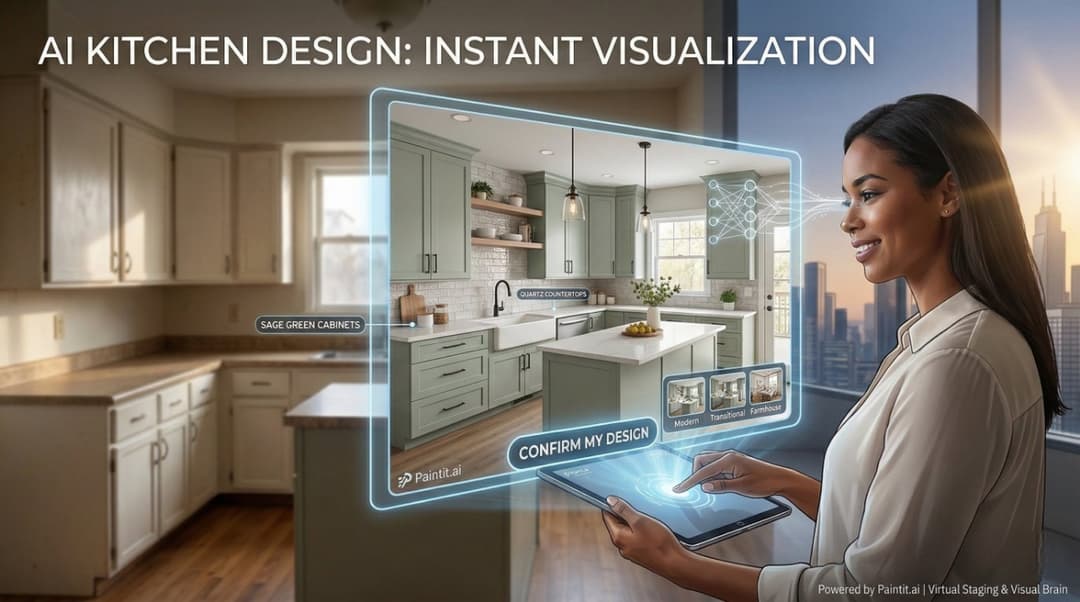
Best AI Kitchen Design Tools: Transform Your Space in Minutes
Discover the best AI kitchen design tools to visualize layouts, cabinet colors, and textures instantly. Compare Paintit.ai, Coohom, and Homestyler for your remodel
Yulii Cherevko
CEO paintit.ai