
10 min. reading
Top Foyr Neo Alternatives for Interior Designers: High-End Rendering & 3D Tools

Yulii Cherevko
CEO paintit.ai
Page Contents:
- 1. Key Takeaways
- 2. Introduction
- 3. Types of AI tools in this category (Buyer-friendly tech stack)
- 4. Comparison table (Market segmentation)
- 5. Top Target Competitor alternatives in 2026
- 6. Detailed feature comparison (Buyer-centric)
- 7. Professional tools for advanced users
- 8. Strategic recommendations (Decision framework)
- 9. The ultimate hybrid workflow (Step-by-step)
- 10. Managing expectations (Current AI limitations)
- 11. FAQ
- 12. Conclusion
Key Takeaways
- Finding a Foyr Neo pricing alternative involves balancing cost, features, and rendering quality to meet project needs.
- Blender offers powerful, free 3D capabilities but requires a significant learning investment for high-end rendering.
- D5 Render and Twinmotion excel in real-time visualization, providing fast, high-quality interactive previews.
- SketchUp Pro, when paired with rendering plugins like V-Ray or Enscape, remains a versatile industry standard for design professionals.
- Lumion is ideal for quickly creating impressive visuals and animations for large projects and complex scenes.
- Chief Architect provides integrated design and rendering specifically for comprehensive residential projects.
- Paintit.ai complements professional software by offering instant visual previews of colors, materials, and layouts in real-world settings.
Introduction
As an interior designer, achieving stunning, photorealistic visualizations is crucial, but top-tier software like Foyr Neo can represent a significant investment. If you're searching for a Foyr Neo pricing alternative without compromising on visual quality, you're in the right place. This guide explores powerful, more affordable 3D modeling and rendering tools that empower designers to create compelling project presentations. Discover how to get high-end results on a budget and see your designs come to life before committing. We included these competitors: Foyr Neo, Planner 5D, and Toolify.ai. Ready to visualize your options? Explore the possibilities instantly at Paintit.ai.
Types of AI tools in this category (Buyer-friendly tech stack)
The design software market offers a spectrum of tools, each with distinct advantages. For interior designers seeking to replace or augment a tool like Foyr Neo, understanding these categories is key.
3D Modeling & Rendering Suites: These are comprehensive platforms for creating detailed 3D models and generating high-quality images. They often feature robust CAD tools, extensive material libraries, and advanced lighting simulation. Examples include Blender, SketchUp, and Chief Architect. These require more manual input and skill but offer maximum creative control.
Real-time Visualization Engines: Focused on speed, these tools provide immediate visual feedback. Designers can move around a space, change materials, and adjust lighting in real-time. This accelerates the iteration process. D5 Render, Twinmotion, and Lumion fall into this category, often integrating with existing modeling software.
AI-Powered Visualization & Concept Generators: Tools in this space use artificial intelligence to quickly transform existing photos or basic concepts into new visual iterations. They aren't full 3D modeling platforms but serve as rapid "try-on" tools for exploring styles, colors, and materials. Paintit.ai is a prime example, allowing designers to quickly preview design changes without extensive 3D setup.
Comparison table (Market segmentation)
| Primary Use Case | Input Method | Strengths | Limitations | Example Tool | Best User |
|---|---|---|---|---|---|
| Rapid Visualization & Try-on | Photo upload, text prompt | Speed, ease of use, instant iterations | Not a full 3D modeling suite, less granular control | Paintit.ai | Homeowners, designers for quick concept tests |
| Full 3D Modeling & Rendering | Manual modeling, CAD | Versatility, photorealism, free | Steep learning curve, time-intensive | Blender | Experienced 3D artists, advanced designers |
| Intuitive 3D Modeling | Push-pull modeling | Ease of use, vast 3D Warehouse, plugins | Core rendering requires plugins | SketchUp Pro | Designers needing quick modeling & rendering |
| Real-time Ray Tracing | 3D model import | Fast, stunning visuals, PBR materials | Demands powerful GPU, newer on market | D5 Render | Designers prioritizing speed & visual fidelity |
| Quick Architectural Vis. | 3D model import | User-friendly, large asset library, animations | Less focus on hyper-realistic materials | Twinmotion | Architects, designers for rapid presentation |
| Large-scale Project Vis. | 3D model import | Speed for complex scenes, atmospheric effects | High upfront cost, less granular material edit | Lumion | Firms handling large architectural projects |
| Residential Design & Build | Automated building tools | Integrated 2D/3D, construction docs | Niche focus, can be complex for interiors only | Chief Architect | Residential builders, home designers |
Top Target Competitor alternatives in 2026
Paintit.ai — Instant Visualizer
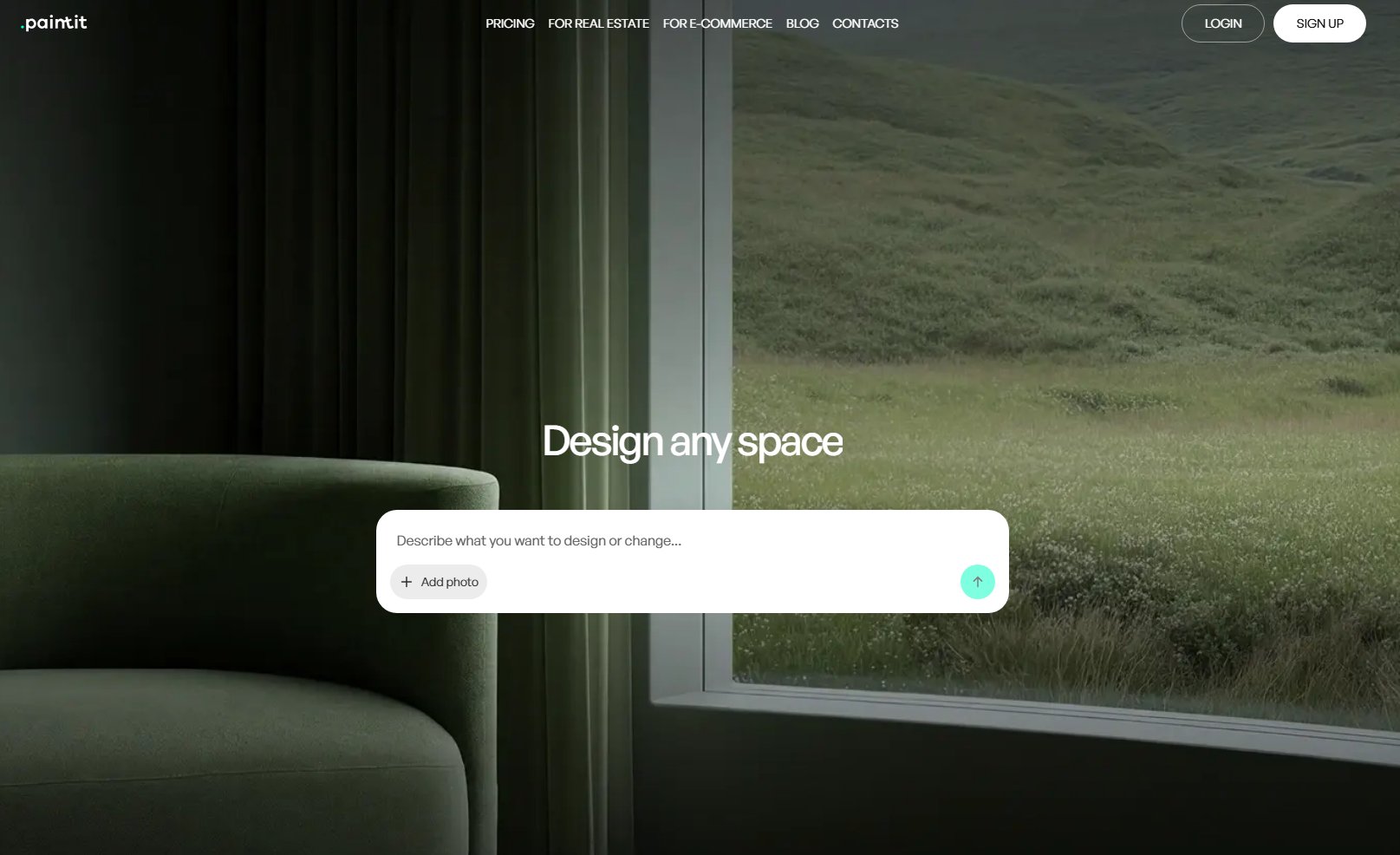
Paintit.ai functions as a rapid visualization and concept exploration tool. Unlike Foyr Neo, which requires significant 3D modeling and rendering setup, Paintit.ai allows users to upload an existing photo of a space and instantly apply different design styles, colors, materials, and furniture. It bridges the gap between ideation and detailed 3D work, providing quick visual feedback before committing to complex modeling or rendering processes. It's an excellent cheaper Foyr Neo alternative for rapid prototyping.
- Best for: Designers and homeowners needing quick visual tests for real-world spaces, material try-ons, and style exploration.
- Key features:
- Upload photos for instant design visualization.
- Apply various interior design styles (e.g., modern, classic, minimalist).
- Test different paint colors, flooring, and material finishes.
- Experiment with furniture layouts and virtual staging.
- AI-powered concept generation from text prompts.
- Fast iteration and comparison of design options.
- Pros:
- Extremely easy to use with a minimal learning curve.
- Provides instant visual feedback on design changes.
- Cost-effective for early-stage concept development.
- Allows for practical try-on in actual client spaces.
- Reduces time spent on initial 3D setup.
- Cons / limitations:
- Not a full 3D modeling or CAD software.
- Does not generate construction documents.
- Limited in complex architectural detailing.
- Output quality depends on the input image quality.
- Pricing: Varies—check the official site.
- Try-on tip: To understand Paintit.ai's power, upload a photo of your current living room to Paintit.ai's AI Room Design tool. Experiment with different wall colors, floor finishes, and furniture styles to see how quickly you can transform the space.
- If you choose this over others: Choose Paintit.ai if you need to rapidly test and visualize design concepts on real-world photos before diving into detailed 3D modeling software.
Blender — The Powerful Free Option (with a Learning Curve)

Blender is a free, open-source 3D creation suite, offering a comprehensive set of tools for modeling, sculpting, animation, simulation, and rendering. Unlike Foyr Neo, which prioritizes ease of use for interior design, Blender provides professional-grade capabilities, allowing for highly photorealistic results through its Cycles and Eevee render engines. It's a true Foyr Neo pricing alternative for those willing to invest time in learning.
- Best for: Experienced 3D artists, designers with a strong technical inclination, or those seeking a free, powerful all-in-one solution.
- Key features:
- Advanced 3D modeling and sculpting tools.
- Node-based material editor for complex textures.
- Photorealistic rendering with Cycles (path tracer) and Eevee (real-time).
- Extensive physics simulations and animation capabilities.
- Vast community-driven add-ons and asset libraries.
- Video editing and VFX integration.
- Pros:
- Completely free and open-source.
- Capable of producing extremely high-quality, photorealistic renders.
- Highly customizable and extensible with add-ons.
- Large, active community and extensive tutorials available.
- No subscription fees, making it a definitive cheaper Foyr Neo alternative.
- Cons / limitations:
- Steep learning curve, especially for new users to 3D.
- Interface can be intimidating at first.
- Can be resource-intensive for complex scenes.
- Requires significant time investment to master.
- Pricing: Free.
- Try-on tip: Upload a detailed architectural model or a room scene to Paintit.ai's AI Rendering tool. Experiment with applying various material types—like rough concrete versus polished marble—to see how light interacts with each surface, giving you a preview of Blender's potential for material realism before you commit to detailed setup.
- If you choose this over others: Choose Blender if budget is a primary concern and you have the time and dedication to master a professional-grade 3D software for ultimate creative freedom.
SketchUp Pro + V-Ray/Enscape — Versatile & Widely Adopted
SketchUp Pro is renowned for its intuitive 3D modeling interface, often described as a digital equivalent of drawing with pencil and paper. While SketchUp itself is primarily a modeling tool, its seamless integration with powerful rendering plugins like V-Ray or Enscape elevates it to a high-end visualization solution. Unlike Foyr Neo, SketchUp Pro excels at conceptual modeling and offers a massive 3D Warehouse for assets.
- Best for: Interior designers, architects, and contractors who need a balance of easy 3D modeling and high-quality rendering.
- Key features:
- Intuitive "push-pull" modeling paradigm.
- Massive online 3D Warehouse for ready-made components.
- Extensive plugin ecosystem for added functionality.
- Integration with V-Ray for photorealistic rendering.
- Integration with Enscape for real-time visualization.
- Generates 2D documentation with LayOut.
- Pros:
- Relatively easy to learn for 3D modeling.
- Widely adopted, with strong community support and resources.
- Flexible for various design scales and complexities.
- V-Ray/Enscape integration provides excellent rendering quality.
- Good for quick concept development and client presentations.
- Cons / limitations:
- Core SketchUp doesn't offer high-end rendering; requires separate plugins (V-Ray, Enscape) that add cost.
- Can become performance-heavy with overly detailed models.
- Not as robust for complex organic modeling as Blender.
- Subscription-based pricing for SketchUp Pro.
- Pricing: SketchUp Pro is subscription-based; V-Ray/Enscape are additional subscriptions or perpetual licenses. Varies—check official sites.
- Try-on tip: Upload a 3D model of a room you've created in SketchUp to Paintit.ai's AI Room Design tool. Use Paintit.ai to instantly test various paint color combinations on walls, trim, and ceilings, and preview different wood finishes on flooring or cabinetry before exporting to V-Ray or Enscape for final rendering.
- If you choose this over others: Choose SketchUp Pro if you value intuitive 3D modeling combined with professional rendering capabilities via plugins, for a flexible and widely supported workflow.
D5 Render — Real-Time Rendering Powerhouse
D5 Render is a GPU-accelerated real-time renderer that leverages ray tracing technology to produce stunningly fast and photorealistic visuals. If Foyr Neo's rendering speed or interactivity isn't meeting your needs, D5 Render offers a significant leap forward. It's designed for quick, high-quality output, making it an attractive Foyr Neo pricing alternative, especially with its free tier.
- Best for: Designers and 3D artists who prioritize real-time interactivity, high-quality visuals, and rapid iteration for presentations.
- Key features:
- Real-time ray tracing for advanced global illumination and reflections.
- Extensive PBR (Physically Based Rendering) material library.
- Supports high-poly models and large scenes efficiently.
- Direct synchronization with modeling software (SketchUp, Blender, Revit).
- Powerful post-processing and atmospheric effects.
- Large asset library (models, vegetation, characters).
- Pros:
- Exceptional rendering speed and real-time interactivity.
- Produces highly photorealistic results with advanced lighting.
- Intuitive user interface for quick scene setup.
- Frequent updates with new features and optimizations.
- Offers a capable free version.
- Cons / limitations:
- Demands a powerful, modern GPU for optimal performance.
- Learning curve for maximizing ray-tracing settings.
- Not a standalone 3D modeling tool.
- Can be less feature-rich for animation compared to dedicated animation software.
- Pricing: Free version available; Pro version is subscription-based. Varies—check the official site.
- Try-on tip: Imagine you're rendering a kitchen with D5 Render. Upload a photo of your own kitchen to Paintit.ai's AI Rendering tool and apply different countertop materials (e.g., quartz, granite, butcher block) and backsplash tiles. See how the realistic lighting and reflections previewed here can translate to D5 Render's capabilities for material accuracy.
- If you choose this over others: Choose D5 Render if you need a real-time visualization tool that delivers exceptional photorealism quickly and integrates well with your existing 3D modeling workflow.
Twinmotion — Intuitive & Fast Visualization
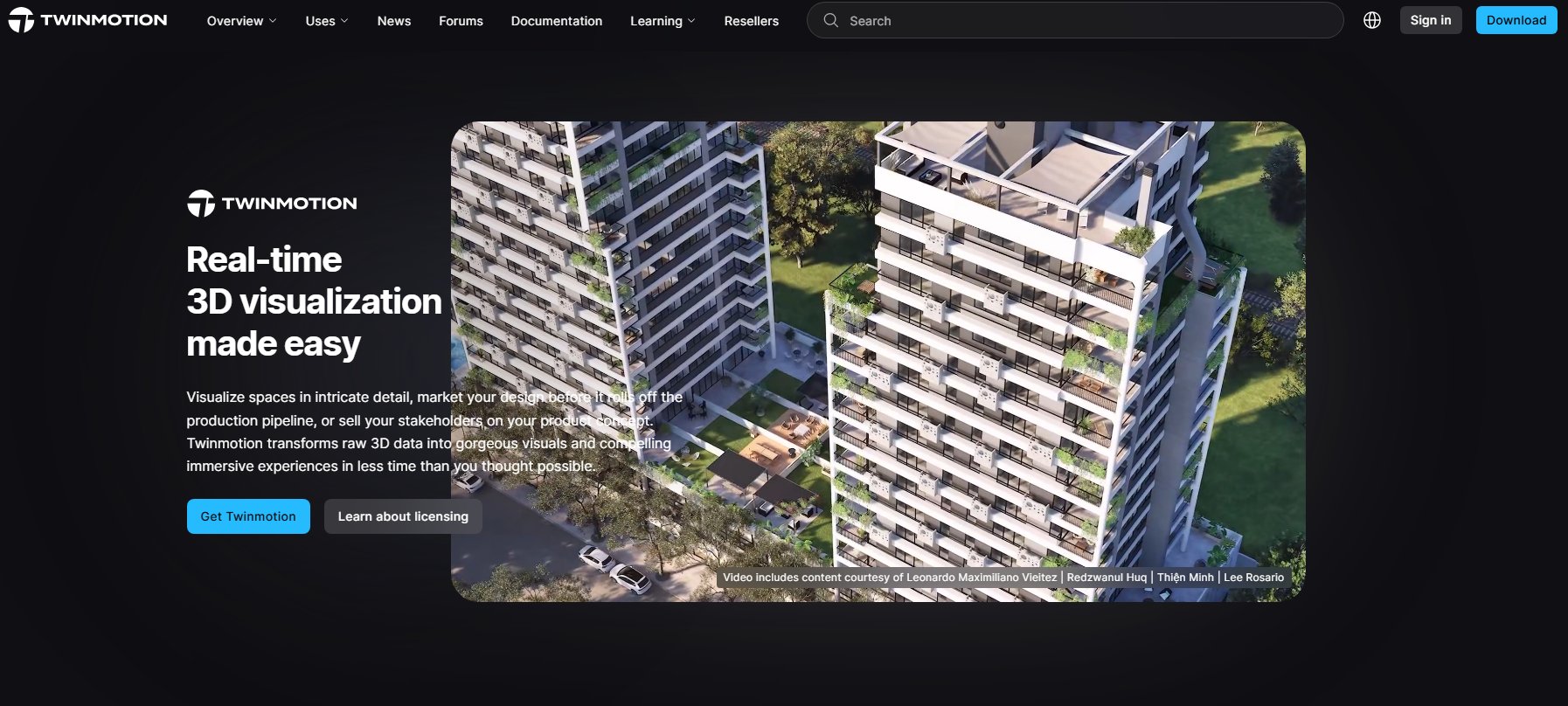
Twinmotion is a real-time 3D immersion software designed for architectural visualization and urban planning. It offers an incredibly user-friendly interface for creating images, panoramas, and immersive 3D walkthroughs from your existing models. Compared to Foyr Neo, Twinmotion provides faster scene setup and a more streamlined workflow for animation and VR experiences.
- Best for: Architects, interior designers, and landscape designers who need quick, compelling visualizations and immersive presentations.
- Key features:
- Real-time rendering engine with intuitive controls.
- Drag-and-drop library of smart assets (vegetation, people, vehicles).
- Easy material application and weathering tools.
- Direct links with popular modeling software (Revit, SketchUp, Archicad, Rhino).
- Supports VR export and interactive presentations.
- One-click media output for images, panoramas, videos.
- Pros:
- Very easy to learn and use, even for beginners.
- Rapidly creates high-quality visuals and animations.
- Strong focus on environmental effects and context.
- Often included for free with Unreal Engine subscriptions for some users.
- Excellent for dynamic scene creation (weather, time of day).
- Cons / limitations:
- Less granular control over material properties than V-Ray or Blender.
- Not ideal for highly complex, custom material setups.
- Asset library can feel generic without custom imports.
- Not a 3D modeling software itself.
- Pricing: Free for educational or non-commercial use, subscription for commercial. Varies—check the official site.
- Try-on tip: Upload a basic 3D model or a floor plan of a room to Paintit.ai's AI Virtual Staging tool. Experiment with adding different furniture styles and textures to see how a space can be furnished and styled quickly, mirroring Twinmotion's efficient drag-and-drop approach to scene building.
- If you choose this over others: Choose Twinmotion if you need an intuitive, fast real-time visualization tool to create dynamic scenes and immersive presentations without extensive rendering knowledge.
Lumion — Speed and Ease for Large Projects
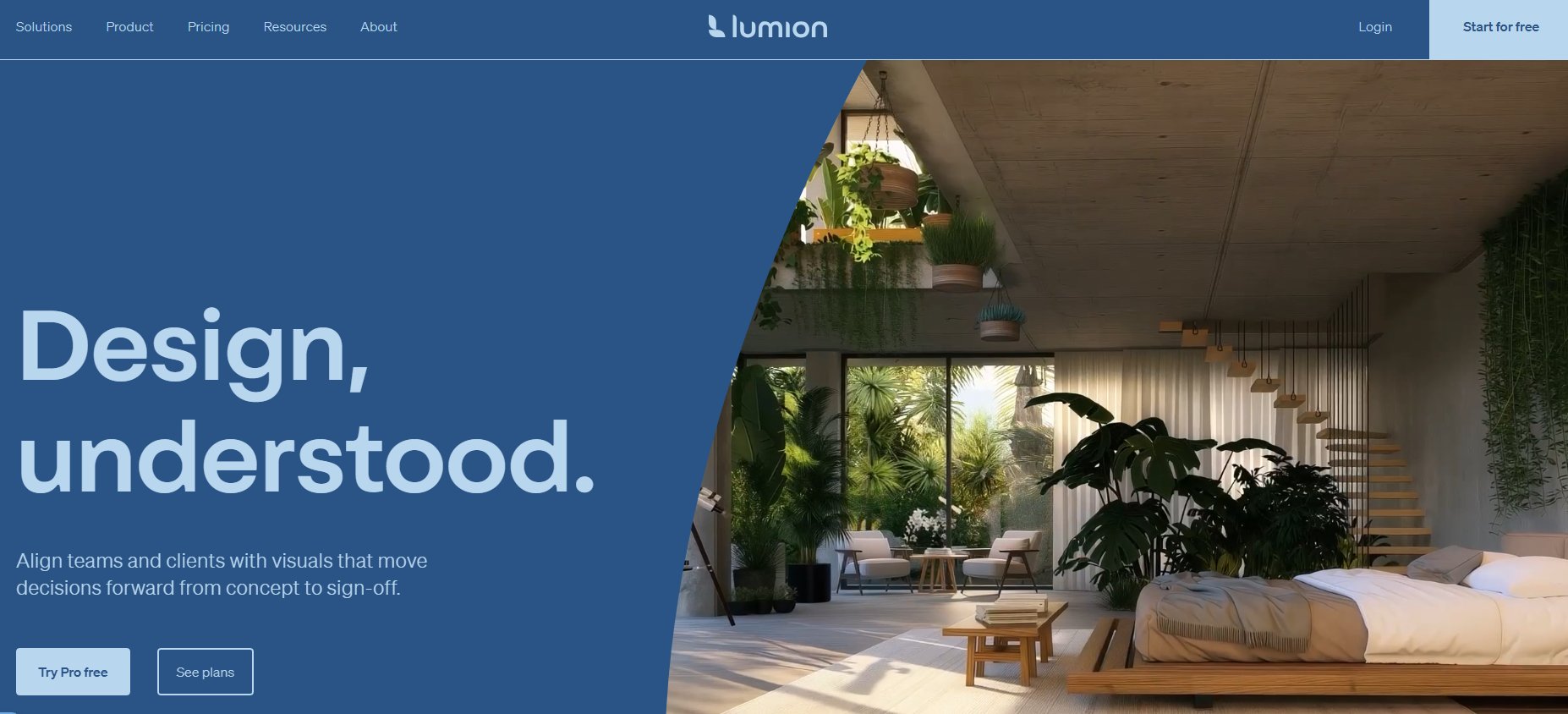
Lumion is a powerful architectural visualization software known for its speed and ease of use, especially when handling large-scale projects and complex scenes. Unlike the more detailed setup required in Foyr Neo, Lumion allows designers to import models and quickly add context, materials, and effects to create impressive renders, animations, and 360 panoramas in minutes.
- Best for: Architects, urban planners, and designers who need to quickly visualize large architectural projects, landscapes, and complex environments.
- Key features:
- Real-time rendering with fast output.
- Massive built-in content library (thousands of assets including plants, people, vehicles, furniture).
- Advanced atmospheric and weather effects (clouds, rain, snow).
- Intuitive interface for adding details and context.
- High-quality lighting and shadow simulation.
- Direct import from various CAD/BIM software.
- Pros:
- Extremely fast rendering, ideal for quick iterations and client feedback.
- User-friendly interface, easy to learn for beginners.
- Excellent for conveying atmosphere and environment.
- Handles large scenes with many objects efficiently.
- Robust for creating animations and walkthroughs.
- Cons / limitations:
- High upfront cost for a perpetual license.
- Less granular control over material creation compared to dedicated renderers.
- Relies heavily on its built-in asset library; custom asset integration can be less flexible.
- Performance can still be demanding on hardware for ultra-high settings.
- Pricing: Perpetual license, with annual updates available. Higher upfront cost. Varies—check the official site.
- Try-on tip: Upload a photo of an exterior or large interior space to Paintit.ai's AI Exterior Design tool. Use the tool to test various landscaping elements, exterior paint colors, or interior furniture arrangements, visualizing the kind of rich, detailed scenes Lumion excels at creating quickly.
- If you choose this over others: Choose Lumion if you need a high-speed, easy-to-use visualization tool for large architectural projects, prioritizing atmospheric realism and rapid output.
Chief Architect — Integrated Design & Visualization (Home Design Focus)
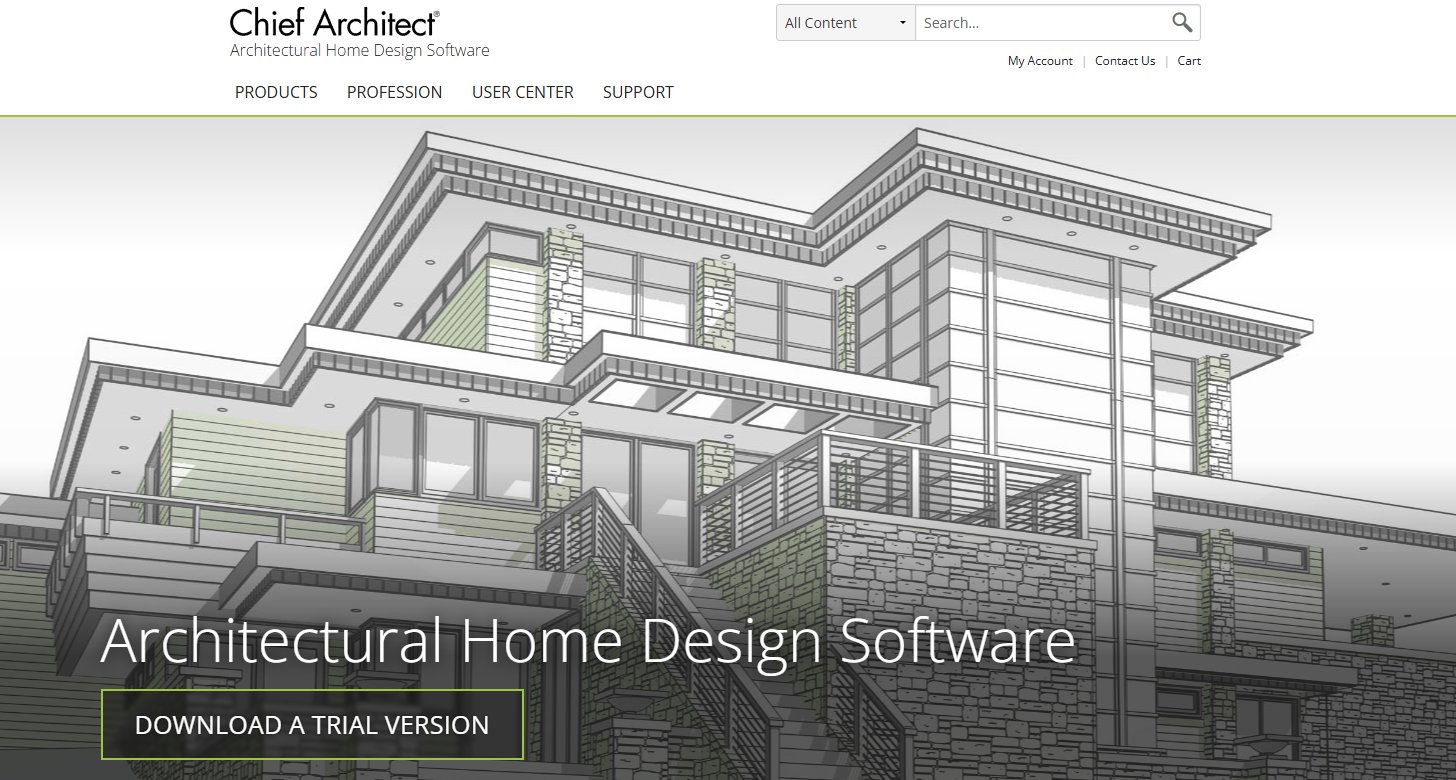
Chief Architect is a comprehensive software suite tailored for residential design, offering integrated 2D CAD, 3D modeling, and rendering capabilities. Unlike general-purpose design tools or Foyr Neo, Chief Architect automates many aspects of home design, such as roof generation and framing, making it ideal for detailed construction documentation alongside visualizations. It's a robust Foyr Neo pricing alternative for residential specialists.
- Best for: Home designers, residential architects, remodelers, and builders who need a complete solution from floor plans to photorealistic renders and construction documents.
- Key features:
- Automated building tools (walls, roofs, foundations, framing).
- Extensive libraries of residential-specific objects (cabinetry, appliances, fixtures).
- Integrated rendering engine for photorealistic images and virtual tours.
- Generates accurate 2D construction documents.
- Tools for terrain, landscape, and deck design.
- 3D exterior and interior visualization.
- Pros:
- Streamlines residential design workflow from start to finish.
- Generates construction documents directly from 3D models.
- Comprehensive object libraries tailored for homes.
- Integrated rendering provides professional-quality visuals.
- Supports various structural and architectural elements.
- Cons / limitations:
- Niche focus on residential design; less flexible for commercial or general 3D work.
- Can have a significant learning curve for advanced features.
- Higher upfront cost for a perpetual license.
- Interface can feel dated compared to newer real-time renderers.
- Pricing: Perpetual license, often with a higher upfront cost. Varies—check the official site.
- Try-on tip: Upload a floor plan generated in Chief Architect to Paintit.ai's AI Kitchen Design tool. Test different kitchen cabinet colors and countertop materials, or preview various furniture layouts in a living room, allowing you to quickly visualize design options before committing them to the complex Chief Architect environment.
- If you choose this over others: Choose Chief Architect if you are exclusively focused on residential design and require an all-in-one solution for both detailed modeling, construction documentation, and visualization.
Detailed feature comparison (Buyer-centric)
| Feature | Paintit.ai | Blender | SketchUp Pro (+Plugins) | D5 Render | Twinmotion | Lumion | Chief Architect | Foyr Neo (Reference) |
|---|---|---|---|---|---|---|---|---|
| Primary Function | AI Visualization | 3D Suite | 3D Modeling | Real-time Render | Real-time Render | Real-time Render | Residential Design | Interior Design Suite |
| Rendering Quality | Good (AI-driven) | Excellent | Excellent | Excellent | Very Good | Very Good | Good | Excellent |
| Real-time Rendering | Instant AI views | Eevee (real-time) | Via Enscape | Yes | Yes | Yes | Yes (basic) | Yes |
| Learning Curve | Very Low | Very High | Medium | Medium | Low | Low | High | Medium |
| Asset Library | AI-generated | Extensive (community) | Massive 3D Warehouse | Extensive | Extensive | Massive | Extensive (res.) | Extensive |
| Material Editing | AI-driven preset | Advanced Node-based | Via V-Ray | PBR Material Editor | Basic | Pre-set adjustable | Good (res. focus) | Good |
| Cost Model | Subscription/Credits | Free | Subscription | Freemium/Sub. | Freemium/Sub. | Perpetual License | Perpetual License | Subscription |
| Hardware Demands | Web-based (low) | High | Medium/High | Very High (GPU) | High | High | Medium | Medium |
| Construction Docs | No | No | With LayOut | No | No | No | Yes | No |
| Direct Import | Photo only | Various 3D | Various CAD/3D | Various 3D | Various CAD/3D | Various CAD/3D | CAD/BIM | Various CAD/3D |
| Customization | Style presets | Full control | High (plugins) | Good | Good | Good | Moderate | Good |
Professional tools for advanced users
While AI-powered visualizers like Paintit.ai excel at rapid ideation, professionals often need to move beyond instant mock-ups. Advanced users will benefit from tools that offer granular control over every aspect of their design, from custom material parameters and complex lighting setups to precise architectural detailing and construction documentation. This means delving into software with robust 3D modeling capabilities, integrated rendering engines that support physically based rendering (PBR), and features for creating accurate floor plans and elevations. When a project demands bespoke furniture, unique architectural elements, or a precise simulation of light and shadow for client approval, the comprehensive features of Blender, SketchUp with V-Ray, or Chief Architect become indispensable. These tools require a greater time investment in learning but provide the ultimate control and fidelity for high-stakes projects.
Strategic recommendations (Decision framework)
- If you need a completely free, highly powerful 3D suite and are willing to invest significant learning time: Choose Blender.
- If you prioritize intuitive 3D modeling with the flexibility to add photorealistic rendering via plugins: Choose SketchUp Pro with V-Ray or Enscape.
- If real-time visualization, speed, and stunning visuals are critical for quick client feedback, and you have a powerful GPU: Choose D5 Render.
- If you need a user-friendly tool for rapid architectural visualizations, animations, and immersive presentations: Choose Twinmotion.
- If your projects involve large-scale architectural designs, landscapes, and you need fast, atmospheric renders with a rich asset library: Choose Lumion.
- If you specialize in residential design and require an integrated solution for 2D plans, 3D models, and construction documents: Choose Chief Architect.
- If you want to quickly test design concepts, colors, materials, and layouts on real-world photos before committing to complex 3D software: Integrate Paintit.ai into your workflow.
The ultimate hybrid workflow (Step-by-step)
An effective design workflow often combines the strengths of various tools, leveraging each for its specific advantages. Here’s a hybrid approach:
- Ideation & Rapid Visualization (Paintit.ai): Start by uploading existing client photos or quick concept sketches to Paintit.ai's AI Concept Generator. Use AI to explore different styles, color palettes, and material options. This stage allows for rapid iteration and client feedback without any 3D modeling. You can quickly generate multiple options and visualize them in the actual space.
- Detailed 3D Modeling (SketchUp, Blender, Chief Architect): Once a general direction is established, move to your primary 3D modeling software (e.g., SketchUp for interiors, Chief Architect for residential builds, or Blender for complex custom elements). Create precise models, floor plans, and custom furniture based on the refined concepts from Stage 1.
- Advanced Material & Lighting (Blender, SketchUp+V-Ray, D5 Render): Refine your 3D models with high-fidelity materials and sophisticated lighting. In Blender, use its node-based editor for intricate textures; in SketchUp, apply V-Ray materials for photorealism; or import into D5 Render for real-time ray-traced lighting. This stage focuses on achieving the desired photorealistic quality.
- Final Presentation & Immersion (D5 Render, Twinmotion, Lumion): Export your detailed model to a real-time visualization tool like D5 Render, Twinmotion, or Lumion. Add entourage, atmospheric effects, and create final renders, animations, or interactive walkthroughs for client presentations. This allows clients to experience the design as if they were there.
Managing expectations (Current AI limitations)
While AI visualization tools are powerful, it's important to set realistic expectations. AI excels at generating variations, applying styles, and interpreting prompts, but it currently lacks the precise understanding of architectural constraints, structural integrity, or highly customized client preferences that a human designer possesses. Users should verify that AI-generated layouts adhere to functional requirements, building codes, and accessibility standards. Complex custom furniture designs or highly specific material finishes may not be accurately replicated by AI without further manual refinement. The "photorealistic" output from some AI tools can sometimes appear overly smooth or lack the subtle imperfections that add realism. Always use AI as an ideation assistant and a visualization accelerator, not a replacement for professional judgment, detailed planning, or final technical drawings. What AI creates instantly should always be reviewed and, if necessary, re-created or refined in dedicated 3D modeling software for precision and accuracy.
FAQ
- Is Blender truly a cheaper alternative to Foyr Neo?
Yes, Blender is free and open-source. While it requires a significant time investment to master its advanced features for high-end rendering, its lack of direct software cost makes it the most budget-friendly option. - Which of these alternatives offers the best real-time rendering?
D5 Render and Twinmotion are leading choices for real-time visualization, offering fast, interactive rendering experiences. Lumion also provides strong real-time capabilities, particularly for large scenes. - Can I achieve photorealistic results with SketchUp without expensive plugins?
SketchUp Pro itself is primarily a modeling tool. To achieve photorealistic rendering, you'll need to integrate it with rendering engines like V-Ray or Enscape, which have associated costs. Basic rendering is possible within SketchUp, but not typically considered "high-end." - Are these tools suitable for beginners or only experienced designers?
Tools like Twinmotion and Lumion are designed with user-friendliness in mind and are accessible to beginners. Blender and more advanced workflows involving V-Ray require a steeper learning curve but offer greater power. Chief Architect is tailored for residential builders and designers. - How does Paintit.ai fit into the workflow of using these 3D tools?
Paintit.ai acts as a rapid visualization and "try-on" tool. You can upload existing photos or basic renderings to quickly test colors, materials, and layouts. This helps inform decisions before investing significant time in modeling and rendering within software like Blender, SketchUp, or D5 Render.
Conclusion
Choosing the right 3D visualization software is a strategic decision for any interior designer, impacting both project efficiency and client satisfaction. While Foyr Neo offers a compelling package, a range of powerful Foyr Neo pricing alternative options exists that can deliver high-end rendering and 3D capabilities without the same financial commitment. From the free, versatile power of Blender to the rapid real-time visualizations of D5 Render and Twinmotion, or the integrated design of Chief Architect, there's a tool to match every budget and workflow.
Ultimately, the best choice depends on your specific needs, technical comfort, and project scale. By evaluating factors like learning curve, rendering quality, asset libraries, and cost, you can find a cheaper Foyr Neo alternative that perfectly aligns with your design goals. Remember that tools like Paintit.ai can complement any professional software, allowing you to quickly visualize concepts and test design ideas in real-time. Don't just imagine your next project; see it.
Trending
Best AI for Bedroom Design: Transform Your Sleep Space Instantly
How to See Your House Painted: The Ultimate AI Visualizer Guide
Top Foyr Neo Alternatives for Interior Designers: High-End Rendering & 3D Tools
Renovate AI Alternatives: Best AI Tools for Realistic Exterior & Interior Visualization
Best AI Kitchen Design Tools: Transform Your Space in Minutes
Related articles

12 min read
7 Best Coohom Alternatives & Competitors in 2026: Full Review
Explore the best Coohom alternatives for 2026. Compare Paintit.ai, SketchUp, and Foyr Neo to find the right 3D design software for your workflow. Try it now!
Yulii Cherevko
CEO paintit.ai

7 min read
Best AI for Bedroom Design: Transform Your Sleep Space Instantly
Discover the best AI for bedroom design in 2026. Compare Paintit.ai, RoomGPT, and Planner 5D to visualize styles and layouts instantly. Start your makeover now!
Yulii Cherevko
CEO paintit.ai

10 min read
How to See Your House Painted: The Ultimate AI Visualizer Guide
Use AI to digitally "try on" exterior paint colors. Learn how to use a house color visualizer app to see your home transformed before you buy a single gallon
Yulii Cherevko
CEO paintit.ai
10 min read
Top Foyr Neo Alternatives for Interior Designers: High-End Rendering & 3D Tools
Discover the best Foyr Neo alternatives in 2026. Compare Blender, SketchUp, and Paintit.ai for high-end rendering and 3D modeling. Start visualizing now!
Yulii Cherevko
CEO paintit.ai

10 min read
Renovate AI Alternatives: Best AI Tools for Realistic Exterior & Interior Visualization
Discover the top Renovate AI alternatives for 2026. Compare Paintit.ai, Planner 5D, and Interior AI to visualize your home remodeling projects instantly.
Yulii Cherevko
CEO paintit.ai

8 min read
Best AI Kitchen Design Tools: Transform Your Space in Minutes
Discover the best AI kitchen design tools to visualize layouts, cabinet colors, and textures instantly. Compare Paintit.ai, Coohom, and Homestyler for your remodel
Yulii Cherevko
CEO paintit.ai