
8 min. reading
Best AI Kitchen Design Tools: Transform Your Space in Minutes

Yulii Cherevko
CEO paintit.ai

Page Contents:
- 1. Key Takeaways
- 2. Introduction
- 3. Types of AI used in kitchen design
- 4. Comparison of AI kitchen software (table)
- 5. Top AI kitchen tools in 2024
- 6. Detailed feature comparison (table)
- 7. Professional tools for advanced users
- 8. Strategic recommendations (decision framework)
- 9. The ultimate hybrid workflow (step-by-step)
- 10. Managing expectations: current AI limitations
- 11. FAQ
- 12. Conclusion
Key Takeaways
- AI kitchen design tools rapidly visualize new kitchen designs, styles, and layouts in minutes.
- Paintit.ai stands out by allowing you to upload your actual kitchen photo to preview changes realistically.
- These tools help explore various aesthetics like Modern, Farmhouse, or Transitional, and test elements like cabinet colors or countertop materials.
- An AI kitchen planner can optimize kitchen layouts, improving functionality and workflow.
- Using AI for visualization before committing saves time, reduces costly errors, and builds confidence in design decisions.
- While powerful for visualization, AI tools are best used as aids, not replacements for professional consultation on complex projects.
Introduction
Planning a kitchen transformation can feel overwhelming, but the best AI kitchen design tool makes visualizing your dream space easier than ever. Forget endless mood boards; tools like Paintit.ai allow you to upload a photo of your current kitchen and instantly see how different styles, cabinet colors, and countertop materials will look. Whether you're considering a full remodel or a simple refresh, an AI kitchen planner helps you explore options rapidly and make confident decisions before you buy a single tile. Ready to see your kitchen's potential? Start visualizing with Paintit.ai today.
We included these competitors in our analysis: Planner5D, Homestyler, Decorilla, Coohom, and Foyr.
Types of AI used in kitchen design

AI is integrated into kitchen design tools in several key ways, moving beyond simple 3D modeling to offer intelligent design assistance.
- Generative AI: This type of AI can create entirely new design options based on parameters you set. For a kitchen design generator, you might input room dimensions, desired style (e.g., "modern," "farmhouse"), and preferred materials. The AI then suggests complete layouts, cabinet configurations, and even color palettes, significantly speeding up the initial ideation phase.
- Computer Vision: Used for analyzing uploaded photos of existing spaces. Tools use computer vision to understand the current layout, identify objects, and apply new designs contextually. This is crucial for a virtual kitchen visualizer like Paintit.ai, where you can upload your actual kitchen photo and see changes applied realistically.
- Machine Learning (ML): ML algorithms learn from vast datasets of existing kitchen designs to understand design principles, popular trends, and user preferences. This allows tools to recommend harmonious material pairings, optimal lighting, or efficient layouts. For instance, an AI-powered kitchen remodeling tool might learn that certain cabinet colors pair well with specific countertop patterns and suggest these combinations.
- Natural Language Processing (NLP): Some advanced tools might use NLP to understand text-based design requests (e.g., "design a minimalist kitchen with an island" or "change cabinets to navy blue"), translating them into visual designs.
These AI capabilities combine to offer a comprehensive solution for anything from a simple kitchen cabinet color visualizer to a full kitchen layout generator AI, making the design process faster and more accessible.
Comparison of AI kitchen software (table)
Table 1: Market segmentation
| Tool Name | Best For | Price Range | Complexity Level |
|---|---|---|---|
| Paintit.ai | Realistic photo-to-render visualizations | Varies | Easy |
| Coohom | High-fidelity rendering, professional design | Varies | Medium-High |
| Homestyler | 3D planning, design community | Varies | Medium |
| Planner5D | Easy 2D/3D floor planning | Varies | Easy-Medium |
| Foyr | Fast 3D rendering, commercial spaces | Varies | Medium |
| Decorilla | Full-service online design with pros | Higher | Low (User) |
Top AI kitchen tools in 2024
Finding the best AI kitchen design tool means looking for a balance of ease of use, visual fidelity, and comprehensive features. Here’s a look at leading options:
Paintit.ai – Instant Kitchen Style & Layout Previews
Paintit.ai excels as a virtual kitchen visualizer that lets you upload a photo of your existing kitchen and instantly apply different styles, colors, and materials. This tool is perfect for homeowners or renters who want to see realistic previews of how changes will look in their actual space before making any commitments. You can quickly test various cabinet colors, countertop options, and even major layout adjustments, making it an intuitive AI kitchen planner.
When to choose Paintit.ai: You want to quickly visualize design changes directly on a photo of your current kitchen, experiment with different styles and colors, and get realistic previews without complex 3D modeling skills. It’s ideal for practical decision-making and exploring the potential of your current space.
Limitations: While excellent for visualizing changes on existing photos, Paintit.ai focuses on iterative changes to an existing space rather than building complex 3D models from scratch for entirely new constructions, though it can still generate new concepts.
Try Paintit.ai's AI Kitchen Design tool: See your kitchen transformed
Coohom – Comprehensive 3D Kitchen Design
Coohom is a powerful online kitchen design software offering high-quality 3D rendering and comprehensive design features. It's often favored by design professionals but is also accessible for advanced DIYers. Coohom's AI kitchen planner and kitchen layout generator AI capabilities allow users to quickly create floor plans, arrange furniture, and visualize kitchens with realistic textures and lighting. Coohom recently announced AI kitchen auto-layout features expected to be prominent in 2026.
When to choose Coohom: You need a tool for detailed 3D modeling, high-resolution renders, and extensive customization options, especially if you're comfortable with a steeper learning curve or managing a large project.
Homestyler – Interactive 3D Planning and Community
Homestyler provides a user-friendly interface for 2D floor planning and 3D visualization. It's a popular best ai kitchen design app that allows users to drag and drop elements, choose from a vast library of furniture and finishes, and see their designs in a realistic 3D environment. Homestyler also fosters a community where users can share designs and get feedback.
When to choose Homestyler: You're looking for a good balance of ease of use and detailed 3D planning, appreciate a large object library, and might want to engage with a design community.
Planner5D – Intuitive Floor Planning
Planner5D is known for its simplicity in creating 2D floor plans and viewing them in 3D. While not exclusively an AI kitchen design tool, it incorporates features that make planning straightforward. You can easily arrange kitchen elements, choose materials, and get a basic visualization. It's often highlighted as a best free ai for kitchen design option due to its accessible free tier.
When to choose Planner5D: You prioritize ease of use for basic floor planning and 3D visualization, especially if you're a beginner looking for a straightforward way to sketch out ideas.
Foyr – Fast 3D Design and Rendering
Foyr aims to provide quick 3D design and rendering capabilities, often marketed towards interior designers for rapid project visualization. Its tools can help generate floor plans and create kitchen layouts efficiently, aiming to reduce the time spent on design iterations.
When to choose Foyr: You need speed in generating 3D renders and iterating on designs, and are willing to invest in a robust, professional-oriented platform.
Decorilla – Design Service with AI Elements
Decorilla offers online interior design services, connecting clients with professional designers. While not a standalone DIY AI kitchen visualizer, their service incorporates AI-powered tools behind the scenes to help designers generate concepts and present visualizations to clients. It’s more about getting professional design help with AI backing than a DIY tool.
Detailed feature comparison (table)
Table 2: Comprehensive tool comparison
| Feature | Paintit.ai | Coohom | Homestyler | Planner5D | Foyr | Decorilla (Service) |
|---|---|---|---|---|---|---|
| Photo Upload Visualization | Yes | No | Yes (limited) | No | No | Yes (via designer) |
| 2D/3D Floor Planning | Limited | Yes | Yes | Yes | Yes | Yes (via designer) |
| AI Layout Generation | Yes | Yes | Yes | No | Yes | Yes (via designer) |
| Kitchen Cabinet Color Visualizer | Yes | Yes | Yes | Yes | Yes | Yes (via designer) |
| Material/Texture Library | Extensive | Extensive | Extensive | Extensive | Extensive | Extensive |
| High-Fidelity Rendering | Yes | Yes | Yes | Basic | Yes | Yes (via designer) |
| Design Community/Sharing | Yes | Yes | Yes | Yes | No | No |
| AR/VR Integration | No | Yes | Yes | Yes | No | No |
| Professional Design Service | No | No | No | No | No | Yes |
| Free Tier/Trial Available | Yes | Yes | Yes | Yes | Yes | No (Consultation) |
Professional tools for advanced users
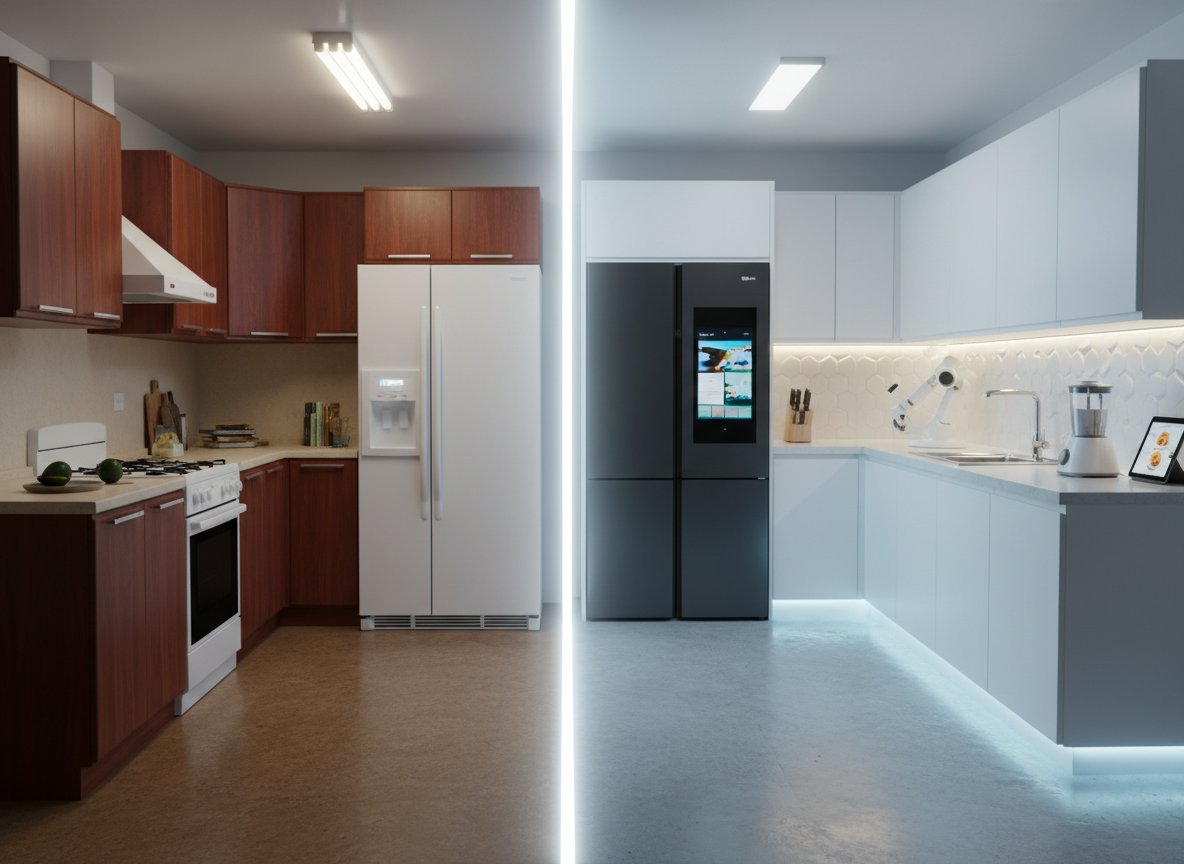
While many AI kitchen planners are accessible to homeowners, some tools cater more to professional designers, contractors, and architects. These often provide deeper functionality in terms of CAD integration, advanced material libraries, collaboration features, and highly realistic rendering engines.
- For Architects and Contractors: Tools with robust CAD import/export, detailed measurement tools, and material specifications are crucial. They often integrate with larger building information modeling (BIM) software for comprehensive project management. These platforms allow for precise structural considerations, plumbing, and electrical planning.
- For Interior Designers: Beyond aesthetics, professionals need tools that manage client projects, offer extensive customization, and facilitate clear communication of design intent. High-end rendering capabilities are a must for presenting photorealistic concepts. Tools like Paintit.ai's AI Room Design capabilities can serve as an initial concept generator even for professionals, quickly testing ideas before moving to more complex software.
The choice of a professional tool often comes down to the specific needs of a firm, their existing software ecosystem, and the level of detail required for their projects.
Strategic recommendations (decision framework)
Choosing the best AI kitchen design tool depends on your specific needs:
- For Quick Visualization & "Try-On": If you want to see how new paint colors, cabinet styles, or flooring would look in your existing kitchen with minimal effort, Paintit.ai is your go-to. It's ideal for homeowners wanting to iterate on ideas quickly.
- For Comprehensive DIY Planning: If you're undertaking a full renovation and want to design floor plans, move walls virtually, and extensively customize every detail in 3D, Homestyler or Coohom offer robust features.
- For Budget-Friendly Exploration: If you're looking for a best free ai for kitchen design solution to get a feel for layouts and basic aesthetics, Planner5D often provides a good starting point with its free tier.
- For Professional Design Services: If you prefer to hand over the design process to experts but still want digital visualization, services like Decorilla that leverage AI behind the scenes are a good option.
- For "What is the best AI tool for kitchen design in 2026?": As AI capabilities evolve, tools that seamlessly integrate photo-to-render (like Paintit.ai) with generative design will likely lead the market, offering both personalization and limitless creation.
Consider your technical comfort level, the scope of your project, and your budget when making your choice.
The ultimate hybrid workflow (step-by-step)
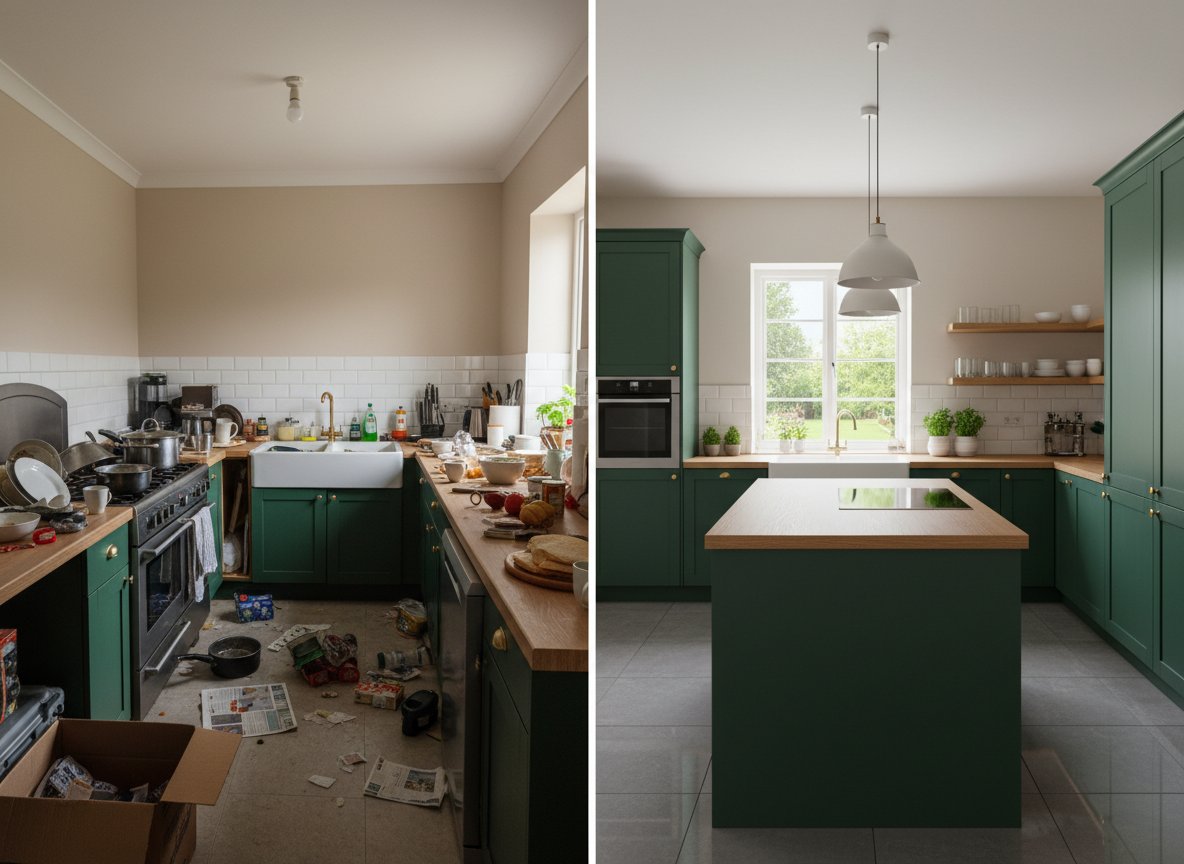
Combining the strengths of different AI tools and your own input creates the most effective kitchen design process. Here's how to use AI to redesign your kitchen effectively:
- Analyze Your Current Space (with AI):
- Start by uploading a clear, well-lit photo of your current kitchen to a virtual kitchen visualizer like Paintit.ai. This instantly provides a baseline and allows you to identify key elements you want to change (layout, cabinets, countertops, backsplash, flooring, paint color).
- Generate Initial Concepts & Styles (AI-Assisted):
- Use Paintit.ai’s design features to quickly generate different kitchen styles (Modern, Farmhouse, Contemporary, Transitional) and see them applied to your uploaded photo. This helps you narrow down your preferred aesthetic without manual effort.
- Action Prompt: Upload your kitchen photo to Paintit.ai. Experiment with Shaker cabinet styles painted in a soft sage green or classic navy using the AI House Painter tool. Try pairing them with a white quartz countertop and a simple white subway tile backsplash.
- Experiment with Layout & Functionality (AI Kitchen Planner):
- If your AI visualizer has a kitchen layout generator AI or integration with one, use it to explore various floor plans. Focus on optimizing the "work triangle" (sink, stove, refrigerator) and efficient appliance placement. This directly addresses: Can AI help with kitchen cabinet layouts? Yes, by generating optimized arrangements.
- Visualize Materials & Finishes (Detailed AI):
- Test different cabinet door styles (Shaker, slab), colors, and finishes. Use the kitchen cabinet color visualizer function to try out various paint options. Preview a range of countertop materials (quartz, granite, tile) and see how they coordinate.
- Refine Lighting & Details:
- Visualize new appliance finishes and consider how different lighting fixtures (pendant, under-cabinet) would enhance both ambiance and task visibility.
- Finalize & Plan:
- Once satisfied with your AI-generated visualizations, save them. Use these realistic previews to create a detailed shopping list and inform your budget. For precise measurements and structural changes, consult with a professional.
This iterative approach leverages AI for rapid ideation and realistic visualization, making your design decisions much more informed.
Managing expectations: current AI limitations

While AI kitchen design tools are incredibly powerful, it's important to understand their current limitations:
- Accuracy for Construction: While how accurate are AI kitchen design tools? is a common question, AI tools are primarily visualizers. They excel at simulating colors, materials, and basic layouts realistically. However, for precise construction measurements, intricate plumbing, electrical plans, or structural changes, professional architects, contractors, and specialized CAD software are still indispensable. Always verify AI designs with human experts before building.
- Unique Design Challenges: AI models are trained on existing data. While they can generate novel combinations, truly unique or highly bespoke design challenges (e.g., custom curved cabinetry or integrating unusual architectural elements) might still require a human designer's creative problem-solving.
- Feeling and Texture: AI can render textures visually, but it can't convey the tactile feel of a material or how light truly interacts with it throughout the day. Physical samples are crucial for final material selection.
- Budgeting Realism: While AI can help you visualize expensive finishes, it typically doesn't provide real-time, localized cost estimates. Material costs, labor, and installation can vary widely. Use AI for design, but budget planning requires external research and quotes.
AI tools are sophisticated assistants that greatly simplify the visualization and ideation phases, but they complement, rather than fully replace, the expertise of human professionals for the technical and execution aspects of a kitchen remodel.
FAQ
What is the best AI tool for kitchen design in 2026?
The "best" tool depends on your specific needs, but for visualizing design changes on your actual kitchen photos, Paintit.ai stands out for its realistic previews. For comprehensive 3D planning, tools like Coohom and Homestyler offer extensive features, which are continuously improving with more AI integrations expected by 2026.
How to use AI to redesign my kitchen?
To use AI to redesign your kitchen, start by uploading a photo of your existing kitchen to an AI visualizer like Paintit.ai. Then, use its features to experiment with different styles, cabinet colors, countertop materials, and even layout adjustments. The AI generates visualizations, helping you make informed decisions quickly and confidently.
Is there a free AI kitchen visualizer?
Yes, many AI design tools offer free trials or limited free versions. Homestyler and Planner5D both provide free tiers with core functionalities. Paintit.ai also offers options to visualize changes, especially for testing color palettes and basic layouts, without an initial cost. Always check the specific platform's current offerings for free features.
How accurate are AI kitchen design tools?
AI kitchen design tools are highly accurate in generating visual representations of colors, materials, and layouts. They provide realistic previews that closely approximate how a design will look. However, for precise engineering, structural details, and exact measurements for construction, it's always recommended to consult with professional designers or contractors.
Can AI help with kitchen cabinet layouts?
Absolutely. Many AI kitchen planners and kitchen layout generator AI features, including those within tools like Paintit.ai, can suggest or create optimized kitchen cabinet layouts. They take into account your room dimensions and common kitchen workflows (like the "work triangle") to propose efficient and functional arrangements.
Conclusion
The journey to your ideal kitchen no longer requires guesswork or extensive design experience. The best AI kitchen design tool empowers you to explore countless possibilities, offering clear, visual answers to your design questions. By using a virtual kitchen visualizer like Paintit.ai, you can move from abstract ideas to concrete, realistic previews in minutes, directly on a photo of your own home.
Whether you're exploring the latest trends or refining a timeless aesthetic, AI tools provide the confidence to make smart choices. They serve as an invaluable first step, helping you visualize everything from a new kitchen cabinet color to a complete AI-powered kitchen remodeling concept. Embrace the power of AI to bring your dream kitchen to life, one confident decision at a time.
Trending
Best AI for Bedroom Design: Transform Your Sleep Space Instantly
How to See Your House Painted: The Ultimate AI Visualizer Guide
Top Foyr Neo Alternatives for Interior Designers: High-End Rendering & 3D Tools
Renovate AI Alternatives: Best AI Tools for Realistic Exterior & Interior Visualization
Best AI Kitchen Design Tools: Transform Your Space in Minutes
Related articles

12 min read
7 Best Coohom Alternatives & Competitors in 2026: Full Review
Explore the best Coohom alternatives for 2026. Compare Paintit.ai, SketchUp, and Foyr Neo to find the right 3D design software for your workflow. Try it now!
Yulii Cherevko
CEO paintit.ai

7 min read
Best AI for Bedroom Design: Transform Your Sleep Space Instantly
Discover the best AI for bedroom design in 2026. Compare Paintit.ai, RoomGPT, and Planner 5D to visualize styles and layouts instantly. Start your makeover now!
Yulii Cherevko
CEO paintit.ai

10 min read
How to See Your House Painted: The Ultimate AI Visualizer Guide
Use AI to digitally "try on" exterior paint colors. Learn how to use a house color visualizer app to see your home transformed before you buy a single gallon
Yulii Cherevko
CEO paintit.ai

10 min read
Top Foyr Neo Alternatives for Interior Designers: High-End Rendering & 3D Tools
Discover the best Foyr Neo alternatives in 2026. Compare Blender, SketchUp, and Paintit.ai for high-end rendering and 3D modeling. Start visualizing now!
Yulii Cherevko
CEO paintit.ai

10 min read
Renovate AI Alternatives: Best AI Tools for Realistic Exterior & Interior Visualization
Discover the top Renovate AI alternatives for 2026. Compare Paintit.ai, Planner 5D, and Interior AI to visualize your home remodeling projects instantly.
Yulii Cherevko
CEO paintit.ai

8 min read
Best AI Kitchen Design Tools: Transform Your Space in Minutes
Discover the best AI kitchen design tools to visualize layouts, cabinet colors, and textures instantly. Compare Paintit.ai, Coohom, and Homestyler for your remodel
Yulii Cherevko
CEO paintit.ai