
12 min. reading
7 Best Coohom Alternatives & Competitors in 2026: Full Review

Yulii Cherevko
CEO paintit.ai

Page Contents:
- 1. Key Takeaways
- 2. Introduction
- 3. Types of AI tools in this category
- 4. Comparison table
- 5. Top Target Competitor alternatives in 2026
- 6. Detailed feature comparison (Buyer-centric)
- 7. Professional tools for advanced users
- 8. Strategic recommendations
- 9. The ultimate hybrid workflow (Step-by-step)
- 10. Managing expectations
- 11. FAQ
- 12. Conclusion
Key Takeaways
- Many designers and homeowners are seeking Coohom alternatives for better value, specialized AI features, or simplified workflows.
- Tools range from comprehensive professional suites like SketchUp to AI-driven visualizers such as Paintit.ai and service-based platforms like Decorilla.
- Paintit.ai stands out for its rapid AI concept generation and virtual try-on capabilities, streamlining the initial design and visualization phases.
- The best Coohom alternative for you depends on your specific needs, balancing ease of use, rendering quality, and advanced features like AI.
- Always leverage virtual design tools to visualize colors, materials, and layouts in your actual space before making significant purchasing decisions.
Introduction
Finding the right design software can significantly impact your workflow, whether you're a seasoned professional or a homeowner planning a refresh. While Coohom offers robust 3D visualization, the landscape of interior design tools is constantly evolving, pushing many to seek powerful Coohom alternatives. This review dives into the top competitors and emerging platforms in 2026, highlighting solutions that offer advanced features, user-friendly interfaces, and innovative approaches. We included these competitors: Decorilla, E.Coohom, and Toolify.ai. Discover how tools like Paintit.ai are leveraging AI to transform how we visualize and create spaces, offering quick, accurate previews before you commit.
Types of AI tools in this category
The market for AI-powered design tools is diversifying, offering solutions tailored to various needs. Understanding these categories can help you choose the right Coohom competitor.
AI Concept Generators
These tools, often found in platforms like Paintit.ai, take text prompts or simple sketches and generate diverse design concepts and styles. They excel at initial ideation, offering quick visual inspiration without extensive manual modeling. Unlike Coohom's more structured approach, AI concept generators prioritize speed and breadth of exploration.
3D Room Planners and Visualizers
This category includes tools like Planner 5D and HomeByMe, which allow users to create floor plans, arrange furniture, and visualize spaces in 3D. While Coohom also offers this, some alternatives provide a simpler interface or focus on specific libraries, potentially offering a cheaper Coohom competitor for basic needs.
AI Virtual Staging Software
A critical tool for real estate agents and e-commerce, virtual staging platforms use AI to realistically furnish and decorate empty rooms in uploaded photos. This is a niche where tools like Paintit.ai excel, offering a faster and more cost-effective solution than traditional staging, often with greater flexibility than Coohom's integrated staging features.
Professional Design Suites
Tools like SketchUp with rendering plugins, or Foyr Neo, offer a comprehensive set of features for architects and interior designers, including detailed 3D modeling, advanced rendering, and project management. These are often more complex and expensive than entry-level options but provide superior control and customization, making them strong Coohom competitors for high-end projects.
Comparison table
| Feature | Paintit.ai | Coohom | Decorilla | Planner 5D | HomeByMe | Foyr Neo | Cedreo | SketchUp (w/ plugins) |
|---|---|---|---|---|---|---|---|---|
| Primary Use Case | AI-driven ideation & visualization | Professional interior design & furniture retail | Design service + AI visualization | DIY room planning & visualization | Home design & product integration | Fast 3D rendering for designers | 2D/3D home design for builders | Professional 3D modeling & rendering |
| Input Method | Photo/text prompt, basic 2D layout | 2D/3D drawing, CAD import | Photos, questionnaires, AI-prompts | 2D floor plan drawing | 2D floor plan drawing | 2D floor plan, CAD import | 2D floor plan drawing | 2D/3D drawing, CAD import |
| Strengths | Rapid AI concepts, virtual try-on, speed | Extensive furniture library, realistic renders | Personalized designer service, AI inspiration | User-friendly, vast object library | Good product catalog, community | Fast renders, efficient workflow | Quick floor plans, 3D renders | High customization, vast plugin ecosystem |
| Limitations | Less manual 3D modeling control | Can be complex, higher learning curve | Service-based model (higher cost) | Basic rendering quality | Fewer advanced professional features | Subscription cost, learning curve | Focus on home building, less interior flair | Requires plugins for rendering, steep learning curve |
| Example Tools | AI Room Design, AI Concept Gen | Coohom Designer | Decorilla AI Design | Planner 5D app | HomeByMe planner | Foyr Neo platform | Cedreo Software | SketchUp Pro, V-Ray, Enscape |
| Best User | Homeowners, designers, real estate | Furniture brands, pro designers | Homeowners seeking pro help | DIYers, casual users | DIYers, furniture shoppers | Interior designers, stagers | Home builders, remodelers | Architects, interior designers, AEC |
Top Target Competitor alternatives in 2026
Finding the best Coohom alternative 2026 means evaluating tools that offer comparable power, better ease of use, or a more specialized focus. If Coohom pricing feels prohibitive, or its workflow too rigid, these options provide strong competition.
1. Paintit.ai - The AI-Powered Visualizer
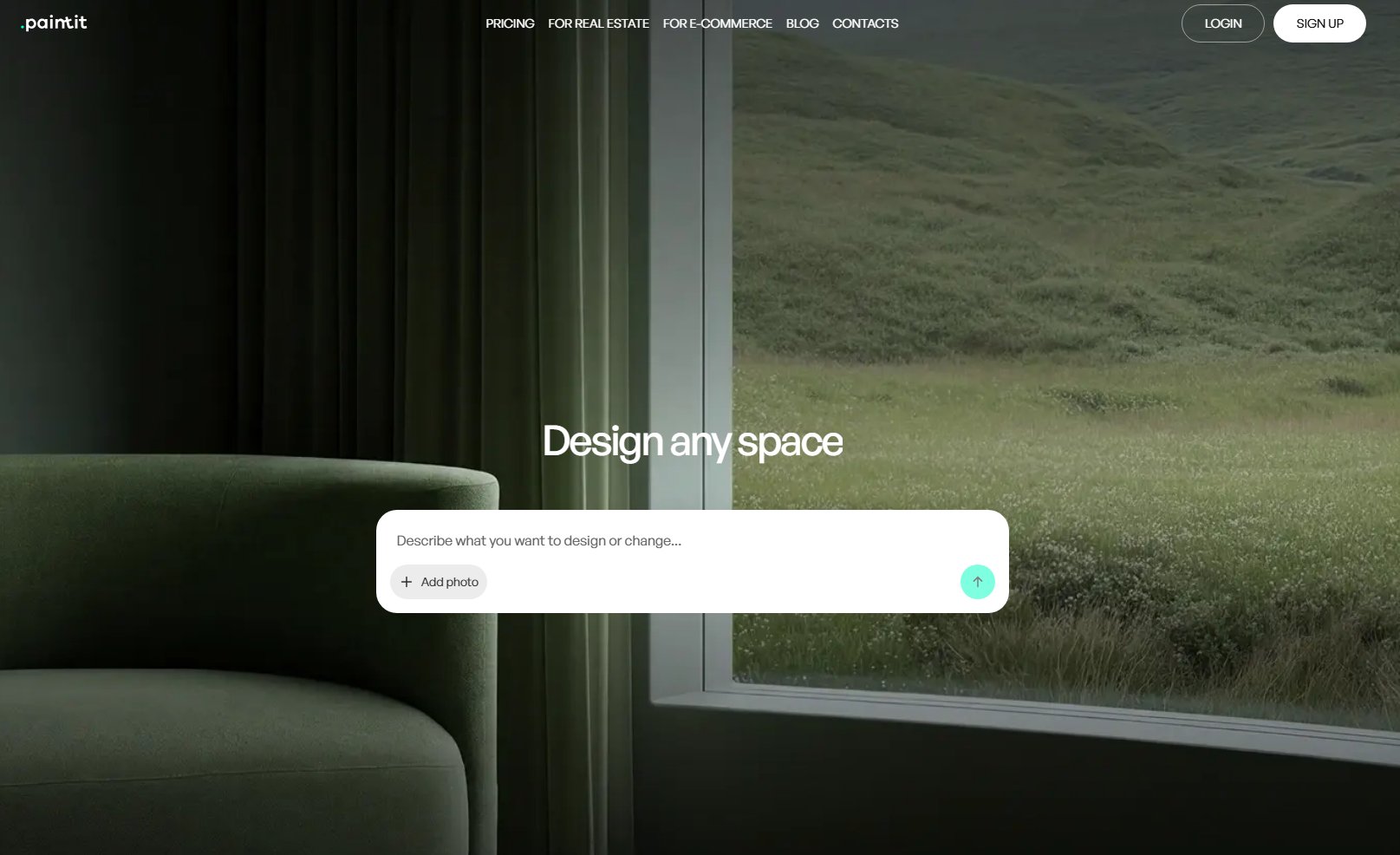
Paintit.ai is an AI-first platform designed to streamline the interior and exterior design process. Unlike Coohom, which often requires more manual 3D modeling, Paintit.ai focuses on rapid concept generation and virtual try-on, making it incredibly fast for ideation and visualization. It lets you upload photos of your space and instantly apply different styles, colors, and materials. For homeowners, designers, and real estate professionals, it offers a quick way to preview changes without extensive technical skills.
- Best for: Homeowners, interior designers, real estate agents, and e-commerce teams needing fast, AI-generated design concepts and realistic virtual try-ons.
- Key features:
- AI Concept Generator for diverse design styles from prompts.
- AI Room Design for applying new aesthetics to existing photos.
- AI Exterior Design for visualizing outdoor changes.
- Virtual staging for empty rooms.
- AI House Painter for trying on different paint colors.
- High-quality AI rendering.
- Integration for material and furniture ideas based on designs.
- Pros:
- Extremely fast visualization and concept generation using AI.
- User-friendly interface, requiring minimal design software experience.
- Realistic virtual try-on directly on uploaded photos.
- Cost-effective for rapid iteration and initial planning.
- Helps visualize new styles and layouts without manual 3D builds.
- Cons / limitations:
- Less robust for highly detailed, custom 3D modeling compared to dedicated CAD software.
- Outputs are visual concepts; full architectural plans require additional tools.
- Pricing: Varies-check the official site.
- Try-on tip: Upload a photo of your existing room or exterior, then use the AI Concept Generator to explore 5-10 different styles. This helps you quickly narrow down aesthetics before committing to more detailed design work.
- If you choose this over others: You prioritize speed, AI-driven inspiration, and realistic virtual try-ons directly on your photos, seeking to quickly visualize rather than manually model every detail.
2. Decorilla - For Personalized Designer Services

Decorilla offers a hybrid model, combining professional interior design services with AI-powered visualization tools. Unlike Coohom, which is primarily a DIY software platform, Decorilla connects you with actual designers who use AI to generate initial concepts and visualizations. This makes it a compelling option if you want professional guidance with the benefit of modern AI tools.
- Best for: Homeowners and businesses seeking personalized interior design services that incorporate AI for efficient concept generation.
- Key features:
- Access to professional interior designers.
- AI-driven mood boards and initial design concepts.
- 3D renderings and floor plans.
- Shopping lists with designer discounts.
- Online communication and project management with your designer.
- Pros:
- Combines human expertise with AI efficiency.
- Guaranteed professional results.
- Handles project management and product sourcing.
- Offers a personalized experience.
- Can be a faster route to a complete design than DIY software.
- Cons / limitations:
- Primarily a service, not a standalone software tool.
- Potentially higher cost compared to software subscriptions.
- Less control over the direct design process for the user.
- Pricing: Varies-check the official site.
- Try-on tip: After getting initial concepts from Decorilla, you could use Paintit.ai's virtual try-on features to quickly test specific material or paint color suggestions on your actual room photo before moving forward with the designer's final selections.
- If you choose this over others: You value professional design guidance and comprehensive project support, with AI aiding the designer's workflow, rather than solely relying on software.
3. Planner 5D - User-Friendly Room Planning

Planner 5D is a popular and accessible 3D home design tool, often considered a Coohom alternative free for basic planning. It offers an intuitive drag-and-drop interface for creating floor plans and furnishing rooms. While its rendering quality might not match Coohom's professional output, its ease of use makes it a great entry point for beginners or those with simpler design needs.
- Best for: Beginners, DIY enthusiasts, and homeowners looking for an easy-to-use 2D/3D floor planning and basic visualization tool.
- Key features:
- Intuitive drag-and-drop interface for floor plans.
- Large catalog of furniture, appliances, and decor items.
- 2D and 3D viewing modes.
- Ability to customize textures and colors.
- Basic rendering capabilities.
- Pros:
- Very easy to learn and use, even for non-designers.
- Free basic version available, making it a cheaper Coohom competitor.
- Good for quickly sketching out room layouts and ideas.
- Extensive library of items.
- Cons / limitations:
- Rendering quality is not as realistic as Coohom or professional tools.
- Lacks advanced features for professional designers.
- Limited customization options for complex architectural details.
- Pricing: Free basic version, premium features available via subscription.
- Try-on tip: After laying out your room in Planner 5D, use Paintit.ai to generate realistic visuals of the chosen furniture styles or paint colors in a photo of your actual space for a better real-world preview.
- If you choose this over others: You need a simple, intuitive tool for basic floor planning and visualization, prioritizing ease of use over hyper-realistic rendering or advanced architectural features.
4. HomeByMe - Extensive Catalog & Community

HomeByMe offers robust 3D home design capabilities with a strong focus on real-world product integration and a community aspect. Similar to Coohom, it allows users to create detailed floor plans and visualize their designs. Its strength lies in a vast catalog of branded furniture and decor, letting users design with actual products they can purchase.
- Best for: Homeowners, DIY designers, and furniture shoppers who want to visualize spaces with specific branded products.
- Key features:
- Detailed 2D and 3D floor plan creation.
- Extensive catalog of branded furniture and decor.
- Realistic 3D renderings (some at a cost).
- Community platform for sharing designs and inspiration.
- Ability to import images for textures.
- Pros:
- High-quality branded product library.
- Intuitive interface for creating floor plans and furnishing rooms.
- Good for planning renovations and redecorating with specific items.
- Engaging community features.
- Cons / limitations:
- Limited free high-quality renderings; often requires payment.
- Can be slower for complex designs.
- Less AI integration compared to newer platforms like Paintit.ai.
- Pricing: Free basic version, additional renderings and features require purchase.
- Try-on tip: Once you've selected furniture and finishes in HomeByMe, take screenshots and upload them to Paintit.ai's AI Room Design to quickly generate variations or see them in different lighting conditions.
- If you choose this over others: You want to design with specific, real-world products from a large catalog and appreciate community-driven inspiration, accepting some limitations on free high-quality outputs.
5. Foyr Neo - Professional Workflows Simplified

Foyr Neo positions itself as an all-in-one interior design software aiming to simplify professional workflows. Unlike Coohom, which can have a steeper learning curve for advanced features, Foyr Neo focuses on efficiency, allowing designers to go from floor plan to 3D render in minutes. This makes it a strong Coohom competitor for interior designers seeking speed and quality.
- Best for: Professional interior designers, stagers, and architects looking for efficient 3D floor planning, rendering, and virtual staging.
- Key features:
- Quick 2D floor plan to 3D conversion.
- Extensive 3D model library (furniture, decor).
- Fast rendering capabilities (minutes, not hours).
- Virtual staging and walkthroughs.
- Client collaboration tools.
- Pros:
- Significantly reduces time spent on rendering.
- User-friendly for professional design tasks.
- High-quality output suitable for clients.
- Strong focus on efficiency and productivity.
- Cons / limitations:
- Subscription-based model, potentially more expensive than some basic tools.
- Still has a learning curve for new users.
- Less emphasis on generative AI concept exploration compared to Paintit.ai.
- Pricing: Subscription plans (monthly/annual).
- Try-on tip: Use Paintit.ai for initial, rapid concept generation and style exploration, then transition to Foyr Neo for detailed planning, precise placement, and final high-fidelity rendering for client presentations.
- If you choose this over others: You are a professional designer who needs a highly efficient tool for rapid 3D modeling, rendering, and virtual staging, prioritizing speed and output quality for client projects.
6. Cedreo - Fast 3D Rendering for Sales
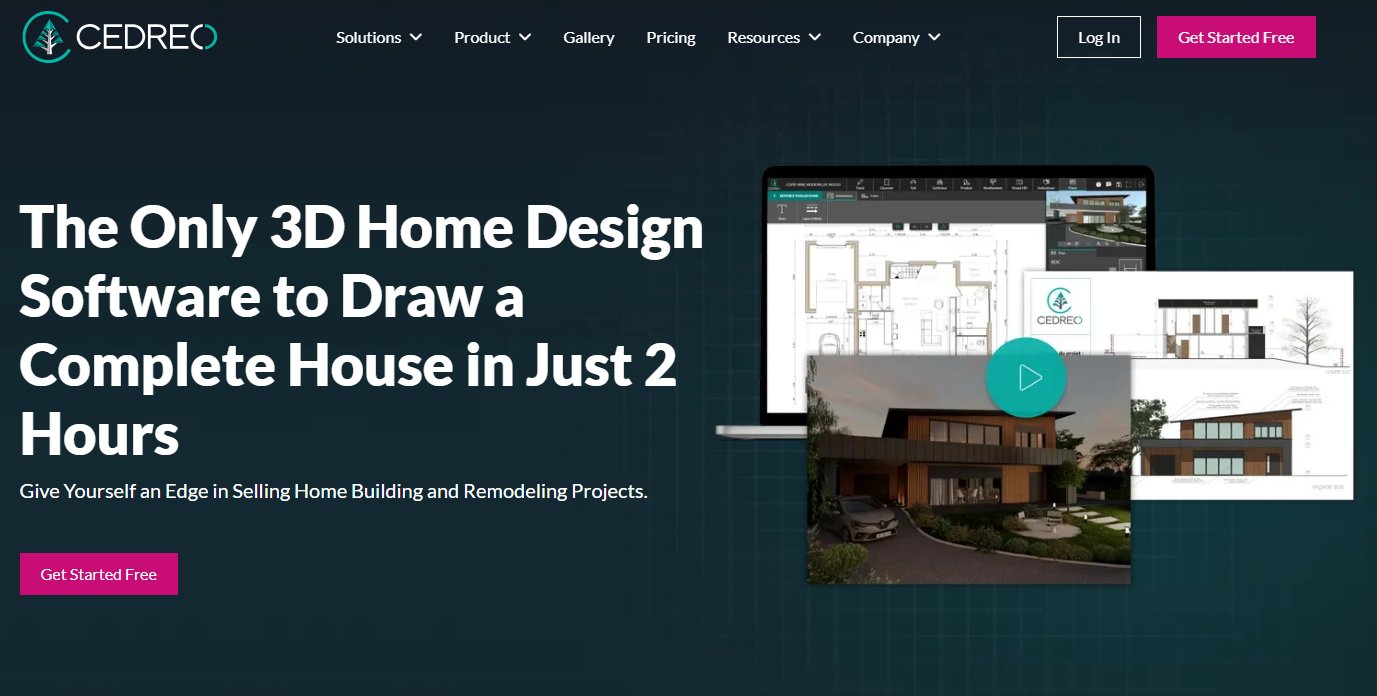
Cedreo is specifically tailored for home builders, remodelers, and sales teams, enabling them to create 2D floor plans and instant 3D renderings to help clients visualize projects. While Coohom is broader, Cedreo focuses on the efficiency needed in a sales cycle, providing photorealistic renderings quickly without requiring extensive design expertise.
- Best for: Home builders, remodelers, contractors, and real estate agents who need to quickly create and visualize renovation or new construction projects for clients.
- Key features:
- Rapid 2D floor plan drawing.
- Instantaneous 3D views from floor plans.
- Photorealistic 3D renderings (interior and exterior).
- Vast library of materials and finishes.
- Integrated design tools for kitchens, bathrooms, etc.
- Pros:
- Extremely fast from 2D plan to 3D visualization.
- High-quality renderings for sales presentations.
- User-friendly for non-architects.
- Streamlines the client communication process.
- Cons / limitations:
- More focused on new builds/remodels, less on interior decor styling.
- Can be less flexible for highly custom or abstract design concepts.
- Subscription model.
- Pricing: Subscription plans.
- Try-on tip: Before committing to a Cedreo project, leverage Paintit.ai to explore different exterior styles and material combinations on a photo of the existing or planned house, getting rapid AI-generated inspiration.
- If you choose this over others: You are in the construction or renovation industry and need a fast, reliable tool to present clear 2D plans and photorealistic 3D visualizations to clients.
7. SketchUp (with Rendering Plugins) - The Industry Standard
SketchUp is a powerful 3D modeling software widely adopted in architecture, interior design, and construction. While SketchUp itself is a modeling tool, it becomes a robust Coohom competitor for realistic visualization when paired with rendering plugins like V-Ray, Enscape, or Lumion. This combination offers unparalleled customization and high-fidelity output.
- Best for: Architects, experienced interior designers, and professionals requiring precise 3D modeling and highly customized, photorealistic renderings.
- Key features:
- Intuitive push-pull modeling tools.
- Vast 3D Warehouse for pre-made models.
- Extensible with countless plugins for specific functionalities.
- Integration with professional rendering engines.
- Detailed documentation and presentation tools.
- Pros:
- Extremely flexible and customizable for complex designs.
- High-quality, photorealistic rendering with plugins.
- Industry-standard for many professionals.
- Large community and resource library.
- Cons / limitations:
- Steep learning curve, especially with advanced modeling and rendering.
- Core software requires additional paid plugins for rendering.
- Can be resource-intensive on hardware.
- Less suited for quick conceptualization compared to AI tools.
- Pricing: Free web version (limited), SketchUp Go, Pro, and Studio subscriptions. Rendering plugins are separate purchases.
- Try-on tip: Use Paintit.ai for initial style exploration or to rapidly generate different facade ideas. Once a direction is clear, export a basic layout to SketchUp for detailed 3D modeling, precise material application, and final high-fidelity rendering.
- If you choose this over others: You need precise 3D modeling, deep customization, and the highest quality photorealistic renderings, and you are willing to invest time in learning a professional-grade software suite.
Detailed feature comparison (Buyer-centric)
| Feature / Tool | Paintit.ai | Coohom | Decorilla | Planner 5D | HomeByMe | Foyr Neo | Cedreo | SketchUp (w/ plugins) |
|---|---|---|---|---|---|---|---|---|
| AI Concept Generation | Yes, core feature | Limited/Integrated | Yes, for designers | No | No | Limited | No | No (via 3rd party AI plugins) |
| Virtual Try-On (Photo) | Yes, upload your room photo | Limited | Yes, designer-led | No | No | Limited (staging) | No | No |
| Rendering Quality | High (AI-enhanced) | Very High (photorealistic) | High (photorealistic) | Basic | Good (some premium) | High (fast) | High | Very High (with plugins) |
| Ease of Use | High | Moderate to Low | High (client side) | Very High | High | Moderate | High | Low (steep learning curve) |
| Object/Furniture Library | Conceptual (AI) & suggestive | Very extensive | Curated by designers | Extensive | Extensive (branded) | Extensive | Good (construction focused) | Massive (3D Warehouse) |
| 2D Floor Plan Creator | Basic (for context) | Yes | Yes | Yes | Yes | Yes | Yes | Yes |
| 3D Modeling Control | Low (AI generation) | High | Low (designer handled) | Moderate | Moderate | High | Moderate | Very High |
| Exterior Design | Yes | Yes | Limited | No | Yes | Limited | Yes | Yes |
| Cost-Effectiveness | High (for speed/concepts) | Moderate (pro-level) | Moderate (service-based) | High (for basics) | Moderate (some premium costs) | Moderate (pro-level) | Moderate (pro-level) | Low (software + plugins) |
| Collaboration Features | No | Yes | Yes (client-designer) | No | Limited | Yes | Yes | Yes (Trimble Connect) |
Professional tools for advanced users
While AI-powered visualizers like Paintit.ai excel at rapid ideation and virtual try-ons, seasoned professionals often require tools that offer granular control over every aspect of a design. Unlike Coohom's professional capabilities, SketchUp, combined with powerful rendering engines like V-Ray or Enscape, allows for the creation of intricate custom models, precise material mapping, and highly photorealistic outputs essential for client presentations and construction documentation. These tools, while demanding a steeper learning curve and higher investment, provide the architectural accuracy and detailed visualization necessary for complex projects, moving beyond instant concepts to production-ready designs.
Strategic recommendations
- If you need fast, AI-generated design concepts and virtual try-ons directly on photos: Choose Paintit.ai.
- If you are a professional interior designer needing efficient 3D modeling and rendering for client projects: Consider Foyr Neo or SketchUp with rendering plugins as Coohom competitors.
- If you are a homeowner or DIY enthusiast looking for an easy-to-use room planner: Planner 5D or HomeByMe offer user-friendly experiences, potentially a Coohom alternative free for basic needs.
- If you're a builder or remodeler needing quick 2D/3D visualizations for sales: Cedreo is specialized for rapid project presentations.
- If you seek personalized design help from a professional, augmented by AI: Decorilla provides a service-based solution.
- If Coohom pricing vs alternatives is a major concern, explore the free tiers of Planner 5D or HomeByMe for basic tasks, and Paintit.ai for its cost-effective AI capabilities.
- If you're a furniture brand needing to visualize your products in customer spaces: Paintit.ai offers a strong solution for virtual try-on, potentially a best Coohom alternative for furniture brands for consumer engagement.
The ultimate hybrid workflow (Step-by-step)
An effective design process often combines the strengths of various tools. Here's a hybrid workflow leveraging AI for speed and traditional tools for precision:
- Stage 1: Rapid Ideation with AI (Paintit.ai): Start by uploading existing photos of your space to Paintit.ai's AI Concept Generator. Experiment with different architectural styles, color palettes, and furniture arrangements. This allows for quick, iterative exploration of numerous design possibilities, helping you narrow down your aesthetic direction in minutes rather than hours.
- Stage 2: Detailed Planning and Refinement (Planner 5D / HomeByMe / Foyr Neo): Once you have a clear conceptual direction from Paintit.ai, use a more structured 2D/3D planner like Planner 5D for basic layouts, or Foyr Neo for professional-grade floor plans and object placement. This stage focuses on accurate measurements and functional arrangements based on your AI-generated concepts.
- Stage 3: Advanced Modeling and Materialization (SketchUp / Coohom): For projects requiring bespoke furniture, custom millwork, or intricate architectural details, transition to a dedicated 3D modeling software like SketchUp or Coohom. Here, you can build out precise models, apply realistic textures, and fine-tune every element to match your vision.
- Stage 4: Final High-Fidelity Rendering & Presentation (SketchUp + V-Ray / Coohom): The final step involves generating photorealistic renders. Tools like Coohom or SketchUp with powerful rendering plugins will produce high-quality images and walkthroughs for client presentations or personal visualization, ensuring every detail is accurate before execution.
Managing expectations
While AI design tools like Paintit.ai offer incredible speed and creative possibilities, it's important to approach them with realistic expectations. AI excels at generating concepts and visualizing styles, but it doesn't replace the nuanced eye of a human designer or the precision of architectural software. Users should be aware that:
- Architectural Accuracy: AI-generated images may not always adhere to structural realities or local building codes. Dimensions, load-bearing walls, or complex structural elements often require verification by a professional or manual adjustment in traditional CAD software.
- Material Specificity: While AI can suggest styles and textures, it may not specify exact material SKUs or finishes. The final selection of specific paint brands, flooring types, or furniture models typically requires manual sourcing and verification.
- Emotional Context: AI understands patterns and aesthetics, but it cannot fully grasp the emotional connection a client has to a space, or the subtle design decisions that create a specific ambiance. Human input remains crucial for infusing personality and functionality.
- Cost Estimation: AI tools are for visualization, not budgeting. The projected design may include elements far outside a practical budget. Always verify product costs and labor estimates manually.
- Integration with Real-World Constraints: Factors like plumbing lines, electrical outlets, window placements, or existing architectural features might not be perfectly integrated or accounted for in an initial AI render. Always verify designs against actual site conditions.
FAQ
Q: What is Coohom, and why might someone need an alternative?
A: Coohom is a popular 3D interior design and visualization platform, particularly favored by furniture retailers and designers for its extensive libraries and rendering capabilities. Users might seek Coohom alternatives due to cost, complexity, or a desire for newer features like AI-driven design.
Q: Which alternative is best for beginners?
A: For beginners, tools like Planner 5D or HomeByMe often offer a more intuitive interface. Paintit.ai also provides a user-friendly entry point, especially with its AI-powered concept generation, requiring less technical skill to generate design ideas.
Q: Can these tools help me visualize paint colors accurately?
A: Yes, most modern tools offer color swatch selections. Paintit.ai excels here with its virtual try-on feature, allowing you to upload your actual room photos and see proposed paint colors applied realistically, taking lighting and existing elements into account.
Q: Are there free alternatives to Coohom?
A: Some platforms offer free basic versions or trials (e.g., Planner 5D, HomeByMe). Paintit.ai provides powerful AI features that can be explored, with various plans available to suit different needs and budgets.
Q: How does AI in design software like Paintit.ai differ from traditional software?
A: Traditional software requires manual modeling and rendering. AI-powered tools like Paintit.ai can generate design concepts, suggest styles, and apply finishes based on text prompts or existing images, significantly speeding up the ideation and visualization process. This makes it a compelling Coohom competitor for rapid visualization.
Q: Is Paintit.ai a good Coohom alternative for furniture brands?
A: Yes, Paintit.ai's virtual try-on and AI rendering capabilities make it excellent for furniture brands. It allows customers to quickly visualize products in their own homes, enhancing the buying experience and reducing uncertainty, making it a strong best Coohom alternative for furniture brands.
Conclusion
The quest for the best Coohom alternative 2026 is driven by diverse needs, whether it's for faster ideation, simpler workflows, or a more budget-friendly approach. While Coohom remains a powerful tool for professional 3D design, the market now offers a spectrum of specialized solutions. From comprehensive suites like SketchUp and Foyr Neo for seasoned designers, to accessible planners like Planner 5D for casual users, there's a tool for every scenario.
For those seeking to quickly explore design styles, visualize changes on actual photos, and leverage the power of AI to accelerate the creative process, Paintit.ai stands out. It bridges the gap between complex design software and instant visual gratification, offering a practical and efficient solution for homeowners, designers, and real estate professionals alike. No matter your project's scope, exploring these alternatives can help you find the perfect fit to bring your design visions to life.
Trending
Best AI for Bedroom Design: Transform Your Sleep Space Instantly
How to See Your House Painted: The Ultimate AI Visualizer Guide
Top Foyr Neo Alternatives for Interior Designers: High-End Rendering & 3D Tools
Renovate AI Alternatives: Best AI Tools for Realistic Exterior & Interior Visualization
Best AI Kitchen Design Tools: Transform Your Space in Minutes
Related articles

12 min read
7 Best Coohom Alternatives & Competitors in 2026: Full Review
Explore the best Coohom alternatives for 2026. Compare Paintit.ai, SketchUp, and Foyr Neo to find the right 3D design software for your workflow. Try it now!
Yulii Cherevko
CEO paintit.ai

7 min read
Best AI for Bedroom Design: Transform Your Sleep Space Instantly
Discover the best AI for bedroom design in 2026. Compare Paintit.ai, RoomGPT, and Planner 5D to visualize styles and layouts instantly. Start your makeover now!
Yulii Cherevko
CEO paintit.ai

10 min read
How to See Your House Painted: The Ultimate AI Visualizer Guide
Use AI to digitally "try on" exterior paint colors. Learn how to use a house color visualizer app to see your home transformed before you buy a single gallon
Yulii Cherevko
CEO paintit.ai

10 min read
Top Foyr Neo Alternatives for Interior Designers: High-End Rendering & 3D Tools
Discover the best Foyr Neo alternatives in 2026. Compare Blender, SketchUp, and Paintit.ai for high-end rendering and 3D modeling. Start visualizing now!
Yulii Cherevko
CEO paintit.ai

10 min read
Renovate AI Alternatives: Best AI Tools for Realistic Exterior & Interior Visualization
Discover the top Renovate AI alternatives for 2026. Compare Paintit.ai, Planner 5D, and Interior AI to visualize your home remodeling projects instantly.
Yulii Cherevko
CEO paintit.ai

8 min read
Best AI Kitchen Design Tools: Transform Your Space in Minutes
Discover the best AI kitchen design tools to visualize layouts, cabinet colors, and textures instantly. Compare Paintit.ai, Coohom, and Homestyler for your remodel
Yulii Cherevko
CEO paintit.ai