13 min. reading

Yulii Cherevko
CEO paintit.ai

Key takeaways
The best AI exterior design tool depends on what you are actually trying to do. If you want to upload a house photo and compare siding, trim, paint, windows, or landscaping ideas, start with a photo-based generator. If you need roofline changes, measured plans, or construction documents, use a 3D modeling or scanning workflow instead.
This guide compares AI exterior design tools by real use case: free trials, photo upload, paint and material changes, architectural style control, landscaping, output quality, and professional fit. It also shows where AI Exterior Design by Paintit.ai fits in a practical exterior workflow.
| Use case | Best fit | Why it fits | Main limitation |
|---|---|---|---|
| Fast exterior ideas from a house photo | Paintit.ai | Good for quick facade concepts, color directions, and matching exterior ideas with interior style. | Not a replacement for measured plans or contractor documentation. |
| Free AI home exterior design tests | LightX, Dehome.ai, VisualGPT, MyArchitectAI | Low-friction tools for testing styles before paying for higher-quality exports or more control. | Free limits, export quality, and commercial usage rules vary by tool. |
| Exterior paint and curb appeal ideas | Paintit.ai, LightX, Dehome.ai | Useful for comparing siding, trim, front door color, facade materials, and broad curb appeal changes. | AI can shift more of the image than you intended. |
| Architecture-style renders | MNML.ai, ArchiVinci | Better control over prompts, camera angle, lighting, render mode, and architectural style. | More settings to learn than simple homeowner tools. |
| Measured exterior planning | Hover | Built around exterior measurements, materials, contractors, roofing, siding, and renovation planning. | Less focused on casual visual brainstorming. |
| Whole-property DIY planning | Planner 5D | Useful when the exterior project includes decks, garden zones, circulation, and more than a paint refresh. | Roof and advanced exterior control can still feel limited. |
| Professional precision | SketchUp | Best when geometry, scale, rooflines, documentation, and exportable drawings matter. | Not a simple AI photo generator. |
| Client-ready 3D visuals | Coohom | Strong option for polished 3D renders, presentations, and material visualization. | Requires more setup than one-click exterior generators. |
Start with the job, not the brand name. A homeowner testing white siding and black trim does not need the same tool as a contractor estimating roof and siding materials. A realtor refreshing a listing photo has a different workflow again.
Use a photo-based AI generator. Upload a clear front-facing image, pick a style, and generate several versions. This is the fastest path for paint colors, siding combinations, trim ideas, front door color, and landscaping mood. Paintit.ai, LightX, Dehome.ai, VisualGPT, and MyArchitectAI all fit this early idea stage.
Use a tool with stronger editing control or a 3D workflow. AI image generators can produce convincing results, but they often restyle the whole scene. If you only want to change the shutters while keeping brick, roof, windows, driveway, and trees untouched, expect some trial and error.
Move beyond AI images. Use Hover, SketchUp, Planner 5D, or a professional modeling workflow. AI visuals help you communicate direction, but they do not verify structure, local code, measurements, drainage, roof loads, or material quantities.
Exterior design is not just a style decision. It often connects directly to resale value, curb appeal, renovation planning, and the cost of avoiding a bad material choice. That is why AI exterior design tools are useful at the early stage: they help homeowners compare visual directions before paying for samples, drawings, contractor revisions, or full 3D modeling.
Recent remodeling data supports that focus on the outside of the home. In Zonda's 2025 Cost vs. Value Report, exterior projects delivered some of the strongest national returns: garage door replacement recouped 267.7% of cost, steel entry door replacement recouped 216.4%, and manufactured stone veneer recouped 207.9%. Zonda notes that exterior improvements continue to drive more resale value than larger discretionary interior remodels. Source: Zonda 2025 Cost vs. Value Report.
Curb appeal also matters before a home ever reaches a showing. The National Association of REALTORS reported that 92% of REALTORS have suggested sellers improve curb appeal before listing, while 97% believe curb appeal is important in attracting a buyer. Source: NAR Remodeling Impact Report: Outdoor Features.
Homeowners are still investing in exterior and outdoor upgrades, too. Houzz's 2026 U.S. Houzz & Home Renovation Trends Study found that roofing led exterior upgrade activity in 2025, while outdoor lighting was the most common outdoor system upgrade at 21%. The same report says 91% of renovating homeowners hired professionals in 2025, which is a useful reminder: AI visuals help with direction, but real projects still need expert execution. Source: 2026 U.S. Houzz & Home Renovation Trends Study.
The reviews below focus on exterior-specific fit. Some tools are true AI generators. Others are 3D modelers, rendering platforms, or measurement tools that belong in the same buying journey because users compare them when planning exterior work.
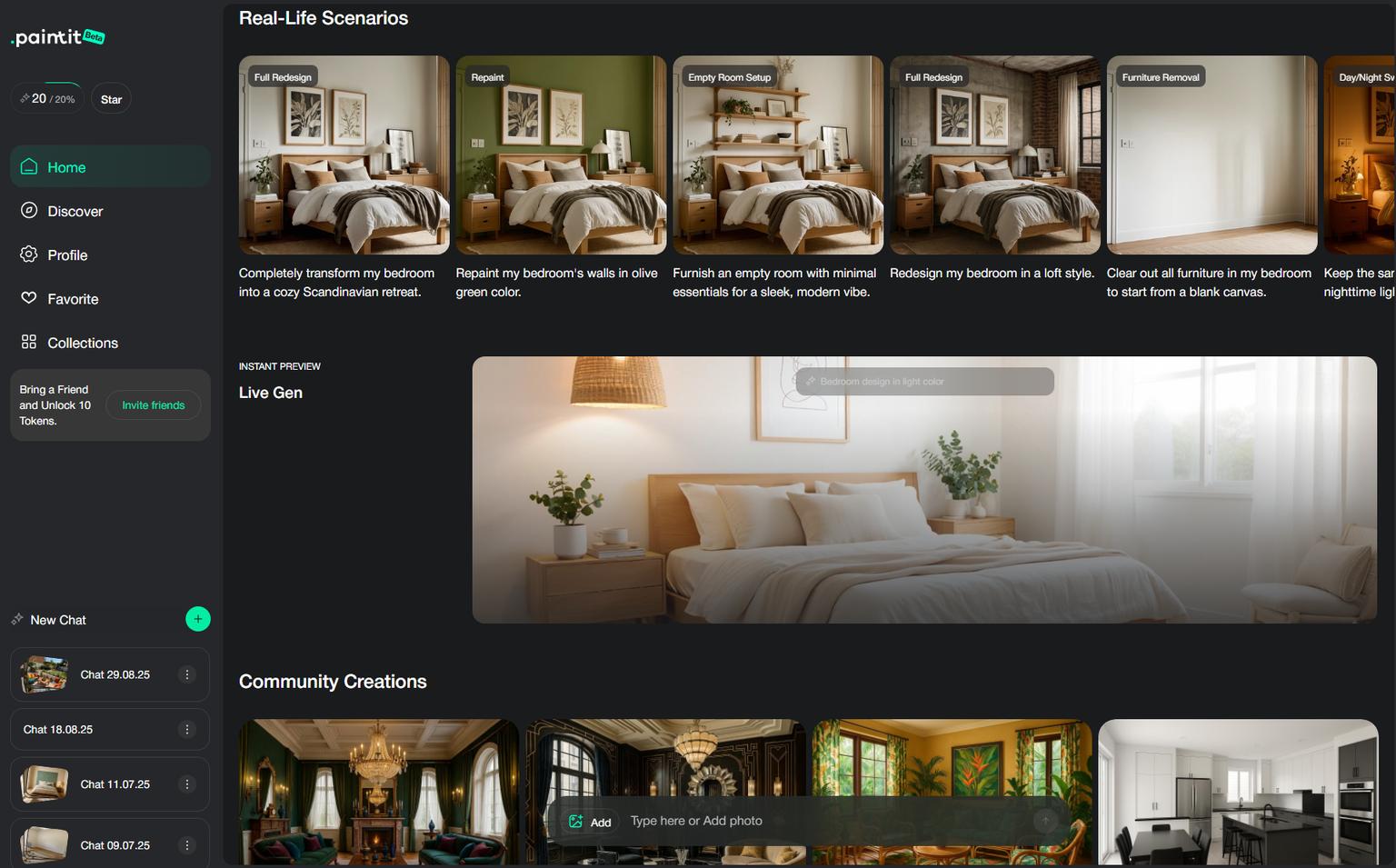
Paintit.ai is a practical starting point when you want fast exterior ideas from a photo and you also care about how the outside connects with the interior. That matters for real homes. A facade refresh often affects the entry, living room palette, window treatments, porch styling, and listing photos.
Paintit.ai lets users explore exterior redesign ideas from an uploaded image. Use it for facade style direction, paint and material combinations, window and trim mood, porch feel, and broad curb appeal concepts. If your project is mostly cosmetic, the home exterior design tool is the most relevant internal starting point.
For paint-heavy projects, pair the exterior workflow with the AI house painter. For outdoor zones around the house, use AI landscape design to test garden, patio, pool, and backyard directions before refining the facade.
Paintit.ai works best when you need several visual directions quickly: modern farmhouse, warm minimalist, dark trim, lighter siding, cleaner porch, updated landscaping, or a more polished listing image. It is especially useful when you are still choosing the look and do not want to open a full 3D modeling tool yet.
Do not treat AI exterior renders as building instructions. The output can help you brief a contractor or designer, but structural changes still need measurement, feasibility checks, and local code review. For a deeper Paintit-specific workflow, use the guide on how to redesign a home exterior with Paintit.ai.
LightX appears in search demand around free AI home exterior design, which makes it important for comparison. It is a lightweight option for users who want to try facade restyling without committing to a larger design platform.
Use LightX for quick, casual tests: house color changes, siding direction, broad style prompts, and fast social-ready visuals. It is a good early filter when you want to see whether AI exterior design is useful for your project at all.
Free tools usually come with credit limits, export limits, or less control over exact edits. If the first version changes too much of the house, try a tighter prompt or move to a workflow with better masking and image control.
Dehome.ai is built around the upload-and-generate exterior workflow. Its exterior design page focuses on house angle, architectural style, material type, brightness, and quick generation. That matches what many searchers want: upload a house photo and see a redesigned facade.
Use Dehome.ai when you want direct exterior controls without reading a long guide first. It is useful for testing modern, traditional, colonial, craftsman, Victorian, brick, stone, wood, stucco, and other broad facade directions.
The tool is still a visual generator. It can suggest materials and curb appeal ideas, but it cannot confirm whether a roof change, porch extension, window move, or structural update is buildable.
MNML.ai is closer to an architecture rendering workflow than a simple homeowner app. Its Exterior AI setup includes render style, camera angle, site context, greenery, vehicles, weather, time of day, reference images, and output quality controls.
Use MNML.ai if you are an architect, designer, builder, or advanced homeowner who wants more control over the final image. It is useful for house fronts, facades, villas, commercial buildings, and concept presentations.
More control means more decisions. A casual user who only wants to compare two paint colors may find the settings heavier than needed.
ArchiVinci is useful when your starting point is not only a house photo. It can work with sketches, 3D model screenshots, and exterior building concepts. That makes it a better fit for architectural workflows than simple paint visualizers.
Use ArchiVinci for facade concepts, villa renders, office exterior ideas, lighting changes, material studies, and early design presentations. If you already have a rough massing model or sketch, it can help turn that into a more realistic direction.
It is stronger for design visualization than homeowner decision support. If your question is simply "what color should I paint my house?", a simpler tool or one of the best AI paint visualizers may be faster.
Hover is different from most AI exterior design generators. It is widely used around roofing, siding, measurements, materials, and contractor workflows. If your exterior project is moving from idea to estimate, Hover belongs on the shortlist.
Use Hover when accuracy matters: siding replacement, roofing, exterior measurements, material quantities, and contractor communication. It is also useful when a visual idea needs to become a practical renovation package.
Hover is not the fastest option for casual style exploration. Use it after you know the direction, or when the project already involves real estimates and implementation.

Planner 5D sits between simple AI photo generators and professional modeling software. It is useful when your project includes more than a facade image: deck layout, garden zones, circulation, outdoor seating, or whole-property planning.
Use Planner 5D when you want to plan the outside as a space, not just restyle a photo. It is stronger for DIY planning than for one-click AI facade generation.
Roof and structural control can still be basic compared with SketchUp or a professional CAD workflow. Use it for planning and communication, then verify complex changes with a pro.

SketchUp is not the best AI exterior design generator. It is a modeling tool for people who need control over geometry. That distinction matters. If you are changing rooflines, dormers, porch depth, window placement, or building massing, you need more than a generated image.
Use SketchUp when the exterior project needs scale, documentation, structural thinking, or exportable drawings. It is a better fit for architects, designers, builders, and advanced homeowners.
SketchUp takes more time to learn. If you only want to test a front door color, use a photo-based tool first and move into SketchUp only after the direction is clear.
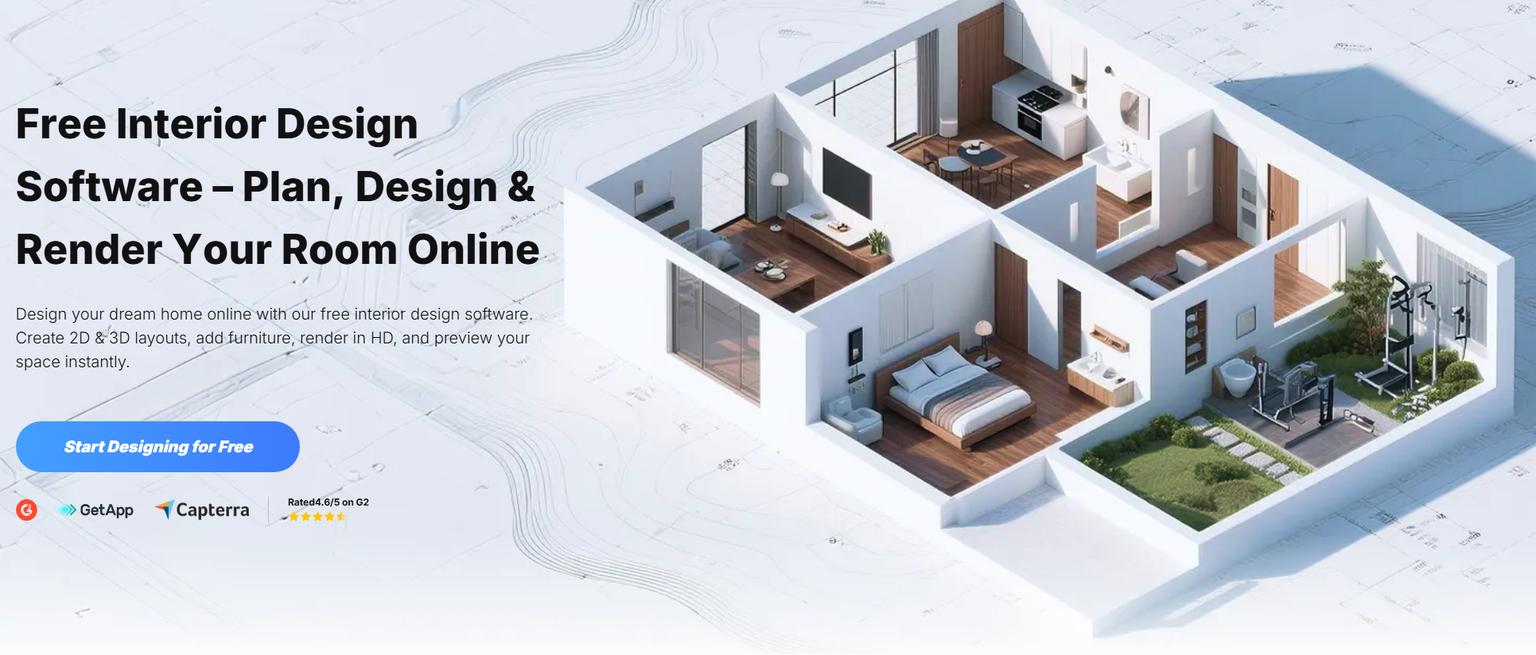
Coohom is useful when visual quality matters more than speed. It is a strong fit for client presentations, staged renovation concepts, polished materials, lighting, and higher-end 3D output.
Use Coohom after the direction is already clear. For example, generate early exterior ideas in Paintit.ai or another photo tool, then rebuild or refine the selected concept in a 3D workflow for a cleaner presentation.
Coohom is not the fastest first step for a homeowner who wants quick paint ideas. It becomes more useful when you need polished visuals for approval, sales, or presentation.
MyArchitectAI and VisualGPT both fit the early brainstorming stage. They are useful when the user wants to test an exterior look quickly, especially around free AI exterior home design searches.
Use them for fast concept generation, style prompts, and quick comparisons. They are a good match for users who are not ready for a full design platform and only need a visual direction.
Simple tools can produce appealing images, but they often lack precise edit control. Use them to shortlist a look, not to make final construction decisions.
Most confusion comes from mixing two different tool types. AI exterior generators create visual options from a photo or prompt. 3D modeling tools help you plan geometry, scale, structure, and documentation.
| Tool type | Best for | Examples | Do not use it for |
|---|---|---|---|
| AI photo generators | Paint, siding, trim, style direction, landscaping mood, quick facade ideas. | Paintit.ai, LightX, Dehome.ai, VisualGPT, MyArchitectAI. | Exact measurements, permits, structural changes, material takeoffs. |
| Architecture render tools | Concept renders, facade studies, presentations, sketches, 3D screenshots. | MNML.ai, ArchiVinci, Coohom. | Instant casual edits with no setup. |
| 3D modeling and measurement tools | Geometry, rooflines, decks, exterior plans, contractor workflows. | SketchUp, Planner 5D, Hover. | One-click inspiration when you only need a mood direction. |
Free does not always mean unlimited, watermark-free, high-resolution, or commercially usable. Before you upload a house photo, check four things.
| Tool | Free access | Best free use | What to verify |
|---|---|---|---|
| Paintit.ai | Free plan or free credits may be available depending on current pricing. | Testing exterior and interior directions in one workflow. | Current credits, resolution, watermark, and commercial usage on the pricing page. |
| LightX | Freemium model. | Quick free exterior photo experiments. | Daily credit allowance and export limits. |
| Dehome.ai | Credit-based free-to-start workflow may be available. | Dedicated exterior upload tests. | Credit cost per generation and download quality. |
| MNML.ai | Free credits may be available on signup. | Architecture-style exterior renders. | Credit cost, output resolution, and commercial rules. |
| MyArchitectAI | Free generator options are available. | Fast prompt-based brainstorming. | Resolution, edit control, and license details. |
| VisualGPT | Free exterior generator workflow may be available. | Simple upload-and-style tests. | Watermark, download quality, and generation limits. |
Take a clear front or three-quarter view in daylight. Avoid parked cars, heavy shadows, blurry images, and extreme wide-angle distortion. The more readable the house is, the less the AI has to guess.
A prompt like "modern farmhouse exterior, warm white siding, black window trim, cedar porch posts, simple native landscaping" gives the AI a cleaner target than a long list of unrelated ideas. Keep the structure simple.
One render is not enough. Generate 5 to 10 versions, then compare what stays consistent. If several outputs point toward the same siding, trim, or entry idea, you have a direction worth testing further.
Use AI exterior generators for style direction. Use modeling, measurement, or professional review for structural changes. A generated dormer can look good and still be expensive, impractical, or impossible under local code.
Paintit.ai is strongest near the start of the process, when the question is still visual: What could this house look like? Which exterior palette feels right? Should the facade go warmer, darker, cleaner, more traditional, or more modern?
If you are still comparing tools, the broader guide to top AI exterior generators can help you narrow the list before spending time on a full remodel workflow.
For most homeowners, the best AI exterior design workflow starts with a photo generator and ends with professional verification. Use Paintit.ai, LightX, Dehome.ai, VisualGPT, or MyArchitectAI to find the look. Use MNML.ai, ArchiVinci, or Coohom when presentation quality matters. Use Hover, Planner 5D, or SketchUp when the project moves into measurement, structure, or contractor planning.
That split keeps expectations realistic. AI can help you see the house differently in minutes. It cannot decide whether a wall can move, whether a roofline is buildable, or whether a material fits your climate and budget. Treat the render as a visual brief, then validate the plan before you spend real money.
Yes, AI can redesign the exterior of your house from a photo or prompt. It works best for visual ideas such as siding, paint, trim, windows, porch style, and landscaping mood. For structural changes, use the AI image as a concept and confirm the details with a designer, contractor, or measured 3D model.
Some AI exterior design tools offer free plans, free credits, or limited free generations. The important details are generation limits, export quality, watermarks, and usage rights. If you plan to use the images for real estate, client work, ads, or commercial content, check the current license terms before publishing.
Yes, several tools let you upload a house photo and test exterior changes for free or with free starter credits. Expect limits. Free versions may reduce resolution, add watermarks, limit the number of renders, or restrict advanced editing. Use free outputs to choose a direction, then upgrade only if you need better quality or more control.
For quick photo-based ideas, start with Paintit.ai, LightX, Dehome.ai, VisualGPT, or MyArchitectAI. For architecture-style renders, look at MNML.ai or ArchiVinci. For measured renovation planning, use Hover, Planner 5D, or SketchUp. The best tool depends on whether you need inspiration, presentation visuals, or buildable planning.
ChatGPT can help with exterior design prompts, style ideas, material combinations, and planning questions. Image-capable versions can also help generate or revise visual concepts. Still, dedicated exterior design tools usually give a more direct workflow for uploading a house photo, choosing a style, and comparing multiple facade variations.
Yes, but use them as conversation starters. AI renders are helpful for explaining taste, color direction, and facade goals. Contractors still need measurements, material specifications, site conditions, and code checks before quoting or building.
If paint is the main decision, use a tool focused on photo-based color changes. Paintit.ai, LightX, and dedicated paint visualizers can help compare siding, trim, and front door colors. For a Paintit.ai-focused workflow, start with the AI house painter and compare a few restrained palettes before testing bolder options.
Yulii Cherevko
CEO paintit.ai