Sitemizin çalışması için zorunlu çerezler kullanıyoruz. Onay verirseniz deneyiminizi iyileştirmek, içeriği kişiselleştirmek ve trafiği analiz etmek için isteğe bağlı çerezler de kullanabiliriz. Bu amaçlarla site kullanım verilerinizi sosyal medya ve analiz ortaklarımızla paylaşabiliriz. “Kabul et” düğmesine tıklayarak çerezlerin Çerez Politikamızda açıklandığı şekilde kullanılmasını kabul edersiniz. Çerez ayarlarınızı istediğiniz zaman tarayıcınızdan değiştirebilirsiniz.
  • Hakkımızda
  • Fiyatlar
  • Blog
  • İletişim
AiEi

Ürünler

  • İç mimarlar için
  • E-ticaret için
  • Gayrimenkul sektörü için

Araçlar

Yapay zekâ ile mimari tasarım
Yapay zekâ ile konsept oluşturma
Yapay zekâ ile dış mekân tasarımı
Yapay zekâ ile ev tasarımı
Yapay zekâ ile ev boyama
Yapay zekâ ile peyzaj tasarımı
Yapay zekâ ile görselleştirme
Yapay zekâ ile oda tasarımı
Ev dış cephe tasarım aracı
Yapay zekâ ile sanal dekorasyon
Yapay zekâ ile banyo yenileme
Yapay zekâ ile kat planı oluşturma
Yapay zekâ ile mobilya tasarımı
Yapay zekâ ile mobilya yerleşimi
Ev dış cephe yenileme
Yapay zekâ ile boya rengi önizleme
Yapay zekâ ile mutfak yenileme
Yapay zekâ ile halı önizleme
Gayrimenkul fotoğraflarını iyileştirme
Yapay zekâ ile iç mekân görselleştirme
Yapay zekâ ile duvar tasarımı
Yapay zekâ ile kapı tasarımı
Yapay zekâ ile kat planı görselleştirme
Yapay zekâ ile zemin tasarımı
Araç yolu tasarım aracı
Parke taşı döşeme tasarım aracı
Ev genişletme planları
Yapay zekâ ile eskizden görselleştirmeye
Cephe çiziminden görselleştirmeye
Yapay zekâ ile dolap tasarımı
Yapay zekâ ile teras tasarımı
Yapay zekâ ile bahçe planlama
Yapay zekâ ile iç mekân yenileme
Yapay zekâ ile pencere önizleme
Mobilya boyası önizleme
Mutfak tezgâhı önizleme
Peyzaj aydınlatması tasarım aracı
Yapay zekâ ile perde önizleme
Yapay zekâ ile görselleştirme kalitesini artırma

Kullanım alanları

Yapay zekâ ile mutfak tasarımı
Yapay zekâ ile oturma odası tasarımı
Yapay zekâ ile yatak odası tasarımı
Yapay zekâ ile banyo tasarımı
Yapay zekâ ile peyzaj tasarımı
Yapay zekâ ile giyinme odası tasarımı
Yapay zekâ ile ofis tasarımı
Yapay zekâ ile havuz tasarımı
Yapay zekâ ile çamaşır odası tasarımı
Yapay zekâ ile restoran tasarımı
Yapay zekâ ile sınıf tasarımı
Yapay zekâ ile bodrum katı tasarımı
  • Hizmet Koşulları
  • Gizlilik Politikası
  • Güven
  • Satış ortaklığı programı
Logo
Paintit.ai: ücretsiz yapay zekâ destekli iç mekân tasarım aracı

© 2026

Ukrayna'yı destekleyin
PAINTITAI LTD, 52 Leytonstone road, London, E15 1SQ, UK
  • English/
  • Español/
  • Português (Brasil)/
  • Deutsch/
  • Français/
  • Italiano/
  • Polski/
  • Bahasa Indonesia/
  • Türkçe
Paintit.ai ile ücretsiz yapay zekâ destekli ev tasarımı
  • Fiyatlar
  • Hakkımızda
  • Blog
  • İletişim
/Blog/How to Save Compare And Organize Designs in Painti
Paintit.ai Guides

8 min. reading

How to Save, Compare and Organize Designs in Paintit Projects 

avatar-blog

Yulii Cherevko

CEO paintit.ai

Published: 3 April 2026
Share
  • ChatGPT
  • Perplexity
  • Claude
  • Grok
  • Google AI
How to Save, Compare and Organize Designs in Paintit Projects

Page 
Contents: 

  • 1. Why Projects Matter
  • 2. When to Save a Version
  • 3. How to Structure Projects for Clarity
  • 4. How to Compare Designs Better
  • 5. A Practical Versioning System
  • 6. Multi-Room and Client Workflows
  • 7. Advanced Organization Tips
  • 8. Frequently Asked Questions
  • 9. Related articles

Paintit Projects become much more powerful when you use them as a working system, not just a place to store images. This guide shows how to save stronger versions, compare concepts faster, organize rooms more clearly, and keep your design workflow easier to manage.

Why Projects Matter

The real value of Projects is not storage. It is decision quality.

Most users lose time because they keep generating new images without a clean way to organize them. After a few iterations, the strongest direction becomes harder to identify. Projects solve this by turning scattered generations into a structured design workflow.

What Projects improve the most

Version clarity — you stop losing strong directions inside random generations.

Comparison speed — it becomes easier to review safe, bold, warm, minimal, or premium options side by side.

Project memory — you keep a record of what worked, what did not, and what should be refined later.

Multi-room control — you can keep separate logic for living room, bedroom, kitchen, exterior, or client zones.

This matters even more when you work on several rooms, several design directions, or client-facing concepts.
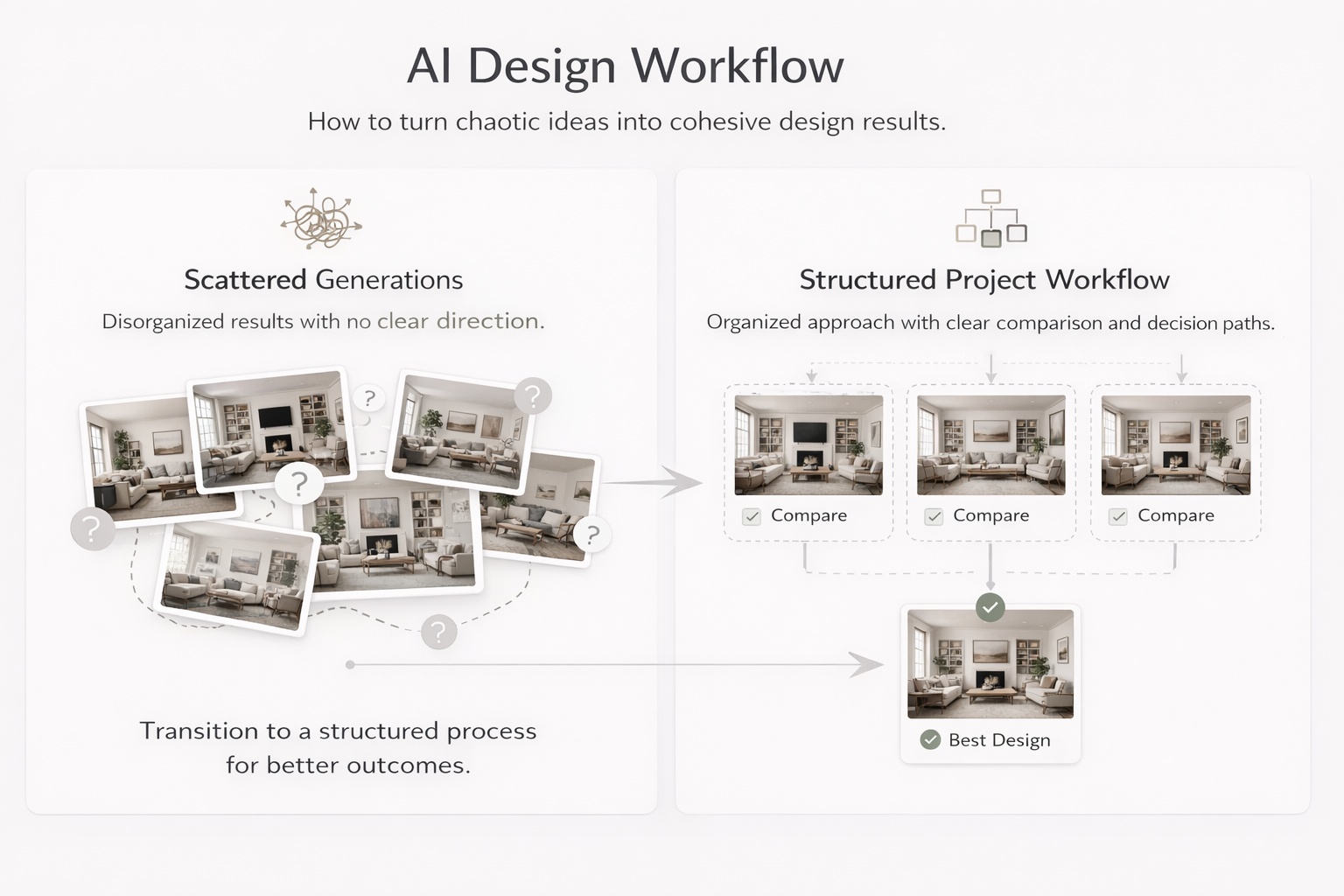
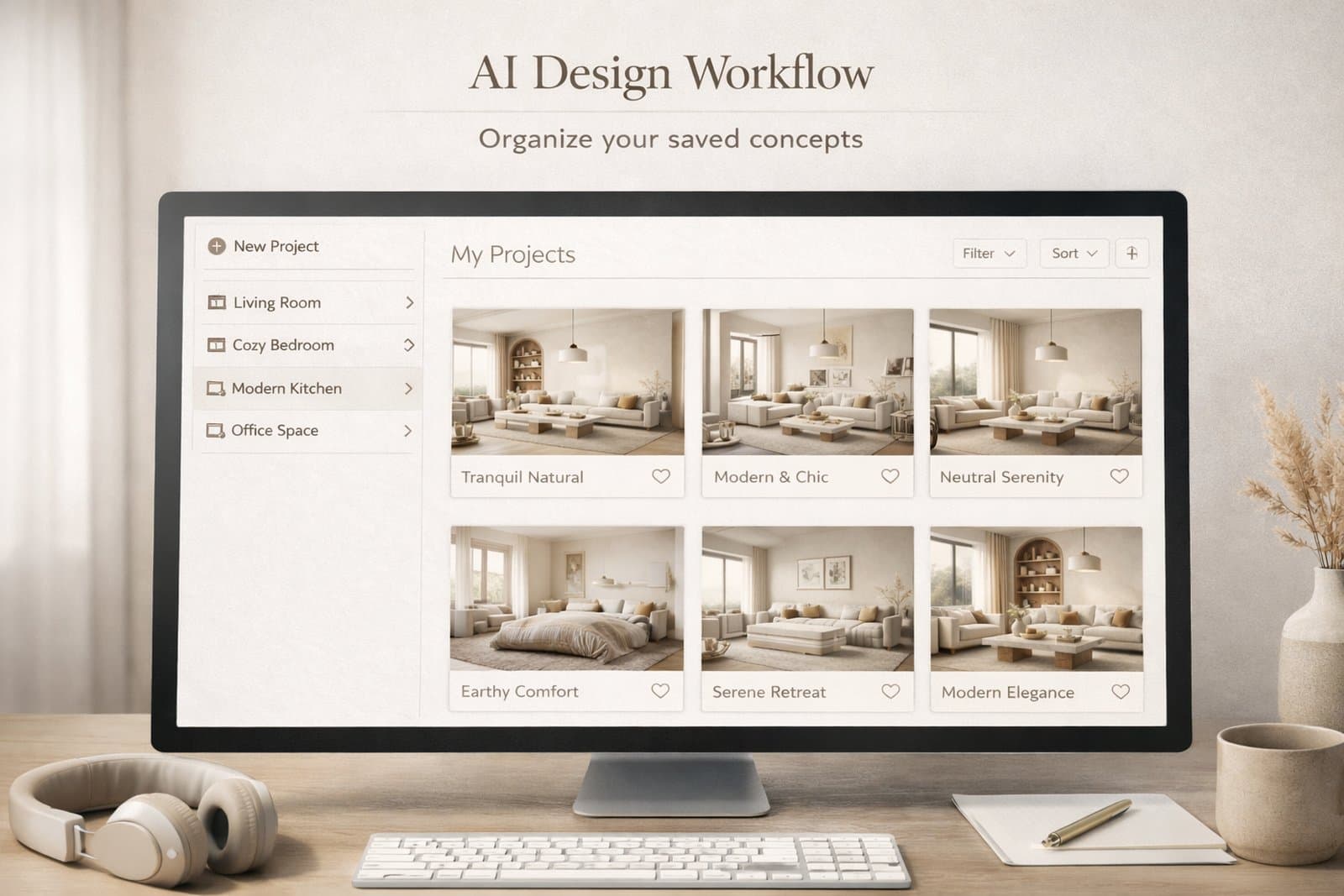
Educational visual showing how project organization improves comparison and decision making in design workflows

When to Save a Version

Do not save everything. Save decision points.

One of the easiest ways to create clutter is to save too many weak or nearly identical images. A better approach is to save only meaningful versions — the ones that represent a useful direction, a strong improvement, or a clear alternative.

Save a version when

The concept direction changes — for example, Scandinavian versus Organic Modern.

The room function becomes clearer — for example, a guest room versus a home office.

The palette or mood changes meaningfully — warmer, softer, darker, more premium, more minimal.

The result becomes more realistic — better scale, cleaner composition, stronger logic.

The image is presentation-worthy — good enough to show, compare, or return to later.

A useful rule is this: if you would explain why this version is different, it is probably worth saving. If you cannot explain the difference clearly, it probably is not.
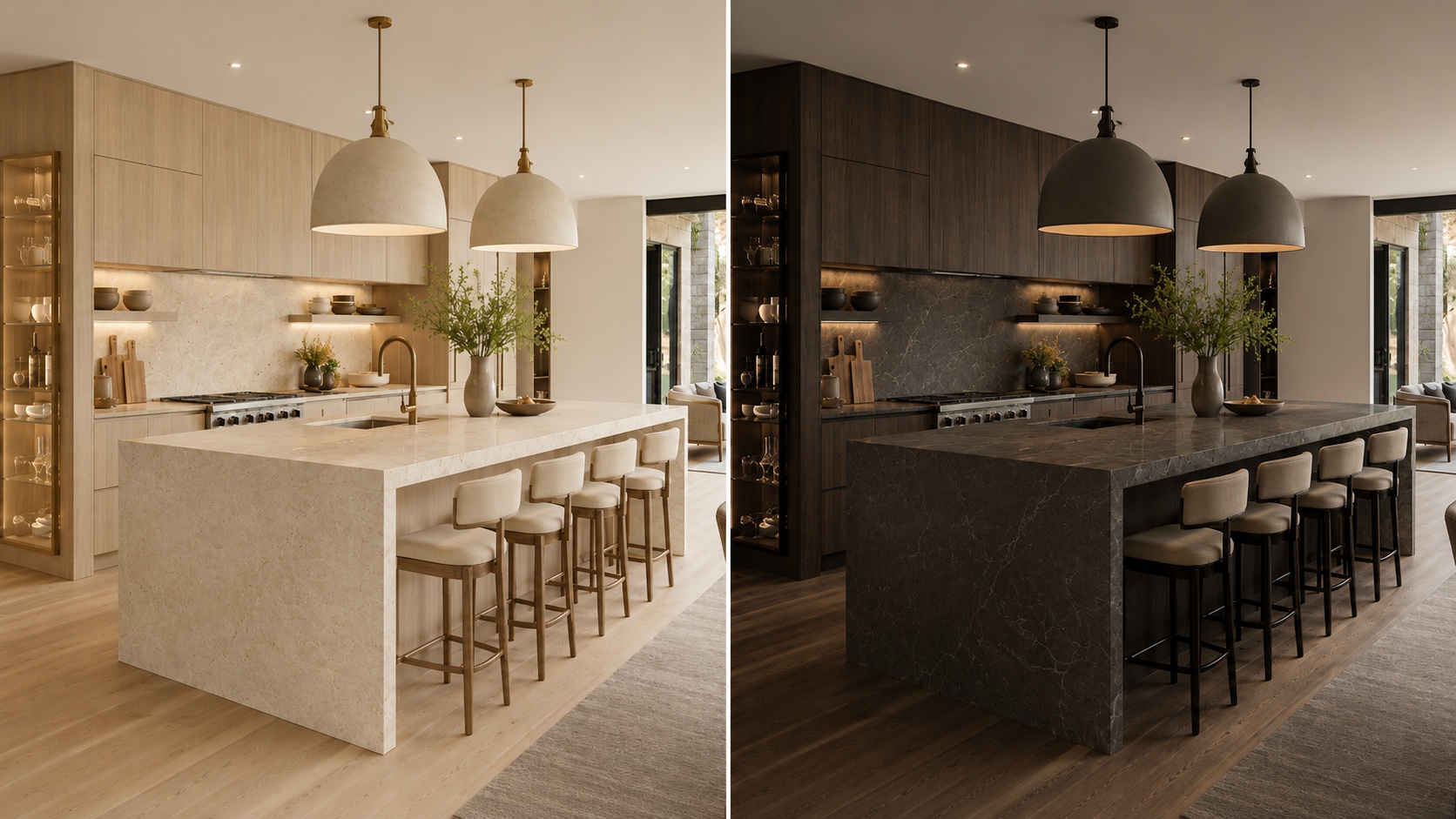
Comparison showing which design versions are worth saving and which are not

How to Structure Projects for Clarity

A clean structure reduces decision fatigue and makes refinement much faster.

The biggest mistake in project organization is mixing too many unrelated versions into one flat folder-like space. A stronger system gives every saved image a role.

A simple structure that works well

Project level — one property, one client, one apartment, one house, or one design goal.

Room level — separate the living room, bedroom, bathroom, kitchen, office, exterior, and other spaces.

Direction level — safe, warm, premium, minimal, bold, rental-friendly, client option A, client option B.

Status level — draft, shortlist, finalist, ready to present.

Even if Paintit does not force this structure formally, you should think this way while saving and comparing work. It prevents the project from becoming visually noisy.

How to Compare Designs Better

Comparison is more useful when every version answers a different question.

Most users compare too many weakly separated versions. A better method is to make each saved option represent a clear design hypothesis.

A strong comparison set usually includes

One safe option — commercially clean, broadly appealing, easy to approve.

One warm or softer option — more emotional, cozy, or relaxed.

One bolder option — more premium, more editorial, or more distinctive.

One practical winner — the version that balances realism, taste, and usability best.

This is much better than saving four versions that all look almost the same. Strong comparison depends on contrast with purpose.
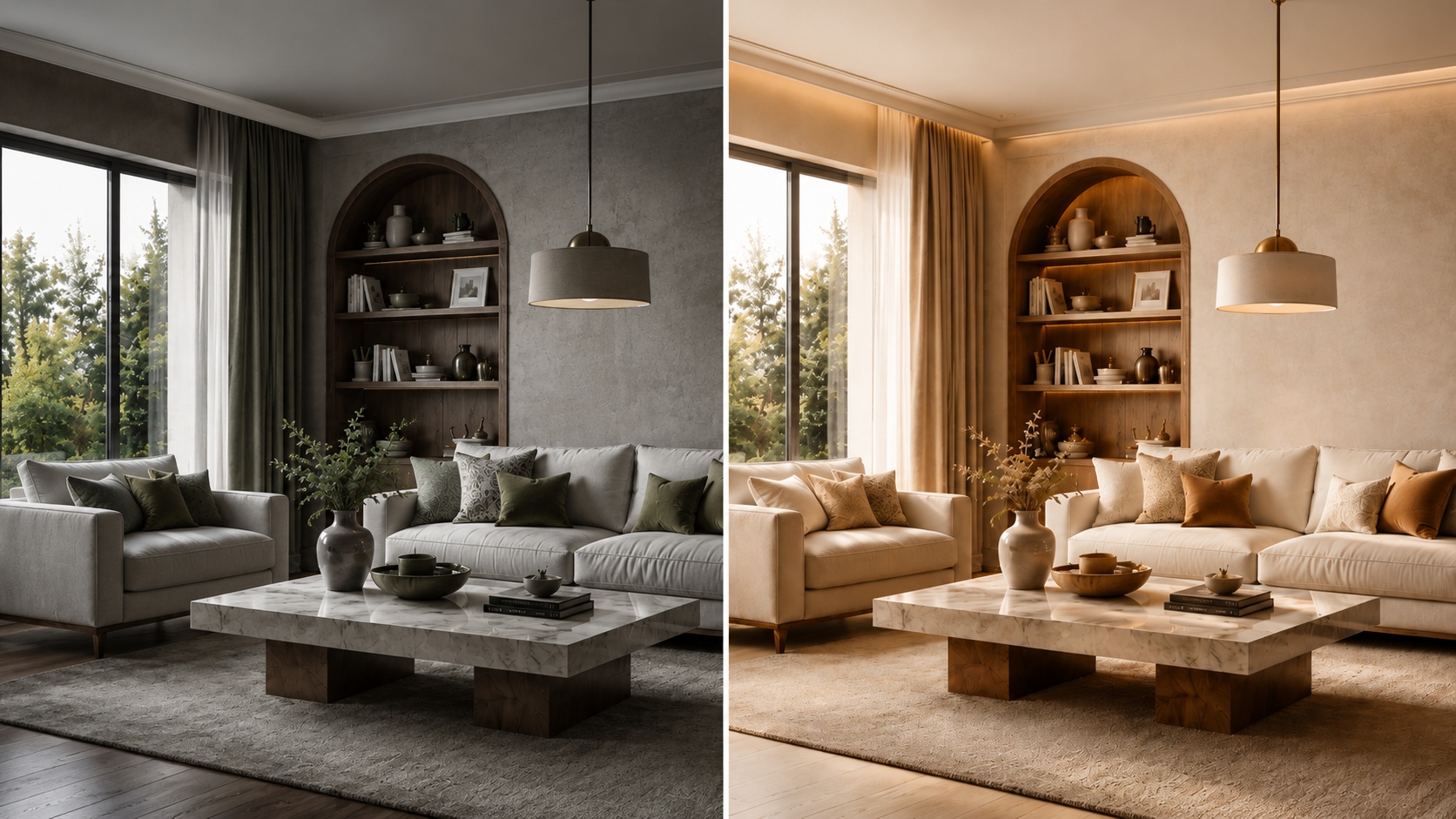
Side-by-side comparison of distinct design directions for better decision making

A Practical Versioning System

The easiest way to stay organized is to name versions by what changed.

Good versioning is not about numbering images randomly. It is about making it obvious why one version exists. This helps both personal workflows and team or client review.

A simple naming pattern

[Room] + [Direction] + [Key change]

Examples:

Living Room — Scandinavian — Warm Oak

Bedroom — Japandi — Softer Light

Bathroom — Spa — Beige Stone

Exterior — Organic Modern — Dark Frames

This is especially helpful when you return to a project after a few days. A clear name brings back the logic faster than a random sequence of visually similar images.

Technical workflow tip

Name the version according to the strongest visible change, not according to the prompt length. The name should help you compare outcomes, not remember the wording of the prompt.
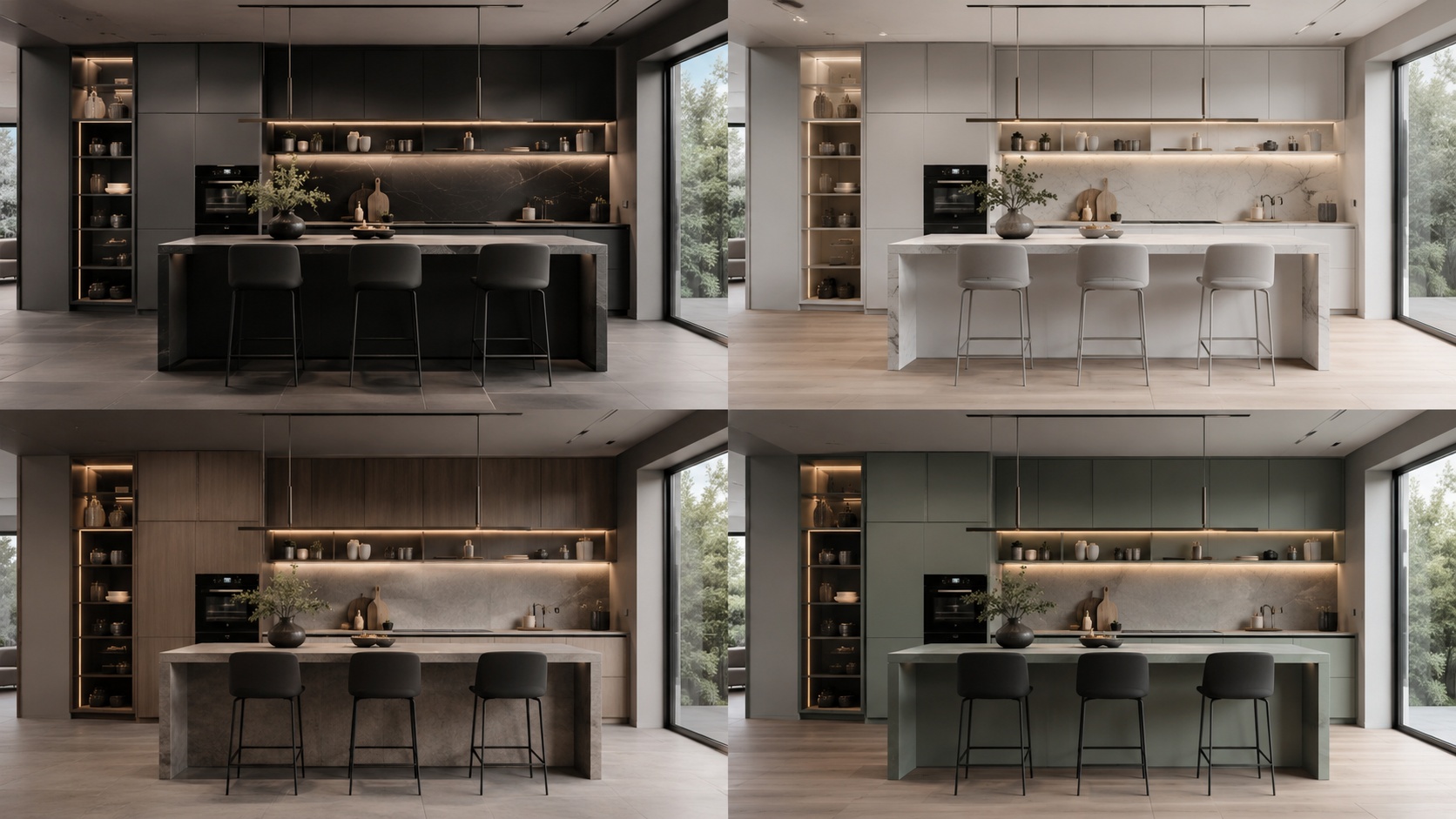
Educational visual showing a practical design version naming system

Multi-Room and Client Workflows

Projects become much more valuable when you treat each room as part of a larger decision system.

For multi-room work, the goal is not only to make each room look good. It is to maintain coherence across the whole project. For client workflows, the goal is to present differences clearly and avoid visual chaos.

How to organize multi-room work

Room-first — organize by living room, bedroom, kitchen, bathroom, office, exterior.

Direction-second — inside each room, separate minimal, warm, premium, bold, or client A / client B routes.

Presentation-third — keep a smaller shortlist of the strongest directions only.

For client review, fewer stronger options almost always work better than a large uncontrolled set. The best project workflows reduce noise before presentation.
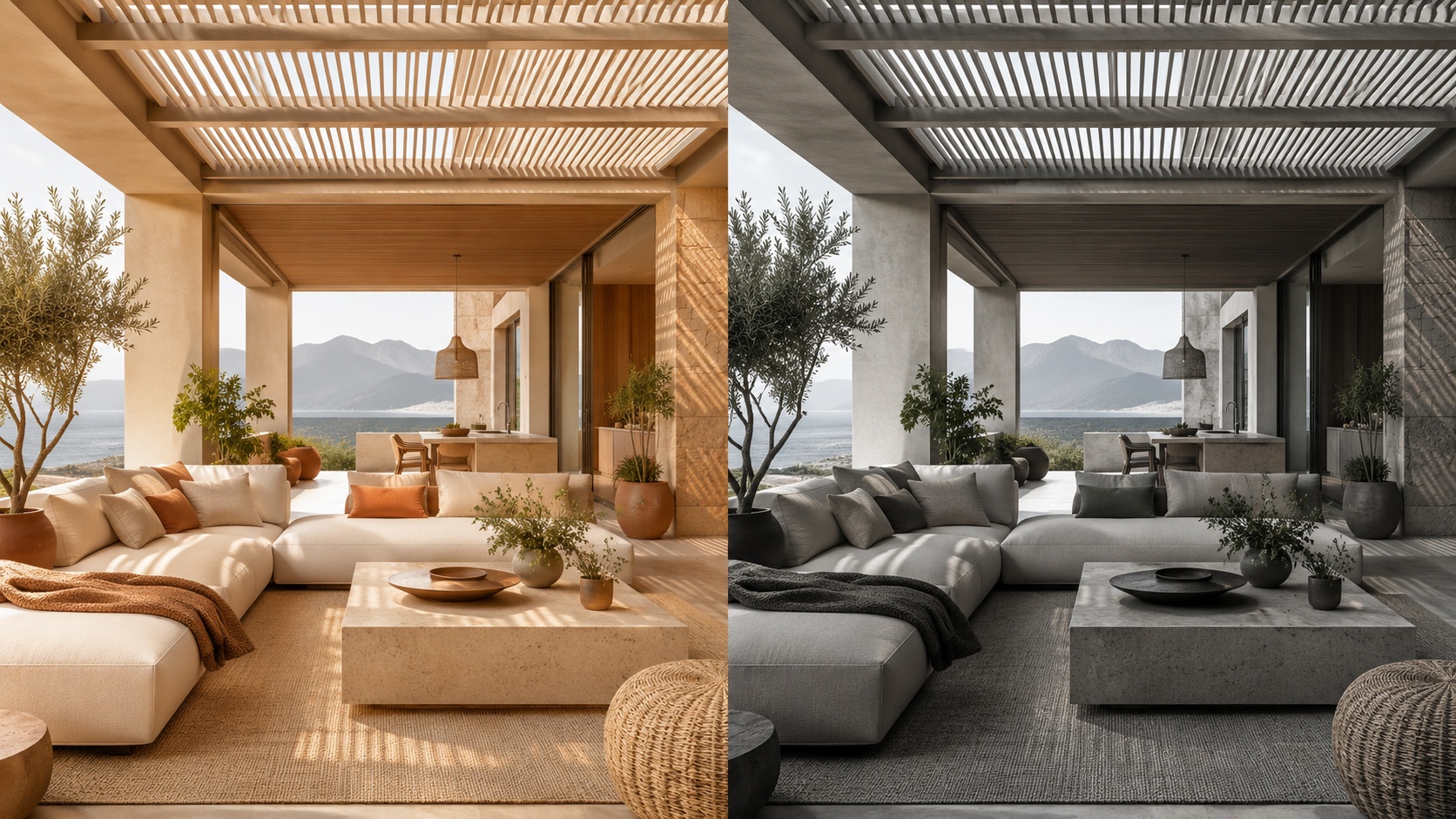
Professional multi-room design organization logic shown as a clean visual system

Advanced Organization Tips

These techniques help when you want a more professional, less chaotic workflow.

Tip 1 — Separate exploration from selection

Keep draft experimentation mentally separate from shortlist-quality versions. Do not review both in the same way.

Tip 2 — Save contrast, not noise

Save versions that answer different questions. Avoid filling the project with tiny low-value variations.

Tip 3 — Keep one “decision path” per room

For each room, try to maintain one logical evolution from broad concept to refined winner.

Tip 4 — Revisit your shortlist after distance

After a break, the strongest versions usually become more obvious. Good organization makes this easier.

Tip 5 — Use projects as memory, not only as storage

A good project tells the story of how the idea evolved and why the final direction was chosen.

This is one of the biggest differences between casual generation and professional workflow. Professionals do not only generate. They organize decisions.
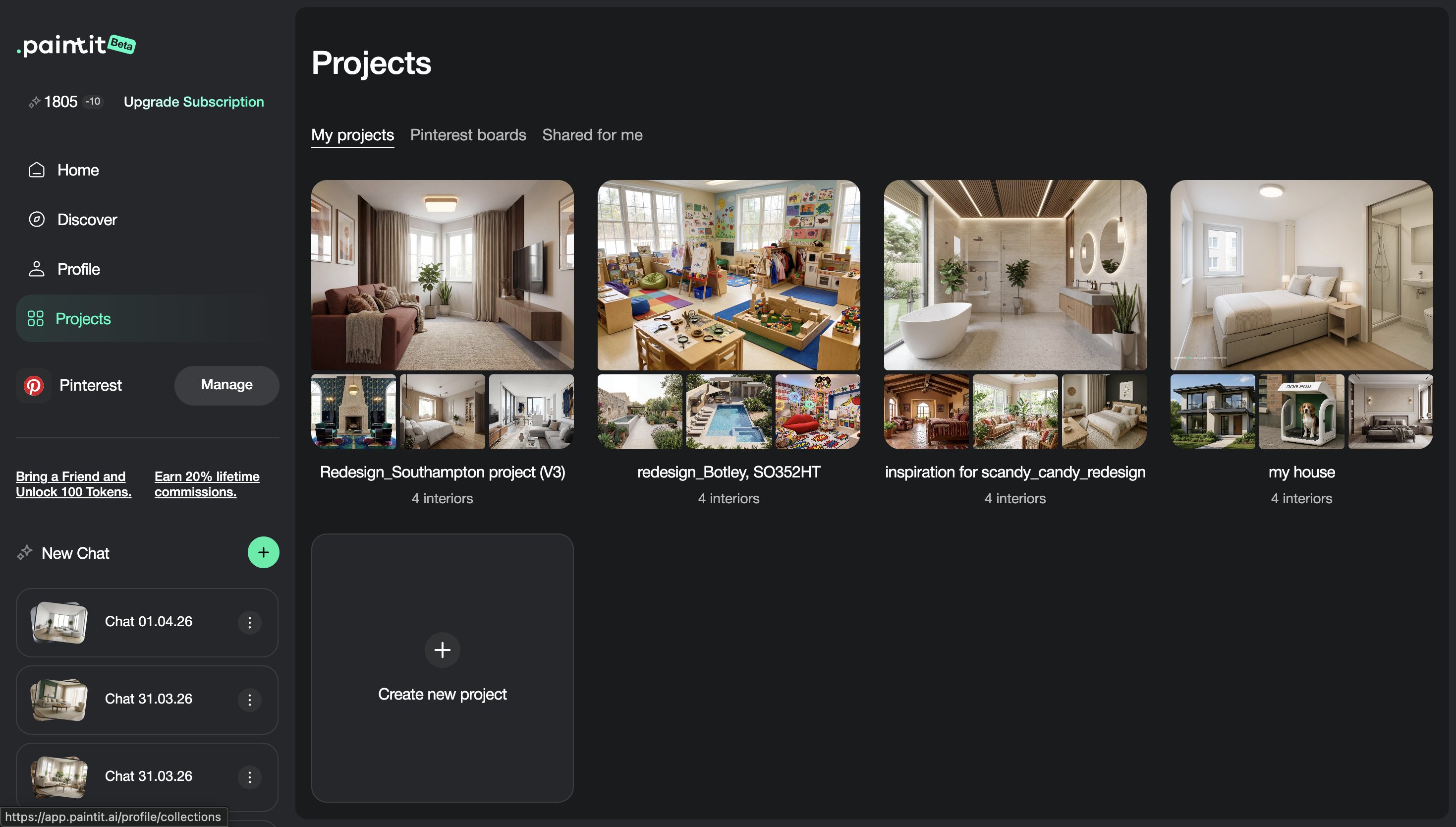
Advanced organization concepts for AI design project management and decision making

Frequently Asked Questions

Should I save every generation?

No. Save decision points, strong alternatives, and versions that are meaningfully different or presentation-worthy.

What is the best way to compare options?

Compare a small set of clearly different directions, such as safe, warm, bold, and practical winner.

How should I organize multi-room work?

Start by room, then by direction, then by shortlist or status. This keeps the project easier to navigate and present.

What makes a version worth saving?

If the version changes the concept, palette, function, mood, realism, or presentation quality in a meaningful way, it is usually worth saving.

Is this useful only for professionals?

No. Even for homeowners, good project organization makes decisions much easier and reduces confusion after multiple iterations.

What is the biggest project organization mistake?

Saving too many weak or similar versions without a clear logic for comparison or refinement.

Create a Project

Save cleaner directions, compare stronger options, and turn scattered generations into a more professional design workflow.


Create a Project

Related articles

  • How to Get the Best Results in Paintit.ai
  • How to Use Full Redesign in Paintit.ai
  • How to Furnish an Empty Room with Paintit.ai
  • How to Use Pinterest Inspiration in Paintit.ai

Trending 

AI interior design
6 min read
Choosing Tile With AI: What 19 Design Chats Reveal
Paintit.ai Guides
11 min read
Interior Design Proposal Template: Scope, Fees and Example
Paintit.ai Guides
13 min read
Interior Design Questionnaire: Free Template and Example
interior styles
11 min read
Japandi Interior Design: A Practical Guide for Real Homes
Ideas
11 min read
7 Warm White Paint Colors for Walls and Trim

Related articles 

Christmas Living Room Decor Ideas for Small Spaces
Ideas
13 november 2026

11 min read

Christmas Living Room Decor Ideas for Small Spaces

Make a small living room ready for Christmas with practical tree-placement checks, removable decorations, three palettes, and a photo-based AI concept.

avatar-blog

Yulii Cherevko

CEO paintit.ai

Choosing Tile With AI: What 19 Design Chats Reveal
AI interior design
11 november 2026

6 min read

Choosing Tile With AI: What 19 Design Chats Reveal

What 19 design chats reveal about tile coverage, size and layout. Use the worked comparisons and printable decision card before ordering.

avatar-blog

Yulii Cherevko

CEO paintit.ai

Interior Design Proposal Template: Scope, Fees and Example
Paintit.ai Guides
9 november 2026

11 min read

Interior Design Proposal Template: Scope, Fees and Example

A fillable proposal worksheet and a worked home-office example, with defined deliverables, fees, revision limits and clearly labeled visual concepts.

avatar-blog

Yulii Cherevko

CEO paintit.ai

Interior Design Questionnaire: Free Template and Example
Paintit.ai Guides
9 november 2026

13 min read

Interior Design Questionnaire: Free Template and Example

A 32-question client template with a fillable PDF, a completed living-room example and a clear route from client answers to an early design brief.

avatar-blog

Yulii Cherevko

CEO paintit.ai

Japandi Interior Design: A Practical Guide for Real Homes
interior stylesIdeas
30 october 2026

11 min read

Japandi Interior Design: A Practical Guide for Real Homes

Bring Japanese and Scandinavian influences into a home you already live in, with practical choices for color, furniture, storage and everyday comfort.

avatar-blog

Yulii Cherevko

CEO paintit.ai

7 Warm White Paint Colors for Walls and Trim
Ideas
29 october 2026

11 min read

7 Warm White Paint Colors for Walls and Trim

Find a warm white that works with your floor, cabinets and trim. Compare seven named shades and learn which samples to test before buying paint.

avatar-blog

Yulii Cherevko

CEO paintit.ai

  • English/
  • Español/
  • Português (Brasil)/
  • Deutsch/
  • Français/
  • Italiano/
  • Polski/
  • Bahasa Indonesia/
  • Türkçe