Używamy niezbędnych plików cookie, aby strona działała. Za Twoją zgodą możemy również używać opcjonalnych plików cookie, aby ułatwić korzystanie ze strony, personalizować treści i analizować ruch. W tym celu możemy udostępniać dane o korzystaniu ze strony naszym partnerom społecznościowym i analitycznym. Klikając „Akceptuję”, wyrażasz zgodę na używanie plików cookie zgodnie z naszą polityką plików cookie. Ustawienia plików cookie możesz w każdej chwili zmienić w przeglądarce.
  • O nas
  • Cennik
  • Blog
  • Kontakt
AiEi

Produkty

  • Dla projektantów wnętrz
  • Dla e-commerce
  • Dla branży nieruchomości

Narzędzia

Generator architektury z AI
Generator koncepcji z AI
Projektowanie elewacji z AI
Generator domów z AI
Symulator malowania domu z AI
Projektowanie krajobrazu z AI
Wizualizacje z AI
Projektowanie pokoju z AI
Narzędzie do projektowania elewacji
Wirtualny home staging z AI
Remont łazienki z AI
Generator rzutów z AI
Generator mebli z AI
Rozmieszczanie mebli z AI
Remont elewacji domu
Wizualizator kolorów farb z AI
Remont kuchni z AI
Wizualizator dywanów z AI
Poprawa zdjęć nieruchomości
Wizualizacje wnętrz z AI
Projektowanie ścian z AI
Projektowanie drzwi z AI
Wizualizacje rzutów z AI
Projektowanie podłóg z AI
Projektowanie podjazdów
Projektowanie nawierzchni z kostki
Plany rozbudowy domu
Od szkicu do wizualizacji z AI
Od rysunku elewacji do wizualizacji
Projektowanie szafek z AI
Projektowanie tarasów z AI
Planowanie ogrodu z AI
Remont i aranżacja wnętrz z AI
Wizualizator okien z AI
Wizualizator kolorów mebli
Wizualizator blatów kuchennych
Projektowanie oświetlenia ogrodu
Wizualizator zasłon z AI
Poprawa wizualizacji z AI

Zastosowania

Projektowanie kuchni z AI
Projektowanie salonu z AI
Projektowanie sypialni z AI
Projektowanie łazienki z AI
Projektowanie krajobrazu z AI
Projektowanie garderoby z AI
Projektowanie biura z AI
Projektowanie basenu z AI
Projektowanie pralni z AI
Projektowanie restauracji z AI
Projektowanie sali lekcyjnej z AI
Projektowanie piwnicy z AI
  • Regulamin
  • Polityka prywatności
  • Zaufanie
  • Program partnerski
Logo
Paintit.ai – bezpłatne narzędzie do projektowania wnętrz z AI

© 2026

Wspieramy Ukrainę
PAINTITAI LTD, 52 Leytonstone road, London, E15 1SQ, UK
  • English/
  • Español/
  • Português (Brasil)/
  • Deutsch/
  • Français/
  • Italiano/
  • Polski/
  • Bahasa Indonesia/
  • Türkçe
Paintit.ai – bezpłatne projektowanie domu z AI
  • Cennik
  • O nas
  • Blog
  • Kontakt
/Blog/How to Save Compare And Organize Designs in Painti
Paintit.ai Guides

8 min. reading

How to Save, Compare and Organize Designs in Paintit Projects 

avatar-blog

Yulii Cherevko

CEO paintit.ai

Published: 3 April 2026
Share
  • ChatGPT
  • Perplexity
  • Claude
  • Grok
  • Google AI
How to Save, Compare and Organize Designs in Paintit Projects

Page 
Contents: 

  • 1. Why Projects Matter
  • 2. When to Save a Version
  • 3. How to Structure Projects for Clarity
  • 4. How to Compare Designs Better
  • 5. A Practical Versioning System
  • 6. Multi-Room and Client Workflows
  • 7. Advanced Organization Tips
  • 8. Frequently Asked Questions
  • 9. Related articles

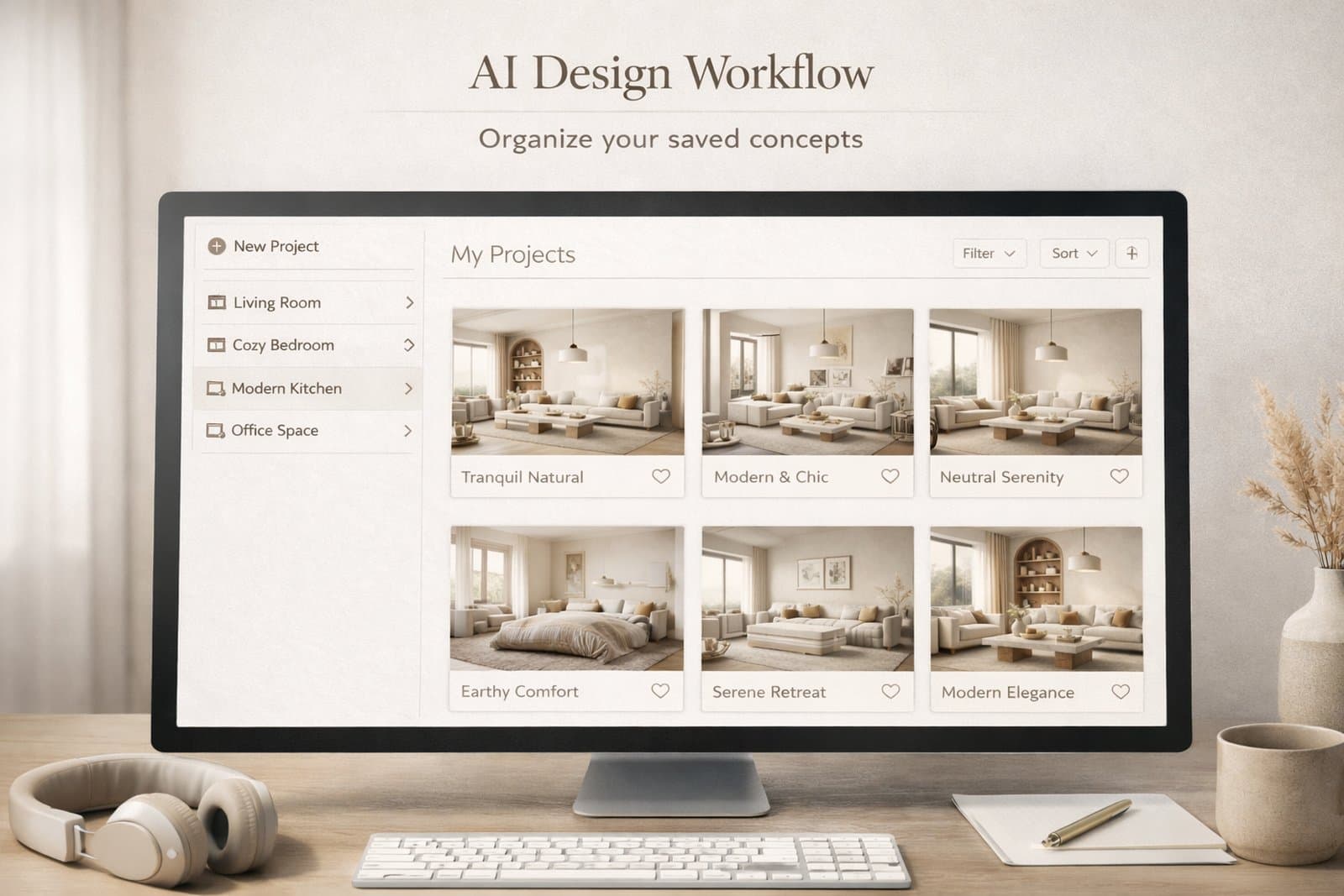
Paintit Projects become much more powerful when you use them as a working system, not just a place to store images. This guide shows how to save stronger versions, compare concepts faster, organize rooms more clearly, and keep your design workflow easier to manage.

Why Projects Matter

The real value of Projects is not storage. It is decision quality.

Most users lose time because they keep generating new images without a clean way to organize them. After a few iterations, the strongest direction becomes harder to identify. Projects solve this by turning scattered generations into a structured design workflow.

What Projects improve the most

Version clarity — you stop losing strong directions inside random generations.

Comparison speed — it becomes easier to review safe, bold, warm, minimal, or premium options side by side.

Project memory — you keep a record of what worked, what did not, and what should be refined later.

Multi-room control — you can keep separate logic for living room, bedroom, kitchen, exterior, or client zones.

This matters even more when you work on several rooms, several design directions, or client-facing concepts.
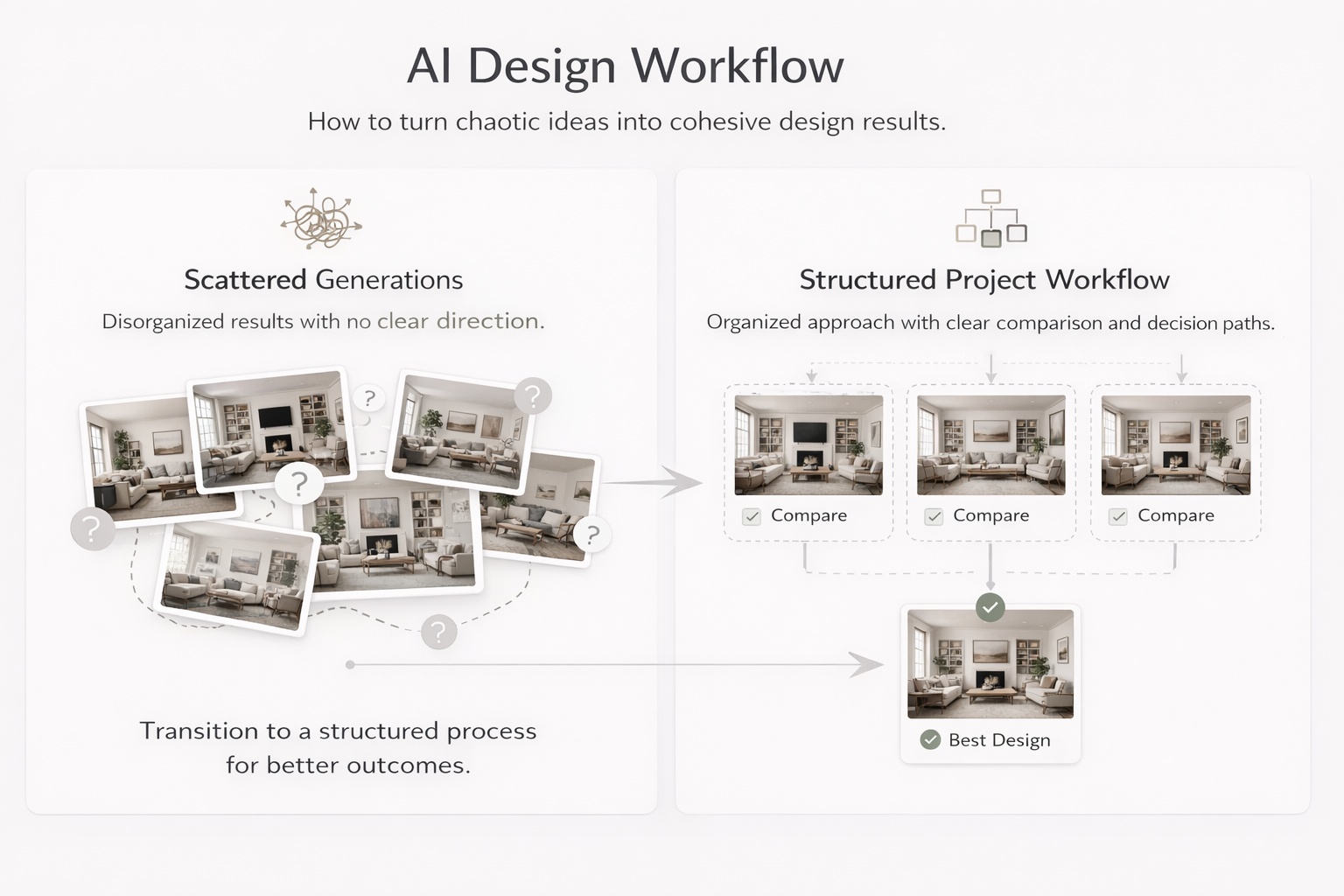
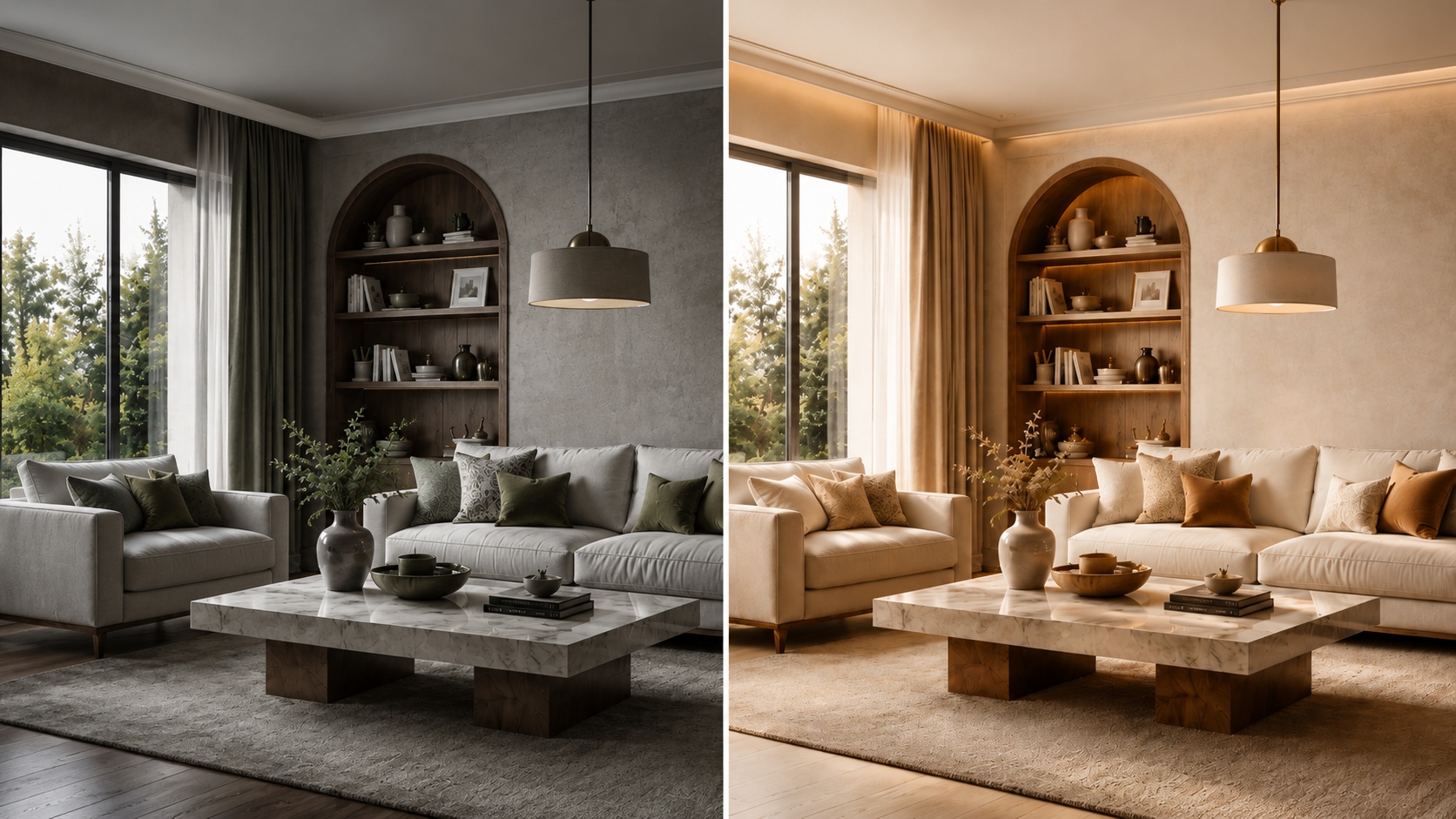
Educational visual showing how project organization improves comparison and decision making in design workflows

When to Save a Version

Do not save everything. Save decision points.

One of the easiest ways to create clutter is to save too many weak or nearly identical images. A better approach is to save only meaningful versions — the ones that represent a useful direction, a strong improvement, or a clear alternative.

Save a version when

The concept direction changes — for example, Scandinavian versus Organic Modern.

The room function becomes clearer — for example, a guest room versus a home office.

The palette or mood changes meaningfully — warmer, softer, darker, more premium, more minimal.

The result becomes more realistic — better scale, cleaner composition, stronger logic.

The image is presentation-worthy — good enough to show, compare, or return to later.

A useful rule is this: if you would explain why this version is different, it is probably worth saving. If you cannot explain the difference clearly, it probably is not.
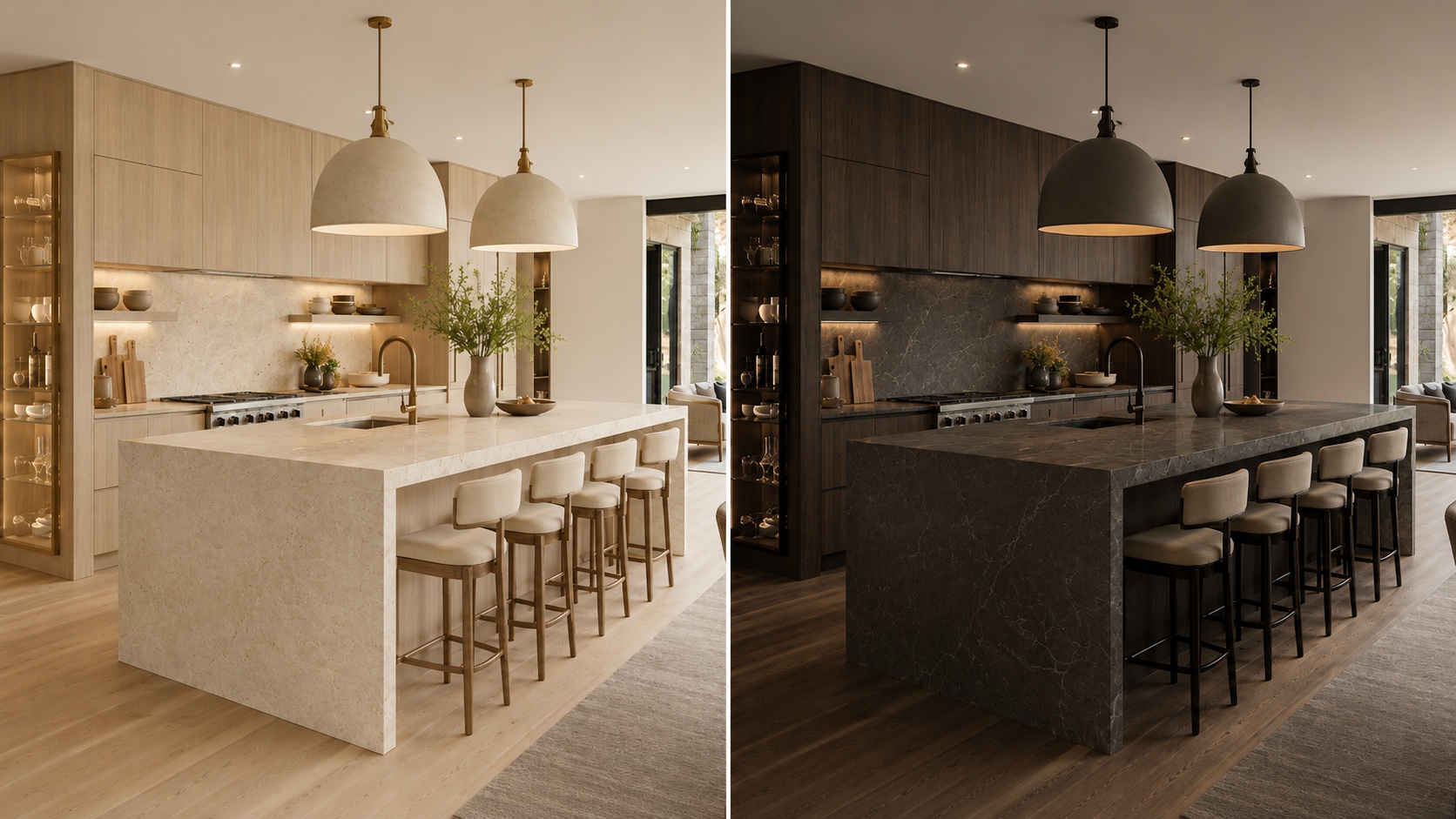
Comparison showing which design versions are worth saving and which are not

How to Structure Projects for Clarity

A clean structure reduces decision fatigue and makes refinement much faster.

The biggest mistake in project organization is mixing too many unrelated versions into one flat folder-like space. A stronger system gives every saved image a role.

A simple structure that works well

Project level — one property, one client, one apartment, one house, or one design goal.

Room level — separate the living room, bedroom, bathroom, kitchen, office, exterior, and other spaces.

Direction level — safe, warm, premium, minimal, bold, rental-friendly, client option A, client option B.

Status level — draft, shortlist, finalist, ready to present.

Even if Paintit does not force this structure formally, you should think this way while saving and comparing work. It prevents the project from becoming visually noisy.

How to Compare Designs Better

Comparison is more useful when every version answers a different question.

Most users compare too many weakly separated versions. A better method is to make each saved option represent a clear design hypothesis.

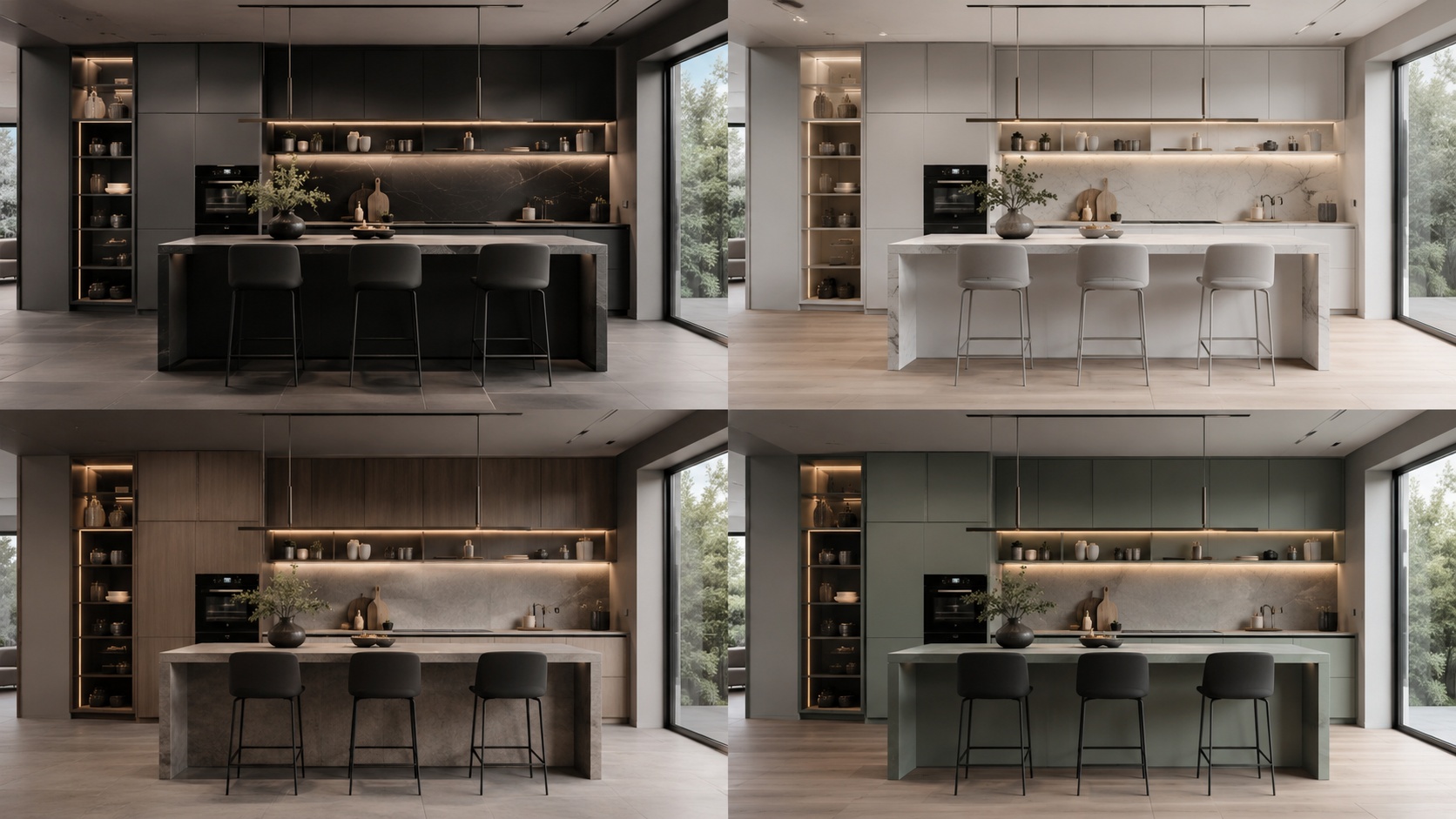
A strong comparison set usually includes

One safe option — commercially clean, broadly appealing, easy to approve.

One warm or softer option — more emotional, cozy, or relaxed.

One bolder option — more premium, more editorial, or more distinctive.

One practical winner — the version that balances realism, taste, and usability best.

This is much better than saving four versions that all look almost the same. Strong comparison depends on contrast with purpose.
Side-by-side comparison of distinct design directions for better decision making

A Practical Versioning System

The easiest way to stay organized is to name versions by what changed.

Good versioning is not about numbering images randomly. It is about making it obvious why one version exists. This helps both personal workflows and team or client review.

A simple naming pattern

[Room] + [Direction] + [Key change]

Examples:

Living Room — Scandinavian — Warm Oak

Bedroom — Japandi — Softer Light

Bathroom — Spa — Beige Stone

Exterior — Organic Modern — Dark Frames

This is especially helpful when you return to a project after a few days. A clear name brings back the logic faster than a random sequence of visually similar images.

Technical workflow tip

Name the version according to the strongest visible change, not according to the prompt length. The name should help you compare outcomes, not remember the wording of the prompt.
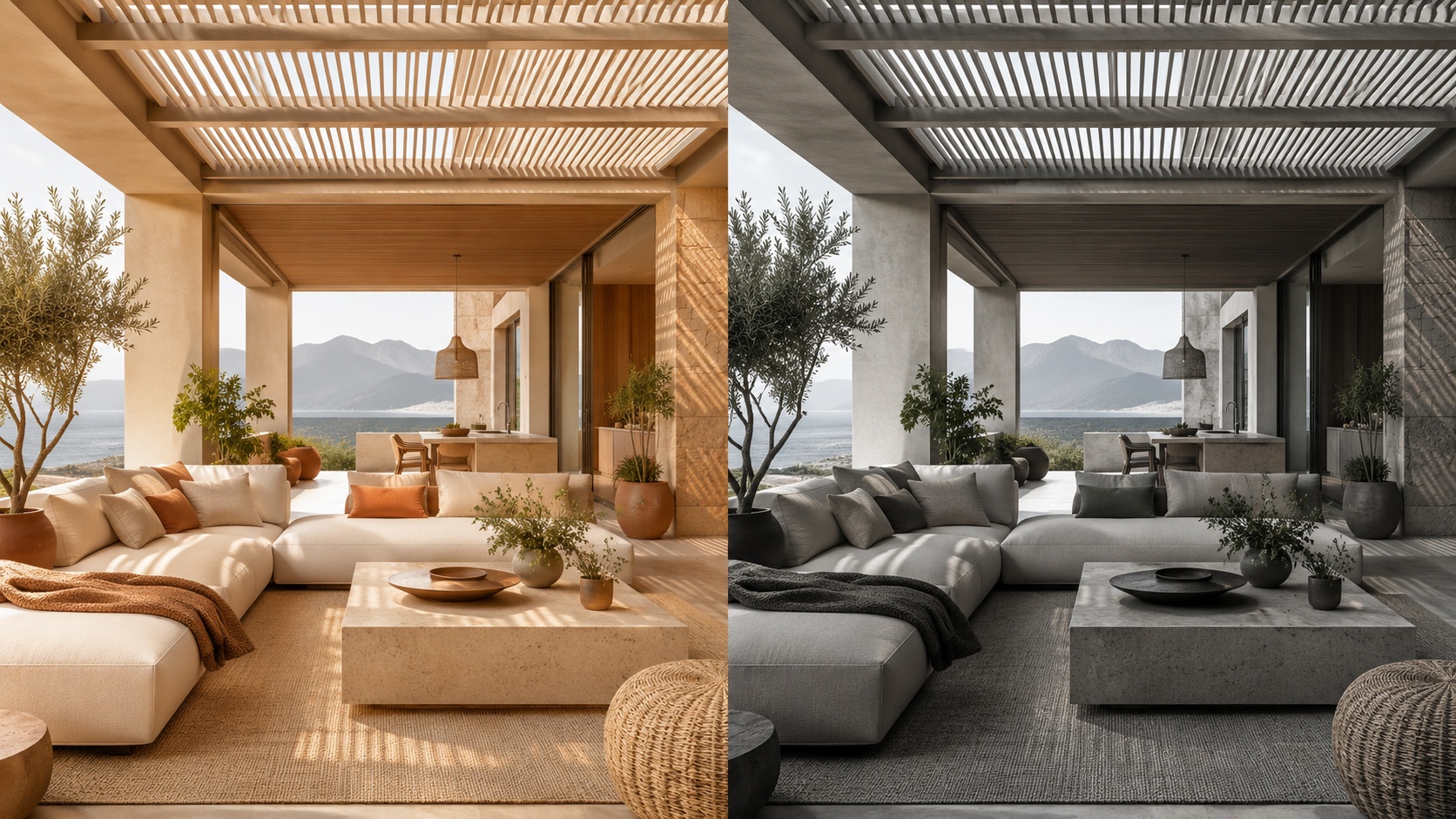
Educational visual showing a practical design version naming system

Multi-Room and Client Workflows

Projects become much more valuable when you treat each room as part of a larger decision system.

For multi-room work, the goal is not only to make each room look good. It is to maintain coherence across the whole project. For client workflows, the goal is to present differences clearly and avoid visual chaos.

How to organize multi-room work

Room-first — organize by living room, bedroom, kitchen, bathroom, office, exterior.

Direction-second — inside each room, separate minimal, warm, premium, bold, or client A / client B routes.

Presentation-third — keep a smaller shortlist of the strongest directions only.

For client review, fewer stronger options almost always work better than a large uncontrolled set. The best project workflows reduce noise before presentation.
Professional multi-room design organization logic shown as a clean visual system

Advanced Organization Tips

These techniques help when you want a more professional, less chaotic workflow.

Tip 1 — Separate exploration from selection

Keep draft experimentation mentally separate from shortlist-quality versions. Do not review both in the same way.

Tip 2 — Save contrast, not noise

Save versions that answer different questions. Avoid filling the project with tiny low-value variations.

Tip 3 — Keep one “decision path” per room

For each room, try to maintain one logical evolution from broad concept to refined winner.

Tip 4 — Revisit your shortlist after distance

After a break, the strongest versions usually become more obvious. Good organization makes this easier.

Tip 5 — Use projects as memory, not only as storage

A good project tells the story of how the idea evolved and why the final direction was chosen.

This is one of the biggest differences between casual generation and professional workflow. Professionals do not only generate. They organize decisions.
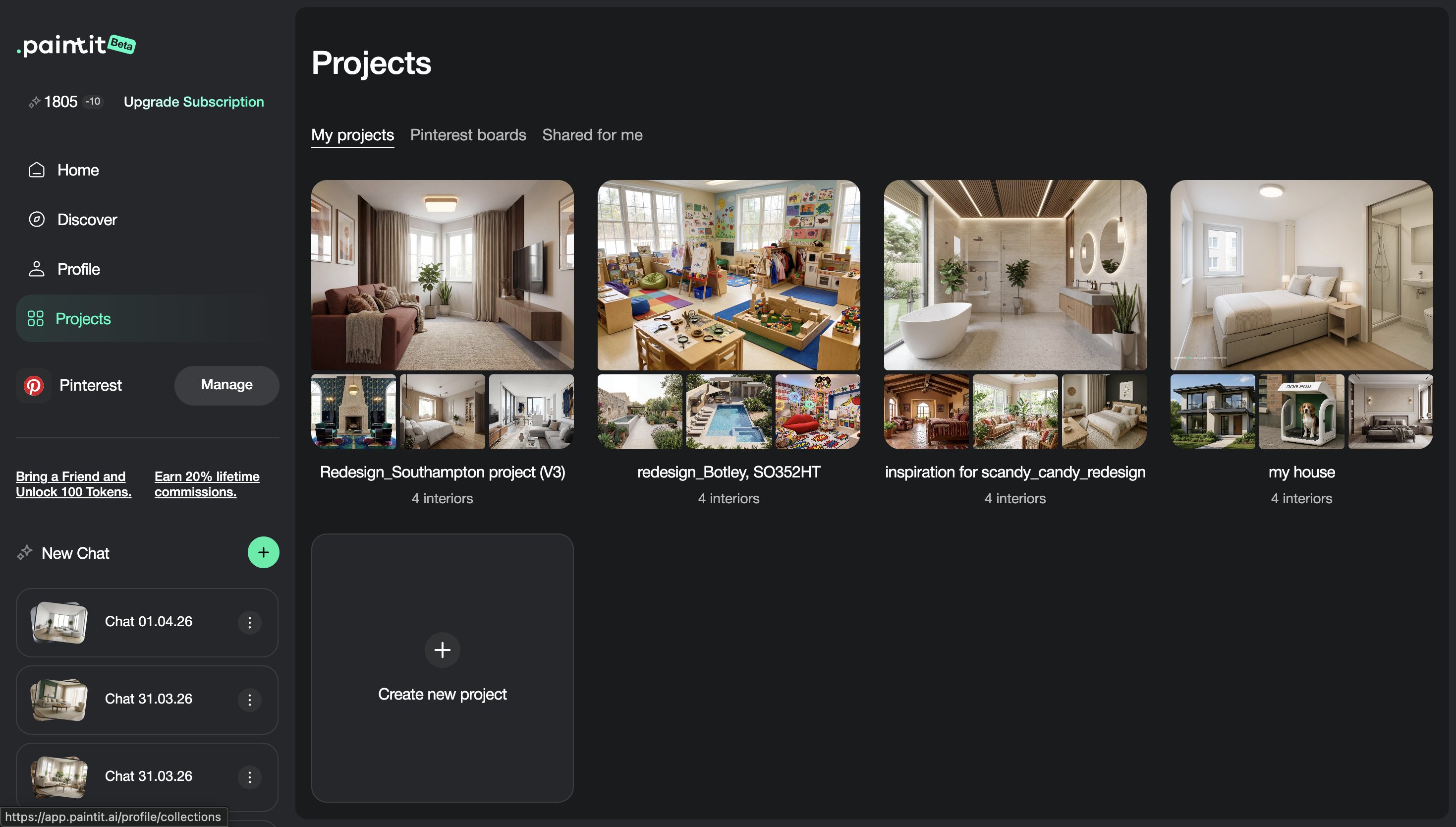
Advanced organization concepts for AI design project management and decision making

Frequently Asked Questions

Should I save every generation?

No. Save decision points, strong alternatives, and versions that are meaningfully different or presentation-worthy.

What is the best way to compare options?

Compare a small set of clearly different directions, such as safe, warm, bold, and practical winner.

How should I organize multi-room work?

Start by room, then by direction, then by shortlist or status. This keeps the project easier to navigate and present.

What makes a version worth saving?

If the version changes the concept, palette, function, mood, realism, or presentation quality in a meaningful way, it is usually worth saving.

Is this useful only for professionals?

No. Even for homeowners, good project organization makes decisions much easier and reduces confusion after multiple iterations.

What is the biggest project organization mistake?

Saving too many weak or similar versions without a clear logic for comparison or refinement.

Create a Project

Save cleaner directions, compare stronger options, and turn scattered generations into a more professional design workflow.

Create a Project

Related articles

  • How to Get the Best Results in Paintit.ai
  • How to Use Full Redesign in Paintit.ai
  • How to Furnish an Empty Room with Paintit.ai
  • How to Use Pinterest Inspiration in Paintit.ai

Trending 

AI interior design
6 min read
Jak wybrać płytki z pomocą AI? Wnioski z 19 rozmów o aranżacji
Paintit.ai Guides
11 min read
Szablon oferty na projekt wnętrza: zakres, wynagrodzenie i przykład
Paintit.ai Guides
13 min read
Kwestionariusz do projektu wnętrza: bezpłatny szablon i przykład
interior styles
11 min read
Styl japandi we wnętrzach: praktyczny przewodnik po domu, w którym naprawdę się mieszka
Ideas
11 min read
7 ciepłych odcieni bieli do ścian i listew

Related articles 

Dekoracje świąteczne do małego salonu: praktyczne pomysły
Ideas
13 november 2026

11 min read

Dekoracje świąteczne do małego salonu: praktyczne pomysły

Przygotuj mały salon na święta: wybierz miejsce na choinkę, łatwe do usunięcia ozdoby i jedną z trzech palet. Obejrzyj koncepcję AI na własnym zdjęciu.

avatar-blog

Yulii Cherevko

CEO paintit.ai

Jak wybrać płytki z pomocą AI? Wnioski z 19 rozmów o aranżacji
AI interior design
11 november 2026

6 min read

Jak wybrać płytki z pomocą AI? Wnioski z 19 rozmów o aranżacji

Co 19 rozmów mówi o zasięgu okładziny, formatach i układzie płytek? Przed zamówieniem skorzystaj z przykładów i karty wyboru do wydrukowania.

avatar-blog

Yulii Cherevko

CEO paintit.ai

Szablon oferty na projekt wnętrza: zakres, wynagrodzenie i przykład
Paintit.ai Guides
9 november 2026

11 min read

Szablon oferty na projekt wnętrza: zakres, wynagrodzenie i przykład

Formularz oferty do wypełnienia i opracowany przykład domowego biura, z określonymi rezultatami prac, wynagrodzeniem, limitami poprawek i wyraźnie oznaczonymi koncepcjami wizualnymi.

avatar-blog

Yulii Cherevko

CEO paintit.ai

Kwestionariusz do projektu wnętrza: bezpłatny szablon i przykład
Paintit.ai Guides
9 november 2026

13 min read

Kwestionariusz do projektu wnętrza: bezpłatny szablon i przykład

Szablon z 32 pytaniami do klienta, formularzem PDF do wypełnienia, uzupełnionym przykładem dotyczącym salonu i jasną ścieżką od odpowiedzi klienta do wstępnego briefu projektowego.

avatar-blog

Yulii Cherevko

CEO paintit.ai

Styl japandi we wnętrzach: praktyczny przewodnik po domu, w którym naprawdę się mieszka
interior stylesIdeas
30 october 2026

11 min read

Styl japandi we wnętrzach: praktyczny przewodnik po domu, w którym naprawdę się mieszka

Wprowadź japońskie i skandynawskie inspiracje do domu, w którym już mieszkasz, dzięki praktycznym wyborom kolorów, mebli, sposobów przechowywania i rozwiązań zapewniających codzienny komfort.

avatar-blog

Yulii Cherevko

CEO paintit.ai

7 ciepłych odcieni bieli do ścian i listew
Ideas
29 october 2026

11 min read

7 ciepłych odcieni bieli do ścian i listew

Znajdź ciepłą biel pasującą do podłogi, szafek i listew. Porównaj siedem konkretnych odcieni i dowiedz się, które próbki sprawdzić przed zakupem farby.

avatar-blog

Yulii Cherevko

CEO paintit.ai

  • English/
  • Español/
  • Português (Brasil)/
  • Deutsch/
  • Français/
  • Italiano/
  • Polski/
  • Bahasa Indonesia/
  • Türkçe