Usiamo cookie essenziali per far funzionare il sito. Con il tuo consenso, possiamo usare anche cookie non essenziali per migliorare l'esperienza, personalizzare i contenuti e analizzare il traffico. Per questi motivi, possiamo condividere i dati sull'uso del sito con i nostri partner di social media e analisi. Facendo clic su “Accetta”, acconsenti all'uso dei cookie del sito descritto nella nostra Informativa sui cookie. Puoi modificare le impostazioni dei cookie in qualsiasi momento nelle preferenze del browser.
  • Chi siamo
  • Prezzi
  • Blog
  • Contatti
AiEi

Prodotti

  • Per interior designer
  • Per l'e-commerce
  • Per il settore immobiliare

Strumenti

Generatore di architettura IA
Generatore di concept IA
Design di esterni con IA
Generatore di case IA
Simulatore di pittura della casa IA
Progettazione del paesaggio con IA
Rendering IA
Design di stanze con IA
Strumento di design degli esterni della casa
Home staging virtuale con IA
Ristrutturazione del bagno con IA
Generatore di planimetrie IA
Generatore di mobili IA
Disposizione dei mobili con IA
Ristrutturazione degli esterni della casa
Simulatore di colori per pitture IA
Ristrutturazione della cucina con IA
Simulatore di tappeti IA
Miglioramento delle foto immobiliari
Rendering d'interni con IA
Design di pareti con IA
Design di porte con IA
Rendering di planimetrie IA
Design di pavimenti con IA
Strumento di design di vialetti carrabili
Strumento di design di pavimentazioni
Progetti di ampliamento della casa
Dallo schizzo al rendering con IA
Dal prospetto al rendering
Design di mobili contenitori con IA
Design di terrazze con IA
Progettista di giardini IA
Ristrutturazione e interior design con IA
Simulatore di finestre IA
Simulatore di pittura dei mobili
Simulatore di piani di lavoro della cucina
Strumento di illuminazione paesaggistica
Simulatore di tende IA
Miglioramento dei rendering IA

Casi d'uso

Design di cucine con IA
Design di soggiorni con IA
Design di camere da letto con IA
Design di bagni con IA
Progettazione del paesaggio con IA
Design di cabine armadio con IA
Design di uffici con IA
Design di piscine con IA
Design di lavanderie con IA
Design di ristoranti con IA
Design di aule con IA
Design di seminterrati con IA
  • Termini di servizio
  • Informativa sulla privacy
  • Fiducia
  • Programma di affiliazione
Logo
Paintit.ai - Strumento gratuito di interior design con IA

© 2026

Al fianco dell'Ucraina
PAINTITAI LTD, 52 Leytonstone road, London, E15 1SQ, UK
  • English/
  • Español/
  • Português (Brasil)/
  • Deutsch/
  • Français/
  • Italiano/
  • Polski/
  • Bahasa Indonesia/
  • Türkçe
Paintit.ai - design gratuito della casa con IA
  • Prezzi
  • Chi siamo
  • Blog
  • Contatti
/Blog/How to Save Compare And Organize Designs in Painti
Paintit.ai Guides

8 min. reading

How to Save, Compare and Organize Designs in Paintit Projects 

avatar-blog

Yulii Cherevko

CEO paintit.ai

Published: 3 April 2026
Share
  • ChatGPT
  • Perplexity
  • Claude
  • Grok
  • Google AI
How to Save, Compare and Organize Designs in Paintit Projects

Page 
Contents: 

  • 1. Why Projects Matter
  • 2. When to Save a Version
  • 3. How to Structure Projects for Clarity
  • 4. How to Compare Designs Better
  • 5. A Practical Versioning System
  • 6. Multi-Room and Client Workflows
  • 7. Advanced Organization Tips
  • 8. Frequently Asked Questions
  • 9. Related articles

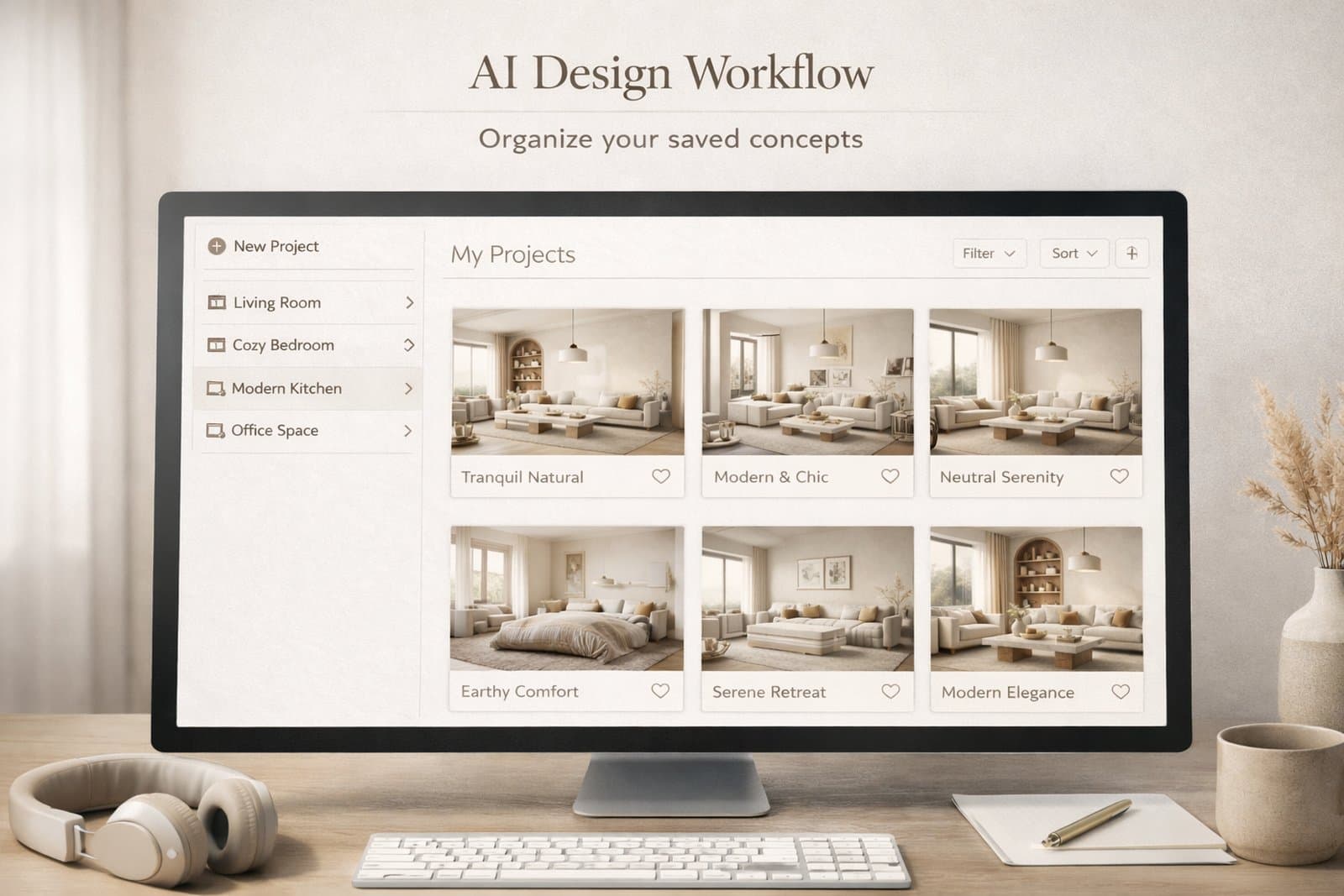
Paintit Projects become much more powerful when you use them as a working system, not just a place to store images. This guide shows how to save stronger versions, compare concepts faster, organize rooms more clearly, and keep your design workflow easier to manage.

Why Projects Matter

The real value of Projects is not storage. It is decision quality.

Most users lose time because they keep generating new images without a clean way to organize them. After a few iterations, the strongest direction becomes harder to identify. Projects solve this by turning scattered generations into a structured design workflow.

What Projects improve the most

Version clarity — you stop losing strong directions inside random generations.

Comparison speed — it becomes easier to review safe, bold, warm, minimal, or premium options side by side.

Project memory — you keep a record of what worked, what did not, and what should be refined later.

Multi-room control — you can keep separate logic for living room, bedroom, kitchen, exterior, or client zones.

This matters even more when you work on several rooms, several design directions, or client-facing concepts.
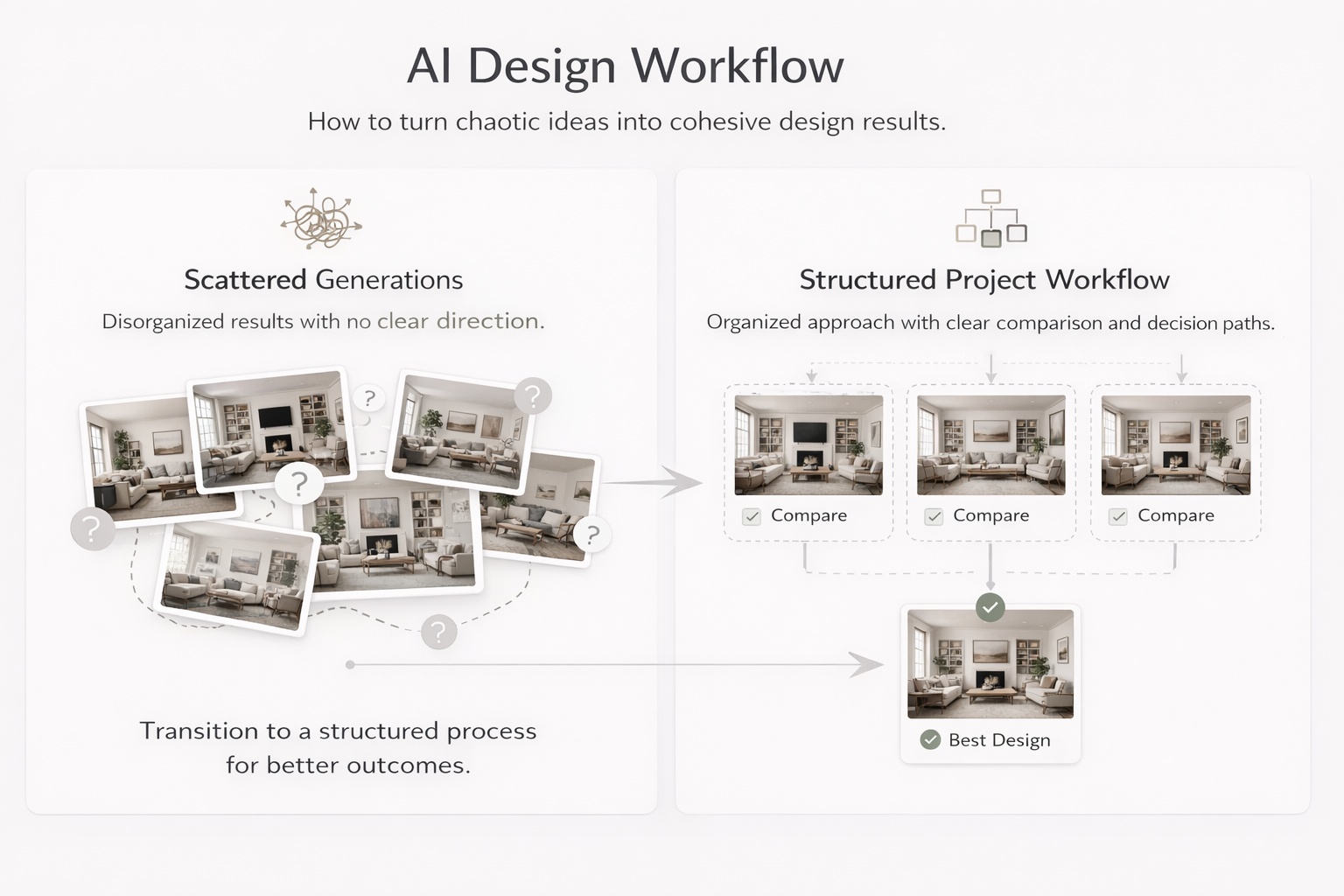
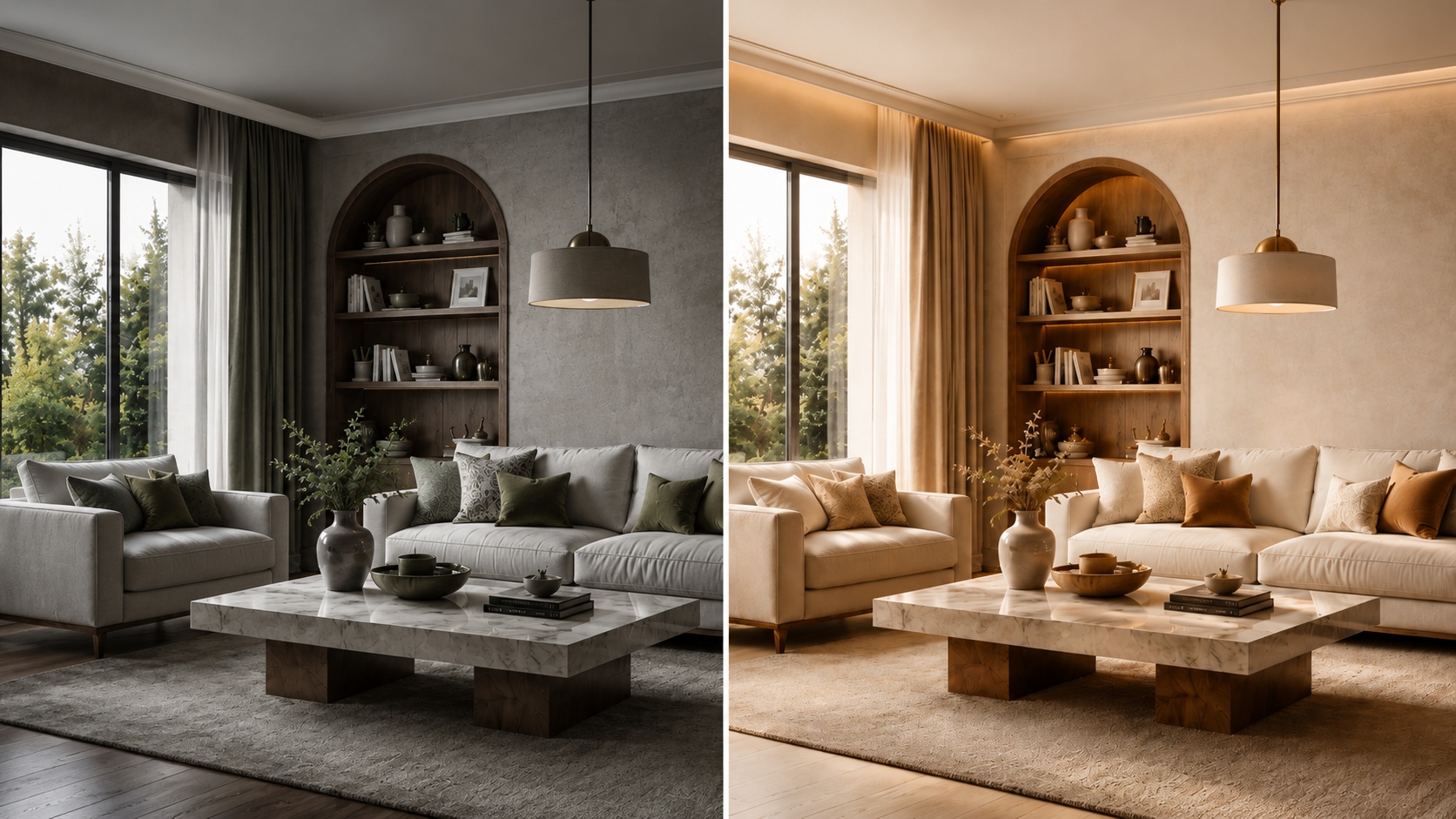
Educational visual showing how project organization improves comparison and decision making in design workflows

When to Save a Version

Do not save everything. Save decision points.

One of the easiest ways to create clutter is to save too many weak or nearly identical images. A better approach is to save only meaningful versions — the ones that represent a useful direction, a strong improvement, or a clear alternative.

Save a version when

The concept direction changes — for example, Scandinavian versus Organic Modern.

The room function becomes clearer — for example, a guest room versus a home office.

The palette or mood changes meaningfully — warmer, softer, darker, more premium, more minimal.

The result becomes more realistic — better scale, cleaner composition, stronger logic.

The image is presentation-worthy — good enough to show, compare, or return to later.

A useful rule is this: if you would explain why this version is different, it is probably worth saving. If you cannot explain the difference clearly, it probably is not.
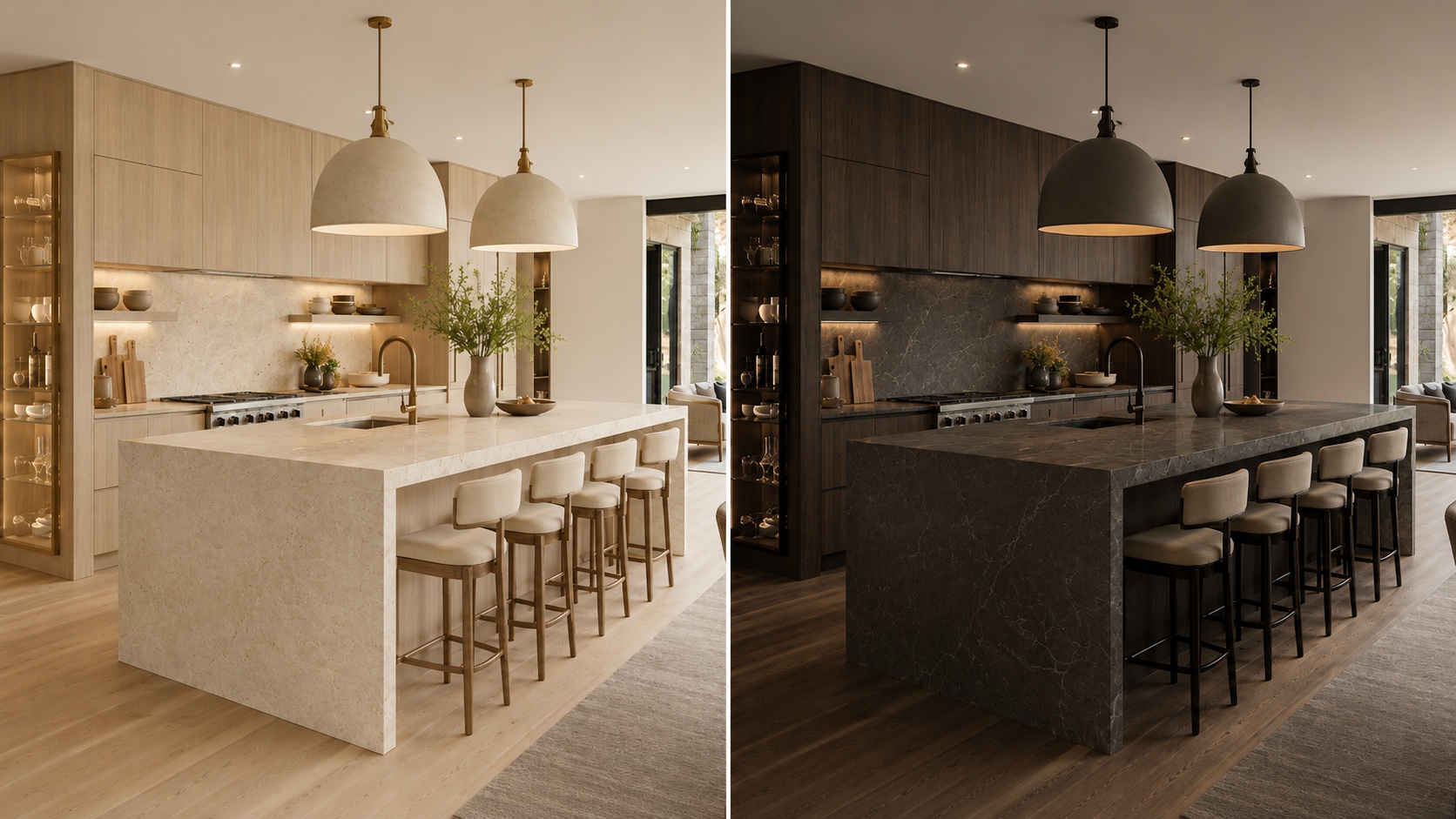
Comparison showing which design versions are worth saving and which are not

How to Structure Projects for Clarity

A clean structure reduces decision fatigue and makes refinement much faster.

The biggest mistake in project organization is mixing too many unrelated versions into one flat folder-like space. A stronger system gives every saved image a role.

A simple structure that works well

Project level — one property, one client, one apartment, one house, or one design goal.

Room level — separate the living room, bedroom, bathroom, kitchen, office, exterior, and other spaces.

Direction level — safe, warm, premium, minimal, bold, rental-friendly, client option A, client option B.

Status level — draft, shortlist, finalist, ready to present.

Even if Paintit does not force this structure formally, you should think this way while saving and comparing work. It prevents the project from becoming visually noisy.

How to Compare Designs Better

Comparison is more useful when every version answers a different question.

Most users compare too many weakly separated versions. A better method is to make each saved option represent a clear design hypothesis.

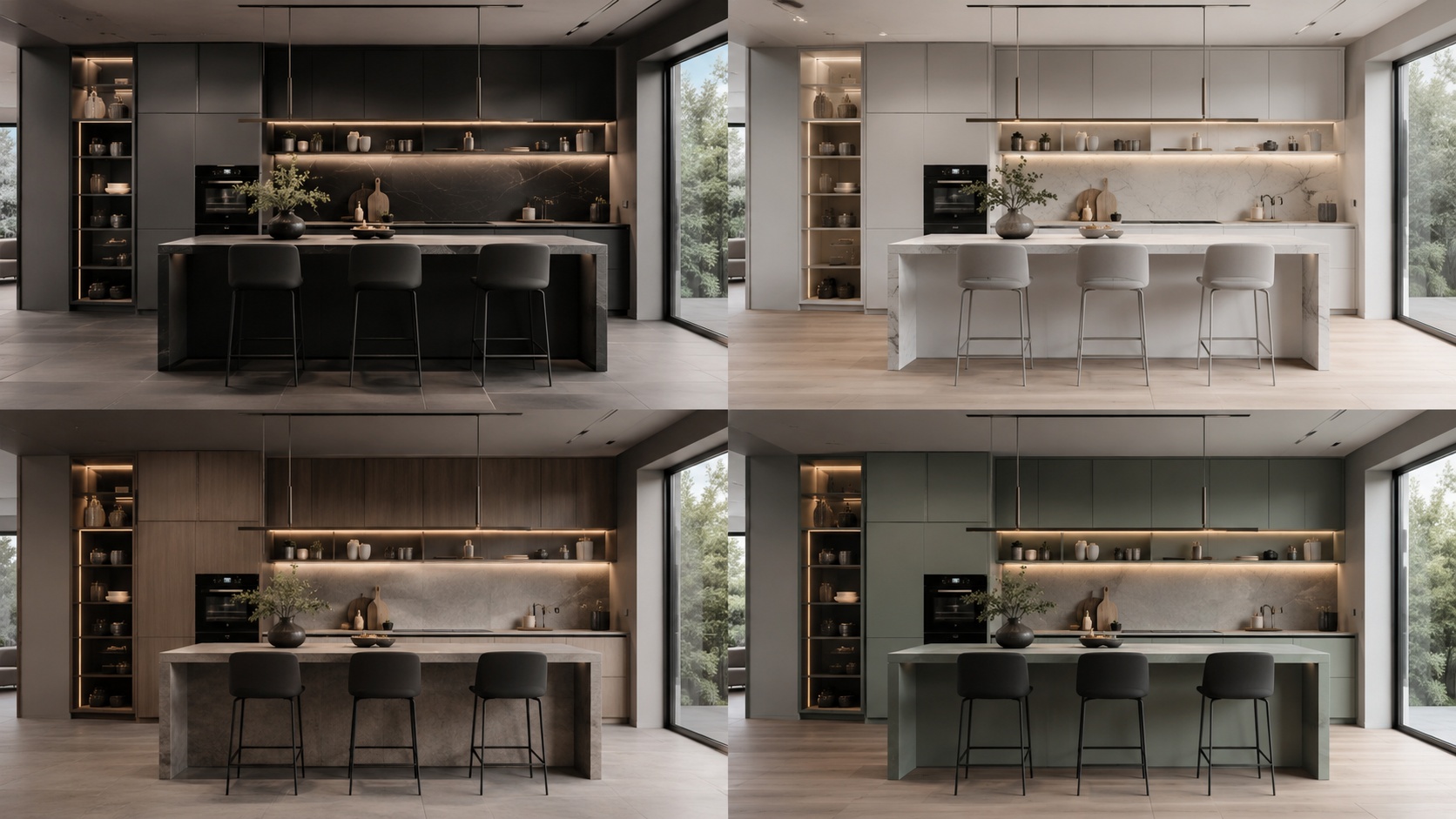
A strong comparison set usually includes

One safe option — commercially clean, broadly appealing, easy to approve.

One warm or softer option — more emotional, cozy, or relaxed.

One bolder option — more premium, more editorial, or more distinctive.

One practical winner — the version that balances realism, taste, and usability best.

This is much better than saving four versions that all look almost the same. Strong comparison depends on contrast with purpose.
Side-by-side comparison of distinct design directions for better decision making

A Practical Versioning System

The easiest way to stay organized is to name versions by what changed.

Good versioning is not about numbering images randomly. It is about making it obvious why one version exists. This helps both personal workflows and team or client review.

A simple naming pattern

[Room] + [Direction] + [Key change]

Examples:

Living Room — Scandinavian — Warm Oak

Bedroom — Japandi — Softer Light

Bathroom — Spa — Beige Stone

Exterior — Organic Modern — Dark Frames

This is especially helpful when you return to a project after a few days. A clear name brings back the logic faster than a random sequence of visually similar images.

Technical workflow tip

Name the version according to the strongest visible change, not according to the prompt length. The name should help you compare outcomes, not remember the wording of the prompt.
Educational visual showing a practical design version naming system

Multi-Room and Client Workflows

Projects become much more valuable when you treat each room as part of a larger decision system.

For multi-room work, the goal is not only to make each room look good. It is to maintain coherence across the whole project. For client workflows, the goal is to present differences clearly and avoid visual chaos.

How to organize multi-room work

Room-first — organize by living room, bedroom, kitchen, bathroom, office, exterior.

Direction-second — inside each room, separate minimal, warm, premium, bold, or client A / client B routes.

Presentation-third — keep a smaller shortlist of the strongest directions only.

For client review, fewer stronger options almost always work better than a large uncontrolled set. The best project workflows reduce noise before presentation.
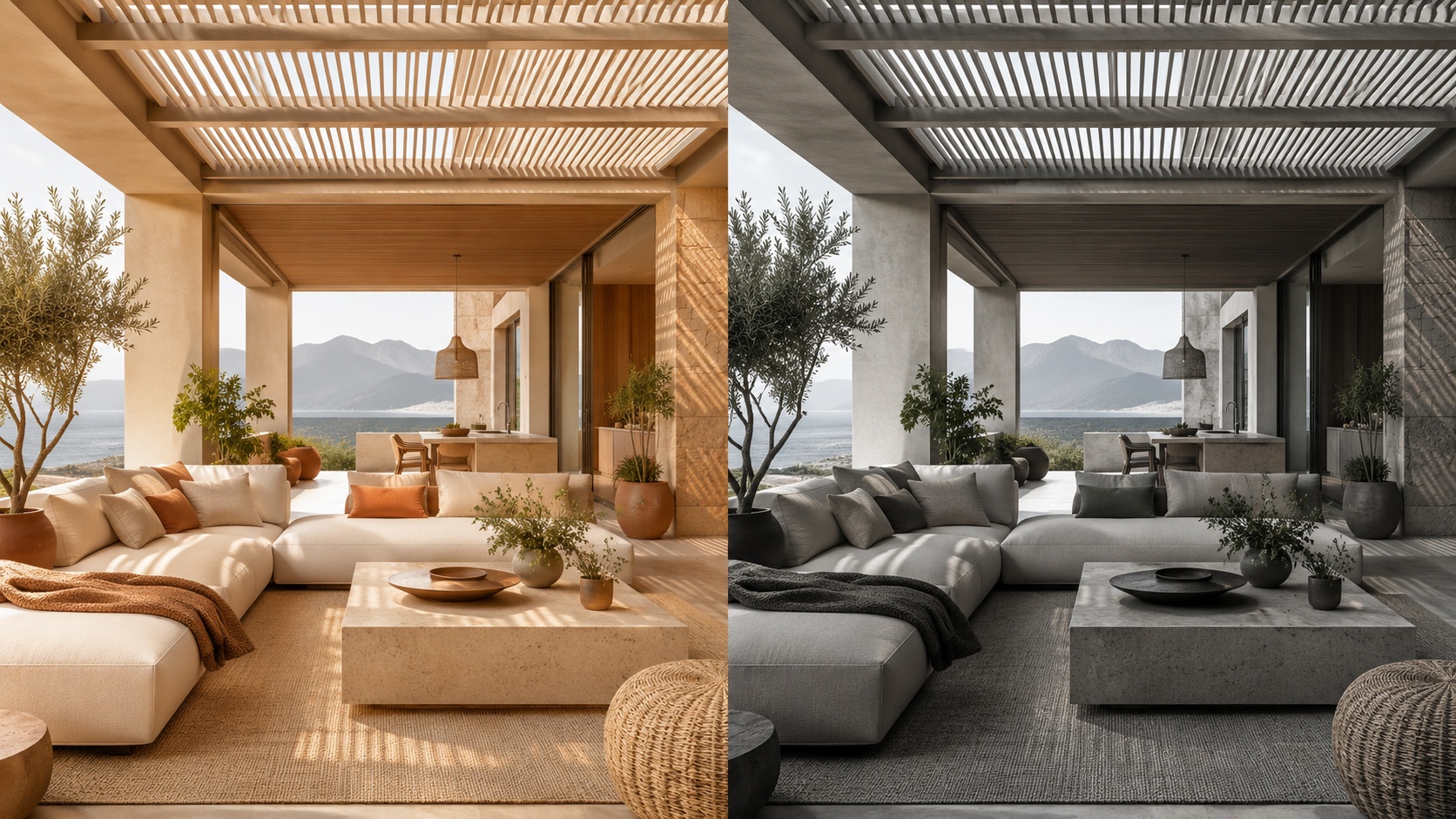
Professional multi-room design organization logic shown as a clean visual system

Advanced Organization Tips

These techniques help when you want a more professional, less chaotic workflow.

Tip 1 — Separate exploration from selection

Keep draft experimentation mentally separate from shortlist-quality versions. Do not review both in the same way.

Tip 2 — Save contrast, not noise

Save versions that answer different questions. Avoid filling the project with tiny low-value variations.

Tip 3 — Keep one “decision path” per room

For each room, try to maintain one logical evolution from broad concept to refined winner.

Tip 4 — Revisit your shortlist after distance

After a break, the strongest versions usually become more obvious. Good organization makes this easier.

Tip 5 — Use projects as memory, not only as storage

A good project tells the story of how the idea evolved and why the final direction was chosen.

This is one of the biggest differences between casual generation and professional workflow. Professionals do not only generate. They organize decisions.
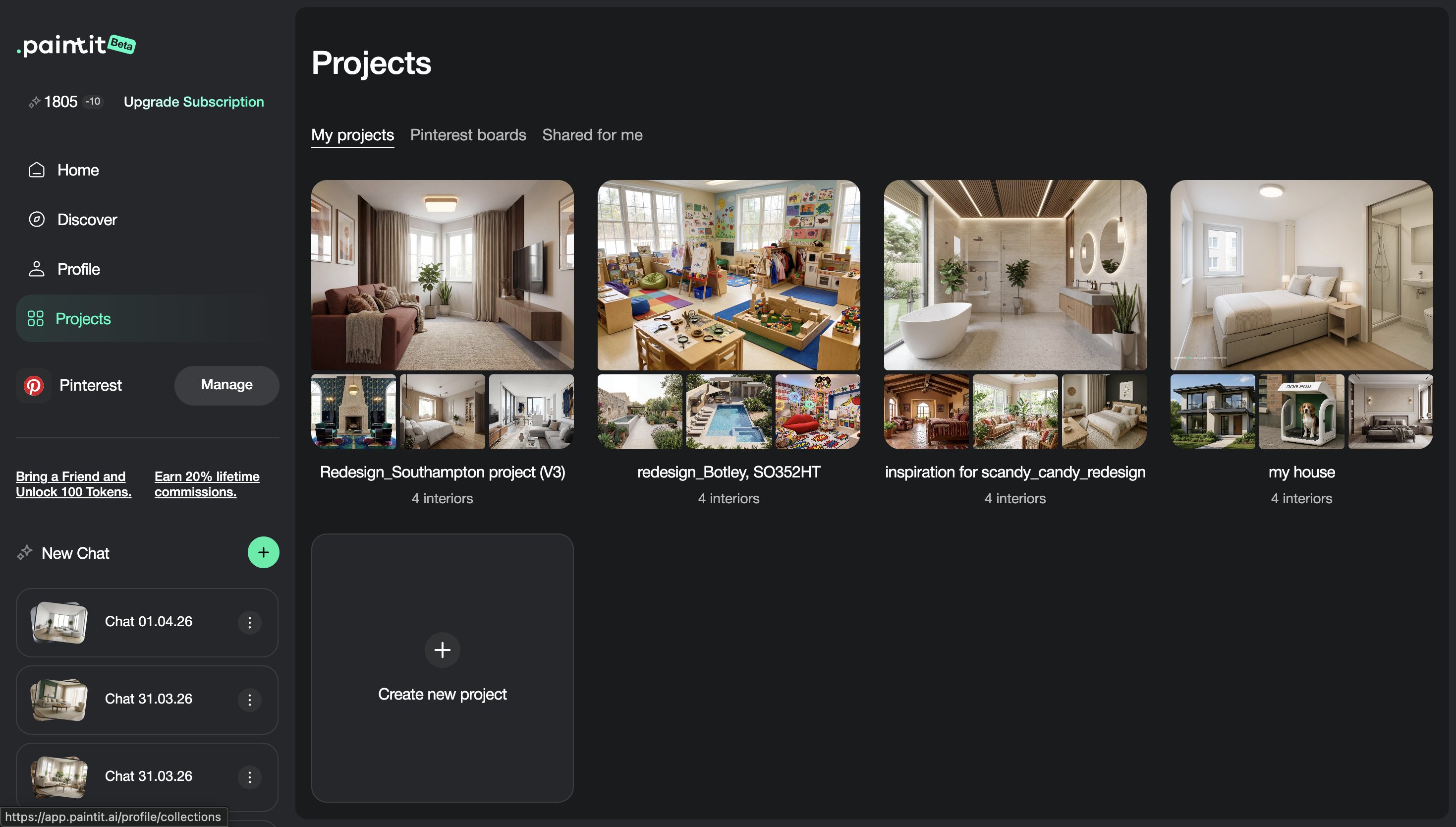
Advanced organization concepts for AI design project management and decision making

Frequently Asked Questions

Should I save every generation?

No. Save decision points, strong alternatives, and versions that are meaningfully different or presentation-worthy.

What is the best way to compare options?

Compare a small set of clearly different directions, such as safe, warm, bold, and practical winner.

How should I organize multi-room work?

Start by room, then by direction, then by shortlist or status. This keeps the project easier to navigate and present.

What makes a version worth saving?

If the version changes the concept, palette, function, mood, realism, or presentation quality in a meaningful way, it is usually worth saving.

Is this useful only for professionals?

No. Even for homeowners, good project organization makes decisions much easier and reduces confusion after multiple iterations.

What is the biggest project organization mistake?

Saving too many weak or similar versions without a clear logic for comparison or refinement.

Create a Project

Save cleaner directions, compare stronger options, and turn scattered generations into a more professional design workflow.

Create a Project

Related articles

  • How to Get the Best Results in Paintit.ai
  • How to Use Full Redesign in Paintit.ai
  • How to Furnish an Empty Room with Paintit.ai
  • How to Use Pinterest Inspiration in Paintit.ai

Trending 

AI interior design
6 min read
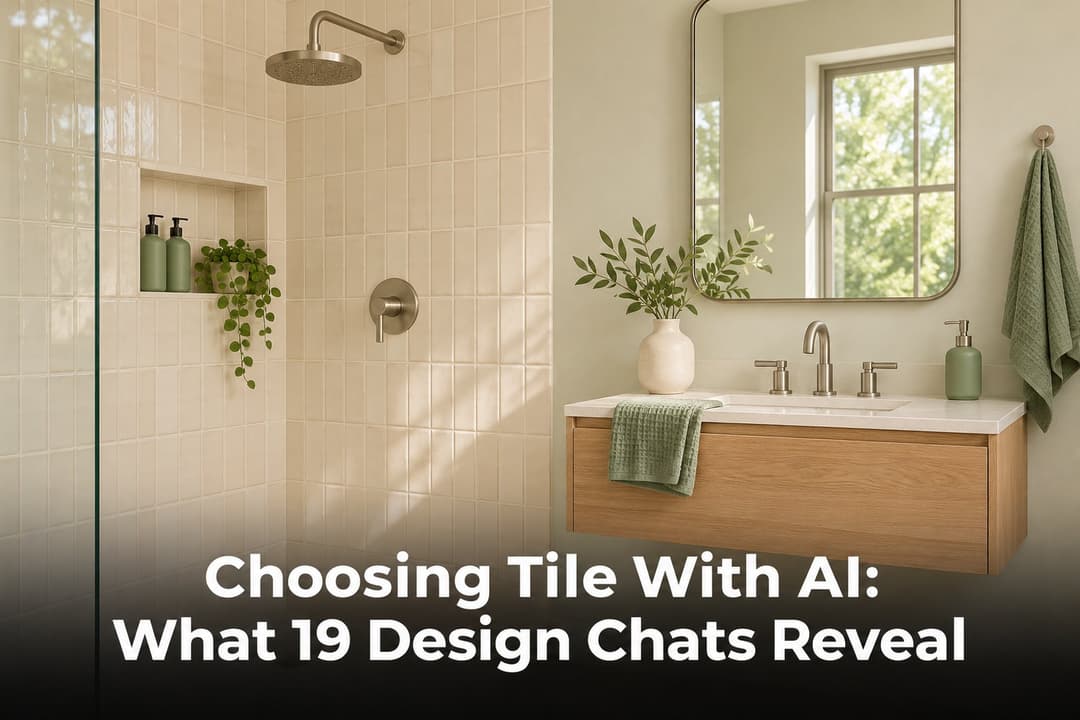
Scegliere le piastrelle con l’IA: cosa emerge da 19 conversazioni
Paintit.ai Guides
11 min read
Modello di proposta di interior design: ambito, compensi ed esempio
Paintit.ai Guides
13 min read
Questionario di interior design: modello gratuito ed esempio
interior styles
11 min read
Interior design Japandi: una guida pratica per le case di tutti i giorni
Ideas
11 min read
7 tonalità di bianco caldo per pareti e finiture

Related articles 

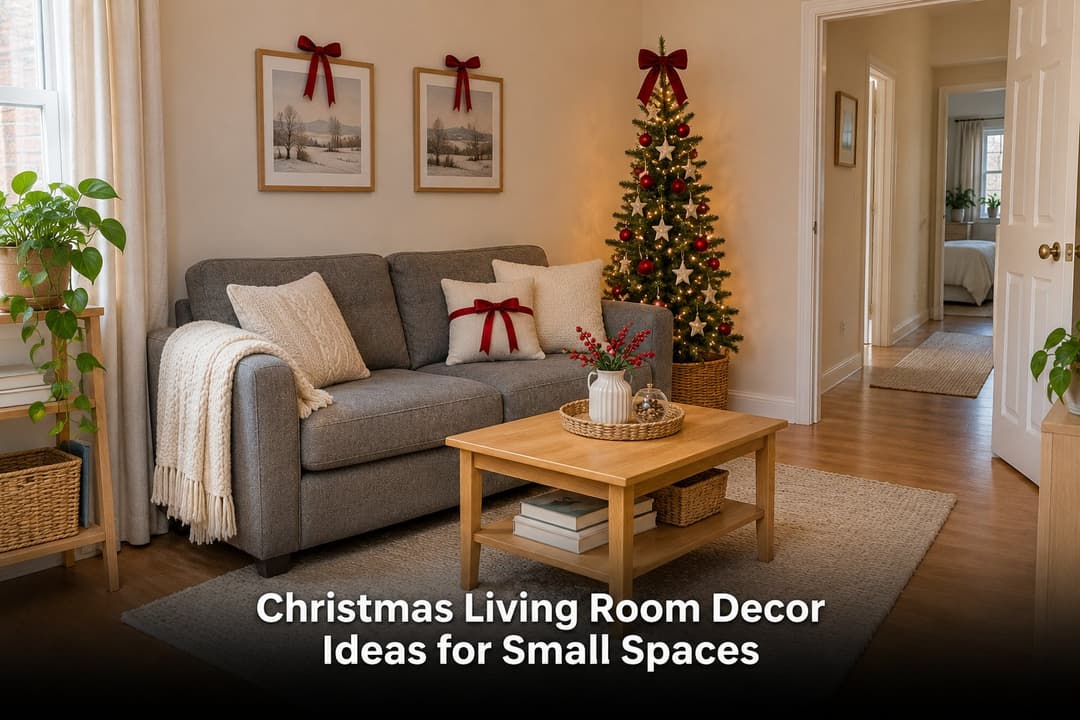
Idee di decorazioni natalizie per soggiorni piccoli
Ideas
13 november 2026

11 min read

Idee di decorazioni natalizie per soggiorni piccoli

Prepara il tuo piccolo soggiorno per Natale con consigli sulla posizione dell’albero, decorazioni removibili, tre palette e un concept IA basato sulla tua foto.

avatar-blog

Yulii Cherevko

CEO paintit.ai

Scegliere le piastrelle con l’IA: cosa emerge da 19 conversazioni
AI interior design
11 november 2026

6 min read

Scegliere le piastrelle con l’IA: cosa emerge da 19 conversazioni

Cosa rivelano 19 conversazioni su superfici da rivestire, formati e schemi di posa? Confronta gli esempi e stampa la scheda prima di ordinare.

avatar-blog

Yulii Cherevko

CEO paintit.ai

Modello di proposta di interior design: ambito, compensi ed esempio
Paintit.ai Guides
9 november 2026

11 min read

Modello di proposta di interior design: ambito, compensi ed esempio

Un modulo compilabile per la proposta e un esempio svolto per uno studio domestico, con elaborati definiti, compensi, limiti alle revisioni e concept visivi chiaramente identificati.

avatar-blog

Yulii Cherevko

CEO paintit.ai

Questionario di interior design: modello gratuito ed esempio
Paintit.ai Guides
9 november 2026

13 min read

Questionario di interior design: modello gratuito ed esempio

Un modello di 32 domande per i clienti, con un PDF compilabile, un esempio completo per il soggiorno e un percorso chiaro dalle risposte del cliente a un primo brief di progetto.

avatar-blog

Yulii Cherevko

CEO paintit.ai

Interior design Japandi: una guida pratica per le case di tutti i giorni
interior stylesIdeas
30 october 2026

11 min read

Interior design Japandi: una guida pratica per le case di tutti i giorni

Porta le influenze giapponesi e scandinave nella casa in cui vivi già, con scelte pratiche per colori, arredi, organizzazione e comfort quotidiano.

avatar-blog

Yulii Cherevko

CEO paintit.ai

7 tonalità di bianco caldo per pareti e finiture
Ideas
29 october 2026

11 min read

7 tonalità di bianco caldo per pareti e finiture

Trova un bianco caldo che si abbini a pavimento, mobili e finiture. Confronta sette tonalità e scopri quali campioni provare prima di acquistare la pittura.

avatar-blog

Yulii Cherevko

CEO paintit.ai

  • English/
  • Español/
  • Português (Brasil)/
  • Deutsch/
  • Français/
  • Italiano/
  • Polski/
  • Bahasa Indonesia/
  • Türkçe