4 min. reading

Yulii Cherevko
CEO paintit.ai
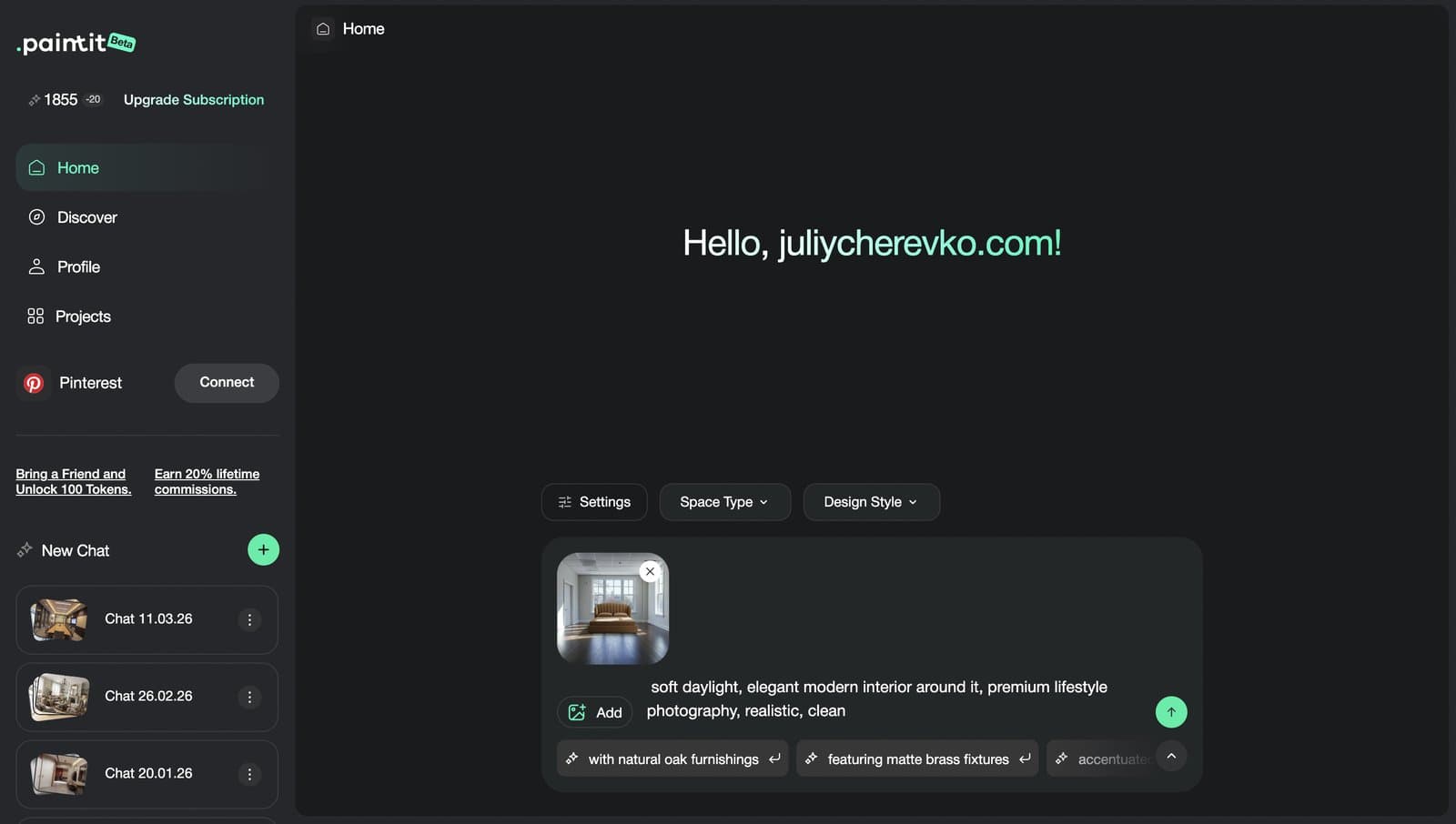
Paintit.ai works best when the workflow is clear: start with the right photo, choose the right task, guide the model with the right controls, and keep your prompt specific enough to produce a believable result. This guide shows how to get stronger interiors, exteriors, and commercial concepts from the start.
Paintit.ai is useful for both non-designers and professionals, but the value depends on how clearly the goal is defined.
The platform is most useful when the user already has a room, facade, or commercial space and wants to test visual directions faster. It can help at the idea stage, the comparison stage, and the early presentation stage.
Homeowners and renters — to test room ideas before spending money.
Interior designers — to accelerate early concept exploration and client option building.
Real estate and staging teams — to help buyers visualize potential faster.
Short-term rental hosts — to refresh and unify spaces for stronger listings.
Commercial teams — to explore cafes, retail, office, showroom, and hospitality directions.
Creators and marketers — to produce cleaner visual content and design concepts faster.
The common pattern is simple: Paintit.ai is most valuable when the user wants to move from uncertainty to direction.

The platform gets stronger when the task is clear. Vagueness is usually a bigger problem than lack of style.
Paintit.ai is not one single mode. It becomes much more useful when you know what kind of change you are actually asking for.
Full Redesign — when you want a new overall direction for the whole room, exterior, or space.
Repaint — when you want to change wall color or finish without redesigning everything.
Empty Room Setup — when a blank room needs furniture, function, and a complete concept.
Reference-led redesign — when you already know the taste direction and want to transfer it into your own space.
Multi-option comparison — when you need 2 to 4 clear concept routes before deciding what to develop further.
One of the fastest ways to improve results is simply to stop asking Paintit.ai to do several different jobs inside one prompt.
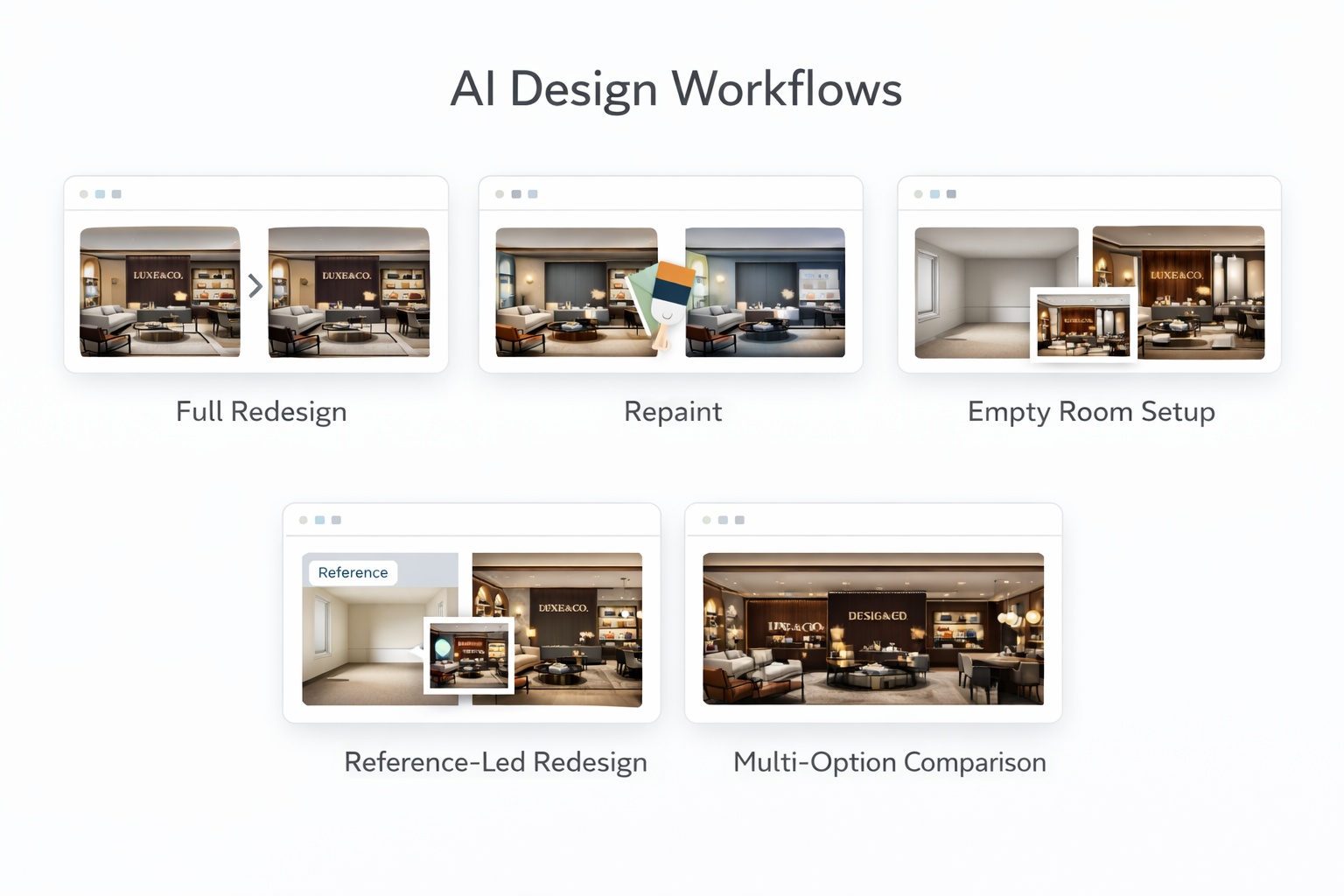
The best outputs usually come from a clean system, not from trial and error.
Most weak results can be traced back to one of five avoidable problems. The easiest way to improve quality is to make each step more intentional.
Give Paintit.ai a clean visual base with enough room information to work from.
Decide whether this is a redesign, repaint, furnishing setup, reference-led transfer, or comparison workflow.
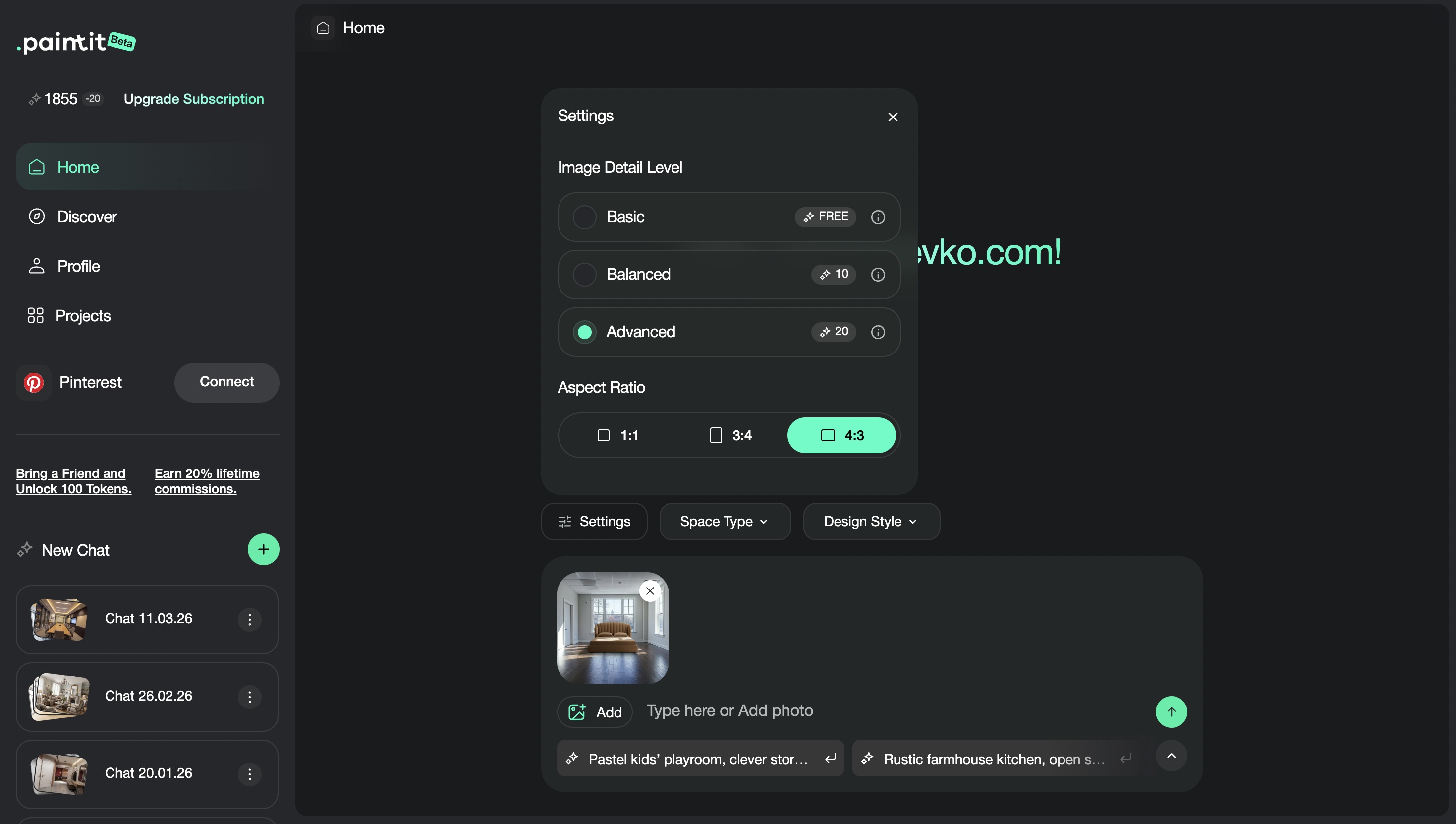
Use controls such as Space Type and Design Style to reduce ambiguity before the prompt does extra work.
Good prompts describe what should change, what should stay, and what visual language should guide the result.
The strongest decisions usually come from comparing a few clearly different options, not many similar ones.
This five-part system is the shortest path to more consistent and more believable results.
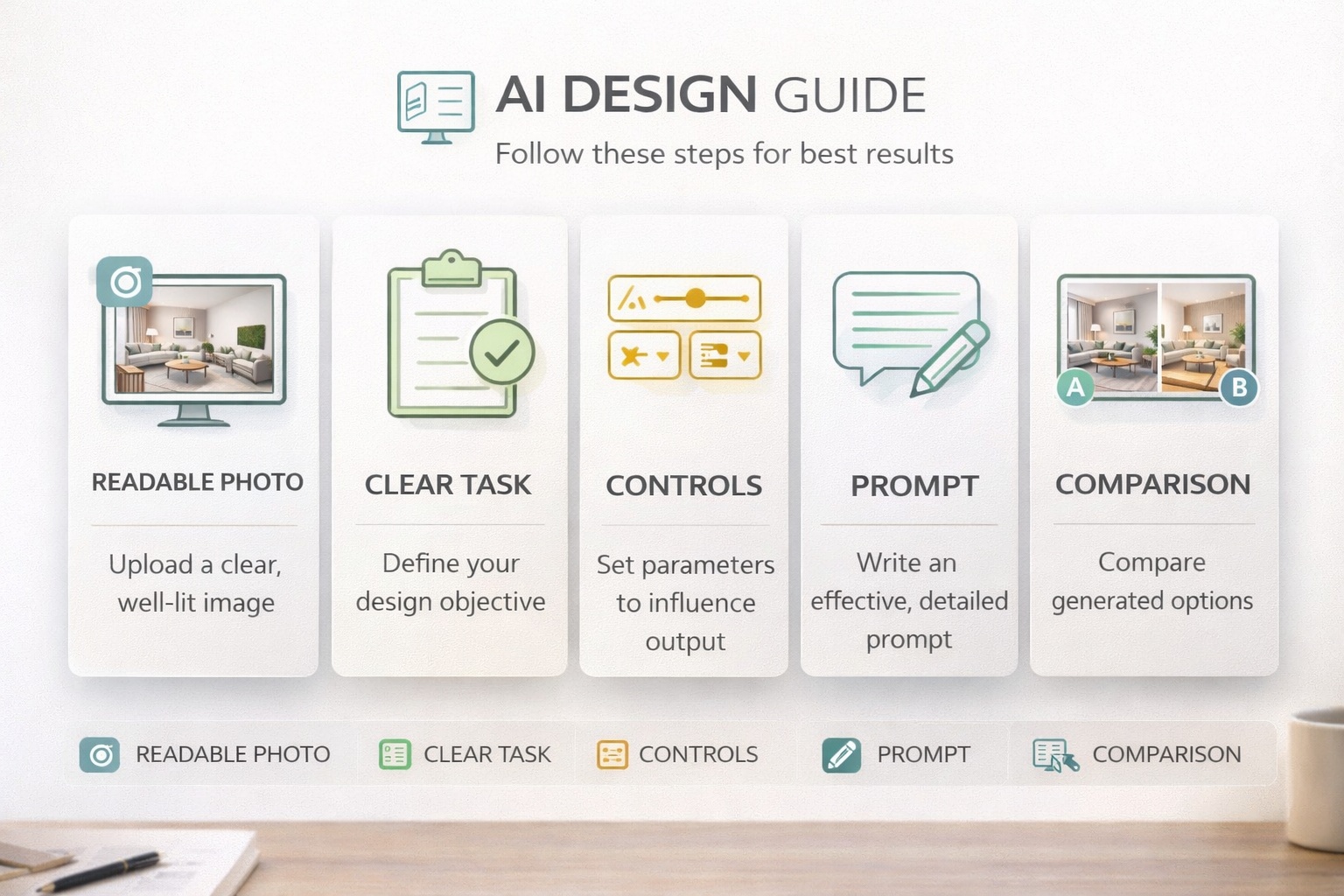
The quality of the input photo often determines how much realism is even possible.
Paintit.ai performs better when the room or facade is easy to read. Dark, blurry, heavily cropped, or visually chaotic photos usually reduce control and make outputs feel less grounded.
Clear perspective — enough of the room or facade is visible.
Readable light — natural or even lighting is usually better than harsh or muddy exposure.
Stable composition — avoid overly tilted, distorted, or overly cropped images.
Real visual information — windows, walls, floor, fixtures, or furniture should be easy to understand.
A useful rule is this: if a human can quickly understand the room, Paintit.ai usually has a better chance too.
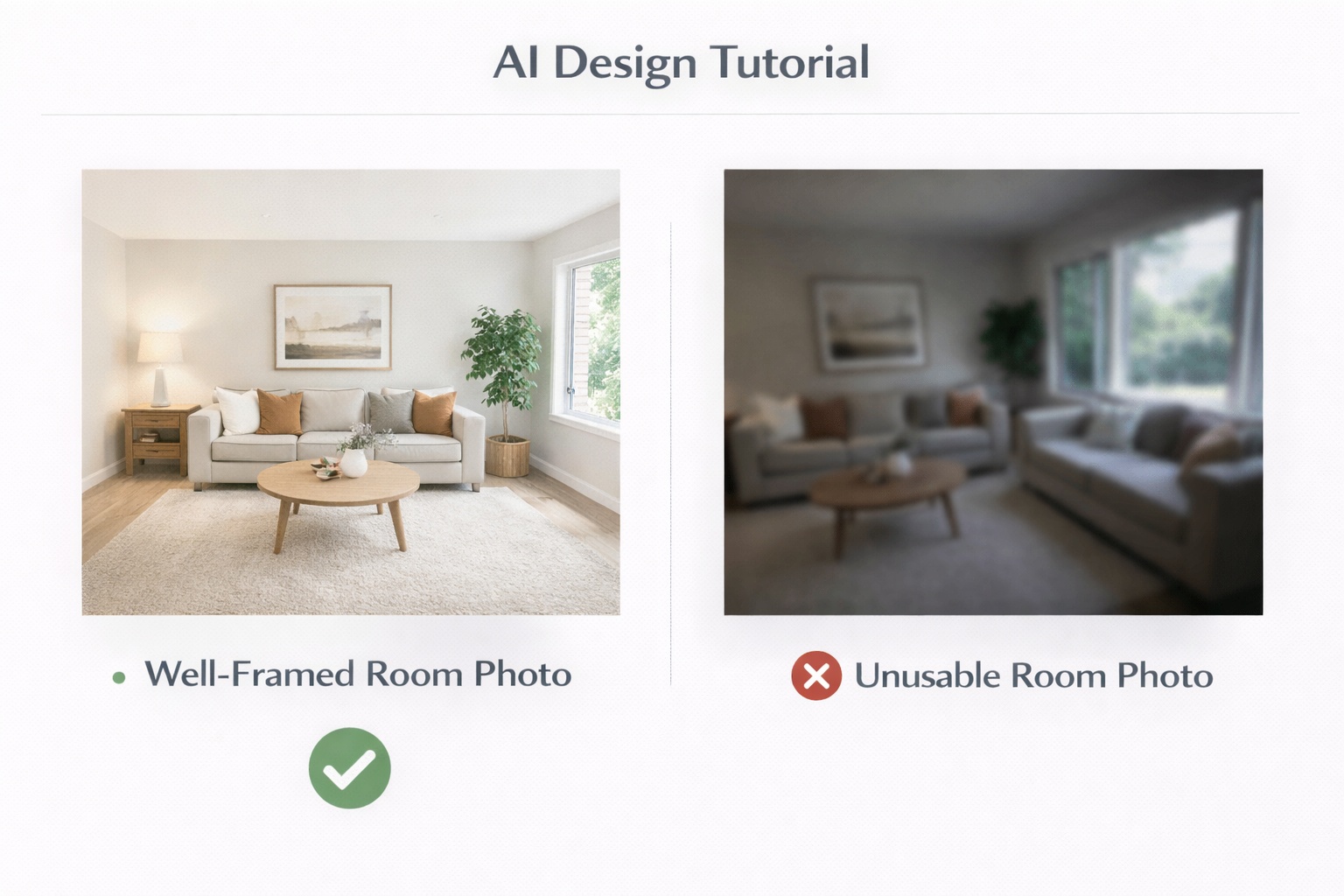
One of the biggest performance upgrades is simply using the right workflow for the right job.
Many users ask for a full redesign when they only need repaint. Others ask for repaint when the room is actually empty and needs a complete furnishing concept. Choosing the right workflow makes the prompt easier and the output cleaner.
Use Full Redesign when you want a new overall direction for the whole space.
Use Repaint when color or finish is the main variable and the room should otherwise stay stable.
Use Empty Room Setup when the room is blank and needs furniture plus a clearer function.
Use References when you already know the taste direction and want to transfer that visual language.
Use Comparison when the goal is decision-making rather than one final image.
Better workflow selection reduces prompt overload and improves realism at the same time.
The strongest results usually happen when controls handle structure and prompts handle intention.
A lot of users try to solve everything with text. But Paintit.ai usually performs better when room logic and style logic are set through controls, while the prompt adds specifics like materials, mood, and constraints.
Space Type — tells Paintit.ai what kind of room or space it is working with.
Design Style — gives the model a stronger visual language.
Prompt — tells it what should change, what should stay, and what quality you want to emphasize.
Constraint lines — preserve layout, windows, architecture, wet-zone logic, or other key structure when needed.
Simple prompt formula:
[Space] + [Style] + [Main change] + [Materials or colors] + [Mood or lighting] + [Constraint]
Example:
Transform this living room into a warm organic modern space with a large neutral sofa, textured stone and plaster surfaces, soft oak details, and calm natural daylight. Keep the room layout and window positions unchanged.
Most poor outputs are caused by a few repeatable workflow mistakes.
Weak source photo
If the room is hard to read, the model has less reliable geometry and context to work with.
Wrong workflow choice
Asking for a repaint through a full redesign prompt or trying to furnish a blank room through a repaint-like request weakens control.
Too many instructions at once
If the prompt tries to redesign, repaint, refurnish, relight, restyle, and restructure everything at the same time, results often become unstable.
No control language
If layout, windows, structure, or architecture matter, say so clearly.
No meaningful comparison
Generating many similar images is usually less useful than comparing a few deliberately different directions.
The biggest improvement usually does not come from making prompts longer. It comes from making the whole workflow cleaner.
Use a better source photo, pick the right workflow, set the correct controls, and keep the prompt focused on one clear task.
No, but clearer decisions usually produce stronger results. The more precisely you define the goal, the better the output tends to be.
Usually start by choosing the right workflow and controls, then use the prompt to add materials, mood, and constraints.
Usually because the photo is weak, the task is unclear, the controls are misaligned, or the prompt is trying to do too many things at once.
Compare concept directions first. Once one direction is clearly stronger, then refine details inside that direction.
Treating Paintit.ai like a random generator instead of a guided design workflow.
Upload a better photo, choose the right workflow, and use the controls plus prompt system together to get stronger, cleaner, and more believable results from the start.
Yulii Cherevko
CEO paintit.ai