Usiamo cookie essenziali per far funzionare il sito. Con il tuo consenso, possiamo usare anche cookie non essenziali per migliorare l'esperienza, personalizzare i contenuti e analizzare il traffico. Per questi motivi, possiamo condividere i dati sull'uso del sito con i nostri partner di social media e analisi. Facendo clic su “Accetta”, acconsenti all'uso dei cookie del sito descritto nella nostra Informativa sui cookie. Puoi modificare le impostazioni dei cookie in qualsiasi momento nelle preferenze del browser.
  • Chi siamo
  • Prezzi
  • Blog
  • Contatti
AiEi

Prodotti

  • Per interior designer
  • Per l'e-commerce
  • Per il settore immobiliare

Strumenti

Generatore di architettura IA
Generatore di concept IA
Design di esterni con IA
Generatore di case IA
Simulatore di pittura della casa IA
Progettazione del paesaggio con IA
Rendering IA
Design di stanze con IA
Strumento di design degli esterni della casa
Home staging virtuale con IA
Ristrutturazione del bagno con IA
Generatore di planimetrie IA
Generatore di mobili IA
Disposizione dei mobili con IA
Ristrutturazione degli esterni della casa
Simulatore di colori per pitture IA
Ristrutturazione della cucina con IA
Simulatore di tappeti IA
Miglioramento delle foto immobiliari
Rendering d'interni con IA
Design di pareti con IA
Design di porte con IA
Rendering di planimetrie IA
Design di pavimenti con IA
Strumento di design di vialetti carrabili
Strumento di design di pavimentazioni
Progetti di ampliamento della casa
Dallo schizzo al rendering con IA
Dal prospetto al rendering
Design di mobili contenitori con IA
Design di terrazze con IA
Progettista di giardini IA
Ristrutturazione e interior design con IA
Simulatore di finestre IA
Simulatore di pittura dei mobili
Simulatore di piani di lavoro della cucina
Strumento di illuminazione paesaggistica
Simulatore di tende IA
Miglioramento dei rendering IA

Casi d'uso

Design di cucine con IA
Design di soggiorni con IA
Design di camere da letto con IA
Design di bagni con IA
Progettazione del paesaggio con IA
Design di cabine armadio con IA
Design di uffici con IA
Design di piscine con IA
Design di lavanderie con IA
Design di ristoranti con IA
Design di aule con IA
Design di seminterrati con IA
  • Termini di servizio
  • Informativa sulla privacy
  • Fiducia
  • Programma di affiliazione
Logo
Paintit.ai - Strumento gratuito di interior design con IA

© 2026

Al fianco dell'Ucraina
PAINTITAI LTD, 52 Leytonstone road, London, E15 1SQ, UK
  • English/
  • Español/
  • Português (Brasil)/
  • Deutsch/
  • Français/
  • Italiano/
  • Polski/
  • Bahasa Indonesia
Paintit.ai - design gratuito della casa con IA
  • Prezzi
  • Chi siamo
  • Blog
  • Contatti
/Blog/Best Free AI Interior Design Apps
AI interior design

10 min. reading

Best Free AI Interior Design Apps in 2027: 5 Options Compared 

avatar-blog

Yulii Cherevko

CEO paintit.ai

Published: 29 April 2026· Updated: 4 November 2026

Share
  • ChatGPT
  • Perplexity
  • Claude
  • Grok
  • Google AI
Best Free AI Interior Design Apps in 2027: 5 Options Compared

Page 
Contents: 

    The best free AI interior design apps help you test a direction before buying furniture or paint. But “free” may mean a permanent basic plan, a small pool of starter credits, or access that changes after sign-in. Those are different offers. Start with the task you need to complete: restyle a photo, arrange furniture on a plan, or assemble a mood board. This 2027 guide was reviewed on November 4, 2026. Paintit publishes the guide and is included among the five options.

    Key Takeaways

    • For a photo of your actual room: Paintit.ai offers 30 free credits after registration. Each image action uses credits; this is not unlimited rendering.
    • For a floor plan: Homestyler Basic includes a 3D planner and unlimited 1K renders; Planner 5D Free supports basic 2D/3D projects but reserves several AI and rendering features for paid plans.
    • For a mood board: Canva Free includes some AI tools with a monthly allowance. It does not replace a measured room planner.
    • For RoomGPT: the public access page advertises one free generation after Google sign-in. That is not an ongoing free plan.

    What Counts as a Free AI Interior Design App?

    A free plan lets you keep using a defined basic workflow without a paid subscription. Starter credits let you try a limited number of generations; a free trial of a paid plan may require payment details or renew automatically. The distinction matters if you are comparing five apps for a whole-home project, not just generating one living room idea. Terms can change, so check the plan screen before committing your photos or building a large project.

    Also distinguish an AI room visualizer from a 3D planner. A visualizer creates an image of how a space might look. A planner lets you position walls and furniture in a digital model. Neither should be used as proof that a sofa fits through a doorway or that a renovation complies with building rules.

    Free AI Interior Design Apps Compared

    Tool Best Starting Point What Is Available Without Paying Main Boundary
    Paintit.ai Your room photo and a design brief 30 starter credits after registration; image actions consume credits Not unlimited free rendering; verify export and commercial-use entitlement
    Homestyler A 2D/3D room plan Basic plan with 3D planning, free models and unlimited 1K renders Advanced rendering and some AI tools use coins or paid access
    Planner 5D A furniture layout Free basic projects, limited catalog and draft screenshots AI plan recognition, broader catalog and polished renders are paid features
    Canva A mood board Shared monthly AI allowance: up to 20 Standard or Premium uses; usage varies No measured floor-plan workflow; AI allowance can run out
    RoomGPT A room photo for a quick style idea 1 free generation advertised after Google sign-in One-time entry offer, not recurring free use; paid packs unverified

    These entries describe publicly documented access, not a head-to-head image-quality test. A free render, a draft screenshot and an AI-generated room concept are not interchangeable outputs.
    See a New Look for Your Own Room

    Upload a photo of your room and describe the look you want. Paintit turns your brief into a visual concept you can compare with the space you have now.

    Design My Room

    Free credits are available after registration. Image actions use credits.

    Which App Fits Your Project?

    Paintit.ai: Test a Look in Your Own Room

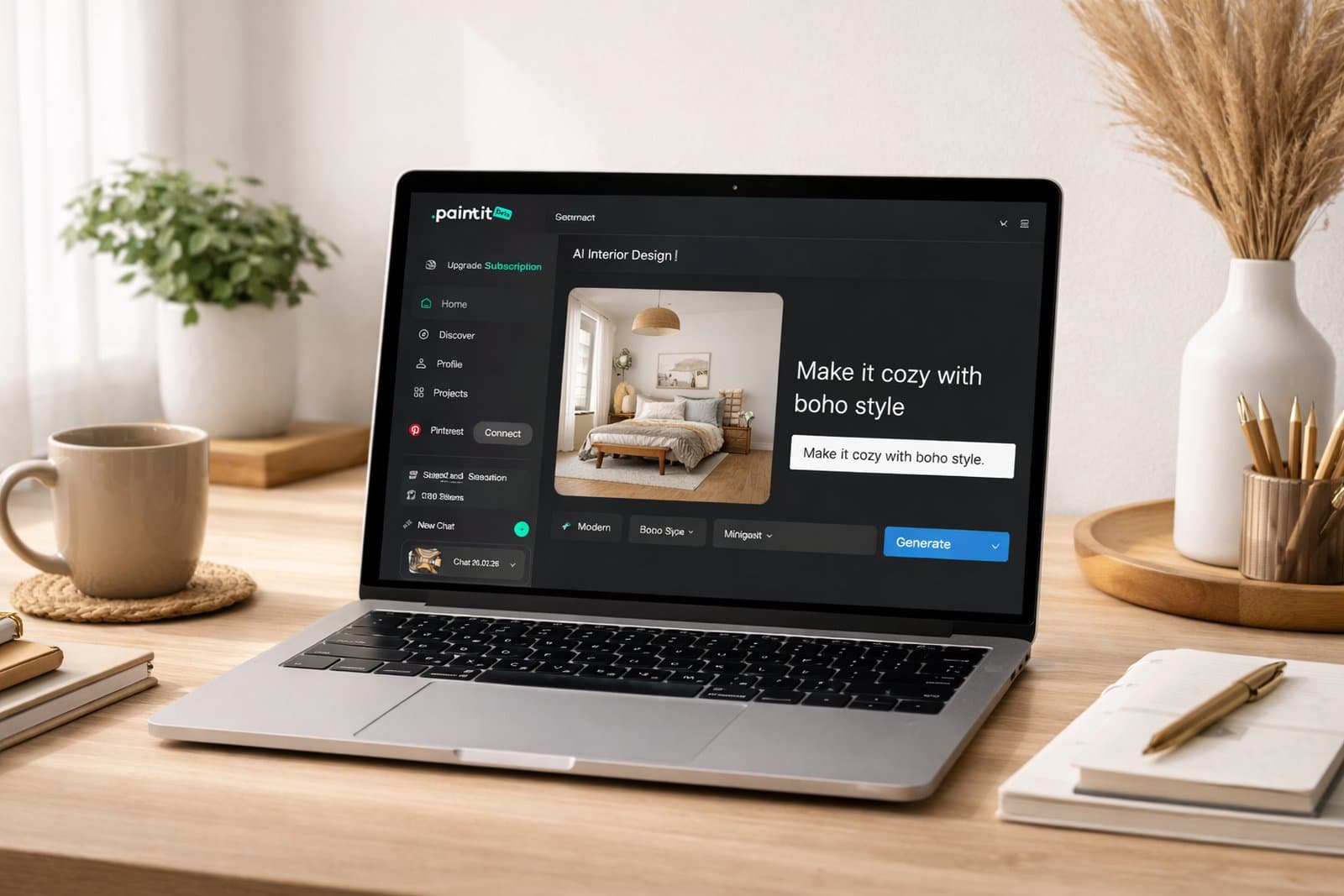
    Paintit.ai interface showing an AI room design concept

    Upload a clear photo of the room and describe one change you want to test, such as warmer wall color or a less bulky sofa. Paintit.ai is useful when the existing room, rather than an empty digital plan, is your starting point. After registration, Paintit offers 30 free starter credits. Image actions consume credits, and costs can vary by model and settings; read the amount shown before generating. Starter credits are useful for narrowing a direction, but they are not a promise of a fixed number of finished images or unlimited revisions. Check your required download and commercial-use entitlement separately.

    For a room-specific first attempt, try the AI kitchen design tool with a photo that clearly shows the cabinets, windows and floor. Ask for one change at a time so you can tell what the render changed unexpectedly.

    Choose it when: you want photo-based visual ideas. Do not rely on it for: measured drawings, exact product matching or proof that a new layout will fit. For current credit and export terms, use the Paintit.ai plan comparison.

    Homestyler: Build a 3D Room Plan

    Homestyler is closer to a planning workspace than a one-click photo makeover. Its published Basic plan includes a cloud-based 3D floor planner, a large free model library and unlimited 1K renders. You can place furniture and compare room arrangements before deciding which style image to pursue. The distinction is useful when furniture placement matters more than a quick visual transformation.

    Its free plan does not mean every AI operation or high-resolution output is free. Homestyler says some renders require coins and 4K renders must be purchased. Check the action in the editor before relying on it for a project you need to export.

    Choose it when: you need to move furniture around in a 3D room. Check before paying: which export quality, objects and AI features your project actually needs.
    Planner 5D: Start with a Simple Furniture Layout

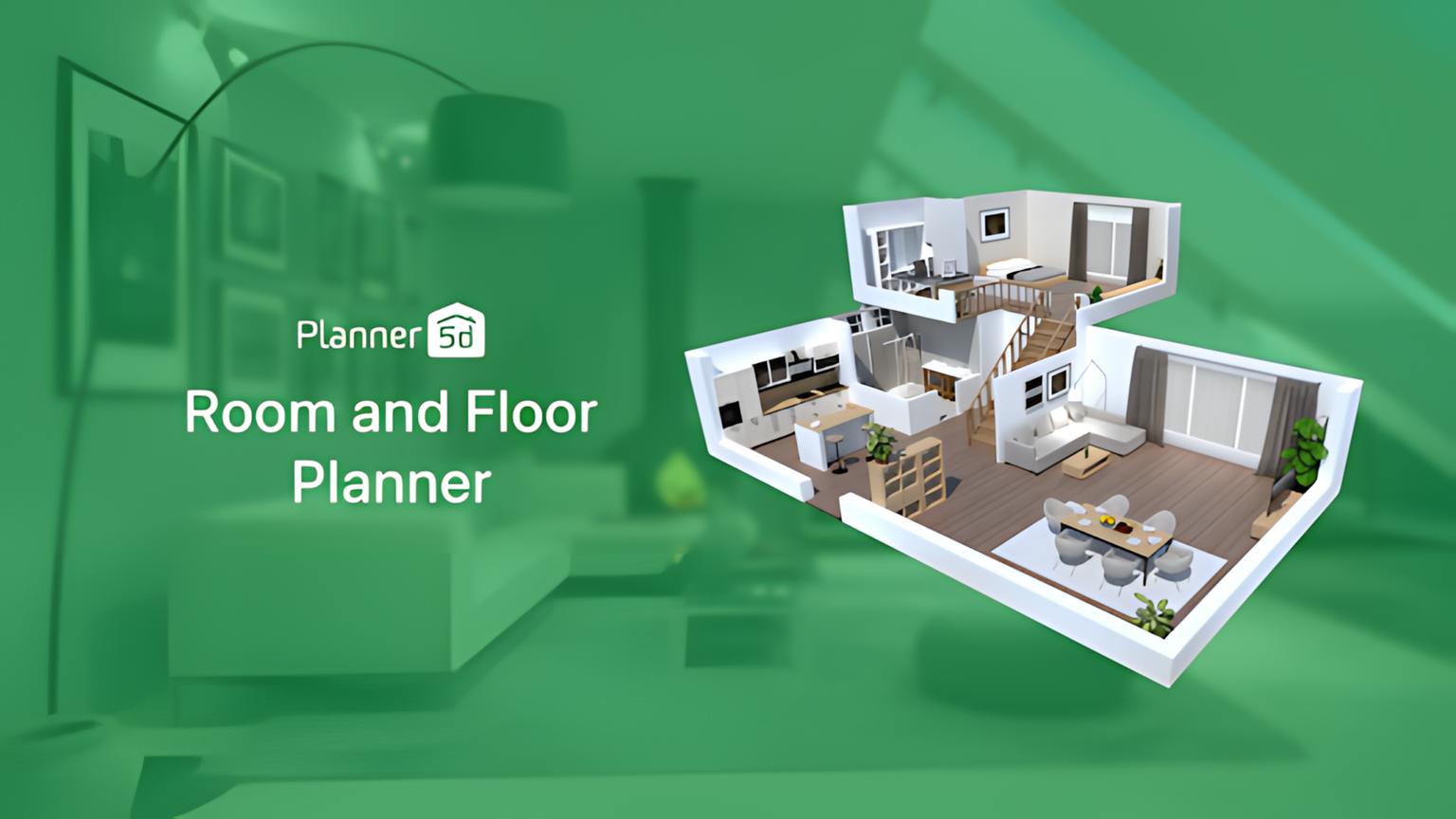
    Planner 5D interface with a furnished room layout

    Planner 5D Free is a sensible starting point for sketching a room in 2D and viewing it in 3D. Its published plan includes unlimited projects and access to part of the furniture catalog. Its help center describes the Basic tier as limited and places AI plan recognition, more customization and polished renders in paid tiers. In other words, the free floor planner is useful, but it is not the same thing as unrestricted free AI interior design.

    Choose it when: you want to compare furniture positions before deciding on finishes. Measure the room and furniture separately; a visual draft is only as accurate as the dimensions you enter.
    Canva: Collect a Style Direction

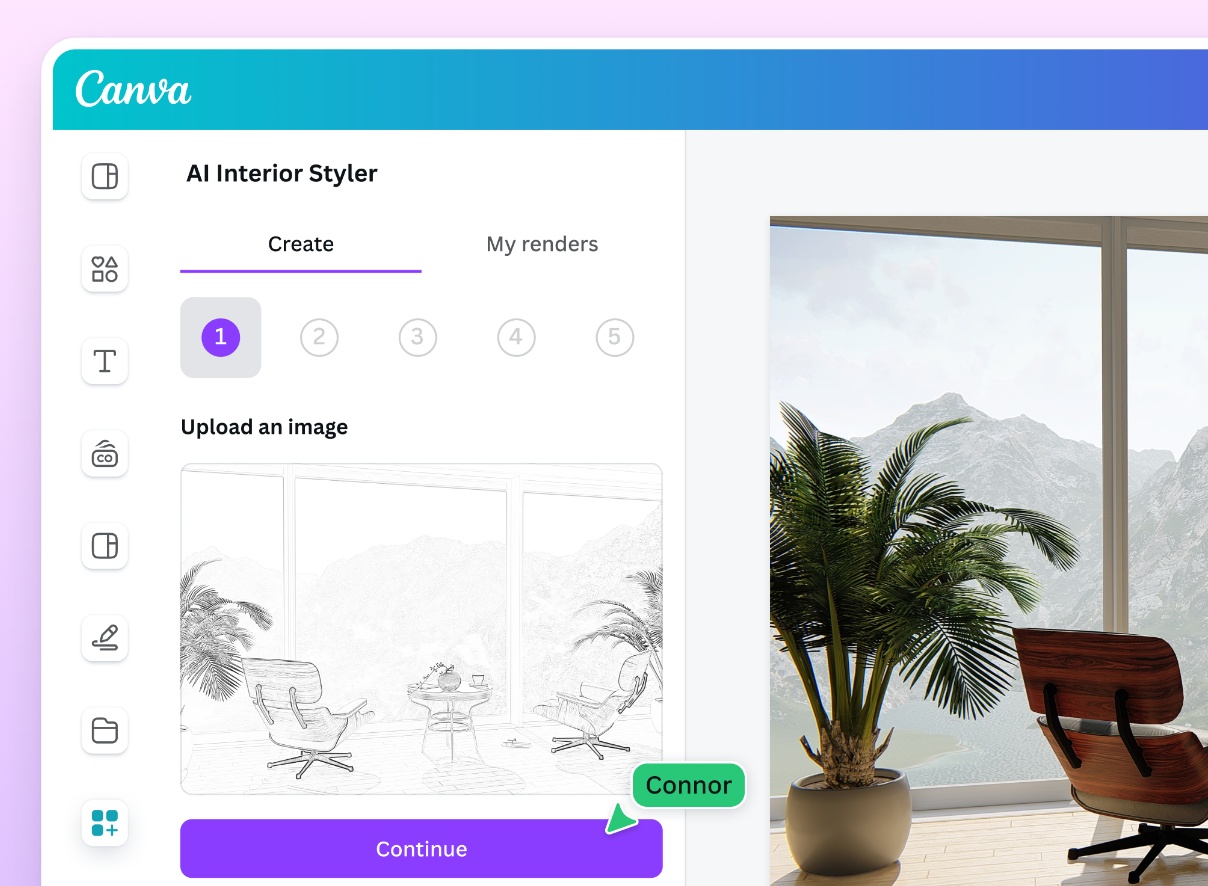
    Canva mood board for interior colors and materials

    Canva is the outlier in this list. It can help assemble reference photos, colors, finishes and AI-generated concept images into a mood board, but it is not a room-measurement tool. Canva Free has a shared monthly AI allowance, with up to 20 Standard or Premium uses in its current help guidance. The number of actions can vary with task complexity; it is not a promise of 20 finished room images. Free-account allowance resets on the first day of the month in UTC. Third-party apps inside Canva can have separate balances, so check which tool is charging for the action.

    Choose it when: you need to communicate a look. Skip it when: the question is whether a dining table clears a door or whether a built-in cabinet fits.
    Refine Your Room Design in Chat

    Once your mood board gives you a direction, use Paintit's AI chat to work through changes to a room concept. Ask for warmer lighting or a different sofa, then review each revision.

    Refine My Design

    RoomGPT: Quick Photo-Based Ideas, with a Pricing Caveat

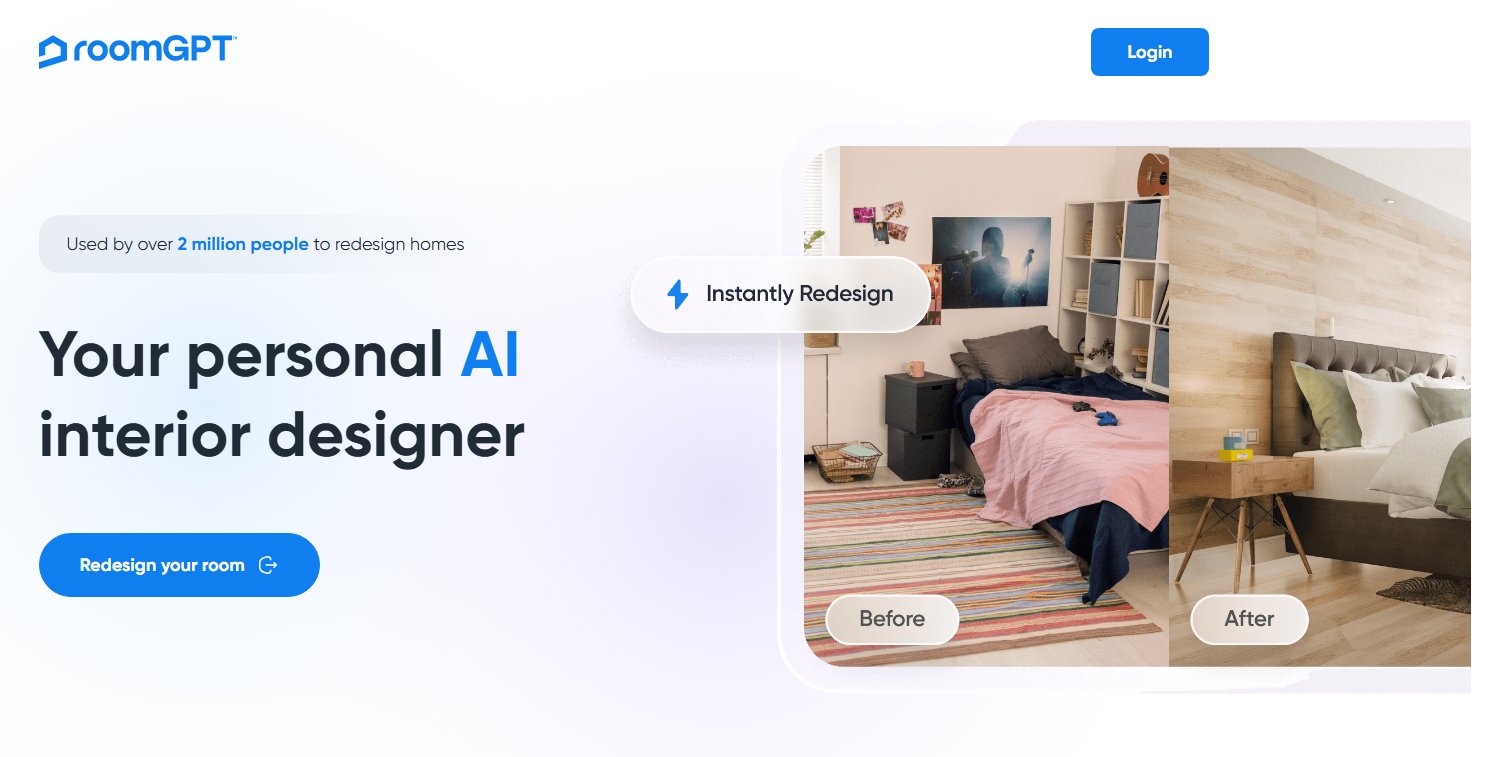
    RoomGPT interface for redesigning a room photo

    RoomGPT's public site invites users to redesign a room from a photo. Its public access page now advertises one free generation after Google sign-in. That makes it a specific one-time starting offer, not a completely free app for repeated projects. Paid credit-pack amounts were not verified, and a promotional discount is not a stable base price. Check the actual pack before buying more revisions.

    Choose it when: you want to try a quick visual concept. Check first: whether the current account offers enough no-cost generations for your project.

    Can You Finish and Export Without Paying?

    Before investing time in a free project, work out what must leave the app. A mood board screenshot may be enough to agree on a palette. A landlord or client may need a saved image with permission for the intended use. A furniture layout may need editable dimensions rather than an AI photograph. Check that exact output first; the word free on a signup button does not answer the export question.

    For Homestyler, ordinary 1K rendering in Basic and a metered AI operation are different actions. Planner 5D's free planner and restricted catalog are useful without proving that its AI Studio or recognition features are included at no cost. Canva's own monthly allowance is separate from third-party app credits. Keep those distinctions in your comparison rather than adding all free numbers into one supposed generation quota.

    Compare Free-App Competitors by the Limit You Hit

    If your free credits run out while the task is still undecided, first check whether you are using the right kind of app. A planner can answer furniture-position questions without repeatedly generating new room photographs. A mood board can settle a material direction before any image generation. Compare competing apps by the missing workflow or export, not just by a larger signup allowance. Do not assume a card-required trial stays free after its first billing date.

    A Free Workflow That Avoids Wasted Generations

    1. Define the decision. “Try a sage wall color” is a better first test than “redesign the whole house.” Keep a short list of elements that must stay, such as window positions or an existing sofa.
    2. Choose the right input. Use a clear room photo for a visualizer. Use measured wall lengths for a planner. Use reference images and swatches for a mood board.
    3. Compare one variable at a time. Save the original photo and each output. If you change the style, layout and lighting together, it becomes harder to judge the result.
    4. Check the physical room. Measure clearances, sample paint in the actual light and check furniture dimensions before purchasing. AI images can alter windows, doorways and proportions.

    If you need a broader comparison that includes paid tools and professional workflows, see our comparison of AI interior design tools. This guide stays focused on what you can do before paying.

    Frequently Asked Questions

    Is There a Completely Free AI Interior Design App?

    Some platforms have ongoing free basic plans, but their AI image features may still have quotas, credits or separate charges. Homestyler and Planner 5D publish permanent basic planning tiers. Paintit.ai offers 30 free credits after registration for AI concepts. Check the current plan details for the exact action you want to use.

    Which Free AI Room Design App Works from a Photo?

    Paintit.ai and RoomGPT both offer photo-based room concept workflows. Paintit provides 30 starter credits after registration; RoomGPT advertises one generation after Google sign-in. Neither is unlimited free AI redesign. A floor planner such as Planner 5D answers a different question, and its free planning access does not establish free access to every AI operation.

    Can a Free App Tell Me Whether Furniture Will Fit?

    Not from an AI-generated picture alone. A measured floor plan can help you test spacing, but verify furniture dimensions, door swings and circulation in the actual room before buying.

    What Should I Check Before Uploading a Room Photo?

    Look at the service's current privacy settings, image retention terms, download rights and whether commercial use is included. Remove personal items from the scene if you do not want them processed. For a client or listing image, confirm the plan permits that use before publishing the result.

    The best free AI interior design apps are not all free in the same way. Choose the one that answers your next design question within the no-cost limits you actually have. Use the free tier to narrow options, then verify dimensions, materials and purchase decisions outside the generated image.

    Compare a Room Direction Before Buying

    Bring your room photo and a short brief to Paintit. Explore one change, keep the original beside the result, and check physical measurements separately. Free credits are available after registration.

    Explore My Room Direction

    Trending 

    Paintit.ai Guides
    11 min read
    Interior Design Proposal Template: Scope, Fees and Example
    Paintit.ai Guides
    13 min read
    Interior Design Questionnaire: Free Template and Example
    interior styles
    11 min read
    Japandi Interior Design: A Practical Guide for Real Homes
    Ideas
    11 min read
    7 Warm White Paint Colors for Walls and Trim
    Paintit.ai Guides
    6 min read
    Lighting Scene Planning: A Practical Worksheet

    Related articles 

    Choosing Tile With AI: What 19 Design Chats Reveal
    AI interior design
    11 november 2026

    6 min read

    Choosing Tile With AI: What 19 Design Chats Reveal

    What 19 design chats reveal about tile coverage, size and layout. Use the worked comparisons and printable decision card before ordering.

    avatar-blog

    Yulii Cherevko

    CEO paintit.ai

    Interior Design Proposal Template: Scope, Fees and Example
    Paintit.ai Guides
    9 november 2026

    11 min read

    Interior Design Proposal Template: Scope, Fees and Example

    A fillable proposal worksheet and a worked home-office example, with defined deliverables, fees, revision limits and clearly labeled visual concepts.

    avatar-blog

    Yulii Cherevko

    CEO paintit.ai

    Interior Design Questionnaire: Free Template and Example
    Paintit.ai Guides
    9 november 2026

    13 min read

    Interior Design Questionnaire: Free Template and Example

    A 32-question client template with a fillable PDF, a completed living-room example and a clear route from client answers to an early design brief.

    avatar-blog

    Yulii Cherevko

    CEO paintit.ai

    Japandi Interior Design: A Practical Guide for Real Homes
    interior stylesIdeas
    30 october 2026

    11 min read

    Japandi Interior Design: A Practical Guide for Real Homes

    Bring Japanese and Scandinavian influences into a home you already live in, with practical choices for color, furniture, storage and everyday comfort.

    avatar-blog

    Yulii Cherevko

    CEO paintit.ai

    7 Warm White Paint Colors for Walls and Trim
    Ideas
    29 october 2026

    11 min read

    7 Warm White Paint Colors for Walls and Trim

    Find a warm white that works with your floor, cabinets and trim. Compare seven named shades and learn which samples to test before buying paint.

    avatar-blog

    Yulii Cherevko

    CEO paintit.ai

    Lighting Scene Planning: A Practical Worksheet
    Paintit.ai Guidesai room design
    28 october 2026

    6 min read

    Lighting Scene Planning: A Practical Worksheet

    Compare living room lighting scenes with a source-by-source worksheet. Separate fixture changes from on/off states and keep daylight and finishes fixed.

    avatar-blog

    Yulii Cherevko

    CEO paintit.ai

    • English/
    • Español/
    • Português (Brasil)/
    • Deutsch/
    • Français/
    • Italiano/
    • Polski/
    • Bahasa Indonesia