7 min. reading

Yulii Cherevko
CEO paintit.ai
Published:
This guide surveys the most trustworthy AI interior design apps of 2026 - the fastest, well-designed, quickest design apps at your fingertips that provide professionals with the latest in speed, usability, design, and visual impact to help homeowners redesign their rooms.
Paintit.ai integrates speed of photo processing and adjustable, real-time editing, allowing homeowners to test full room redesigns faster. Users can upload a photo of a room and experiment with new looks, color schemes, furniture swaps, lighting changes, and more without needing to re-upload images.
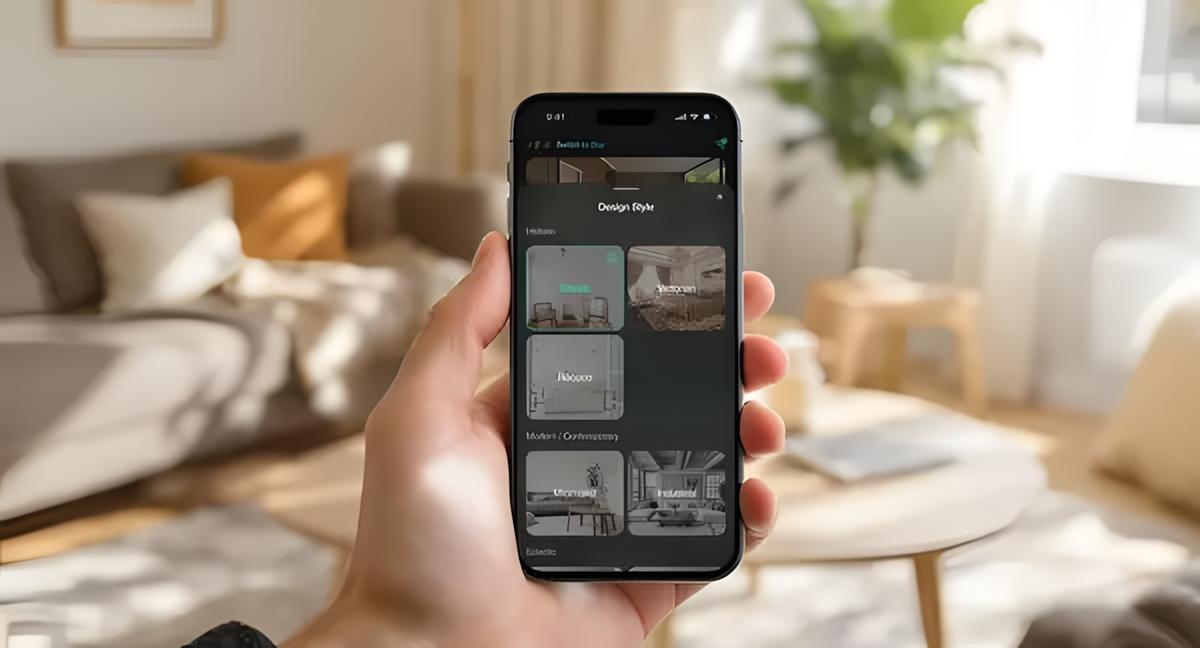
The interface is designed for non-experts and offers an extensive style library spanning contemporary and classic looks, though niche aesthetics may be underrepresented. Advanced controls exist for deeper customization but require some familiarization.
Key Advantages:
Lightning-fast photo processing and style application
Real-time editing without image re-uploads
Extensive style library covering contemporary and classic aesthetics
User-friendly interface requiring no design experience
Considerations:
Style libraries, while comprehensive, are finite and may not cover every niche aesthetic preference
Advanced customization features may require familiarization for optimal results
RoomGPT is quick and easy: upload a photo, select a style, and see visual changes with the click of a button. Its three-step flow is frictionless, providing instant inspiration.
This preset-driven model reduces decision paralysis but limits granular control-users seeking detailed element-level edits or bespoke designs may prefer platforms with real-time adjustments like Paintit.ai.
|
Feature |
RoomGPT |
Paintit.ai |
|---|---|---|
|
Upload to Result Speed |
10-15 seconds |
15-30 seconds |
|
Style Customization |
Preset-based |
Real-time adjustable |
|
Learning Curve |
Minimal |
Low-moderate |
|
Best For |
Quick inspiration |
Detailed experimentation |
Homestyler is a user-friendly navigation tool for layout planning and styling, which offers intuitive drag-and-drop 2D and 3D design and a rich catalog of real-brand furniture to be able to visualize products realistically. Its 3D perspectives can help users evaluate flow and placement from different angles, whether to change layout or find space for awkward shapes.
Brand integration assists purchase decisions by providing real products presented in designs although mobile/desktop compatibility is not always effective. And advanced functionality and premium catalogs may require payment to upgrade, and rendering 3D images can take a lot of resources on older phones and computers
Interface Strengths:
No technical skills required for basic functionality
Extensive catalog of real furniture from recognizable brands
Comprehensive tutorial resources for new users
Support for both simple room styling and complex floor planning
Limitations:
Mobile version experiences occasional functionality issues
Advanced features and premium furniture catalogs require paid upgrades
3D rendering can be resource-intensive on older devices
Canva’s AI capabilities tend to be most useful for quick visual experimentation: posting a room photo, applying AI-based style filters, and creating mood boards to explore palettes and themes. It is super smoothly integrated into broader creative workflows, supporting users to communicate concepts and manage project visuals.
Canva shines at theme discovery and image storytelling, but the lack of accurate 3D modeling and precise placement features in specialized design apps makes it more appropriate for early-stage brainstorming as opposed to finalized spatial arrangements.
Practical Applications:
Rapid style preview and comparison
Theme and color palette brainstorming
Visual communication with contractors or family
Integration with broader home project planning
Scope Limitations:
No comprehensive layout modification tools
Limited 3D visualization capabilities
Focus on aesthetic rather than functional design elements
Foyr Neo is targeting users who require photorealistic renders and a depth of customization needed to have professional visual presentations. Equipped with a large furniture library and a rendering engine that generates near-photoreal imagery, it supports 2D and 3D workflows—useful for high-stakes redesign decisions or client-facing visuals.
The platform has a steeper learning curve and costs more than consumer-focused apps, but extensive tutorials and community resources can help break that learning time barrier. Foyr Neo is ideal for users who prefer the visual fidelity as well as presentation-ready nature of its output compared to current simplicity.
|
Feature Category |
Foyr Neo |
Beginner Apps (Average) |
|---|---|---|
|
Rendering Quality |
Professional/Photorealistic |
Good/Standard |
|
Customization Depth |
Extensive |
Limited-Moderate |
|
Learning Investment |
Moderate-High |
Minimal-Low |
|
Output Suitability |
Professional presentations |
Personal planning |
Planner 5D integrates all the details of full floor planning and AI-fueled layout recommendations to fuel projects from single room makeovers to entire-house renovations. It can suggest or tailor layouts based on dimensions and preferences-cutting down on trial-and-error and aiding users without expertise in the design of functional, appealing designs.
Strengths include seamless transitions from 2D to 3D and deep customization for multi-room coordination, while the complexity and premium content that’s locked behind subscriptions can overwhelm users looking for a simple styling, one-size-fits-all idea
Core Advantages:
Full-scale floor planning capabilities from room to home level
AI-assisted layout suggestions reduce planning complexity
Seamless integration between 2D planning and 3D visualization
Extensive customization options for detailed project development
Upgrade Considerations:
Advanced tools and premium content require paid subscriptions
Complex projects may require significant time investment
Feature depth can overwhelm users seeking simple room styling
AI Room Planner also offers free no-friction layout experimentation and basic design visualization that is geared toward budget users and novices alike. Upload photos and the results provide immediate layout options for spatial relationships and furniture placement without any subscription hurdles. In contrast to premium apps-which are more expensive than this type of app-it’s simple and free to access and serves as a solid first step before paying for a tool or hired professional.
|
Feature |
AI Room Planner |
Premium Alternative |
|---|---|---|
|
Cost |
Free |
$10-50/month |
|
Feature Depth |
Basic |
Comprehensive |
|
Learning Curve |
Minimal |
Varies |
|
Best Use Case |
Experimentation |
Professional planning |
The tool is especially practical for testing furniture arrangements and getting a general sense of changes before upgrading to more advanced platforms.
Choosing the right app is dependent upon the objective, the technical comfort and the degree of control required. Use this list to see which platform strengths match your project requirements best.
Write down what aesthetics you prefer and determine how much blending or customization you’d like. Preset-heavy apps, such as RoomGPT and Paintit.ai facilitate comparisons, and platforms with fine-grained controls help you combine elements and tinker with details. Try comparison side by side on your test data: see how the same photo looks if it ranges and is clear during trials.
Verify guidelines for good photo capture and test processing speed and accuracy. Acting on a real time editing (e.g. changing furniture, colors or lighting-without re-uploading)-comes at great savings of time; experiment with editing multiple times on a single image to check responsiveness and fidelity. Verify the correct identification of furniture, walls, and architecture within the app, given that detection of components impacts usefulness of the generated result.
Choose an interface that is most time- and patience-efficient. Apps that’re beginner-focused (RoomGPT, AI Room Planner) will be good at getting immediate results; those that offer more profundity (Foyr Neo) will be slow and painful to get used to using (or learning). Preview demos and tutorials to check if the workflow blends in well with your technical maturity.
|
Interface Element |
Beginner-Friendly |
Professional-Grade |
|---|---|---|
|
Navigation |
Single-screen workflow |
Multi-panel interface |
|
Feature Access |
Prominent buttons |
Menu-driven |
|
Help Resources |
Tooltips, guided tours |
Video tutorials, documentation |
|
Customization |
Preset selections |
Granular controls |
Virtual staging and furniture positioning must be consistent with idealized plans. Assess the breadth of the furniture library, brand integration, and placement accuracy. If purchasing furniture is an item in your overall plan, you should be on apps which include online shopping links, product identification or budget estimates.
AI design tools change how homeowners approach redesigns by accelerating iterations, lowering costs, and improving decision clarity-benefits that compound across planning, approval, and implementation stages.
AI apps produce mockups in seconds or minutes rather than weeks, enabling rapid exploration of multiple directions in a single session and immediate revision cycles without scheduling consultants. Research shows 34% of users report significant time savings, with many completing preliminary exploration in hours instead of weeks.
These platforms remove the financial barrier to testing concepts: users can try numerous styles without paying for multiple designer concepts. Many apps include budget estimates or shopping lists to preview financial implications before purchasing.
Photorealistic previews, side-by-side comparisons, and exportable images improve stakeholder communication and reduce costly surprises during implementation. A practical workflow: upload high-quality photos, generate several styles, compare side-by-side, and save favorites for contractor discussions or shopping.
Built-in palettes and trend recommendations provide designer-informed color and material pairings, helping users achieve cohesive, contemporary looks and maintain style continuity across rooms during early planning stages.
Paintit.ai and RoomGPT lead on speed and usability; RoomGPT for preset transformations is the fastest one and Paintit.ai is quicker real-time personalization and increased customization as well as more control.
Yes - AI Room Planner is free to visualize basic layouts, Canva allows for free AI capabilities, and there are free tiers from Homestyler and Planner 5D with optional paid upgrades; a lot of paid tools also include trials.
Yes - the majority of apps are optimized for standard smartphone photos and offer capture tips (lighting, angles) to help improve the accuracy of AI.
Most of the top apps have unlimited range of style experiments in their catalogs, so I can do dozens of different styles on the same photograph and compare them side-by-side.
Many apps have shopping integration, or product search links—Homestyler, among others, offers direct links to retailers or shopping lists and others may provide similar-item suggestions and budget estimates.